Customer Ratings & Reviews
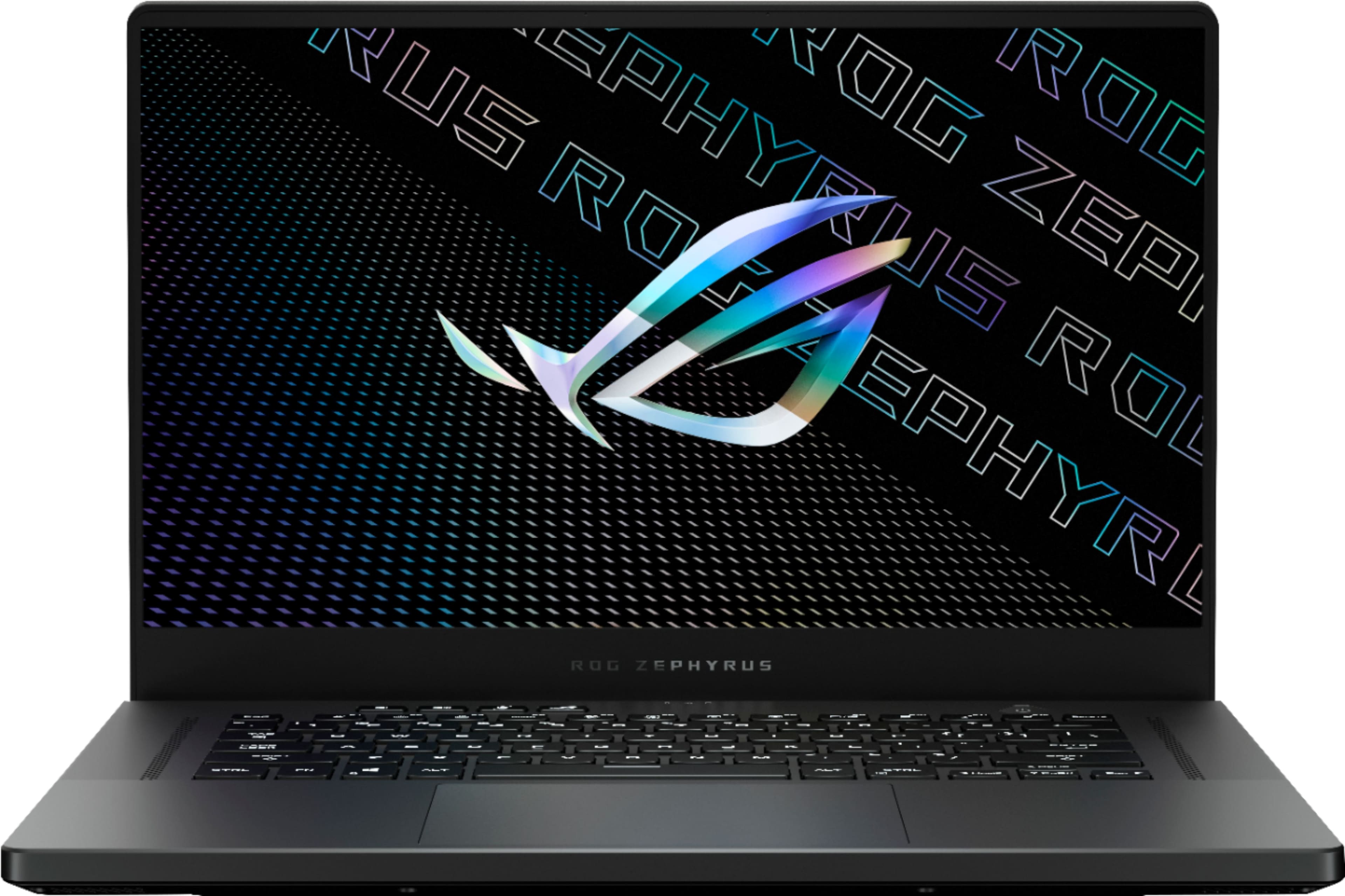
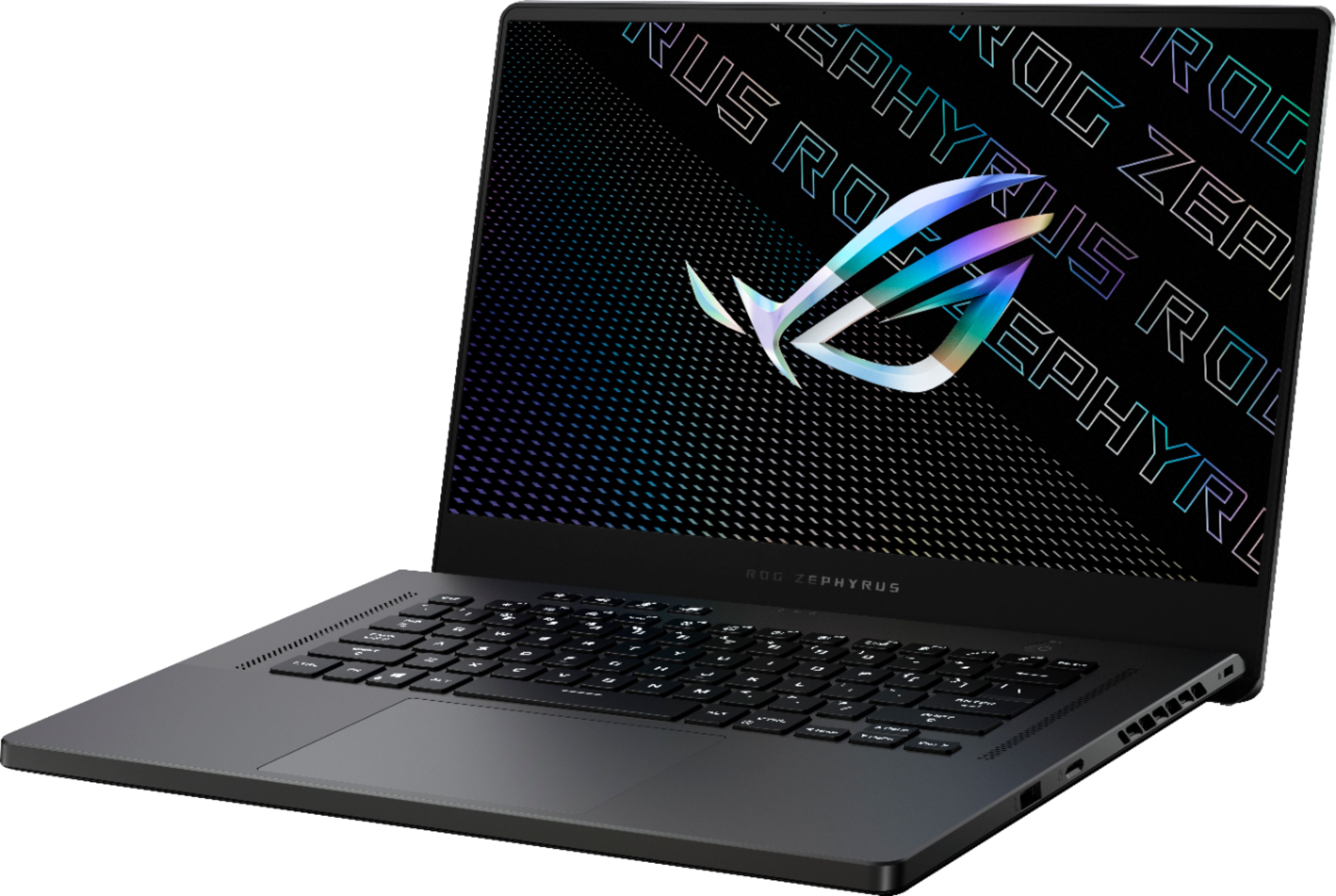
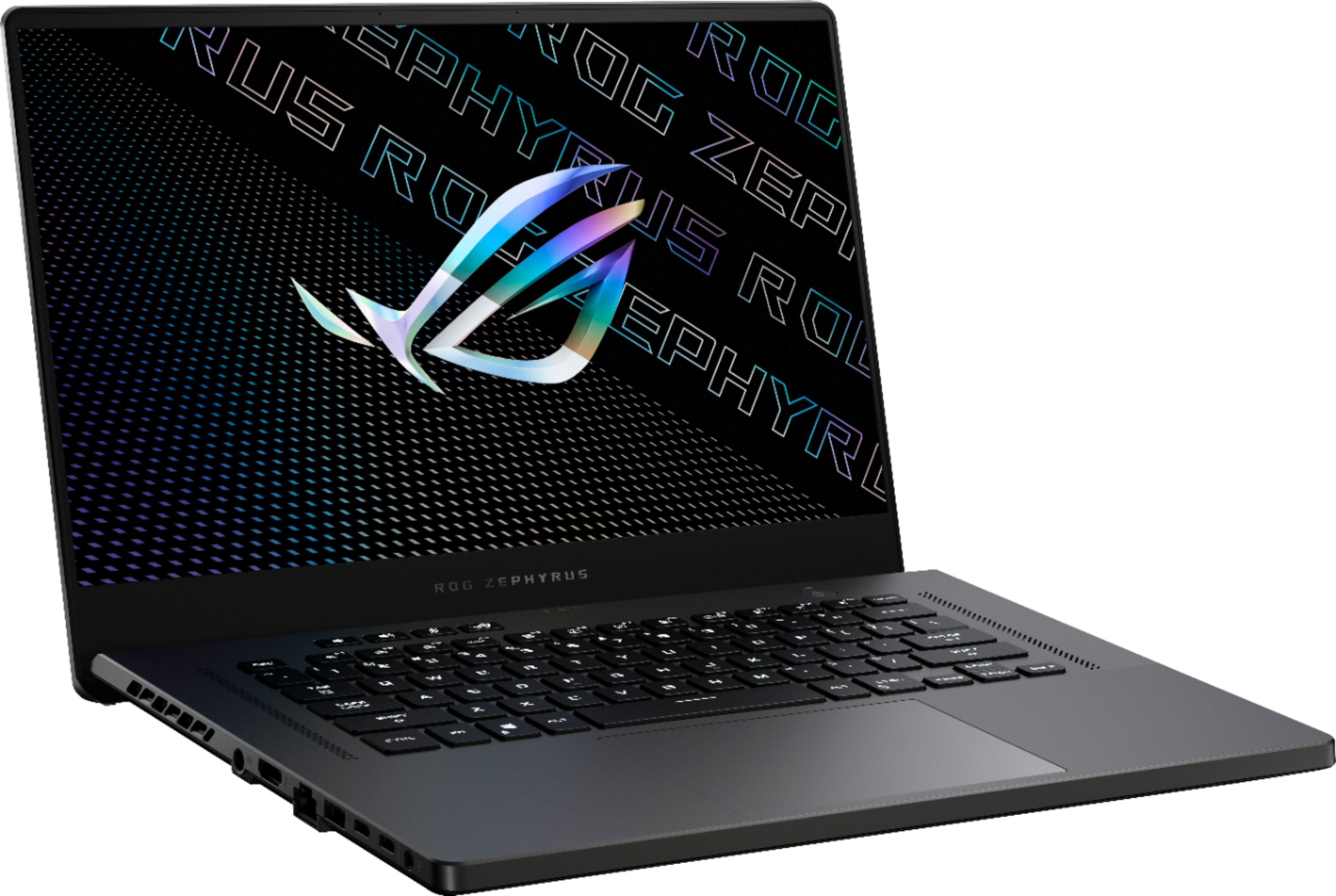
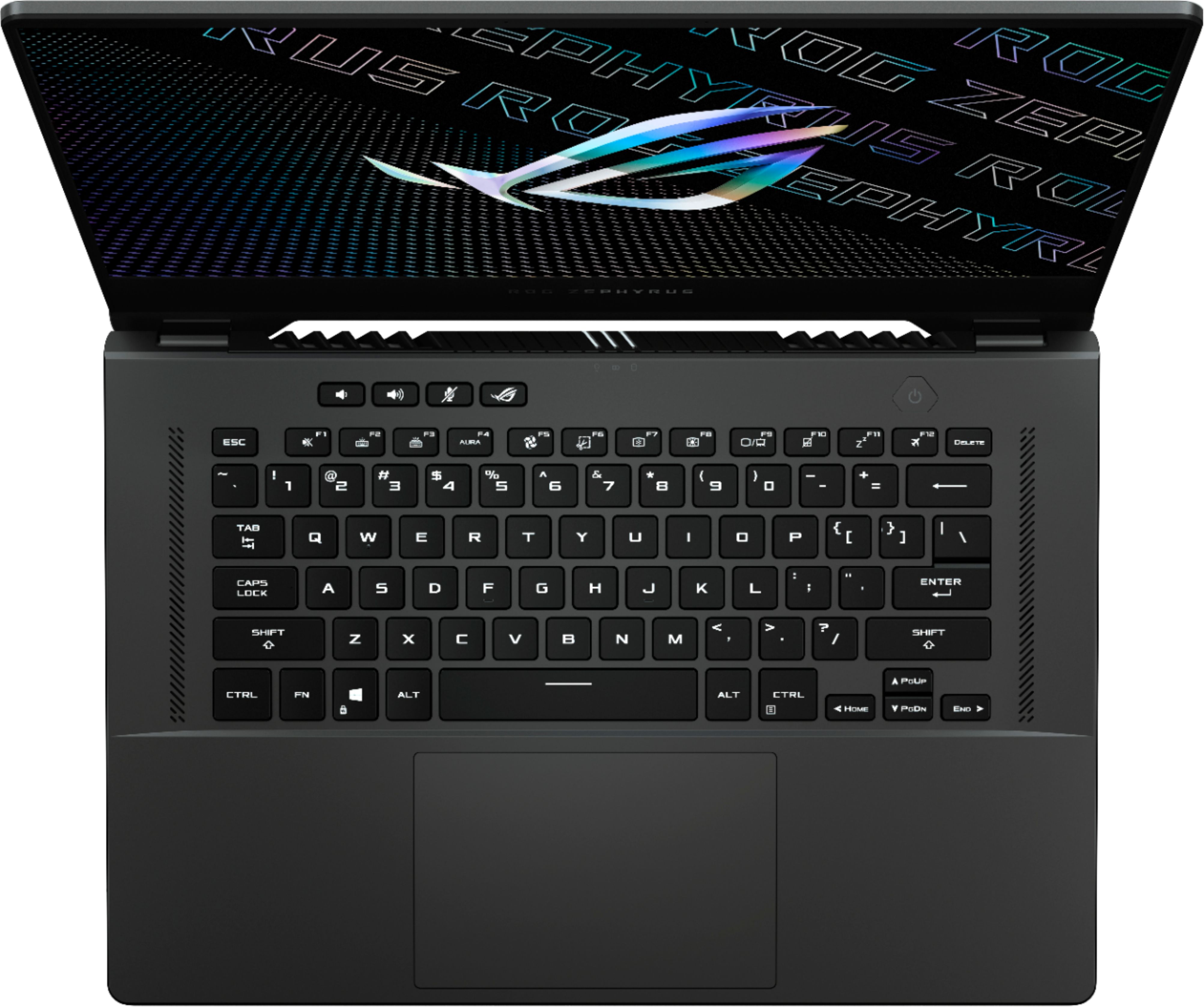





- Model:
- GA503QR-211.ZG15
- SKU:
- 6448848
Rating by feature
- Battery Life
Rating 4.2 out of 5 stars
- Speed
Rating 4.6 out of 5 stars
- Display
Rating 4.4 out of 5 stars
Customers are saying
Customers often highlight the excellent performance, impressive build quality, and long battery life of the ROG Zephyrus 15.6" QHD Gaming Laptop. Many also praise its powerful GPU, lightweight design, and vibrant display, along with the keyboard. However, some users mention that the laptop can get hot, and the fan noise can be noticeable. Other criticisms include the soldered RAM, less-than-stellar speakers, and the absence of a built-in webcam.
This summary was generated by AI based on customer reviews.
- Pros mentioned:Battery life, GpuCons mentioned:Ram, Speakers, Webcam
Overall a great laptop
||Posted . Owned for 3 weeks when reviewed.This reviewer received promo considerations or sweepstakes entry for writing a review.It is generally a good laptop with a ton of pros and some cons. The specs are amazing for the price so if you aren't too worried by some small issues it as an amazing laptop. I'm glad to see a manufacturer use high AMD CPUs with high end NVIDIA GPUs, a commodity reserved for until for intel. The main issues for the laptop in general and in my case are the lack of a webcam, slight popping issues with the speakers, half-soldered RAM, significant backlight bleed towards the top that is extremely visible when viewing darker content, no option to disable Optimus, audible coil whine when fans and RGB are off, and finally no FN lock. While these might seem like a lot, it's really a lot of nit-picking. You can get some crazy battery life when you disable the discrete graphics and lower the refresh rate to 60hz. If you're willing to buy a webcam and external monitor you'll be getting an amazing laptop for an amazing price.
I would recommend this to a friend - Pros mentioned:Battery life, Build qualityCons mentioned:Fan noise, Ram, Speakers
Great Laptop!
||Posted . Owned for 2 weeks when reviewed.This reviewer received promo considerations or sweepstakes entry for writing a review.Coming from a 5 year old laptop and an even older desktop, this laptop is fantastic! The intentions for this laptop are photo editing, light gaming, and some programming. This laptop is likely overkill for what I will be using it for, but I like to have something that can last for years to come. The quality is exceptional with the metal body. The keyboard is perfect for me. I seem to be able to type better on the laptop keyboard than I can on a full-sized desktop keyboard. The trackpad works great and I appreciate the larger size that ASUS decided to go with. The screen is great and was one of the features that drew me to this particular laptop. The laptop can get warm, but I haven't noticed any issues relating to hardware or software. I have seen other reviewers complaining of speaker and screen issues, but I am happy to report that I have not experienced either. I typically have the volume at less than 50%. I was concerned about the fan noise that others have mentioned, but I do not find it obnoxiously loud. Others have complained about only having 16 GB of RAM, but I find this more than capable of handling my tasks. The battery life is great and I like being able to easily switch between battery longevity which charges to 60% and the full charge options for the times I'm away from an outlet. I highly recommend the Zephyrus G15 to anyone looking at a laptop with great battery life while still being capable of gaming and other more hardware intensive activities.
I would recommend this to a friend - Pros mentioned:Build qualityCons mentioned:Heat
3 Years Later...
Posted .This reviewer received promo considerations or sweepstakes entry for writing a review.Overall a pretty great thin and light gaming laptop. Build quality is superb and has lasted good use/travel over the past 3 years. Performance is subpar to my expectations but this line of laptops are generally a lower wattage cap for the GPUs which does limit max potential performance. Ideally, this should translate to a higher efficiency with less heat build up over longer gaming sessions,l but unfortunately - the laptop get very hot, very quickly, often times when you are just idling. Upon internal inspection, the thermal paste compound that is an important conduit between the chips and the heatsinks was poorly applied resulting in massive heat built up. Recommendation: Great for if you are constantly on the go and want a powerful thin and light windows gaming experience.
I would recommend this to a friend - Pros mentioned:Build quality, PerformanceCons mentioned:Ram
Great Price to Performance.
||Posted . Owned for more than 2 years when reviewed.This reviewer received promo considerations or sweepstakes entry for writing a review.Great performance for the size of the machine, the RTX 3070 is just about the same speed as a 4070 and the display colors are great. The trackpad and speakers are a highlight of the machine. The only issues I have with this machine are the single-soldered DIMM slot and the lack of a webcam. I was able to upgrade the WIFI chip to 6E and replace the single 8GB DIM with a 16GB dim for a total of 24GB of RAM. There is also an additional NVME SSD bay I added another 1TB SSD for added local storage. Overall I would recommend this machine as it provides a good value for the dollar and the portability and looks are much better than most other gaming laptops. I use this primarily for deep learning and Engineering work while in school.
I would recommend this to a friend - Pros mentioned:Battery life, Build quality, PerformanceCons mentioned:Webcam
Great choice for a portable gaming laptop
||Posted . Owned for less than 1 week when reviewed.This reviewer received promo considerations or sweepstakes entry for writing a review.Build Quality; Good, not great but good, outside of a razer blade ( which is what I'm coming from) this is about as good as a gaming laptop gets Gaming performance: this is a thin and light, its lower wattage than a full power 3070 and if you go into it knowing that i think you will be happy, Cyberpunk on ultra at 1440p with ray tracing and DLSS stays between 50-60 for me even at intense moments and looks great. Outlanders maxed out at 1440p between 80-90fps, in comparison my razer blade(2070 maxq) at 1080p gets about 30 in cyberpunk with similar settings and a lower resolution, outlanders around 50 so its a massive step up from the i7 2070maxq i was using thermals: amazing, this is the first gaming laptop i didn't have to resort to tweaking to get to reasonable thermals, Gaming for several hours the max temp hit was 82c, and it averaged high 70s, in normal use the fans hardly spin and its nice and quiet. Battery Life: i haven't tested this while gaming because i don't need to game on battery, but i use this for work and have no issues getting over 6 hours on battery with brightness fairly high, im sure it could be stretched to over 8 if you resorted to battery saver modes and lower brightness, for a gaming laptop, and a laptop with this kind of power (and high res screen) its fantastic Display: great screen, bright enough to use in a bright room, not as bright as my 2020 macbook pro, but brighter than my 2019 razer blade and looks far better. Colors are vibrant but appear accurate, things don't look washed out like most gaming laptops do imo, outside of the gaming laptops coming with OLEDs now you would have a hard time getting a screen this nice on another gaming laptop. Trackpad: Large, accurate, multi finger gestures work great, possibly the best gaming laptops trackpad ive used, and this is a big point for me, I've returned many laptops for bad trackpads before, i don't always want to carry a mouse so its important to me. Cons: the fingerprint reader works about 50% of the time at best, i have very rough hands and only some fingerprint readers work for me so maybe its me here. No webcam(i cover mine with stickers anyways) i don't particularly care but could be a big deal to some Keyboard is single zone RGB, nothing really wrong with it i guess, lights up nicely, tons of effects and colors, but i was used to my blades per key and miss it a little but it does feel better to type on. Conclusion, if you are looking for a very portable gaming laptop with a great screen and good battery life for productivity tasks or general work I dont think there is a better option on the market right now, if you want huge framerates at 4k go get a full power 3070-3080, but if you want a slight compromise between power and portability this is a great option, and i dont feel like i had to give up much to get here. side note: just a quick boot into Linux(mint to test) to test so far, everything seems to work except the keyboard lights which I'm sure i can get going with a little work.
I would recommend this to a friend - Pros mentioned:Battery life, Build qualityCons mentioned:Ram
A powerhouse in a small form factor.
||Posted . Owned for 6 months when reviewed.This reviewer received promo considerations or sweepstakes entry for writing a review.I’ve been using this labtop for months and have to say what asus has put together is a really solid chassis to performance ratio. This labtop has been able to exceed my expectations with using a great screen that has amazing color accuracy and crisp visuals with virtually no input lag. If this is your daily driver for school or work and need a long lasting battery this labtop with it’s built in settings to disable the discrete GPU and lower the screen refresh rate along with the efficiently of the AND Ryzen 5900hs will drive your labtop over 8 hours. The 3070 GPU although I do wish was a higher wattage rather than 80 watts can really pull through for gaming and can handle almost everything I’ve thrown at it and I understand why they couldn’t use more power because the one downfall I would say about this labtop is that under load it does get hot. 90c - 95c on the cpu can easily be reached while gaming and although that is within the specs for this processor and does not throttle, it makes the classic very hot and almost uncomfortable to game on after extended periods of time. A cooling pad does help but the biggest boost would be to disable turbo boost and most games can run at stock frequencies and hardly lose performance this can help temperatures tremendously. But for how thin this labtop is it is impressive the performance that it can pull out. My final gripe about this labtop would be that ASUS uses Ram that is soldered on the board and one that is upgradeable, but on my unit the soldered memory has fast timings rated (350ns) and the removable is a slower timing at (550ns) which leaves performance left under the table when they could have just upgraded the stick to match the timings. Not only that it seems to also be a gamble if your units soldered RAM will have slow timings or not which could mean you couldn’t even potentially fix the problem. With all that said I would still recommend this labtop, it’s sleek, powerful and has a great display and audio with a easy to type on keyboard and the ability to game anywhere, this labtop is close to being the one.
I would recommend this to a friend - Pros mentioned:Build quality, SpeedCons mentioned:Fan noise, Ram
A price to performance king for 2021
||Posted . Owned for 1 month when reviewed.This reviewer received promo considerations or sweepstakes entry for writing a review.This laptop is a powerful beast that will satisfy all your portable gaming needs. It's not perfect, but for most people, it will be more than adequate. Pros: Reasonably bright, color accurate 1440p 165Hz (2560x1440) display, decent keyboard, excellent performance (CPU and GPU), two nvme slots (one populated and one not) for easy storage upgrades, excellent track pad, multiple ways to charge (quickcharge via included AC adapter or 100 watt charging via USB-C ports), and pretty decent speakers (for a laptop). Meh: 1 zone RGB lighting on the keyboard (meaning you can't change the colors on a per key basis), noisy fans, no Thunderbolt support, and a mostly plastic housing. Cons: Can get hot in spite of the fans and the lifting mechanism when opening the machine, fingerprint reader is finicky and doesn't always work, 16Gb memory with 8Gb soldered to the board (meaning that it runs in asynchronous dual channel mode if you upgrade to its maximum of 40Gb), HDMI port does not use the RTX 3070 and instead uses the integrated gpu. Overall, a great laptop for the price. It's by far one of the best portable gaming machines at its price point and provides a gaming experience that rivals desktop machines. I can wholehearted recommend this machine without hesitation as long as you're okay with the compromises mentioned in the cons above. I do think this machine is well worth the price of admission.
I would recommend this to a friend - Pros mentioned:Gpu, PerformanceCons mentioned:Heat, Ram
One of the best gaming/creator laptops
||Posted . Owned for 2 weeks when reviewed.This reviewer received promo considerations or sweepstakes entry for writing a review.- AMD Ryzen 9 5900HS - CPU screams - 16 GB DDR4 RAM (8 soldered+ 8 GB SoDIMM) - ugradeable to 40 GB total. Not very happy with soldered RAM, -Dedicated RTX3070 GPU - will power throught most AAA titles. - Backlit keyboard (no per key RGB) - 15.6 inch 2560x1440 QHD screen. 165 Hz, 3 ms. One of he best available. - 1 TB PCIe SSD. One more M.2 slot avaliable. - 2 USB-c ports (no Thunderbolt). PD allows you to charge the laptop through USB-c port. - microSD port . - No camera (a bit puzzling choice). - 1 year warranty. Additional warranty is only available through Geek Squad. - Very nice touchpad and keyboard. - Quite small and lightweight. I enjoy this powerhouse. I am glad I got it. Performance is top notch. However, all this power means the laptop does get quite warm and fans kick in a lot. Personally, I despise the fact that 8 GB of RAM is soldered onboard.
I would recommend this to a friend - Pros mentioned:Battery life, Build quality
Sinking Battleships
||Posted . Owned for 1 week when reviewed.This reviewer received promo considerations or sweepstakes entry for writing a review.This laptop is perfect. From the build to the style; from the perfect RGB keyboard to the unreal WQHD matte display; from the ergo-lift build to the perfect touchpad (size, feel, precision); from the new AMD processor to the new RTX 3070 graphics card... you get the drift, this thing is a monster with the capabilities of sinking battleships and demolishing its competition. I’m not too worried about the one 8gb of soldered ram, the other slot can be upgraded from the 8–which is already in there, giving 16 stock—to a 16gb giving it a total of 32 gb. I’m honestly confused by the one star reviews about things that were CLEARLY stated on the Asus website before this laptop was even pre-order status at Best Buy... it’s almost like people didn’t even bother to do their homework and went into an $1800 purchase completely blind. Weird how people do that, huh? Once again the people bashing that it doesn’t have a webcam are also being ridiculous. Of course it doesn’t have a webcam... I mean... it was clearly stated on the ASUS WEBSITE! I get it, it’s 2021 and everyone is doing Zoom meeting nowadays... including myself... so I bought a Logitech webcam and it works perfectly and fits on the thin bezel with precision. Do your homework people, don’t buy something and bash it because it doesn’t have things you want it to have but it doesn’t. If that’s the case, go buy something that has all the things you want your new laptop to have. Absurdities galore. I like the Armory Crate software and the fan profiles for gaming or just web browsing. I was able to get close to 6 hours (probably could have gone longer but plugged in with 12% battery left just because I’m OCD like that) without battery saver turned on doing regular old web-browsing/typing up papers on Word. Powered up Dark Souls 3 on ultra settings with silent mode turned on and it played like butter without letting off too much heat. I plan on testing out more, but I don’t expect I will run into any games that this laptop will not demolish. ArcMap and ArcGIS were like play things to this laptop and once again I believe I could throw any program I wanted to at this thing and it would eat it up with a side of Fava beans and a nice Chianti. I think for the price, you are getting more from this laptop than you would from other apex laptops. The build and style are better than I thought they would be and the unboxing experience is top notch (you’ll see). I could go on, but I won’t. I finish by saying: this laptop will be my workhorse for years to come and I will try my damndest to drive it into the ground. Bravo ASUS, you’ve outdone yourself.
I would recommend this to a friend - Pros mentioned:Battery life, Build quality, Performance
ASUS G15= Best value for the buck.
||Posted . Owned for 1 month when reviewed.This reviewer received promo considerations or sweepstakes entry for writing a review.So if you are looking for a LIGHT but powerful laptop there are ONLY 2 real options. A G14, which I had and returned ONLY because I really wanted a 15 inch QHD. Again I am talking LIGHT weight laptop. Yes you can buy an Alienware with a higher TDP and now it’s heavy and the battery life is poor and you will be plugged in… if that is what you want and never carry it around or on your lap sure grab an Alienware. I love them too, honestly for my use I do not need a desktop/ laptop. Razer? Yes they are awesome… and expensive. Portable but no battery life so what’s the point. Did I mention expensive. Best bang for the buck are the G14 and G15. G15 plays anything out there super quick, open SSD slot. So M16 ? I still say G15. If it had a 3070 for that $1850 I may consider it. But 16:10 aspect equal letterboxing so why ? And a 6 gig 3060 for the same $1850? No, G15 is the better value. All of those crazy speaker issues are gone. Use Dolby and custom eq. Sound great, not MacBook Pro great( I have one so I know ). For a windows laptop it sounds great. Screen ? Flawless with no backlight bleed at all. Keyboard lighting. After you finish playing with per key everyone just turns on one color lol. And if you are over 25? Really ? Why the light show ? SSD is super fast, added another skynix from Amazon. Super fast. The memory debacle? Folks 16 is enough to game. If you are buying this for productivity or music then ddr vs capacity kicks in add the stick and don’t worry about DDR. 16 is enough. Build ? Well it’s plastic and metal/ poly. It doesn’t creak or flex. Typing is awesome. Trackpad is HUGe and CENTERED… sorry OCD kicked in. Power brick is light, has fast charge and I mean fast. USB charging works, used my MacBook Pro 16 charger worked fine. Battery life. AWESOME. When not gaming, watching videos and browsing 8+ hours no joke. Screen at 50 brightness. Mai ? Ugh let us say I am not a fan. Just me. HP ? Tried it in between the G14 and G15. I just didn’t like. QHD,3070, Ryzen, Rog, battery , light and thin and cost. What else is out at this price point, build , name brand and spec and PORTABILITY!!!! Written so you do not have to do the 4 laptop swaps game I did before being Happy. You will be.
I would recommend this to a friend - Pros mentioned:Battery life, Build qualityCons mentioned:Ram, Webcam
All-Around Juggernaut! Perfect for college gamers!
||Posted . Owned for 1 week when reviewed.This reviewer received promo considerations or sweepstakes entry for writing a review.Pros: + Fastest laptop CPU in existence (as of March 2021) + Impressive graphics performance on par with a desktop NVIDIA RTX 2070 + Sturdy build quality + Sleek, sexy design. It doesn't scream "Gamer!!!" to the entire room. + Great touchpad & keyboard + A bright, high resolution, high refresh rate, high color accuracy display + Compact and light + Excellent speakers and microphones! This laptop's mic array rivals professional-grade microphones! + Highly customizable via included software + Super-fast PCIe drive(s) + USB-C PD charging (100W) + Fingerprint sensor to unlock the computer with + Easy to clean + Incredible battery life! (10-12 hours of web browsing & Microsoft Office) Cons: - CPU can run kinda hot, despite having liquid metal applied to it during manufacturing - Only two USB Type-A ports - No Thunderbolt capabilities - Half of the RAM is soldered onto the motherboard, so there’s no point in upgrading the memory. - No SATA III or SATA M.2 support - No Numpad - No webcam - Does not come with a USB-C charger. You must buy one separately. - Battery charging LED indicator is on the back of the laptop instead of the front, top, or sides. May not be an issue for some, but I found it annoying. Verdict: 2021 Laptop of the Year Candidate!
I would recommend this to a friend - Pros mentioned:Battery life, Build quality, PerformanceCons mentioned:Heat, Webcam
Almost a Perfect Laptop.
||Posted . Owned for 1 week when reviewed.This reviewer received promo considerations or sweepstakes entry for writing a review.I would rate it 4.8 if i could. This laptop does it all, very light and portable with good battery life, while delivering one of the best performance on a laptop that i have ever seen. The screen is beautiful. Very color accurate, and the high resolution and high refresh rate makes looking at the screen an absolute joy. Although i would haved liked the screen to be a bit brighter, i can live with what i have. The lack of webcam is unfortunate. But every other flaw would be nitpicking. The laptop does get a bit hot without tinkering a few settings. Anyways, its a premium laptop with a premium feel. I would definitely recommend it for those that have 2k to spent and is looking for a full package laptop. I'd definitely recommend it.
I would recommend this to a friend 
Lots of power inside a small package
|Posted .This reviewer received promo considerations or sweepstakes entry for writing a review.ASUS managed to pack a lot of power, including a Ryzen 9 5900-HS and Nvidia RTX 3070 inside the slim 15” chassis of the Zephyrus. It’s not only slimmer than any of my previous gaming laptops but also some of my non-gaming Windows laptops. It has a relatively small footprint for a 15” gaming laptop and sits less than an inch high at the base despite being slightly elevated to help combat heat. Gaming has so far been a mixed bag. I have a gaming desktop equipped with a GeForce RTX 2060 Super, intel i7-10700 processor and 16GB RAM which I use as a point of comparison. I’ve noticed slightly faster frame rates in some games, higher default visual settings and improved lighting, texture and particle effects on the Zephyrus. Nearly every game I’ve played also ran at ultra or equivalent video settings by default. However, the Zephyrus hasn’t been superior in every aspect. I also see a lot of mist and backgrounds still rendering as I play certain games as well as missing sections of background, glitchy particle effects and other visual anomalies. Gameplay on my desktop PC, while not quite as pretty, seems smoother and more consistent even at lower frame rates. I initially suspected Destiny 2 was the culprit as it has its fair share of pre-existing issues. However, I see the same issues when playing Rage 2, although not nearly quite as bad. I see it at both the native QHD resolution on the built-in display as well as at lower resolutions. I don’t see any visual anomalies on my desktop system running at 1920x1080 resolution but see it on the Zephyrus running at same. Despite the mist and occasional visual hiccups, all other aspects like frame rates are excellent at all resolutions which leads me to suspect the games as the culprit rather than the machine. I haven’t had time to play a ton of games on the Zephyrus yet but was able to get a nice sample size among FPS, platformer/puzzle and racing games. Desktop performance with the Ryzen 9 is excellent as expected. Multi-page spreadsheets, documents and other productivity tasks execute flawlessly and multitasking is a breeze. I have another machine that I use for photo/video editing but have every confidence that this Zephyrus could handle the task if need be. This is a very capable and versatile machine, especially if required to switch between work and play modes. The machine gets pretty warm with temps typically exceeding 60C while actively gaming. The design of the heat exhaust is also a little concerning. Heat blows out vents along the back but the bottom of the screen is curved and extends down the desktop surface deflecting the flow of outwardly blowing heat exhaust. As a result, the very warm air ends up heating the lower portion of the screen and being redirected back up over the screen and keyboard. It makes me curious whether that’s why the lid is vented on the top. I haven’t observed any heat related issues so far but I actively monitor temps while gaming. Internal temperatures can be monitored through either the ARMOURY GATE or Radeon apps. Fan noise is pretty loud during gaming but tends to ramp back down to quiet within 10-15 seconds of exiting a game. The Zephyrus has a solid feel but is lightweight. The base sits at a slightly raised angle to provide ample space underneath for air flow. The keyboard has single-zone RGB lighting with decent quality keys that feel solid with good travel and no noticeable flexing. The RGB lighting can be controlled via the ARMOURY CRATE application and allows single zone static or animated lighting effects. The keyboard is okay but the trackpad is pretty bad. It feels loose, flimsy and like it’s ready to break at any moment. Even with light taps I can both feel and hear noticeable flex in the trackpad. I used it for less than five minutes before switching to an external mouse. The power button has an integrated fingerprint scanner. The scanner works fine on most attempts but occasionally has trouble recognizing my finger, subsequently forcing me to use an alternate login method after a few failed attempts. The Zephyrus has the following ports: 2 USB-C 1 USB-A 1 DC power input 1 HDMI 1 Ethernet 1 micro-SD 1 Kensington lock The two USB-C ports aren’t Thunderbolt compatible. I tried plugging in a couple of Thunderbolt drives and got the same generic Thunderbolt error I get on all other non-Thunderbolt laptops. The Zephyrus also charges through a DC power brick rather than through USB-C. On the plus side, at least the power brick is reasonably sized for a gaming machine. The 165Hz QHD display is nice if not exactly groundbreaking. It’s bright, vivid and tack sharp in both desktop computing and gaming, where it keeps up without blur. Color temperature skews a little on the warm side, especially with darker content but isn’t yellowish or overly warm. It looks and feels like a gaming panel. Brightness is sufficient. There is a small amount of light bleed along the screen edges. Light bleed severity is very subjective but I personally find it negligible. It’s very minor and only noticeable in dim lighting on certain dark backgrounds. It does not affect my desktop or gaming experience at all. The display can be custom calibrated through the ASUS installed apps if desired. External displays can be connected via the HDMI port and/or USB-C if desired. I’ve used it with a USB-C connected monitor and it works quite well although I wouldn’t risk running this laptop in clamshell mode due to heat concerns. I’ve read a lot of complaints about the speakers. Maybe I just got lucky but the built in speakers on this machine sound very good compared to most laptop speakers. The highs are crisp and there is actually a little noticeable bass. The bass may not be teeth rattling, but it is at least present and does not sound distorted as some others have reported. The speakers also have a surround sound type effect that makes the sound project much wider and richer than the two top visible speakers suggest. The speakers, at least on this specific unit, sound fine for everyday desktop computing, music and even gaming. The internal mic has two-way noise cancellation and three modes: cardioid, stereo and omnidirectional. All speaker and mic settings can be toggled and tweaked in the ARMOURY CRATE app. Although the speakers sound fine to me and the mic is noise cancelling, I use a wireless headset for gaming to eliminate the loud distracting fan noise and provide a more immersive gaming experience. I get very good performance on Intel AX200 wifi adapter on my home wifi network. In fact, it’s the one hardware item on the Zephyrus that thoroughly outperforms its (non-intel) counterpart on my desktop. I haven’t yet used the ethernet port but it’s nice to know it’s there if needed. ASUS kept bloatware to a minimum and I did not have to remove any unwanted programs. Aside from the usual Windows 10 bundled apps, the only other installed apps are the MyASUS, ARMOURY CRATE and AMD Radeon apps. I left the three apps intact because they offer useful system tools. MyASUS provides system and warranty information as well as system diagnostics and driver/software updates. The app is helpful but the driver updater is clunky and non-intuitive to use. It requires too much user interaction and doesn’t always download user-friendly file formats. ARMOURY CRATE is mainly used for ROG settings like lighting and gaming profiles. It also has a driver update feature that is thankfully a little more sophisticated than the MyASUS app. The only irksome issue is that even with the laptop charged to 100%, ARMOURY CRATE requires the laptop to be plugged into a power outlet for the update feature to run. AMD’s Radeon application allows users to adjust the integrated graphics settings, overall color settings and provides useful system performance information. I like the Zephyrus. It’s not without a few shortcomings but is a very noce machine overall. The gaming performance is strong although it’s obvious not every game is quite optimized yet to take full advantage of the 3070’s capabilities. Despite the issues encountered with some games, performance is still very impressive. I’m also impressed with how much power ASUS packed into such a small slim package. Build quality feels pretty solid with the only notable exception being the trackpad. I also wish heat regulation were a little better. All things considered, even the 8GB of soldered RAM isn’t necessarily a deal breaker unless I really needed to go beyond 16GB for other reasons. So far, 16GB handles my modest gaming needs quite fine on both the Zephyrus and my desktop. Battery life is decent for desktop use and light gaming. The GPU can be toggled off when not needed, to help preserve battery life.
I would recommend this to a friend- Pros mentioned:Battery life, GpuCons mentioned:Webcam
Not as good as the M16
||Posted . Owned for less than 1 week when reviewed.This reviewer received promo considerations or sweepstakes entry for writing a review.I bought this and the M16, and used them both side by side then decided which to keep, and which to return. In the end, I returned the G15, and kept the M16, and I'll explain why. Note that these 2 models cost the same at full price ($1850), but the G15 was $50 more during the Black Friday sale. Here are the main differences between the 2 models: - Material: I believe both are built with the same material (magnesium-aluminum alloy). However, the inside of the M16, where the keyboard deck is, has a rubberized feel on it (it feels similar to the Dell XPS line's carbon fiber inside). The G15 inside feels a bit like metal/hard plastic. - Screen: M16 has a brighter screen (500 nits vs 300 nits on the G15), so it is great for working outside or by a window if there's a lot of light shining onto the screen. M16 also has 16:10 aspect ratio (vs 16:9 on the G15) so you get more vertical space. It's good for productivity as you can see more line of text, but you'll see 2 black lines at the top and bottom if you're watching contents as those are mostly in 16:9 aspect ratio. ***A concern here that some people have is that under load, the hot air from the vent in the back is blown onto the screen. And because the M16 doesn't have a chin, the screen could get damaged over long term used. I personally haven't had any issue and think that it should be fine as the screen only gets a bit warm and not too hot. - Webcam: M16 has a 720p webcam, but the G15 doesn't have one. The quality isn't great, but it's there and it works if you need it. - Noise: Both run pretty silent in silent mode. But the fans from M16 usually kicks in faster and gets louder. The G15 runs quieter under load. - Battery life: The G15 has longer battery life (9 hours vs 5-7 hours on the M16 on light use). This is due to the Ryzen chip being more efficient than the Intel chip. Under load, the difference is minimal, and you'd probably want to plug in the laptop to draw out the full power anyway. - Ports: Ports are pretty much the same on both. The only difference is one of the USB-C ports on the M16 is thunderbolt 4. - CPU and GPU: The G15 has the Ryzen 9 5900HS chip while the M16 has the Intel Core i9-11900H. The Intel chip will outperform the Ryzen chip in most tasks, but you probably won't notice it unless you need to use the chip to its full potential. The Ryzen chip runs more efficiently, hence quieter and longer battery life. You can undervolt the M16, but that's not an option on the G15. M16 has an RTX 3060 while G15 has an RTX 3070. In games, the 3070 will give you better FPS, but not by much. Only when you turn on ray tracing, then the 3070 will perform much better. - Quality Control: The M16 definitely wins here. I've heard that the quality control on the M16 is much better than the G15. I actually had to reorder the M16 a 2nd time, due to the first one having a dead pixel. But that's not really the manufacture's fault. My 2nd unit hasn't had any problems so far. The G15, on the other hand, has a loose trackpad (it has some pre-travel and you can hear a quiet click, before it actually actuates and click). The screen is also slight warped. When you close the g15, you can see there's a small gap in the middle on all 3 sides (these are pretty common issues that other people on reddit had too) Overall, I picked the M16 because I much prefer this brighter and bigger screen for my work, and I just can't stand not having a webcam. I know you can use your phone or use an external webcam with much better quality, but it's just inconvenient having to set it up. I can sacrifice some gaming power and battery life for the screen. I'm going to try and tweak the settings and may undervolt it to help squeezing out some extra power, but also help extend battery life. And of course, The M16 was $50 cheaper when I bought both and the Quality Control on the G15 is just not as good. I would totally recommend the G15 though, if you can get 1 without any issues. Especially if you're a college student that needs long battery life, and want the model with better bang for your buck, and don't mind not having a webcam.
I would recommend this to a friend - Pros mentioned:Gpu
The Zephyrus Is a Beast
|Posted .This reviewer received promo considerations or sweepstakes entry for writing a review.Honestly if you are looking for the best of the best on a laptop at the time of this review, this laptop has it all. Currently this laptop runs everything faster and smoother than my tower PC. This Laptop has 1TB storage which by today's standard is average since applications and games are getting bigger, but don't get me wrong the SSD makes everything load fast unlike a regular hard drive. When it comes to the CPU, oh boy, that one is a beefy one. Inside this monster of a machine is a Ryzen 9 5900HS which is arguably one of the top multi use CPU for gaming, streaming, editing and rendering on the go. On the GPU side you have a 3070 with 8GB of GDDR6 which is plenty to run games on 2K smoothly or to get higher frame rates. One side note for you streamers looking for a laptop, this is a good laptop to stream with using the NVEC encoder, but with games that require a lot of GPU, the frame rate will take a hit. Once you are on the laptop you can use the ASUS ROG app that will let you see your temps, fan speeds, battery mode color of the keyboard etc... In the app you can change several things to your liking, it is easy to use for beginners and for more experienced people. Honestly with all the Nvidia card shortages going on I would highly recommend this laptop. I have been playing Valheim and Valorant and experience is smooth as butter. The only complaint i would have is the matte finish. As a gamer once you have a long and intense sessions of gaming, your hands tend to get sweaty and oily and leaves marks on the surface of the laptop. It would of been nice if they had a polished metal finish but that is mostly nitpicking.
I would recommend this to a friend - Pros mentioned:Build quality, PerformanceCons mentioned:Ram, Webcam
Great with a few minor issues
||Posted . Owned for less than 1 week when reviewed.This reviewer received promo considerations or sweepstakes entry for writing a review.I had an Alienware m15 R2 prior to this laptop, I can easily say this laptop is better in almost every way. The screen is beautiful, however I wish it was a bit brighter, the performance and thermals are much better than the Alienware, and the overall design and port selection is better as well. Pros: Performance Thermals Design 4.2 lbs and the power cord is light as well - much lighter than the Alienware m15 cord Incredible value for the price Cons: No webcam Although there are a lot of speakers, the sound is pretty quiet Screen brightness Soldered RAM Weird port location for power cord If I could I would probably give it 4.5 stars.
I would recommend this to a friend - Pros mentioned:Battery life, PerformanceCons mentioned:Ram, Webcam
Great for a specific group of people
||Posted . Owned for 3 weeks when reviewed.This reviewer received promo considerations or sweepstakes entry for writing a review.The Zephyrus G15 is in many ways the ideal laptop that I was looking for. I was lucky to get this model for $300 off during the Black Friday sale and I have had very few complaints so far. Compared to my previous gaming laptop, this is significantly lighter and has much better battery, with the caveat that you do have to tweak a decent number of settings in order to get that battery life. The performance so far has been fantastic, reaching above 60 fps in more demanding games such as Control and above 200 in games like League of Legends. I personally really love the design that is a lot more discreet compared to other gaming laptops, and it also runs much quieter than other gaming laptops that I have used. This makes this laptop perfect for people who are planning on using this laptop on the go. However, this doesn't mean that it's perfect for everybody and you are making certain sacrifices with this device. One of them being the soldered ram. Half of the RAM is soldered to the motherboard so you can only upgrade one of the sticks. If you want more RAM you will have to give up dual channel. The other sacrifice for hardcore gamers is that there is no MUX switch, so to get that full performance, you need to use an external monitor. If you're looking for pure gaming performance, then there are better choices, especially since you are paying that premium for portability. The other complaints that I have had with the device are that the screen is a little dim, there are some issues with sleep mode, and that there is no webcam. This laptop falls into a niche of people who want to game, but also want a relatively portable device, which fits me perfectly.
I would recommend this to a friend - Pros mentioned:Build quality, PerformanceCons mentioned:Heat, Speakers
Updates fixed the sound issue
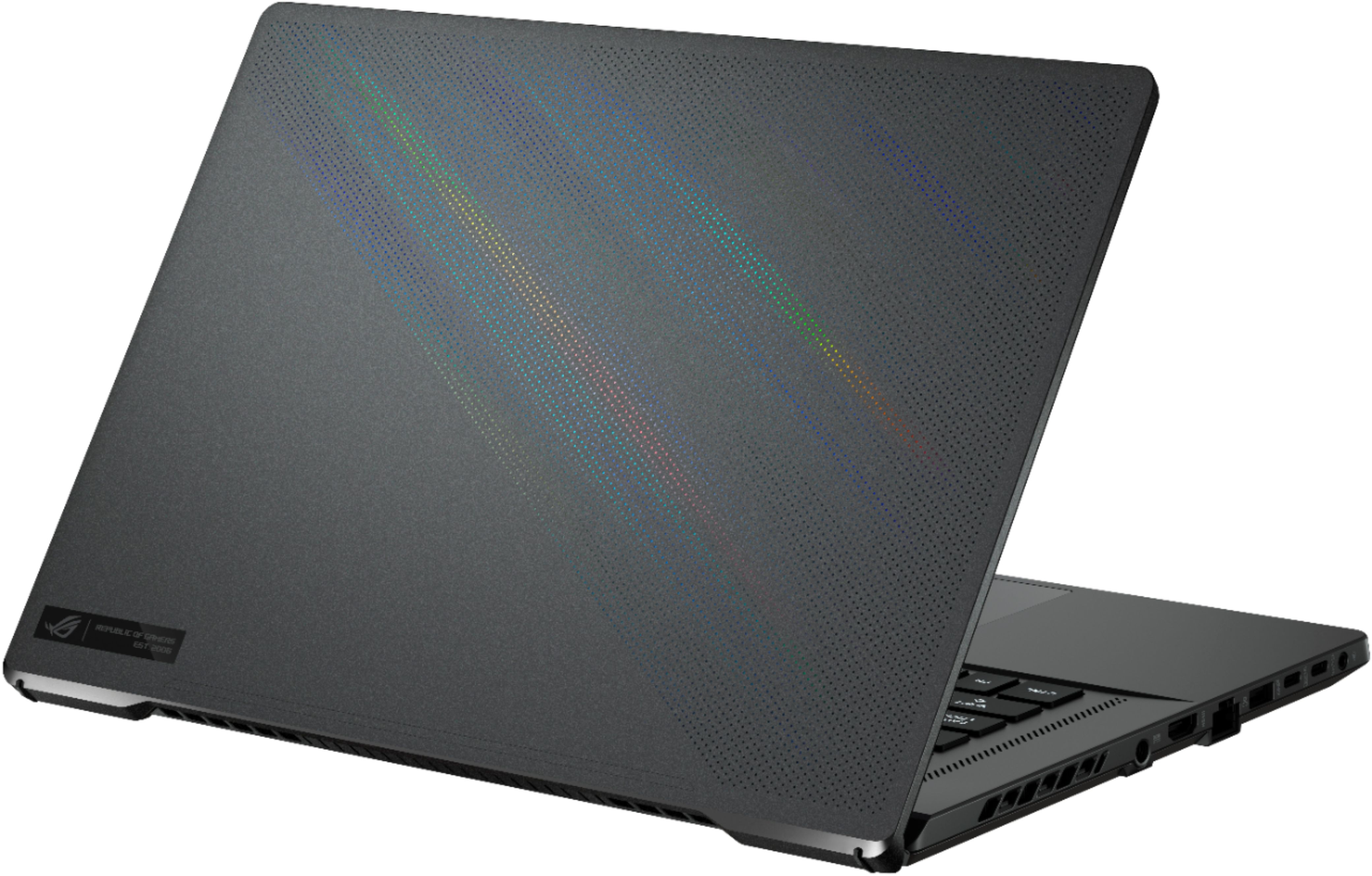
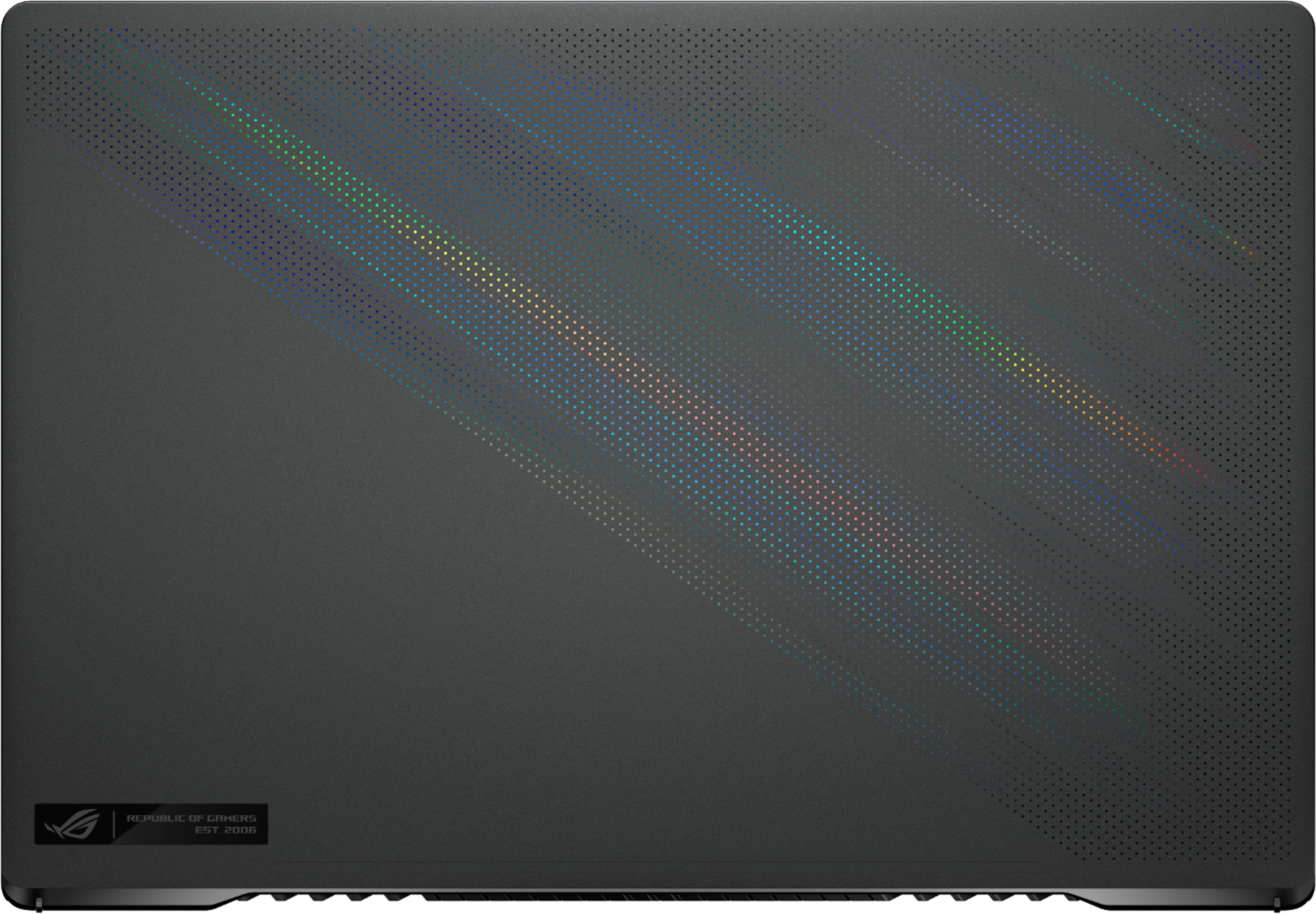
||Posted . Owned for 2 weeks when reviewed.This reviewer received promo considerations or sweepstakes entry for writing a review.Awesome laptop handles everything I throw at it. I played dozens of games on high or ultra setting no hiccups or studders.. Does get a little hot when playing heavy games but I expect that for the size and power. A cooling pad helps out alot stopped the fans from always going crazy. The build is solid I like the holographic look they did on the front. And the metal feel. The screen is amazing! I love it the colors are nice. Little light bleed on Mine but I hardly see it. One thing that did suck was the speakers sounded like they were blown like many others have mentioned. I was able to go into dolby and customize the sound to make it go away but my sound was trash. The laptop was so amazing over all I decided to just keep it the speakers didn't bother me that much and I'm lazy. But after doing some research I did a bios update and updated all drivers couldn't say which one fixed it. I can confirm the sound is nice no more popping! Everyone getting the returned laptops from the speakers are getting a steal I'm jealous.
I would recommend this to a friend - Pros mentioned:Build quality, PerformanceCons mentioned:Ram
Solid High-End Value
||Posted .This reviewer received promo considerations or sweepstakes entry for writing a review.As someone who normally buys a laptop and pulls it apart to replace thermal grease with something better, Asus seems have to done that already which is great. They use liquid metal for the CPU. High cpu temps have been a major issue with Intel and it’s nice to have a high end laptop that doesn’t cook a meal on its keyboard. I always wipe windows and reinstall on any new laptops to be sure I get all the bloat off. I’m also pleased to say all their drivers and software is updated by windows including the Bios which is awesome. My Asus also has additional updates for the bios and machine. It is very straight forward finally if you do this like I do. Performance and cooling is stellar. The build quality is top notch. It seems there are some either QC issues based on the reviews or I’m leaning towards these being brand new chips both CPU and GPU and may need more time to mature. Intels 10th gen and RTX 2000 series have been out forever so I’m not quite as surprised that those laptops are solid other than running hot. I tend to forgot this is running a 1440p screen. It is gorgeous! You just may wonder why your fps is lower than 100s which is due to running a higher resolution. The big sell for this is it is cheaper than a desktop build for the same hardware. 1440p 165hz monitor with a good color gamut is $400+. A 5000 Ryzen 8c 16t processor is $399. An Rtx 3070 (I understand this closer to a desktop RTX 2070 Super) is running $700+. Without even including ram, motherboard, power supply, case, windows the value is already at about $1500. With scalping running rampant and shortages abounding this is an amazing deal for a desktop replacement gaming laptop. My local Best Buy just happened to have 1 in the state. It’s worth every penny so far. Just to touch on the ram complaint by many... you will have next to no improvement even if you had the option to bump it up to 32GB. There is absolutely no reason to worry about not having the option for more unless you have a specific need for it (this may or may not apply to streaming which I don’t do.). A quick FYI memory gets ‘compressed’ the less you have which means it will use less of your 16gb and utilize your hard drive more. The SSDs in this machine is still lightning fast to where you are really not in the realm of giving this a one star review just for lack of upgradability. Games still run fine today with dual channel 8GB (less than what this laptop has). To conclude this, if you were planning on doing a PC build with new hardware, just buy this if it’s available. Even if you run into some quirks it’s worth a shot at having a keeper that will smoke most desktop builds in performance and value.
I would recommend this to a friend - Pros mentioned:Battery life, Build qualityCons mentioned:Heat, Webcam
Solid buy, couple missing features.
||Posted . Owned for 1 month when reviewed.This reviewer received promo considerations or sweepstakes entry for writing a review.Great laptop. 1440p 165hz screen is an improvement over 1080p laptop this replaces. No issues with slowdowns with the specs. This is a very "gamer" laptop with the constantly changing rgb backlit keyboard, and the "republic of gamers" splash screen each time you boot up laptop. Keyboard does feel nice, not too cramped even with the full keyboard + numpad. No webcam which is an odd omission considering all meetings are online these days. Lots of ports, but the best is having a Ethernet port which is a nice qol feature. Battery life is decent, want to bring cables with you as it only lasts a few hours. The charging port is in a weird spot in the middle. Laptop does get hot, but the amount of fans and vents doesn't make me too nervous. Not too much bloatware. Price is a bit high, but considering chip shortages it is on par with comparable laptops.
I would recommend this to a friend