Last-Minute SavingsLimited quantities.Shop now

Skip to content
Gift Ideas
Main Content

Customer Ratings & Reviews
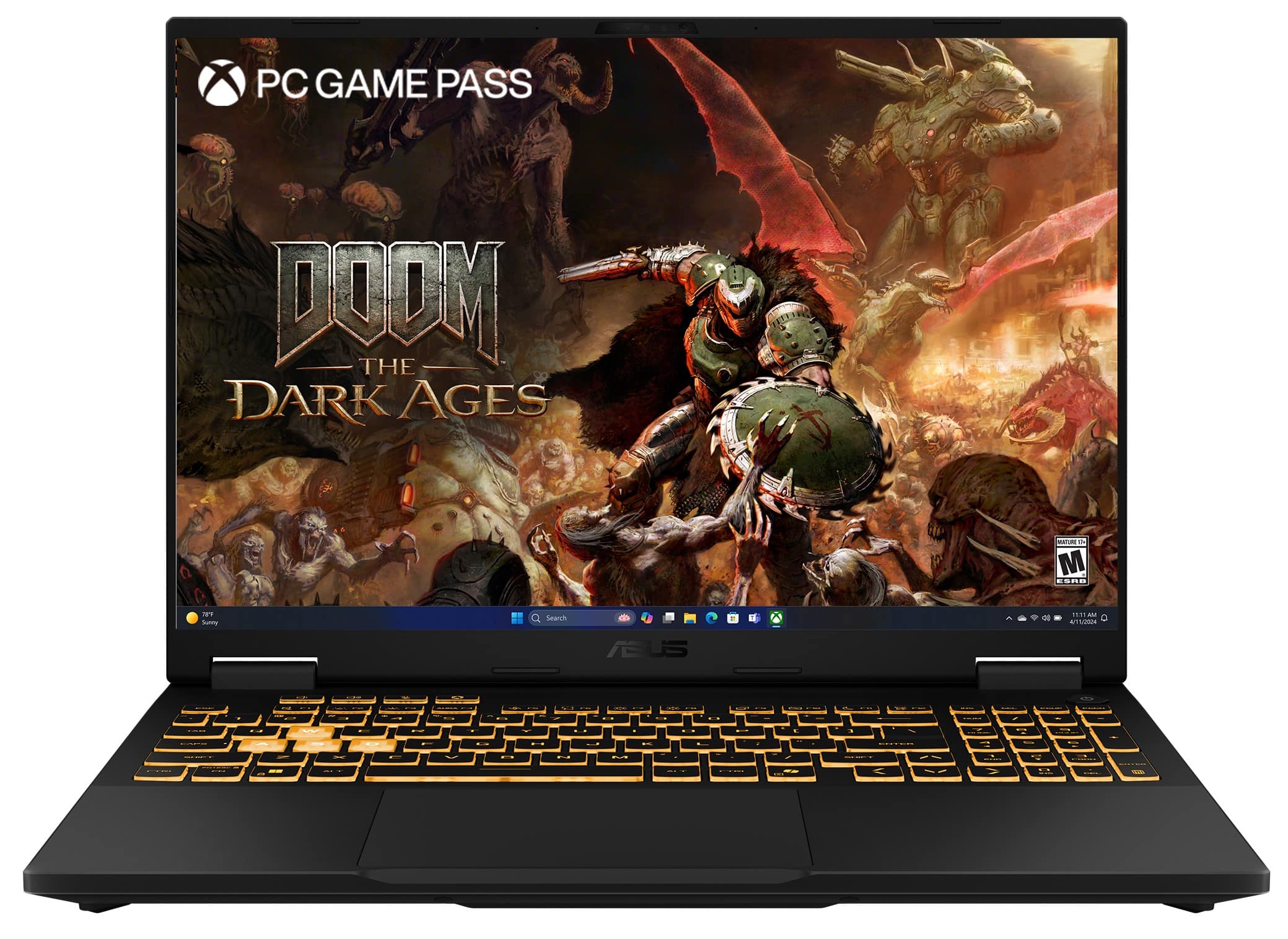
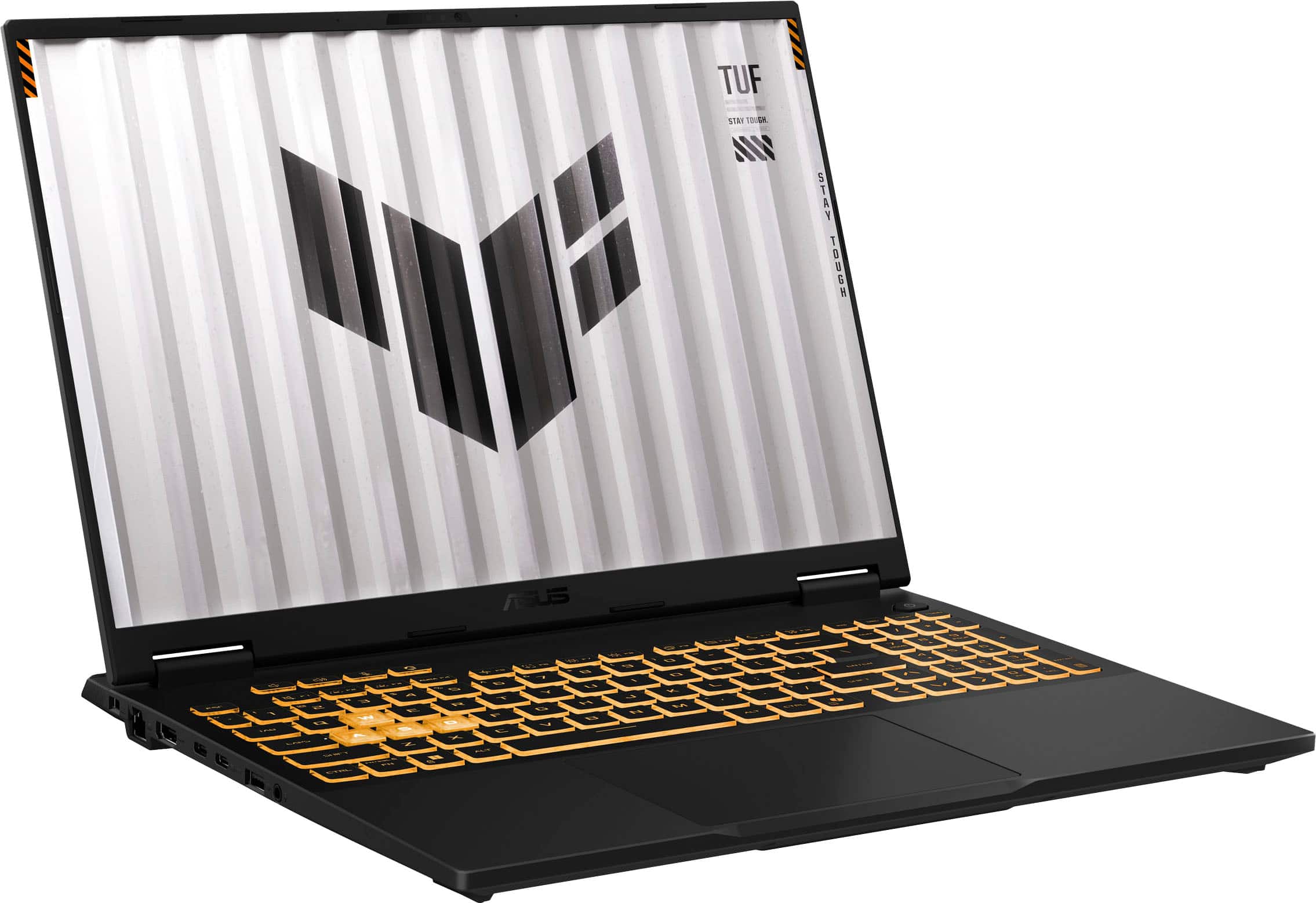
Your price for this item is $1,499.00
The comparable value price is $1,539.99

Customer reviews

Rating 4.7 out of 5 stars with 398 reviews

Rating Filter

Rating by feature

  • Battery Life

    Rating 4.3 out of 5 stars

  • Speed

    Rating 4.8 out of 5 stars

  • Display

    Rating 4.8 out of 5 stars

97%
would recommend
to a friend
The vast majority of our reviews come from verified purchases. Reviews from customers may include My Best Buy members, employees, and Tech Insider Network members (as tagged). Select reviewers may receive discounted products, promotional considerations or entries into drawings for honest, helpful reviews.
Page 19 Showing 361-380 of 398 reviews
  • Rated 4 out of 5 stars

    Decent value for money

    |
    |
    Posted . Owned for 3 weeks when reviewed.
    This reviewer received promo considerations or sweepstakes entry for writing a review.

    Works well. Large screen. Needed to update NVidia driver for it to run games properly.

    I would recommend this to a friend
  • Rated 3 out of 5 stars

    good unit

    |
    |
    Posted . Owned for 3 weeks when reviewed.
    This reviewer received promo considerations or sweepstakes entry for writing a review.

    this is a great entry level gaming unit offering good speed and display

    I would recommend this to a friend
    • Brand response from ASUS Answers
      Posted .

      Dear JB001,

      Thank you for your positive feedback on the ASUS TUF Gaming FX608JMR Laptop. At ASUS, we prioritize quality control and thorough product testing to uphold high standards of performance and reliability. We’re glad the device is meeting your expectations and hope it continues to deliver a smooth and enjoyable experience.

      We stand behind our products and continuously strive to improve our products and processes to achieve customer service excellence. If you require any further assistance, please email us at customerloyalty@asus.com and include the case number "N2507013950-0001" as a reference. We will do our best to resolve your case quickly. Your feedback is very important to us and enables us to improve our support channels. Thank you for choosing ASUS.

      Best Regards,
      Chantae
      ASUS Customer Loyalty US Support Asus

  • Rated 3 out of 5 stars

    It depends on the person who’s using it.

    |
    |
    Posted .
    This reviewer received promo considerations or sweepstakes entry for writing a review.

    It’s adequate for some people. I thought the 5060 was extremely disappointing, and underwhelming. 8 GB of vram is not even close to enough in 2025 and going forward.

    No, I would not recommend this to a friend
    • Brand response from ASUS Answers
      Posted .

      Dear Jdoge,

      Thank you for providing your feedback on the ASUS FX608JMR Gaming Laptop. We recognize that performance requirements continue to evolve, and we understand your concerns regarding VRAM capacity. Your input is important and will be communicated to our product development team to support future enhancements.

      We stand behind our products and continuously strive to improve our products and processes to achieve customer service excellence. If you require any further assistance, please email us at customerloyalty@asus.com and include the case number "N2507013950-0004" as a reference. We will do our best to resolve your case quickly. Your feedback is very important to us, and it enables us to improve our support channels. Thank you for choosing ASUS.

      Best Regards,
      Chantae
      ASUS Customer Loyalty US Support Asus

  • Rated 3 out of 5 stars

    Gaming

    |
    |
    Posted . Owned for 1 month when reviewed.
    This reviewer received promo considerations or sweepstakes entry for writing a review.

    Its good but eaasnt what i expecteddddddddddddddddd

    No, I would not recommend this to a friend
    • Brand response from ASUS Answers
      Posted .

      Dear TemuulenT,
      Thank you so much for the feedback. We are glad that you are happy with this product. We do stand behind our product, and we continuously strive to improve our approach and processes in order to achieve customer service excellence. Feel free to reach out to me at customerloyalty@asus.com and provide this link for reference. I'll do my best to provide a quick resolution to your case. Your feedback is important as it helps with improvements to ASUS support channels. Please refer to this case number (N2507013950-0012) for us to better assist you. Thank you for choosing ASUS!
      Best Regards,
      Schottky,
      ASUS Customer Loyalty US Support Asus

  • Rated 1 out of 5 stars

    Screen malfunction

    |
    |
    Posted . Owned for 1 month when reviewed.
    This reviewer received promo considerations or sweepstakes entry for writing a review.

    The screen has been acting up literally five days after Best Buy’s terrible 15 day return window. They make you buy a subscription to get a longer window. Their greed sickens me.

    No, I would not recommend this to a friend
    • Brand response from ASUS Answers
      Posted .

      Dear Mina,
      We regret to learn that you are experiencing display issues. To troubleshoot this issue, we recommend following the steps in the FAQ below. Should the issue persist, please contact our support team at https://www.asus.com/us/support/CallUs to further investigate the problem or assist with repairing the device.
      We stand behind our products and continuously strive to improve our products and processes to achieve customer service excellence. For more information, email us at customerloyalty@asus.com and include the case number "N2507022231-0003" as a reference. We will do our best to resolve your case quickly. Your feedback is very important to us and enables us to improve our support channels. Thank you for choosing ASUS.
      Best Regards,
      Schottky
      ASUS Customer Loyalty US Support
      FAQ- Troubleshooting - Main (Internal) Display problem  https://www.asus.com/support/faq/1015072/ Asus

  • Rated 2 out of 5 stars

    Dont do it

    |
    |
    Posted .
    This reviewer received promo considerations or sweepstakes entry for writing a review.

    If you buy this Computer from Best Buy it voids the manufacturer warranty. Dont do it! I would not reccomend this cheaply made computer with horrible customer service.

    No, I would not recommend this to a friend
    • Brand response from ASUS Answers
      Posted .

      Dear GamerBob,

      We’re very sorry to hear about your experience with the ASUS FX608JMR gaming laptop and the concerns you've raised regarding warranty coverage and product quality. At ASUS, we take customer feedback seriously and are committed to resolving any issues you may be facing.

      To help us investigate this matter further and provide the appropriate support, we kindly ask that you email us at customerloyalty@asus.com and include the case number "N2511004389-0001" as a reference.

      We stand behind our products and continuously strive to improve our products and processes to achieve customer service excellence. We will do our best to resolve your case quickly. Your feedback is very important to us, and it enables us to improve our support channels. Thank you for choosing ASUS.

      Best Regards,
      Chantae
      ASUS Customer Loyalty US Support Asus

  • Rated 3 out of 5 stars

    Interior Design

    |
    |
    Posted .
    This reviewer received promo considerations or sweepstakes entry for writing a review.

    So far so good for my daughter. School just started so we will see how it goes

    I would recommend this to a friend
    • Brand response from ASUS Answers
      Posted .

      Dear SusanS,
      Thank you so much for the feedback. We are glad that you are happy with this product. We do stand behind our product, and we continuously strive to improve our approach and processes in order to achieve customer service excellence. Feel free to reach out to me at customerloyalty@asus.com and provide this link for reference. I'll do my best to provide a quick resolution to your case. Your feedback is important as it helps with improvements to ASUS support channels. Please refer to this case number (N2507013950-0009) for us to better assist you. Thank you for choosing ASUS!
      Best Regards,
      Schottky,
      ASUS Customer Loyalty US Support Asus

  • Rated 3 out of 5 stars

    good start

    |
    |
    Posted . Owned for 1 week when reviewed.
    This reviewer received promo considerations or sweepstakes entry for writing a review.

    Good team. Good customer service. There's still time to give a better rating.

    I would recommend this to a friend
    • Brand response from ASUS Answers
      Posted .

      Dear YoanderD,
      Thank you so much for the feedback. We are glad that you are happy with this product. We do stand behind our product, and we continuously strive to improve our approach and processes in order to achieve customer service excellence. Feel free to reach out to me at customerloyalty@asus.com and provide this link for reference. I'll do my best to provide a quick resolution to your case. Your feedback is important as it helps with improvements to ASUS support channels. Please refer to this case number (N2507013950-0006) for us to better assist you. Thank you for choosing ASUS!
      Best Regards,
      Schottky,
      ASUS Customer Loyalty US Support Asus

  • Rated 3 out of 5 stars

    Asus Average Laptop

    |
    |
    Posted .
    This reviewer received promo considerations or sweepstakes entry for writing a review.

    Is not very good, Alienware has better product. But it's okey

    No, I would not recommend this to a friend
    • Brand response from ASUS Answers
      Posted .

      Dear Suigetsu,

      Thank you for sharing your feedback on the ASUS FX608JMR Gaming Laptop. We’re sorry to hear it didn’t fully meet your expectations, and we genuinely appreciate you taking the time to let us know. Your input is valuable and will be passed along to our team to help improve future designs.

      We stand behind our products and continuously strive to improve our products and processes to achieve customer service excellence. If you require any further assistance, please email us at customerloyalty@asus.com and include the case number "N2507013950-0003" as a reference. We will do our best to resolve your case quickly. Your feedback is very important to us, and it enables us to improve our support channels. Thank you for choosing ASUS.

      Best Regards,
      Chantae
      ASUS Customer Loyalty US Support Asus

  • Rated 3 out of 5 stars

    Computer

    |
    |
    Posted . Owned for 1 month when reviewed.
    This reviewer received promo considerations or sweepstakes entry for writing a review.

    Is a good computer but is so big and also heat so much

    I would recommend this to a friend
    • Brand response from ASUS Answers
      Posted .

      Dear PaolaV,
      We regret to learn that you are experiencing overheating issues. To troubleshoot this issue, we recommend following the steps in the FAQ below. Should the issue persist, please contact our support team at https://www.asus.com/us/support/CallUs to further investigate the problem or assist with repairing the device.
      We stand behind our products and continuously strive to improve our products and processes to achieve customer service excellence. For more information, email us at customerloyalty@asus.com and include the case number "N2507013950-0007" as a reference. We will do our best to resolve your case quickly. Your feedback is very important to us and enables us to improve our support channels. Thank you for choosing ASUS.
      Best Regards,
      Schottky
      ASUS Customer Loyalty US Support
      FAQ:Troubleshooting - Overheating and Fan issues  https://www.asus.com/support/faq/1015064/ Asus

  • Rated 1 out of 5 stars

    I feel deceived by bestbuy.

    |
    |
    Posted .
    This reviewer received promo considerations or sweepstakes entry for writing a review.

    I bought this laptop but never get it. They left outside of the door and left . I contact with customet service and they said wait for 2 days for investigstion. Than they sent me mail and said i will have a refund. After mail i bought another laptop. I waited 15 days and told them i didnt have refund. They said they decided not to give me refund. I told them why you sent me mail that said i will get refund. No answer. I feel deceived. I never shop with bestbuy again.

    No, I would not recommend this to a friend
    • Brand response from ASUS Answers
      Posted .

      Dear Emre K,

      Thank you for sharing your experience with the ASUS FX608JMR Gaming Laptop. We're sorry to hear that the device was not delivered and that you faced challenges with the refund process.
      As ASUS does not oversee third-party retail transactions or deliveries, we recommend reaching out to Best Buy support again at 1-888-237-8289 to request further investigation and escalation. Your feedback is valued and will be passed along to the appropriate teams.

      We stand behind our products and continuously strive to improve our products and processes to achieve customer service excellence. If you require any further assistance, please email us at customerloyalty@asus.com and include the case number "N2507022231-0007" as a reference. We will do our best to resolve your case quickly. Your feedback is very important to us, and it enables us to improve our support channels. Thank you for choosing ASUS.

      Best Regards,
      Chantae
      ASUS Customer Loyalty US Support Asus

  • Rated 1 out of 5 stars

    Not a good built for gaming and price

    |
    |
    Posted .
    This reviewer received promo considerations or sweepstakes entry for writing a review.

    It is not sturdy. feels cheap material. Laptop display wobbles easily. Keyboards are like very small not regular spacing tough to use.

    No, I would not recommend this to a friend
    • Brand response from ASUS Answers
      Posted .

      Dear SenthilkumaranG,


      Thank you for your comment.

      We certainly understand your disappointment with the quality of this laptop and the inconvenience this may have caused. ASUS is a ISO-certified company and each of its products are manufactured using ISO-quality complaint materials and each one undergoes intensive quality control testing and inspections, and are built to last. If you need more information or further assistance with the product, please email me at cl-rodel@asus.com and I would be more than happy to help. Or you are most welcome to call Product Support Hotline at: 1(888) 678-3688. Also, you can chat with an ASUS live support agent from the link: https://www.asus.com/us/support/article/1135/.

      Thank you for choosing an ASUS product.

      Regards,

      Rodel

      ASUS Customer Loyalty Asus

  • Rated 1 out of 5 stars

    Blue screen

    |
    |
    Posted . Owned for 2 weeks when reviewed.
    This reviewer received promo considerations or sweepstakes entry for writing a review.

    I purchased this computer for gaming purposes and was very disappointed. The first unit had constant blue screen errors, so I had to return it and re-order. Unfortunately, the second unit had the exact same issue. I ended up getting my money back, but the experience was frustrating and disappointing.

    No, I would not recommend this to a friend
    • Brand response from ASUS Answers
      Posted .

      Dear Jesus Valiente,

      Thank you for your feedback, and we’re sorry to hear about the blue screen errors you experienced with the ASUS FX608JMR Gaming Laptop. We understand how frustrating this must have been, and we regret that the product did not meet expectations. Your experience has been noted and will be shared with our team for review.

      We stand behind our products and continuously strive to improve our products and processes to achieve customer service excellence. If you require further assistance, please email us at customerloyalty@asus.com and include the case number "N2507022231-0002" as a reference. We will do our best to resolve your case quickly. Your feedback is very important to us and enables us to improve our support channels. Thank you for choosing ASUS.

      Best Regards,
      Chantae
      ASUS Customer Loyalty US Support Asus

  • Tech Insider Network Member

    Rated 5 out of 5 stars

    Excellent Future-Ready Gaming Laptop

    |
    Tech Insider Network Member
    Posted .
    This reviewer received promo considerations or sweepstakes entry for writing a review.

    I've been a PC gamer for most of my life; when I started, "gaming laptops" weren't a thing. If you wanted to play a game, you were confined to your desk (usually in the basement, where it was cooler), or if you were super lucky and your town had an "internet cafe", you could enjoy gaming with your friends for $5/hour on beefed up machines somewhere OTHER than your house. My oh my have we come a long way since then. ASUS regularly puts out some of my favorite gaming laptops. Their Republic of Gaming series and now the TUF series have some truly spectacular specifications. In fact, my only complaint about the ROG series was the abundance of plastic edges and the form factor of the power brick that came along with it (truly a brick!) After all, if you have a gaming laptop and you can't tote it around willy nilly, just stick to the desktop. So... envisioning maybe another variant of the 2022/2023 ROG's beefy exterior, imagine my surprise when this svelte, sleek-looking 16" ASUS TUF F16 elevates itself from the box. The box itself was WAY lighter than I was expecting (no joke, the ROG's brick was like 2-3 lbs on its own). This time, a more compressed brick with a solidly long cord and thinner form factor - much more in line with a business travel laptop, though not quite as small and sleek as Dell or Alienware offerings. It's thunderbolt, not USB-C, but that's OK. There are a ton of ports, including an ethernet port. As another reviewer pointed out, the WiFi being the 6e standard in stead of 7 and the 1Gbps ethernet means... well, you may need a dongle at some point, but by then WiFi 9 will be out and CoPilot will use your integrated neural network chip embedded in your brain, so the exclusion of a faster ethernet port is surprising considering the sheer awesomeness of literally every other specification on this machine. Turning on and prepping for gaming - the standard Windows 11 setup along with some quick updates and a bios update. It's gonna take a minute, but that's to be expected. Total "unboxing setup" to running a game time was roughly 2-3 hours (which included restoration from backup, a bios update, and all Windows updates, plus install time on a symmetrical 2Gbps WiFi network). I ran the TUF F16 through its paces using MechWarrior 5: Clans at max settings. I also dove in with some HellDivers 2 and Baldur's Gate. None of the games caused the rev in cooling systems I was expecting. In fact, overall, the fans are super quiet. Zero lag, super high framerates, everything you'd expect of a computer with the latest and greatest NVIDIA GeForce RTX 5060, 32 GB of DDR5 ram (expandable to 64GB, what?), and 1TB of SSD HD space. If you somehow manage to outpace this gaming laptop, maybe like... go outside and touch some grass for a bit. Remember what sunshine feels like. The form factor of the keyboard and the specialized lighting for the WSAD block, and the inclusion of the keypad... listen, there's a reason why ASUS laptops are among the best of the best gaming laptops there are. It's the little things from the layout to the key sizing to the positioning to the feel of the press. So satisfying. The FHD+ 165Hz 16" screen is very pretty and seems to accurately produce the full range of lights, darks, and everything in between. Integrated audio is decent, but you're gonna want a set of gaming headphones anyway. ASUS is kind enough to throw in a 12 month warranty, but because of the ultimate potential longevity of this machine, if you decide to take it anywhere, you'll want to get the upgraded and extended warranty that covers total replacement if something goes off the rails (and, being gamers, we know this can happen anywhere, any time, usually when you least need it to). All in all: highly recommended, it's an amazing machine for the price point loaded with great tech and actually light and powerful enough to travel with you away from the desk. ASUS knows what they're doing, and you'll be a happy camper. (If camping is your strategy, that is - you do you).

    I would recommend this to a friend
  • Tech Insider Network Member

    Rated 5 out of 5 stars

    Asus May Have Turned Me Off to Console Gaming!

    |
    Tech Insider Network Member
    Posted .
    This reviewer received promo considerations or sweepstakes entry for writing a review.

    ***First Warning: The initial startup and download to get to playing may take hours!! Be prepared and patient. After that, you’re good to go!*** I am a console gamer with some small gaming on my phone. I’ve delved into the PC gaming world briefly throughout the years, but I never gave it much credence because of the ease that consoles provide and how much I had invested into my accounts and infrastructure. That may all change after my interaction with this Asus TUF Gaming F16. I am well above a novice when it comes to computers, but I just never felt inclined to move over to PCs for my gaming needs. As more and more games allow cross-platform interaction, that line in the sand has lessened greatly. However, it should be noted that if you are planning on transitioning to PC, some games still do not allow the transfer of account information from platform to platform. For this review, I tested Call of Duty: Black Ops III and WarZone utilizing the Microsoft Xbox app included with the PC and I also tested WarZone using my Steam account. When setting up the F16, Microsoft offered a free trial to their gaming subscription. It gave me the opportunity to try out COD without having to purchase BO III again (I already bought it for my console). These games are HUGE, so be prepared to wait a bit while they initially load. But once they did, Xbox recognized my email as already having an account linked to my COD account. All of my purchase from my PlayStation purchases showed up with no issues. I decided to utilize my PS controller for playing on the F16. I attempted to connect it with my Bluetooth, but was unsuccessful (I’m sure it’s user error, but I haven’t tried again). I then connected it with a USB C cable with no other setup needed. A few changes to tell the game to use the remote and not the mouse, inverted my look as I like it, and boom! I was off! Now I typically use a 65” curved Samsung for my console gaming. Using the smaller screen on the F16 was not as limiting as I thought it would be. It takes a little getting used to, but I will say the 165Hz refresh rate is highly noticeable. I felt like my interactions with the game we’re slightly quicker, and because of that, my gaming was more successful. I did not have any lag, or game play issues the entire time I played, even on a relatively slower internet connection (300 up / 75 down). The same was true with Steam. I will probably switch to Steam though, as the prices tend to be a little less per game, and I do not want another subscription to pay for in regard to the Xbox game pass. I was a little bummed that this PC came with a proprietary charger, BUT after reviewing the features, it does have the capability of being charged via the USB-C. It is also able to utilize a dock via the USB-C for accessing bigger screens and multi-screen setups. You can also use the built-in HDMI to achieve this as well. Now the first thing I noticed when setting the F16 up was how incredibly smooth and satisfying the tactile feedback on this mousepad is. It’s a small detail, but the small details are what make this Laptop better than others. Also, some gaming keyboard I’ve used are so “clicky” and robotic, they feel unusable to me. While I want to use this computer for gaming, I want to be able to do other activities on it as well, from emails to streaming to database interaction. This keyboard is responsive and provides enough feedback without be annoying. Since you’re not replacing a mouse or keyboard within a laptop, having these items be usable is a must for portable gaming. I will say the only downfall in my hopes of using this laptop for gaming and everyday use is the lack of a touchscreen. I know a touchscreen isn’t a need for a gaming PC, but the addition of a touchscreen would have made this my daily use AND gaming computer. Even with it’s bulk due to cooling and battery capacity, this computer is not overbearing for portability standards. I have had many Asus products throughout the years. Quite recently I have acquired another Asus laptop, and now this one. Both are rock solid and top of their class competitors. Asus. You have a loyal customer now! I would HIGHLY recommend this PC for the gamer in your life. Just be warned, if you test it, you may have to purchase another for yourself!

    I would recommend this to a friend
  • Tech Insider Network Member

    Rated 5 out of 5 stars

    Awesome Bang For The Buck!

    |
    Tech Insider Network Member
    Posted .
    This reviewer received promo considerations or sweepstakes entry for writing a review.

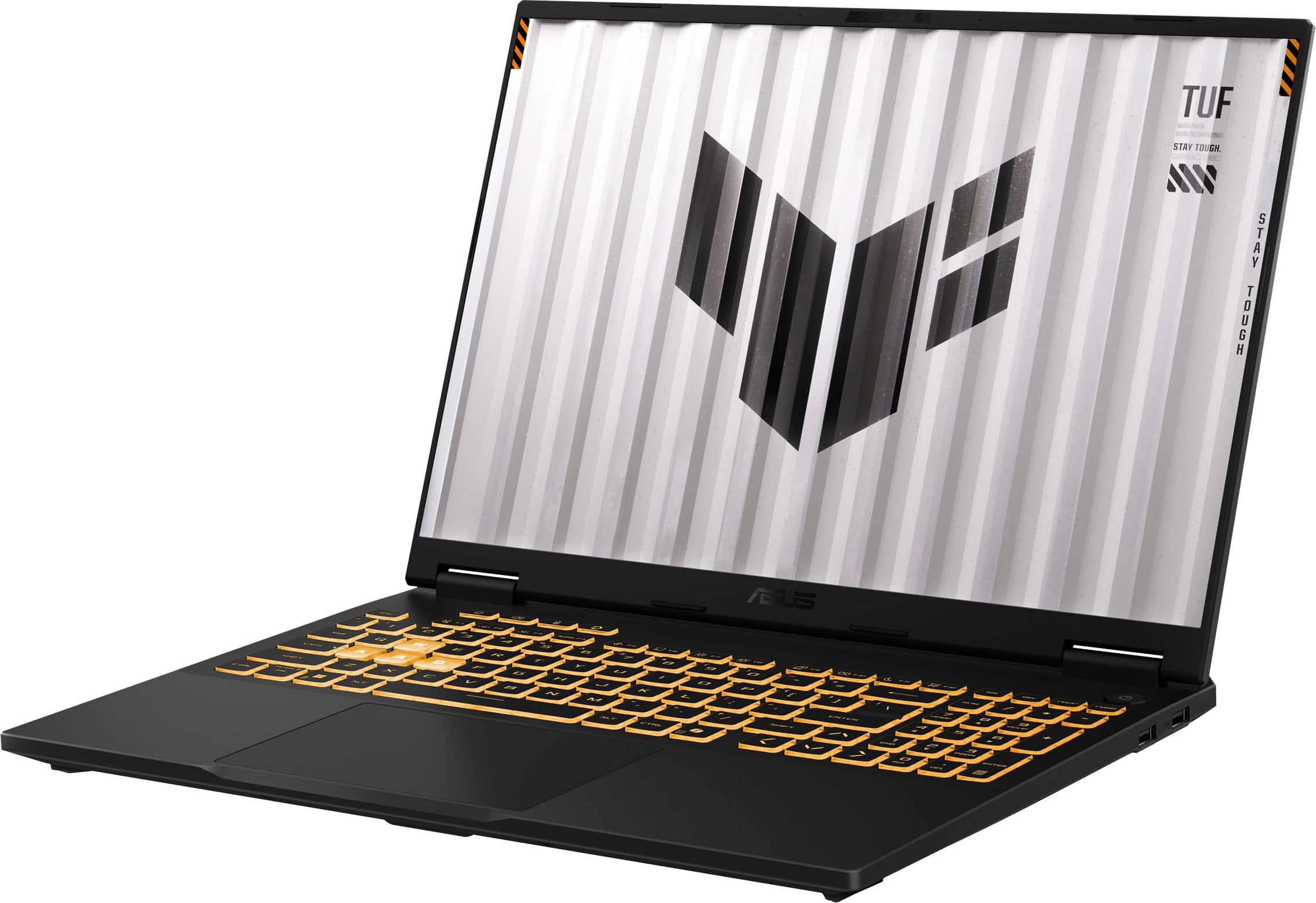
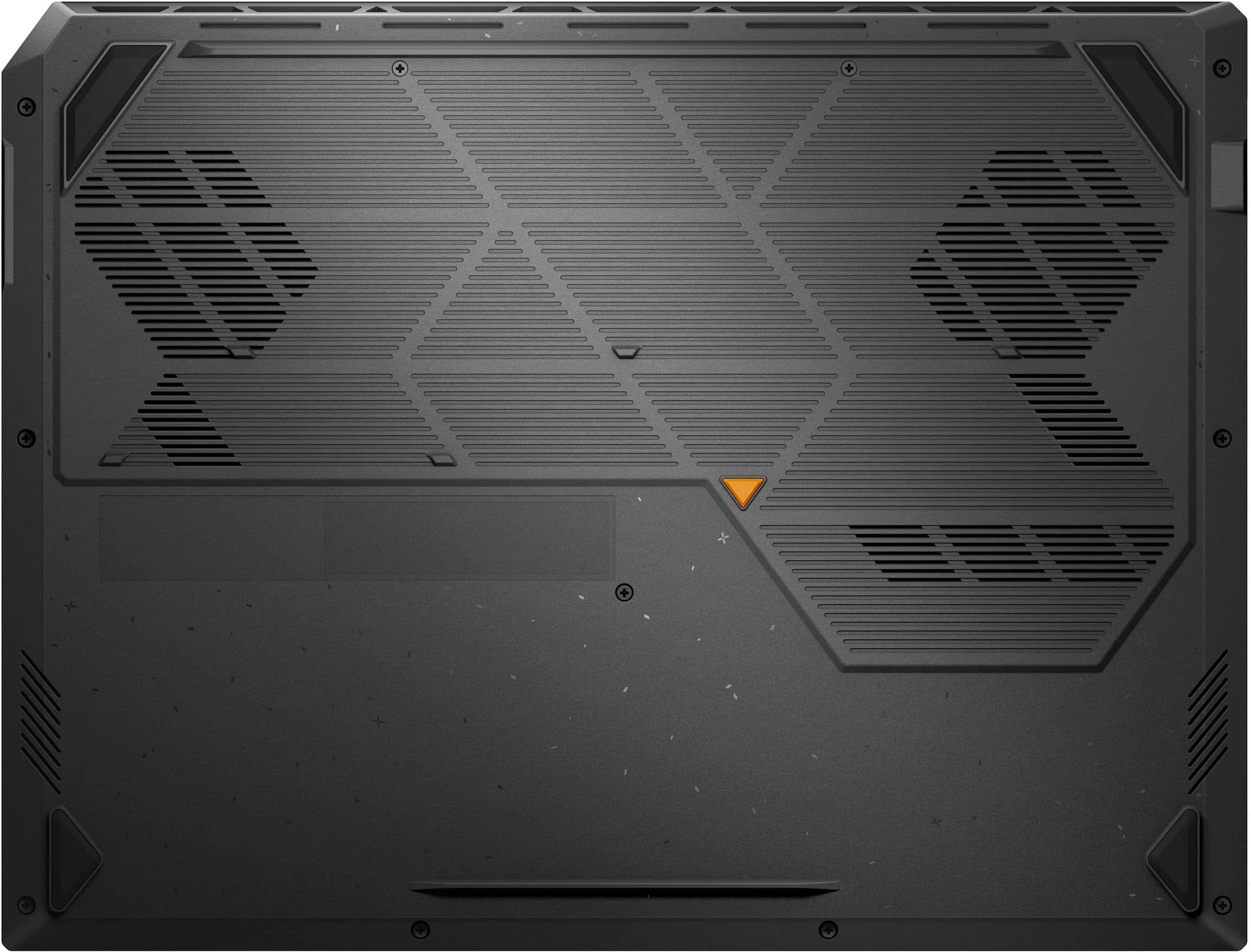
    The Asus TUF F16 is available in multiple builds. This build is equipped with an Intel i7 14650HX processor, 32gb of DDR5 memory, a 1TB m2 ssd, and an Nvidia 5060/8gb vram video card. All this is wrapped in a solid laptop frame with with an excellent full size keyboard and bright 16" 1980x1200 display with excellent color saturation. I picked up the TUF F16 a couple days before a week long trip and used it as my only computer during the trip. It was awesome! It really made the perfect home computer replacement. It has more than sufficient horsepower for gaming, as well as for more mundane office tasks, email, spreadsheets, documents, etc. The full size keyboard with separate arrow keys and numeric keypad was a nice luxury. The keyboard deck feels solid with good wrist support and a large responsive touchpad. Gaming performance was more than adequate using moderate settings. even in my traditional test program, Red Dead Redemption. I was a little concerned after reading review of the Nvidia 5060 with 8gb vram instead of 16gb, but for the FHD screen it was fine. Didn't see any real issues and the 165hz screen made for smooth movenent. I did some video rendering just for test purposes, and it handled it nicely. Very fast. Also ran some AI queries local to the F16 and they seemed pretty snappy as well. The Asus TUF F16 is large, and with the 240W powerbrick, heavy by laptop standards, but similar to other gaming laptops. Battery life was pretty good, I would get about three hours or so of office style life, less if gaming. It's very quiet, even when gaming, and doesn't heat up much at all. The lack of fan noise was really impressive. Some of the gaming laptops can sound like a DC3 taking off. After a half hour of gaming (Diablo IV), it was a lttte warm on the deck above the function keys, but that was it. No real heating at all on the keyboard. Speaker sound was good, nice base and clear, about average for a laptop these days. The bottom of the laptop is secured by six screws and can be removed to upgrade or add components. The Asus TUF F16 uses two standard laptop dimms that can be upgraded to 64GB if you ever feel the need. The M.2 SSD has a nice heatsink attached and there is a second M.2 connector should you wish to add a second SSD. And yes, the 1TB primary could easily be upgraded to a larger drive if so desired. Bottom line, I'm extremely pleased with the Asus TUF F16 and would recommend it highly for casual or moderate gaming. It's not the ultimate gaming rig, but a bargain at a quarter of the price of the high end rigs. Definitely punches well above it's weight and is an absolute joy to use. Highly recommended, well done Asus!

    I would recommend this to a friend
  • Tech Insider Network Member

    Rated 5 out of 5 stars

    High-End Gaming Laptop With All the Goodies

    |
    Tech Insider Network Member
    Posted .
    This reviewer received promo considerations or sweepstakes entry for writing a review.

    This laptop is a very powerful device and quite capable of higher-end gaming. It has an excellent 14th generation Intel Core i7 processor, 32 GB of memory and a very fast graphics card. It contains 1TB of super fast PCIe G4 SSD storage. The display is an absolutely beautiful IPS FHD+ with 165Hz refresh rate. The specs at this price point are outstanding. It has a beautiful full backlit keyboard with accounting keys. The keyboard has several ‘brightness’ levels and colors. I felt it could have one more less-bright-level but that may be just me getting used to the keyboard. The feel of the keys is very solid and smooth, and there is some useful audible as well as touch feedback. This unit’s CPU has 16 cores and 24 threads, I could not seem to overload the system. The 30MB cache is part of the high end specs and the DDR5 memory (which is 1.5 times faster than DDR4) ensures this wonder-box is flying through processing tasks at super-speeds. Another excellent specification that could be overlooked, is the Thunderbolt 4 port which I want to emphasize is a game changer (no pun intended). This port can support dual 4K displays or a single 8K display. It can also provide much greater charging power than a plain USB port. What is most important for me, right now, is it can handle PCIe data rates. I use an external drive that is an NVMe SSD drive. Using a plain USB port, my backups are limited to the USB port speed. But now, with this Thunderbolt 4 port, I get the full advantage of the speed of my NVMe external drive – great. Game playing is a delight. There wa no action too fast for this laptop to process cleanly. The screen colors really pop out and the edges between different colors are perfect. I also used a color generator to see how beautiful and distinct the color patterns were – tip of the cap to the ASUS engineers for this remarkable device. Along with game playing, my presentation graphs and images look truly professional (or at least a lot more polished than I am). I am super impressed with this fantastic laptop. I love its big bright 16-inch display more than any other laptop I’ve used. I would highly recommend this device with its very fair price relative to its high-end and powerful specifications.

    I would recommend this to a friend
  • Tech Insider Network Member

    Rated 5 out of 5 stars

    Smooth and capable FHD Gaming Experience!

    |
    Tech Insider Network Member
    Posted .
    This reviewer received promo considerations or sweepstakes entry for writing a review.

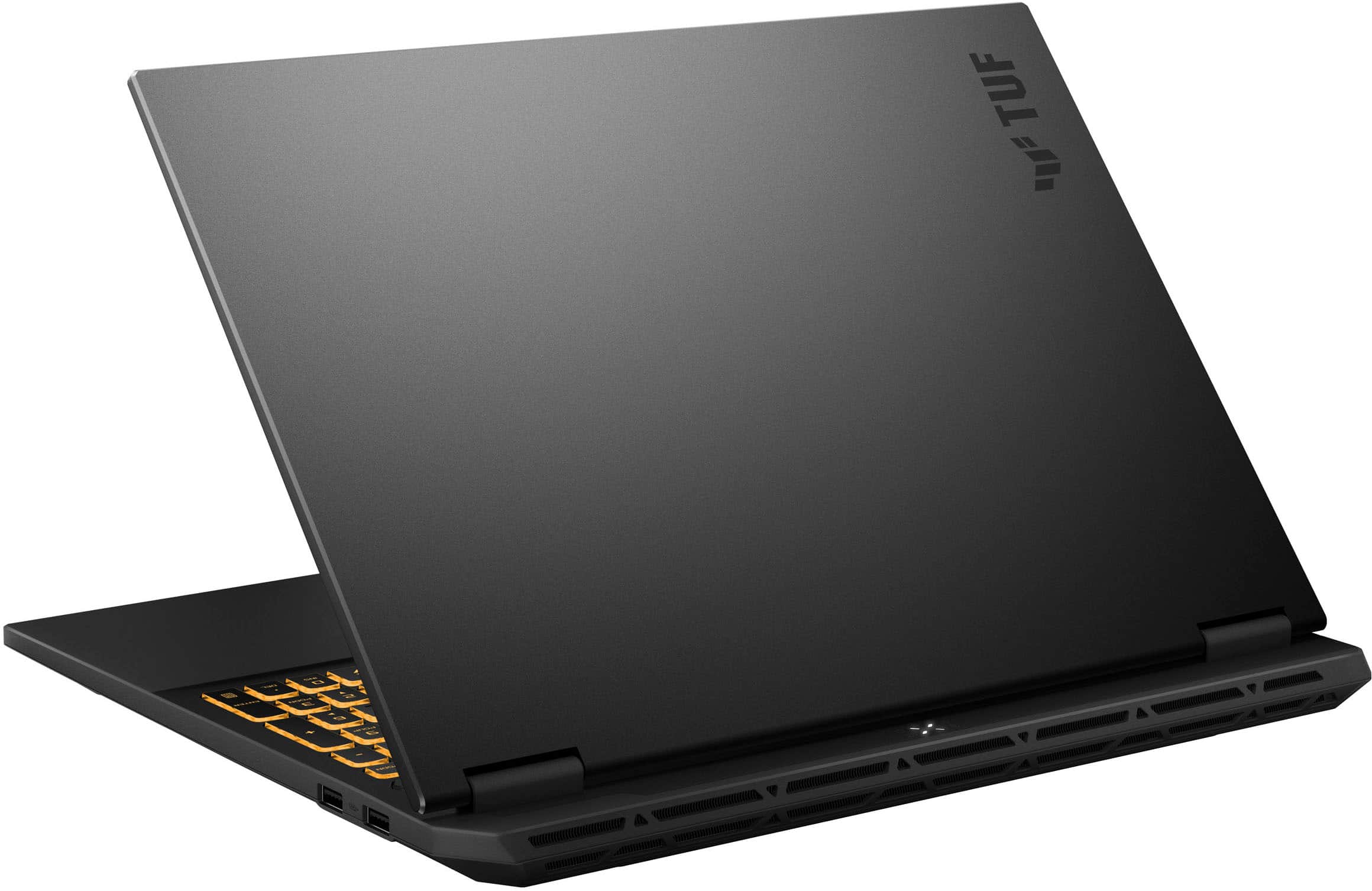
    The ASUS - TUF Gaming F16 16" FHD+ 165Hz Gaming Laptop - Intel Core i7-14650HX - 32GB RAM - NVIDIA GeForce RTX 5060 - 1TB SSD - Jaeger Gray offers a smooth and capable FHD gaming experience with plenty of power for ultra smooth frame and refresh rates in AAA gaming titles. The 165Hz IPS display has a resolution of 1920 x 1200 16:10 ratio which I much prefer over the 1080p 1920 x 1080 16:9 ratio displays. Everything looks great on it and games look exceptionally good! Very sharp details and rich colors with deep blacks and no light bleed that I could see. Nice matte display surface assures no annoying light reflections, which 100% prefer over glass displays. The brightness levels have a good range as well. The laptop has a solid feel to it and enough weight to where you can open the screen without the base lifting up off the desk surface. The display opens easy and has a solid smooth hinge with no wabble. It looks great with its brushed metal finish and matte finish plastics. The keyboard has a nice tactile feel to it and RGB effects which are configurable in the included Armoury Crate software which lets you see and adjust all sorts of configuration options on the laptop from GPU performance, RGB effects, power options, touchpad and function key settings, creating Aura Wallpapers for dynamic desktop background effects. You can also setup Scenario Profiles for each game where you can adjust all the settings per application or game and have it automatically adjust when you open the application or game. There is a LOT of features in this application and found there is a bit of a learning curve to figure everything out. Should provide hours and hours of tweaking fun if you're into that! Setup was easy with the standard Windows 11 setup process. Getting all the updates downloaded and drivers up to date takes an hour or two. The system performs very snappy with running productivity applications or surfing the web. The included 32 GB of RAM makes sure you can open many applications or tabs without any performance decline. The 1 TB SSD makes loading things quick and smooth. It would've been nice to see a 2TB SSD in this configuration and price range. The Intel Core i7-14650HX has plenty of oomph to handle any task you throw at it! The sound on the laptop is pretty good for a laptop. Nice and clear and handles the volume output well. The Dolby audio settings let you adjust the audio parameters to your liking along with several presets. The speakers could use a bit more bass thump, but overall pretty decent for games, music or movie watching if you're not using a headset. One thing that really stood out on this laptop to me is the cooling! Probably the quietest and coolest running gaming laptop I've ever tested. Pretty much every gaming laptop I've tested over the years warms up a lot while gaming and can be quite noisy or even too hot to put in your lap. This laptop runs super cool and without barely any fan noise that I could notice even under stress. Battery life is pretty normal for a gaming laptop. The system will automatically switch between the embedded gfx and discrete graphics depending on application and helps extend the battery life when not plugged in. I was able to get around 6 hours of video playback on a full charge with power saving features engaged. Gaming is an hour or 2 depending on the game if you're using discrete graphics. Probably not a system you want to leave home without the power brick if you're going to be using it for more than a few hours of normal activities. It does recharge pretty quick from empty to full charge in around an hour. All of the ports are on the right or left sides with none on the backside, which is a little unusual for a gaming laptop. Network port, and HDMI port, headphone jack and a couple USB-C ports on the left side and a couple USB 3 ports on the right side. The Nvidia 5060 does a fine job running games in FHD with most of the bells and whistles turned on. It does have a noticeable performance decline with the DLSS ray tracing turned on if you're wanting to use it for that I'd probably recommend getting a configuration with the 5070 and higher as I noticed a substantial performance drop when that was enabled in games like Fortnite. I honestly can't tell much of a difference in graphical quality with ray tracing turned on, so in my opinion it's not worth the performance hit. Without the DLSS turned on it is ultra smooth and just a much more satisfying gaming experience. Overall this is a very capable laptop for either gaming or productivity! The system has 2 M.2 slots so an additional SSD can be added to expand the storage if needed.

    I would recommend this to a friend
  • Tech Insider Network Member

    Rated 4 out of 5 stars

    Gaming Laptop That Punches Above It's Weight

    |
    Tech Insider Network Member
    Posted .
    This reviewer received promo considerations or sweepstakes entry for writing a review.

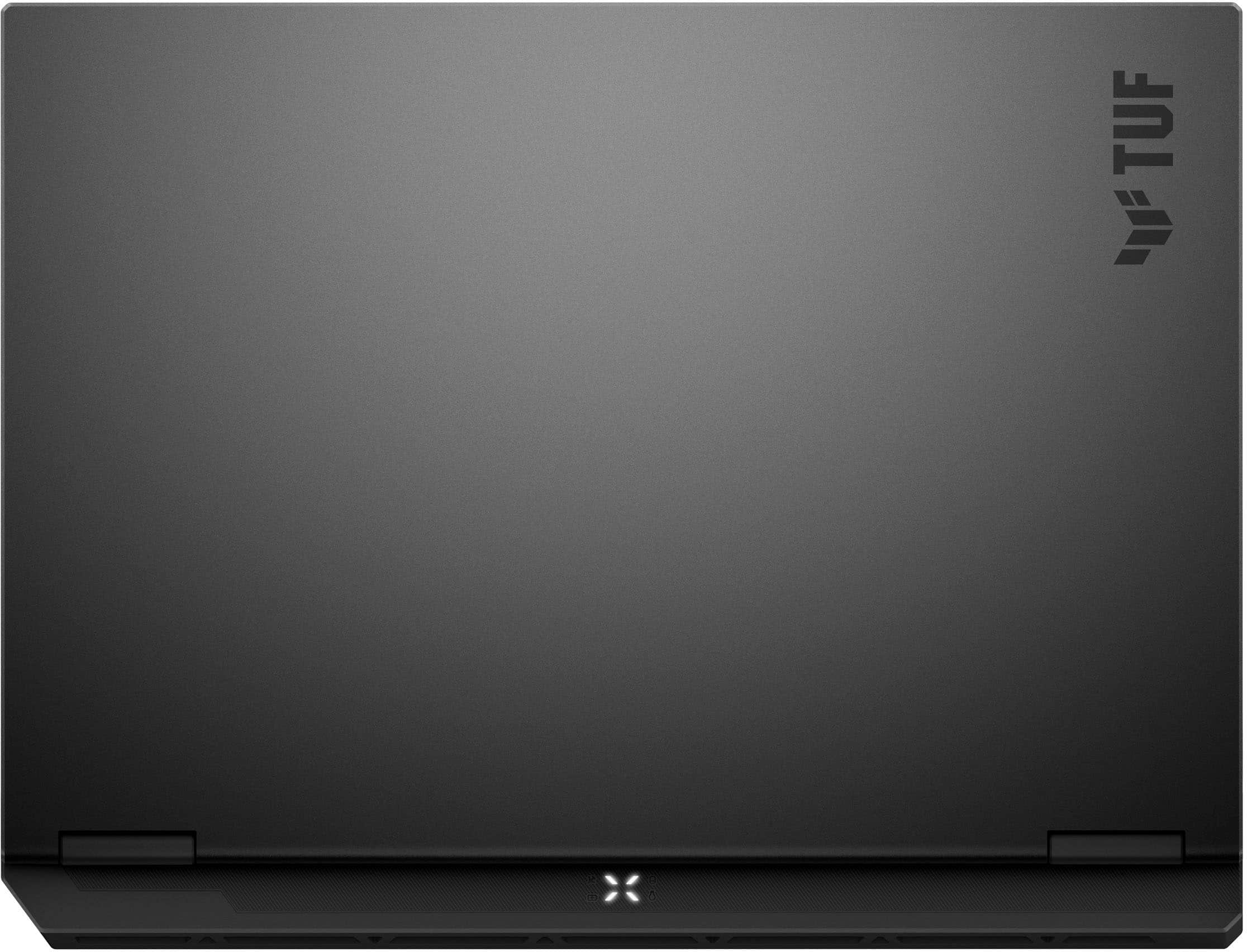
    This Asus TUF F16 laptop has an impressive list of specs. Intel Core i7-14650Hz processor with 32GB of RAM. An Nvidia GeForce RTX 5060 driving 1920x1200 pixels on a 16” screen backed by a 96Wh. About the only place once could say things were skimped was on the storage end where one gets a 1TB SSD (2TB is practically standard now) and the 8GB VRAM. While you might be tempted to think this could use more pixels, and certainly for engineering work, that would be appreciated, having 1920 x 1200 pixels allows for that 96Wh battery to yield what’s actually and impressive runtime for a gaming laptop. This is just the beginning of a theme where the F16 will impress for something that’s a “gaming laptop” but also have something that counter balances that. So, unboxing the F16, the first thing you notice is that while there are hints of “gaming laptop” looks, they’re just hints. The pictures seem to go out of their way to overemphasize this. With the keyboard lighting off and palm rest stickers removed, you’d be hard pressed to pick this out as a gaming laptop at a glance. This means it’s easier to use in more business/work environments as your primary device. It looks like a premium business laptop as has more than enough performance to back that up. At almost the same time or maybe even before, you’ll notice the weight. Coming in at 5lbs, while this won’t challenge the title for lightest 16” laptop it’s right there with middle of the line budget laptops with significantly less performance and similar battery life. This double whammy concerned me - if the F16 is impressing here, surely it must be lacking in thermals. That’s about where gaming laptops sometimes disappoint - great specs, but can’t channel the heat away to sustain it. Still, staring at it clued me in to another way it has more - the screen to body ratio is amazing. Ports wise, you’ve got a thunderbolt 4 port (USB-C on steroids), a 3.2 USB-C port, a couple 3.2 USB-A ports, HDMI, and your usual power, audio, and ethernet. I’m conflicted on the HDMI versus having DisplayPort. On the one hand, you can drive a DisplayPort monitor from the thunderbolt or regular USB-C and if desired, daisy chain from that. On the other hand, HDMI is still pretty ubiquitous and so not having to go through an adapter is nice. Beyond that, ports were well spaced and all “full sized” - no strange behavior connecting to them. The keyboard felt nice, had decent travel and you get a generously sized touchpad. The touchpad felt average, not particularly sensitive but also did not exhibit registration errors. Still, I ended up sticking with my 2.4Ghz wireless mouse. The laptop comes with software to manage the LEDs. Honestly, I left them off for the most part, pretty much just using the LEDs to light up the keyboard for use in low light conditions. Getting into gaming, I cycled through a few current faves, trying medium and max at 1080p. With 8GB of VRAM, this is really a medium level card. Playing Cyberpunk 2077 with high settings, I’m able to sustain mid 80 FPS with a couple benchmark runs just jumping into the 90s. A decent showing and the screen does a good job. Where I noticed an issue was with the brightness that the screen could achieve - it seems to hit a surprising wall. Where my non-gaming fruit pro laptop can practically light up a room, the F16 apparently feels that is asking too much. On the other end of the gaming spectrum is Hellblade 2. Probably the best cinematic and encompassing audio-visual experience you can throw at anything. In some ways, probably not fair for this laptop - but it is a gaming laptop attempting to muscle in some someone’s turf. At Ultra, again 1080p, we were barely squeaking 45 FPS. A decent showing for this card, but certainly not peak. If you’re willing to run this at the natural setting for this card, medium, there you’d squeeze out around 65 FPS. Decent - absolutely. Worthy of Hellblade 2, actually yes. While the screen brightness does hamper things a bit, the laptop overcomes with surprisingly good audio. Once again running into the does one thing great while doing something else decently. For normal work, the laptop does ok. Once again, I’m disappointed with the Windows 11 Home offering. For most tasks, the F16 absolutely flies through and when on my desk hooked up to the docking station, this is perfect. Drives external displays and gives me the resolution I need to scale VS Code and run things on my 34” widescreen and 28” 90-degree rotated screen. On the go, when the laptop screen has to be the primary (and only) screen, I’m reminded of the tradeoff I get for 6-8 hours of battery life. Limited resolution means I can’t just scale things up to maintain my viewing ratio on the go. In all, I’m still pretty impressed. At the end of the day, I’d only really tweak the screen resolution. I’d be happy to have a 4k capable screen with the ability to switch down to 1080p to match what the card can support for gaming in exchange for giving me the flexibility I need for work. With the muted design, relatively light weight, the F16 is ready to stay within reach for all workloads.

  • Tech Insider Network Member

    Rated 5 out of 5 stars

    I love the speed of this thing. Powerhouse

    |
    Tech Insider Network Member
    Posted .
    This reviewer received promo considerations or sweepstakes entry for writing a review.

    I have been out of the gaming arena for a little while now, but having teenage sons who are heavy in it, I decided to get back in the game. Literally. I have always preferred PC gaming over consoles simply because the learning curve for me having to memorize the location of 20+ buttons on a game controller is more than I have the capacity for at my age. Pair that with the fact that I came up on a gaming system that had two buttons, A and B. The learning curve for me on a gaming laptop is much easier and I was able to get back into the swing of things pretty quickly. This rig isn’t something that you would consider ultra-portable. It has some weight to it, but it will fit in a backpack if you must take it on the go. The charging brick is USB-PD, which is a bit heavier than your typical USB-C charger, but due to the power needed to run this, it’s not unexpected. I believe this has multiple fans underneath which helps to keep the rig cool and the display is probably the best I’ve seen on a laptop in a long time. The refresh rate is an astounding 165hz and has excellent speakers for audio, although I prefer to use a headset so that I can talk a little smack while destroying my sons. This is the first laptop that I have that has Dolby Atmos built-in. If you haven’t used Dolby Atmos for home theater, you are missing out. The audio engulfs you and makes you feel like you are part of the action. The keyboard and trackpad are both very responsive and I like that the usual movement keys are highlighted differently so that I can easily identify them. I do use a gaming mouse for gameplay, which makes it easier for movement, but the trackpad works very well and I had no issues or complaints using it before I added the mouse. There is also a dedicated Microsoft Copilot key which helps me learn some of the benefits on AI. The only issue I’ve encountered is with the IR camera. It doesn’t always recognize my face to log me into the laptop. Sometimes it takes several tries to recognize me. I prefer the camera login because it saves me from having to remember yet another password. This thing has a ton of inputs, which means you should be able to connect nearly any accessory that you want to for gameplay. It has WiFi 6E connectivity as well as a gigabit Ethernet connection. So wired or wirelessly, you are in the game. I can’t speak to the battery life as I’ve never used it unplugged, but I think most people would generally keep it plugged in while using so there is no interruption in game play. I can honestly say that this is the best gaming laptop that I have ever used and I actually prefer it over the gaming desktop that I have. If you are on the fence about this laptop, you shouldn’t be. It is a powerhouse.

    I would recommend this to a friend