Customer Ratings & Reviews
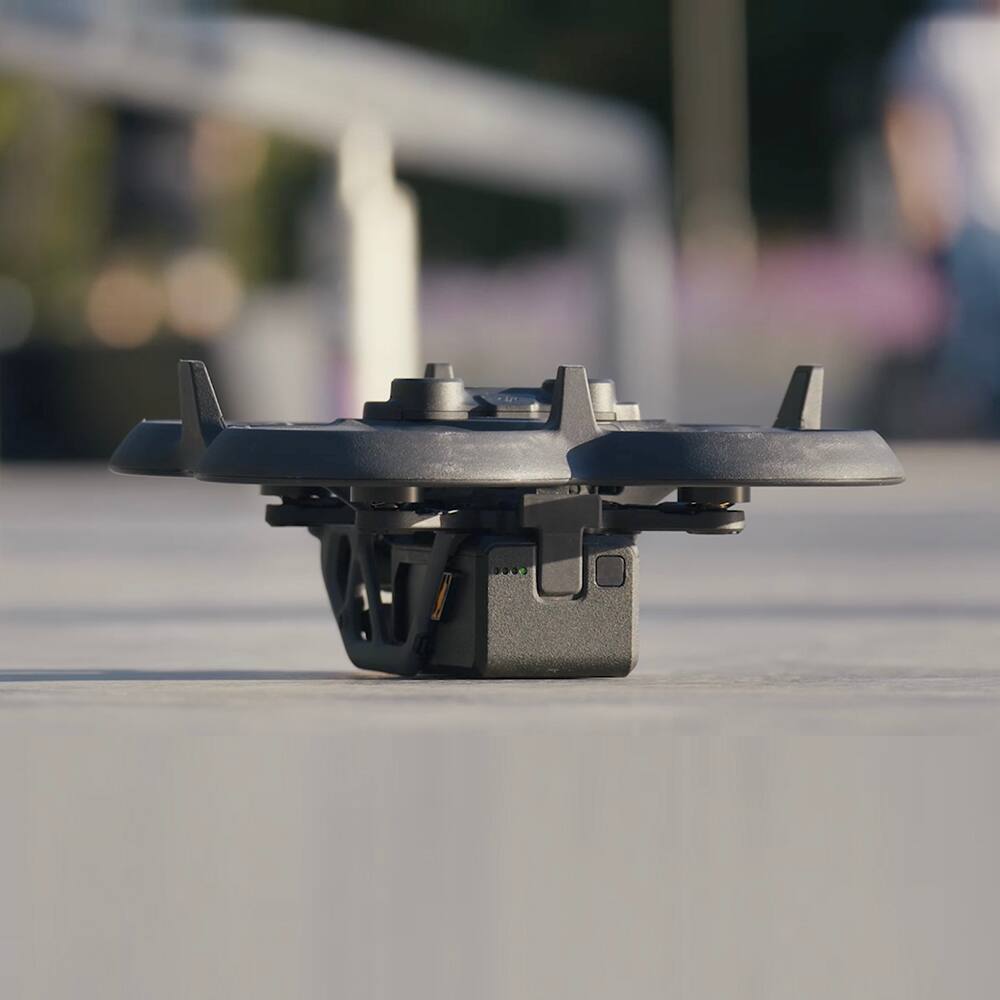
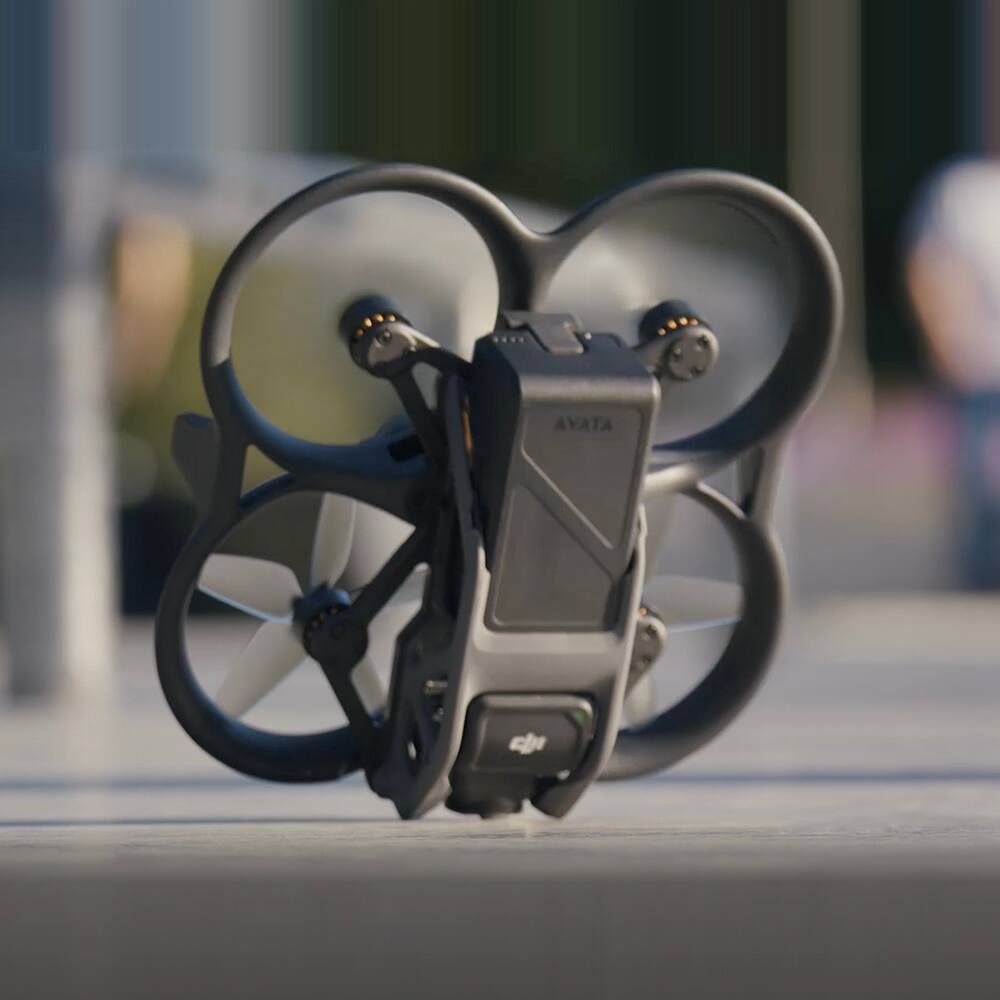
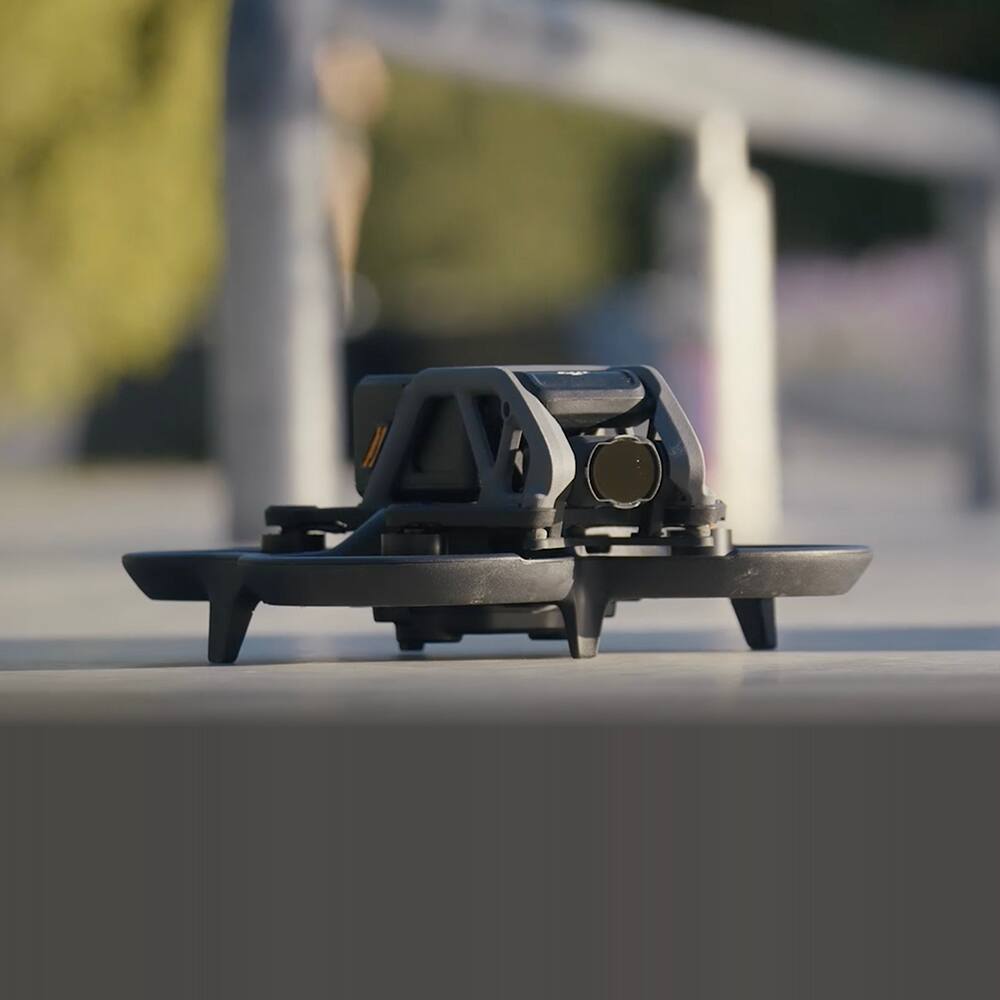
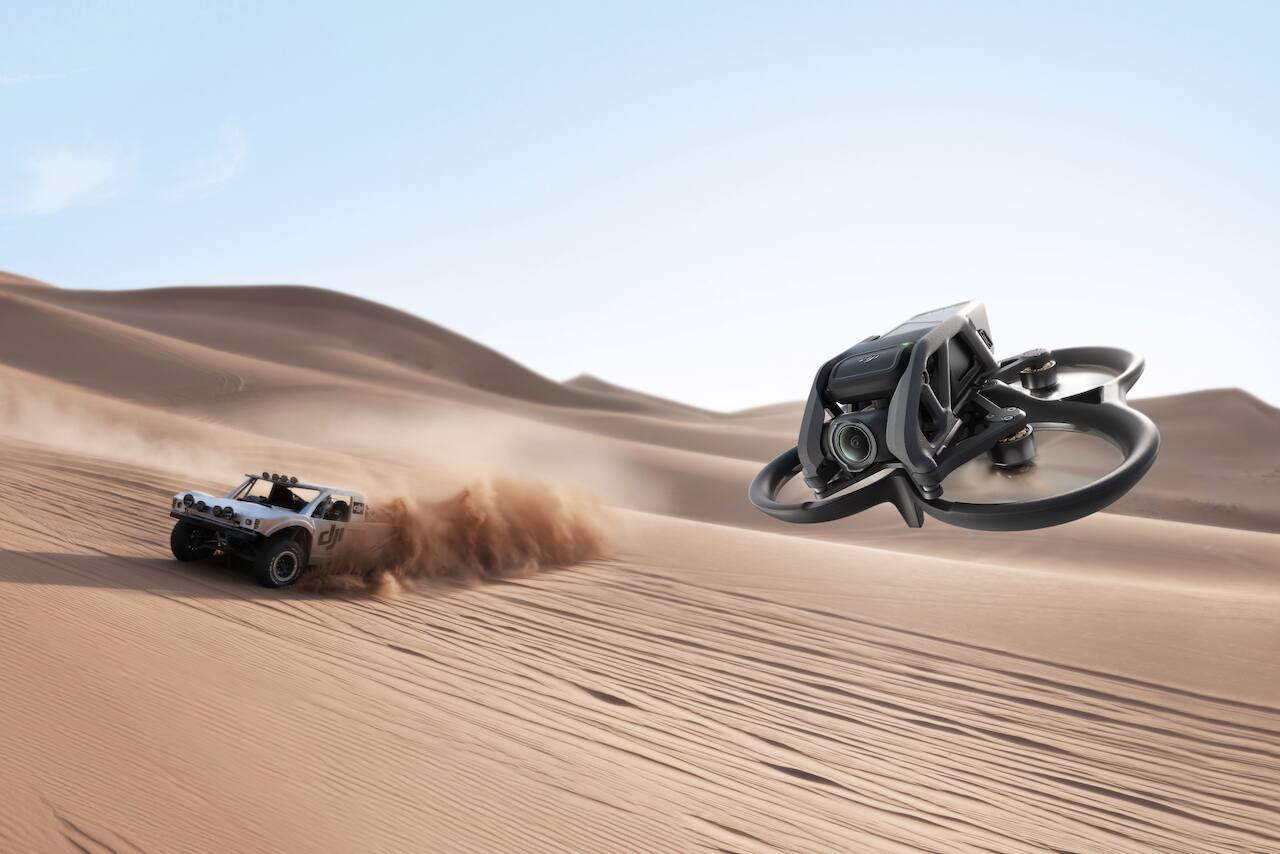
- Model:
- CP.FP.00000110.01
- SKU:
- 6514602
Rating by feature
- Battery Life
Rating 4.0 out of 5 stars
- Range
Rating 4.5 out of 5 stars
- Camera Quality
Rating 4.6 out of 5 stars
Customers are saying
Customers enjoy the Avata Pro-View Combo Drone's ease of use, exceptional video quality, and intuitive motion controller. Many appreciate the included propeller guards and the compact size, making it suitable for various environments. However, some users point out the relatively short battery life as a drawback. The placement of the SD card slot is also cited as inconvenient by a few customers.
This summary was generated by AI based on customer reviews.
- Pros mentioned:Ease of use, Motion controller, Video quality

Aweseom Consumer FPV Drone!
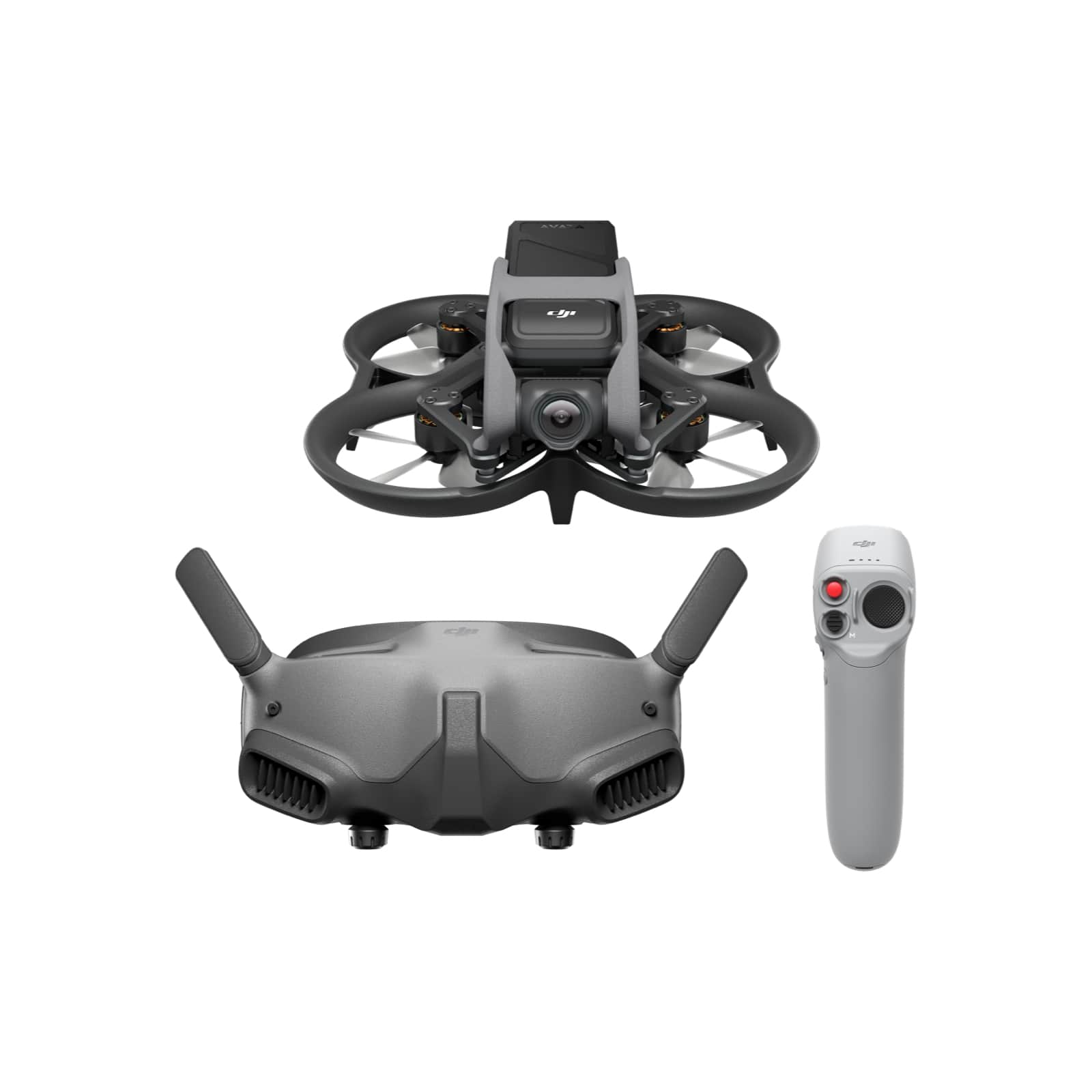
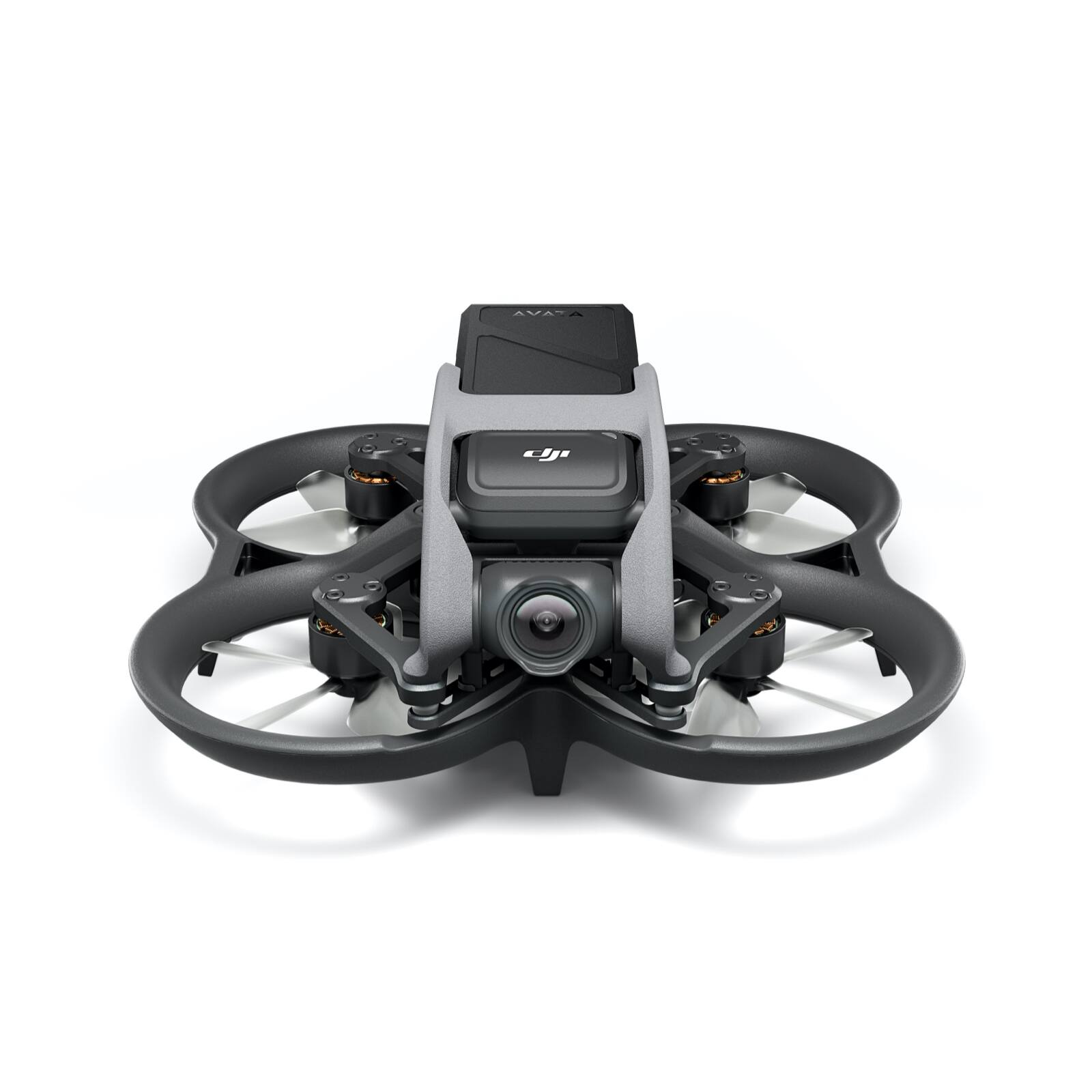
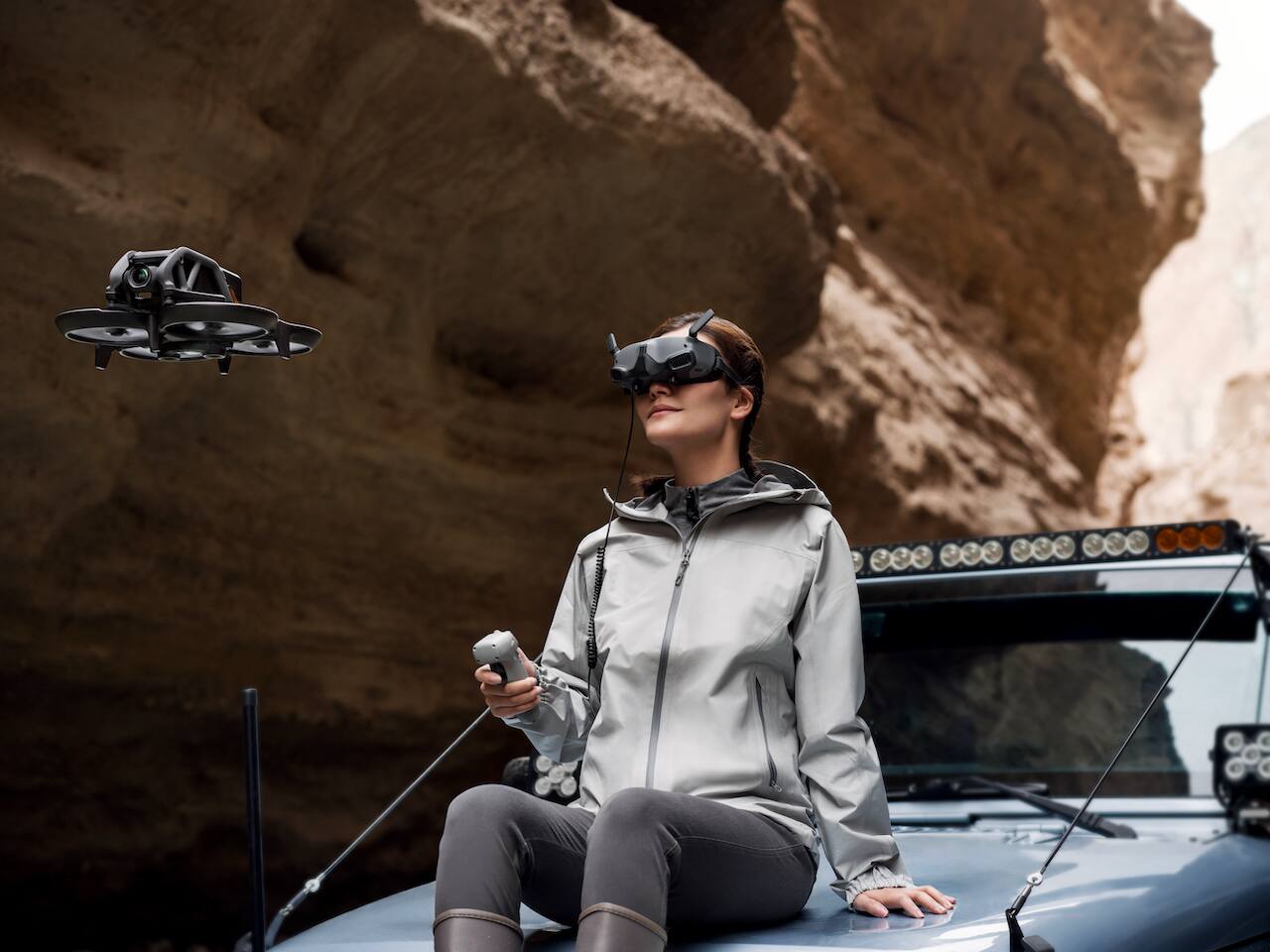
|Posted .This reviewer received promo considerations or sweepstakes entry for writing a review.Previously DJI has been known for mostly consumer drones. Last year they released their first FPV drone which was meant to start bridging the gap between consumer drones you can buy at the store and homemade FPV drones. I own the DJI FPV drone, and it was a lot of fun to fly. However, two of the biggest drawbacks were that it was larger and did not have much protection from crashing. I believe the DJI Avata was introduced to further close the gap and fix some of the drawbacks with the FPV. First, I would like to talk about the design. The Avata is super small and more comparable to homemade FPV drones in terms of size. It is considered a Cine whoop drone which means that it has guards around the propellers. Due to its size and protection, I felt much more comfortable flying this drone in doors and through tighter spaces. Another important thing about its size is that it can easily be thrown into a backpack or small bag and does not take up a lot of room. This combo comes with the DJI Goggles 2 which are extremely comfortable. I love how they are smaller and lighter. They also have multiple adjustments to fit a broader scope of people. If you have bad eyesight, you can even get prescription inserts. But for most people the adjustments it comes with will be enough. The 1080p video transmission through the goggles looks amazing. This combo comes with the motion controller. The motion controller is fun to use however, there are some cases when I prefer to use a regular controller. Some of the cases I found the motion controller to be a nuisance is when I was trying to backup, and when trying to land. I was able to easily connect my existing FPV remote control to the drone and fly with that. I had read some people talking about battery life not being accurate, but I did not find that to be the case. I flew this drone for the first time out on the coast at the ocean in high winds. Although there were a few cases where I was really fighting the wind, it did well for it size and I was still able to get 14+ minutes of battery life. I have not tested it at full speed which that might reduce the battery life but overall, I was impressed. I think when compared to other FPV drones the battery life is excellent. Possibly one of the greatest things about the Avata is that it is easy for anyone to use. If you are a beginner and never flown an FPV drone before, you could pick it up and fly it with no problem. However, the different modes like sport and manual allow people with more experience to fly faster and with more precise control. The video captured from the drone looks amazing and can shoot all the way up to 4k60. I was able to capture exceptionally smooth video footage which sometimes is not as easy with FPV. Unlike its bigger brother (DJI FPV Drone) the Avata was able to capture video without the propellers getting in the way. The only exception to this was that going backwards or coming to a stop, the prop guards got into the frame slightly. Overall, this is an amazing Drone. I would highly recommend it to anyone who wants a drone and might also be interested into FPV. It is a great drone not only for a beginner but even the more experienced person who likes to have full control of their FPV drone. This is also a great drone for anyone into action sports such as off-roading, motorcycling, and traveling. I was able to easily follow a vehicle driving off road on the beach.
I would recommend this to a friend - Pros mentioned:Goggles, Motion controller, Video qualityCons mentioned:Battery life
Great drone, but has some minor flaws.
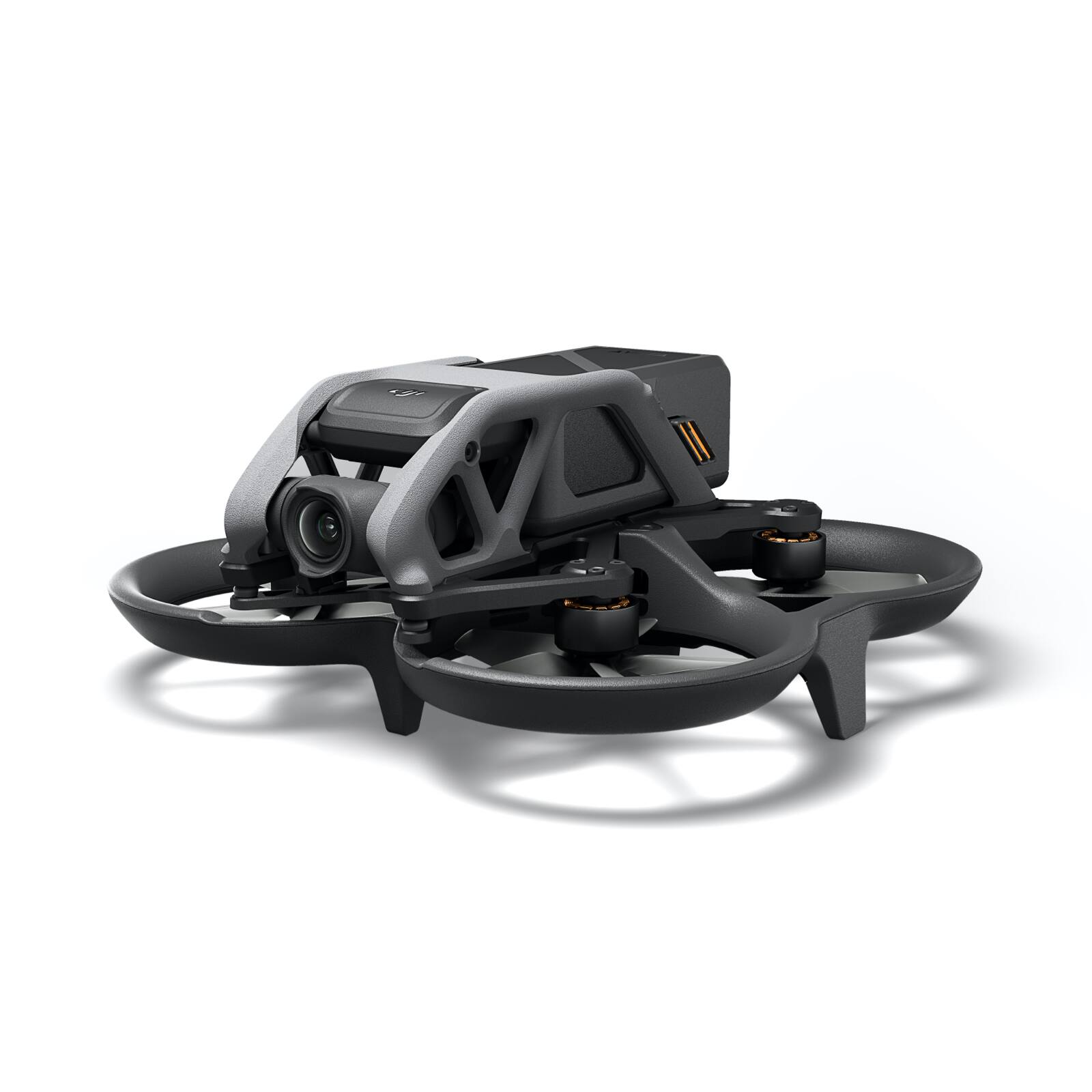
|Posted .This reviewer received promo considerations or sweepstakes entry for writing a review.The DJI Avata is a great little drone with a few minor flaws. First and foremost the DJI Avata fits in the palm of my head, this is great, it does make it easier for flying in a smaller area than I would fly my other drones. The construction of the drone appears to be very sturdy with propellar guards which again does make it that much easier to fly around in smaller areas. The drone has two modes, a normal and a sport mode. In the sport mode the DJI Avata reached speeds around 30 Miles Per Hour. The menuaverability of the drone is amazing and utilizing the motion controller , while it did take some getting used to made flying the drone a blast. The goggles are great, very easy to use, it's easy to set up as long as you follow the directions given. Now let's talk about what's not so great. First and foremost, you have to charge the battery for the goggles, battery for the drone, and the motion controller. It only came with enough cables to charge the drone and one other item. You will need to have three sepearte chargers to have everything charge at once, and three USB-C cables (This was a pain). Now the worst and by far most annoying thing about the drone is where they placed the slot for the Micro-SD Card and the USB-C Connector to view the contents that are on the internal drive of the drone. They put the connect on the body right where the propeller passes by (Part of the propeller guard). In order to reach other you have to very carefully reach with two fingers on one top and one on the bottom to reach the spot to insert either the USB-C cord or the Micro-SD Card. Now if you have smaller fingers this may not be a problem, but it's still a huge invonenience as the cover the slot is also a pain to get off as well. The video and photograph quality of the drone are great, it taes phenomenal photos and videos. When looking at the photos the wind was blowing around 10 miles per hour, remember this is a small drone, it did very well when winds picked up to 17 miles per hour as well, however that explains why the photos are canted off to the side.
I would recommend this to a friendBrand response from DJI Support
Posted .Dear customer,
We are sorry for the inconvenience caused. We will forward your feedback to the product team. Should you have any further inquiries, please feel free to contact us. http://www.dji.com/support
Best Regards,
DJI Support
DJI Avata
||Posted . Owned for less than 1 week when reviewed.This reviewer received promo considerations or sweepstakes entry for writing a review.First flight was something you have to get used too. I have had a Phantom Pro and a Mavic 2 and wanted to try out FPV. The first set up takes time to charge and update all the firmware, so give yourself time for that. Its quite a different feeling, you need to take time in an open area to get used to how the motion controller reacts to your moves, but other than it’s going to be quite fun!
I would recommend this to a friend- Cons mentioned:Battery life
The DJI Avata is a Mixed Bag
|Posted .This reviewer received promo considerations or sweepstakes entry for writing a review.Cons: I want to get the bad news out of the way first. While the DJI Avata is the most agile and fun-to-fly drone I’ve ever flown in my seven years of drone flying, it is severely lacking in several areas. The first and most disappointing is its poor flight time on a full battery charge. The advertised 18 minutes of flight time on one full battery charge is based on steady hovering in an environment without wind or interference. The reality of flying in the field is maybe 10-12 minutes of actual flight time per battery charge at best. Less if you push the boundaries of speed and climb. You can’t believe how quickly the battery charge will drop from 100% to 50%. And then when the battery charge drops to 20%, you are forced to land the drone even if it’s only 10 feet away from you and 2 feet off the ground. Given the reality of the disappointing flight time per full battery charge, you might expect DJI to include several batteries in all its Avata combo packages. But no, in the high-end, Pro-View Combo package you get one battery that gives you about 10-12 minutes of flying time for your money. For that amount of money and that small amount of flight time it is hard to justify a trip somewhere to fly the drone. You might as well sit on your front porch and fly it around your yard. If you would like additional flight time, you can purchase a four-battery charging hub and additional batteries for another half a grand. The DJI Avata Pro-View Combo lacks another very important feature. You would think that the DJI Avata Pro-View Combo, the most expensive Avata combo package, would allow you to access all the features available on the drone. But it doesn’t. In order to fly in Manual Mode and access the fastest advertised speed of 60 mph (27 m/s), you must purchase the additional and very expensive Remote Controller. This is the last negative. The location of the USB-C port and microSD card slot are behind a hard rubber cap inside the left rear propeller guard. I don’t think there’s a location anywhere else on the drone where it would be more difficult to plug-in the USB-C cable and insert/remove a microSD card. Finally, I initially thought the 256 GB size limit on the microSD card would be restricting considering how quickly 4K video fills up storage space. However, after discovering how short the flight time is per full battery charge, the 256 GB limit really wouldn’t be a problem. Just a word of caution. If you are at all susceptible to vertigo or motion sickness, you might want to stick with drones linked to a remote controller that use a smart phone as the display. Flying FPV is not for the faint of heart and can make you dizzy at times. It truly is visually immersive and a lot like riding a fast roller coaster minus the G forces. Speaking of smartphones, I found out that if you favor Samsung Galaxy phones like I do, you must have a Galaxy S20 or newer. The DJI Fly app will not run on any Galaxy phone older than an S20. It will install but will crash the instant you try and run it. I needed to upgrade phones anyway and so I moved up to an S22 and did a fresh install of the DJI Fly app. Once I did that, I was able to make the initial connections and upgrade the drone’s firmware and I was ready to fly. You do not actually need to use a smartphone to fly the drone, only to make the initial connections and upgrade the firmware. Pros: Okay, now to the fun stuff. Wow, this thing is fun to fly! What an experience! The only thing I can think of that would be more realistic than flying FPV with a handheld motion controller would be to don one of those flying squirrel suits and jump off a cliff or mountaintop. Of course, flying the Avata drone is a lot safer than jumping off a cliff. My 15-year-old grandson was here for a visit the week my Avata arrived, so he helped me review it. That’s the handsome young lad wearing the FPV goggles in one of my pictures that I uploaded. He has helped me fly my other drones, but he has never flown FPV. So, it was a good test for a bona fide FPV beginner. As a complete newbie to drone flying with FPV goggles, he was impressed with how easy and fun it was to fly. He said the use of the handheld motion controller, goggles, and drone were very easy to learn for a beginner. He made special mention that he liked all the eyepiece adjustments for the goggles. He agreed with me that sometimes FPV flying can be somewhat dizzying. He too was disappointed with the short flight time per full battery charge. However, we were able to compensate for that somewhat because my wife’s wheelchair lift van has a 3,000 watt power inverter installed in it. Each time we drained the charge in the Avata’s intelligent flight battery, we let it cool a few minutes then plugged it into its AC charger and then plugged the charger into one of the AC outlets on the van’s power inverter and we had a fully recharged battery in about 50 minutes. While that one battery was recharging, my grandson was able to continue honing his flying skills with my DJI Mavic 3. We did that three or four times throughout the day. All-in-all it was a great day drone flying with my grandson! One thing we learned about the Avata is that it is one tough little drone. It can take a beating. We tried to be careful, but we still bounced it off concrete porch pillars, tree trunks, mailboxes, the driveway, and walls. But once we set it upright, it would take off again and fly like nothing happened. We plowed it through weeds and heavy grass and most of the time it just chewed them up and kept on flying. Sadly, we ruined a propeller when the Avata got jammed under the tire of my daughter’s minivan and ground the leading edge off one propeller as it spun against the rough concrete driveway. Actually, it still flew just fine with the damaged propeller, but we erred on the side of caution and later replaced the propeller anyway. And thank you DJI for including two extra props in the drone kit. I wasn’t kidding earlier when I said the Avata is the most agile drone I’ve ever flown. That thing can turn on a dime and stop in an instant. From inside the goggles there is no discernible lag or delay between when you move the motion controller and when you see the change in the drone’s flightpath from inside the goggles. It’s instantaneous. One thing that absolutely impressed my grandson and I was that we could not detect any deacceleration time when braking. The drone simply stops when you hit the brake! In the video I uploaded, you can see my grandson braking within inches of hitting a steel girder on the abandoned bridge we were flying around. In the title of my review, I said the DJI Avata was a mixed bag. And I guess what I mean by that is that I would recommend it to a friend because the DJI Avata is a whole lot of fun to fly. But at the same time, I would make sure that they were informed about the seriously short flight time limitation so they could make their own determination of whether they’re going to get enough bang for the bucks.
I would recommend this to a friend - Cons mentioned:Battery life
Very fun
||Posted . Owned for 1 month when reviewed.This reviewer received promo considerations or sweepstakes entry for writing a review.Very fun easy to fly and very durable. Just wish it came with a second battery
I would recommend this to a friend - Pros mentioned:Video quality
Love this drone!
||Posted . Owned for 2 weeks when reviewed.This reviewer received promo considerations or sweepstakes entry for writing a review.I love this drone!!! So much fun to fly and video looks incredible!
I would recommend this to a friend - Pros mentioned:Propeller guards, Video quality
Fly like an eagle, literally
|Posted .This reviewer received promo considerations or sweepstakes entry for writing a review.Being an avid, yet somewhat amateur, drone pilot over the past few years, I always thought there has to be a better and more responsive way to bring the thrill of flight firsthand to drone users while also expanding that all to a wider audience of curious customers. The new DJI Avata FPV drone combined with the new DJI Goggles 2 and motion controller does just that and in spectacular form. In my recent experience, FPV drones are the wave of the future as it allows you to see exactly where you’re flying in real time and can make much quicker split decisions to avoid crashes and capture everything right in front of your eyes. After unpacking everything, I was surprised as to how small the Avata drone was compared to the larger drones I was used to flying; the Avata can fit in the palm of your hand and is somehow still packed with technology, an incredible 4K camera and 20GB of internal storage. Setting up the equipment after the initial battery charging was relatively simple following the instructions on line, downloading the DJI Fly application on your smart device and syncing the equipment to your DJI account. Once you power up and put on the Goggles 2, you’ll want to adjust the view using the knobs on the bottom of the headset for your eye spacing and to make sure you can focus on the image. The Goggles display a 1440x810 screen resolution at 144 Hz and are powered by an external 1800 mAh battery linked by a cable which is kind of funky however cuts down on the bulkiness of the headset. The battery size is expected to run the Goggles 2 for approximately 110 minutes. The on-screen DJI Fly software walks you through using the Goggles 2 and the controls using the side touch pad by swiping and tapping. There is a Micro SD card slot on the Goggles for storing your drone video and pictures. You sync the drone and controller using the Goggles and the DJI Fly application and there are updates out of the box, as expected from any recent technology. My only gripe thus far from the headset is that it is not a true VR viewing area and more of just viewing a square screen/monitor in the headset. Eventually I would like to see an upgrade to this using multiple cameras for a more immersive VR flying experience. I set up the inaugural flight in my living room just to get a feel for the controls and fit for the Goggles. With the double tap of a button on the motion controller, the Avata drone zipped into launch with a high-pitched sound immediately getting the attention of everyone in the house. Tilting the controller left and right allowed me to look around the room in a stationary hovering position. Feathering the trigger button on the controller allowed me to gently move forwards and backwards depending on the Goggle’s and controller’s orientation which was easy to understand being experienced in drone flight and similar to flying in video games. You can invert the flight controls in the settings as well. It was somewhat difficult to toggle with the settings on the Goggles 2 while holding the controller but I was still able to manage. I’m sure there is a learning curve and will get more used to the controls with more use. I was able to maneuver around my house with ease without running into anything and everything and fly it out the back door outside. Once outside, I was able to let loose and relax a little more with less obstacles. I immediately zipped up into the air in a split second in “Normal” flight mode when I remembered there was also a “Sport” mode which I paused to switch to on the controller. It was in that moment that I realized what the Avata was capable of. I gave it everything I had shooting up and down the neighborhood hitting speeds of around 60 mph and whipping around with ease like a sports car drifting around tight corners. I flew around for about 15 minutes before the 2420 mAh battery began to run low and an on-screen notification advised me it was time to return home. Since I launched inside the house, I had to manually land it in a safe area because of the obstacles and GPS not tracking indoors. If you launch outside in a GPS tracked area, the Avata will automatically return home before the battery runs out. If you are new to drone flight or hesitant on flying drones, there is a DJI Virtual Flight app you can practice flying with. Perhaps one of the best Avata drone features is the protection built around the propellers to prevent damage. That, coupled with a well-designed casing for the entire drone and 4K camera, should give users piece of mind. Thank DJI for all that protection because I already took a 20 foot fall coming out of a second story window hitting and rolling down scaffolding eventually landing on a rock surface. Upon retrieving the drone, I was amazed to see there was barely a scratch on it and no damage to the propellers or camera at all. Upon crashing, the Goggles 2 displayed a notification that an impact occurred, and the drone flipped over (as if I didn’t already know as my FPV screen was spinning out of control). I set the drone back up after inspection for a subsequent flight and had no issues (phew, sigh of relief). There is something called the “Turtle Mode” you can activate after a crash if your drone falls on its top that will flip the drone back upright making it ready for flight which is pretty cool to see. Another protection feature is the downward obstacle sensors which allow it to sense what’s below it and capable of flying at high speeds only inches from the ground without manually adjusting the height. I also want to add that during all the flight that I have taken with the Avata and Goggles 2, I have not once had a transmission issue which is because of DJI’s flagship O3+ and 2T2R omnidirectional antennas. This proved true as I was sitting on the couch in my living room on the opposite side of our two story house while flying the drone outside around our neighborhood. The video and pictures I have taken while flying was very clear with the Avata’s 4K@50/60fps camera which is also capable of lower quality 2.7K@50/60/100fps and 1080p@50/60/100/120 fps video. The video transmission to the headset is up to 1080p giving it clear imaging while flying. DJI’s RockSteady 2.0 and HorizonSteady software allows the Avata’s camera to capture 155 degrees of super-wide FOV smooth footage for stunning videos similar to what the natural eye would see. The drone has 20GB of internal storage while the Goggles 2 has an expandable Micro-SD slot for additional storage. I have been flying larger, more expensive drones for a few years now and I can imagine they have scared off potential first time drone users in the past because of their bulkiness, price point and perhaps fear of crashing or losing them. Fear not, DJI has options in the event crashes or losses occur including GPS tracking as well as reasonably priced insurance you can buy to protect your investment. Overall, this may be one of the best and safest bets as a new or amateur drone pilot as well as for a more advanced user that may be new to FPV drones. In either case, it’s an amazing drone set up that allows the user to somewhat experience what it’s like to fly in real time without experiencing an upset stomach from the ups and downs of true flight and losing your cookies.
I would recommend this to a friend - Pros mentioned:Propeller guards, Video qualityCons mentioned:Battery life
This is what immersive flying means
|Posted .This reviewer received promo considerations or sweepstakes entry for writing a review.With the DJI - Avata Pro-View Combo (DJI Goggles 2), DJI is opening the door to the First Person View experience for all-level pilots. With the new DJI Goggles 2 and the motion controller plus the drone, the combo provided me with the most immersive experience of piloting a drone that I’ve ever had. Considering the video technology in the drone I had some very nice footage in a 4K video quality that completes the deal. It doesn’t matter if you are interested in flying, immersive piloting, or obtaining impressive images, all is in the box. Few personal considerations after a few days: 1.- Despite the rush of using the new toy arriving home, please consider that all (three) batteries would need to be charged before the first use. The drone battery takes almost an hour, the goggles battery around 40 minutes, and the controller same time. 2.- Consider that, following a terrible practice in the technology sector, the chargers to the power outlet are not included with the wires and the drone charger. You should have available at home three USB for the task. 3.- While charging, consider downloading the DJI Fly app directly from the DJI download center. The app will allow you, once batteries are charged to initiate the Setup process that includes your equipment registration. Be aware that the app also provides information about the non-fly areas where you must not fly your drone. 4.- You are going to try to do some virtual piloting testing, so with plenty of time while batteries are charging, consider also to download the DJI Virtual Flight app. This is probably one of the nicest surprises because by connecting your goggles to your phone, you will be able to test and develop your piloting skills with no risk. Note that accessing the app for android, will require you to search in the Avata downloading center instead of the general library (only the IOs version is available there). 5.- Setup is as easy as following the instructions in the DJI fly app and connecting the goggles, then turning on the drone and finally activating the controller. As part of the setup, the app activates your equipment registration in DJI and offers you the option to purchase coverage insurance. 6.- The drone is small and very light and can fit in the palm of your hand. The propellers are absolutely protected with sturdy plastic that protects them from the several hits that the drone will receive on the first flights. The designers had in mind a drone that can fit and fly in very small spaces and bounce back in case of small contacts. The FPV idea in mind and indoors flying are serious options for this Avata model. Be aware however that there is no option to reduce the size or fold the winds like in other DJI models. 7.- The controller is in my opinion one of the best options for simplifying to the maximum the pilot job. I don’t have big hands and I found the controller having the right size for them. With the basic functioning of a joystick, you have in your (one!) hand all you need to control the drone. Three buttons on the top for your thumb, to activate and raise your drone, one to change the mode (normal and sport) and one to brake and stop it. On the side you have the controls for the camera and to activate the recording. Finally, the index has the access to the trigger to accelerate the drone. 8.- The goggles are small and compact enough to make wearing them not very cumbersome. Made of plastic, the inside has a more flexible layer that serves to fit comfortably. The OLED screens, you can experience outstanding clarity while flying. The battery is not part of the goggles and are connected by a wire. All the functioning and different flying menus and controls are accessible with the touchpad placed on the right side of the goggles. Finally, big progress and my recognition as a wearing glasses person, the goggles have a built-in diopter and interpupillary distance adjustment that are a game changer to use them. The goggles are the center of the immersive experience and after a few minutes of piloting, you feel like the pilot in your own cabin. 9.- I produce audiovisual content and I own a ton of cameras and recording equipment. Including some of the most advanced action cameras on the market. I can without hesitation say that the camera in the drone has a great 1/1.7-inch CMOS sensor that allows 4K ultra-wide-angle recording. The colors are great and considering the imaging performance, the visuals that can be recorded are a great base on their own but also a great source material for editing work on your laptop. 10.- Is DJI the probably best drone manufacturer in the market, AVATA is the last model that includes all those components that will make the flying experience the easiest and the safest for the pilot, the equipment and the world around them. 11.- Your investment has a ton of hours of joy and a ton of learning possibilities. Entering the world of DJI is also entering a world of content with videos and pieces of training available, produced by the manufacturer or by the great community of DJI users. The same community can share with you a response to your immediate question. Most of my concerns during this week have a response (or several) in one of the DJI forums. Some personal concerns: .- The biggest one: All the above is great but considering that I am looking for flying experience, more flying time is needed. The combo includes ONE single battery that it averaged over the last week no more than 12 minutes of flying time. I wish that a battery with bigger autonomy or a second battery would be a part of future combos. .- The goggles are still uncomfortable in the nose area. I wish that the designers included that area in the development of the goggles after some time (if you are using the DJI visual flight app, could be more than the 12 min above) you need to do a pause. I still recommend the Avata and the experiences that this can bring to your life. Notably for the hours ahead training the piloting or recording amazing videos for family and friends.
I would recommend this to a friend - Pros mentioned:Motion controller, Video qualityCons mentioned:Sd card
Great FPV Fun
|Posted .This reviewer received promo considerations or sweepstakes entry for writing a review.Of all the drones I have flown in my life ranging from upscale camera drones to drone designed for payload carrying, I have to say that this little Avata must be one of the most fun drones I have ever flown. Even amongst the FPV drones I have flown before this is still more entertaining and there are a few reasons for that I feel. First major reason is the way the drone is controlled. Most FPV drones use a normal two stick controller and controlling them can be a challenge sometimes but the amount of stuff you can do with that type of control scheme is amazing. So naturally I thought using the simple motion controller for the Avata would take away a lot of that fun and control, well I am glad to say I was wrong. The motion controller is so intuitive and easy to use, and it just make everything so effortless. Also, with the way DJI handles hovering with the Avata it also takes away some of the worry that you are going to ruin the drone if you get into sticky situations. That ease of use and simplicity inherently makes the drone more fun to fly, for me at least. Another thing about the Avata that really makes it a winning package for me is the included camera. I do not feel the need to attach a GoPro to the top of the drone to get the footage I want. The image clarity and stabilization are on par or better than some of the footage I would be able to get with a GoPro attached to another FPV drone. The Horizon Lock feature is also cool if you just want nice shots without the side to side motion of turns involved. But the real star of the show here is the ease of use and performance you can get with the drone while flying indoors. The prop guards are a terrific addition to this drone and really give a nice layer of protection for those tight shots. Using this drone for things like house tours or factory flythroughs is amazing and just as simple as a normal outdoor flight. Even the few times I did manage to bump into walls or doors was no issue because the Avata just bounces off the surface and keeps going on its merry way. I would also like to note that even in a decently sized office building I never saw any communications issues with the drone even through several walls with a mix of inside to outside flights. A nice added feature is the SD Card slot on the goggles, it’s nice to be able to have that video just in case something happens to the drone during flight, and you can’t recover the original footage. It also allows you to show people what you see during your flight time with the original overlays available as a possibility for recording. There are one or two things that could be better but are not dealbreakers. The first issue was trying to get an SD card into the drone if you want to record to something other than the internal memory. The slot where the SD card needs to go is shoved inside the prop guard and you must move the prop out of the way properly to even get to the door to open it. It was annoying. The only other issue was initial setup can be a little clunky because to do updates and stuff you need to pair the drone with your goggles, then attach your phone to the goggles and run the DJI app before you can run the update. Once you have the drone and goggles paired with your DJI account and app and everything has been updated it’s not really an issue, but that initial setup is a little time consuming. If I had any other complaints, they would be trivial things like with the bundle kit I wish they offered some sort of carry case for everything. There is a lot of stuff to tote around with batteries controllers, the drone, and the goggles. Overall if you're looking for your first foray into FPV or just looking for something simple that you can fly inside and still have fun with it then I don’t think you can go wrong with the Avata it really is a great package overall.
I would recommend this to a friend - Pros mentioned:Motion controller, Video qualityCons mentioned:Battery life
The 2022 Solution for Cinema Style Drone Shots
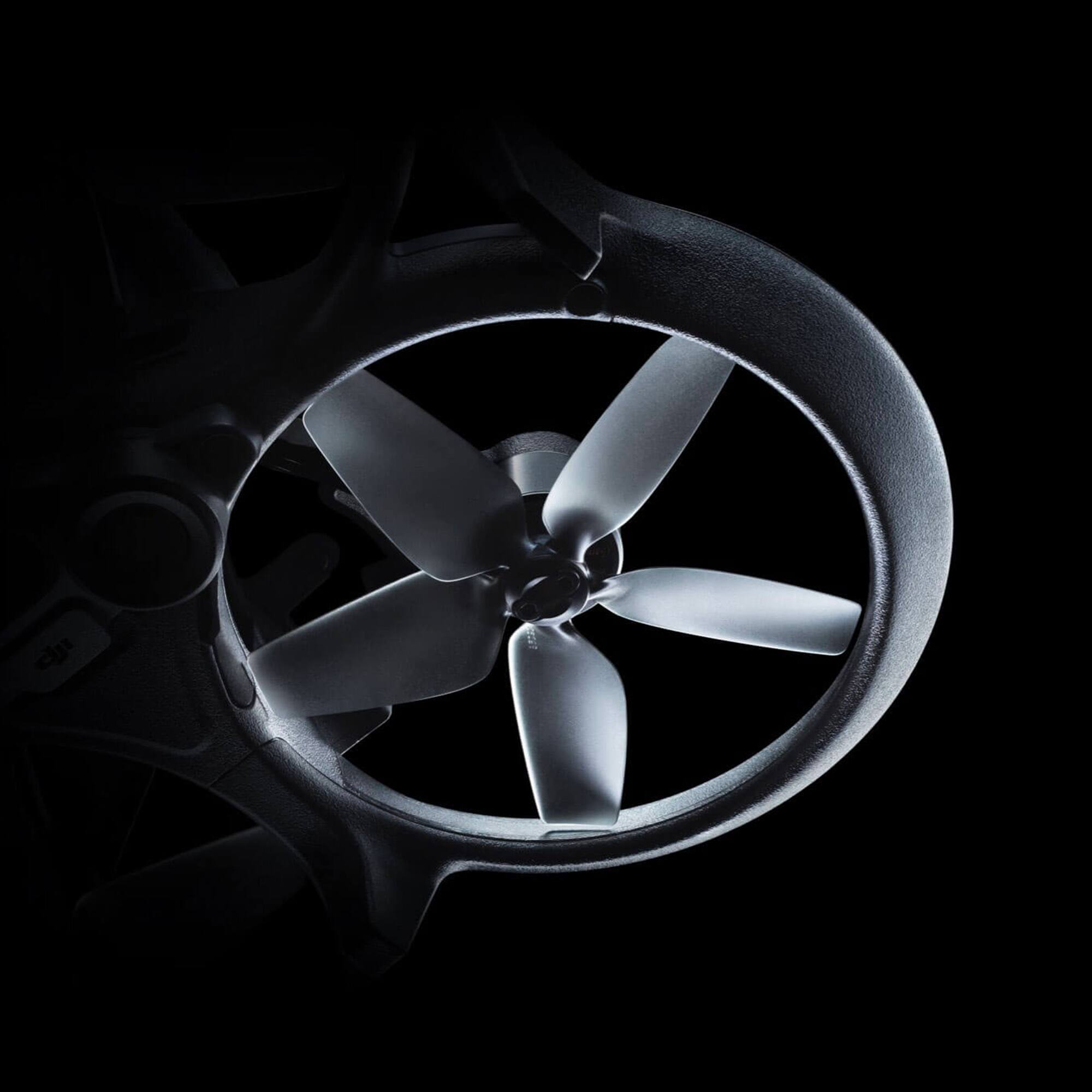
|Posted .This reviewer received promo considerations or sweepstakes entry for writing a review.After about a week of putting the DJI Avata through its paces I have come up with my review of this product and buckle up because we are digging in deep. Firstly, the performance of the drone is exactly what you'd expect of a cinewhoop but with the assist of GPS and RTH (Return to Home) if you mess up. We will get into that feature set a bit later. Firstly lets discuss the design of the Avata. The props are completely surrounded by the blade shroud which seems to be made of plastic. The plastic is a thick layer though. Why does that matter? Well to start, as I was working Avata through its paces I decided I wanted to see how it could handle a window transition from inside to outside and visa versa. Well on my way back in I missed the window and bashed right into the side of the building. I was going a solid 10-15 MPH in that transition. Avata said 'Impact detected' and I pressed the Brake. Immediately it normalized and hovered. I was able to continue the flight with no damage to Avata, thanks to the thick prop guard. Then I decided it was time to try to zip through some trees, well a wind gust got me and Avata met tree and branches and leaves... oh my. It tumbled and struggled to normalize and then I pressed the Brake again. Once again, normalized and I was able to continue flight. I did have one impact where I failed to 'brake' and the avata really lost control and landed right side up on a semi-impact way. It seemed the drone was trying to recover but at the same time had my control input and it caused that event. Remember to use the brake button if you mess up. After the impacts I decided to inspect the Avata for damage. All the blades were covered in green stains and I managed to pick up my girlfriend's hair in the rotators that was on the carpet and didn't even know it. Removal of the prop was extremely easy and I was able to clean all the props in 5 minutes. You have to get a micro-hex to take them off. Lets talk about the overall package. Everything in it seems inclusive but unfortunately it is not. DJI opted to include the Motion Controller but not the actual remote controller. This provides significant setbacks in the Avata's feature set and 'disables' the manual mode. Essentially you'll have to buy a RC on your own to be able to get into the manual world of the Avata. I tried getting one, everyone has them backordered. The motion controller is fun and does the job but I have to admit that I do not feel the precision of control I would with a RC. DJI should have included a purchase package for either the Motion Controller OR the RC. This also causes my review to be incomplete because I cannot speak to the manual mode or 'acro' mode on this drone and what it can and cannot do. Lets talk about the 'feel' of the motion controller. Well.. for what it is, it feels good. I have a good amount of control with it even in sport mode and the trigger for the acceleration definitely is smooth and allows me to shoot gaps when flying. You have a fair amount of precision with it but I found when testing I'd start to lose motion controller connection before video loss which is certainly a concern. Granted I was flying in an area with power lines and a lot of houses so interference was everywhere. The goggles are amazing. The clarity of power lines and color is displayed well and true to life. There is a bit of light leak which I am sure will be fixed with 3rd party padding you can buy. Video quality during the day is great. Color and 4K looks so good. You don't have 24P yet so not good for film but hopefully that will be included in a firmware update. Night performance and dusk performance is where the Avata will struggle. It will attempt to compensate with ISO but makes it grainy really fast which you'll see in my photos. When flying in the day it handles light and shadow transitions beautifully. Battery Life when fully charged on sport mode full throttle zipping around I was getting 10 minutes. Normal Mode full throttle was 12 minutes. Overall the Avata is a wonderful add to DJI's lineup minus a few gripes like the lack of an actual RC and not being able to unlock the manual mode of the drone. I think DJI will add firmware updates to this product to make it more cinema-film centric but for the quality of the drone at its current place, it is going to be the consumer industry leader
I would recommend this to a friend - Pros mentioned:Goggles, Video quality
Nimble/Great step forward by DJI
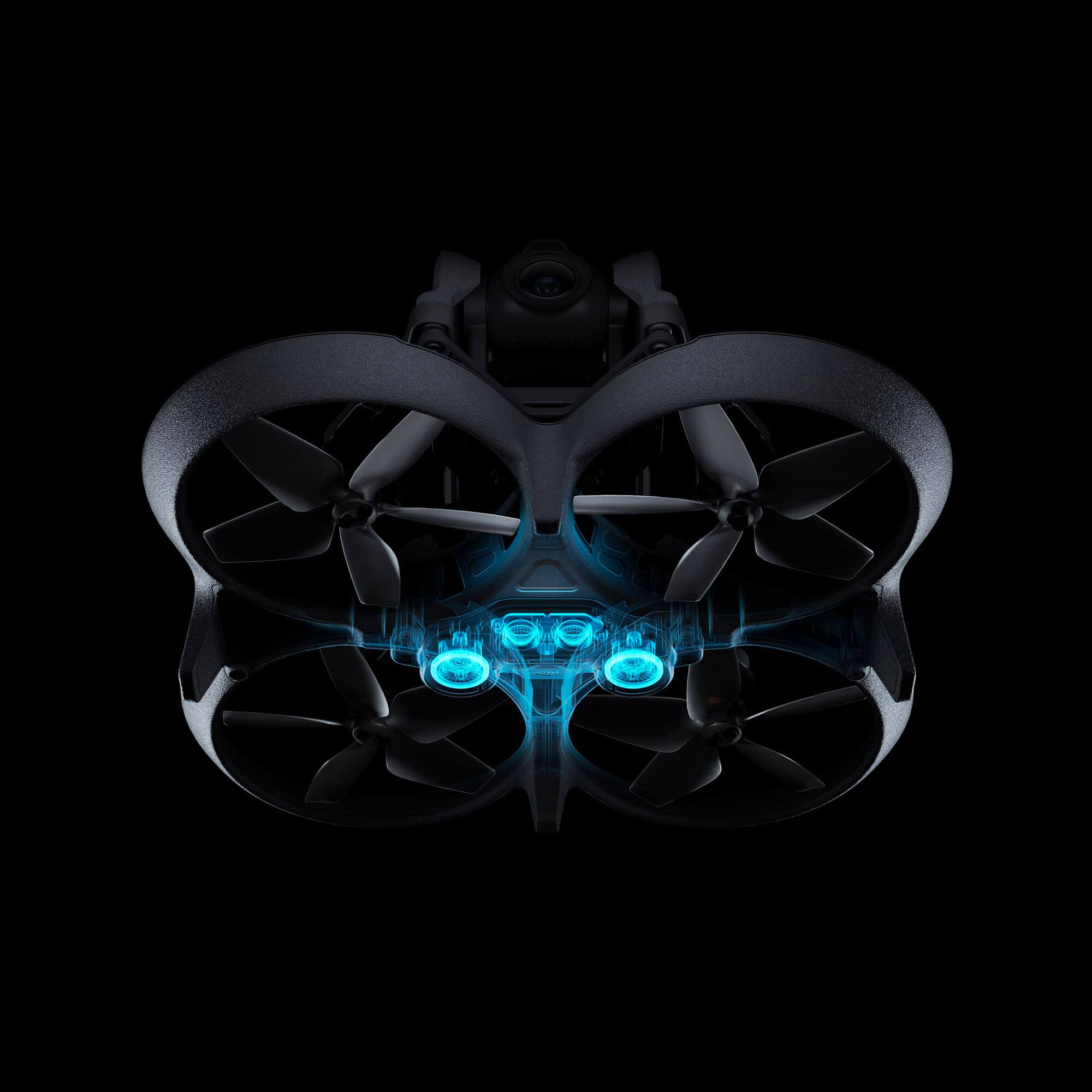
|Posted .This reviewer received promo considerations or sweepstakes entry for writing a review.Before going into flying please make sure you take the time and follow all the steps and update firmware of the drone, battery etc. give it a good first charge. And talking about the charge, seems that they follow the other giants in tech industry and they only supply the cable and it's up to you to pair it to a power adapter(that would be my only observation). Now lets get to the good stuff : Coming from an older DJI i can truly see the step forward that The company made. I love design of the drone: -It's build tough and has propeller guard built in, no parts are foldable. -Size wise it sits in between mavick 3 and a mini unfolded which makes it great to get thru objects and get that great shot. -Storage and connectivity is a little awkward positioned in the way of the blades of one propeller but the good news it's that even if you forget your sd card or whatever reason it has 20gb internal memory which can definitely save your day! -Camera (4k/60fps i use it most of the time and it works great it has built in stabilization so it gave me more time to focus on my flying skills) for slow motion lovers you can go up to 100fps if you switch to 2.7k. -Battery life it's amazing at around 60mins but depends on what you want to do with it and your flights modes that you use possible it's recommended to buy an extra battery. To actually fly the drone it's a little different then a traditional one without any intelligent flight modes at the moment. It's pretty much like playing a video game and more time you'll put in better will get. The Goggles still need the external battery to be powered on, but they are great designed as well, very comfortable and easy to use touchpad on the side. They support head tracking and have diopter adjuster. don't forget to go into settings and turn on Turtle mode just in case u land upside down, i found this to be a very cool feature! There are plenty of ways to learn how to fly the drone Dji does a great job offering Flying simulator for free but i'm telling you more time you spend with the drone better it gets! Conclusion: It's an amazing content creator and much easier then i taught to fly this thing using the DJI motion controller that looks like a joystick and acts like one! I love everything about it it's a very well designed/build and probable the best software you'll find in a drone! Just get out there and start flying it's awesome!
I would recommend this to a friend - Pros mentioned:Propeller guardsCons mentioned:Battery life
Awesome Little Drone
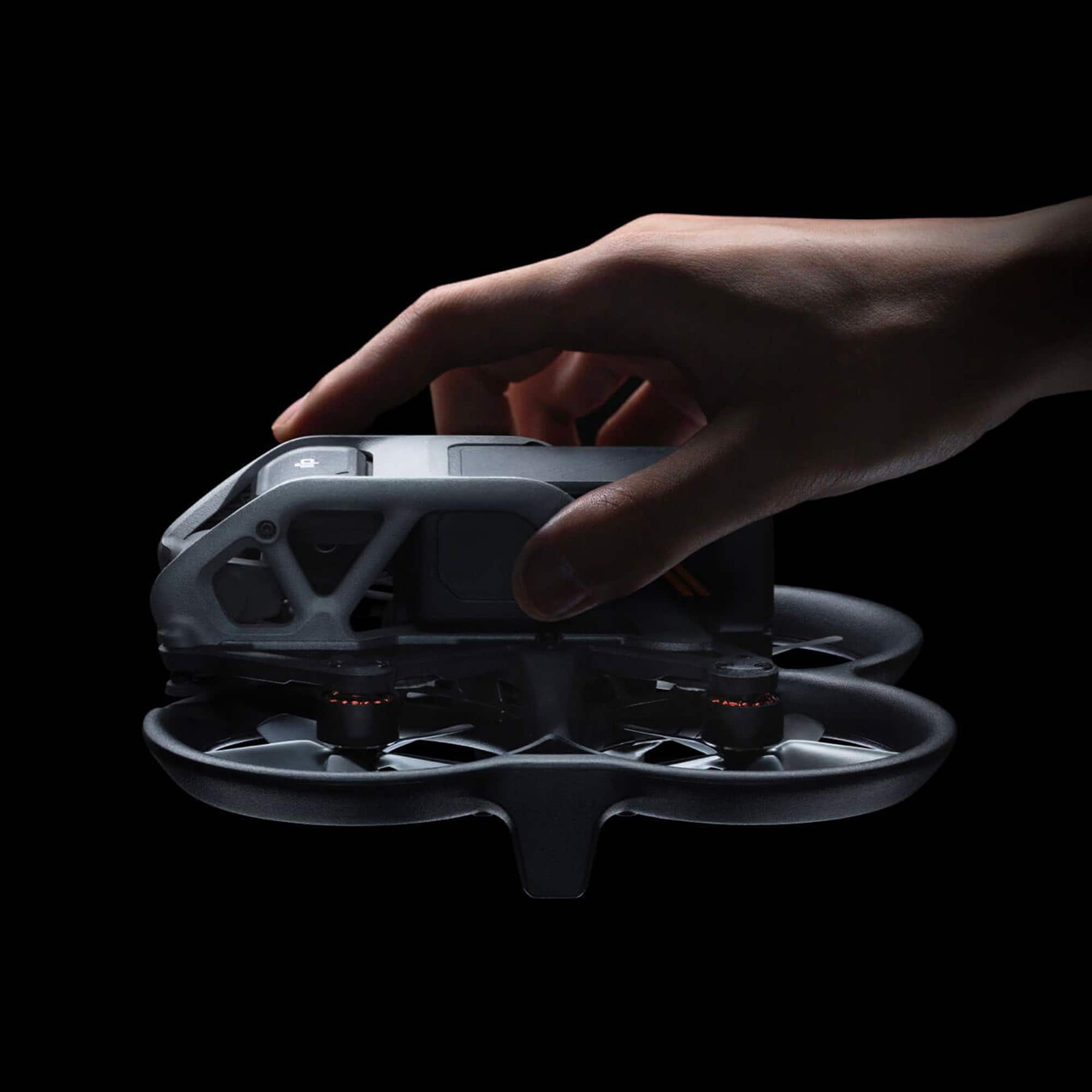
|Posted .This reviewer received promo considerations or sweepstakes entry for writing a review.This DJI Avata drone is a most excellent drone. If you're like me and have flown other drones the "traditional" way with a hand held controller there is a learning curve associated flying this done with the handheld "stick" controller as it can take some getting used to. First off, let me highly recommend the available simulater from DJI using the goggles, controler, and your phone. But why, you may ask? Let me tell you a brief story. I've used drones before and thought I don't need no stinkin' simulator, went outside in my driveway, and fired everything up. I got off the ground with no problem. Then I started moving forward (this is where the learning curve for the controller comes in). I think I'm banking right gently with plenty of clearance to get past my car. Nope. "Thunk" into the hood of my car. I'm undeterred and keep on going. "Bonk" into the side of my house but I keep going. So there I am thinking I'm getting the hang of it and decide to take a look at myself from the drone. That's when I again misjudged distance and hit myself in the back of my head. Thankfully I was not going fast, more like crawling. I decided maybe I do need the simulator after all. One thing I found out is that the Avata can take a bit of a beating and keep flying. I'm still not brave enough for sport mode. So let's talk takeaways here. Good: Small and light, built in propeller guards, decent flying time between charges (about 15 minutes), once you get used to the controller it's awesome. The built in 20GB of onboard storage is a nice add. Bad: There are three batteries to charge to go flying. The drone battery, the goggles battery, and the controller battery. That's a lot. To use the goggles it has to be connected to the external battery and another cable to connect to your phone. Bummer. Removing the battery from the drone is a bit of an exercise. I guess that could be considered a semi-good thing as you wouldn't want the battery to bail out mid flight. To get to the micro-SD card slot requires some contortion as it's inside the propeller guard. The image and video quality is truly outstanding. Over all, if you're looking a smallish drone or are new to drone life then you cannot go wrong with the Avata.
I would recommend this to a friend - Pros mentioned:Propeller guards, Video qualityCons mentioned:Battery life
My DJI avata first impression
||Posted . Owned for 2 weeks when reviewed.This reviewer received promo considerations or sweepstakes entry for writing a review.The moment I saw the video ad for the DJI Avata, I had to have one. The remote is compact and easy to use, it's 4K camera is amazingly clear, and getting the "birds eye view" from the goggles is amazing. The guards around the propellers are a perfect addition and will keep them safe when you bump into something...and it will happen when flying drones. There are some cons. The batteries, though rechargable, will realistically last 10 to 13 minutes on a charge. Also, DJI is the only manufacturer of the batteries, so they charge what they want for extra ones...and they're not cheap! If you buy DJI "Fly More kit" with the strip charger, it charges the batteries one at a time at almost an hour per battery. Another con is, it'd be nice if it came with a carrying case. Overall, the DJI Avata is a lot of fun, and I'd highly recommend it to a beginner, or an experienced drone pilot. It's fast, it's durable, it's compact, it's got a lot of technology built into it, and with a little practice, it's easy to fly and control.
I would recommend this to a friend - Pros mentioned:Ease of useCons mentioned:Battery life
Super easy to use and great drone.
|Posted .This reviewer received promo considerations or sweepstakes entry for writing a review.Super easy to use. I am very impressed from this drone. I have flown others in the past and by far using goggles and the controller is super easy. I initially had reservations that I would have a tough time with the goggles l but I was wrong. Setup was easy. I had to side load the APK on my android phone and update and update the drones firmware on all 3 devices and I was up and running. Note to all. Technically if you are to fly a drone in the USA you need to register your drone and also be a UAE pilot which complies with FAA part 107 requirements. But if you can find an area that is not near a controlled airspace you can fly a drone. The DJI Fly will not allow you to fly in restricted zones as you need to plugin you phone somit can use your phone to tie into GPS etc. Since then it has inspired me to get my UAE license. Overall handling was great... Photo and video recording was super easy. 4K resolution was wonderful.... Pulled it down to PC and used program to compile my material. Flying time is about 15 mins total on a full charge. Take into account that I landed and allowed my kids to fly as well. So I must have swapped out with them 4 times so that eats up battery life. Also this drone is pretty fast and nimble. Would highly recommend this product. Great job DJI.
I would recommend this to a friend - Cons mentioned:Sd card
Nimble with a Gimbal - A superb FPV drone
|Posted .This reviewer received promo considerations or sweepstakes entry for writing a review.There are so many things to like about the DJI Avata that I think there's something for practically anyone interested in flying a drone here. While some may be intimidated by using FPV goggles to fly a drone, this is might just be the easiest way to fly. If you've flown an FPV drone before, this may currently be the simplest setup you could ask for. While there will be comparisons to standard drones, which makes sense, this is a different kind of drone and capable of more precise and otherwise unattainable shots. Other drones, including those from DJI (like the Mini 2, or Mini 3 Pro) offer excellent arial photo capabilities and "Smart-Shot" features, like following or circling a subject with the click of a button. The Avata isn't necessarily for that type of shot. It excels at fast-paced difficult to navigate areas, like flying through trees, narrow spaces, or even doing dives and stunt-type shots. You can certainly take aerial photos and videos with the Avata, and they do look great, but if that's all you're attempting with it, you're definitely not using it to it's full potential! The engineers at DJI, both software and hardware, must be on another level. First, the drone is physically tough. Built to withstand hard impacts or crashes, there are several things to like about the build quality of the drone. While flying, you'll definitely be more willing to try difficult shots, since if you do happen to bump into something, it will simply bounce off and keep flying. If you hit something in a way to turn the drone completely upside on the ground, also no problem as you can enable "turtle" mode and the drone will engage two of the props and flip itself over so you can take back off and continue your flight. On the software side, I'm not sure how they're able to get the goggles to work so well, even at large distances, without serious degradation in the video quality. It also has a very quick response time, so you're able to plan shots and react very well. You can even set the goggles to use motion controlling, so you can shift your view- while flying. It works sort of like wearing a VR headset and using a controller to move, if you've experienced anything like that. There's also this awesome AR-type feature which overlays your home point in your display, so you can always see where you took off from in the googles. This is an extremely helpful feature, since there are times where you may have lost your orientation a bit, and not sure where you're at. I imagine the goggles rival even some of the best FPV goggles on the market. Battery life is VERY good for an FPV drone. I was getting about ~15 minutes of flight time in the sport mode. Most of the time flying at near top speed. This is much more than a typical FPV is capable of. It may not last quite as long as a non-FPV drone, but it's fairly close and you add the capabilities of FPV with it. I also appreciate how the charging works on the batteries. The charger that comes with it is very compact and easy to bring along, though I'm going to get the Fly More kit to be able to charge more than one at a time. I also want that kit just to get more time with the drone. They're also easy to swap out, and charge pretty quickly. I was able to charge mine in under an hour after being fully discharged. Battery life on the goggles has been around 2 hours for me, with continued use. This feels very good to me. You could always grab an additional battery for them as well, but I have been very happy with how long they last. The motion controller seems to fall along those same lines too, about 2 hours on a full charge. Though, I wish it supported fast charging, as it seems to take a bit longer to charge. Using the motion controller was a bit of a revelation for me too. It's crazy how quickly and easily you'll be flying and confident enough to fly through even very tight spaces. Pair that with the durability of this drone, and you can see how much of a winning combination this is. One complaint with the motion controller is that you're not able to fly in manual mode with it. Though, this make sense, since I'm not sure exactly how you'd keep the drone airborne without the throttling moves you'd do on a standard controller. But, I feel like the gurus at DJI will probably figure this out at some point. That also brings me to another great feature this drone has compared to other FPV drones, and that's the ability to just hover when you let off the throttle. Seems like such a simple thing, but it's awesome to be able to just take a break or catch your breath. I feel like the goggles are such a premium piece of equipment. The display is excellent. The preview quality is always so good paired with the range the drone has. Being able to use it as a motion controller is also super cool. They even added in the feature of being able to use them to watch videos from your smartphone when you're not flying. Seems like it could be a good use of them on an airplane while your traveling to your next shooting destination! The sensors and speed of this drone make it an absolute blast to fly. I'm going to grab the standard controller though soon, as that will open up the manual mode for me to experiment with. Researching the documentation, it seems this will allow for full manual control, allowing for dives or other cool stunts, and increasing the top speed to nearly 60 mph (!). I'll wrap this up, since it's getting pretty long-winded, but it's probably pretty clear why I love this thing. I do have some minor issues with it, like the position of the SD card slot and USB port on the drone itself. They are pretty difficult to access. I get the reasoning though, as I know they were trying to keep space and aerodynamics in check. I also wish there was a way the design could have been altered to prevent seeing the landing gear/feet of the frame in the shot as you're aimed downward with the camera. This is a huge issue, as this large FOV allows for some cropping if necessary. Pros: excellent control, great battery life for an FPV, very portable, awesome goggles with great display and features, motion controller is an easy and intuitive way to fly Cons: positioning of SD slot and USB port on the drone itself, frame/landing feet of the drone can be seen in shots facing at downward, or if coming to a rapid stop
I would recommend this to a friend - Pros mentioned:Ease of useCons mentioned:Battery life
The Avata… A Sophisticated Drone For Everyone!
|Posted .This reviewer received promo considerations or sweepstakes entry for writing a review.I want to kick this off and state, "If you are on the fence of owning a drone out of fear or because you think it won't come in handy stop thinking that way and pick up the Avata"! The Avata fits in the palm of my hands and it is as easy as it seems to fly. The packaging is sleek, as you open it you start to see all the components and it is clear that DJI left out any fluff and kept the design beautifully simple in design and the actual technology inside is sophisticated. I can't believe how much pizazz is in such a small drone. There are about 8 main pieces that you'll need to keep track of from the goggles, drone, and a couple of wires. If you are a first time flyer rest assured that DJI has prepared some simple guides on how to fly the drone upon setup. You might feel challenged when linking the devices but don't worry it will work and then you are set. If you have ever played the old school arcade games with a joy stick which I feel is everyone. Then you will quickly understand the joystick style controls of the drone. You can ascend, descend, accelerate, brake, and spin all... with the flick of your wrist. It really is that smooth. Now the magic of the goggles is another level. I was amazed with the bird's eye view the goggles provide while the drone is floating above the beautiful tree lines of my city's trails. In my videos I felt that I was clunky, when I came home and decompressed, then viewed my videos I felt proud of what I captured. A couple of downsides for me are the battery life and exporting my photos and videos. With 18 minutes of fly time I felt that as I got my groove and explored my area the battery quickly depleted. I am definitely going to invest in some more batteries. I have a trip to Chile soon and I want to make sure that I can capture as much of the sky and mountains as possible. Next, is the exporting of files. I am sure DJI is working on adding the feature but at the moment you can only export from the drone by moving the memory card to the goggles or to your computer. It is the peak of summer but as I opened my Avata's box it truly felt like Christmas morning. I am so excited to show family and friends the possibilities of capturing footage via a drone. We are so accustomed to capturing memories via phones and traditional cameras. The Avata is going to wow people this holiday season. Excited, is an understatement and I hope you get as much joy from it as I have the last couple of days. DJI also has a social community and forum for members who are novice like me and experts so I can't wait to learn and share with the world! If I can help in any way, please ask.
I would recommend this to a friend - Pros mentioned:Video qualityCons mentioned:Battery life
Awesome fast/close video shots but falls short...
|Posted .This reviewer received promo considerations or sweepstakes entry for writing a review.The Avata is a super fun, easy to fly FPV drone and overall, it's a good setup but there were a few areas surprisingly not all that great. In terms of FPV flying, it's absolutely without a doubt the best setup to get for fast, low and aggressive flying for excellent motion shots with some of the higher end features that higher end drones have. Outside of sport/fun flying (which is severely limited by battery life) and recording cinewhoop clips it may disappoint some. I'd recommend it hands down for that as you certainly can do some awesome 4k shots because it's small and flies low and fast, yet very stable. What's GOOD: -Easy to fly and easy to do awesome video shots with -Easy setup -USB-C Charging -Goggles are highly adjustable for best possible vision -GPS Features -EXCELLENT video quality -EXCELLENT stability -Goggles/remote have great battery life -Underside collision detection -Drone is designed to take some hits without damaging it What's not so good: -Drone has very short battery life -No fast charging -No included chargers (yep, DJI is following the cell phone trend, you'll need to buy one) -Remote didn't charge with all USB-C chargers -Goggle battery does not accept all USB-C charging cables (some cable ends are too big) -GPS auto-return was inaccurate by more than 10-15 feet off several times even with solid GPS locks which nearly caused a severe crash off a rock (my DJI Air 2s does this flawlessly all the time) -No side collision detection -No photo options (I know this is a FPV drone but why not include it as an option?) -Goggles are uncomfortable/sweaty (especially in the 90-100 deg heat) and fog up -Blades are very noisy, you will NOT be flying this near people without unwanted attention -Aircraft activation forces you to accept terms and arbitration to use it -FAA rules are completely lacking for low flying so guidance on what/where it's okay to use is not always clear -App has to be side-loaded on Android and is not on the play store (this is sketchy at best as no one 3rd party has reviewed this app and what you are giving it access to do) I assume it's fine but it's questionable considering the forced T&C to activate the drone. I was hoping that something in this regard might have changed with the Avata coming out but nope, nada. In terms of the good, the Goggles and Controller is amazing, and makes the whole experience VERY IMMERSIVE. Fly like a bird - literally! It's amazing! So in terms of being fun and snapping some awesome video clips this thing is amazing. For some that may be all they want and I would have to say I'd recommend it hands down for the experience and videography. The Goggles/Remote: The goggles are great, they are lightweight and the adjustability for the best vision possible is flat out the best there is! The battery life on them is awesome, and certainly would last a few different flights. Where they fall short is the material and breathability.. it was 95 when I did the shot attached and they sweated my forehead badly which caused the lenses to fog up and have to take them off periodically. Not ideal, especially when your drone runs dead in 15-20 minutes. The battery can't be charged with just any USB-C cable as some ends have larger housings that won't let you plug it in, make sure the housing end on the cable is small or use the short one that's included in the kit to charge it. The touch control is great, and worked well making it easy to use. It's too bad that the remote didn't have a flip switch to let you navigate menus with it the same way you fly the drone. The remote is very straight forward which is good but it also limits it. Why not include a few macro type buttons that you can assign your own actions to to keep it's design simple but allow some customizability that improves usability. The remote does not charge on two of my USB-C PD fast chargers which is disappointing. The Drone: As said, the video is awesome and it seems like it would hold up great under the flying conditions it would be exposed to flying low and fast. It's super stable and the GPS feature is a great feature to have on a FPV drone. It's very stable, the video is stable and it's easy to control even in breezy conditions so following, hugging contours and flying low will provide unique one of a kind shots limited by only your experience and imagination. Where it lacks .. first is the battery life is very limiting and the battery does not fast charge and there's no charger included and the cables included are short so, it's a guarantee you'll be buying a charger with this kit and spare batteries - yes multiple, as the flight time is short (15-20 mins under easy flying conditions) and charge time is long (more than an hour almost two). I imagine the harder you fly it (i.e. manual/sport mode or in windy conditions this time will undoubtedly go down). There is a tradeoff with the batterie and that it makes it lighter and faster so you can keep up with the action, it's a mixed bag on this but if you have only one battery it's very limiting. More importantly, if you want to charge the drone, the remote, and the battery for the goggles, you'll need a special USB-C charger with 3 ports or plan to use all the chargers you have for your phones and tablets. The USB-C is great because chargers/cables are easier to find but if you're an iPhone user - this will undoubtedly frustrate you depending on what charger you have because your phone stuff will likely not work unless you have the charger with the USB-C port. Clearly, DJI did not think this through at all or did with intention of selling accessories which is extremely disappointing for a higher end device like this where charging/batteries really do make or break the experience! Imagine your phone having an hour run time and having no charger included, that's literally what this setup feels like. In this case it will disappoint, so save yourself the frustration and get a charger and several extra batteries at the same time you buy this drone! The USB-C port and microSD card is in a terrible spot, making them extremely difficult to access. In summary, this drone is a mixed bag. If you overlook the shortcomings I would have to say it's great and even with the shortcomings it's probably still the best FPV drone out in it's class. The older one is better in some regards yet this one is better in others. It's awesome for following action, flying through tight places and low to the ground, following trails, hills and rocks. There's a ton of different things you can do once you get past the batteries. I'd love to see DJI combine the best of both the features from the Air2s with this. Honestly, I have more fun with the Air2s than my FPV drone and now this FPV because it has a longer flight time, is generally more universal and the side and bottom collision detection does make it so you can get close to things without crashing. That said neither are nearly as fast and stable with video as the Avata which is a key feature of this machine and the FPV package just makes it so you can go places and do things you just can't with the larger ones. Again, two different classes of machines with different use cases!! The Avata is as good as it gets when it comes to FPV flying and if DJI works out the app, activation, goggle comfort, and battery charging issues this drone would be perfect for any drone collection.
I would recommend this to a friendBrand response from DJI Support
Posted .Dear customer,
Thanks for your support of DJI. We are sorry for the inconvenience. We will forward your feedback to the corresponding team. Please note that DJI Avata supports Video and Photo modes. If you encounter any issues while using it, please feel free to contact us. http://www.dji.com/support
Best Regards,
DJI Support
- Pros mentioned:Video quality
Perfect first FPV drone for practically anyone
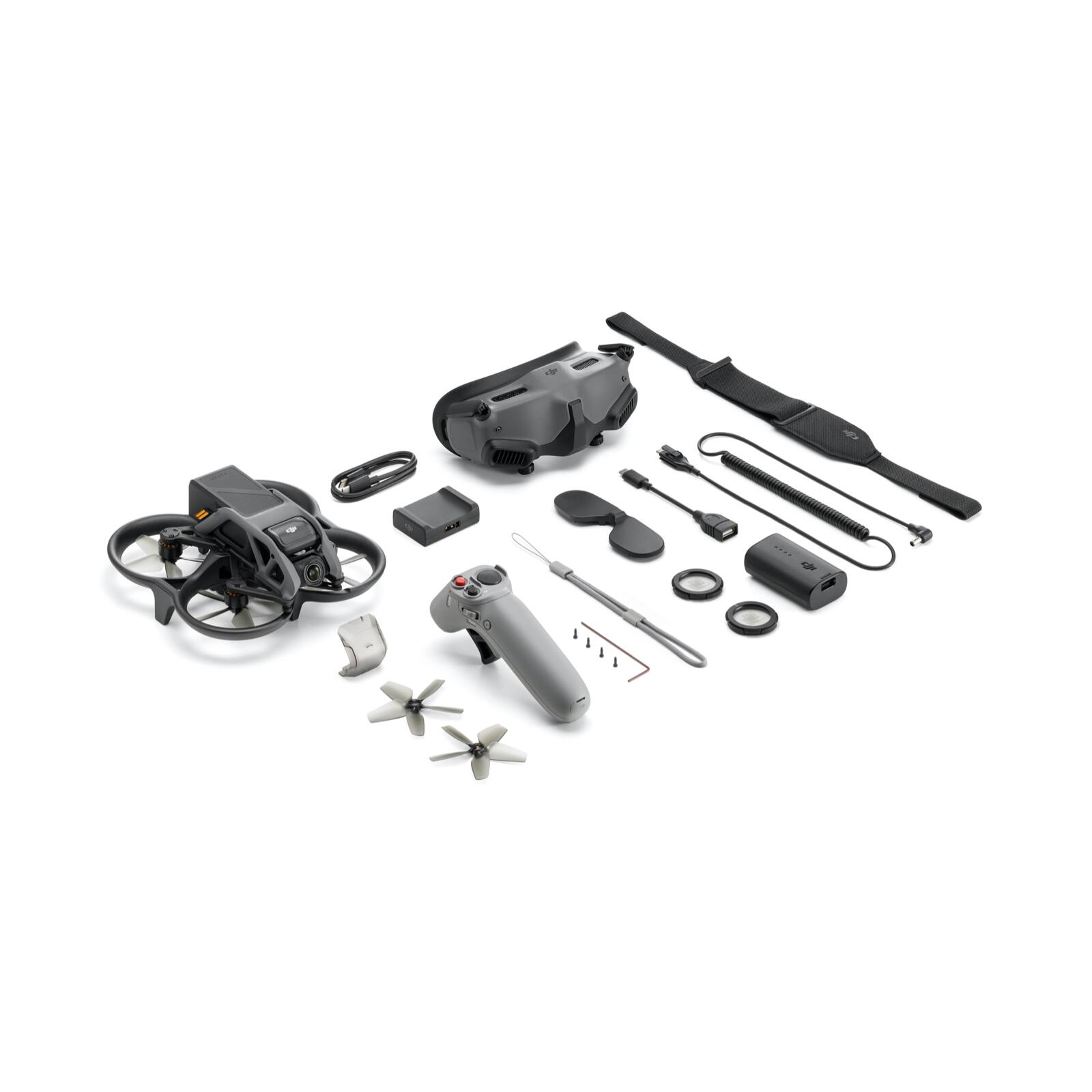
|Posted .This reviewer received promo considerations or sweepstakes entry for writing a review.DJI has nailed it with the new Avata. DJI’s newest drone is a cinewhoop design with the polish and refinement of a major consumer drone manufacturer. Traditionally, you would build (or pay premium for a RTF or BNF) your FPV quad leaving you to source all of the necessary components. While there is something to be said for investing the time to learn all the skills involved with building a quad, many would like to just fly. Having flown tiny whoops, I anticipated the Avata to be familiar but also had high expectations coming from flying Mavic drones in the past (Mavic Pro, Mini, Mavic 3). DJI did not disappoint, providing a fantastic cinewhoop solution that is far more approachable for new FPV pilots or even seasoned GPS pilots. In the box of the Pro-View Combo, is the Avata, 1 Intelligent Flight Battery, Motion Controller, new Goggles 2 with supporting hardware, Goggles 2 battery, 2 spare props/screws, a charging adapter, short USB C cable, and an USB A to C adapter. The combo does not include a power adapter (AC) or a long USB C cable to interface with the goggles, I also feel a full set of replacement props wouldn’t have broke the bank for DJI. The Goggles 2 are a mixed bag, though I don’t have experience with their previous FPV goggles, I have used analog FPV goggles and found the image to be much improved. While not comparable to modern VR headsets, the FOV was adequate and the image (1080p) was very crisp apart from slight blurring at the perimeter of my visual field. I was able to scale the image down some but it does reduce the immersive feel since the image does not fill your field of view. The Goggles 2 have comprehensive IPD and diopter adjustment, which is good because it will not accommodate glasses while wearing. DJI does provide frames for prescription lenses but I found it wasn’t need as my prescription was well within the -8.0D to +2.0D diopter range. I really like how compact the Goggles are, making it a breeze to fold the antennas and use the including eyepiece cover to store them in your bag. The signal is pretty good, though I did experience some video breakup while flying low to the ground through a heavily wooded area on my property about 250’ away. The battery life of the Goggles are ok, I managed to get almost 2 hours of operation. At 410g (Registration Required!), the Avata is heavier than most FPV drones of proportional size. With its ducted design and pusher configuration, the compact Avata is most similar to a 3” cinewhoop. The Avata excels at low altitude flight and flying close to obstacles, hitting tight gaps both indoors and out. While your family may not appreciate the screaming banshee, it is capable of providing smooth indoor FPV footage that is becoming more popular. While flying inside your home may not be practical, it is perfect for real estate or venue promotion. While the included motion controller lacks the precision of the older DJI FPV Controller 2, it is actually makes sense considering their target market. Traditional FPV has a steep learning curve but I was able to hand the motion controller to my 12-year old son who picked it up instantly. The motion controller is very intuitive and provides most of the FPV experience with one hand, sans flips and rolls, without the skill. Fortunately, DJI made the Avata compatible with the FPV Controller 2 and full manual mode is available. In manual, the default rates are a little high and DJI doesn’t allow near as much customization but I was able to dial it in after a few minutes. Unfortunately I had a few bugs in my time flying the Avata in manual mode (acro). I had one occasion where it refused to enter manual mode due to erroneous height error and a few times it spontaneously switched back to normal mode during manual flight. While frustrating, DJI is known for patching release issues with subsequent firmware upgrades and these issues should get ironed out in the near future. Flight time is great, I averaged a respectable 10-15 minutes depending on how aggressive I was flying. The video quality out of the Avata is very good. The camera features a 1/1.7 “ CMOS sensor, f2.8 aperture, 48 MP sensor size (down sampled), and 155 degree FOV capable of capture 4K/60 at 150Mbps. Image stabilization is on board as well, with your choice of RockSteady or HorizonSteady to smooth your videos. DJI even embeds gyro data for export to a third party stabilization, if you desire. The single axis gimbal has a range of -80 to +65 degrees, though the ducts come into frame when pointed downward. Since both your FPV flight and your capture camera are the same it simplifies the flying, knowing what you see in frame is the same as being captured. For a beginner, I also like how you can adjust your camera angle on the fly letting you determine your preferred flight angle and in doing so speed. While not the fastest, I feel the Avata is fast enough for a cinewhoop capable of reaching 60 MPH in manual flight. However, with the included motion controller you are limited to normal and sport modes with speeds of 18 MPH and 32 MPH respectively. Fortunately the Avata is fairly rugged as well, having had a few high speed spills with it so far and it has only suffered minor cosmetic damage. My only real issue with the Avata is the SD card/USB port location inside the duct. It is unfortunate as this has the potential to be very problematic should the cover come loose over time. So far it locks in place firmly but time will tell. The placement would be less of an issue if WiFi transfer was available but as of launch it is not available. I am not sure if there is a hardware limitation for omitting it but it really is a let down for what otherwise is a fantastic product. The Avata is probably my favorite drone I have owned and I am having a blast flying it. I feel for the price, the versatility and gradual learning curve can’t be beat. Again, I feel DJI has the correct strategy by including a motion controller as I imagine the intended audience will be able to pick it up and start flying right out of the box. If you are new the hobby or have flown GPS drones, the Avata is the perfect gateway into the world of FPV.
I would recommend this to a friend - Pros mentioned:Video quality
The most fun drone you fly in recent years
|Posted .This reviewer received promo considerations or sweepstakes entry for writing a review.DJI Avata is the most fun drone I have in recent years. Avata is a great drone, but it all depends on what you want to get out of it. If you’re a drone racer or FPV pilot whose priority is speed and maneuverability, Avata is maybe not for you. However, if you enjoy flying FPV and appreciate the ease of flying typical drones, Avata is a great drone for you. So, first thing first. DJI Avata is a great proof of how motion sensing technology can be really useful for controlling drone. Though I have to admit that my preference is still flying drone by using typical Mode 2 RC controller, which you can buy separately as an accessory. Flying an Avata drone is like flying a super charged Parrot AR Drone, if you remember this product from more than a decade ago. Parrot was the first to introduce controlling consumer drone by motion sensing technology, however, DJI has elevated this technology to a much higher level. I have used other brands’ motion sensing technology in recent years including the magic wand by Yuneec and the Beacon by Skydio but they don’t come close to DJI’s motion controller. The controller is intuitive and precise enough to use, something that those other brands were quite lacking. DJI is successful in integrating the motion sensing technology with the visual cue that the FPV goggle provides. This is a big deal as it provides a really viable way to control FPV drone in a more intuitive manner. The reason why my preference is using typical stick type remote controller, not DJI’s motion controller, is because I can control the drone more accurately in some situations. Naturally it will depend on the flying style of the pilot to call for a motion sensing controller or typical remote controller. The point here DJI’s motion controller works well and you’ll have a lot of fun using it. The video quality of the drone is great with a maximum bit rate of 150 Mbps. 4K videos look great. The detail, sharpness and color are there. Camera is controlled by a single axis gimbal (tilt), horizontal stabilization is done electronically. DJI has plenty of experience in electronic image stabilization and this shows in DJI Avata. DJI’s implementation is satisfactory, videos look good if not better than the stabilization you found in DJI Osmo Action cameras. Software stabilization may at times look a bit mechanical but I’m just being nitpicking here. With this kind of video quality, DJI Avata is not just an FPV drone, it’s a creative tool that I’m sure will be quite popular among content creators. Having said that, of course it will not replace the Mavic. DJI implements both GPS positioning technology and video positioning systems. The latter is useful when you fly the drone indoor, which works nice in well-lit room. You can try to fly the drone manually like typical FPV drones and using a stick type RC remote controller, which I would not recommend unless you’re an experienced FPV drone pilot or you are planning to upgrade your flying skills. Almost all sensors you can find in other DJI drones are there in Avata except obstacle avoidance sensors. You don’t really need obstacle avoidance in an FPV drone anyway. The drone’s built quality and overall design is sturdy enough to withstand collusion and impact. The propellers are well protected so most of the time you don’t need to replace the propellers even when you crash the drone. Durability is very important in an FPV drone and DJI Avata does not disappoint in this aspect. Now on to the FPV goggle. This is just a great goggle. If you wear glasses, the goggle has diopter adjustments, so you don’t need to wear them while using the goggle. DJI’s video transmission technology is simply top notch, the best out there. The quality of the video feed is great. If you’re an FPV drone pilot who flies built-your-own drone, you will appreciate the digital technology of the DJI Goggles 2. So, who is this drone for? I’d say everyone except FPV drone racers whose only interests are speed and maneuverability. Aside of flying FPV, can you use the drone for creating awesome videos? Absolutely.
I would recommend this to a friend It’s like you’re on the flight deck!
|Posted .This reviewer received promo considerations or sweepstakes entry for writing a review.First, I’d like to say that this experience was absolutely freeing. I have been flying drones since 2017-2018. I started out with the DJI Maverick Pro and eventually stopped once I ventured into other hobbies. Learning to fly that drone was a bit difficult and not very intuitive. Enter the DJI with their new Avata drone and I was really amazed I had to do a side-by-side flying experience comparison. Now I know the Avata is a lot younger, but my comparison is based on intuitiveness. You start out by pairing all three devices, Drone, Goggles, and Remote. The Goggles run you through a couple of prompts that specify how to connect the devices. At first, I was a bit put off by how tedious the instructions were but patience is key especially when you’re flying a drone with a pretty nice price tag. Given the simplicity of the device, flight time on one battery’s charge I thought it was fair in value. The first flight made my stomach churn because I’m used to the controls being joysticks. Take-off was easy, all it took was three button clicks and I was airborne. The most difficult part was the setup because once I was up in the air, it was game over. The controls are so easy to learn, and intuitiveness made that fear go away quickly. You basically use your whole hand to turn and guide the direction of the drone via a circle in your goggles. I did crash into some palm tree leaves but the cage surrounding the blades made sure the flight was uninterrupted and I didn’t even notice it. The only reason I did was because I heard it overhead. I’m really impressed by how light yet sturdy the drone is. Flight time is about 25-30 minutes in normal mode and I got about 20-25 minutes on sport mode. Sport mode is a whole other level of control. Fly at your own risk because some limitations are lifted in this mode making it way more agile. Lastly the applications I see this used in is more of a sporty type of “car chase” and is limited by the cinematic experience and control that other drones offer. I do like being able to strafe like on the Maverick Pro but I’ve yet to figure this out on this drone if even possible. Strafing allows you to follow certain subjects and its important in my opinion when purchasing a drone for filming. This is more of a hobbyist drone with the ability to produce some great action/follow shots. An SD card is necessary in order to record. You can insert one inside the drone and one inside the goggle. I haven’t tried installing one in the goggles yet but the reason for that was because I assumed if you connect the SD card in the goggles, transmission loss is recorded vs installing in the Avata drone where it might record it straight to the card from the drone. I can’t confirm this yet, but it seems reasonable to assume this is the case. I would still absolutely recommend this drone just for the experience. There are other drones that are way more expensive, but the features increase as does the price. This is a great beginner drone in my opinion.
I would recommend this to a friend