Customer Ratings & Reviews





- Model:
- BIT940800F153
- SKU:
- 6156902
Rating by feature
- Value
Rating 4.2 out of 5 stars
- Quality
Rating 3.9 out of 5 stars
- Ease of Use
Rating 3.8 out of 5 stars
Customers are saying
Customers are enthusiastic about the BOX 2 Smart Home Cybersecurity Hub for its enhanced security features that provide ample protection for connected devices. The easy setup process is also widely appreciated. Some users find the parental control feature useful. While the performance of the device as a protection tool is highly regarded, a few customers express concerns about the annual subscription requirement and compatibility issues with certain devices.
This summary was generated by AI based on customer reviews.

Great home network security solution
|Posted .This reviewer received promo considerations or sweepstakes entry for writing a review.I've used most of the antivirus solutions over the years and have been fairly pleased with all of them. This is my first venture into using a combination of hardware and software to keep my home network secure and devices protected. The big selling point for me was the $99/year protection for unlimited devices whether it be computer, tablet or smartphone. The first year is free with the purchase of the Box. Setup was interesting to say the least. You must use a smartphone or tablet app to setup the Box. If you follow the directions to a letter it goes much easier but of course I missed a step or two and had to start over from the beginning. In my defense, while the instructions were clear, the option I chose to setup had instructions reading from right to left instead of left to right so I did a few steps out os sequence. After discovering my error I started over and followed directions step by step properly. I had my own multiband wi-fi router so I didn't want to use the Box's router function but if you have a basic router then I would use the Box as a replacement. My setup required my router to be set in AP or bridged mode. Once that was done the devices were automatically. A couple of warnings... the IP addresses for all devices will change so if you have a static IP you need to take extra care. You need to make note of the new IP address for the router so you can access the router setup in the future. Also if you have any downstream Ethernet switches or hubs you should unplug them for about 10 seconds or longer and plug them back in so they can get new IP addresses assigned otherwise you may not have access downstream of the router. Adding devices is very simple from either the Bitdefender Central app on your smartphone or tablet or through Bitdefender dashboard on your PC. The dashboard will also allow you to scan each device or computer remotely. Day one of using the Bitdefender Box and all is going well. If you have a household with more than just a few devices I'd highly recommend getting Bitdefender's unlimited device subscription. The Box gives you extra security against viruses and malware making it an excellent option for your home network protection.
I would recommend this to a friend- Pros mentioned:Ease of use
Up and running in minutes
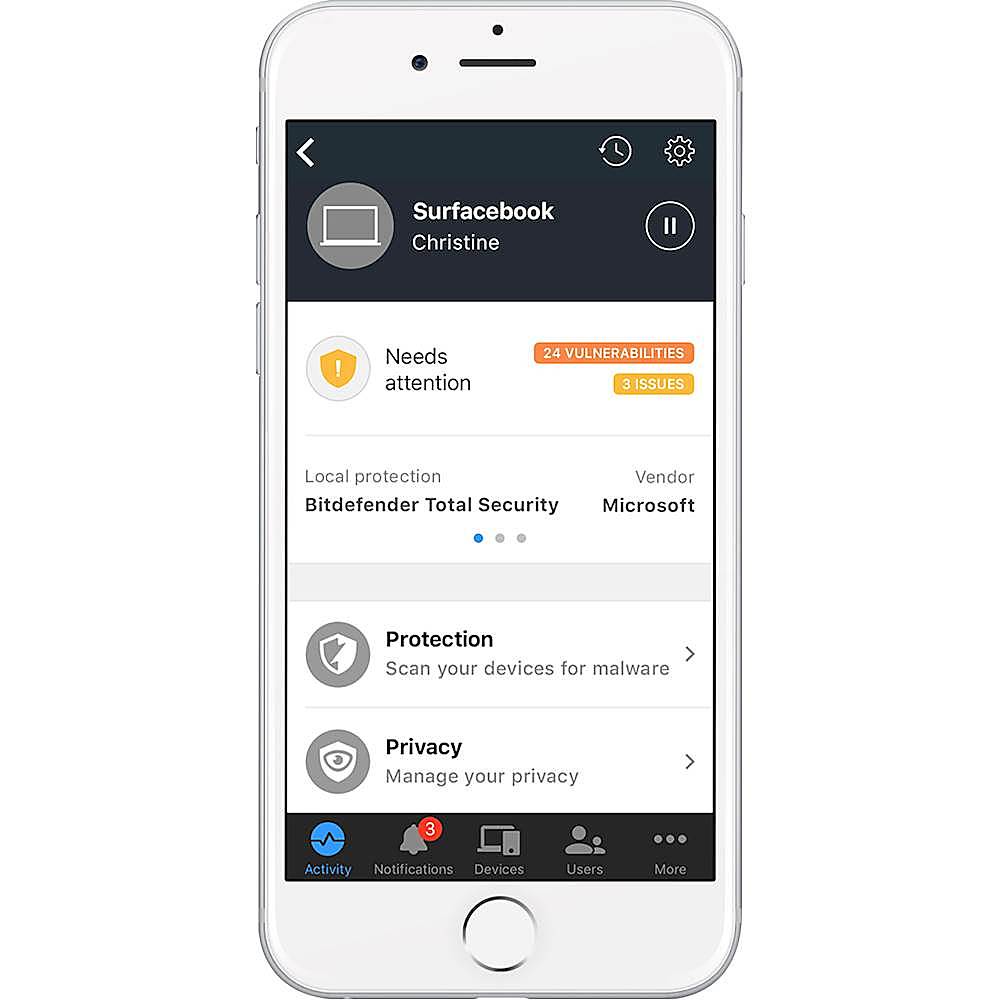
|Posted .This reviewer received promo considerations or sweepstakes entry for writing a review.Had this up and running and monitoring my internet within minutes. I have fios with a combined modem and router and expected this to take at least an hour or more, but I was very pleasantly surprised. For mine, I decided to clone my current address and password. This took less than 5 minutes to clone and I didn't have to do anything to my already setup wifi devices. Bonus! Within 30 minutes of opening the box I was viewing the activity on my phone for my connected devices. Works great!
I would recommend this to a friend - Pros mentioned:Ease of use
Every smart home needs this.
|Posted .This reviewer received promo considerations or sweepstakes entry for writing a review.Beleive it or not, if you have a high speed internet connection, you are a hack target. And they are not just interested in your personal information - the bad guys want a jumping off point from which they can cover their tracks later on. They count on you not knowing what to look for, or how to stop it. That's where Bitdefender comes in. This is a 'set it and forget it' device that requires almost no computer knowledge to set up. Don't think twice - just get it.
I would recommend this to a friend - Pros mentioned:Security
Very difficult setup, internet speed cut in half
|Posted .This reviewer received promo considerations or sweepstakes entry for writing a review.There is no such thing as too much security when it comes to using the Internet these days but you have to be a pretty hardcore techie, and be willing to make some big sacrifices, if you want the kind of protection the Bitdefender BOX provides Setup was a bit of a nightmare for me since, like many new devices, this one requires a smartphone app and can only be installed using that app. This is almost always a bad idea for a myriad of reasons and that was the case with the Bitdefender Box. My big issue using a modern Samsung Galaxy 7 phone was that it would not connect with to the internet via the box on wi-fi, the first step in the process. You cannot do anything else until that happens. Through a lot of trial and error, I finally forced a connection by going into airplane mode to cut off cell service and and then turning wi-fi back on. Then comes the comes the next hurdle. If you want to keep using your existing wireless router (I did because it is one of the best I have ever owned) you have force it out of the normal standalone mode and into a bridge mode since all internet traffic must go through the BOX first to provide the security. The settings to do this were buried deep in an Admin menu and came with lots of warnings about how it will essentially make it impossible to use the admin software ever again to control your wireless router. At least without a reset back to standalone mode. Ugh. A lot of sacrifices here for security. But I took a deep breath and pulled the trigger. Once that was done, the BOX finally completed its setup and I got the coveted glowing blue circle on the front of the BOX which signifies setup was successful. It found all my connected devices and informed me they were protected. Well except for my smartphone. It wanted me to install Bitdefender protection software of course. Nw for the really bad news. With the BOX in place, I was horrified to discover my super fast 120+mbit speed dropped like a rock. Usually to the 50 to 70mb range. Even with a wired (not wi-fi) connection. Not at all happy about that, although in actual use, I did not see a huge difference. Some apps on my smart TV were slower to come up and shows often played in blurry standard def for 30 or seconds or so while the speed finally got up to HD levels. For what its worth, you can ditch your wireless router and just use the Box to handle those chores. But the BOX is not designed to be top notch wireless router so this was not a good option for me. In the end, you have to REALLY be concerned about security to go with the Bitdefender BOX. The average consumer would not have a clue how to set it up (I'm pretty tech savvy and struggled with it) Combine that with the dramatic reduction in internet speed it imposes and the minuses quickly outweigh the pluses. I give it a fair, instead of a poor rating, since it DOES provide more security.
No, I would not recommend this to a friend - Pros mentioned:Security
Great but complicated
|Posted .This reviewer received promo considerations or sweepstakes entry for writing a review.This security box is great. It protects my internet very well. It notifies me of unusual activity and the app is great too. But it is very complicated to set up sites that you want to go to that it sees as suspicious. But once you are over that hump it is a great product.
I would recommend this to a friend - Pros mentioned:Ease of use
Great Product To Protect Your Smart Home
|Posted .This reviewer received promo considerations or sweepstakes entry for writing a review.This was very easy to setup using the app. I liked all of the different options that were available for setting this up. After setup it eventually recognized all of my devices. I think this is excellent because without this the only protection my smart home devices has is the WiFi password. I think this is an excellent product and I am surprised there isn't more products like this on the market.
I would recommend this to a friend Easy Setup
|Posted .This reviewer received promo considerations or sweepstakes entry for writing a review.I cannot give a full review because I have not had an attack on my system for control of my home system. But, all my Arlo, Hue and other home products I feel are protected now. I have been a Bit Defender user for years and this just helps keep my products and home safe. Setup was time consuming to be honest. It takes a lot of steps to cover your home. The size of the unit is where I take a star away. It does not need to be a quarter of the size it is. The main board is straight up the center, about a 1/4" thick, no reason to be the size of a router. I did not notice any speed difference after installing the unit. It does not make any noise as it is just a board inside a overly large housing. We will see how it does as my home becomes more automated on a weekly basis.
I would recommend this to a friend- Pros mentioned:Security, Setup
very nice smooth easy to setup
|Posted .This reviewer received promo considerations or sweepstakes entry for writing a review.very nice smooth easy to setup great protection would recommend for anyone.
I would recommend this to a friend mixed feelings
|Posted .This reviewer received promo considerations or sweepstakes entry for writing a review.First off, I really wanted to like this product, who doesn’t want a more secure home network ? And for “normal” cases the Bitdefender Box 2 network appliance would be a great fit, but more on that later. The installation of the Bitdefender Box is illustrated by a provided instructional card depicting typical setups. Depending on how you want to utilize the device it gives you a few options. The configuration of the device can only be performed using an IOS or Android based application. The BitDefender Central application guides you through the setup process and it is generally intuitive. For typical installations the configuration app will want you change your current router configuration to Bridge or AP mode where your current wireless router provides no services other than wireless access. The result is the Bitdefender Box 2 issues IP addresses by taking over the DHCP and Routing functions on your network. Now as a security appliance to fully provide network protection, I would expect it to want to do the routing for your network. Unfortunately, the Bitdefender Box cannot fully assume the advanced capabilities that some routers provide (such as DDNS, easily configurable port forwarding, or USB storage devices). This makes it difficult to configure devices (Smart TVs, Storage devices and security cams) you might currently have configured with static IP address (ones that remain constant). These are the exact devices you would want to protect with a security appliance such as this. I contacted BitDefender support and confirmed some of these challenges. Eventually after much frustration I went with a simpler alternative and set the Bitdefender Box 2 up as an additional Wifi network, leaving my existing Wifi network in place. You could also have Bitdefender Box 2 act alone as your Wifi router/Access Point. Overall this is a good product, but setup could be difficult for novice users and not configurable enough for advanced ones. Pros: blocks malicious URLs, detects abnormal device behavior scans and highlights network security flaws Secures devices that normally do not receive security updates Unlimited installations of antivirus (Bitdefender Total Security) software on your network protected devices via annual subscription Blocks brute force attacks Cons: Installation can be tricky, even for an IT person Does not provide some of the capabilities of advanced home routers Requires yearly subscription where if not renewed dumbs the unit back down to a basic Wifi router
No, I would not recommend this to a friendConceputally Great; But Needs More
|Posted .This reviewer received promo considerations or sweepstakes entry for writing a review.Conceptually, this is exactly what every home needs. In today's age of our fully connected home, we need a device similar like this to provide a first line of defense. This will NOT replace your Anti-Virus/MalWare, and most certainly does not eliminate the need for common sense and diligence on your part as a user. However, it will help close some gaps on hardware and users that are not 100% up to date and use good online techniques. This system does get complex to use, sometimes a lot of steps to get things working completely. First of all, it does not work in a setup like my home. I have a more complex setup, with a dedicated router, switches, different devices for DHCP control, and a multi-node eero system. I had to work around some of those issues, to get this up and running. This system is BEST designed for someone that has a SINGLE WiFi/Router setup, which 80% of the users shopping at BestBuy will have. Other Negatives: - One to Three different apps needs to be installed on your mobile device, to FULLY utilize the system.... - Does NOT filter websites, for iOS (Apple Devices), which is very disappointing.. that is a critical feature for our house. - Takes multiple steps to setup, and can take a lot of time if you have many devices. Pro's - Has a good WiFi performance, comparable to other WiFi routers - Does work well to control Device Time and limits (aka, you can block users from certain hours of the day) - Some configuration can be done via a full web page, so you can adjust remotely (aka if you are at work or traveling) it is also visually appealing, good look for something sitting on your counter.. modern in appearance. Despite it's overly complex setup which will overwhelm many people, this is a great step forward in this type of technology and a good foundation for the next versions.
I would recommend this to a friend- Pros mentioned:Security
It works!
|Posted .This reviewer received promo considerations or sweepstakes entry for writing a review.Sercuity for all your devices. It's truly unlimited. I connected all my devices to it not one issue. In the technology world we are in all the smart home products this is a great addition to keep your things protected from untrustworthy people.
I would recommend this to a friend It's working!
|Posted .This reviewer received promo considerations or sweepstakes entry for writing a review.Ok, nice box and nice packaging! Setup was a little tricky for this not to tech savvy girl. It took some time, loaded it to my Samsung phone and off i went. Took about an hour and a few curse words but it is up and running. Hoping it will continue to protect and cover all the computers, tablets, and phones we have here. Don't seem to notice much difference in the speeds so I'm assuming all is good. Nice that you get your 1st year free but have to pay for subscription of $99/yr thereafter.
I would recommend this to a friendAMAZING PRODUCT!
|Posted .This reviewer received promo considerations or sweepstakes entry for writing a review.I'm impressed! The BITDEFENDER was super easy to setup. Before doing so, I read all the instructions and kept thinking "...there's got to be more to the setup than this!...", but no, the box and app are THAT EASY to setup and use. I don't have a "overly connected home", but do have WiFi that I use for desktop & laptop connections, and 2 Smart TVs and I have 1 new Android phone. I have never had any security on my network I don't believe that I've ever been hacked, but its nice knowing that BITDEFENDER will now protect us "just in case" on all of our devices. I have not had any security breaches, so waiting to see how BITDEFENDER handles it and the notifications it will send me. For the price, it's a great product and gives you superior piece of mind that you're protected!
I would recommend this to a friendSeems to work great
|Posted .This reviewer received promo considerations or sweepstakes entry for writing a review.Was very easy to set up. This actually replaced a Box 1 device and it is a TREMENDOUS improvement. You can control the devices that access your network and assign devices to different users. Enables you to create "VPN"s for your devices while you are away from home which is great. It took about 3 days to identify all of our devices that connected to the network, but it will eventually learn all the things in your home that connect to the internet. I didn't realize how connected we were until seeing the report in the app. Very handy device and well worth the cost. Comes with 1 year multi-device antivirus and security. Works with both Mac and PC devices.
I would recommend this to a friend- Pros mentioned:Ease of use
Very Easy Setup With One Design Flaw
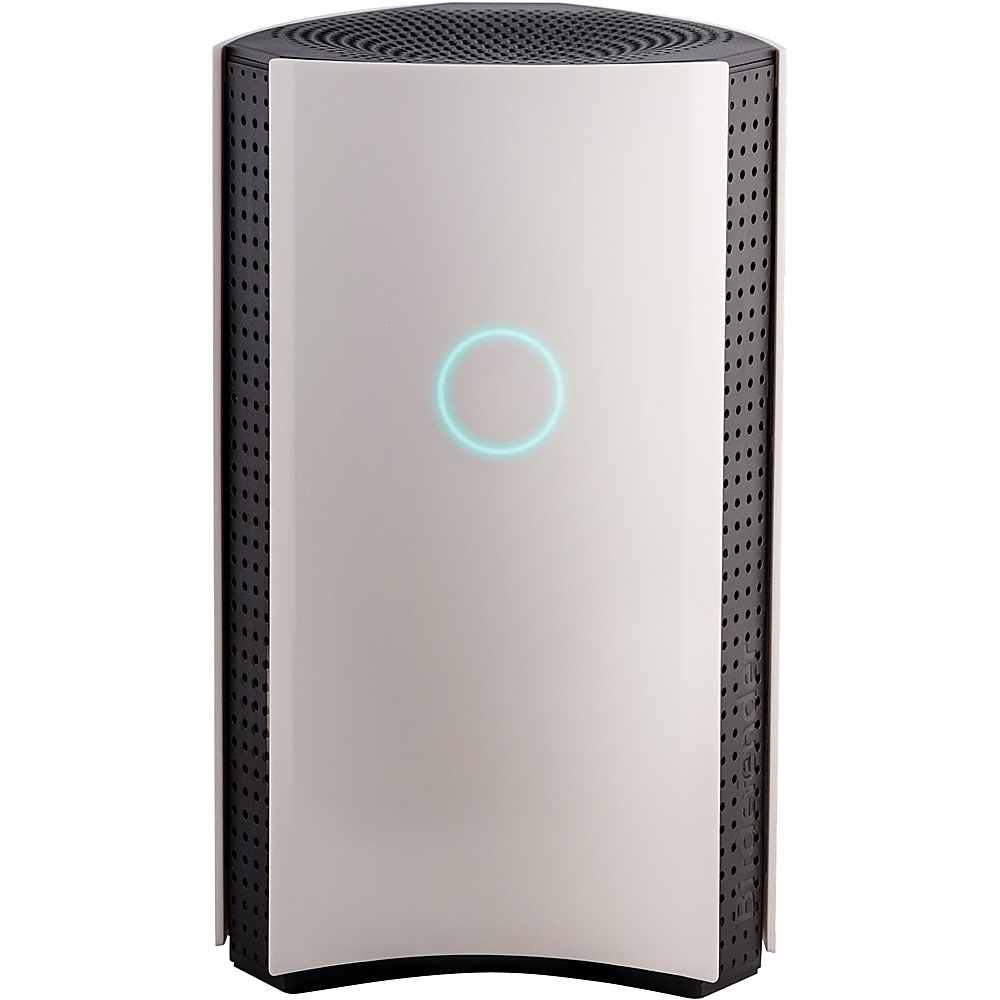
|Posted .This reviewer received promo considerations or sweepstakes entry for writing a review.This hub is very easy to set up and can be done in just a few steps, but for me there is a big design flaw. There is a large ring shaped light on the front of the unit and it stays on. My router is in my bedroom and the light on this unit is really bothersome at night. Other than that, the hub seems to work very well.
I would recommend this to a friend Seems to be protecting my WIFI
|Posted .This reviewer received promo considerations or sweepstakes entry for writing a review.Installation was straightforward. The most complex thing is getting your router to go into bridge mode which varies in complexity depending on which router you have. I have used BitDefender antivirus and couldn't be happier, but I always wondered if my connected devices could be compromised. I am sure a dedicated hacker will still compromise most WIFI systems, but at least the BOX 2 provides me with peace of mind, and much more protection for my connected devices (smart speakers, chromecast, etc).
I would recommend this to a friendSo far so good
|Posted .This reviewer received promo considerations or sweepstakes entry for writing a review.I mainly got this so I could add a layer of protection to our home devices but also to control when our kids are using their devices. Right out of the box you are prompted to download the app. The app walks you through the entire set up process. LOVE THAT! Some controls are only supported for Android and Windows devices so that is keeping me from the 5th star.
I would recommend this to a friendHandy centralized protection - long initial setup
|Posted .This reviewer received promo considerations or sweepstakes entry for writing a review.After a sort of drawn out setup, the system seems to run well and provide good feedback on what is going on in the network. It isn't plug and play, which is fine for this sort of thing, but I use it with our Velop system and for some reason, it took easily 45 minutes to get it rolling.
I would recommend this to a friendI couldn't figure out which setup to use.
|Posted .This reviewer received promo considerations or sweepstakes entry for writing a review.I opened the box and it seemed to contain everything needed to get started. The unit comes packed in a nice container with decent instructions (something many electronics don't), a network cable, power supply and the unit. I read through the install briefly, then scanned the android code and installed the needed software from the playstore. Once I started the install, it wasn't straightforward like I thought it would be. I plugged in the unit, advanced the android app on my Pixel until I got to where you connect the network cable. There are 3 choices, standalone router, router from ISP and your own router. I have a cable modem from my ISP that connects to a Linksys AC5400 (EA9500). The instructions state to connect the network cable to the ISP modem, then bridge the router. I just had issue with the bridging of my router. I stream Roku to the garage, two bedrooms, living room and den. They all connect to the Linksys and bridging it seemed like it would interfere with all my Roku connections. Because of that and I don't want the headache that new connection to the network can bring, especially a router, I'll have to pass on connecting the unit. For now I would recommend software applications for securing a network.
No, I would not recommend this to a friendBrand response from JL - Bitdefender Expert
Posted .Hi-
Thanks for the feedback. Our team would love to help get the BOX set up in the configuration that's best for your router and your connected devices.
Please our support 24/7 at: 1-800-804-4602 (toll free) or by email: boxsupport@bitdefender.com.
Thanks!
As advertised
|Posted .This reviewer received promo considerations or sweepstakes entry for writing a review.This is a great tool to have if your looking to manage you Wi-Fi's security. I stay in a condo and don't have a lot of trouble but the few bugs I have had trying to leach off me have been turned all the way away. Love this box.
I would recommend this to a friend