Customer Ratings & Reviews
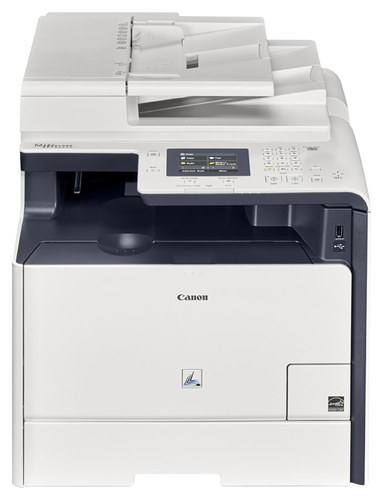
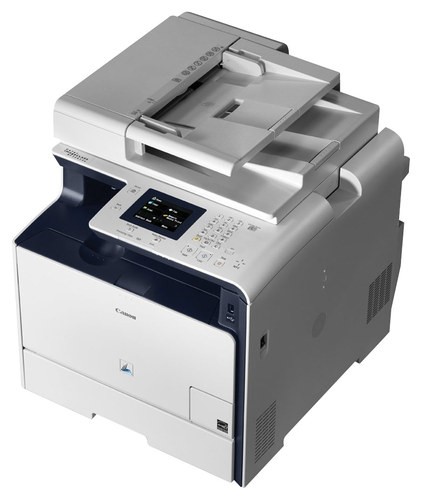
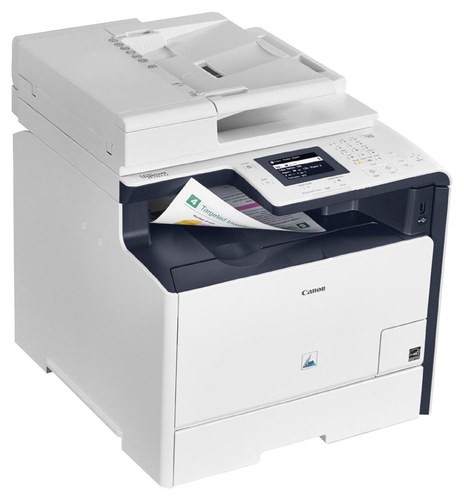
- Model:
- MF726CDW
- |
- SKU:
- 4636800
Customer reviews
Rating 4.3 out of 5 stars with 50 reviews
(50 customer reviews)to a friend
Customers are saying
Customers praise the Color imageCLASS MF726Cdw Wireless Color All-In-One Printer for its print quality, ease of use, and WiFi capabilities. The printer is also considered an inexpensive color laser printing solution and is surprisingly quiet. However, some customers have noted that the printer is heavy and large, and some have experienced paper jams.
This summary was generated by AI based on customer reviews.
Rated 4 out of 5 stars
Nice home printer
||Posted .This reviewer received promo considerations or sweepstakes entry for writing a review.This printer has worked great since we set it up. It is very easy to print from any wireless device or computer.
I would recommend this to a friendRated 4 out of 5 stars
Good for Small Office
||Posted .This reviewer received promo considerations or sweepstakes entry for writing a review.This has functioned well in a small office setting.
I would recommend this to a friendRated 4 out of 5 stars
Good for multiple page
||Posted .This reviewer received promo considerations or sweepstakes entry for writing a review.Cheaper for printin to many documents and save money
I would recommend this to a friend- Pros mentioned:Ease of useCons mentioned:Weight
Rated 4 out of 5 stars
Nice Color Laser Printer with touchscreen
Posted .This reviewer received promo considerations or sweepstakes entry for writing a review.I wanted to own a color laser after owning a monochrome laser for 7+ yrs and the most important requirement was ease of use at reasonable cost. Having owned a Canon earlier and my comfort level with their scan utility and other options, I wanted to stick to Canon. After some research, I shortlisted the MF8580cdw and MF726cdw and purchased both to finalize on one of them. Happy to state, the 726cdw won handsdown. This printer uses the new scan application "MF Scan Utility" which replaces the "MF Toolbox utility". As with any new software, this scan utility is very amateurish and lacks all the options available on the MF toolbox (the predecessor). For ex. the option to scan and add to an existing document does not exist. Nevertheless, this printer is good for the touchscreen option, auto duplex (both print and scan), wifi capability, other security options etc It does a pretty good job. If there is any downside, its the machine weight, it weighs ~90lb
I would recommend this to a friend Rated 5 out of 5 stars
great
||Posted .This reviewer received promo considerations or sweepstakes entry for writing a review.I already have canon image before, this is 2nd set.
I would recommend this to a friend- Cons mentioned:Paper jam
Rated 5 out of 5 stars
Excellent
Posted .This reviewer received promo considerations or sweepstakes entry for writing a review.Bought the first year it came out. I just now buying my 2nd set of toner. *Slight* overkill for a solid home multi function LASER printer/scanner, but I would do it again. I've digitized most of my documents from work/life the past couple decades thanks to scanners. Sure, it would cost less to have dedicated ADF scanner, but I'm not trying to collect more office devices (though the art related jobs go to the Epson AIO injet). This one does front/back with its auto document feeder. Its not perfect (paperjam!), through keep in mind that you usually get what you pay for. Status Monitor/Cancel: Check Counter Check Counter Last Updated:2018 08/05 09:05:54 Update Main Counter Type Total Color Total 3575 Black & White Total 980 *Scans* Unfortunately I was not able to find the scan counts... not that it would help anyone as this item is probably no longer sold in stores unless used; I think it does at least 30pages on the ADF. It picked up usage once rest of the family got the CANON Business Print app which prints/scans/checks status directly from their phones (5 users, 4 use for school/college). Like all the other CANON products in the house, I think we still have a few years to get out of it as it remains solid.
I would recommend this to a friend - Cons mentioned:Paper jam
Rated 1 out of 5 stars
Poor quality
||Posted .This reviewer received promo considerations or sweepstakes entry for writing a review.Paper jam after paper jam using normal copy paper. When I cleared the last jam (rear access door) the plastic pieces snapped off and broke. Completely disappointed.
No, I would not recommend this to a friend Rated 1 out of 5 stars
Dead on arrival
||Posted .This reviewer received promo considerations or sweepstakes entry for writing a review.Neither Geek Squad nor Canon could help with an error message "Device Paper Jam 4" that appeared as soon as the machine was turned on and could not be cleared. Canon tried, but nearly all of their online instructions applied to different printers, not this one. Geek Squad gets a ZERO for poor service and attitude.
No, I would not recommend this to a friendRated 2 out of 5 stars
Wireless connection issues
||Posted .This reviewer received promo considerations or sweepstakes entry for writing a review.This printer is amazing but i have had lot of issues with wireless printing.
No, I would not recommend this to a friend- Pros mentioned:Print quality
Rated 5 out of 5 stars
Excellent printer, great scanner, df try, etc
Posted .This reviewer received promo considerations or sweepstakes entry for writing a review.I have tried 2 different HP 277 and 477 laser printer. The Canon out performs both of them for quality of print. The screen input on the HP is horrific. Really happy with my Canon MF726CDW. Only improvement whenever a check is in the bypass try, it should default to the tray when loaded
I would recommend this to a friend