Customer Ratings & Reviews
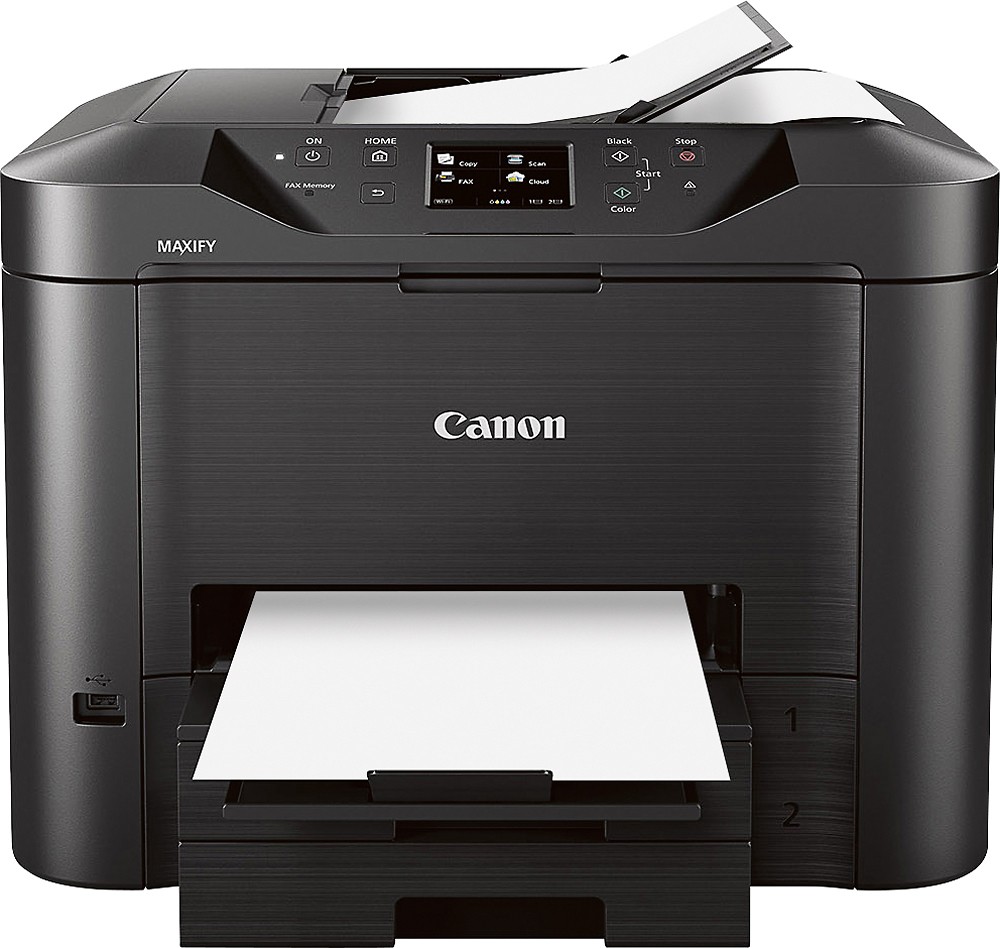
- Model:
- MB5320
- |
- SKU:
- 2452103
Customer reviews
Rating 4.4 out of 5 stars with 22 reviews
(22 customer reviews)to a friend
Customers are saying
Customers highly value the excellent print quality of the MAXIFY MB5320 Wireless All-In-One Printer, frequently praising its ease of use and setup. The dual paper trays are also a popular feature, enhancing the printer's overall functionality. No significant drawbacks were reported by customers.
This summary was generated by AI based on customer reviews.
- Pros mentioned:Print quality
Rated 3 out of 5 stars
Typical all-in-one inkjet
||Posted .This reviewer received promo considerations or sweepstakes entry for writing a review.Chose Canon over HP because of separate color ink & black ink cartridges. Would prefer a printer without scanner, fax and other garbage, but they are virtually extinct. Print quality is good and duplex capability plus WiFi influenced decision.
I would recommend this to a friend - Pros mentioned:Print quality
Rated 5 out of 5 stars
Exceptional printer
||Posted .This reviewer received promo considerations or sweepstakes entry for writing a review.It's amazing the scanning feature, one pass double scanning saves time! I've never seen anything like it. It's fast as the laser and printing quality is a precise as a laser and for 1/2 the price of a laser. Also the yielding on the ink is phenomenal, the savings is so much better than my old laser printer. Yes I compare this to my old HP Laser ... I really thought laser was the way to go but now having this Canon printer..I think this is the new way. Want savings on ink, which equals to 1/2 of toner... take this Canon printer. Want speed .............take this Canon printer. Want quality ...........take this Canon printer. I really am loving my new Canon printer!! Once you take it for a test drive you wont go back.
I would recommend this to a friend - Pros mentioned:Paper trays, Print quality
Rated 4 out of 5 stars
Works well for my small in-home tax office
||Posted .This reviewer received promo considerations or sweepstakes entry for writing a review.Produces excellent quality print. Printing, copying & scanning are plenty fast for my needs. I like that it has two paper trays, so I can keep legal size paper in # 2. Will only make legal size copies through the document feeder as the copy glass is not legal size-a slight drawback.
I would recommend this to a friend - Pros mentioned:Print quality
Rated 5 out of 5 stars
Clear, Precise Printing
||Posted .This reviewer received promo considerations or sweepstakes entry for writing a review.Printer offers clear document printing, awesome photos. It is slow to react to demand, but amazing output.
I would recommend this to a friend - Pros mentioned:Ease of use, Paper trays
Rated 3 out of 5 stars
good but not sure it is better than competition
||Posted .This reviewer received promo considerations or sweepstakes entry for writing a review.2 paper trays is a good feature screen size is smaller than most for comparable device maybe slightly more intuitive than hp models but after no more than 20-30 scans from feeder I started getting the black line down the middle of the page which is why I changed from HP's device
No, I would not recommend this to a friend - Pros mentioned:Paper trays, Print quality
Rated 5 out of 5 stars
Best all in one we have ever owned
||Posted .This reviewer received promo considerations or sweepstakes entry for writing a review.We have always owned H.P. all in ones the last one we purchased was just about one year old, every time we needed ink it would only take H.P. or it would not work it would put a message on the screen about the ink we bought , also we were always needing to clean the head which used excess ink. Then at our business we needed a dual tray so I called H.P. support then agent had know idea what I was asking about when I wanted to add a second tray. I went straight to the internet read about all dual tray all in ones offered Canon had the best reviews and they were all true. It is a inkjet our first but so much faster, also have not had to clean head due to poor printing but its so new here we havent had to buy ink so we cant advise on that. As far as installation this is the first we havent run hard wire and the wireless was very easy for me,I also installed the print on iphones and Samsung tablet so we are extremely happy!!
I would recommend this to a friend Rated 4 out of 5 stars
Excellent functionality
||Posted .This reviewer received promo considerations or sweepstakes entry for writing a review.The only think I do not like is that it does not appear that you can change the settings to print on black & white vs. color when printing from an iPhone. It also does not appear that you can change print quality from an iPhone or when copying. Everything else seems to work great though! Would definitely recommend it.
I would recommend this to a friend- Pros mentioned:Ease of use, Print quality
Rated 5 out of 5 stars
Great printer
||Posted .This reviewer received promo considerations or sweepstakes entry for writing a review.Great printer. Easy to set up. Quiet operation. Great prints and pretty good on it's toner usage.
I would recommend this to a friend Rated 5 out of 5 stars
Easy set-up, great print clarity, XL inks save $
||Posted .This reviewer received promo considerations or sweepstakes entry for writing a review.The set-up was very fast and fool proof. The XL cartridges keep print/page costs very close to laser. We are printing from an I-Phone, a Samsung and 2 laptops with ease. Compared this Cannon to HP & Brother models for main features at the Greenfield Best Buy Store with a knowledgeable sales tech before I bought. Glad he recommended this model.
I would recommend this to a friend- Pros mentioned:Print quality
Rated 5 out of 5 stars
great wireless printer
||Posted .This reviewer received promo considerations or sweepstakes entry for writing a review.Really easy to set up. Prints well. Color printing is less expensive than laser printers
I would recommend this to a friend - Pros mentioned:Print quality
Rated 5 out of 5 stars
Excellent all-in-one printer
||Posted .This reviewer received promo considerations or sweepstakes entry for writing a review.The installation of the wireless connections was simple. The print quality is excellent, very quite when printing and ink last much longer. Best printer I have owned.
I would recommend this to a friend Rated 5 out of 5 stars
Love the printer
||Posted .This reviewer received promo considerations or sweepstakes entry for writing a review.Had to find a printer that would work with my new MAC computer. Works great and easy to hook-up.
I would recommend this to a friend- Pros mentioned:Print quality
Rated 5 out of 5 stars
Great Printer for the home use
||Posted .This reviewer received promo considerations or sweepstakes entry for writing a review.This printer not only copies, scans, and faxes, but I also use it as a photo printer. I also have a Canons Selphy 900 printer, but have been unable to find the drivers for Windows 10 for it. The new Maxify fills the need for all sizes of photos that I need.
I would recommend this to a friend Rated 5 out of 5 stars
Good all around devise.
||Posted .This reviewer received promo considerations or sweepstakes entry for writing a review.It has great features for a home or a small office.
I would recommend this to a friend- Pros mentioned:Ease of use
Rated 5 out of 5 stars
Printer for home & office use
||Posted .This reviewer received promo considerations or sweepstakes entry for writing a review.I am trying this model for the first time. I need a fast and easy to use all in one printer. I hope this one meets my needs. Will find out the results in a few months. For now so far so good.
I would recommend this to a friend - Pros mentioned:Print quality
Rated 5 out of 5 stars
Useful Printer!
||Posted .This reviewer received promo considerations or sweepstakes entry for writing a review.Perfect for home, school, and small work print jobs. wireless print feature works great as we do school work downstairs and keep the printer upstairs in the office.
I would recommend this to a friend Rated 5 out of 5 stars
Great Canon printer
||Posted .This reviewer received promo considerations or sweepstakes entry for writing a review.Have been a Canon user for many years. My home-based business is growing so I wanted a printer with more than one paper tray as I got tired of switching out paper sizes. This printer allows me to keep two different sizes of paper (letter size and one other size paper) loaded at the same time. The ink is a bit more expensive that what I used for the previous printer, but I haven't had the printer long enough to know if the cartridges will last longer.
I would recommend this to a friendRated 5 out of 5 stars
Great job - printing from 2 trays
||Posted .This reviewer received promo considerations or sweepstakes entry for writing a review.Needed a printer that allows 2 tray printing - automatically. This does a great job: Tray 1 for Thank You Notes and Tray 2 for regular size paper.
I would recommend this to a friendRated 1 out of 5 stars
Takes forever to print
||Posted .This reviewer received promo considerations or sweepstakes entry for writing a review.I had Canon Pixma and Epson printers in the past. Thought of trying something higher end and purchased this printer. Unfortunately, it was not as easy as I thought it would be to use. First it took a quite long time to setup as tray setup was not that easy to figure out. Photo print quality was just ok. And it doesn't print borderless. Worst of all, it started taking 5 - 10 minutes to print one document after few days of purchase. Even if printer is on, the next print would take same or even longer time to print. We were so upset that we paid more but got a real bad product. Returned it and bought a Pixma which is just working great.
No, I would not recommend this to a friend- Pros mentioned:Print quality
Rated 5 out of 5 stars
GREAT AIO for the price
Posted .This reviewer received promo considerations or sweepstakes entry for writing a review.Easy set up and use. I almost didn't buy because according to the specs online for the print speed of my current inkjet, it appeared this new one would be slower. Those specs were incorrect on my old inkjet because instantly I could tell that this new MB5320 is much faster. I am glad I purchased the MB5320 because it is definitely faster and a much nicer and crisper print. The scan and fax readings are much clearer as well. I LOVE this machine for my small home business.
I would recommend this to a friend

















