Customer Ratings & Reviews
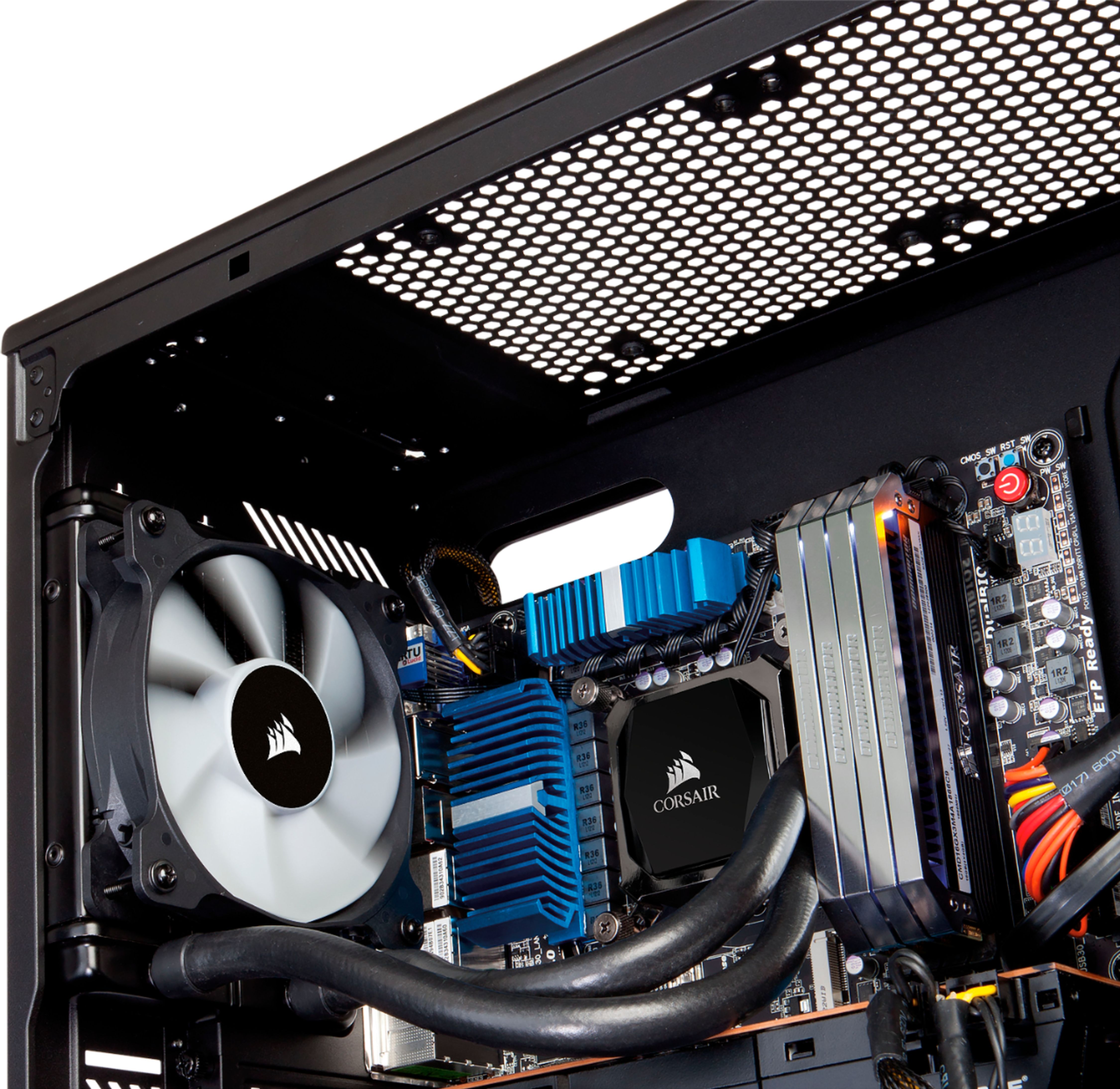

- Model:
- H60
- |
- SKU:
- 5845215
Customer reviews
Rating 4.6 out of 5 stars with 1157 reviews
(1,157 customer reviews)Rating by feature
- Value4.6
Rating 4.6 out of 5 stars
- Quality4.7
Rating 4.7 out of 5 stars
- Ease of Use4.6
Rating 4.6 out of 5 stars
Customers are saying
Customers love the Hydro Series 120mm Liquid Cooling System's excellent cooling performance and ease of installation. Many appreciate its quiet operation and good value for the price. While some users experienced issues with the pump or pre-applied thermal paste, the positive feedback on cooling and ease of use outweighs these concerns. The system's compatibility with various systems is also frequently praised.
This summary was generated by AI based on customer reviews.
- Pros mentioned:Installation
Rated 5 out of 5 stars
Great Product
||Posted .This reviewer received promo considerations or sweepstakes entry for writing a review.This fan was easy to install and get functioning from the simple instructions.
I would recommend this to a friend Rated 5 out of 5 stars
great closed loop water cooling
||Posted .This reviewer received promo considerations or sweepstakes entry for writing a review.I'm replacing one that has been running for 8 years with the exact same one!
I would recommend this to a friendRated 5 out of 5 stars
Helps an old PC
||Posted . Owned for 1.5 years when reviewed.This reviewer received promo considerations or sweepstakes entry for writing a review.Rebuilt an aging PC - love the consistent quality that Corsair provides.
I would recommend this to a friendRated 4 out of 5 stars
Basic 120mm AIO
||Posted . Owned for 2 months when reviewed.This reviewer received promo considerations or sweepstakes entry for writing a review.I used to upgrade an Alienware Aurora R9 CPU cooler (Dell prebuilts are TERRIBLE). Upgraded the included fan to an ML120 Pro non-RGB. CPU temps improved drastically.
No, I would not recommend this to a friendRated 5 out of 5 stars
Easy to install
||Posted . Owned for less than 1 week when reviewed.This reviewer received promo considerations or sweepstakes entry for writing a review.I decided to build my own gaming pc with left over partS from another upgrade. So far it is looking good.
I would recommend this to a friend- Pros mentioned:Cooling, Noise level
Rated 5 out of 5 stars
Dell Aurora R12 - Works Fantastic!
Posted .This reviewer received promo considerations or sweepstakes entry for writing a review.After reading a very recent review of a Dell Aurora R12 conversion to liquid CPU cooling, I thought I'd give the Corsair H60 a try. Many YouTube videos also used the same CPU cooler. The manual is light on directions, but after watching several other installs online, I learned what I liked, and didn't like. Although the install was relatively easy, you still need to be comfortable with working inside a computer. The H60 radiator and fan fits perfectly in the upper metal cage in the R12 where the former top fan was located. I chose to mount the radiator toward the outside, the fan toward the inside. Make sure you have the fan blowing the air out of the top. There's no need to remove the motherboard for a back plate, the bracket holding the pump onto the CPU will fit already. Remove the old thermal paste on the CPU with alcohol and a clean rag, then just set the pump right on the CPU as it comes already with new thermal paste on it. I routed the exit of the hoses toward the bottom of the computer, so they wrap around the back (see image). Removing your graphics card and RAM modules makes it easier, as well as disconnecting the motherboard power supply so you can get the black metal cage out to mount the radiator and fan. No need to remove the top of the case. I got a BIOS error right off the bat, so you need to make sure the pump's power supply is attached to the "Fan CPU" block, not the "Pump" block. The new fan connects right where the old one went - "Fan Top". I obtained a 10 degree drop in temps at the CPU under full load. I got another 15 degree drop by adjusting the top fan speed in Alienware Command Center to about 50% speed when under full load (see image). My CPU temps now run about 60 deg C, when before it was 85. The front fan's settings don't seem to affect the temps much, so just leave that at auto-manage. The new fan is VERY quiet and you'll barely hear it at 50% speed, unlike the leaf blower effect before with the stock fan. I seem to be doing fine with just 2 fans in my R12 dialed in at the right speeds. (Many YouTubers use 2 fans in a push/pull sandwhich on the radiator, then add another intake fan at front normally where a HDD would go. I'm doing fine with the new Corsair top fan and the stock front fan right now though.) All was well after about 4 straight hours of gaming until I noticed some frames dropping. The CPU was actually getting cooler, yet performance was dropping slowly from system throttling. Only then did I remember I needed a Voltage Regulator Module (VRM) heat sink to compensate for the loss of the original CPU fan. I ordered one from Amazon, # N1C1D, which is used in the R11 and R12 systems with the OEM liquid cooling. That should do the trick when I get it installed. I'm very happy with the Corsair H60 performance, quality, and price as a replacement for the stock air cooled Dell gaming system. I highly recommend changing the air cooled Alienware CPU system as soon as you buy one, or else you'll risk throttling degradation and a short lifespan on your system. The photo shows the final build, which still needs the VRM heat sink.
I would recommend this to a friend - Pros mentioned:Cooling
Rated 5 out of 5 stars
Coolest unit I've had
||Posted .This reviewer received promo considerations or sweepstakes entry for writing a review.I was using a CoolerMaster EVO 212 for an AMD FX-8350 and it keeps it running cool while gaming and I built a new system for video rendering and gaming and thought the EVO 212 would do just as good. Instead overclocked my new Ryzen 1600 to 3.85 with the EVO and got temps around 82 C (hot and the cpu's were throttling). So I put the Corsair H60 to try it out and now at full load rendering or gaming for hours I'm staying at 53 C (almost a 30 C difference). I could probably go for 4 Ghz on the Ryzen but not sure if my memory could handle it. I'm getting rid of the EVO for the FX-8350 and purchasing the Corsair H60 for it. It's small and gets the job done. No need for the 240 or 360 coolers as I'm not overclocking the cpus that far out. Here's my load out AMD Ryzen 1600 (3.2 ghz stock, boosted to 3.85) 16 GB ADATA 3000 (boosted to 3033) ASROCK AB350 fatal1ty motherboard EVGA 600 PSU 2 - XFX 470 GPU's 2 - 3TB Toshiba P300 HDD (Mirror) CoolerMaster 5 lite case
I would recommend this to a friend - Pros mentioned:Cooling, Installation
Rated 5 out of 5 stars
Great cooler for enthusiasts
Posted .This reviewer received promo considerations or sweepstakes entry for writing a review.This water cooler works great as a stock water cooler and for some mild overclock. With this cooler I'm sitting at idle 65 degrees and max temp at 83 degrees when playing Fallout for a full hour. See posted pic of temps. I'm running an AMD fx6300 cpu. It was very easy to install, but be mindful that corsairs instructions want the fan to pull air into the radiator, this in turn will blow hot air exhaust air into the computer case, a big no no. I reversed the fan to pull air from inside the case through the radiator and exhaust the air out of the case. I'm pulling cool air from the front of my computer case with 3 120 sized fans. Temps are great. Hope this helps. Also, I purchased this on sale for 49.99 can't beat it and it looks great.
I would recommend this to a friend - Pros mentioned:Cooling, Installation
Rated 5 out of 5 stars
Easy Introduction to Water Cooling
||Posted .This reviewer received promo considerations or sweepstakes entry for writing a review.I have a previous generation HP Omen Obelisk 875 that was constantly hitting 90 degs C under load (i7 9700, not overclocked). I replaced the criminally small stock heat sink with this unit and was instantly in awe by the difference. Where I was hitting 85+ degrees before, I am now hovering around 48 degrees. Time will tell how everything goes, but it's doubtful one would have any issue with these all-in-one cooler units unless you abused it prior to putting it in or severely botched the install. Installation of the actual cooler was extremely simple, my case complicated the matter but Corsair has made it nearly mistake-proof. To be clear, I do have experience working with and replacing computer components, but I haven't remounted a heat sink in over 20 years and I can tell you this couldn't have been easier. Pre-installed thermal paste and a paint-by-number bracket with thumb screws. This thing seems to be designed to fit on just about any socket, but double check that you're good to go. You may also want to consider a different cooler if you plan to heavily overclock. Otherwise, count this as a no-brainer option for cooling your way-too-hot (or just a little toasty) CPU.
I would recommend this to a friend - Pros mentioned:Cooling, Installation, Noise level
Rated 5 out of 5 stars
Easy install and works as described
||Posted .This reviewer received promo considerations or sweepstakes entry for writing a review.This product we a great alternative to a air cooler. It is smaller and quieter than an air cooler. It is will also help remove more heat directly from the case. Install takes less than an hour by an experienced person, maybe a little longer if this is your first rodeo. Take your time, search and watch a video or two to get familiar with the process and you can do it too!
I would recommend this to a friend - Pros mentioned:Cooling, Noise level
Rated 5 out of 5 stars
Super quite
||Posted .This reviewer received promo considerations or sweepstakes entry for writing a review.Run super quiet. Will fit on any case. Great upgrade on any air cooler
I would recommend this to a friend - Pros mentioned:Ease of use, Noise level
Rated 5 out of 5 stars
Good liquid cooler
||Posted .This reviewer received promo considerations or sweepstakes entry for writing a review.Works as intended. Very quiet operation. Install was easy enough and I applied my own thermal paste instead of what was already pre-applied. Only gripe I have is that if you want to do a push pull set up you have to get extra screws from corsair. I had it as an exhaust and intake. difference between them was about 2c. Just figured I'd put that out there.
I would recommend this to a friend - Pros mentioned:Cooling, Installation, Noise level
Rated 5 out of 5 stars
Easy water cool option
||Posted . Owned for 1 month when reviewed.This reviewer received promo considerations or sweepstakes entry for writing a review.For the price this is the way to start into watercooling without the risk of frying your system from and accidental leak after installing other water cooling items. Goes on easy. Runs quiet. Cooled my cpu about 10 degrees while playing heavily processor intense games.
I would recommend this to a friend - Pros mentioned:Cooling, Ease of use
Rated 5 out of 5 stars
As expected from Corsair! A great product
||Posted . Owned for more than 2 years when reviewed.This reviewer received promo considerations or sweepstakes entry for writing a review.Very awesome AIO. Very easy to install and still going strong after 2 years with no issues and CPU is cold as ice with this cooler!.
I would recommend this to a friend - Pros mentioned:Cooling, Installation, Noise level
Rated 5 out of 5 stars
Easy and effective
||Posted . Owned for less than 1 week when reviewed.This reviewer received promo considerations or sweepstakes entry for writing a review.This it the best value in liquid CPU coolers. No other store offers this model. It is quiet, effective and easy to install. I bought two of these - one to replace an awful stock cooler on a prebuilt 11700F game pc and one for my son's experiment box running good old 4790K. No air solution I have tried over the years compares to this. The 11700F runs a stress test in 75-78C range continuously with minimal noise at ~150-160W of power draw! Installation is a breeze depending on a case.
I would recommend this to a friend - Pros mentioned:Installation, Noise level, Price
Rated 5 out of 5 stars
Excellent solution for the price
||Posted .This reviewer received promo considerations or sweepstakes entry for writing a review.I had been dealing with the noise pollution of having my machine on top of my desk for a long time, and eventually decided to check on the price of AIOs. The price of this unit was great, so I brought it home and (very nearly) plugged it in. Installation was super easy, with TIM already applied to the block and two connectors for fan and pump. Thermal performance is fantastic, but I was more concerned with acoustics; The supplied fan is fairly quiet, and I haven't noticed any RPM changes, even with heavy loads. If you've got a machine on your desk, invest in SSDs and an AIO solution like this. Side note: There's no escaping physics, if you've got a hot-rod this thing will help heat your room with surprising efficiency.
I would recommend this to a friend - Pros mentioned:Cooling
Rated 5 out of 5 stars
Great buy! Affordable!
||Posted . Owned for 3 weeks when reviewed.This reviewer received promo considerations or sweepstakes entry for writing a review.Personally I really like this cpu cooler, it’s quiet it keeps the cpu nice and cool and it’s a cheap water cooling when you can’t do water cooling like on Linus tech tips Lol I also would recommend more the step ahead of this which I think is H100 or 120 not sure but that one performs the best from benchmarking I’ve seen in this case the best bang for your buck is in the medium sized water cooler though if you want the lowest it’s also quite nice and affordable I prefer it because of its size and how compatible it is with most any case! Also comes with pre-applied thermal paste so that’s dope too!
I would recommend this to a friend - Pros mentioned:Cooling, Installation, Noise level
Rated 5 out of 5 stars
Great Entry Level Liquid Cooling
||Posted . Owned for 7 months when reviewed.This reviewer received promo considerations or sweepstakes entry for writing a review.I bought this to replace my Ryzen 7 3700x stock cooler after it broke the plastic tabs on the motherboard it attaches to. (The stock cooler weighed 20 oz or 1.25 pounds). Installation was easy. I put the fan before the radiator and had it pull air from outside the case. I removed the pre-applied thermal paste and used some Corsair TM30 I also bought from Best Buy. It's quiet, even when gaming. So far no leaks or other issues. Using Ryzen Master to monitor CPU temperatures, the processor gets up to 65 C when gaming which isn't too bad when it's about 30 C in idle and 95 C is considered dangerous.
I would recommend this to a friend - Pros mentioned:Cooling, Noise level, Price
Rated 5 out of 5 stars
Corsair Hydro H60
||Posted . Owned for 1 month when reviewed.This reviewer received promo considerations or sweepstakes entry for writing a review.Corsair Hydro Series are really some of the best AIO’s on the market. I have been using Corsair Hydro Series for many years now, almost as soon as they first hit the market, every revision just seems to get better looking and better revisions of the Corsair fans. I really love the new SP Series PWM 120mm fans, they move a lot of air and are very quiet, and the radiator has a nice modern style to it. I really cannot think of anything bad to say about the Corsair Hydro, H60 the price is great and looks beautiful.
I would recommend this to a friend - Pros mentioned:Cooling, Noise level
Rated 4 out of 5 stars
Good for small cases
||Posted .This reviewer received promo considerations or sweepstakes entry for writing a review.Had to buy this since the Phanteks Evolve Shift case is too small and not being able to use the air cooler that came with the ryzen 7 3700x cpu. This has been keeping my cpu cool and I bought this about two years ago and the fan just gave out but it wouldnt have been an issue if the fan would have been sitting vertically instead of horizontal. Even thought the fan gave out I still recommend buying it since the small size of it allows it being able to put in tight spaces. The original fan is pretty quiet until the fan bearings came out a bit off the socket but wasn't an issue since its easy to replace.
I would recommend this to a friend