Customer Ratings & Reviews







- Model:
- CH-9110010-NA
- |
- SKU:
- 5092005
Customer reviews
Rating 4.7 out of 5 stars with 378 reviews
(378 customer reviews)to a friend
Customers are saying
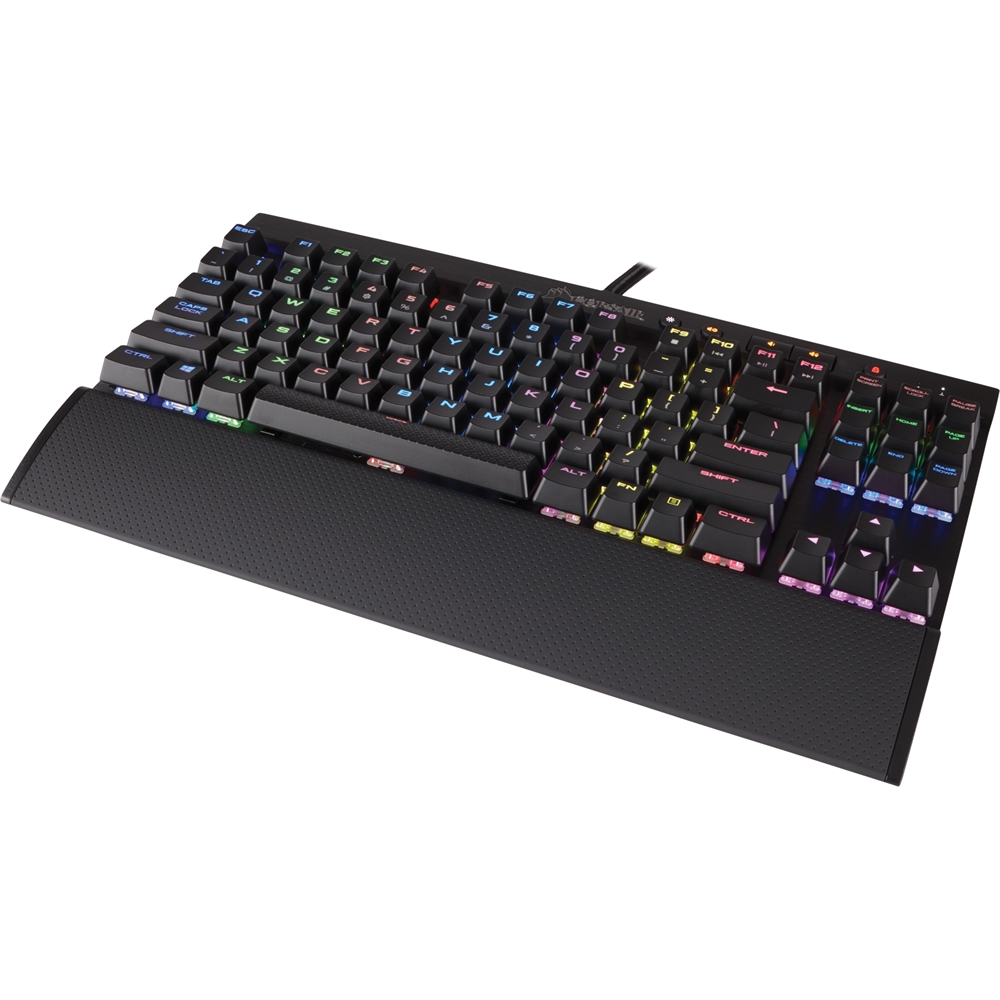
Customers are pleased with the LUX K65 keyboard's sturdy build quality, vibrant RGB backlighting, and compact size, finding it easy to use and appreciate the customizable software. However, some users noted that the key feel might be a bit loud for some, and the lack of a number pad may not suit everyone's needs. The included wrist rest also received mixed feedback.
This summary was generated by AI based on customer reviews.
- Pros mentioned:Keyboard quality
Rated 5 out of 5 stars
Good Mechanical Keyboard For Gaming
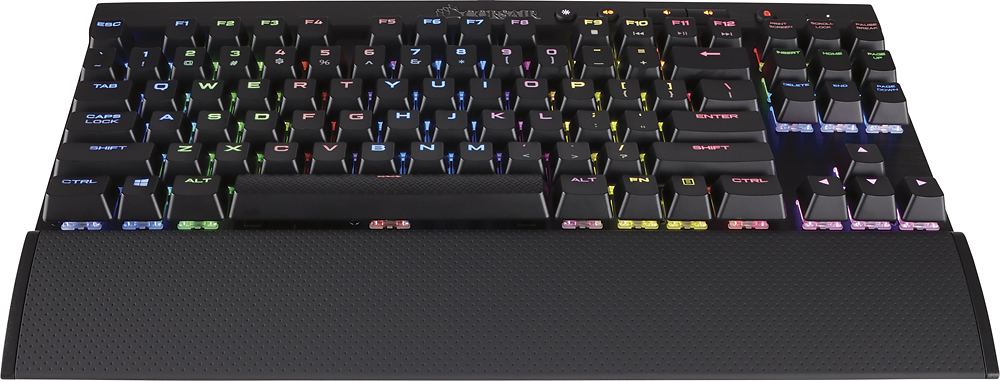
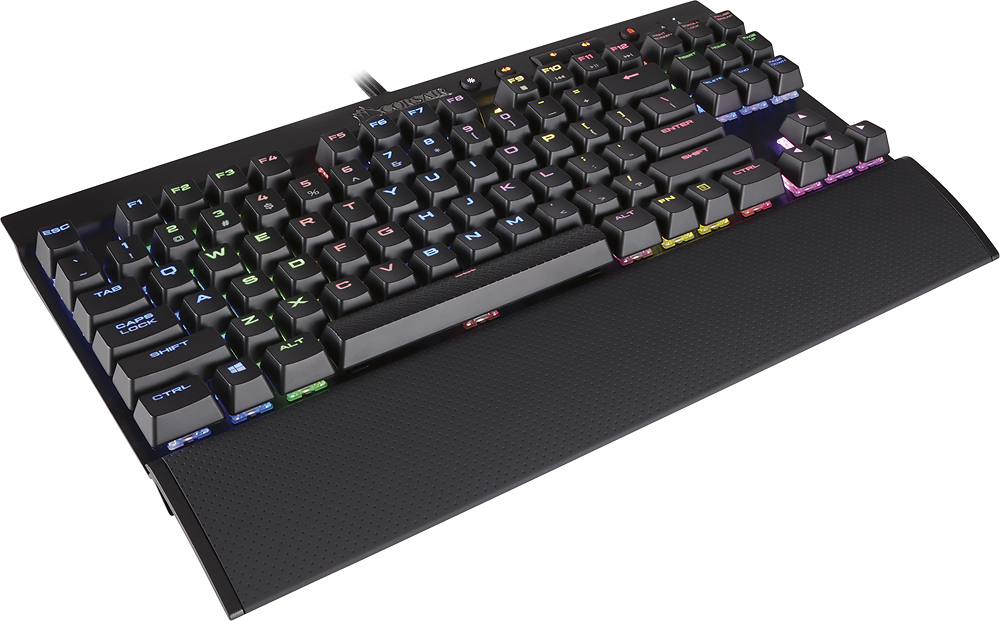
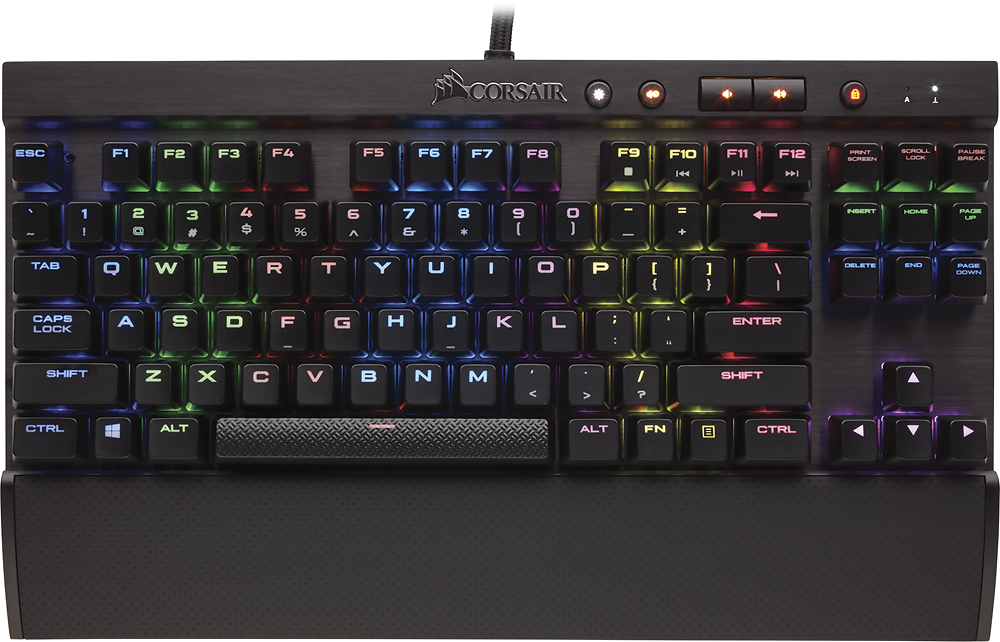
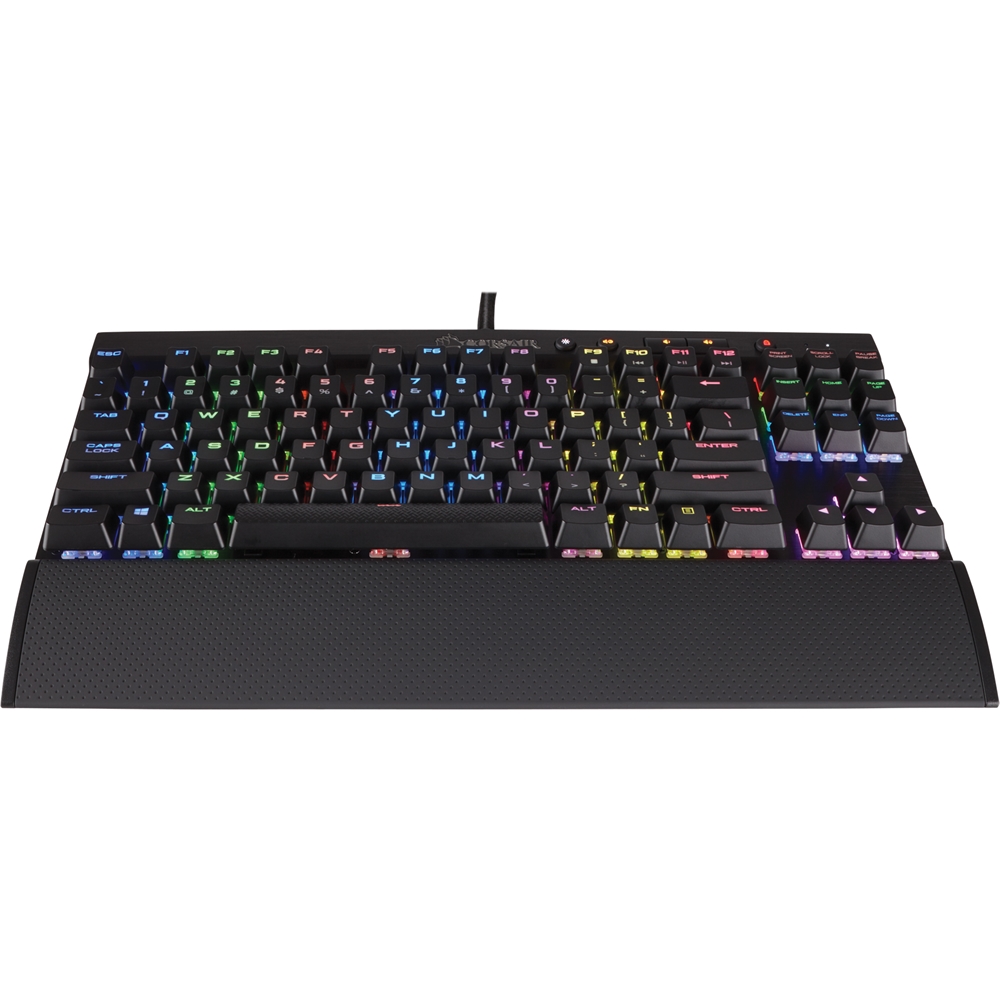
||Posted .This reviewer received promo considerations or sweepstakes entry for writing a review.I got this keyboard on sale for $80 so I decided to give it a try. The keyboard itself was solid. It was built well with high quality metal plate on the front of the keyboard. The switches were also very good the keycaps did not wobble or anything. The Cherry red switches it came with were very good for games and gave good feedback.
I would recommend this to a friend - Pros mentioned:Keyboard quality, Rgb backlighting
Rated 5 out of 5 stars
The Perfect Gaming Keyboard
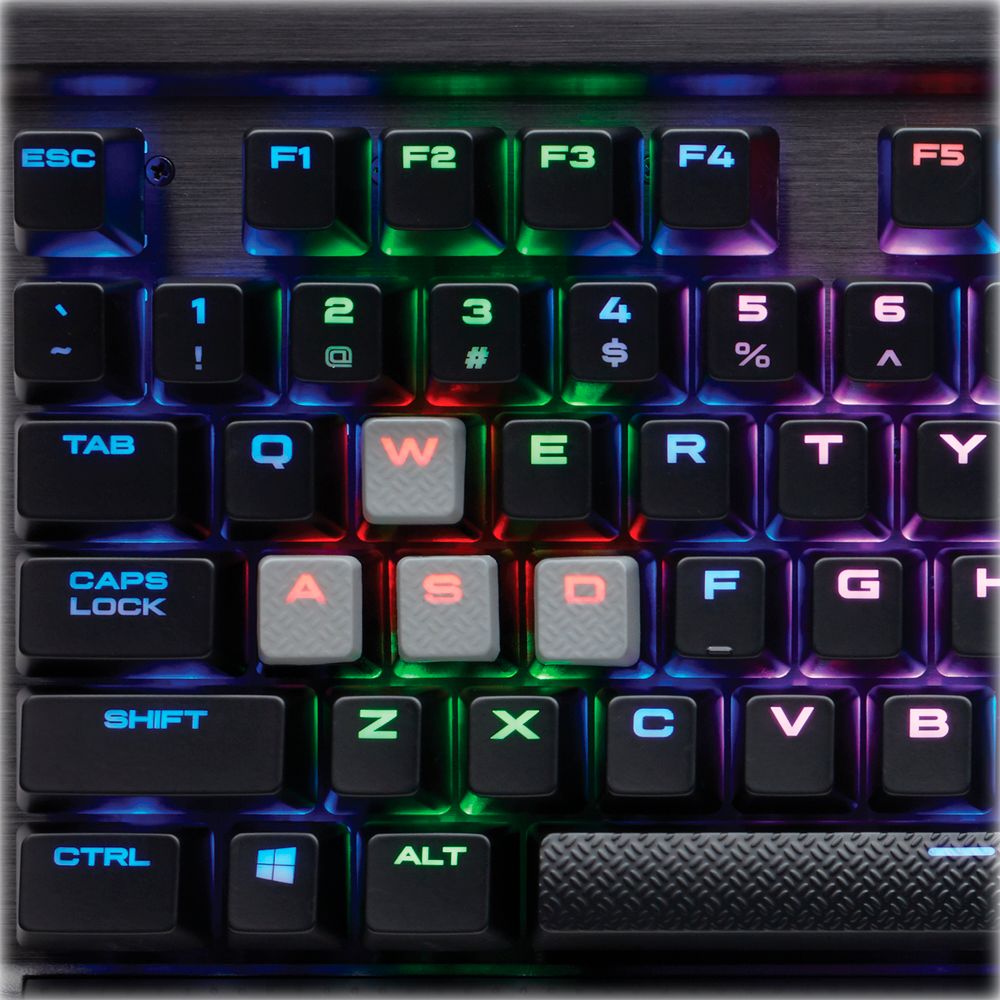
||Posted .This reviewer received promo considerations or sweepstakes entry for writing a review.I purchased this product as a gift for my older Son - I have been using a Corsair keyboard for years and also building PCs using Corsair components for years (Excellent Quality and Engineering). This keyboard has German Manufactured Cherry MX Red keys specifically made for Corsair. The selective lighting by individual key, and/or usage of lighting profiles allowing ripples of color waves, Game specific Profiles are very cool. The compact design allows more mouse space and a nice gaming pad from Corsair as well. Overall an Excellent Gaming keyboard - My Son agrees - Counterstrike, and so on - Excellent feel and feedback from the keys with a comfortable wrist rest. A set of Gray non-skid textured key caps for WASD and space-bar with removal tool included also.
I would recommend this to a friend - Pros mentioned:Rgb backlighting
Rated 5 out of 5 stars
Goodkeyboard
||Posted .This reviewer received promo considerations or sweepstakes entry for writing a review.One of the best keyboards I’ve had , , it’s smooth and response time is excellent! It has cherry red keys which helps speed and response and etc and the rgb can be set up in a million ways , if your ok with having no number pad on the right side of the key board this is for you
I would recommend this to a friend - Pros mentioned:Keyboard quality, Rgb backlighting
Rated 5 out of 5 stars
Amazing Keyboard
||Posted .This reviewer received promo considerations or sweepstakes entry for writing a review.Nice RGB lighting, cherry mx red keys (soft,no actuation point can be felt) Comes with greyish/white keys that have a textured feel and slight concave to them, Really like them. Very nicely made, Feels weighty(durable) but not heavy in any way. Thick woven para-cord is very nice and long enough. Has 2 USB 3.0 cords for lighting and power(just 1 needed for lighting and power in a 3.0 port) Wrist rest is very nice, and soft. Has 2 kick up legs which I personally do not use, Though its definitely a nice feature.
I would recommend this to a friend - Pros mentioned:Keyboard quality, Software
Rated 4 out of 5 stars
Good quality, bright lighting, nice and small
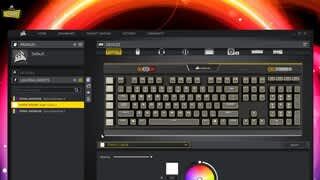
||Posted .This reviewer received promo considerations or sweepstakes entry for writing a review.I've wanted an RGB keybaord for a while, and decided to get this to replace my CM Storm Quickfire Rapid with MX reds. The build quality of this keyboard is great, and the wrist rest is nice, however it is not as portable as other TKL keybaords. I have no idea how to remove the palm wrest, and the cord is non-removable and has two USB plugs it needs at the end (Unless you have USB 3, then only one is needed). However, I do regret getting this over something with MX Browns, and RGB isn't nearly as exciting as I thought it would be, but that's just my opinion. These MX red switches are great for gaming, and are in no way bad for typing. Corsair's CUE2 software is great, you can set different macros, completely customize the keyboard's layout, and there's many effects to choose from as far as the RGB lighting goes. The keyboard itself also has a built-in switch for swapping between profiles without opening the software. Overall, I do very much enjoy this keyboard.
I would recommend this to a friend - Pros mentioned:Keyboard quality, Rgb backlighting
Rated 5 out of 5 stars
Perfect gaming keyboard!
||Posted .This reviewer received promo considerations or sweepstakes entry for writing a review.I was hesitant to pick up this keyboard due to the fact that I was so used to having the 10 key. After a little adjustment, I have come to love this keyboard. It gives the nice key clicks like a mechanical keyboard, but is very quiet. Each individual key can be set to a different color using the Corsair Software. I have used many different keyboards with the most recent being the Razer BlackWidow, and I would choose K70 over the others I have had any day. Definitely would recommend to anyone looking to buy a new keyboard.
I would recommend this to a friend - Pros mentioned:Keyboard quality
Rated 4 out of 5 stars
Good board but ...
||Posted .This reviewer received promo considerations or sweepstakes entry for writing a review.I like the keyboard and the feel of the keys. Unfortunately, I miss hit the keys and the automatic rollover impedes me because both key I hit are entered. I would like to turn off the rollover, but I cannot figure out if there is a way. It is, however, a high quality build, works well with my laptop and looks pretty.
I would recommend this to a friend - Pros mentioned:Keyboard qualityCons mentioned:Key feel
Rated 5 out of 5 stars
Thumbs up
||Posted .This reviewer received promo considerations or sweepstakes entry for writing a review.It's been a couple months since I've purchased this and all the LEDs are still working. I read reviews of LED lights flickering but I believe that is only in refurbished models. The K65 LUX is great for minimalists. It's also not made of plastic and the clicking of keys is music to my ears. Remember these are REDs, so unlike Browns, there is no bump/feedback. Keystrokes are very smooth, but also loud so keep that in mind if you have a significant other who hates the sound of keys haha.
I would recommend this to a friend - Pros mentioned:Keyboard quality
Rated 5 out of 5 stars
I had the 2016 Blackwidow Chroma Ultimate
||Posted .This reviewer received promo considerations or sweepstakes entry for writing a review.This Corsair keyboard blew my mind. I came from a long history of mechanical keyboards. I've tried them all, brown, red, blue. Corsair, Ducky, Razer, SteelSeries. I am not partial to any particular brand. The two mice I use are Logitech G550 and the SteelSeries Rival. When someone asks me what's the best keyboard I've used, I would answer Ducky Shine. But for $110, this Corsair keyboard is a close second. Yes, there is no numpad, but I would have never thought that I would prefer it that way. It brings my two arms closer together, and it doesn't feel like I'm overextending my arms apart, having my left hand on the leftmost side of the keyboard (WASD/QWER) while my right arm is on the mouse. I didn't have to tilt my keyboard right side up to be comfortable. It was a game changer. The keys are one of the best I've ever used. And I had. 2016 Blackwidow Ultimate. I don't know what was wrong with it, but I just simply didn't like it. The keys are different, and I personally just prefer red keys for the depress is so crisp and everything just feels much, much better. I was frustrated with the Razer keyboard and ended up just shoving it in a drawer until further notice. If you have a few hundred to spend on a keyboard, get a Ducky. If you want something that will give you the best bang for the buck, without skimping on quality and reliability, I would definitely recommend the K65 over anything.
I would recommend this to a friend - Pros mentioned:Rgb backlightingCons mentioned:Number pad
Rated 5 out of 5 stars
Great Keyboard
||Posted .This reviewer received promo considerations or sweepstakes entry for writing a review.I do some lite gaming and this keyboard works great. The keys are responsive and crisp. The ability to make the keys any color you want and have the colors move or stay the same are an added bonus. Having the extra USB port on the keyboard is nice. I have my mouse plugged into it. No side number pad, which doesn't bother me since I don' t do much there. It does take up 2 usb ports on your computer though.
I would recommend this to a friend - Pros mentioned:Keyboard quality, Rgb backlighting
Rated 5 out of 5 stars
Better than I thought
||Posted .This reviewer received promo considerations or sweepstakes entry for writing a review.I got this specifically because I have a corsair set up and needed a new keyboard. I also thought it was plastic all around but t has a metal hard top which in my opinion is a huge plus. I love the option of being able to set nearly any color you want. The only downside is that it's missing the num pad but since I never use it; that doesn't bother me. All in all better than I expected will buy it again if mine ever breaks.
I would recommend this to a friend - Pros mentioned:Keyboard quality
Rated 5 out of 5 stars
My Favorite FPS Gaming Keyboard
||Posted .This reviewer received promo considerations or sweepstakes entry for writing a review.In my opinion, the Corsair K65 Gaming Keyboard is the best looking one out of all the other FPS gaming keyboards that do not have the numerical key pad. Its compact and sturdy brushed aluminum built offers a sleek look and the LED lightning is also brighter than other gaming keyboards out there. While the aluminum surface does attract dust, it's not a big deal if you cover the top when not used or just air blow it.
I would recommend this to a friend - Pros mentioned:Keyboard quality, Rgb backlighting
Rated 5 out of 5 stars
Awesome 5 stars
||Posted .This reviewer received promo considerations or sweepstakes entry for writing a review.I bought this keyboard because i wanted a less expensive mechanical keyboard. The RGB color options are just a plus and when i say that the are definitely amazing. there is so many options to change the colors to and that is the best part. The cherry mx red keys are awesome with a tactile feel without the loud clicked of other mechanical switches. 10/10 would recommend to a friend.
I would recommend this to a friend - Pros mentioned:Keyboard qualityCons mentioned:Key feel
Rated 5 out of 5 stars
Great gaming keyboard
||Posted .This reviewer received promo considerations or sweepstakes entry for writing a review.This keyboard is everything I hoped it would be. Responsive keys, no 10-key which is perfect for a smaller desk and the lighting effects that pair with my Corsair Mouse are just the cherry on top. Highly recommended. Only downfall I would say is the mechanical keys make using 2 keys simultaneously for certain actions but I suppose you could always use macros for that.
I would recommend this to a friend - Pros mentioned:Keyboard quality, Rgb backlighting
Rated 5 out of 5 stars
Very satisfied.
||Posted .This reviewer received promo considerations or sweepstakes entry for writing a review.Cherry MX reds are fantastic. I love the ten keyless design, leaves more room on my desk. The corsair RGB software takes some getting used to, but once you master it you can create some very cool profiles and effects. Or you can just download profiles from the corsair fan forums. Over all this the best keyboard I've ever had, much higher quality than any razer.
I would recommend this to a friend - Pros mentioned:Rgb backlightingCons mentioned:Number pad
Rated 5 out of 5 stars
great keyboard
||Posted .This reviewer received promo considerations or sweepstakes entry for writing a review.This keyboard has been great. Once downloading the corsair engine you can customized the back lighting to whatever you want. At first it took me a bit to get it to how I liked it but once you customize it to your taste it is great. The keys feel great the only thing is this keyboard does not have the number key pad on the side which makes it smaller and easier to fit in your desk.
I would recommend this to a friend - Pros mentioned:Keyboard qualityCons mentioned:Key feel
Rated 5 out of 5 stars
Been wanting this for a long time...
||Posted .This reviewer received promo considerations or sweepstakes entry for writing a review.Finally pulled the trigger on this 10 keyless keyboard. Build quality is outstanding with a metal face plate. My model came with cherry mx red switches. Getting used to them has been relatively easy. A little on the mushy side but still relatively quiet since I just switched from the silent switches on my strafe rgb. Overall a good buy at a good time given the sale.
I would recommend this to a friend - Pros mentioned:Keyboard quality
Rated 5 out of 5 stars
A phenomenal TKL purchase.
||Posted .This reviewer received promo considerations or sweepstakes entry for writing a review.This keyboard is fantastic for anyone looking for a solid, flashy, TKL keyboard. The software suite isn't bad and the build quality is superb.
I would recommend this to a friend - Pros mentioned:Rgb backlighting
Rated 5 out of 5 stars
CORSAIR - Gaming K65 LUX RGB Mechanical Gaming Key
||Posted .This reviewer received promo considerations or sweepstakes entry for writing a review.CORSAIR - Gaming K65 LUX RGB Mechanical Gaming Keyboard is the best keyboard ive ever purchased ... and fast, colorful, and very reponsive
I would recommend this to a friend - Pros mentioned:Keyboard qualityCons mentioned:Key feel
Rated 3 out of 5 stars
Decent Keyboard, Software & Support Sucks
||Posted .This reviewer received promo considerations or sweepstakes entry for writing a review.I've recently replaced this keyboard and decided I should write a review so that other people don't end up disappointed if they had similar expectations. I will say that overall this is a good keyboard, nice option if you want a ten-keyless design, and the included keycap tool/additional MOBA keys or WASD cluster keys is great. I would rate this product higher if the Corsair software wasn't terrible, and feature lacking. More than anything what is annoying is the macro keys. I am accustomed to Razer, Logitech, Steel Series, etc. and having an easy way to set up a macro key so I can leave something going in a game or on my desktop then hit it again to end. There is NO way to do this with Corsair! What's even dumber is if you start a macro say you want to run a few hundred times, even if you kill all the Corsair software running the macro won't stop! You either let it run its course or reboot. Apparently it USED to be a feature available in the software, that was for some reason removed. I contacted support just to confirm after forum crawling about this issue, and they were unhelpful and utterly dismissive (after not initially even understanding my request and repeatedly pointing me to download the software which I was already familiar with at that point). Overall I'd say save yourself the headache and either get a Logitech G series (always been pretty great) or if you're dead set on the cherry red style switches find an appropriate alternative online. Corsair makes some good stuff but I doubt I'll buy any more peripherals from them.
No, I would not recommend this to a friend