Customer Ratings & Reviews
- Model:
- SCIMITAR RGB
- |
- SKU:
- 4370903
Customer reviews
Rating 4.4 out of 5 stars with 248 reviews
(248 customer reviews)to a friend
Customers are saying
Customers value the Scimitar RGB MOBA/MMO Gaming Mouse for its programmable buttons, ease of use, and sleek design. Many appreciate the customizable RGB lighting and the comfortable weight and balance. While some users found the software unintuitive and the size unsuitable, the positive feedback on the mouse's performance and features outweighs these concerns.
This summary was generated by AI based on customer reviews.
- Pros mentioned:Design
Rated 3 out of 5 stars
If it weren't for this one thing....
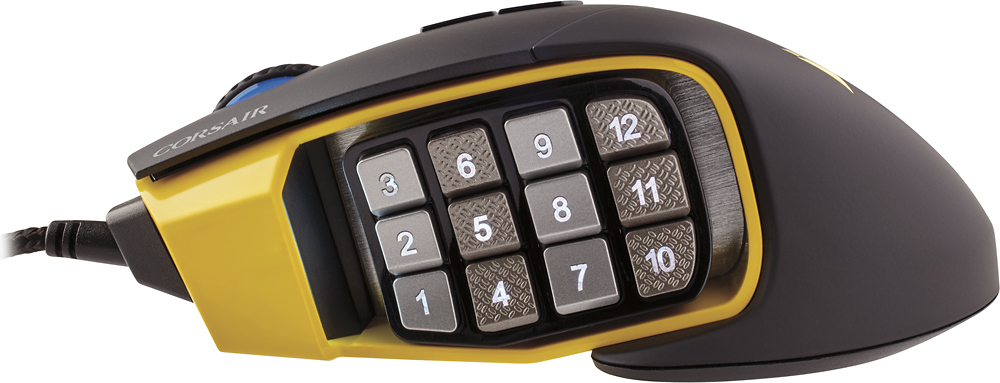
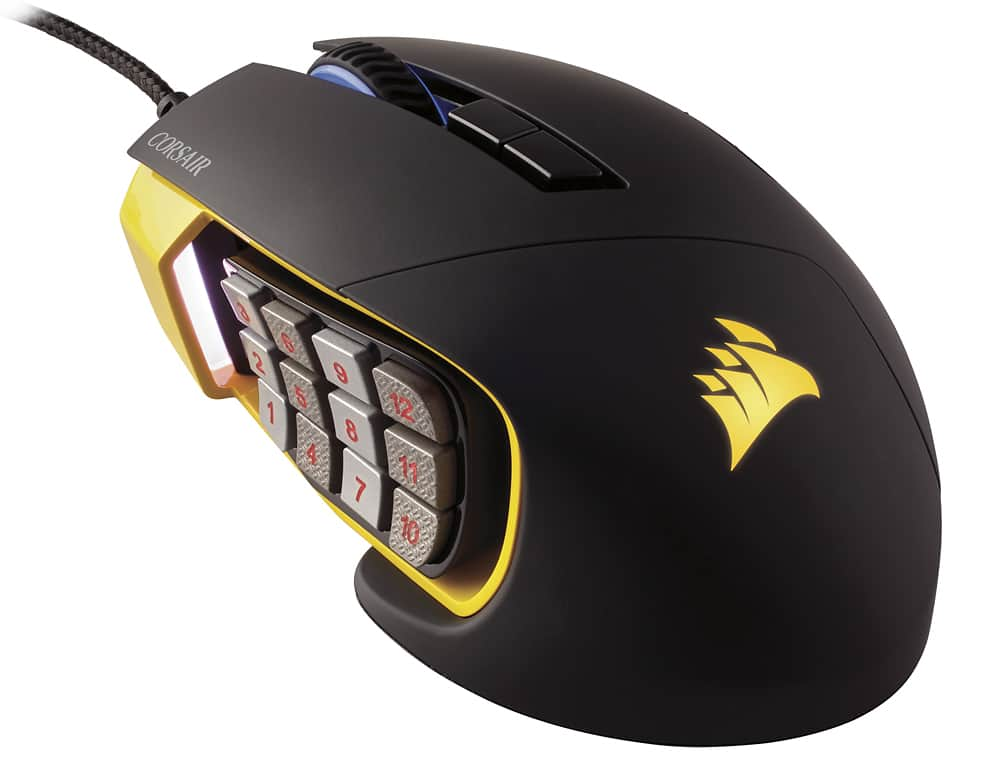
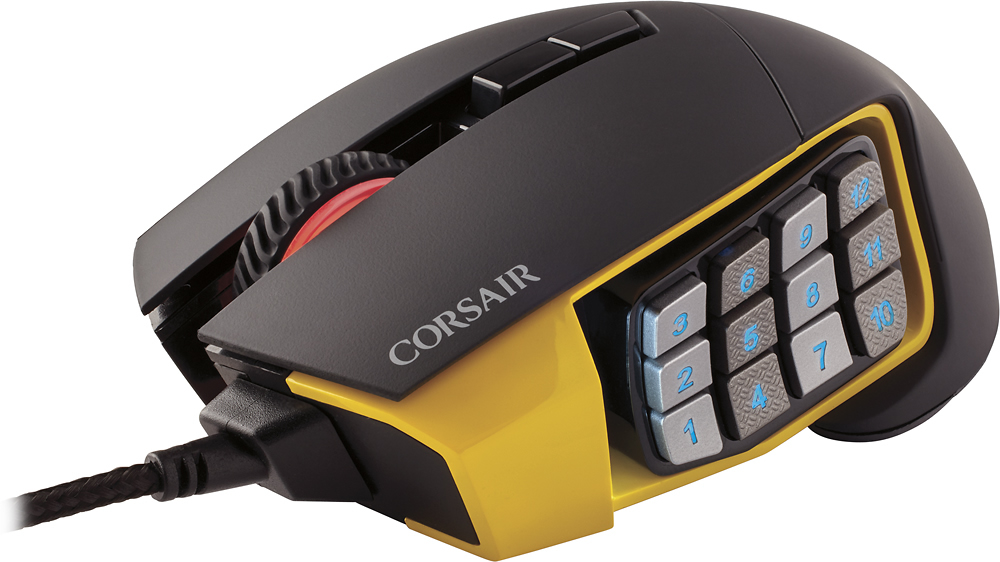
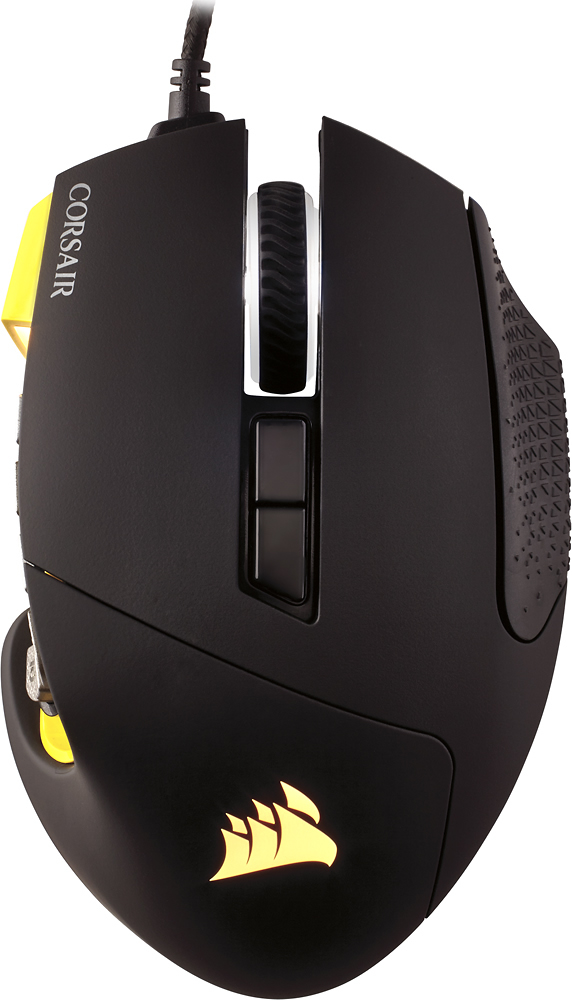
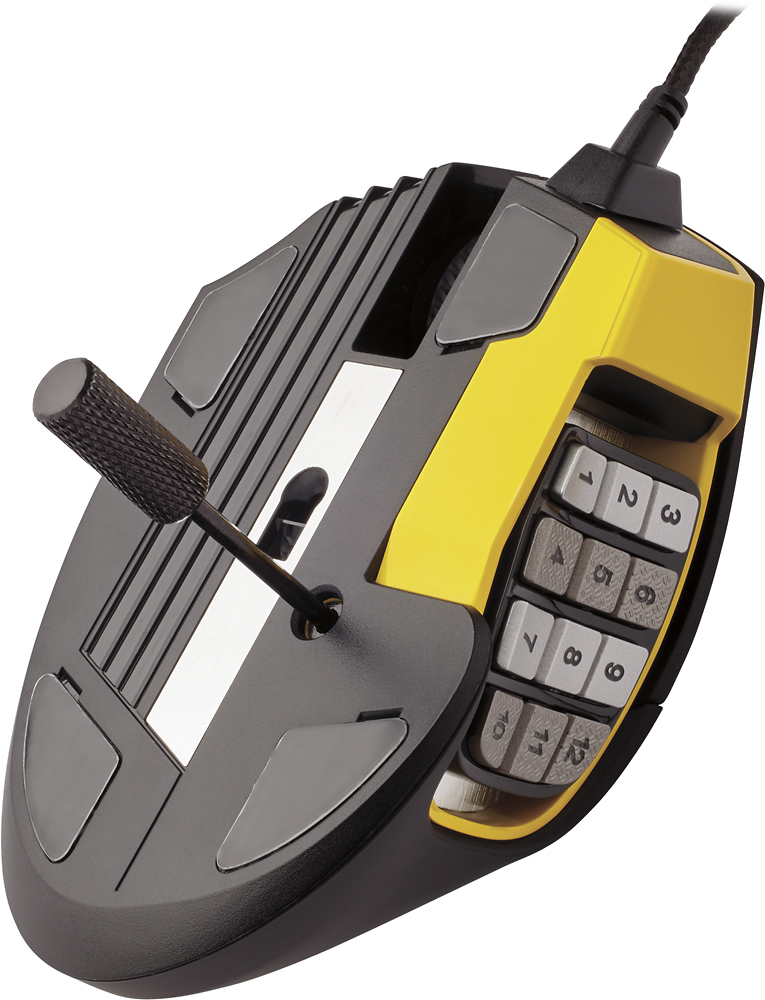
||Posted .This reviewer received promo considerations or sweepstakes entry for writing a review.Great mouse buttons are solid, build quality is great, and it matches my computers color scheme of black and yellow (mpower). The sliding thumb plate is awesome and they include a tool to lock it down (allen key) overall I loved this mouse and bought it the day I saw it in stores after a long wait. HOWEVER.....Heres the bad part its hard to tell in pictures but the two bottom row buttons closest to the front of the mouse where the mouse rests on your table or mousepad (1 and 4) are in such a way that placing my thumb on those two buttons caused my thumb to now drag on the mouse pad because its so low to the contact area right where you need your thumb to be in order to press those keys. you can see in the picture how there isn't much yellow material under those keys and when they slide they stay at the same height to the surface under it no matter the position. also no matter what I did I couldn't get it to keep the colors I set in the profiles everytime I locked my pc when I came back I had to redo the led colors. which results in the mouse now moving slower or jerking when I reach for that button throwing off shots in games or causing my characters to run off course or worse to their death. this is a gaming mouse after all and unfortunately it can't provide what I need it to do which is perform no matter what and not interfere with gameplay. honestly I love this mouse, It's super comfortable and well made and their UI is amazing with so many options but this one detail makes it unusable for myself. if you have small thumbs, really skinny fingers or don't plan on using those buttons at all then go for it its an amazing mouse p.s. corsair tilt the number pad a few degrees in at the top and it will fix this problem (in the picture I uploaded (from http://deathcaverna.liquidquake.net/) you can see the area under the #1 and #4 key i talk about in the review also notice how this person has a small hand already any bigger and I don't recommend this mouse)
I would recommend this to a friend - Pros mentioned:Buttons
Rated 4 out of 5 stars
Dang good, but not perfect.
||Posted .This reviewer received promo considerations or sweepstakes entry for writing a review.Weight and grip feel fantastic. Braided USB cable is a nice touch and the lighting is pretty darn cool. Sensor is spot on. The side buttons are very well laid out and are easy to distinguish. The one point of failure is honestly in the software, that's it. I love Corsair and rock a lot of their hardware but the need work on their CUE and Link software to really wipe the field.
I would recommend this to a friend Rated 5 out of 5 stars
Fantastic Alternative to Razer Peripherals
||Posted .This reviewer received promo considerations or sweepstakes entry for writing a review.I've been an MMO Gamer for quite some time, 2004 to be exact (the release of WoW). Ever since, I've always used Razer peripherals (mouse, keyboard, mouse pad, headset). As of late, their Customer Service is lacking, and so are their products. I upgraded from the flagship Razer Naga to the Corsair Scimitar RGB. The 12-button thumb grid is nothing like Razers, so it took me about 3 days to be comfortable with it. It feels much heavier and solid in comparison to the Razer Naga. The layout is a little more user-friendly, and the RGB lighting makes it even better. All-in-all, I'm very happy with the presentation of the mouse. An additional note: the ADJUSTABLE thumb-grid is something that Razer should feature on their next generation of Naga - if not already. It's fantastic! I'll be a Corsair customer for the foreseeable future, with no intentions of returning to Razer products.
I would recommend this to a friendRated 5 out of 5 stars
Perfect gamer mouse
||Posted .This reviewer received promo considerations or sweepstakes entry for writing a review.Love the hard core. Gamer mouse lots of settings a1
I would recommend this to a friend- Cons mentioned:Number pad, Size
Rated 2 out of 5 stars
Doesn't really compare to top tier mice
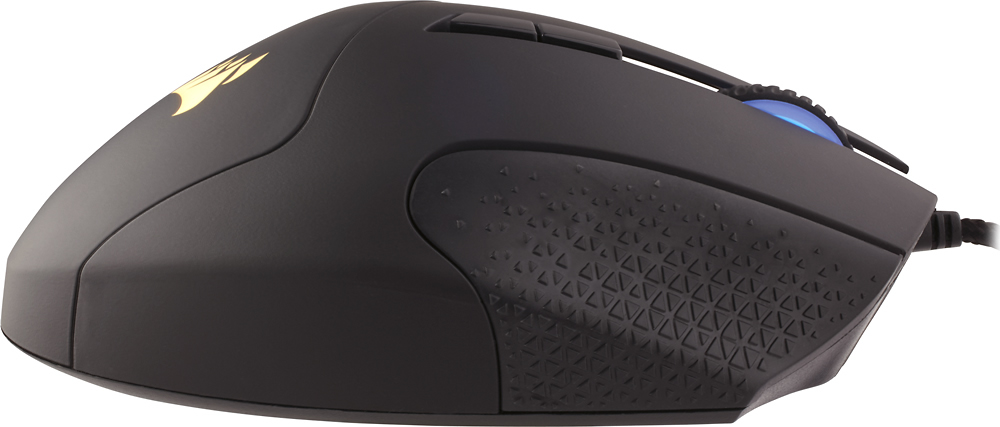
Posted .This reviewer received promo considerations or sweepstakes entry for writing a review.I bought the Corsair Scimitar after deciding I wanted a new MMO mouse to replace my Logitech G602 (that was giving me horrible connection issues). I was very disappointed. Firstly, the left and right click were so easy to press that I found myself accidentally clicking when I didn't intend to. Secondly, the mouse was way too small for my hand, and any grip besides a palm grip was uncomfortable due to the texturing on the right side. The driver software, CUE, was somehow less intuitive than either Logitech Gaming Software or SteelSeries Engine 3.0. And the color scheme matches basically nothing else on the market, aside from other Corsair stuff, with its bright yellow sideplate. I liked the customization options with the mouse, as you could slide the number pad along the side of the mouse to find the most comfortable position. Unfortunately, even after tightening, I experienced it sliding on me after 30 minutes or so of light use. There was also not much in the way of texture difference between the buttons, and they are all shaped the same, so it was harder to use them than, for instance, a Logitech G600 or Razer Naga. You can also individually control all of the different lighting areas, although I ended up just making all mine blue. I'm not sure what sensor this mouse has in it, but I was encouraged by it being optical rather than laser. I won't venture to guess whether it had any acceleration or angle-snapping. All told, the mouse utterly failed on comfort, color scheme, and driver software, mostly failed on usability, and had passable customization options and a decent sensor. I returned mine after using it for roughly 30 minutes and, instead, bought a SteelSeries Rival.
No, I would not recommend this to a friend - Pros mentioned:Buttons, Design, Rgb
Rated 5 out of 5 stars
Great mouse overall
||Posted .This reviewer received promo considerations or sweepstakes entry for writing a review.I find this mouse really cool. I liked its design since I first saw it on corsairs website while searching for other products. The mouse works really smoothly as long as you have a mouse pad but other than that the RGB looks great and the programmable buttons are in the right place. You can adjust the 12 buttons very easily with the included tool and you can adjust to fit your need. Great mouse overall.
I would recommend this to a friend - Pros mentioned:DesignCons mentioned:Size, Software
Rated 5 out of 5 stars
Amazing.
||Posted .This reviewer received promo considerations or sweepstakes entry for writing a review.I'm a veteran gamer that was a major fan of Razer before I started buying Corsair products. My first MMO gaming mouse was the original Razer Naga MMO gaming mouse. I absolutely loved it. after about 2 years it started having a double-clicking issue and i got an RMA because it was still under warranty and would have expired within a month so why not. Razer sent me an updated version of that mouse, the Razer Naga 2012. Again, LOVED IT. within the same amount of time it had the same double-clicking problem. Got an RMA, and the replacement started with the problem within a year an a half. no big deal. so once I was able to go out and buy a new mouse, I also had bought a Razer Blackwidow Mechanical Keyboard, Because why not have something to match my gaming mouse? It started having a problem that the keycaps were causing an issue that made it type 2 to 3 times on that key that was being affected, Talked to razer about it and they could not help so i gave up and mustered through it until i weas able to afford a new one. Bought a cheap keyboard and mouse combo by cooler master until i was able to afford a better one. I came across Corsair's line of gaming peripherals. My First 2 things were the Corsair K70 RGB Mechanical Keyboard with Cherry MX Red switches, and the Corsair M65 RGB Gaming mouse, with a dedicated sniper button. I only had to replace the Keyboard once because of water damage i had caused by accidentally spilling ramen on it...terrible idea. Bought a new one. I was saddened because I was not able to play wow with that M65 mouse I had because it just didn't feel right. Don't get me wrong, I loved that mouse but it just wasn't meant for MMO(WoW) gaming. After almost a year, Corsair releases the Corsair Scimitar RGB. I had to wait a bit and did my research on it. Made sure it was worth the buy. I bought it. Let me tell you. It is amazing. Well created, albeit a bit small for my huge hands. The only downside I see to this is the height from the keypad on the side of the mouse. maybe an 1/8 inches higher may have made a better height but still. The sliding keypad helps you by being able to move those 12 buttons to a position where it is comfortable for you. The textured resting area for your ring finger is well done. It's comfortable and slip-resistant.. The RGB lighting is well, RGB lighting. The only downside is the static lighting in front of the thumbpad that changes when you press the buttons behind the scroll wheel to change your DPI. That's the Hardware side of things. The software is a different story. It feels overwhelming at first, but once you figure out exactly what you want, you can configure it to match what you want. I stuck with the default CUE(Corsair Utility Engine) Link that has 9 different synchronized lighting modes. the lighting mainly shows on the Keyboard but it also shows on the mouse, namely the Rainbow Wave. All in all, This gaming mouse could have more improvements to make it a tad bit better but it is amazing(to me) as it is.
I would recommend this to a friend - Cons mentioned:Software
Rated 5 out of 5 stars
Forget the single star reviews...
||Posted .This reviewer received promo considerations or sweepstakes entry for writing a review.I was going to write a long review complaining about the current generation of gamers and how they seem to want everything handed to them on a silver platter, but decided to be passive aggressive and just mention it once in the beginning. All that I will say is PC gamers- expect to have to have to do some setup. That's the whole point- YOU get to customize and play the way YOU want to. You want to play straight out of the box? Go buy a console. That being said... DESIGN- The construction is great. I love the plastic they use for the top of it. It's not too smooth and not too much grip. I do find myself wishing that the right click button was curled around the side just a bit more, but other than that it feels pretty natural in my hand. I also wish that best buy sold the black version, but I purchased the yellow anyways so I can't knock Corsair at all for flaunting their own colors. One other reviewer did mention an issue with the side buttons being too low. I agree, but only for the "1" button. Maybe a bit of vertical movement on the revamp? PERFORMANCE- No one on here has knocked the performance of the mouse itself and I'm on the same page. Smooth as butter. SOFTWARE- This is the thing that everyone has been complaining about. I could write BOOKS about how wrong it is to knock a company on software alone. First off, I have had just as many issues with Razr software, and find it to be just as complicated for initial setup. Second, if you're having a ton of issues involving software and drivers, it's not necessarily the software that is doing it. It could be your hardware, it could be your operating system having issues, etc. There are so many OTHER things that could be going wrong. I'm not going to dwell on this much more, just keep in mind that software needs a good environment to run in as well.
I would recommend this to a friend - Pros mentioned:DesignCons mentioned:Software
Rated 4 out of 5 stars
Solid mouse with a great feel
||Posted .This reviewer received promo considerations or sweepstakes entry for writing a review.PROS: The Feel: The overall feel of the mouse is top notch. It feels well constructed and solid, no flimsy or cheap feeling areas. The texture also is top notch, providing a more grippy, rubber feel than the more slippery, direct-on-plastic feel of some others. The mouse also has a fairly wide foot print, so it feels very meaty and substantial under the hand. I would say its also a little more on the heavy side for a gaming mouse. If you are someone who prefers a really light mouse, this may be a con for you. Your hand just rests really easy over the grippy surface, and it is a great feel to me. The only potential downside is that the mouse makes the palm of my hand feel a little warmer than some other mice. This is due to the texture and the wide footprint of the mouse which brings more of your hand in contact with the mouse surface. You get a good solid contact grip which is great, but that decreases airflow around your palm.This isn't really a con for me however. This is also the only mouse that allows you to slide the thumb grid to fit your hand. Features: The mouse has all the typical bells and whistles. Lots of lights and ways to adjust them, if you are into all the flashy. The software is full featured, allowing me to do most everything I like to do.The mouse doesn't separate itself from the competition in any way with its software or feature set. In fact, I would rank it a tad behind that of Logitech, due to some small quirks. Those quirks are minimal, and Ive not had any real problem making macros, assigning keys, etc. The software seems reliable and loads quickly, and seems to keep a pretty low profile on the system resource front, which is great. CONS: The only cons I have so far are the software has a few little quirks. One example: Trying to bind a push-to-talk key for use in teamspeak. When I set it up, as I have with many other mice in the past, the key will not hold while I keep it pressed. It wants to register as just a quick keystroke, so it keys my mic for just a second then unkeys, even though Im holding the button. You can set the key to register a long key press but you have to specify a length of time, which simply wont work. I eventually just set teamspeak to toggle the key press so I have to tap the key, say what I want to say, then tap it again to unkey. In games, this problem doesnt seem to exist, as Im able to hold my "Ctrl" hot key I created and fire off abilities just fine, so I know its holding the key there. I hope to find a fix or workaround for this when I have more time to investigate. I just know that I have not had this issue on other mice with teamspeak. Aside form this issue, the software has tons of features and customization options, but isnt the most user friendly - there is a small learning curve with how it works. This is where I feel logitech has the edge, as their software feels better layed out and more "common sense" in how it operates. I hope corsair will keep working at the software front to match the quality of the mouse design itself. One other small con for me is the DPI light, which adjusts its color based on your DPI setting, is really bright and cant be turned down. This is the only light you cant turn off, and it is situated as such that it could be seen as distracting to some. Im really nit picking here to try and find potential cons. CONCLUSION: In conclusion, I think this mouse is perhaps one of, if not the best MMO mouse's out there right now. The physical design I feel is just superior to that of the Naga, which I also own. It feels well made and designed. The software could use a little more TLC but it is full featured and will do everything you want to do with a multi button mouse like this. It also doesnt skimp on all the flashy if you like that. If you dont, most of the lights can be turned off or toned down. The sliding thumb button grid is a new twist that no other mouse offers, and just adds to the great physical design corsair put into this mouse. Id rate it as a 4/5.
I would recommend this to a friend - Pros mentioned:Rgb
Rated 5 out of 5 stars
Amazing mouse
||Posted .This reviewer received promo considerations or sweepstakes entry for writing a review.I play MOBAs heavily, and this mouse has made my game so much better. The mechanical switches on the side are awesome and the weight is perfect. I also love that I can customize the color of the mouse to match my set up. Highly recommend!
I would recommend this to a friend - Pros mentioned:Buttons
Rated 5 out of 5 stars
Great gaming mouse
||Posted .This reviewer received promo considerations or sweepstakes entry for writing a review.This is the best mouse I've used for MMO games. It's got the feel, polish and weight of Corsair's high end line (M65) plus an additional 12 buttons for MMO programming and ease of use. I've even programmed a couple for my day-to-day.
I would recommend this to a friend - Cons mentioned:Scroll wheel
Rated 5 out of 5 stars
Excellent mouse. Great feel and software.
||Posted .This reviewer received promo considerations or sweepstakes entry for writing a review.This mouse has been a great new addition to my peripherals. I don't use it all the time as I find my G9X to be slightly better for League of Legends, but this has come in handy many times for Photoshop and MMO type games. Software is the same as the Corsair keyboards so you can control everything from that. It's all extremely easy to set up. Only cons would be no tilt on the scroll wheel, and no option for the infinite scroll feature some mice have.
I would recommend this to a friend - Pros mentioned:Ease of use
Rated 5 out of 5 stars
Awesome Mouse
||Posted .This reviewer received promo considerations or sweepstakes entry for writing a review.This is great for games that you need a lot of action buttons, I play World of Warcraft and have the keyboard to match, the software is easy to use and you can customize everything easily there is even preset guides available online that you can add and customize easily, I also love that you can change the settings and store them based on whose playing my boyfriend and I share so we have separate profiles!
I would recommend this to a friend - Pros mentioned:Ease of use
Rated 5 out of 5 stars
Perfect for MMO's
||Posted .This reviewer received promo considerations or sweepstakes entry for writing a review.I play Star wars: The Old Republic, Grim Dawn, Blade & Soul, League, Marvel Heroes, Path of Exile, Pillars of Eternity and many others and I have created custom settings for all of these games with this mouse. Easy to set up and has quick switch feature when you change games. Solid construction and the number pad has a unique positioning system that locks tight but easy to change. Total upgrade from my old Razor. Highly recommended.
I would recommend this to a friend - Pros mentioned:Buttons, Design
Rated 5 out of 5 stars
Great gaming mouse for World of Warcraft
||Posted .This reviewer received promo considerations or sweepstakes entry for writing a review.FYI: The 12-button slider LOCKS into whatever you position you like. I bought the Corsair Scimitar over it's competitor's similar products, I have experienced Corsair in the past and this mouse is another awesome product from them. I have a big hand but my fingers are average length so the option to adjust the 12-button pad was what attracted me to the Corsair. I like that the space where i rest my outside fingers is shaped for that and feels quite natural. I can see difficulties if your hand is smaller than average or if you use your thumb to grip the mouse. Still, those problems are going to happen on any of the other MMO/gaming mouse with the buttons like this on the side.
I would recommend this to a friend - Pros mentioned:Design
Rated 4 out of 5 stars
MMO mouse.
||Posted .This reviewer received promo considerations or sweepstakes entry for writing a review.This mouse is a great mouse. Corsair product is top notch. My hand could not feel right with multiple clumping together buttons. I love the mouse, but not comfortable for me to use long hours. I love the light too much, love the color and design, but hand cramp take away a star. If it fit your hand, then it's a five stars for you.
I would recommend this to a friend - Pros mentioned:Design
Rated 5 out of 5 stars
Decent gaming mouse
||Posted .This reviewer received promo considerations or sweepstakes entry for writing a review.Mouse has decent weight and hot keys can be color bound as well as adjusted for people with shorter/longer thumbs for superior ergonomics, the design itself is sleek and feels good while in use, I did have some issues with the corsair utility software crashing at first but after briefly updating and reinstalling this issue was fixed, software aside 10/10 for utility and good looks.
I would recommend this to a friend - Pros mentioned:Buttons, Rgb
Rated 5 out of 5 stars
Amazing Mouse
||Posted .This reviewer received promo considerations or sweepstakes entry for writing a review.I am loving this mouse. The RGB, the side number keys, and the extra 2 buttons above the scroll which I use for forward and back keys for webviewing and then for mouse sensitivity for games. Even though this mouse is meant for MOBA and MMO games, I mainly use it for FPS and any other types of RPG games. Havent had any issues with this mouse and I really recommend it to anyone looking for a gaming mouse. I perfer this mouse over the Razer Naga but I still use the Naga every now and then. I like to switch between the two mouse randomly when gaming. Mainly when my palm starts to sweat lol.
I would recommend this to a friend - Pros mentioned:Buttons
Rated 3 out of 5 stars
its GREAT... when it works
||Posted .This reviewer received promo considerations or sweepstakes entry for writing a review.It works more often than not, but that doesn't give it 4 stars. A mouse is supposed to work all the time. I was tired of the naga cramping my hand, this movable side buttons feature was perfect. The shape made me hold the mouse different compared to a naga, but you get used to it and adjust. Randomly, the side buttons stop working. I've read about it going bad in-game, I've only experience it going bad pre-launching a game. Restart can fix it at time, or re "saving profile to memory" (which is a lie, if that were true, you should be able to turn off the software and it should still work properly). some posts state that if you keep the LED in solid mode the problem doesn't reoccur, it does. Firmware and software fully updated. Figure the next time I'm around a bestbuy, I'll be replacing it. I wish I could return it without a box and 2 months later. Instead, I might pay for the shipping to ship to corsair requesting a mouse that works 99.999999% of the time. (i understand a windows update could break it, which would require an update). Corsair PSU and keyboards are great. Mice and headsets not so much. Unless the problem is ultimately fixed. There have also been posts that a "fix is in testing" It's been in testing for months. Sounds to me that they don't know what causes it. That's bad. If it works for you its 4-5 stars. For me it's 3. I've read horror stories where it stops working more often, which I'll assume I don't see the problem as much due to 50-60hr a week job away from my computer.
No, I would not recommend this to a friend - Cons mentioned:Software
Rated 5 out of 5 stars
World of Warcraft
||Posted .This reviewer received promo considerations or sweepstakes entry for writing a review.Best mouse ever for a mmorpg. The software is great and you can create a mapping for any game you play and it will auto sync. Mouse sucks if you do not use the software and just try to plug and play
I would recommend this to a friend