Customer Ratings & Reviews
- Model:
- 4K1T4B4
- SKU:
- 6356527
Rating by feature
- Value
Rating 3.3 out of 5 stars
- Quality
Rating 3.2 out of 5 stars
- Ease of Use
Rating 3.1 out of 5 stars
Customers are saying
Customers are impressed with the 4K Security System's high-quality video, ease of setup and use, and effective night vision capabilities. Many users found the system straightforward to install and operate, praising its intuitive software. The clear picture quality, even at night, was a frequently cited positive. Overall, the system received positive feedback for its performance and user-friendliness.
This summary was generated by AI based on customer reviews.
Security system
||Posted . Owned for 8 months when reviewed.This reviewer received promo considerations or sweepstakes entry for writing a review.I am so happy with my purchase of this security system. It is a really nice system and easy to use.
I would recommend this to a friend- Pros mentioned:Night vision

Ok system, poor software.
|Posted .This reviewer received promo considerations or sweepstakes entry for writing a review.Defender - 4K Security System 4-Channel, 4-Camera Indoor/Outdoor Wired 2160p 1TB DVR Surveillance System - Black/White. The video quality of the Defender 4K camera system is about the same as my old HD non-4K system. Probably because my old system records at 1080 HD 15fps. The Defender system records at 4K but only 8fps. If your target is moving, the blur of the image outweighs the higher output CMOS. Installing the system is as straight forward as any of the standard wired systems. Run your cables, mount your cameras, hook everything to the DVR and run the setup wizard. Let me say this, this system falls flat in one big aspect. There is no computer interface that actually works on a consistent basis. You will require the full manual for both the DVR and the Mobile App. On the plus side they are very easy to find. On the minus side the instructions for making things work are as clear as mud. The manuals have references to unfamiliar icons and functions. There is no hand holding here. Unlike their competition, Defender assumes you have full knowledge of how their systems work. So much so that the manuals actually say things like “The Defender 4K system does not support this function” and “input anything here, you must fill in this box to continue, but this system does not have this function”. I really think they just took a new 4K camera system and slapped software from another system in it to make it work. Getting anything to work from a computer is hit or miss. I found my recorded video, picked where I wanted it to be saved and clicked download. It downloaded… well almost. It says it downloaded but it sure didn’t put it where I told it to. As a matter of fact, I searched my entire hard drive and no file was found. Just to make sure, I did the same thing again, following the manual exactly as to how it’s supposed to work, it doesn’t. A final statement on the computer interface. It runs only in Internet explorer. Not Firefox, not EDGE, not Chrome, Just good old IE. I did not test this function on a mac. So on to the phone app. Using Android, I download the app and ran the setup. It goes fairly well and in no time I’m viewing the cameras. Again I try downloading a video file. After trying several times I gave up. The buttons the manual says to touch are either not there, or do not open the menus they should. This could also be blamed on Android. Since updating to PIE lots of things don’t seem right. Now from the monitor and mouse connected directly to the system. Everything works as it should. File download, picture downloads, recording starts and stops. The user interface is slightly over complicated but it does work as it should. If you will be installing this with a dedicated monitor and mouse, this system functions very well. Night vision is only supported with 1 IR LED on each camera. So the night distance with no external light is about 40 or 50 feet. However the 4K cameras make very good use of ANY external light. If the moon is out and it’s not overcast and raining you might even see color. One of the cameras never switched to night vision because of my porch bug light, and my neighbors blue porch light. It was recording in full color all night long. A final note. I have had 3 DVR camera systems in my life. This is the quietest one I have ever seen. You need to put your ear right on the DVR to tell if the hard drive is running. If you buy this make sure to get an extended warranty. The internal hard drive is not a surveillance rated hard drive and will probably fail just out of the 1 year warranty. Let me finish by saying this is an honest review of this system. This system was delivered to me to test, I did not purchase it. This review is meant to inform you of my experience with this system. Your experience may vary, and Defender will most likely improve their software in the following months. My bottom line, if this system is going to be monitored by someone setting at the dedicated monitor and direct access to the DVR this system may be right for you. If however you want to manage it from a different location I would wait for Defender to update their software.
No, I would not recommend this to a friend - Pros mentioned:Setup ease, Video quality
Eagle Eye
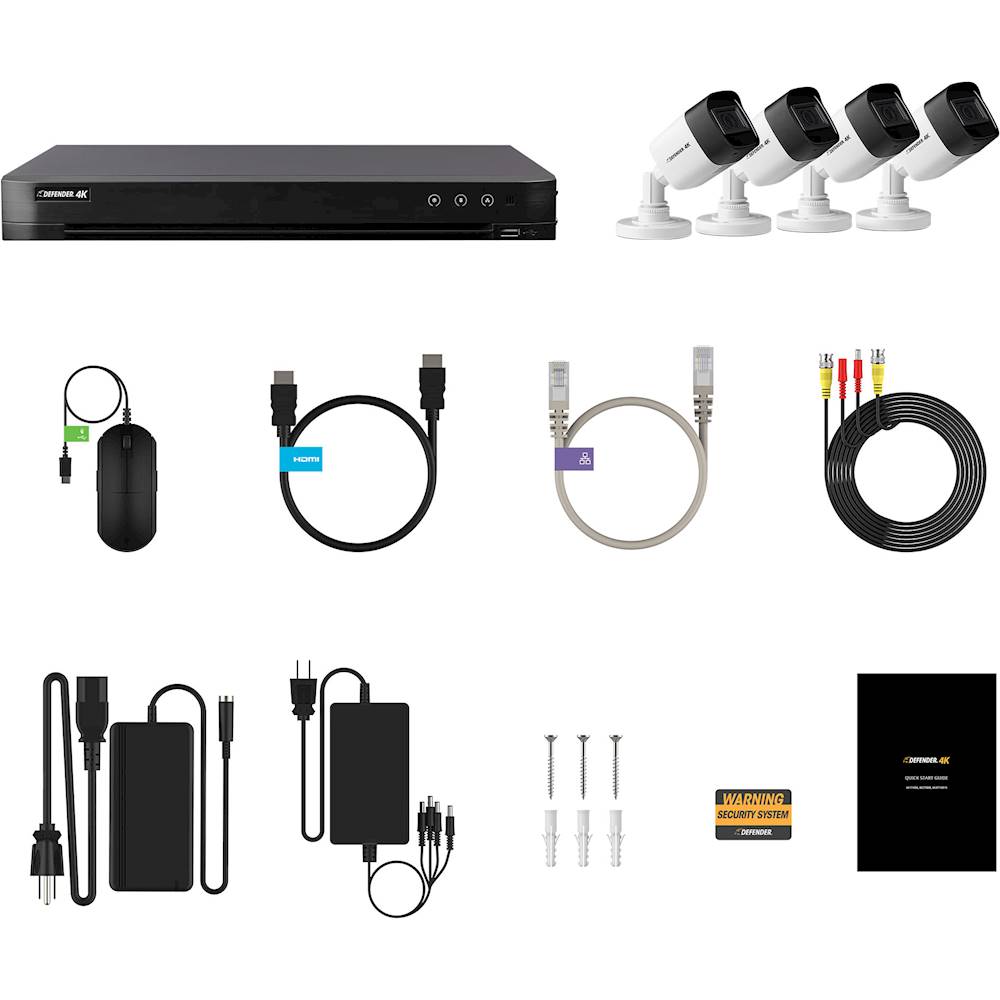
|Posted .This reviewer received promo considerations or sweepstakes entry for writing a review.Security, you wish you had it when something happened. Well the Defender 4K Security System 4 Channel indoor and outdoor 1Tb DVR Surveillance system fits the bill! I was pleasantly surprised how easy it was to setup and install the cameras and run the cords to the DVR system. Installation: Contains your DVR, the 4-4k cameras and 60-foot cables for each camera plus all your mounting hardware. Your biggest issue will be finding where you want the cameras to go and then actually running the cables as that can be a little time consuming. But I highly suggest getting a separate Monitor or small tv to hook up the DVR to so you can have a glance at it from their besides using the phone. You will need to create an admin account in the setup, can be a little off putting if you aren’t the best with computers, but was simple enough. Performance? Well this is where this unit shines! The motion detection has zones you can block out for in front of your house or office if it is facing a road. Also, you can choose what records and what doesn’t. You can even set some or all to motion activation, so it only comes on and records if movement, so you are not always recording nothing. The quality was superb loved the clarity and ability to see what was going on, the 4K really shined here. I had to keep looking at it and just be amazed how well this really was. Overall: Hardwire camera setups are a pain, but if you invest a little time into installing this setup it won’t let you down and you will be enjoying 24/7 security system with extreme clarity! Pick up this user-friendly System today!
I would recommend this to a friend Defenders
||Posted . Owned for 1 month when reviewed.This reviewer received promo considerations or sweepstakes entry for writing a review.Love this product only wish that I chose the 8 camera set instead of 4.
I would recommend this to a friendExcellent
||Posted . Owned for 3 weeks when reviewed.This reviewer received promo considerations or sweepstakes entry for writing a review.Just what we wanted Came in on time Still waiting to be put up though lol
I would recommend this to a friendSatisfied. Bought it for a friend.
||Posted . Owned for 3 weeks when reviewed.This reviewer received promo considerations or sweepstakes entry for writing a review.Protect received in good order. Thanks. Shipped it out of country.
I would recommend this to a friendEASY TO INSTALL
||Posted . Owned for 3 weeks when reviewed.This reviewer received promo considerations or sweepstakes entry for writing a review.SETTTING UP THE DRIVER IS A LITTLE HARD TO FOLLOWER THE BOOK
I would recommend this to a friendCAMERA DEAD ON ARRIVAL --- DO NOT BUY
||Posted . Owned for 1 week when reviewed.This reviewer received promo considerations or sweepstakes entry for writing a review.I bought this set of 4 cameras. The first 3 camera I Installed are working fine, but the last one will not turn on no matter what i have tried. I tried using different cable from the other camera that worked but could not get this dead camera to work. I contacted Best Buy via local store to see if they could swap out 1 of the camera for me, but NO, they want me to take down my whole set up and give them back the whole thing so they could swap out for me. They also told me to contact Best buy customer service 1-888-237-8289, but I wasted too much time contacting them just to have the save information that they could not do anything for me. I WOULD NOT RECOMMEND DEFENDER TO ANY OF MY FRIENDS AND I WOULD NEVER BUY FROM DEFENDER OR BEST BUY AGAIN!!!!! Worst customer service EVER!!!!!
No, I would not recommend this to a friend- Pros mentioned:Setup ease, Video quality
Not bad but not good
|Posted .This reviewer received promo considerations or sweepstakes entry for writing a review.First off, the set up is just plug-n-play, straight forward from the digital sense. The app is very interactive, the motion sensors from the cameras give a notification every time there is motion. Secondly, from a physical standpoint, the set up is dependant on your house and where you plan on putting them. The wires were long enough to accommodate the distance between opposite sides of my house. Outside of that, there were many obstacles that dealt with mounting the wires throughout my attic and garage. Definitely not a one-man job. Lastly, I'm overall impressed by the quality of the video and durability of the cameras themselves. The user interface could have been better. I would have liked a remote instead of a wired mouse to interact.
I would recommend this to a friend - Pros mentioned:Video quality
HD Video Surveillance and On-the-go Monitoring
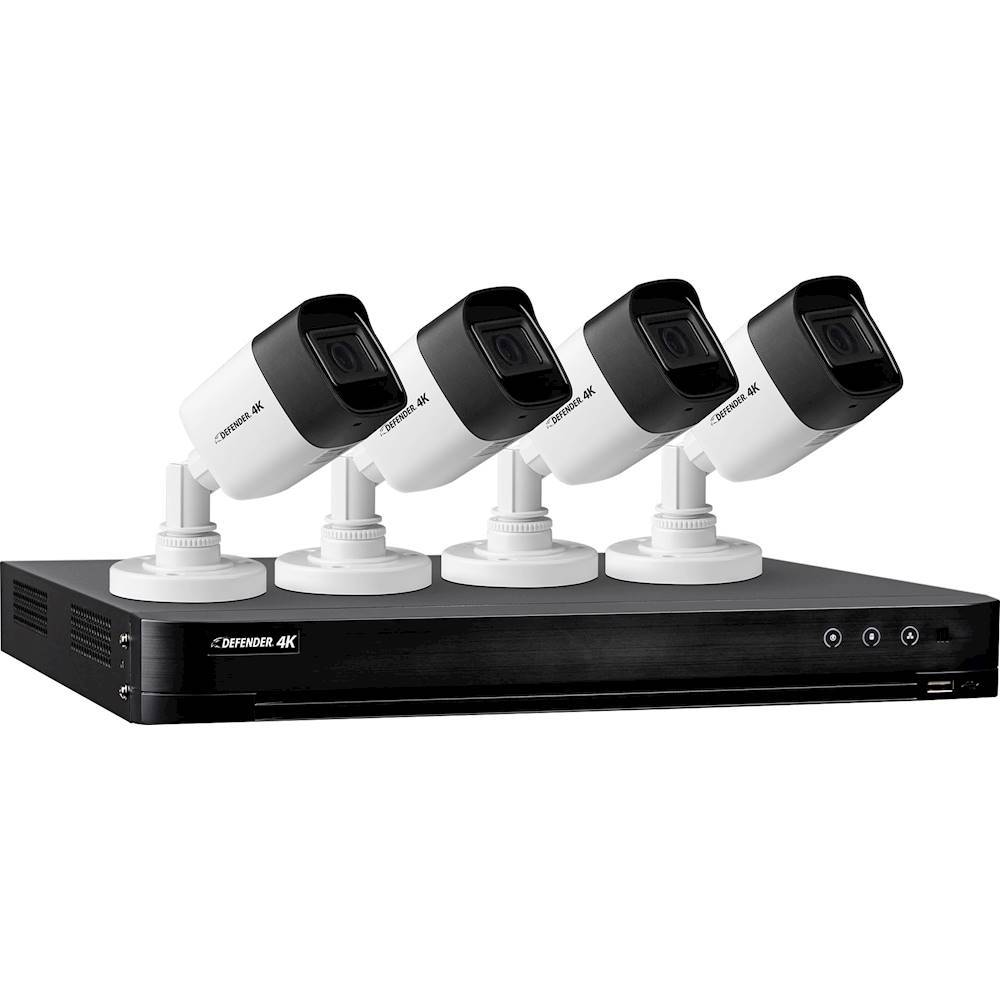
|Posted .This reviewer received promo considerations or sweepstakes entry for writing a review.The Defender - 4K Security System 4-Channel, 4-Camera Indoor/Outdoor Wired 2160p 1TB DVR Surveillance System - Black/White provide High Quality/High Definition video monitoring for security and peace of mind. The system include 4 HD cameras, 1TB DVR, and all the necessary accessories to secure your home or business. Add-on cameras expand your viewing coverage as needed. I found this system to be a bit frustrating as setup took a bit longer than the advertised 20 minutes. Due to size of my home, the wired connections were cumbersome compared to my previous wireless security camera system. Once setup, the quality and accessibility makes up for the set up frustrations. An abundance of DVR storage ensures there will never be a lost moment when you need it to secure your property. The save storage makes the stored video accessible for reporting suspicious activities or crimes to authorities. The quality of the video content seems good and clear unlike other systems. The smartphone app makes viewing and monitoring a breeze. PROS - HD video and recording - Large DVR hard drive - Weather resistant/proof cameras are usable in most places or weather CONS - The wired setup is frustrating depending on where you setup your system. I prefer the convenience and setup of wireless systems, although it is a trade off for quality verse convenience.
I would recommend this to a friend - Pros mentioned:Night vision, Video quality
great quality video, and night vision
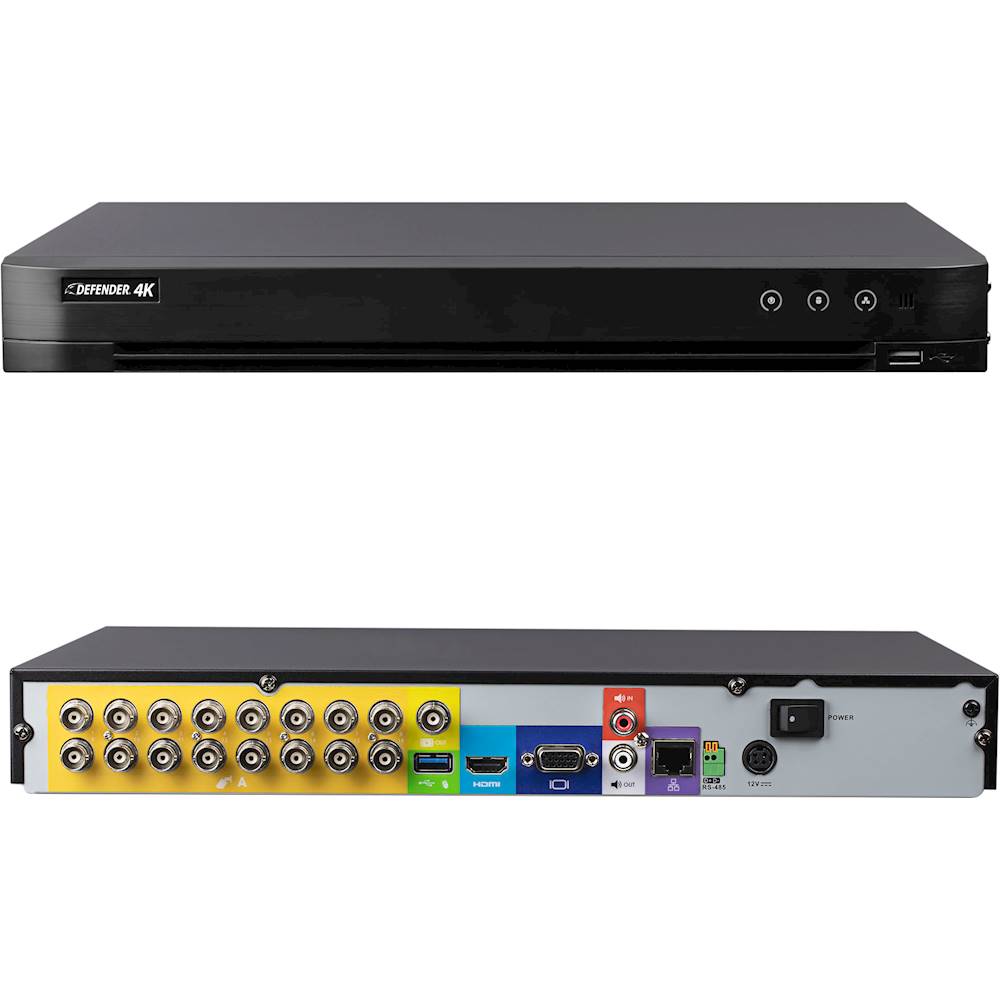
|Posted .This reviewer received promo considerations or sweepstakes entry for writing a review.The night vision is actually very good, even at long distances. It is supposed to be able to see 100ft at night, which I haven't measured the distance, but I think that's pretty accurate. So far all the video saved has been very high quality. The system does capture all the night vision in black and white, but anything with artificial or daylight is in full color. While none of these cameras have a mic for audio recording, there is an audio input for an optional mic input on the back of the DVR. For first time users, this system may seem a little too complicated, but if you follow the initial wizard, and don't change too many settings it should be pretty easy to get up and running. My biggest word of advice is to make sure you have the correct Defender app installed for your system. I accidentally downloaded the Defender HD app for android, and spent a couple days trying to troubleshoot my network, and internet, because the app recognized my system, and had it listed in the devices, but would not complete a valid connection to use the features. The app never said it was incompatible with this system, just kept giving me connection errors. So make sure you download the "Defender 24-7" app, for the 4k systems. Once I finally got my phone connected, the app worked like a breeze, it was very easy to live view any or all of my cameras, and view past recordings. The DVR itself comes with a mouse, and HDMI cable to connect to a monitor, to view the cameras, change the settings, and edit recordings. The cameras can be set to constant recording, or motion activated recording. You can even block out grids on each individual camera as an ignore zone, where it will not respond to action in those areas. When motion is detected the device will record it, and if set up, the DVR will email you , to notify you of motion in the designated areas. There are a lot of other settings and options to customize your experience. The other thing that I like is that you can set up a password for access to recordings and settings, preventing unauthorized viewings( even on the app) You can set up motion notifications to go out to more than 1 user, to alert several people of the potential threat or issue. Just as another side note, the system does not have a wifi card, so the internet needs to be hard wired to the DVR, however because I didn't want to run additional cables through my house, I grabbed an unused router, and set it to "bridge" mode, and then connect my DVR to that. It works great, even with the mobile app. Overall, I have been very impressed with video quality, and motion alerts. I love how quickly the app connects,and lets you live view your cameras ( other security systems have been known to lag, or freeze up during this action) . I also like how easy it is to share video clips from your phone, and back up all the camera videos ( in full resolution) to a usb flash drive. The only thing that could make this system better, would be to include mics on the cameras.
I would recommend this to a friend - Pros mentioned:Video qualityCons mentioned:Cable length
Better Than Average Home Security Camera System
|Posted .This reviewer received promo considerations or sweepstakes entry for writing a review.This four camera system is a step above the average home security monitoting system. The video quality, while black and white, is what really sets this apart from most of the competition at this price point. Video is extremely clear which means, in a worst case scenario, that you'll be able to provide authorities the kind of video and images that will help catch the culprits. Or, conversely, you want to clearly see what is going on around your house then this system will be a great asset. The cameras themselves are well made an in weather proof housings. The built in IR has better than decent range at night. The control unit has more than enough built in storage for hours of video. The companion smartphone app is a nice add on allowing you to "check in" on your home while away. My only complaint, and granted it's minor considering the price point, is the lengths of included cabling which could be better. Odds are if you have a larger home you'll be looking to obtain some longer lines. Overall, considering the quality of the video and fairly large built in storage for said video, this is an excellent home monitoring camera system.
I would recommend this to a friend - Pros mentioned:Video qualityCons mentioned:Cable length
Video quality excellent but setup is lacking...
|Posted .This reviewer received promo considerations or sweepstakes entry for writing a review.The Good - First let me say, the video quality is great. No issues with that at all. It seems pretty consistent and doesn't seem to lag. The set up instructions are good and all of the components seem to be good quality. The Bad - My house is 2K square feet and I had to place the camera's very strategically because each camera only comes with 60' of cable so running into the attic and down or into the basement and back up was an issue. You also have to plug the DVR base into a router which is pretty common but still you have to plan for it. Extra wire isn't too expensive but it's an added cost. Overall good quality system!
I would recommend this to a friend - Pros mentioned:Night vision, Video quality
Upgrade from wireless IP Camera Systems
|Posted .This reviewer received promo considerations or sweepstakes entry for writing a review.I have used wireless security cameras for years and there are many advantages to having them. Easy access via an app, no need to drill holes (except maybe to mount the cameras where you need) and flexibility to add more cameras if you want. The disadvantages to wireless cameras are they are battery operated (although you can hard wire power on some models) but that defeats the purpose of ease of install etc and because they are battery operated you need to change the batteries periodically and you can’t have the cameras constantly on and there is the added expense of batteries every few months. I got used to the convenience of having cameras around my house etc but found the limitations of not being able to monitor at all times with the wireless cams more and more of a disadvantage...until the Defender 4K system. If you are handy you will be able to install this system yourself but its much more complicated than wireless systems as you will need to run wires to each camera from the central location you have located the included DVR. So you will have to plan the wiring routes etc but the additional work is definitely worth it. Once you have mounted and wired the four cameras you will need to set the system up which is fairly easy to do, there are support videos you can find online to help you with install, setup etc if you need. The 1TB HD in the DVR is more than enough to keep what you record. All I can say is what a difference when compared to my wireless cameras. Video quality is worlds better on the Defender 4K, details can be made out on your recordings that 1080p or 720p aren’t capable of. Night vision works great and there are many customizable options on the user friendly App. If you are looking for a wired system or an upgrade from your wireless system, you can’t go wrong with the Defender 4K System.
I would recommend this to a friend Okay for the $
||Posted . Owned for 1 month when reviewed.This reviewer received promo considerations or sweepstakes entry for writing a review.was under the impression I could add a couple more cameras. Its only 4 camera system and not extendable to more
No, I would not recommend this to a friend- Pros mentioned:Setup ease, Video quality
So easy to set up
|Posted .This reviewer received promo considerations or sweepstakes entry for writing a review.What a great security camera system. When I opened the box, everything was organized so neatly, but it was a little intimidating as I looked at the directions and all the wires. I thought it was going to be super difficult to get up and running. Boy, was I mistaken. As soon as I grabbed my extra computer screen, sat down and got started. I realized how easy this camera system was to set up. It didn't take me more than 15minutes to get it up and running. This is not including the time it took to wire it around the house. That can obviously take a little more time to set-up, but to get the actual system up and running was a cinch. I really like how they send you 4 spools of 60ft extension cables to place your cameras all around your house to get footage of different angles around your home. I want to say that all the cables were fairly long except the HDMI and ethernet, but since the DVR has to be near the modem/router, that wasn't a huge deal. The picture quality is very clear and one camera covers a pretty big area of where ever it is pointed at. The size of the camera is fairly decent and not very big, so that's always a plus. You don't want some huge camera notifying everyone that you have a camera (or maybe you do?) 1 TB of memory is a whole lot. That means you don't need any sort of paid subscription so that saves a lot of money. You can also download the app on your phone to view footage. The only small detail that I didn't like was adjusting the camera head. That little screw is really hard to tighten after adjusting the angle. That really is the smallest complaint I have, but its not a huge deal. I'm sure they do that so that when it is tightened...Its securely tight.
I would recommend this to a friend Not easy to setup but really good once it is done!
|Posted .This reviewer received promo considerations or sweepstakes entry for writing a review.I have so many cameras already but most are wireless and none are part of a comprehensive security system. So it was time to finally get a security system and not just have individual cameras. The Defender 4K security system is an old school throwback to when everything was wired and everything went to a central hub. Knowing this going in makes a huge difference in regards to whether or not you will find the system to be what you want. But even if it is not what you want per se it is likely what you need. Because once it's all said and done, at the end of the day, it's a really good security system. Wired is definitely not very much fun to setup but once it is actually set up it is going to always be superior to wireless. Setting up the system took me about half a day, the majority of that consisted of running the lengthy cables. The cables provided are fairly long but depending upon where you are planning to mount you may need to get some longer cable runs and thankfully the manufacturer makes that easy because one of the first things you unpack is how to do that. Getting the box up and running takes a while but is not very difficult, so long as you don't get too curious and start changing options that you don't know what they do (my advice, do not do this heh). You are going to need to be fairly computer savvy and I'd highly advise setting up a static IP in your router when you get this up and running. And if you don't know how to do that then it's likely you should probably not consider yourself "computer savvy". Once everything is up and running the cameras are very clear and record everything. You have a 1Tb drive to record everything and for most people this is going to be enough but it appears that it would not be that difficult to replace the drive with another regular sized hard drive, of which in this day and age can be had for fairly cheap since SSDs are now becoming the standard. A grade blue Western Digital is custom made for these security systems and would be a drive I'd highly recommend. Now in my case I connected the box to a 65" 4K tv so that means the video really shines and I'd recommend you do the same, if you can. If not a standard monitor would work as well but the 4K monitors can be quite expensive today so I figure many people will likely be connecting this to their television screen so a quick flip of the HDMI input can allow you to see all the cameras protecting your home. All in all this system is not easy to setup. Know that going in and you'll probably be much happier. In many cases I'd recommend you hire a professional if you can to install everything, especially would recommend that if you are not computer savvy. Once it's setup it's a beauty to behold and I'd highly recommend this system. It is not going to replace all my wireless cameras that I have, I still use those, but it's a wonderful core addition to all of them. The fact that I can flip over while watching my big screen tv and see what is going on is the biggest asset. HIGHLY RECOMMEND!
I would recommend this to a friend- Pros mentioned:Setup ease
4K Security with many options.
|Posted .This reviewer received promo considerations or sweepstakes entry for writing a review.I wanted this system for our cabin as I knew the wired setup would cover all the ground I needed and it would be more reliable than a wireless system. The Defender 4K did not disappoint. The physical setup is very easy. It comes with all of the cables you need and they are color coded. The Ethernet cable that it comes with is only about 5ft long, but luckily I have an old wireless bridge that worked just fine connecting the system to the internet. The cameras come with the screws and anchors along with a template to drill your holes. With any electronics you obviously want a surge protector, but in this setup I needed it for the extra plugins. The cameras have a power adapter, the control box, your monitor and in my case the wireless bridge made 4 plug ins needed. Once you turn the system on you instantly have your 4 video feeds up on your monitor and then here comes the setup part that is a little more challenging. There are many options for various settings and it just takes a little time to get acclimated to them all between schedules, camera settings, motion settings, recording options, etc. Personally I turned on the motion only recording and set up the motion grids on each camera. The grids were beneficial for me as one outdoor camera had a large tree whose branches would set off the motion. I cropped the branches out of the motion grid and solved that problem. Next I set up the app. After creating the log in it was easy to connect using the QR code in setup. The app and the streaming are all free! The one real challenge I had was turning on the push notifications. I set it up on the app and nothing happened. After searching the directions, without luck, I stumbled across a setting in each camera in the local interface (not settings of the app). Under Linkage Action, I turned on Notify Surveillance Center. That was the magic bullet as instantly my phone started receiving the alerts. I stumbled across this area of settings as I set up the Send Email option. This option also works great as I used my gmail account with the gmail smtp settings. The HD video detail is great for zooming in on the video feed as well. I was showing a co-worker the live video on the app and once we zoomed in, we realized we could see a neighbor, who was in the background, working away in his yard. This will also come in handy if we have an unexpected visitor and need to grab the license plate. While viewing on the app it does allow you to view in standard to reducing loading, but also gives you the HD option. Overall I’m giving this 5 stars for the quality of the video, free remote access and endless features. My one stumbling block was getting the push notifications to work, but once I did, the system was complete and you won't have that issue after reading this review.
I would recommend this to a friend - Pros mentioned:Video quality
Pretty easy setup
|Posted .This reviewer received promo considerations or sweepstakes entry for writing a review.Other than needing a USB flash drive to setup the dvr, everything else I needed came in the box. I was surprised to see even the USB mouse was included. There are a ton of wires to arrange and hook up as this isn't a wireless setup but once you get past that it goes quick. The dvr setup wizard was fast and walked me through everything quickly and easily. The cameras are a good quality and clearer than I expected. My biggest test will be whether or not these survive the Wisconsin winter temperatures. I'm impressed with everything included for the price on this set of wired cameras. My only complaint is the iOS app seems a little basic and I am looking forward to any updates to the functionality. I think this would be a good basic option for someone who doesn't need a ton of cameras and for basic home protection/viewing. I would definitely recommend this option to a friend.
I would recommend this to a friend Revved but instal do to cov19 was cancelled
||Posted . Owned for 3 weeks when reviewed.This reviewer received promo considerations or sweepstakes entry for writing a review.Not happy victim of burglary went bought home security system had an appt for install and it was canceled
No, I would not recommend this to a friend