Customer Ratings & Reviews
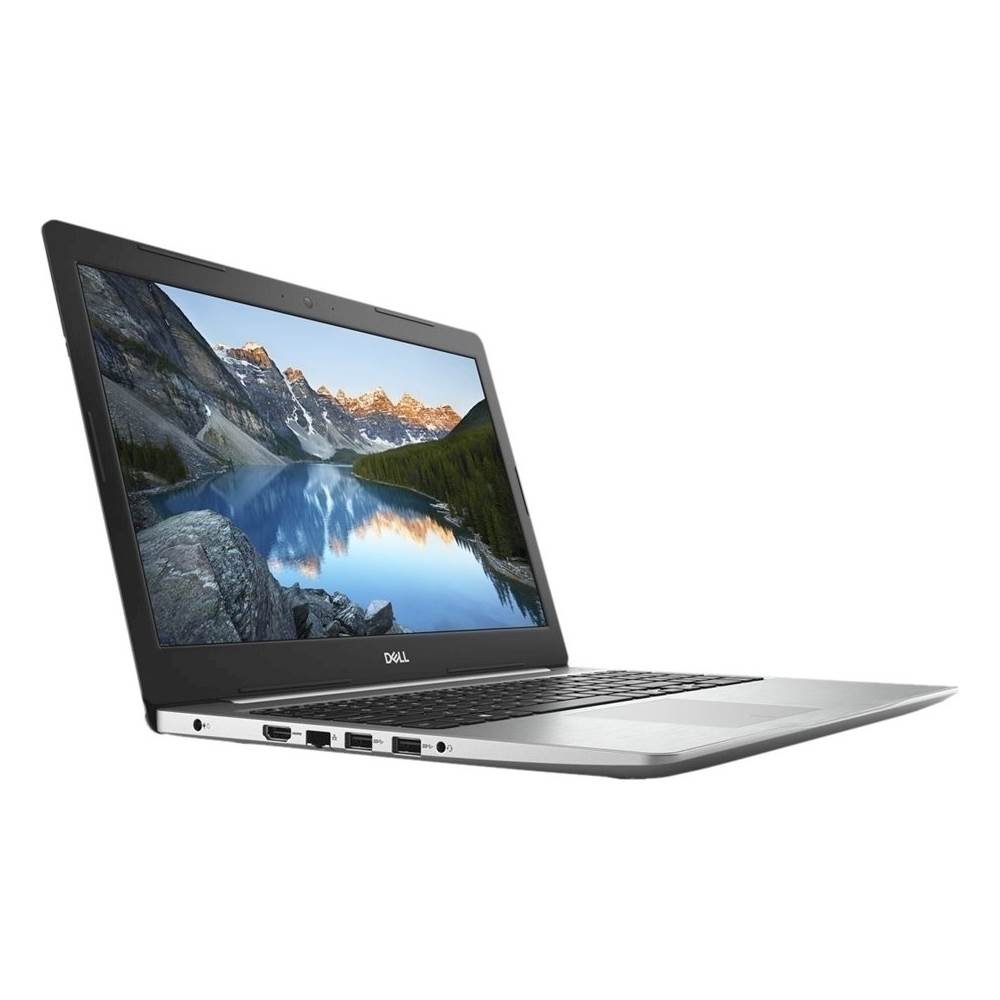
- Model:
- I55705606SLV
- SKU:
- 6258081
to a friend
Customers are saying
Customers regard the Inspiron 15.6" Laptop as a visually appealing product.
This summary was generated by AI based on customer reviews.
- Pros mentioned:Camera, Dvd drive
Does Everything Needed
||Posted .This reviewer received promo considerations or sweepstakes entry for writing a review.This computer was a gift for my sister that has a small business. The combination of features - camera, DVD drive, memory, etc. were exactly what she required. Best Buy shipped on time and we received the computer early. SO far my sister is very happy with the performance and speed.
I would recommend this to a friend - Pros mentioned:Durable, Good looks
Better then my gaming laptop
||Posted . Owned for 1.5 years when reviewed.This reviewer received promo considerations or sweepstakes entry for writing a review.This laptop has been an overall workhorse. Never had any issues with it and my wife is rather rough on her laptops which is why I usually give her my old ones but this was the first new one I had gotten her in a few years and this woks better then my more expensive one.
I would recommend this to a friend - Pros mentioned:Good looks, Lighted keyboard
Great service and laptoo
||Posted .This reviewer received promo considerations or sweepstakes entry for writing a review.It has everything I need at a very acceptable price. Looks good, work is good and has given me no issues. Love the lighted keyboard and the ease of use that Dell gives you
I would recommend this to a friend Very Happy With Laptop
||Posted .This reviewer received promo considerations or sweepstakes entry for writing a review.This laptop is very quiet and starts up quickly. More storage space than the average person will ever use and fast enough to handle the everyday needs of most offices.
I would recommend this to a friend- Pros mentioned:Lighted keyboard
Fancy Looking Laptop
||Posted .This reviewer received promo considerations or sweepstakes entry for writing a review.SO far so good no complaints as of yet. The keys are backlit which is why I choose this one over the model that was $60 cheaper. Overall for 670 I cant complain. Thanks Best Buy!
I would recommend this to a friend - Cons mentioned:Price
Nice laptop
||Posted . Owned for 1.5 years when reviewed.This reviewer received promo considerations or sweepstakes entry for writing a review.Build quality ok but needs improvement Not worth the price
I would recommend this to a friend - Pros mentioned:Good looks
Great Product
||Posted .This reviewer received promo considerations or sweepstakes entry for writing a review.I would for sure recommend this product, it works great!!!
I would recommend this to a friend Learning curve definitely there but getting better
||Posted .This reviewer received promo considerations or sweepstakes entry for writing a review.Purchase was smooth. Delivery was faster than expected.
I would recommend this to a friendDell - Inspiron 15.6" Laptop - Intel Core i5 - 8GB
||Posted .This reviewer received promo considerations or sweepstakes entry for writing a review.So far this has been a great choice. Would recommend.
I would recommend this to a friend- Cons mentioned:Glitch, Shock, Start-up
Too many glitches
Posted .This reviewer received promo considerations or sweepstakes entry for writing a review.I purchased this laptop almost 2 years ago. It's been the poorest functioning laptop I have owned. Its difficult to start-up, it glitches frequently and it shocks me when I move it. I have had much cheaper laptops preform better.
No, I would not recommend this to a friendBrand response from YourDellTeam
Posted .Hi TSP1234,
Thanks for your review. If you'd like your computer to start up better for you we'd recommend limiting the number of programs that launch at startup:
1. Close all open windows.
2. Press CTRL + Shift + ESC key together on the keyboard.
3. In the Task Manager window, click Startup tab.
4. Select the program or application that you want to disable from loading during startup.
5. Right-click and select Disable.
6. Repeat Step 4 & 5 for all the programs or applications that you want to disable from loading during startup.
7. Restart your PC.
You can read the full article here - http://dell.to/2tSulGV.
Best,
Bryan
1-800-624-9896
- Cons mentioned:Fan
Died at 13 months - 12 month warranty
Posted .This reviewer received promo considerations or sweepstakes entry for writing a review.My Dell Inspiron dies after 8 months. Dell replaced the fan and power cord. It dies again at 13 months...no more warranty. The laptop froze all the time whenever it got hot and the fan turned on. Eventually it got stuck in a loop of fan on - reboot - fan on - reboot. #neverbuydell
No, I would not recommend this to a friendBrand response from YourDellTeam
Posted .DGE123,
Thanks for your review. We're sorry to hear about the trouble that you've had with your Dell computer. If your laptop continues to freeze we'd recommend the following:
1. Run a Computer Diagnostic. To determine if your computer is experiencing a hardware problem, run the Dell Preboot System Assessment (PSA) Diagnostics. For information on how to run Diagnostics, and to determine the issue, refer to Dell Knowledge Base Article: http://dell.to/2iaiujA.
2. Check Safe Mode for Symptoms. To boot into safe mode, please follow the instructions below:
a) Start the computer.
b) Tap 'F8' on the keyboard immediately and every one second until the Dell logo screen disappears. From there you will see the Windows Advanced Options Menu on the screen. (If the Windows Advanced Options Menu does not appear, restart the system and try again.)
c) Select Safe mode with Networking and press Enter.
d) Log on as the administrator or as a user with administrative access.
e) Open applications and test the computer in safe mode. If the symptoms exist in safe mode, please continue the troubleshooting steps in this article. If the symptoms do not exist in safe mode, the issue is likely related to a driver or software and you may wish to complete step 3 to see if you are able to resolve the lockups or freezing.
3. Check for Malware. Malware (Virus, Spyware, etc.) can definitely cause a Windows system to lock up or appear to hang. To check for malware on your system and to ensure that your computer is up to date on security software, visit Dell Knowledge Base Article: http://dell.to/2wWP1zI.
You can read the full article here - http://dell.to/2tW5m33.
If your computer continues to overheat for you we'd recommend the following tips:
Tips for Proper Usage:
1. Dell does not recommend placing portable systems directly on your lap. Due to reductions in the thickness of modern portable systems, heat transfer can be an issue.
2. Using a portable system (Laptop) on a hard, flat, non-cloth surface will increase airflow and reduce heat from underneath and inside the system.
Using the portable system on a blanket, pillow, or other types of cloth will cover up the fan cause the computer to overheat and can cause permanent damage.
3. It is recommended to use the portable system in a Room temperature of 0°C to 35°C (32°F to 95°F) with a Humidity level no greater than 90%.
4. Use compressed air to clean the vents on a regular basis.
5. Using a cooling pad can decrease heat and increase performance.
6. If you want to know the temperature limitations for your system, go to the Dell Support Website, look up your system model then open the user guide under the manuals link.
You can read the full article here - http://dell.to/2uJ8AdG.
Lastly, if your computer's fan is too loud, here is what you can try:
Update the BIOS:
An out-of-date BIOS can cause loud fan noises by having an outdated temperature table for the system. Refer to update BIOS and follow the instructions to update the BIOS on your computer. You can also follow up with our Technical Support Team here - 1-800-624-9896.
You can read the full article here - http://dell.to/2ENlXfz.
We hope that these tips help your computer perform better for you.
Best,
Bryan
1-800-624-9896