Customer Ratings & Reviews

- Model:
- CP.MA.00000554.01
- SKU:
- 6522605
Rating by feature
- Battery Life
Rating 4.8 out of 5 stars
- Range
Rating 4.8 out of 5 stars
- Camera Quality
Rating 4.9 out of 5 stars
Customers are saying
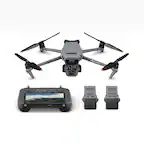
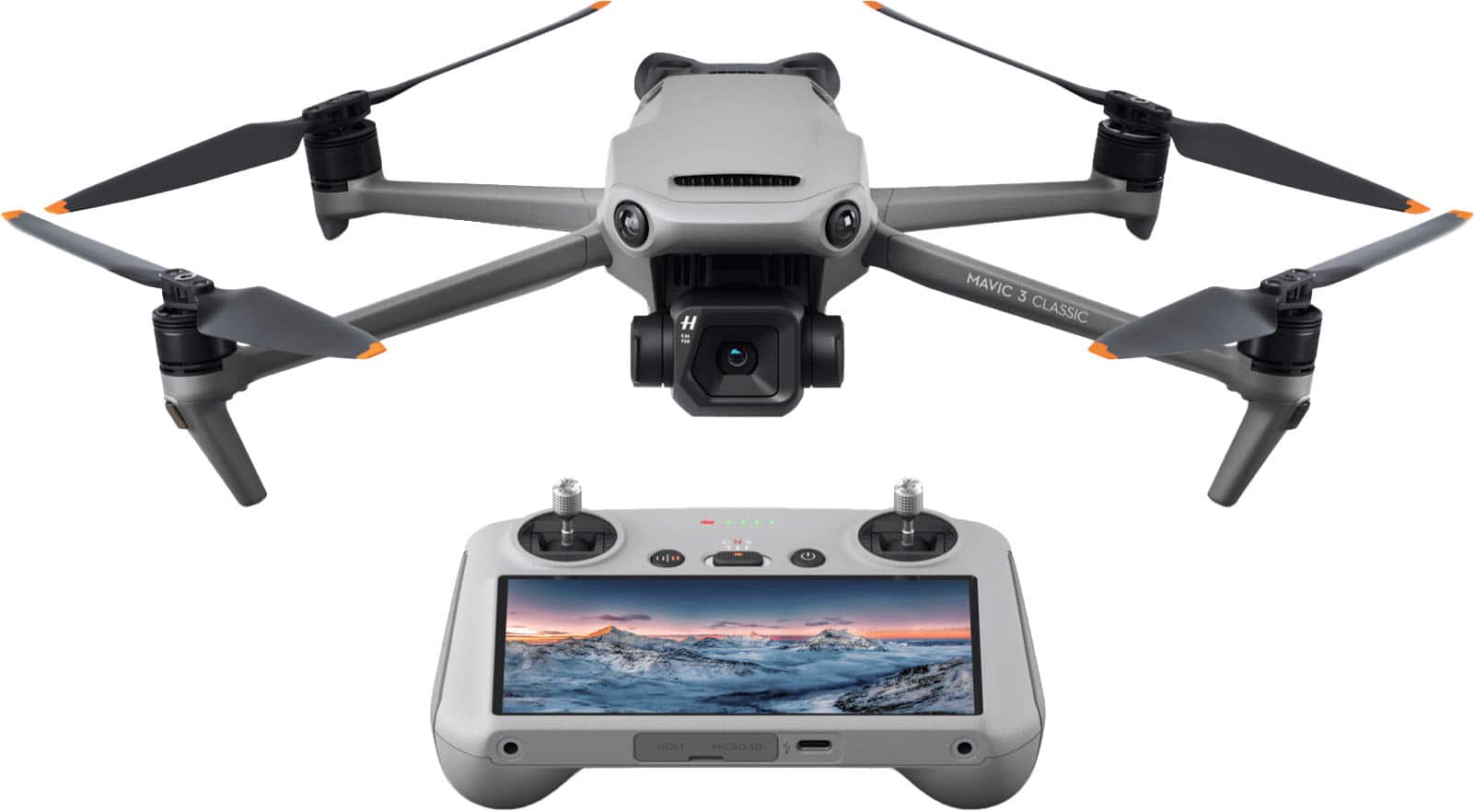
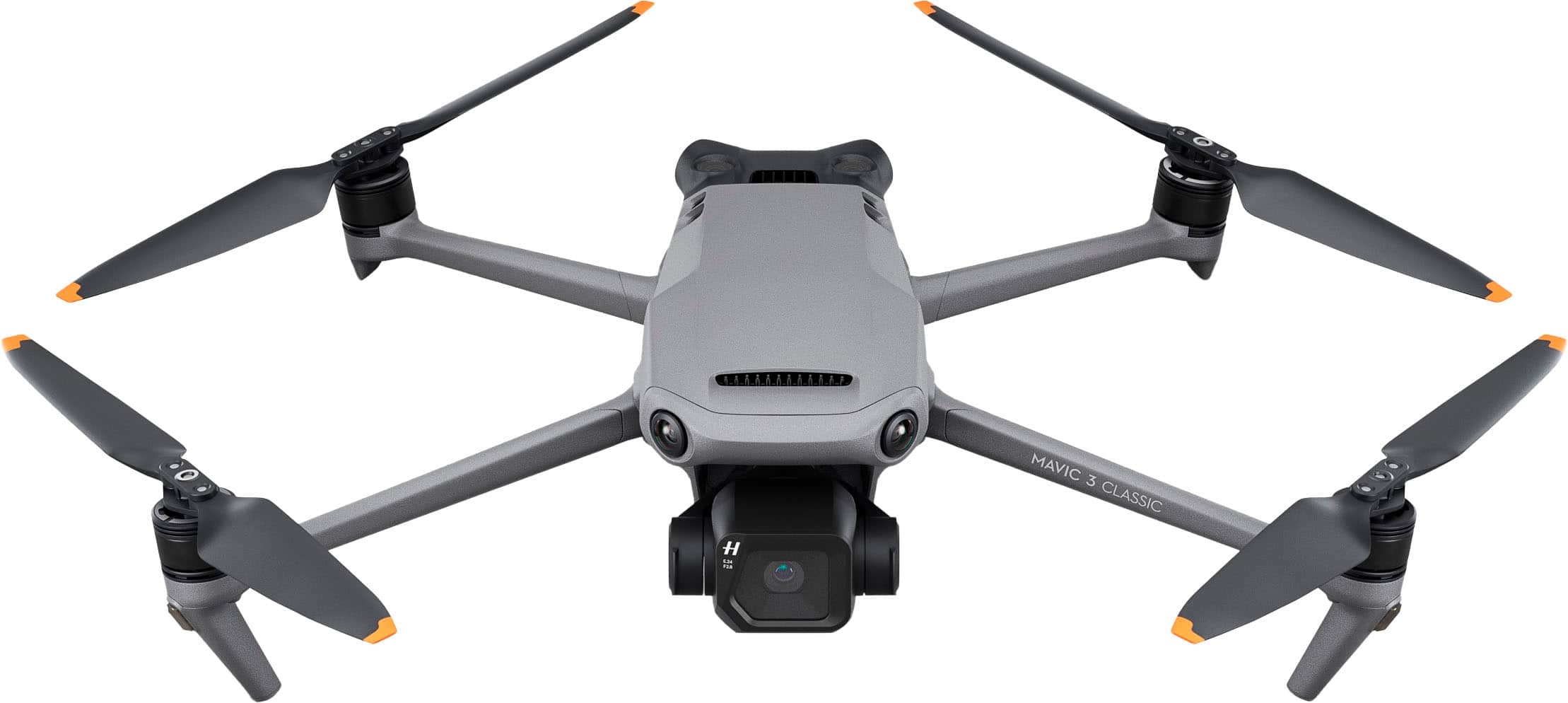
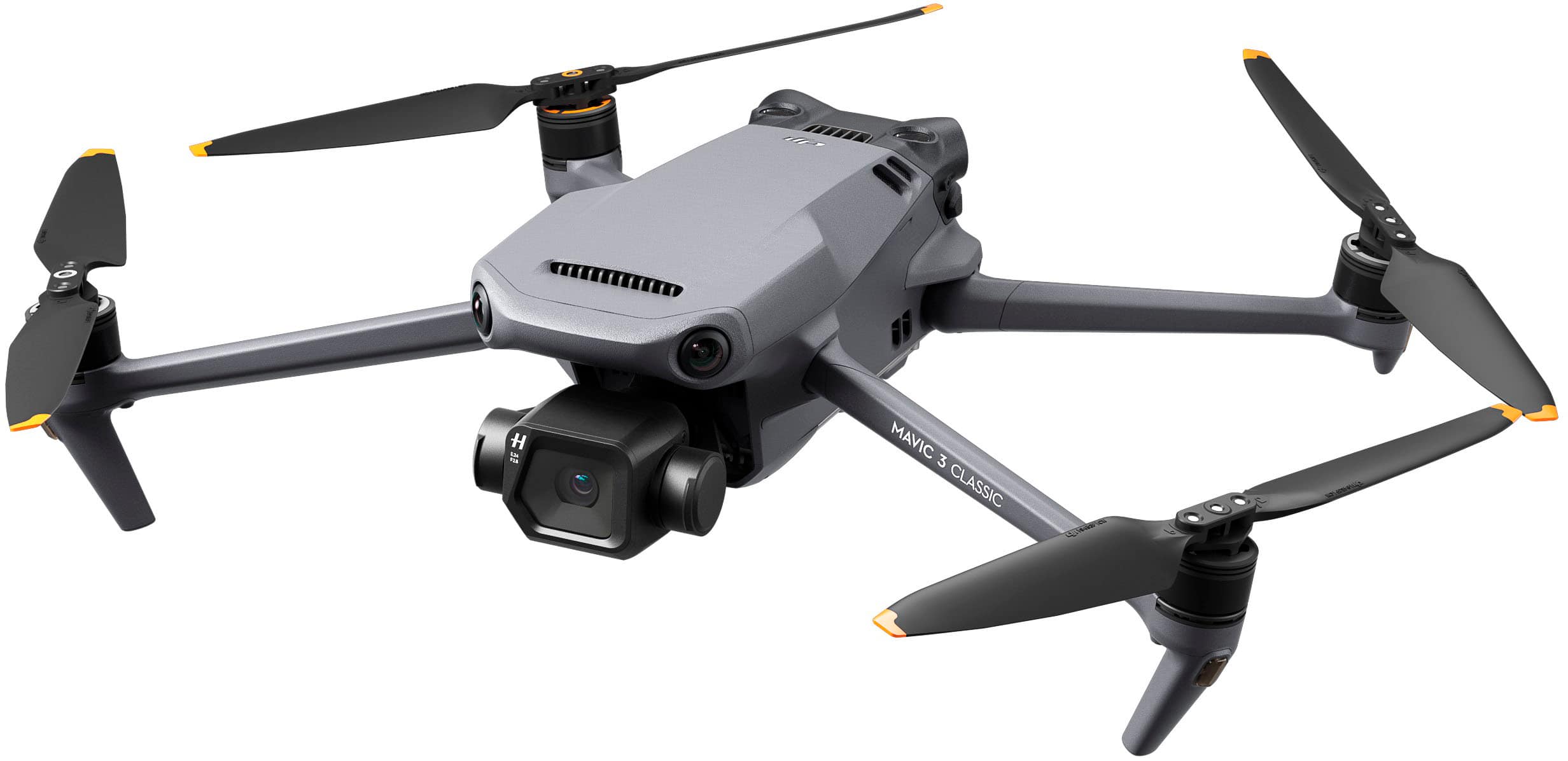
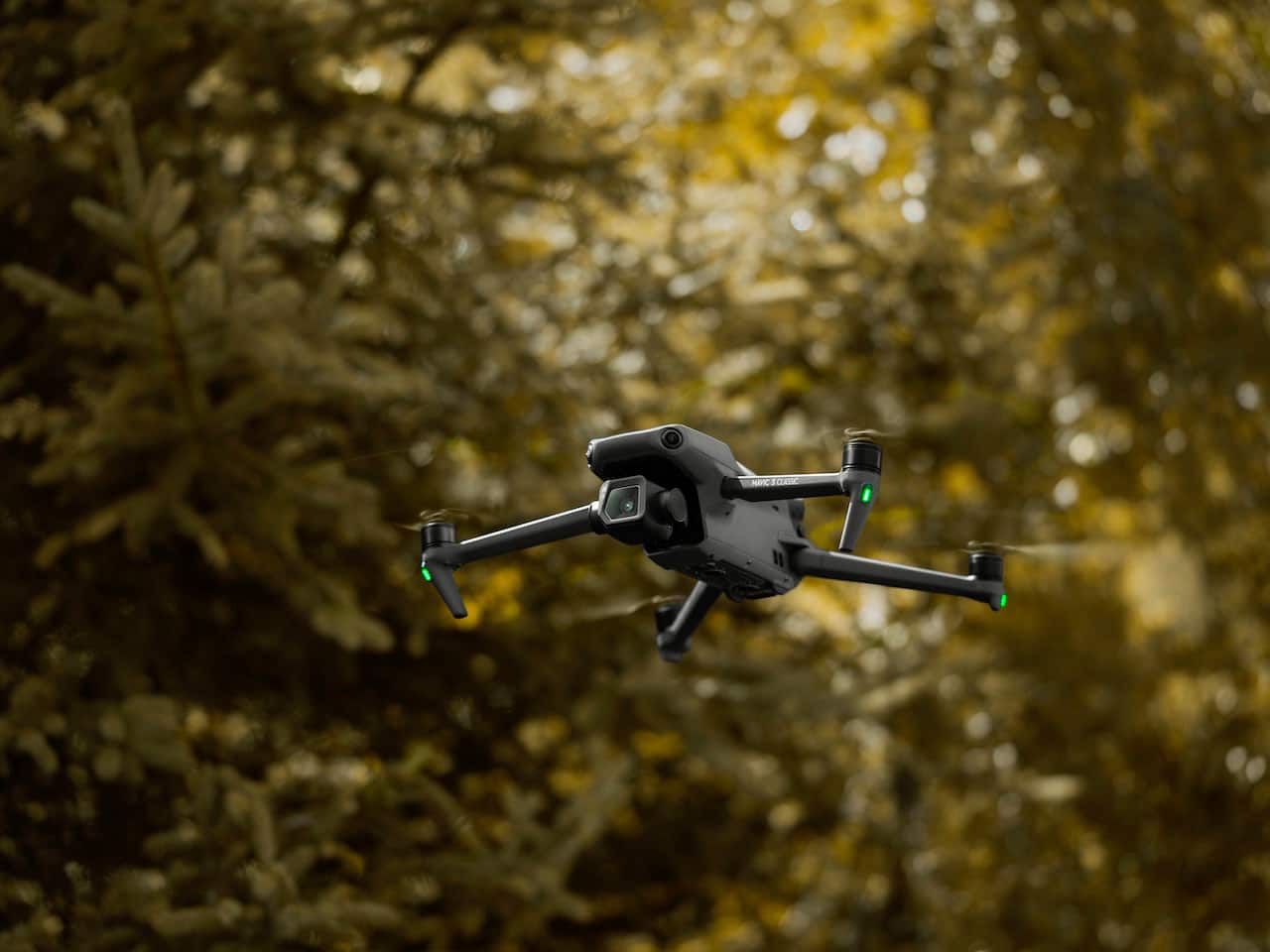
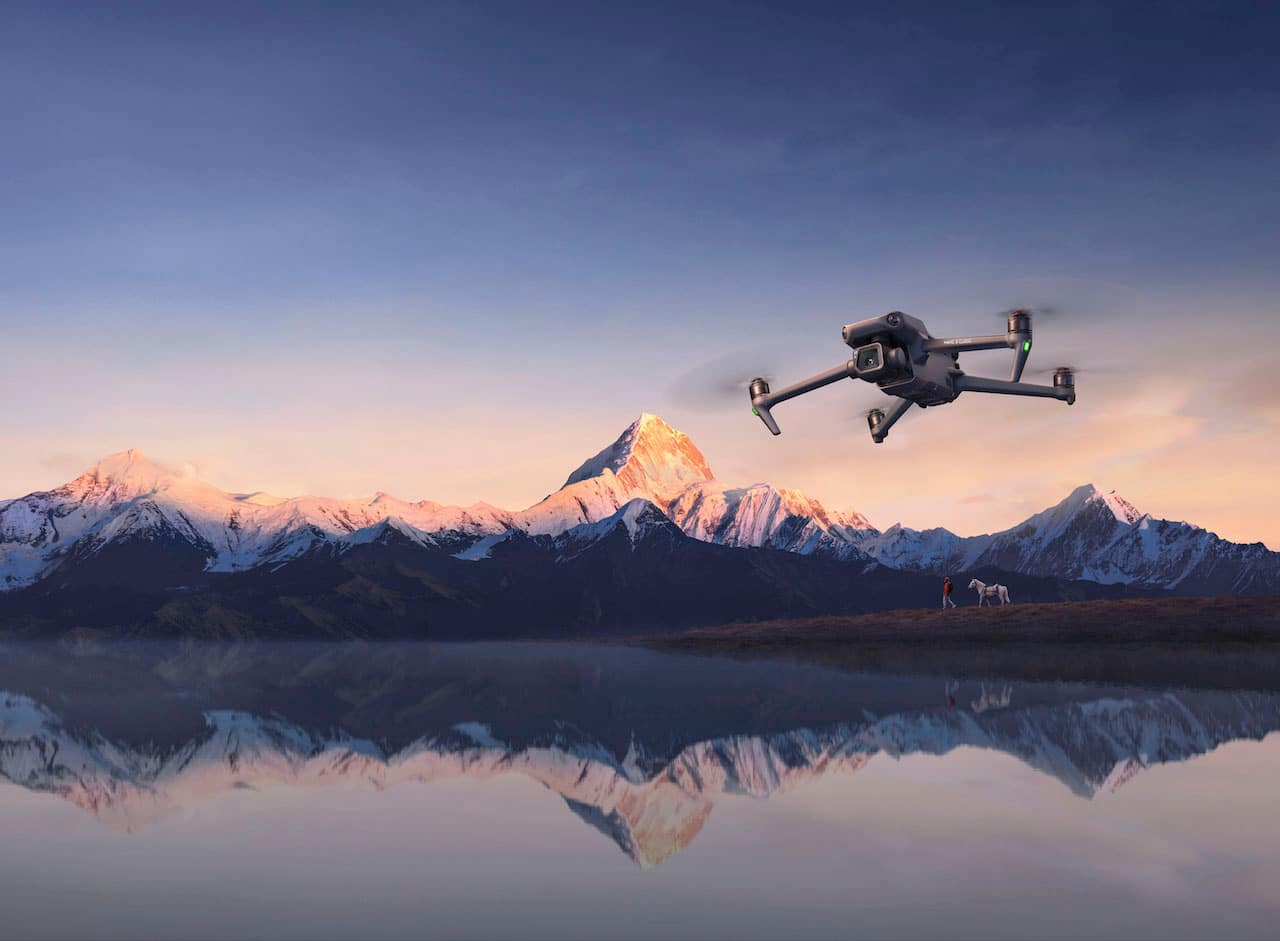
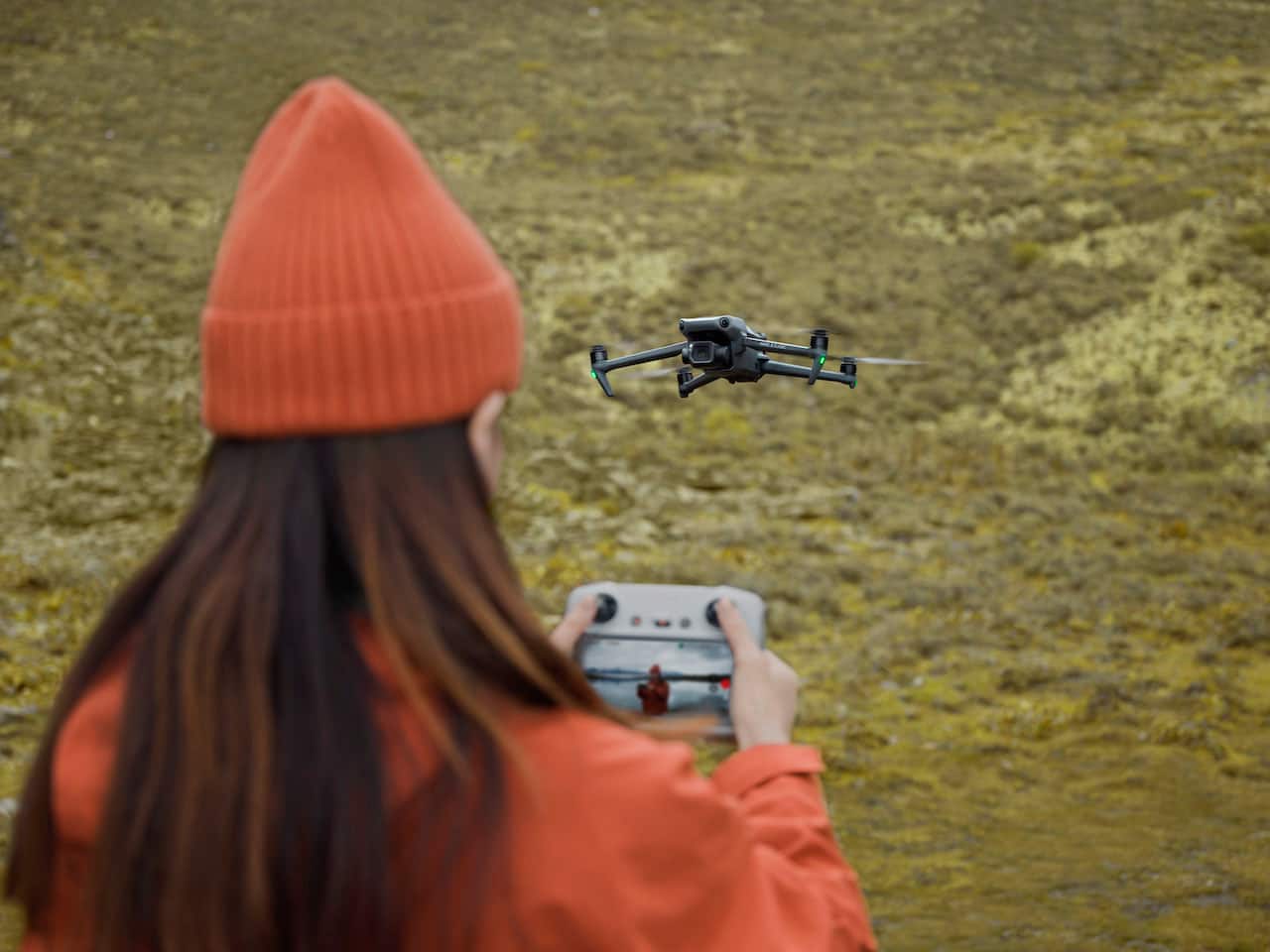
Customers consistently note the Mavic 3 Classic Drone's solid camera quality and overall fantastic performance. Many appreciate the impressive battery life and ease of use. Flight time and obstacle avoidance are also frequently praised, along with better-than-expected wind resistance.
This summary was generated by AI based on customer reviews.
- Pros mentioned:Battery life, Camera quality

Mavic 3 Classic set the standard
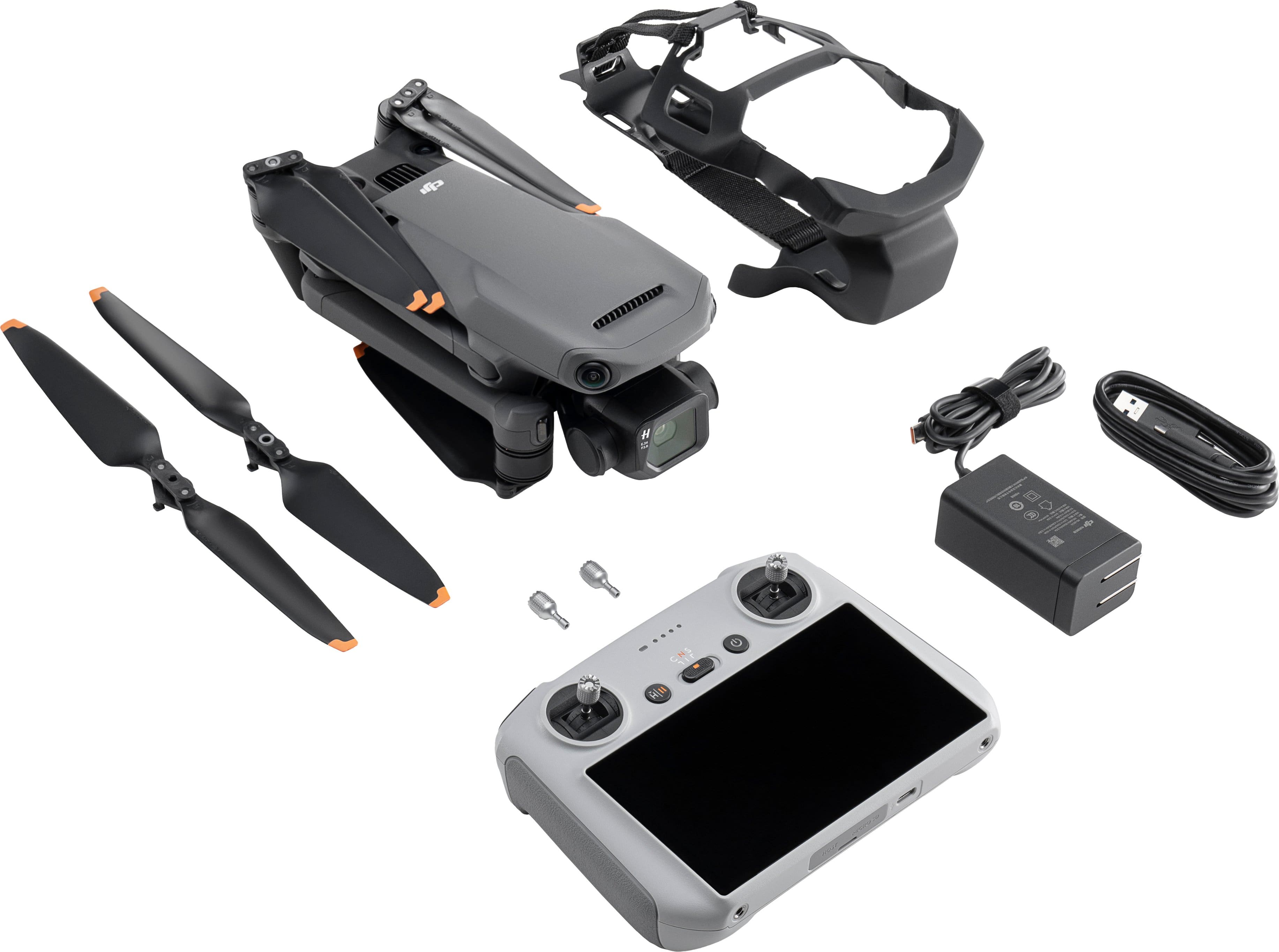
|Posted .This reviewer received promo considerations or sweepstakes entry for writing a review.I was totally blown away, the DJI brand is a the standard for drones!! Everything you need is included in the DJI Mavic 3 classic drone. The awesome drone, the remote with built in 1080 p control screen, battery, charger and an extra set of sticks and propellers. I wont bore you with the Mavic specifics because if you are reading these reviews you have most likely already read them. I’m not much for instructions but with the multitude of options for this drone, you need to hit up the website and download the instructions, or you could be missing out on options you didn’t even know the drone offered. I charged my unit up along with the RC, then powered up both for my initial flight. BUT first you have to log in to your account and register the drone to it. Before firing anything up do yourself a favor and create an account so you can log in on the fly. After logging in and mating with your drone the RC needed to download a firmware update and install it. With both the Drone and RC unit on. It took about 20 minutes to finish, I was then ready for my first flight, or so I thought. I had a red X message on my RC that said the internal temp of the Drone had exceeded optimal temp and need turn off and cooled down. The Drone has internal fans as I heard them running at full blast, the drone is also air cooled. So, sitting still and updating the firm ware heated it up. In your planning, update firmware before going out to try it first and allow for cool down time. While it was cooling down, I went back in and rewatched the video section again on the website. They are great. They even have classes/lessons for you (some are not yet transcribed from Chinese) The drone is perfect for beginners to advanced, especially with the built-in radar so you won’t run into things. (Great piece of mind) this isn’t fool proof though. A great selling point for those that like photography is the Hasselblad!! One of the best lenses manufactures and to marry it with this drone makes choosing this unit a no brainer. My first flight, I was a little nervous as I’m sure every one is, but there was a head wind of about 5-8 mph with gusts of 10-12.. I was in a very open area. Once the propellers turned, I went up about 25 feet and got the feel of the sticks, (you have 3 mode options for flight control movements and need to set this to your liking) I left mine on default as this to me felt more comfortable. With the wind gusting, I could see the drone making minute adjustments to stay in place. I snapped a few pics just to see if the focus was locked on or it would be blurry due to the windy conditions moving the drone. My pictures were spot on and very colorful with the changing color of the leaves. The drone can be fitted with ND filters which would have brought out more but stock is fine. You can also do some adjustment in post processing should you want to go in to it like a pro. I then went up another 25 feet above the trees and circled my property, the drone held firm against the wind. Connection was strong so I wasn’t worried about having to manually fly it back if it lost the GPS signal. I tried the video (purchased two 128 gig v30 cards. One for drone and the other for the RC) the video was smooth and resolution was great. The gimble worked like a charm. Lesser drones without the Glass and gimbal of the Mavic wouldn’t have stood a chance in the windy conditions. I then tried the ActiveTrack feature, while in flight I selected my energetic dog as he ran around our fence perimeter. It performed great and kept him in the picture the whole time he ran back and forth. I was at about 25ft. I then tried Point of interest feature at 50 ft of my house. It was almost as if I was viewing something from HGTV. I was blown away at the footage. My flight time was about 20 minutes and I still had plenty more battery but you never want to push it. I would recommend getting another battery and maybe a stand by SD card just in case. Just wish the batteries weren’t so pricey. I will try more features as weather allows (Midwest). The RC is a game changer, much better than the phone version and worth the extra amount. The screen is bright and crisp. It is the heart beat of the drone. Here is where you can set everything to your liking, from modes the resolution this is where its done. The on screen and in-flight info is great to have to keep you informed on all aspects. The connection between drone and the RC is solid. Any adjustments during flight are almost instantaneous. The response from drone to RC is fast. Transferring photos and videos and be directly from the drone or wirelessly, the manufacture says at a 80m/s but I haven’t seen that speed as of yet. our you can just use a card reader. In closing as others have said, you need to register the drone at the FCC and take the online course to get a certificate. (Keep with drone) also some states have additional laws that can be found doing a simple search for your state or area. I would also recommend some type of case to protect your costly investment. Don’t cheap out and get a back pack type. I would go with a pelican type crush/waterproof case with foam inserts fit to your drone and RC. I would recommend this to all drone hobbyist’s
I would recommend this to a friend - Pros mentioned:Battery life
This is the best drone I have ever owned!
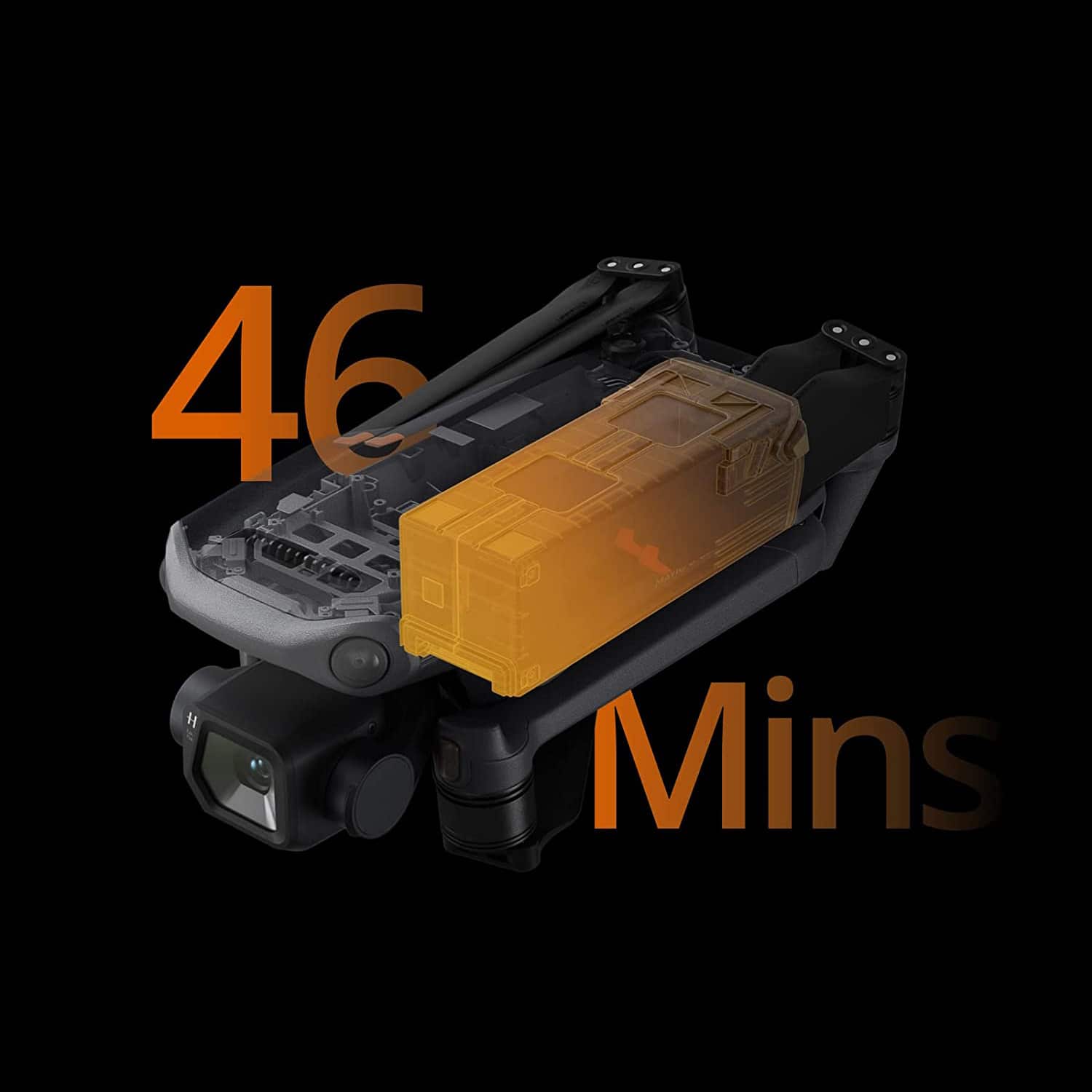
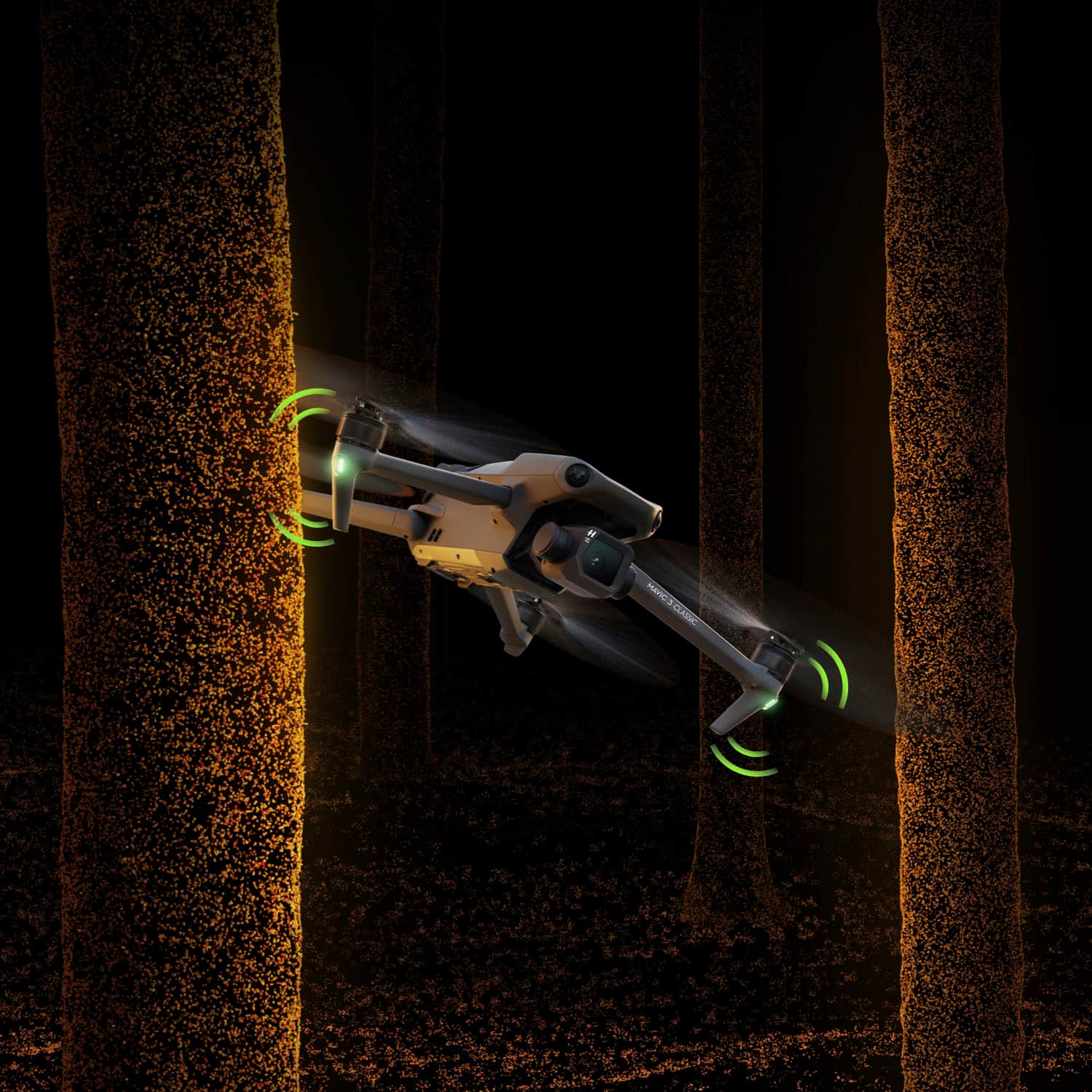
|Posted .This reviewer received promo considerations or sweepstakes entry for writing a review.I believe this is one of the best drones money can buy! Key Features include: • 20MP Four Thirds Sensor • 24mm equivalent lens with a variable aperture ranging from f2.8 - f11 • Hasselblad branded camera • Up to 5.1K resolution (Video Mode) with 3X zoom • Night Mode • 10-bit D-Log and HDR • Ocusync 3 with up to 9.3 miles of range • Activetrack 5.0 • DJI RC • Cruise Control • Up to 46-minutes of flight time • Omnidirectional Obstacle Avoidance This is the best drone I have ever owned and here’s why…… This drone has amazing abilities. You get an outstanding Hasselblad 4/3 Camera on an incredibly stable drone. The camera is one of the biggest I have seen on any drone. This is my first drone with the Hasselblad 4/3 camera, and I will say the colors and clarity of this camera are impressive. I don't even think I will color grade any of the footage in post, yes, it is that nice. The camera also has good low light ability and an adjustable aperture from f2.8 to f11. You can adjust your aperture when you switch your camera from AUTO to PRO while the drone is connected to the controller and in camera view. This will enable you to let in more or less light which will allow you to adjust your shutter speed while keeping your ISO as low as possible while being able to add motion blur to your footage. Okay that was a lot in one sentence. Anyone who understood that skip to the next part. All others, basically slowing your shutter speed will increase motion blur in your footage which looks more cinematic and is more natural and mimics what the eyes perceive. Increased shutter speeds will reduce or eliminate any motion blur in the footage and make the image look crystal clear even in fast moving scenes. When your shutter speed increases the image can get dark and when you decrease the shutter speed the image can get very bright. Adjusting your Aperture is a way to counteract that effect, and to get you the best possible results. Night Mode is a new feature to this drone and is a video only mode. When switching over from normal video to Night Mode, its like having night vision! Okay well not exactly but the image becomes really nice. The colors from lights really pop, and the image gets a little clearer and brighter and the noise almost completely fades away. Very cool stuff here and a lot of you night shooters will benefit from this new feature. There is a lot more in the Camera department. You have different shooting modes such as: burst mode, timed shots, panoramic shots (which are my absolute favorite) and some automated shooting modes that you can pick, and the drone will perform automated moves around you without you having to input on the control sticks. With panoramic shots you can capture amazing photos and capture wide 180 degree shots or vertical panoramas and even a 360 spherical shot. To accomplish the photos, the drone will take multiple shots and then merge them together to produce an incredible image. Next up is the ability to turn on Cruise Control. This is useful for when you want to pull off smooth and consistent moves such as increasing height while circling an object. You can simply set one of the custom buttons on your controller to activate cruise control. While in flight you can just tap one of those custom buttons and let go of the control sticks the controller. The drone will continue with the last stick input unless you hit the pause button or tap the same custom button you hit to start the cruise control. The only thing that worries me about this feature is if you accidentally activate cruise control without knowing it, you might panic once you realize your drone is continuing to fly on its own. The Battery life is another great feature and is much appreciated. I usually purchase a fly-more kit but with this drone I just purchased one extra battery and that’s because the flight time on this drone is outstanding. From the moment you send it up you will see about 45 min remaining on the top right of your screen. Of course, depending on conditions such as weather and how you fly the drone you may get more or less. I find that the increased flight time allows me to get some more quality photos without landing to put in a new battery. Ocusync has always been rock solid in my testing across multiple DJI drones and now they are giving us Ocusync 3.0 that is claiming to afford us up to 9.3 miles of image transmission range. I do not think I will ever find out if it can go that far, but knowing how I fly, its more than enough. Testing out the Mavic 3 Classic in urban neighborhood with hundreds of homes around me with WIFI, I never once had a frame drop out or hiccup. Its been SOLID. As Expected. The DJI RC is one of my favorite features when flying this drone. You don’t realize how nice it is to NOT have to use your phone every time you want to fly. The DJI RC is built solid and has a nice feel in the hand. The touchscreen is responsive, fluid and the entire experience is good. The brightness of the RC is good but on a bright sunny day I can see reflections and sunlight making it hard to see what’s on the screen. Its best to find some shade when flying. This is the same with any smartphone to be fair. APAS 5.0 is something I haven’t gotten to much experience with, but the idea is the drone is able to scan the environment in Realtime and select the best way back to you when a “Return-To-Home” command is given. The environment I am in doesn’t seem to be suitable to test this. Obstacle Avoidance – So on my Air2S I was very happy to see that they added upward vision sensors which is good for return-to-home situations when you have trees around. I almost lost a drone from that because there were no such sensors on that drone. So the fact that the M3C has sensors in the front and rear and below and on top, and the way the fronts and rears are angled. You now have side coverage. So full coverage means a much safer flying drone experience for anyone. I often recommend DJI drones to anyone who asks about drones or when approached in the field. They are to be very stable, reliable and fun to fly. It really doesn’t get any better. Pro Tip: When taking photos, to ensure you get the max resolution from the Hasselblad camera, make sure your camera is set to 4:3 aspect ratio. If you select 16:9 which is tempting because everything we consume is 16:9, you will only get about 15-16MP and not the full 20MP. Not So Great: The only thing I do not like about this drone is the gimbal cover. Its more of a full body strap and makes it difficult to charge the drone with the strap attached. And without the cover on you risk damaging the huge camera at the front of the drone. I think the traditional plastic cover that snaps on is a much better design and doesn’t interfere with other functions. I think this is one of the best drones you can have in your arsenal, especially for the reduced price from the OG Mavic 3. 5 Stars – Go For It!
I would recommend this to a friend - Pros mentioned:Camera quality, Ease of use
Mavic 3 Classic
|Posted .This reviewer received promo considerations or sweepstakes entry for writing a review.This thing is cool! Right out of the box I was impressed with its quality. The drone is tightly folded up in a small box with a generously sized touch-screen remote control. The blades and Hasselblad camera are kept protected with a Hannibal Lecter mask-looking contraption. In addition to the battery and charging cables are some extra blades. I have to say, I figured for the expense of the machine there would be some sort of carrying/storage bag included. Even though it is well-made and tough-looking, it does seem a little too delicate to repeatedly toss on the seat of my car to take to a location to fly. Prior to getting this, the only other drone I’ve ever flown is a DJI Mini 2, so I was in awe at how large the Mavic 3 Classic actually is once unfolded. To use as a landing pad, I threw down a garbage can lid on the grass and it was barely large enough to hold the drone. Because of its size, I thought it would be pretty loud once the rotors started spinning, but I was surprised at how quiet it actually is. That’s not to say it’s silent, it still scared the nearby wildlife, but I was impressed that the sound isn’t deafening. There is a little bit of setup involved before you can take your first flight. You’ll have to sign into, or create, your DJI Fly account and register your drone. There is some configuring with WIFI and firmware updates. There is a phone app called DJI Assistant 2 that is supposed to have helpful videos and support, but my phone would not allow me to install it. The DJI Fly app on the remote control offers the same content, if I’m not mistaken. Due to the drop in temperature since getting the drone, I haven’t been able to accumulate as much flying time as I’d like. What little time I have had with it has been a blast. It’s pretty intuitive to fly. There are 3 preprogrammed settings for the control sticks, the default of which is Mode 2. For the videogame players out there, Mode 1 is probably the most familiar setting with the left stick controlling forward/backward and turns, while the right stick controls altitude and lateral motion. These controls can also be customized via DJI Fly. Reading through the manual (no physical copy included, had to download) got a little confusing for me. I’m not sure if some things are just over my head at this point or if some clarification is lost in the translation to English, but it looks like this drone has tons of fun little features I can’t wait to experiment with. In certain flight modes the drone utilizes sensors to detect obstacles, helping to prevent you from crashing into a building or bumping into trees. There is Cruise Control, which allows you to let go of the control sticks to concentrate on operating the camera. ActiveTrack 5.0 allows your drone to track a moving object, keeping the subject centered. QuickShots offers a handful of automated video shooting modes, which will lock on your subject while flying in predetermined paths, such as a circle around the subject or ascending backwards. Being a creative person, I am beyond excited having a machine like this. My 12-year-old self is giddy at the thought of having a piece of equipment to allow him to make his own movies. The practical adult home-owner in me is relieved I can check on the state of my roof without having to climb a ladder!
I would recommend this to a friend - Pros mentioned:Battery life
Class Leading Drone
|Posted .This reviewer received promo considerations or sweepstakes entry for writing a review.The DJI 3 is the next step for DJI in the Mavic lineup, just recently introducing the Mavic 3 classic in the Mavic lineup - not to be confused with the Mavic 3 (non classic). From the last generation Mavic 2, to the Mavic 3, it is obvious DJI went to WORK. When it comes to evolution or revolution, DJI has revolutionized the Mavic from the 2 to the 3. The Mavic 3 classic is almost a completely new product vs the last generation and I was blown away with all the upgrades and changes DJI made in this new generation, but is everything an upgrade? Let's break down the DJI Mavic 3! (TL;DR at the end) Price - The Mavic 3 comes in at two price points: $1599.99 for the classic with the base remote controller, $1749.99 for the drone with the DJI RC remote (this unit I am reviewing). Yes this is a pricey drone, but it also isn’t your basic drone either as this is packed with features and tech out the wazoo. I want to make this point early as well, yes the basic remote is $150 cheaper, but PLEASE don't make the mistake I made with the Mavic 2 and get the DJI RC remote as it is night and day better. The basic remote uses your phone to interface with the drone and personally it just sucks. You have to now worry about three batteries, your drone, remote and now your phone - and your phone never fits right if you have a larger phone and is always just slightly wonky. It is still a good product but if you can afford to spend the extra $150, then it’s a no brainer. Aesthetics - The Mavic three classic is a nice sized drone, large enough to not get pushed around by the wind but not so large that you have to think about where you take it. It comes out of the box with a harness protecting the camera and locking the gimbal in place when not in use and I have to say, I think this is an amazing item to come with it in the box. Outside of size, the Mavic 3 classic is a light, aggressive looking drone with a dark shark gray coloring. I was quite impressed with how aggressive this drone looks, quite like a hammerhead shark and I have to say I love the styling. It has bright flight lights on each rotor so you can easily identify your drone during the day or night and two VERY bright landing lights you can turn on so you can see where you are landing at night. Flying - I was truly blown away with how smooth DJI has made this drone, it takes off, flies and lands so seamlessly that literally ANYONE could fly this drone. The image/video is always stable and clear thanks to the gimbal attached to the camera, but even more, the drone is always level and in control. I have never felt like I didn’t have control of the drone, and if I wanted to, the drone could just fly itself if I wanted to use some of the features included. It can just track me, go to waypoints or allow me to fly it manually - there is nothing it really can’t do. Remote - Coming from the old DJI base controller that uses my phone, the DJI RC Screen remote was amazing. It uses android software but is very clean and has a very iPhone esque skin overlay. It fits comfortably in the hands, charges via USB-C and has a GREAT 15km range on the Mavic 3 classic ( I did not test this, I am too chicken). The screen is quite bright as well, even in direct sunlight I was able to get a good view on what I was doing, and there are tons of attachments and shades available if you disagree! Battery - The new battery is quite great, and the way it slots into the Mavic 3 classic is seamless and easy. It is a larger battery vs the Mavic 2 and that means, Correct! You have to buy all new batteries if you are coming from the Mavic 2 over to the Mavic 3 and to be quite honest, I think it is a worthy upgrade (even though expensive). The battery is easily charged in the docs they sell for multiple or even directly on the drone via USB-C charging (very nice DJI, USB-C everything) that quickly charges the drone. The Batteries DO last about 40-45 minutes depending on wind, height, speed and how crazy you are flying. Camera - Now this is where the magic happens, the Mavic 3 classic uses the Hasselblad L2D-20c sensor which is a 4/3 CMOS (non telephoto on the Classic lineup). It can shoot in several formats from 5.1k @ 50fps 4k (super sampled) @60fps but goes up to 4k @ 120fps. This camera also can shoot in 1080p. The list of supported features on this Hasselblad sensor is honestly excessive, from 10 bit d-log, HLG, Night Mode, the in house HNCS, I truly couldn’t ask more from a drone camera - especially at this price point. I was blown away once I exported the photos from the remote onto my computer and saw just how good they were at full resolution (remote only displays 1080p @ 60fps). Gripes - While this drone is near perfect, there are still some things I would like to see changed on the next drone or just complain about in general. First and foremost - the batteries being $200 is absurd to me, I understand this is a flight grade battery and a rather large one. I just don’t see why it has to be $200 or anything that would make it that expensive outside of NEEDING another battery. Outside of that my only complaint is that they still sell the entry level remote, yes it is cost cutting but personally, I think someone will go for the price cut and then enjoy the product less. PLEASE spend the extra money and get the DJI RC screened remote - truly truly worth it. Little things to love - There is no lack of storage, you can put micro-sd’s on both the remote AND the drone. That is nice when recording in 5.1k with 10 bit as that will take about 25MB/s so 128gb will get you around 85 min of recording time (about two batteries worth). One other thing I would like to point out is just how portable this drone is, everything folds or stores in some nice way. The drone folds up into its harness, the DJI RC remote holds its control sticks on the back to reduce how far it sticks out. I could easily store this in a small camera bag or a backpack on the go. Mavic 3 vs Mavic 3 classic - There are a few differences between the Classic and Base Mavic 3, The Mavic 3 classic sits UNDER the Mavic 3 and has a few less features such as locking gimbal, telephoto camera and a few other things. Flight time and most observable features are the same, but I would urge you to compare them on BestBuy’s website as the Mavic 3 does have some features that would entice some to go with it over the Mavic 3 Classic. Is it worth it over the Mavic 2 - Short answer first, YES! When I opened the box on the Mavic 3 classic, I did it blind without having looked into it vs the Mavic 2 as I didn’t want to be persuaded by marketing or “features” that are new. It is a complete redesign of the Mavic 2, while it does share a similar form, everything has been improved, altered and touched to make it better. Heatsinks are now visible from the outside, likely due to the much larger battery needing cooling - or possibly the new sensors running hotter (and it has quite a few cameras/sensors!). This is truly a large upgrade over the Mavic two and while I do have 4 or 5 batteries for the Mavic two and a few accessories that won't transfer over to the Mavic three, I would make this upgrade every day as it is such a monumental upgrade to the Mavic 3 classic. I would like to add, the Mavic 3 subjectively looks way cooler than the Mavic 2 as well; Not that the Mavic 2 doesn't look good but sheesh does the Mavic 3’s build and paint look aggressive and bold. Conclusion - To wrap it all up, DJI really hit the nail on the head here. They KILLED IT with the Mavic 3 and you can tell the people working on it are not only passionate about the product, but also likely use it as well as they are removing all the headaches and pinches from the Mavic 2 and eliminating them. From the significantly upgraded camera, to the increase in flight time and new features - if you are in the market for a new highly capable drone that will last you - there has never been a better time to get one! As always, if you don’t like the product as well, Bestbuy’s return policy and procedures are so easy, you should give it a try! The Mavic 3 classic is truly a class leading product and I would recommend it to anyone looking! TL;DR - Best drone on the market, compare the Mavic 3 vs the Mavic 3 classic and then buy the one that makes the most sense there. Huge Huge upgrade over the Mavic 2 and worth the cost to either upgrade or skip over the Mavic 2.
I would recommend this to a friend - Pros mentioned:Camera quality, Ease of use, Flight time
Compact Powerhouse: DJI Mini 3 Pro with DJI RC
||Posted . Owned for 1 week when reviewed.This reviewer received promo considerations or sweepstakes entry for writing a review.The DJI Mini 3 Pro with DJI RC is a marvel of engineering, packing a punch well above its weight class. This tiny titan of the drone world offers an outstanding flight experience, professional-grade imaging capabilities, and easy-to-master control, all in a package that fits into the palm of your hand. The first thing that strikes you about the Mini 3 Pro is its size. Weighing under 250 grams, it's incredibly compact and portable. Yet, despite its small footprint, DJI has made no compromises on build quality. The drone feels solid and durable, ready to withstand the challenges of outdoor flight. Pairing the Mini 3 Pro with the DJI RC is a breeze. The controller is ergonomic and intuitive, making it simple to master even for novice pilots. The controls are responsive, ensuring precise maneuvering, and the built-in screen provides clear, real-time footage and flight data. When it comes to performance, the Mini 3 Pro truly shines. Its improved flight time, in comparison to its predecessors, lets you stay in the air longer, capturing more footage or exploring further. The enhanced stabilization system ensures smooth and steady footage, even in windy conditions. The drone's range has also been significantly improved, allowing for more adventurous flights. But where the Mini 3 Pro truly excels is in its imaging capabilities. The camera, equipped with a 1-inch sensor, captures stunning 4K video and high-resolution images. The quality of the footage is simply breathtaking – crisp, clear, and full of vibrant colors. The drone also offers several intelligent flight modes, such as panorama, timelapse, and quickshots, making it easy to create professional-grade aerial footage. The DJI Mini 3 Pro also features advanced safety functions, such as obstacle detection and automatic return-to-home, giving you peace of mind while flying. The DJI Fly app offers an easy-to-understand flight tutorial, making it a great option for beginners, yet it also provides advanced features for more experienced pilots. In conclusion, the DJI Mini 3 Pro with DJI RC is a compact drone that offers big performance. Its combination of portability, ease-of-use, superior imaging capabilities, and impressive flight performance make it a must-have for any drone enthusiast. Whether you're a professional videographer or a hobbyist, the Mini 3 Pro is sure to elevate your aerial photography game.
I would recommend this to a friend - Pros mentioned:Camera quality
Exceeded my expectations
|Posted .This reviewer received promo considerations or sweepstakes entry for writing a review.Some background: This not my first drone, but nothing I used before is nearly as good as this. My last drone (from a different brand that also makes professional drones) must've missed a GPS signal and flew sideways into a tree when it was about to auto-land. The reason is I live in a heavily wooded area, and I was using my drone to inspect some ongoing major construction; so I have some previous experience with some scarring memories, as this was not the first drone I lost. However this drone is a step up in every aspect. I did not realize how big this drone is, Although it folds tightly. It feels heavy. Most of the weight seems to be in the large battery pack. It's packed with an impressive number of flight sensors, including 8 stereoscopic cameras: 2 front, 2 back, 2 top and 2 bottom. The two cameras in the front gives it a shark-like appearance. Neat For positioning it uses GPS, Galileo (European), and BeiDou (China's GNSS system) but it does not appear to support Russia's GLONASS (The older Mavic Air2 drones support GLONASS instead). Also I did not realize it has two downward white lights, which I noticed when flying at dusk. What distinguishes this 'Classic' version versus what I call the standard Mavic 3 is the camera and the controller. The Camera in the classic is an excellent Hasselblad camera, but the standard also adds a telephoto camera. Also the Classic benefits from the app-based controller, whereas the standard comes with an RF remote that connects to a mobile phone. Although I owned it for a week, I've been taking small steps to build confidence since I don't need another drone in a tree. DJI offers some very practical video courses at different levels. I took some of the basic ones to understand the equipment. For the first flight I noticed that the rear propellers are only about two inches from the ground, which means a bit of grass will interfere with the propellers, so I started from a paved surface instead. The controller is actually a customized android device. The first time I started the drone, the controller connected to Wi-Fi at the house and installed new firmware on both the drone and controller. Training materials and YouTube training videos are also available from the controller. This seems to be the same exact app 'DJI Fly' for iPhone or Android. It also interacts with FAA's B4UFLY database and DJI can even coordinate fly authorizations on restricted areas. The flight screens are very intuitive, controls are very intuitive and the screen is on par with a cell phone. Controls are well laid out. Photo shutter has half-press for focus, and overall a quality feel to it. One of the Mavic 3 features is longer range remote, with out to 30 KM for control and 15 KM for video. This in itself is impressive on specs, although I started getting interference warning not even 500 Ft away if direct line of sight was obstructed between the drone and remote. Also this remote does not have external antennas. It works best when pointed at the drone. Hovering is very precise. I could take photos and videos with no jitter either at front-face or hovering 150 Ft above the subject. There was an occasion where although I selected return to home, and had perfect video, the drone did not started its return path, but had no problem with a manual landing. The pictures I took look amazing. Note that the drone has 8 GB internal memory although it has a MicroSDHC slot which I would be using (Note that it should be loaded with a high endurance card). Video is smooth with no jitter. The remote also has a MicroSDHC slot. Images and videos can be loaded from the memory, transferred to the controller or directly from the drone to the phone via Wi-Fi, once it landed. Charging: The drone comes with a 65W USB-C GaN charger that also has a second USB port to charge the controller at the same time, which is also USB-C. Battery has to be inserted in the drone, but can be charged separately if getting the optional Fly More bundle. Metadata on the pictures taken indicates a Hasselblad L2D-20c camera and 20 MP resolution (5280 x 3956) with 4:3 Ratio. The Mavic like always defines what a personal drone can do and this does is the latest, excellently executed.
I would recommend this to a friend - Pros mentioned:Camera quality
Endless Possibilities
|Posted .This reviewer received promo considerations or sweepstakes entry for writing a review.If you’re reading this then you probably already know the specs and what you’re looking at and why. You want a super stable drone with lots of features and an outstanding camera. The Mavic 3 Classic delivers! I’m not going to restate the specs and features but being a part time photographer and videographer, I’m going to review it from that angle. My camera primary gear full frame Canon cameras like an EOS R and 6D, and several L lenses. If you’re familiar with Canon then you know the quality those combinations produce. I like to think of the Mavic 3 Classic as a flying camera, camcorder, video tripod with a fluid head and gimbal all in one. Then add the tracking abilities it has and it becomes an assistant! It’s a complex piece of gear and unless you are familiar with other similar DJI drones you will have a bit of a learning curve. The options this thing has are many but the RC control unit and its touch screen make it pretty easy to use once you know how to use it. This bundle comes with the RC remote that has a touch screen. Not only does it make things easy but you don’t have to use your phone as a screen and deal with calls, texts or other things while you’re flying. You have buttons on the remote to start and stop video recording and to take photos. The photo button works like a camera where you press to focus and then press a little harder to take the photo. There are two wheels below those buttons to move the gimbal to pan up and down and the other to zoom in and out. You can also reconfigure them for other purposes. There are two more buttons on the bottom of the RC remote that can be customized too. There’s a slider switch on the front to quickly switch flying modes. I really like the C (Cinema) position for taking very slow panning video. The drone is So stable, it’s like using a solid pro tripod. The photo and video quality is fantastic!! I shot stills in RAW and processed with Adobe Lightroom Classic and they are on par with my Canon gear in daytime. Details were clean and sharp. Chromatic aberration and vignetting were both very minimal. Even in the corners. I was impressed with the corner sharpness at f 2.8. You can put the camera in manual mode and the same for video and set shutter speed, aperture, ISO and other things. I haven’t shot any photos or videos at night or even dusk yet, but others have and their videos looked impressive. The micro four thirds sensor really shines. The video quality was impressive too. You can shoot video in D-log and color grade it in post for impressive results. Do note that DJI owns controlling interest in Hasselblad and from the looks of it are putting that investment to good use. The Mavic 3 Classic is the least expensive of the 5 versions you can buy but it keeps the best parts and that’s the Hasselblad wide camera and the rest of the drone is the same as the others. They are targeted at a particular market segment such as the Enterprise version having a thermal camera to be used in search and rescue and commercial applications. You can also just buy the drone only without the remote if you don’t need it. Build quality feels and looks solid. It’s pretty quiet too. Depending on how high you’re flying it and how far away it is, you won’t be hearing it and it won’t attract unwanted attention. You can buy accessories for it too. Not just extra batteries but a set of neutral density filters and a wide angle lens attachment if 24mm isn’t wide enough. Speaking of which, 24mm spec is in relation to the angle of view you would get with a 24mm prime lens on a full frame 35mm camera. So the actual focal length would be 12mm on a micro four thirds sensor. The Mavic 3 Classic is an easy recommendation. I don’t think any buyer will be disappointed.
I would recommend this to a friend - Pros mentioned:Camera quality
Exceptionally Good Drone
|Posted .This reviewer received promo considerations or sweepstakes entry for writing a review.This is a truly stellar drone. The Mavic 3 Classic slots in just under their current Mavic 3 flagship offerings, dropping the additional telephoto lens (of the $2k+ ‘Standard’ model), and lacking Apple’s ProRes compatibility (of the $5k Cine model), yet still offering just about everything else that makes these drones top-notch. It retains, for example, the large 4/3 CMOS sensor and main Hasselblad camera with identical specs. Build quality is also fantastic. This thing is engineered from top to bottom to gain on all of DJI’s advancements to drones since their introduction to consumers and professionals. It packs up nicely, comes with a harness to keep things in place and safe, and smartly offers an extra USB port on the charger to simultaneously charge the controller (with included cable) while charging the drone. It also flys like a dream, with responsive live video feed to the controller and easy manual control, automatically adjusted and stabilized for light wind and other surprise conditions. Paired with the obstacle avoidance, you just don’t have to think about things you would have had to wrestle with in the past. Beyond the previews, the final media is very high quality. Videos were extremely smooth under default settings and photos came out with vivid colors and crisp details. While the Classic lacks a dedicated telephoto camera, the 3x digital zoom worked well (see zoom example below) when I wanted to zoom in on a boat on the lake. While you sacrifice a bit of detail, I found it very well suited for my videos and did not detract from the end result. The DJI RC w/ screen included here is light weight and provides responsive, quality screen experience. It’s clear it’s running the DJI flight app behind the scenes, occasionally referring to itself as a ‘phone’ but it brings all of that functionally without fumbling with your phone & launching apps. It can transfer media from the drone in the same way, storing to its own micro-SD slot if you wish. This version of the controller also has very nice pro joysticks that feel premium and can stored on the back when not in use. Overall, this drone is amazing and I honestly don’t have many gripes to call out. The only quirks I encountered were some initial onboarding steps that took a bit of time, and while offered DJI’s extended service/loss programs right on the controller early on, it was a bit harder to hunt down and learn about later (I decided to purchase via their website soon after.) I was also taken by surprise when, while homing itself to it where it took off, the drone identified that a tree would be in its chosen path and suddenly shot up and hovered above the tree rather than below - It did what it was supposed to do in avoiding the tree, but it wasn’t expected. All in, this is an astounding drone and controller choice, and I’d recommend it to anyone looking to get most of the features of pricier pro-level offerings out there.
I would recommend this to a friend - Pros mentioned:Camera quality, Overall performance
This Classic is Outstanding!
||Posted . Owned for less than 1 week when reviewed.This reviewer received promo considerations or sweepstakes entry for writing a review.Purchased 11/2 and prepped for its first flights. 1 battery and no lens filters, Bone stock with 256Gb Sandisk cards and updated software. 11/3 was the first flight over the Ohio riverfront. The Mavic 3 Classic performed as a professional drone should, superb! The camera was a good step up from DJI MA2. It was in the air for about 40 minutes and had great range right off. The Mavic 3 Classic was a great flyer just as I had hoped. The RC with screen was also flawless. Very nice bright screen with smooth controls. The cruise control was a nice bonus too! The Hasselblad recorded great fall colors with a nice blue Ohio river reflection from the sky. Very high quality as expected from DJI. Quite impressive!
I would recommend this to a friend - Pros mentioned:Battery life, Camera quality
Amazing worth every penny!
||Posted . Owned for 1 week when reviewed.This reviewer received promo considerations or sweepstakes entry for writing a review.Absolutely without a doubt worth it. Battery life is as advertised, wind resistance is way better than id thought. Range definitely not a problem. Screen on radio is excellent, only thing spend the money on really good memory cards. Fastest you can find. Over all no complaints. Very happy
I would recommend this to a friend - Pros mentioned:Camera quality, Overall performance
Great Value Drone
||Posted . Owned for more than 2 years when reviewed.This reviewer received promo considerations or sweepstakes entry for writing a review.so much better than original mavic The remote is awesome with built in screen, can launch in about 1 minute. sensors really help to not run into anything and crash Great value
I would recommend this to a friend - Pros mentioned:Camera quality, Flight time, Overall performance
DJI Mavic 3 Classic
||Posted . Owned for 3 weeks when reviewed.This reviewer received promo considerations or sweepstakes entry for writing a review.Excellent product, so many more features than previous models, great camera, intended flight time and strong signal strength. With the new cruse control feature your video comes together very smooth.
I would recommend this to a friend - Pros mentioned:Battery life, Camera quality
Best drone I ever owned
||Posted . Owned for 3 weeks when reviewed.This reviewer received promo considerations or sweepstakes entry for writing a review.Best drone I ever owned. Remarkable camera and great battery life. Obstacle avoidance is really good as well. Even the lower priced versions are expensive but I doubt you can buy a better prosumer drone.
I would recommend this to a friend - Pros mentioned:Ease of use
The latest addition.
||Posted . Owned for less than 1 week when reviewed.This reviewer received promo considerations or sweepstakes entry for writing a review.The mavic 3 takes longer to connect to GPS compared to my Air 2s (which has been my workhorse for about 1.5 years). Where the mavic 3 stands out is in low light conditions with its bigger sensor. Still very portable but seems like a giant compared to mini 2. Overall I’ve always been happy with every DJI I’ve flown. Held off on getting mavic 3 due to the price and was hard to justify upgrading/adding specifically for low light. This classic version without the telephoto lens finally got me off the fence with its price point, plus I personally hardly ever zoom more than 2x so 7x is overkill already. 28x is not needed for me so I can use the cost saving towards other costs.
I would recommend this to a friend - Pros mentioned:Battery life, Camera quality, Overall performance
The Best
||Posted . Owned for 3 weeks when reviewed.This reviewer received promo considerations or sweepstakes entry for writing a review.Overall the best drone I have ever owned. Awesome pictures and video quality with great travel range. The battery life is the biggest plus to me with about 50 minutes of fly time.
I would recommend this to a friend - Pros mentioned:Ease of use
DJI is the best !
||Posted . Owned for 3 months when reviewed.This reviewer received promo considerations or sweepstakes entry for writing a review.I love this drone! As a beginner I found it very easy to learn how to fly and I especially love the obstacle avoidance feature. I would recommend it for anyone who is interested in diving into the world of drones. DJI is by far the best drone for beginners and the best professionals that want to capture detail while having fun. :)
I would recommend this to a friend - Pros mentioned:Camera quality, Ease of use
Amazing drone. Learn your laws !
||Posted . Owned for 1 month when reviewed.This reviewer received promo considerations or sweepstakes entry for writing a review.Great camera. No need for the cinema pro version. Easy to fly, you will always be learning something new. Just be aware of the laws behind flying a drone. Nobody tells you about this. I recommend getting incurable and signing up for DJI replacement plans. I would also buy an extra buttery if you plan on using sport mode. Battery last about 30 minutes on the others, but in sport mode about 15 minutes. I would also buy another memory card because it only holds 7 gigs and that gets used up in about 5 minutes worth of 4k raw film
I would recommend this to a friend - Pros mentioned:Camera quality, Ease of use
Dji Mavic 3 Classic
||Posted . Owned for 6 months when reviewed.This reviewer received promo considerations or sweepstakes entry for writing a review.I love my DJI Mavic 3 Classic! It's so easy to fly and the camera quality is amazing. It captures stunning aerial footage and the gimbal stabilization feature ensures that the footage is always smooth. It's also very portable and easy to take with me wherever I go. Overall, I highly recommend it to anyone looking for a high-quality drone.
I would recommend this to a friend - Pros mentioned:Camera quality, Ease of use
“Greatest gift ever!” - Husband, Xmas ‘23
||Posted . Owned for 3 weeks when reviewed.This reviewer received promo considerations or sweepstakes entry for writing a review.Purchased for my husband and according to him ‘it’s awesome!!’ Definitely user friendly, he was flying it as soon as he put down the instruction manual. And the camera is ridiculously good - as evidenced by the picture he took of me from 50 feet away. I look bored in it but he’s thrilled. Would highly recommend.
I would recommend this to a friend - Pros mentioned:Ease of use, Overall performance
Is a amazing opportunity
||Posted . Owned for more than 2 years when reviewed.This reviewer received promo considerations or sweepstakes entry for writing a review.Ease of use, picture quality and functionality is amazing. What is lacking is door ability and prompt response from customer service?
I would recommend this to a friend