Customer Ratings & Reviews

- Model:
- CP.OS.00000213.01
- SKU:
- 10187328
Rating by feature
- Value
Rating 4.6 out of 5 stars
- Quality
Rating 4.7 out of 5 stars
- Ease of Use
Rating 4.5 out of 5 stars
Unleash Your Cinematic Creativity DJI Osmo Mobile6
||Posted . Owned for 3 weeks when reviewed.This reviewer received promo considerations or sweepstakes entry for writing a review.The DJI Osmo Mobile 6 Smartphone Gimbal in Gray is a compact powerhouse for smartphone videography, boasting a sleek design and robust build. Its 3-axis gimbal delivers impressive stabilization, ensuring smooth footage for various shooting scenarios. With intelligent features like ActiveTrack 4.0 for precise subject tracking and gesture controls for added creativity, capturing cinematic videos becomes effortlessly immersive. The gimbal's exceptional battery life and quick USB-C charging keep you filming for extended periods. Seamless integration with the DJI Mimo app adds a layer of customization, making it an ideal tool for creators seeking a portable and user-friendly solution to elevate their smartphone videography game. DJI once again sets a high standard in the realm of gimbal technology with the Osmo Mobile 6
I would recommend this to a friendDJI osmo mobile 6: A must-have for Otg Filmakers
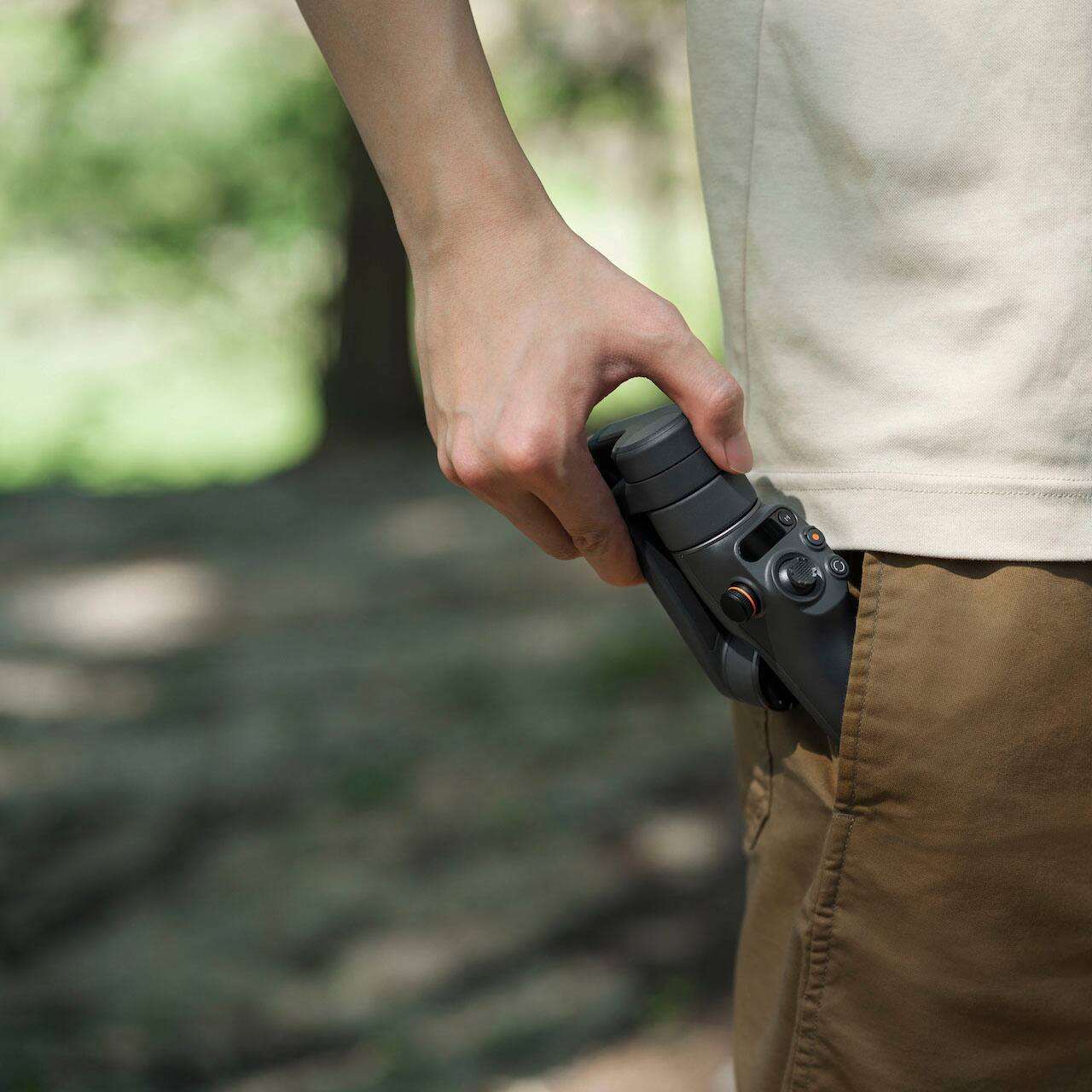
||Posted . Owned for 9 months when reviewed.This reviewer received promo considerations or sweepstakes entry for writing a review.DJI Osmo Mobile 6: A Must-Have for On-the-Go Filmmaking As a music video director, I’m always on the lookout for tools that bring cinematic quality to smaller setups. The DJI Osmo Mobile 6 Smartphone Gimbal is an incredible addition to my gear, especially when I’m shooting quick, handheld scenes or scouting locations. First, the stabilization is phenomenal. Even when I’m walking or panning quickly, the footage comes out smooth and professional-looking. It handles fast movements with ease, which is essential for dynamic shots in music videos. The build quality is excellent—lightweight but sturdy, making it easy to carry around for extended shoots. The foldable design is super convenient, as it fits into my backpack without taking up much space. I’m impressed with how intuitive it is to use. The ActiveTrack 6.0 feature locks onto subjects and keeps them perfectly centered, which is great for following an artist or capturing choreographed dance sequences. The controls are straightforward, and the gimbal pairs effortlessly with the DJI Mimo app. The new Quick Launch feature is a game-changer. The gimbal powers on and connects to my phone almost instantly, saving valuable time when I’m working on tight schedules. Battery life is solid, lasting through a full day of intermittent shooting. Another highlight is the built-in extension rod. It’s perfect for getting unique angles or framing group shots without needing a separate tripod or extra gear. Overall, the DJI Osmo Mobile 6 is a powerful tool for filmmakers of all levels. Whether you’re shooting professional music videos or creating social media content, it gives you the creative freedom to capture stunning, stable footage right from your smartphone. Highly recommend it to anyone serious about mobile filmmaking!
I would recommend this to a friend
Awesome quality and takes great videos.
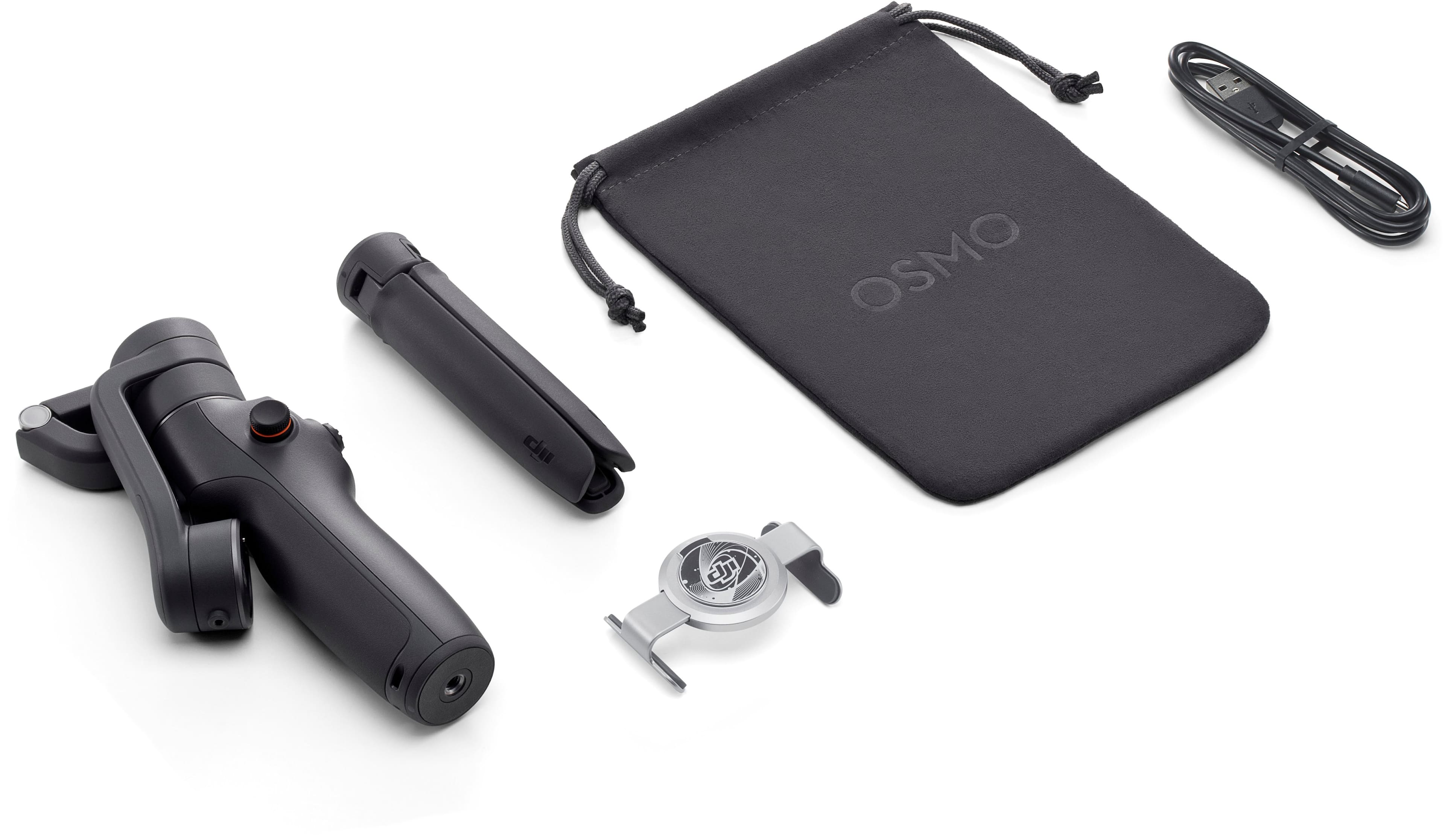
|Posted .This reviewer received promo considerations or sweepstakes entry for writing a review.Take your videos and even pictures to the next level. This thing is awesome! In the box you will find the device, stand, carrying case, and magnet for your phone. I used this with an iPhone 4 pro and setup was a breeze. During the app setup there is a quick tutorial that will help you understand how each button functions. There are many short cuts like pushing certain buttons twice to change from wide or portrait mode. It will take some time to learn the short cuts and become acclimated with it. The website also offers guides and tutorials as well. The motors that they used for the stabilizer are so smooth. When recording a video you do not see the camera shake or jitter. When the motors move there is no sound or jumping. Its very comfortable to hold for long periods of time or you can even use the provided stand. The overall feel is very premium and of a high quality. The app that you download to use the stabilizer is easy to use. It also offers different photo/video modes along with tips on how to take great videos. The app quickly connects to the stabilizer via Bluetooth. There is also no lag from the app to the stabilizer, everything happens quickly. I'm a novice photographer, but this thing is so much fun to use and I can see taking it with me on vacation. My favorite thing to use is the follow/tracking feature. I was able to hold the stabilizer and it was able to track my dog running around the house. I was amazed at how easily and quickly it kept on the dog. This is by far my favorite feature of the stabilizer. It will make taking videos a lot of fun and easy. This is my first stabilizer and overall I love it! I cannot wait to show it off to people and use it for videos. The DJI is worth every penny as it is such a premium device.
I would recommend this to a friendBest Gimbal osmo mobile 6
||Posted . Owned for 6 months when reviewed.This reviewer received promo considerations or sweepstakes entry for writing a review.The DJI Osmo Mobile 6 is an exceptional smartphone gimbal that delivers professional-grade stabilization in a compact, user-friendly design. Its three-axis stabilization ensures incredibly smooth footage, even during fast movements or walking shots, making it perfect for vloggers, travelers, and content creators on the go. The gimbal is lightweight, folds down for easy portability, and features an extendable rod for creative shooting angles. With intuitive controls, quick startup, and features like ActiveTrack 5.0 for precise subject tracking, it’s easy to get cinematic shots with minimal effort. Paired with the DJI Mimo app, users have access to creative modes like Story Mode, Timelapse, and Gesture Control, which elevate mobile video creation to the next level. Overall, the Osmo Mobile 6 is a must-have tool for anyone serious about smartphone videography.
I would recommend this to a friendBest in its class
||Posted . Owned for 3 weeks when reviewed.This reviewer received promo considerations or sweepstakes entry for writing a review.I recently had the pleasure of using the DJI Osmo Mobile 6 Gimbal, and I must say it exceeded my expectations in every way. This smartphone stabilizer is a game-changer for anyone who loves capturing videos with their phone. First and foremost, the stabilization capabilities of the Osmo Mobile 6 are truly impressive. The 3-axis gimbal technology ensures buttery smooth footage, eliminating any shakes or jitters. Whether I was walking, running, or even moving in a vehicle, the gimbal kept my shots steady and professional-looking. The build quality of the Osmo Mobile 6 is outstanding. It feels solid and well-crafted, yet remains lightweight and portable. I could easily slip it into my bag or pocket, making it convenient to carry around and use on the fly. One feature that really stood out to me is the ActiveTrack functionality. With this intelligent tracking system, the gimbal can automatically follow a subject, keeping it in the frame effortlessly. This made shooting dynamic footage a breeze and added a professional touch to my videos. The Osmo Mobile 6 also offers a variety of shooting modes, allowing me to unleash my creativity. Whether it was the Panorama mode for breathtaking wide-angle shots or the Time-lapse mode for capturing the passage of time, I found myself experimenting with different styles and techniques. The battery life of the Osmo Mobile 6 is impressive as well. I could rely on it for extended shooting sessions without worrying about running out of power. And when it did need charging, the USB-C port ensured quick and convenient recharging. To top it all off, the DJI app that accompanies the Osmo Mobile 6 is user-friendly and feature-rich. It provides additional shooting options, fine-tuning controls, and even post-processing tools for editing and sharing my videos. In conclusion, the DJI Osmo Mobile 6 Gimbal is a remarkable tool for smartphone videography. Its exceptional stabilization, portability, intelligent features, and high-quality construction make it a must-have for content creators, vloggers, and anyone who wants to capture professional-looking videos with their smartphone. I highly recommend it!
I would recommend this to a friendGet Creative with this Gimbal
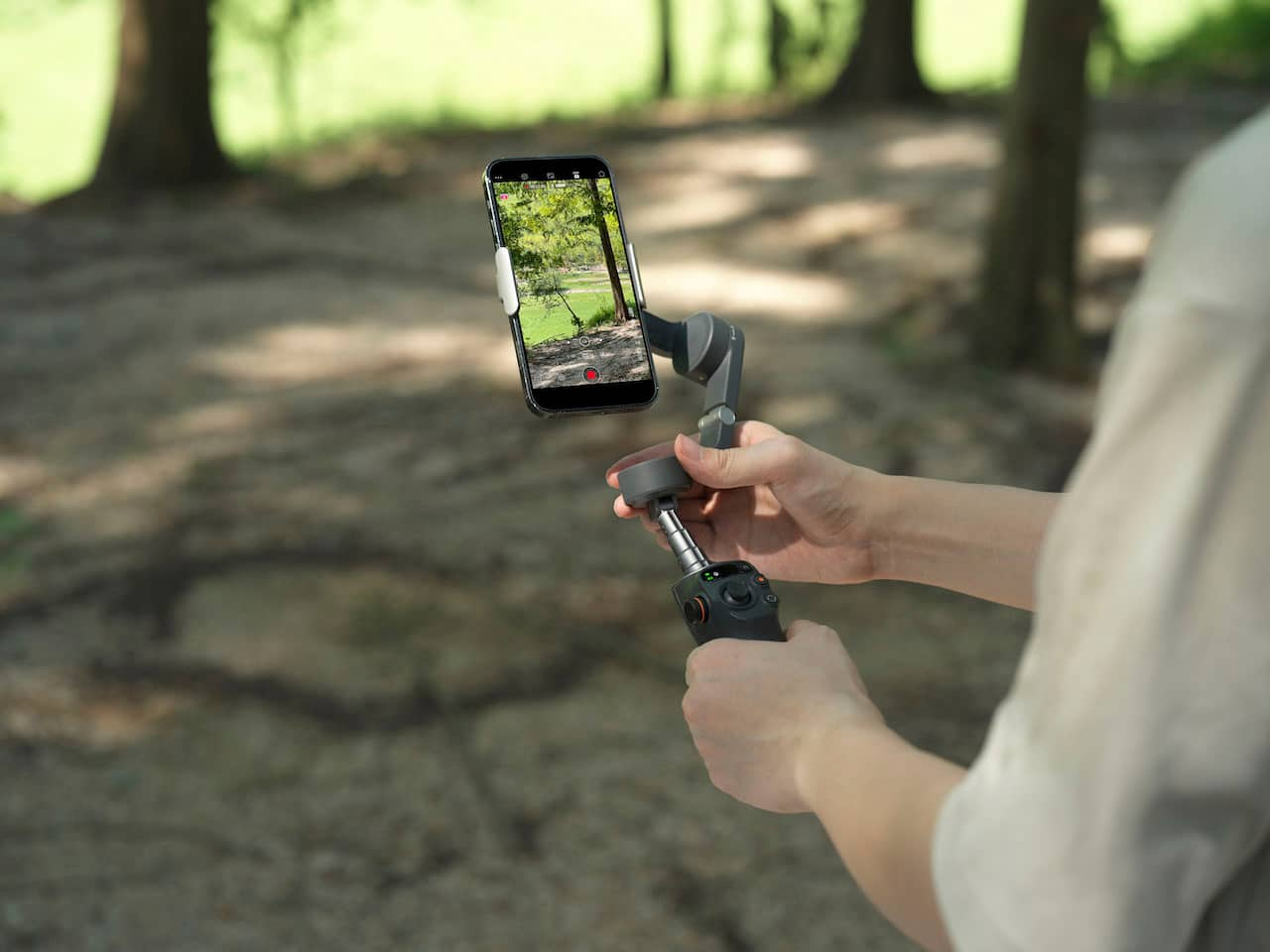
|Posted .This reviewer received promo considerations or sweepstakes entry for writing a review.The Osmo Mobile 6 is a very fun smartphone gimbal stabilizer packed with great features to help you capture smooth, creative footage and fun photos. I like that a lot of what the gimbal has to offer is right at my finger tips. Changing modes, camera orientation, and angles is a click of a button or a push of the joystick away from personal customization. Each mode focuses on customizing which axis has priority over the movement of the camera. More on the modes below. DJI MIMO APP To get the most out of the DJI Osmo Mobile 6, I suggest downloading the DJI Mimo app which allows you to use all the buttons to their fullest potential. Using the DJI Mimo app will unlock these additional button or handle features: Switch between front and back camera Switch between photo and video mode Use the focusing or zoom wheel Use the record button The features listed above are not available to use with my Google Pixel Camera App. Here are the Osmo Mobile 6 buttons or handle features you can use WITHOUT the Mimo app (say like with your phone’s native camera app, these will just inherently work if the gimbal is on and the phone is mounted properly): Joystick Switching between Landscape or Portrait orientation Changing Modes Re-centering with trigger button Using the trigger to “lock” the view The DJI Mimo app is very neat. I really like the subject-follow feature because it essentially allows you to set the camera down and let the app/camera follow your movement even without handling the gimbal itself. This is possible with the included mountable tripod which is an awesome accessory that’s included with this kit. My phone is not compatible with the focusing feature so the wheel on the side only allows me to zoom, not smoothly I might add, but not a dealbreaker. EXTENDING FEATURE This gimbal also extends so you can get high up drone-like shots or very low shots. It’s like a selfie stick, but better because it’s also a gimbal! The only downside to this is that because of the extendable feature, you have to be careful when taking it to amusement parks as they often don’t allow extendable devices like this one. 4 GIMBAL MODES Out of the 4 modes, the one that’s more “general” or easiest to work with is the first one: Follow mode. It’s going to either pan up or down, left or right, depending on which way you move the camera, and it won’t “roll” sideways. The second mode: Tilt Lock, will do just that, lock the tilt and allow you to pan left or right with natural hand movement. If you want to change the angle of the tilt in Tilt Lock mode, just use the joystick to bring the camera’s view up or down. The third mode: FPV will actually follow any movement on all 3 axes, so you get more dynamic or creative shots with this mode as it will “roll” (turn the camera sideways) as you’re following a subject. The fourth mode: SpinShot allows you to naturally “roll” the camera sideways while still facing a subject, as well as lets the joystick rotate the camera as well, whereas in the other modes, the joystick is moving the camera angle up, down, left or right. SpinShot allows the camera to tilt sideways. To get a visual of what this looks like, look straight ahead then lean your head to one side like you’re putting your ear to your shoulder, and keep looking straight. This is the “roll” effect I’m talking about. OVERALL I love playing with this gimbal. I take it to local music shows and plan to take it to a festival to get some smooth footage and fun pictures. It’s great for people who like to film videos whether it’s for an event or an artistic video piece. This gimbal has plenty of modes to work with to get super creative shots or just get nicely stable footage. I’ve only had to charge it once so far and I’ve used it a few times. There’s a nice indicator screen that shows you modes, battery level, and will let you know with a red light above the battery indicator if the magnet is not secured properly. I can definitely recommend this gimbal to anyone who likes video tech or looking to gift it.
I would recommend this to a friendFantastic Mobile Gimbal for daily use
||Posted . Owned for 2 weeks when reviewed.This reviewer received promo considerations or sweepstakes entry for writing a review.Great device for the price point! DJI makes quality products and it translates into their mobile offerings as well. It will up your selfie or mobile phone photography game exponentially! The divice software is well rounded with very minimal bugs. It is native apple so using android requires the app to be downloaded direct from DJI however the Osmo packaging provides clear instructions on how to achieve this. The range of motion is decent for such a small device however the Osmos strengths lie in its ergonomics and easy to use controls. Photo stabaluzation is excellent and the video quality is absoloutley aided by the tracking features includes qith the software. Overall, this device is perfect for those looking to create high quality social media posts or even just take better vacation videos! The included teipod also allows it to work well for on the go conference calling as well. Small, lightweight, and very easy to use makes this a win. Keep in mind it is a mobile device gimbal so it does have slight draw bracks if looking to be used in a proffesional setting. The gimbal movement is somewhat limited for tilt axis applications, howeve this can be somewhat counteracted with the unlusion of the swivel feature theyve added to the 6 model of the Osmo. Overall, fantastic for everyday users looking for gorgeous social shots, a high quality selfie stick, or even those venturing into proffesional videography.
I would recommend this to a friendPerfect Travel Gimbal for Creators
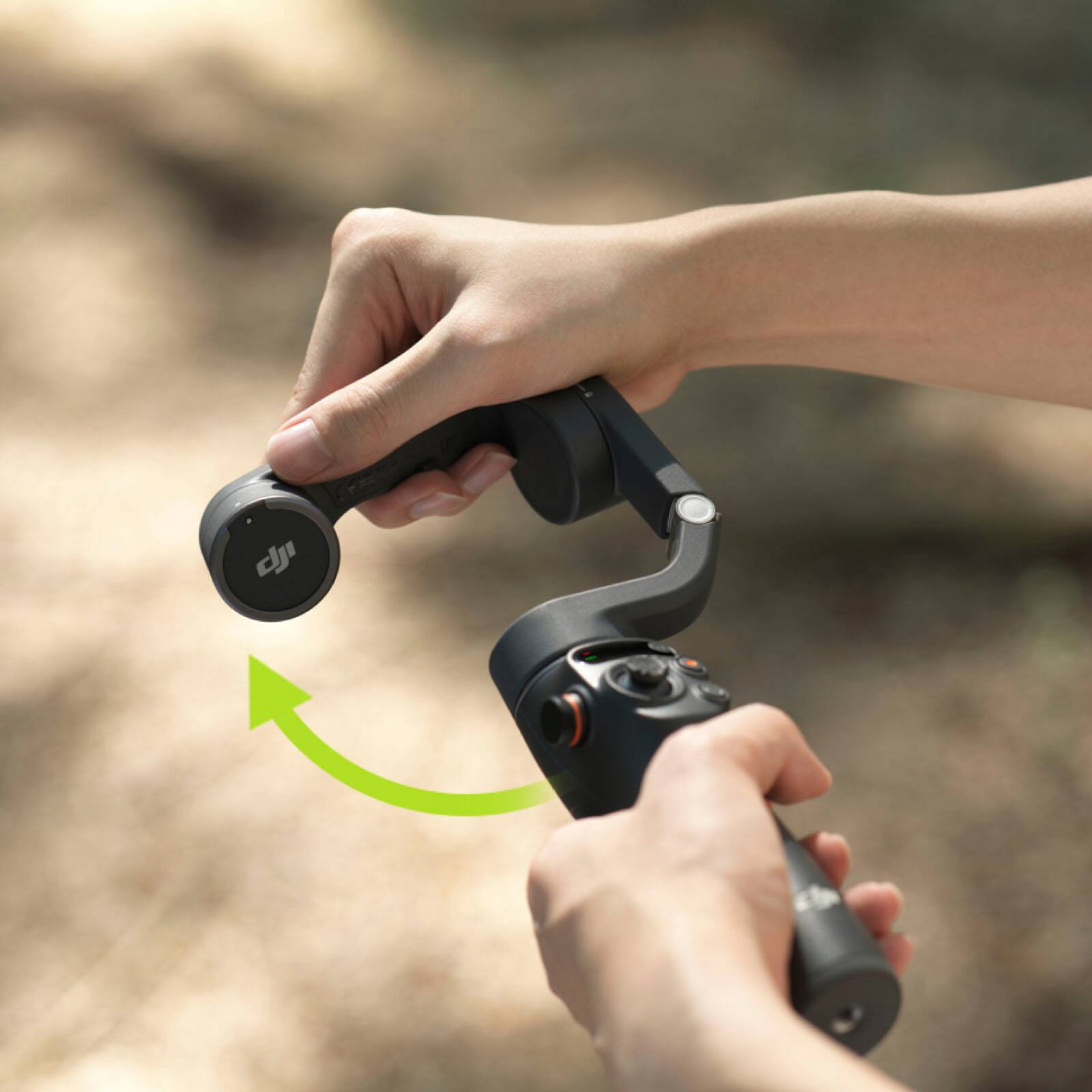
||Posted . Owned for 9 months when reviewed.This reviewer received promo considerations or sweepstakes entry for writing a review.The Osmo Mobile 6 is compact, easy to set up, and delivers super smooth stabilization. The foldable design with an extension rod makes it great for travel and vlogging. Buttons and side wheel are intuitive, and Quick Launch on iPhone is a big plus. Battery life could be longer, but overall it’s an excellent gimbal for creators.
I would recommend this to a friendBest for Travel
||Posted . Owned for 2 weeks when reviewed.This reviewer received promo considerations or sweepstakes entry for writing a review.Pros: Excellent Stabilization: The gimbal effectively reduces camera shake, resulting in smooth and professional-looking footage. Intuitive Controls: The user-friendly interface and easy-to-use controls make it accessible to users of all skill levels. Versatile Features: The range of features, including ActiveTrack 5.0, Timelapse, and Hyperlapse, allows you to experiment with different creative techniques. Durable Build: The Osmo Mobile 6 is built to last, with a sturdy and reliable construction. Cons: Price: While it offers excellent value for money, the price point may be a bit high for casual users. Looks for a black friday deal which I picked up my second one at 89.99$
I would recommend this to a friendSteady pics and video for unsteady hands
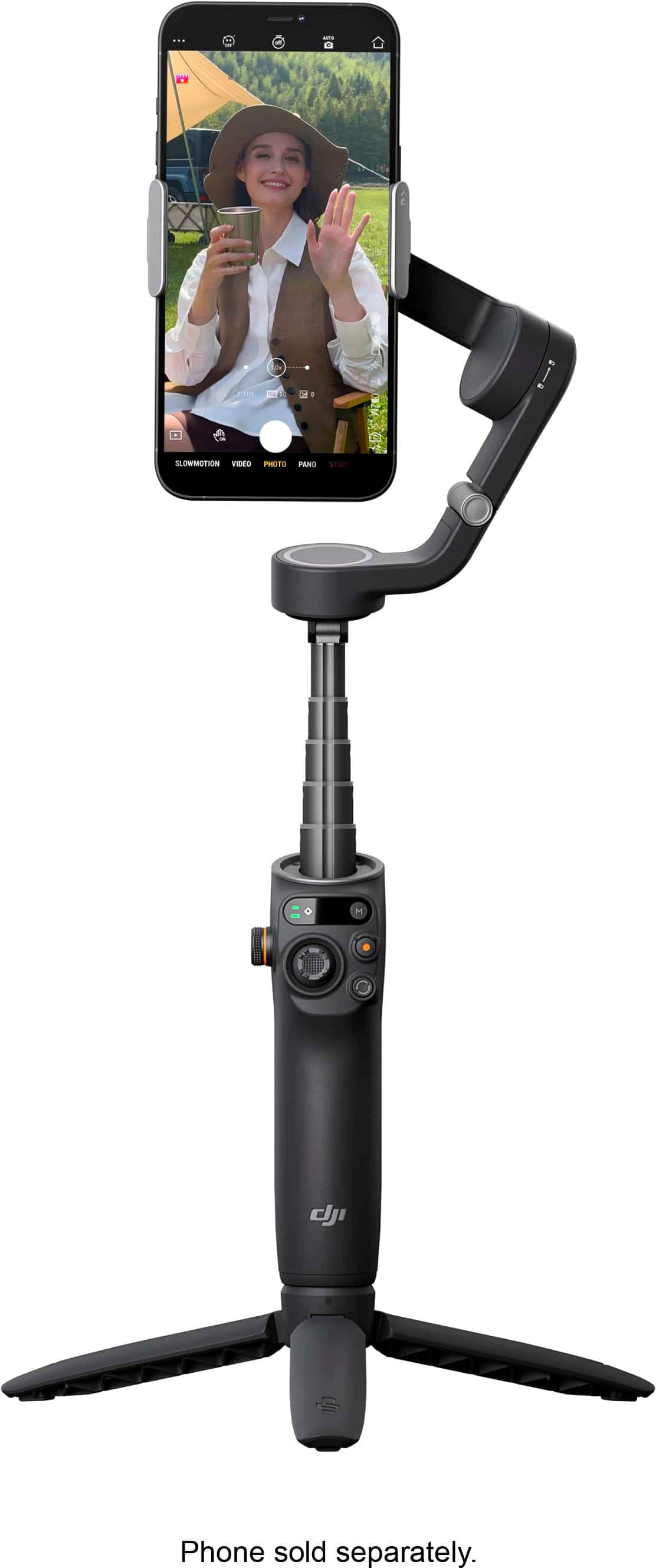
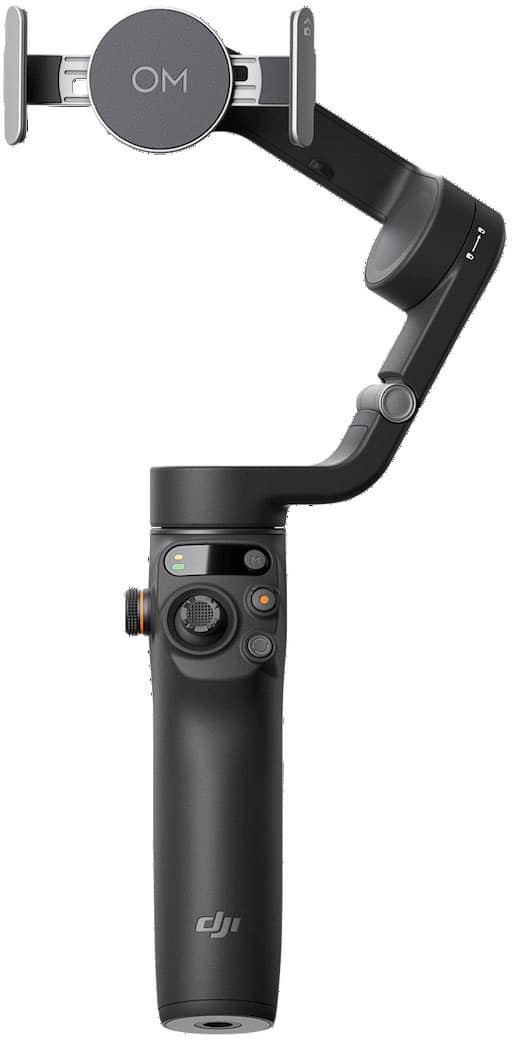
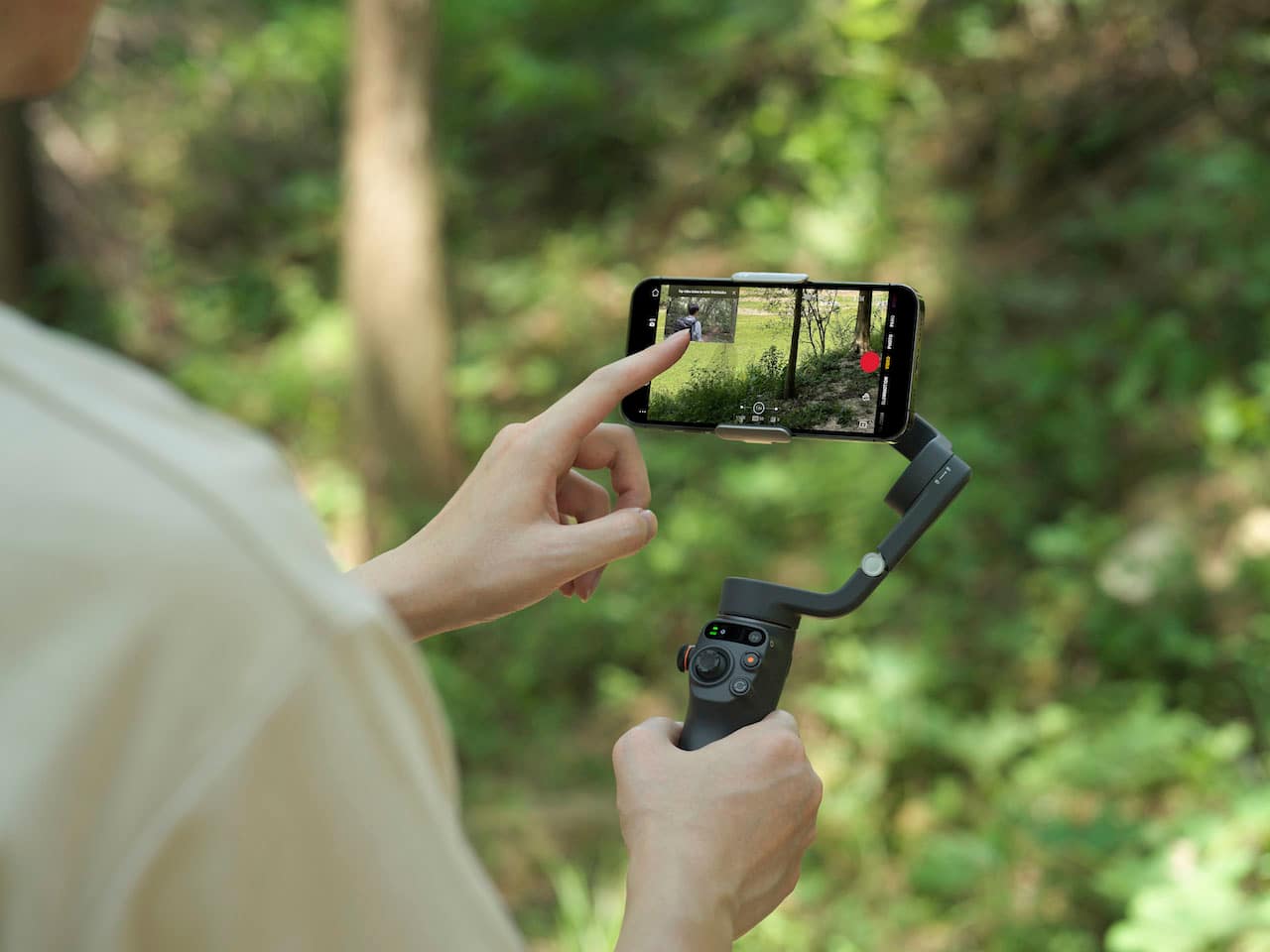
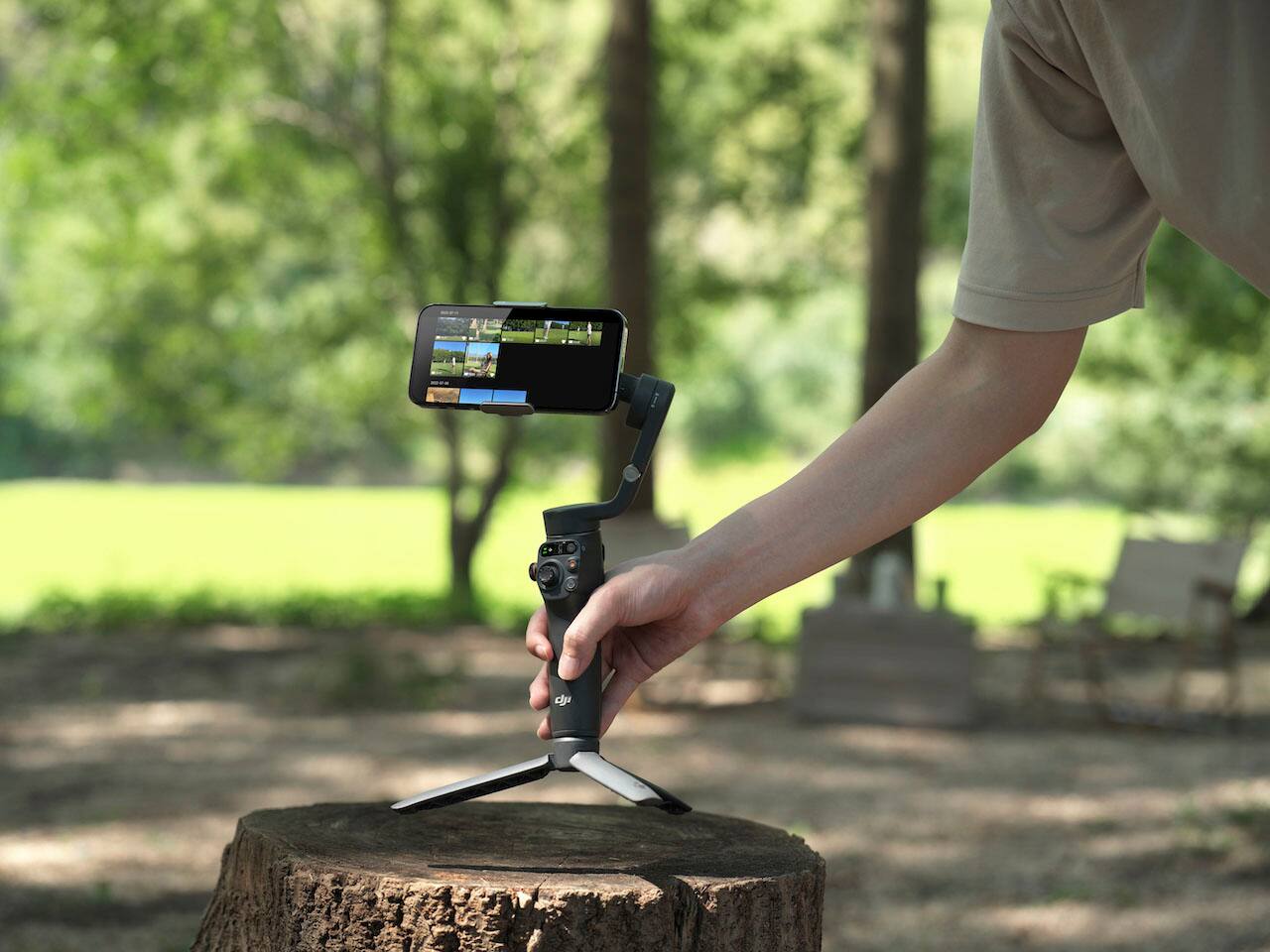
|Posted .This reviewer received promo considerations or sweepstakes entry for writing a review.The DJI Osmo 6 Phone Stabilizer Gimbal is a handheld device that using a gyro-type system, will let you place your smartphone on it, and it stabilizes the phone for photos and videos while you are handholding the device. As you move, it moves with you, but your phone seems to “float” in it’s holder, not moving at all unless you get carried away and move too much or too fast. But with normal panning, walking, even jogging, your photos and videos will remain pretty much motion/jerky free. The Osmo 6 has a main body that consists of a hand grip and varied controls, along with an arm that extends (which turns it on when you do so). A strong magnetic disk with stretching clips wraps around your phone and then sticks onto this arm, so you can use it while moving around. The arm itself also has a telescoping feature so you can extend it and get more than 8 inches of reach as well (think of it as a souped-up selfie stick if you want). A separate tripod attachment screws onto the bottom and has three legs you can extend – this way, you can use the Gimbal as a tripod for video, photo, podcasts, etc. It’s a standard mount so you can also use many normal sized tripods as well. You need to download the DJI app for best results. Once installed and set up, your phone connects to the Osmo 6 via Bluetooth, and when you magnetically snap it onto the Gimbal, the app auto-launches on your phone. There’s a variety of tutorials teaching you how to use the device, and it connects to your phone's album(s) with permission, so you can use it through the app. It WILL work without the app, but I found some of the features to work in a clunky way without it. The controls on the hand grip allow you to pan the camera, back and forth, up and down, control zoom and focus, flip from the main back camera to the front camera, re-center the phone, and track subjects of your choosing, and more. Some buttons have more than one function based on how many times you click them. I will say, the sheer number of click combinations for different functions at first seems a bit overwhelming and you will find yourself referring to the manual many times to remember what does what. It’s not the best experience in my opinion, but in time, all of the combinations should begin to sink in. The Osmo 6 does work as advertised. Panning at a fairly good clip, it keeps my video steadier than I can do by hand, even if I use the phone’s built-in stabilizer. Likewise, if taking still photos and you are moving a bit, it will help keep things steady hence, sharper photos and videos. I have a medical condition that sometimes makes it hard to remain super steady, and this definitely made a huge difference. I’ve only seen one or two millisecond hiccups where it stalled, but it hasn’t been common. The motor is not loud. Battery life is very good, and it charges via a USB-C port on the side of the main body. A battery icon on the main body tells you when you’re low. This isn’t the type of device that every person with a phone will want to invest in or spend the money for, especially if you really just use your phone for casual photography with an occasional video. But if you are more serious about your pics and vids and take a good number of both, and/or you like to experiment with podcasting or making more semi-pro videos, then it’s a worthy investment to make your media look more professionally done. Not perfect, but recommended if you need it.
I would recommend this to a friendMust have Device for Photographers
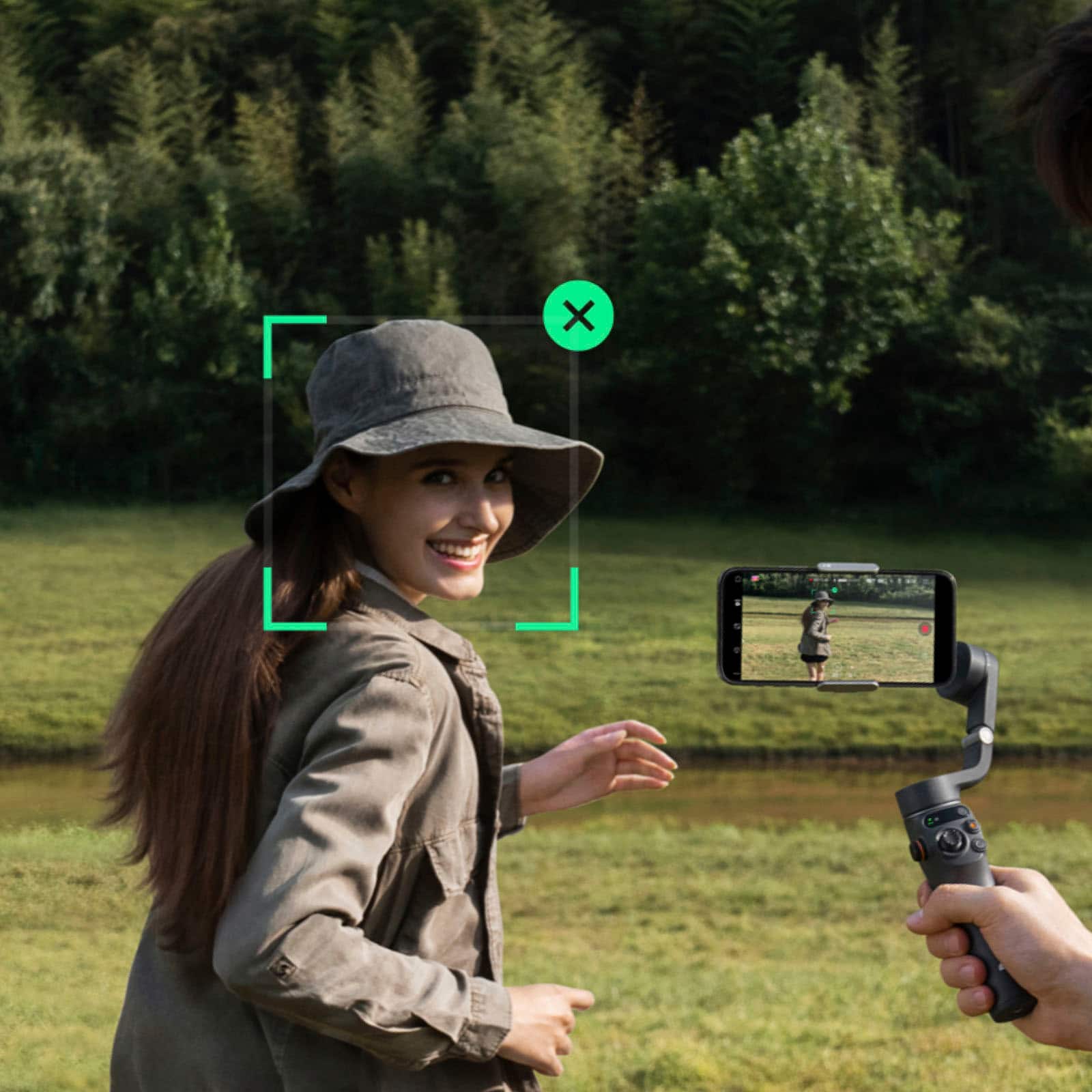
|Posted .This reviewer received promo considerations or sweepstakes entry for writing a review.The DJI Osmo Mobile 6 Stabilizer is one of the coolest products I’ve used in some time. Right out of the set up is super easy, scan the QR code to take you to the app store and download the DJI Mimo App and pair it via Bluetooth. Once in the app there are multiple tutorial videos that help you get familiar with the DJI Osmo Mobile 6, which is a nice feature to have so you're not having to Google or go on Youtube to learn how to properly use this device. The metal mounting clip is one of the better mounts I have come across, in that it stretches wide enough to grasp around my Iphone 14 Pro Max with a case on, I was for sure thinking that my case was going to be too bulky for it but it was able to. The Mimo software is great in that it basically mimics my iPhone’s camera interface but with some more options on the screen depending on which setting you are in, such as in photo mode where there is a shutter timer where you can pick from 3 seconds, 5 seconds and 7 seconds. In the Video mode it allows you to pick the resolution (720P,1080P or 4K) and what frame rate you would like to shoot in, which is super nice being able to pick that right from the camera interface and not having to dive into the setting to find it. Then the most outstanding feature of the DJI Osmo Mobile 6 has to be the head tracking feature in that when shooting video, a green box shows up and the arm will literally move and follow your head as you move which is perfect for filming things such as content or family videos. The buttons on the DJI Osmo Mobile 6 are very intuitive in that you get a Zoom knob, a record button, a focus stick that allows you to move the arm like you would with the right stick on a game controller, and A landscape to vertical button. There is a trigger button on the back of the handle that is not as intuitive and I highly recommend watching all the tutorial videos to learn all of its little tricks. In summary I think this is one of the best filming accessories you can buy to truly get the best photos and videos on your cell phone.
I would recommend this to a friendDJI Osmo Mobile 6 is a game-changer
||Posted . Owned for 3 weeks when reviewed.This reviewer received promo considerations or sweepstakes entry for writing a review.I recently purchased the DJI Osmo Mobile 6 Smartphone 3-Axis Gimbal Stabilizer, and I'm absolutely thrilled with its performance! The gimbal's three-axis stabilization is incredibly smooth, resulting in professional-looking videos with minimal shake. The design is sleek and lightweight, making it easy to carry around for on-the-go shooting. Setting up the Osmo Mobile 6 was a breeze, thanks to the user-friendly app and intuitive controls. The active tracking feature works like magic, keeping my subject in focus even during dynamic movements. I appreciate the long-lasting battery life, allowing me to capture extended footage without worrying about running out of power. Whether you're a casual smartphone videographer or a content creator, the DJI Osmo Mobile 6 is a game-changer. It enhances the quality of my videos, making them more polished and professional. I highly recommend this gimbal to anyone looking to elevate their mobile filmmaking experience!
I would recommend this to a friendGreat stabilization
||Posted .This reviewer received promo considerations or sweepstakes entry for writing a review.Excellent 3-axis stabilization - smooth, professional-looking footage Solid build quality with sleek gray finish Magnetic phone clamp is quick and secure Foldable design for portability ActiveTrack subject following works well when connected Good value for the price point
I would recommend this to a friendSmooth, Steady, and Easy: DJI Osmo Mobile 6
||Posted . Owned for less than 1 week when reviewed.This reviewer received promo considerations or sweepstakes entry for writing a review.The DJI Osmo Mobile 6 is easy to set up, comfortable to hold, and delivers incredibly smooth footage with its 3-axis stabilization. The smart features like ActiveTrack and gesture control are responsive and make shooting effortless. Battery life is solid, and the foldable design is convenient for portability. Overall, it’s a fantastic gimbal for anyone looking to improve their smartphone videos. Highly recommend!
I would recommend this to a friendHigh Quality, Great Design, Android Owners Beware
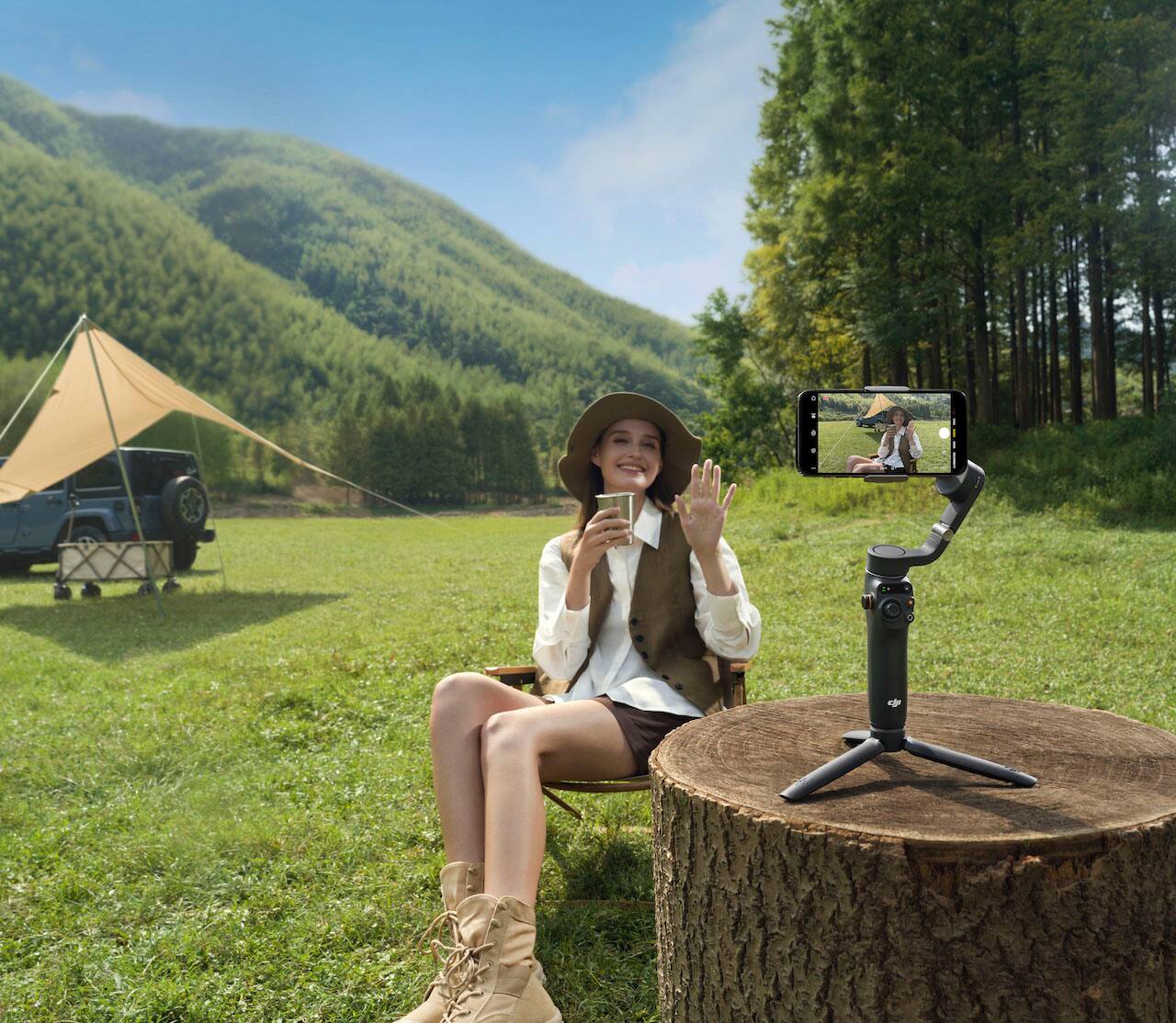
|Posted .This reviewer received promo considerations or sweepstakes entry for writing a review.The DJI Osmo Mobile 6 Gimbal is a very high quality, well designed mobile stabilizer. But as an owner of the Google Pixel 6 I have to point out some of the negatives right from the start. First, the DJI MIMO app is not available in the Google Play Store. In order to download the app you must go into settings and allow download and installation of apps from unknown sources. That’s right, you must download an app from a Chinese company directly, without being verified by Google. This of course is accompanied by a warning that downloading this app may cause harm to your device and other apps on your device. Not very comforting. In addition, not all features work on Android phones. Each phone model is different and therefore this may vary by device. Also, I found that my phone was hotter in the Osmo than it is normally when its in camera mode, and the battery drained much quicker. One other issue is the magnetic clip holder. It goes on the Pixel phone on top of the volume switch. If placed exactly in the middle of the phone it presses on the down volume switch and turns the volume all the way down. The focus scroll wheel is also not functional with my Pixel phone. The device itself is very high quality, very ergonomically designed. It is very well balanced in the hand and does not cause hand fatigue. All buttons and switches are placed within easy reach. DJI has videos in the app to fully explain the operation of each switch. In the box you get the magnetic phone clip, the stabilizer unit, an attachable tripod and a charging cable. After you download the app, the Osmo 6 will automatically turn on when you attach the phone and off when the phone is removed. One of my favorite features is face lock while in video. Your phone will lock on your face and follow you around. You can place the phone in the Osmo with the tripod, put it on a flat surface and record yourself while moving, and the camera will follow you. A push of a button will automatically switch between portrait and landscape. Image stabilization is of course a main reason for buying this device and it performs better than any phone by itself. There is a scroll wheel for zooming in and out as well as a button for switching between video and photo. There are way too many features to mention, however DJI does a great job of explaining the functions in video and with hints that appear on the screen. I would love to recommend this device, and I would to any iPhone user. But if you are an Android user I would weigh the positives and negatives before purchasing. I don’t know why DJI has put Android users in this situation and I hope that this situation changes sooner rather than later. This could easily be a5 start review if not for the software issues for Android.
No, I would not recommend this to a friendBrand response from DJI Support
Posted .Dear customer,
We are sorry for the inconvenience caused. Please send us a related video so that we can check the details and help you more with your problems, please send us the video via this link: http://www.dji.com/support, besides, we will also forward your suggestions to the relevant team and see how we can do better. Thank you.
Should you need any further assistance, please feel free to contact our DJI support at http://www.dji.com/support, We are always here to help.
Best Regards,
DJI Support
Great little tool
||Posted . Owned for 5 months when reviewed.This reviewer received promo considerations or sweepstakes entry for writing a review.This is a great little tool to have at your side. Many cell phones today shoot video that is more than adequate for social media posts and marketing, and this gimbal ensures that I always have something with me to capture a moment worth sharing. The little stand that screws into the bottom is also fantastic. I still pull out the big equipment from time to time, but I would say this offsets at least half of those needs. The only real downside is the app, for Android you have to go get the APK from DJI, but I just have it installed on a separate user profile on the phone. Also, the app is not a great UX, but the controls work well and it still captures video so it meets my needs.
I would recommend this to a friendGreat for hikes!
||Posted . Owned for 3 months when reviewed.This reviewer received promo considerations or sweepstakes entry for writing a review.The DJI Osmo Mobile 6 Smartphone 3-Axis Gimbal Stabilizer is a game-changer for mobile videography! Its 3-axis stabilization ensures smooth, professional-quality footage. The compact and lightweight design makes it easy to carry. The intuitive controls and advanced features make it perfect for both beginners and pros. Highly recommend!
I would recommend this to a friendhandy to use
||Posted . Owned for 1 month when reviewed.This reviewer received promo considerations or sweepstakes entry for writing a review.Nice and light, compact, and easy to set up. Very well made.
I would recommend this to a friendAmazingly Fun and Easy Gimbal To Use
|Posted .This reviewer received promo considerations or sweepstakes entry for writing a review.This is a very cool add on for your smart phone, it takes advantage of the ebst camera in the house with it's easy to use gimbal and the awesome DJI mimo software. The quality out of the box is very apparent, the material feels good, the buttons are responsive, the foldable hinges seem durable and the magnetic hold is secure. Installation is very simple, charge the gimbal, unfold it and attach your phone. The DJI MIMO app connects via bluetooth and takes advantage of your camera with the auto track and the editing options. The gimbal itself is real smooth, your videos take on a floating feel, no more bouncing. The controls are very easy regardless of the modes, TILT, LOCK FOLLOW...the trigger allows quick re-centering, the buttons are well placed to control the movement of the gimbal, the focus and even the zoom buttons are well placed. If you have large hands, the grip may seem a little compact while trying to fit your hands but you can always use the tripod stand and increase the handle area. The extending stick is a little stiff to pull out but it does come in handy for self recording. Overall a very fun accessory for the best camera you already own , your PHONE.
I would recommend this to a friend**DJI Osmo Mobile 6: A Game-Changer for Smartphone
||Posted . Owned for 1 week when reviewed.This reviewer received promo considerations or sweepstakes entry for writing a review.The DJI Osmo Mobile 6 is a fantastic smartphone gimbal stabilizer that delivers smooth, professional-quality footage[43dcd9a7-70db-4a1f-b0ae-981daa162054](https://www.pcmag.com/reviews/dji-osmo-mobile-6?citationMarker=43dcd9a7-70db-4a1f-b0ae-981daa162054 "1"). Its 3-axis stabilization, intuitive controls, and compact design make it a must-have for content creators[43dcd9a7-70db-4a1f-b0ae-981daa162054](https://www.dpreview.com/reviews/review-dji-osmo-mobile-6-smartphone-gimbal?citationMarker=43dcd9a7-70db-4a1f-b0ae-981daa162054 "2"). Whether you're vlogging, capturing action shots, or simply recording memories, this gimbal ensures your videos are steady and cinematic[43dcd9a7-70db-4a1f-b0ae-981daa162054](https://www.yahoo.com/tech/dji-osmo-mobile-6-review-220010375.html?citationMarker=43dcd9a7-70db-4a1f-b0ae-981daa162054 "3"). Plus, the extendable selfie stick and magnetic phone mount add extra versatility[43dcd9a7-70db-4a1f-b0ae-981daa162054](https://www.dpreview.com/reviews/review-dji-osmo-mobile-6-smartphone-gimbal?citationMarker=43dcd9a7-70db-4a1f-b0ae-981daa162054 "2"). Highly recommended for both iOS and Android users looking to elevate their video game!
I would recommend this to a friend