Customer Ratings & Reviews
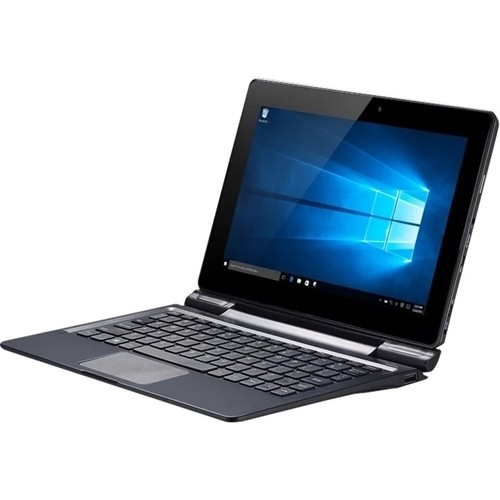
- Model:
- DPW10A-BT
- |
- SKU:
- 4978303
Customer reviews
Rating 3.6 out of 5 stars with 5 reviews
(5 customer reviews)to a friend
Customers are saying
Customers often highlight the USB ports on the keyboard as a positive feature. Comments praise the functionality and number of USB ports available. The ability to charge the device via a USB port is also mentioned favorably. There were no negative customer comments reported.
This summary was generated by AI based on customer reviews.
- Pros mentioned:Usb port
Rated 5 out of 5 stars
This Tablet/PC is a cheap alternative.
||Posted .This reviewer received promo considerations or sweepstakes entry for writing a review.This is an update to previous review. I got this on 4/1/2016 After 1 month of use this Tablet/PC is proving to be a great bargain. The first couple of days I did have some Bluetooth issues but after the Windows 10 Nov. update no more problems (the Nov. update happened after 2 days and the current update a couple days later). The keyboard delete key would sometimes not return but with repeated use whatever was causing it to hang up must have wore done as delete key now always works correctly (you could feel a small bump when you pushed key down). The good news is that both the USB ports on the keyboard work great. You CAN charge through the micro USB port but at a lower rate then the supplied 12V1.5A charger (I measured from a 2.A wall charger only about a 650mA input to the device). It takes about four hrs. to charge from 20% to 100% using the supplied charger, 8+ through the micro USB. Speaking of chargers, as previously noted this device uses a 12V wall charger with a very small barrel connector (like a laptop). This is the only tablet I have found that charges with 12V. The device does get warm when in use or charging but no more then other tablets I have used. I am getting about 9-10 hrs. of mixed use before it gets down to 20%. The only real concern I have is how tight the hinge holds the tablet when closed. It does take some effort to open and there is some creaking noises. Windows10 and apps all seem to run at a reasonable speed for such a low cost Tablet/PC. A very nice surprise was that the keyboard mouse/touchpad does allow you to zoom with pinch commands. I am very satisfied as of now with this purchase.
I would recommend this to a friend - Pros mentioned:Usb port
Rated 4 out of 5 stars
Good as a basic homework tool
||Posted .This reviewer received promo considerations or sweepstakes entry for writing a review.I bought this little computer for students to do their homework and research. It does well for that. There's not much memory but I didn't buy it for games, etc. The keyboard has USB ports so that's good also.
I would recommend this to a friend Rated 3 out of 5 stars
It was just OK
||Posted .This reviewer received promo considerations or sweepstakes entry for writing a review.It was more like a tablet than a true laptop. I already had a 7 inch tablet and this would have almost been a duplication. So I returned it for a refund.
I would recommend this to a friendRated 1 out of 5 stars
dead on arrival - stay away from bad quality
Posted .This reviewer received promo considerations or sweepstakes entry for writing a review.received product today. I was able to get the laptop started for 20 minutes but then the laptop froze and would not start. After several minutes, it responded to start button and then again died in few minutes. battery is fully charged. it looks like a very cheap product in cheap packing.
No, I would not recommend this to a friend- Pros mentioned:Usb port
Rated 5 out of 5 stars
New Tablet-Day 1 review
Posted .This reviewer received promo considerations or sweepstakes entry for writing a review.Fast set up. Full Windows 10 Home. Feels very solid (not a lightweight with keyboard attached). Very responsive. Here is some useful information. a) Keyboard is NOT Bluetooth, it is a physical connection to bottom of tablet (USB style). b) You CAN charge it through the Micro USB port (verified with DOPO). No Micro USB cable is included.The supplied charger is 12V?-1.5Ah and the back did seem to get more than warm on the first charge. c) There are 2 USB ports on the keyboard! d) There is no User manual, only a fold out about Windows 10. e) Like many Windows 10 devices the Bluetooth connected and worked fine on first use then no sound 2nd time. Use troubleshooting "Hardware and Sound' and sound back in headphones. This seems to be a problem with Windows 10 not the tablet. f) Touchpad on keyboard is a little, well, "touchy". All the little issues are just minor inconveniences. I am very pleased with the performance in the 8+hrs I have been using it and those 2 USB connections are really nice to have on such a low cost tablet!
I would recommend this to a friend