Customer Ratings & Reviews

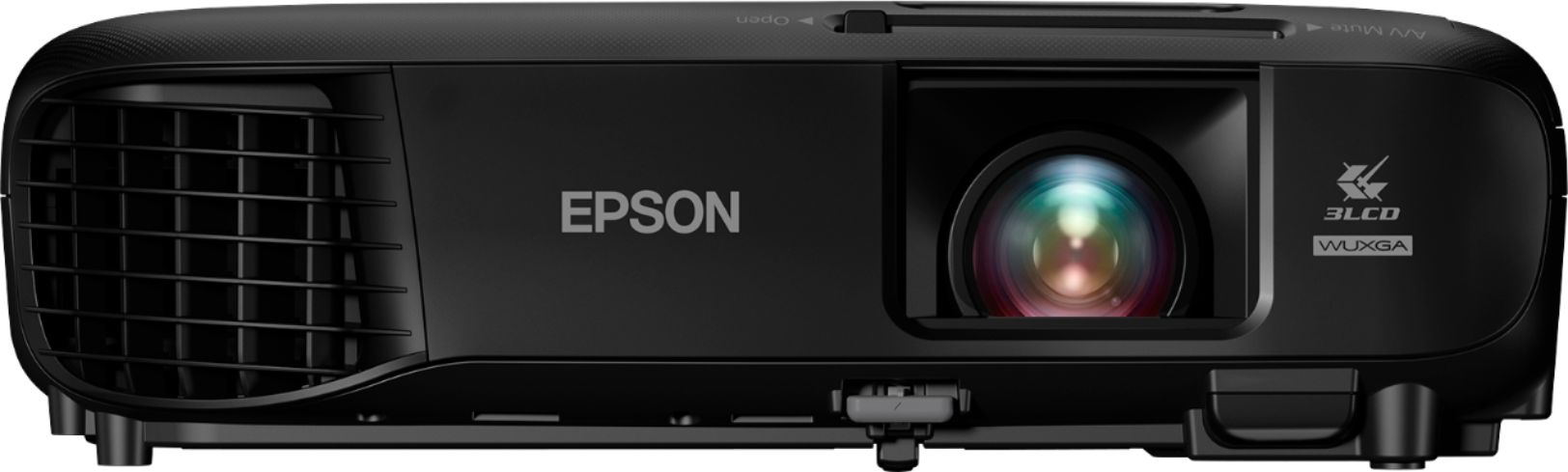
- Model:
- EPSON EX9220 PROJECTOR V11H84
- SKU:
- 5901528
Rating by feature
- Value
Rating 4.5 out of 5 stars
- Quality
Rating 4.7 out of 5 stars
- Ease of Use
Rating 4.6 out of 5 stars
Customers are saying
Customers consistently note the excellent picture quality and ease of use of the Pro EX9220 1080p Wireless 3LCD Projector. Its brightness and wireless capabilities are also frequently praised, with many appreciating its portability and convenient keystone correction features. While some users mention the fan noise, the overall feedback highlights the projector's value for its price.
This summary was generated by AI based on customer reviews.
- Pros mentioned:Brightness, Ease of use, Picture quality
Versatile Projector that packs some punch
Posted .This reviewer received promo considerations or sweepstakes entry for writing a review.Love this projector. The colors are amazing and the can be used easily for home or business. The light weight and clean storage makes it an easy way to hook up either at home or connect to a laptop for business. The projector is compact, wireless features built-in, and the picture is great! It was very easy to setup out of the box (just a few minutes) and the remote is very easy to use. I would highly recommend this product for those reasons. You may want to connect to a supplemental speaker for large screen viewing or for outside. This is an HD projector, that pacts serious contrast, and HD (real color) punch. Great in both low light and moderate lit rooms. This is a review for the Epson Pro EX9220 Wireless Projector that I received free of charge to do a beta test and review. All of that being said, I love this projector. We use it for outdoor movie nights in the backyard and the picture is great on a 100+++" screen across the backyard. Great for movie night, kids cant get enough, and can even to my presentations at work during the day...
I would recommend this to a friend Not for home
||Posted . Owned for 1 month when reviewed.This reviewer received promo considerations or sweepstakes entry for writing a review.This isn’t a projector for home due to no audio out. Would not even get for work either
No, I would not recommend this to a friendBrand response from Epson
Posted .Hello Fuzzbecool219, thank you for your feedback. Your Epson Pro EX9220 projector includes free lifetime technical support, and we would be glad to help. You can reach our support team by phone at (562) 276-4382 or by email at https://epson.custhelp.com/app/ask/p_model_name/Epson%20Pro%20EX9220; Hours: Monday - Friday, 7 am - 4 pm PT. Once again, thank you. Kind Regards, Bobby D. - The Epson Team.

- Pros mentioned:Ease of use, Picture quality

Great for presentations not too shabby for TV
|Posted .This reviewer received promo considerations or sweepstakes entry for writing a review.As I am periodically giving presentation in areas that are not always dark this projector shines! Even in areas where darkness is scarce, the images are crisp and clear and text is equally clear. For giggles, I also played a high def movie via a DVD player and it was remarkably, and surprisingly, very good quality. It was in 1080p and looked just like you would expect a 1080p picture to look. So you are aware, there are differences between a home theater projector and a presentation projector. Not sure what the differences are so you may want to do some research. Bottom line, the projector performed well in both presentation and video. It is easy to operate and has on screen display for all menu functions which are easy to navigate. Bonus feature is it comes with a carrying case and all needed cords and cables except an HDMI. This projector will work equally well as a permanent attachment in an office or for a road warrior.
I would recommend this to a friend - Pros mentioned:Brightness, Wireless
Bright and crisp projector
|Posted .This reviewer received promo considerations or sweepstakes entry for writing a review.Out of the box this unit is clean and solid. Came with all the cables you would need minus a HDMI cable and a nice case to go from here to there with. First note I want to make is that this unit is designed for primarily a office or lit environment. It can be used just fine for movies and videos but doesn't have deep blacks which is important for a home theater. My only real gripes are the minimalist built in speaker and the non back lit remote. The Eco mode was my favorite about this projector, only should be used in dark environments but it cranks the brightness down along with quieting the fan down dramatically. Has excellent on board functioning that you don't have to go into the menu for as well as on the remote. Picture is bright and crisp even in a bright room, zero issues there. Love the wireless options for airplay and mirroring for Android's. Overall a great unit with a couple minor set backs.
I would recommend this to a friend Not happy
||Posted .This reviewer received promo considerations or sweepstakes entry for writing a review.HDMI frequently getting disconnected. Returned it in few days
No, I would not recommend this to a friendBrand response from Epson
Posted .Hi Saniiv, we are sorry to hear you weren't satisfied with your purchase. We'll be sure to share your feedback with our product teams. Hopefully we can assist you with a future product. Best, Marina – The Epson Team.
- Pros mentioned:Brightness, Picture quality
Great Projector. Clear and Crisp Projection
|Posted .This reviewer received promo considerations or sweepstakes entry for writing a review.The Epson Pro EX9220 1080p Wireless 3LCD Projector is a wonderful projector. I used it for a business presentation and the projection was clear and crisp. It was projecting in a large well-lit room and the projector with it's 3,600 had no problem being easily visible. There are a number of settings on the projector to dial-in the perfect image. The projector, although not made for a home theater, had no problems displaying movies with great ease. The video was clear and in 1080p. The kids love to set it up and watch movies. From business to family movie night, you can't go wrong with this projector.
I would recommend this to a friend - Pros mentioned:Ease of use, Picture quality
WARNING: HDMI cable needed for MacBookPro OS 10.13
Posted .This reviewer received promo considerations or sweepstakes entry for writing a review.This is a review for the Epson Pro EX9220 Wireless Projector that I received free of charge to do a beta test and review. I'm not a tech person but I frequently work in groups and give presentations to groups of 3-20 people at their places of business. This projector is great for my needs. It's lightweight, has good audio, excellent projection quality, and is very modifiable. The remote control is intuitive and easy to use. It even has functions to "Freeze" the display so you can mess around on your computer while the rest of the group looks at whatever they were already looking at. Additionally it has an "A/V Mute" function so if you're you're projecting sensitive information you can quickly hide it simply by pushing a single button and the projector immediately goes dark. It's pretty slick. I'm really looking forward to using this projector for consulting work with non-profits who frequently run on very small budgets. Having a portable, easy-to-use, quality projection set-up will make presentations much more professional and will undoubtedly have a positive impact on my reputation with clients. The challenging part for me was getting the projector set-up. I spent more than 3 hours from start to finish before I was able to successfully project my desktop display. I use a MacBookPro running OS 10.13.4 at time of install. The projector comes with a USB-A to USB-B cable, and a VGA cable and with the standard adaptor for my Mac that plugs into a USB-C port, I tried to use the USB cable. The Epson USB Display installer is not compatible with my OS, and after one failed install attempt I called Epson tech support. I was on the phone with Epson for 36 minutes and we tried multiple times to install/uninstall the USB Display driver to enable use of the USB cable, including changing firewall settings and restarting the computer multiple times. Eventually Epson tech support advised me that it wasn't an Epson software issue and that I should call Apple as it likely had something to do with the settings. I phoned Apple and spoke with a very helpful support person who suggested we do screen sharing. We were on the phone for about 45 minutes, attempting to figure out how to get the USB to work, and ultimately she advised that I try an HDMI/HDMI or HDMI/Thunderbolt cable. So off to the Apple store I went, and luckily the HDMI/HDMI worked on the first try. I was lucky to get a very competent and curious tech support person at Apple who tried everything and had a great attitude and ulitmately suggested something that worked. Overall I'm happy that it works well, but it would've been helpful to know upfront that the USB Display Installer wasn't compatible with my version of MacOS, as there was conflicting information on the Epson Website. More troubling, the Epson support person didn't even mention 32-bit versus 64-bit or even ask about the different cables. It would've saved me a lot of time and frustration had the projector had an HDMI/HDMI cable. Another solution would be to include that troubleshooting tip on the Quick Setup guide so I (non tech-savvy person) would know to bypass the USB display installer if it was a problem and go straight to an alternate cable.
I would recommend this to a friend Misleading
||Posted .This reviewer received promo considerations or sweepstakes entry for writing a review.Product description states that this unit is capable of wireless connectivity, which it is not
No, I would not recommend this to a friendBrand response from Epson
Posted .Hi Scott, we appreciate your business and welcome the opportunity to assist you. Your Epson EX9220 includes free technical support for the life of your product. Please reach out to our Epson Support Team for assistance at (562) 276-4382; Hours: Monday – Friday, 6am – 8pm PT; Saturday, 7am – 4pm PT. We’re here to help. Sincerely, Quinn – The Epson Team.
Excellent viewing for a sub-$1000 projector
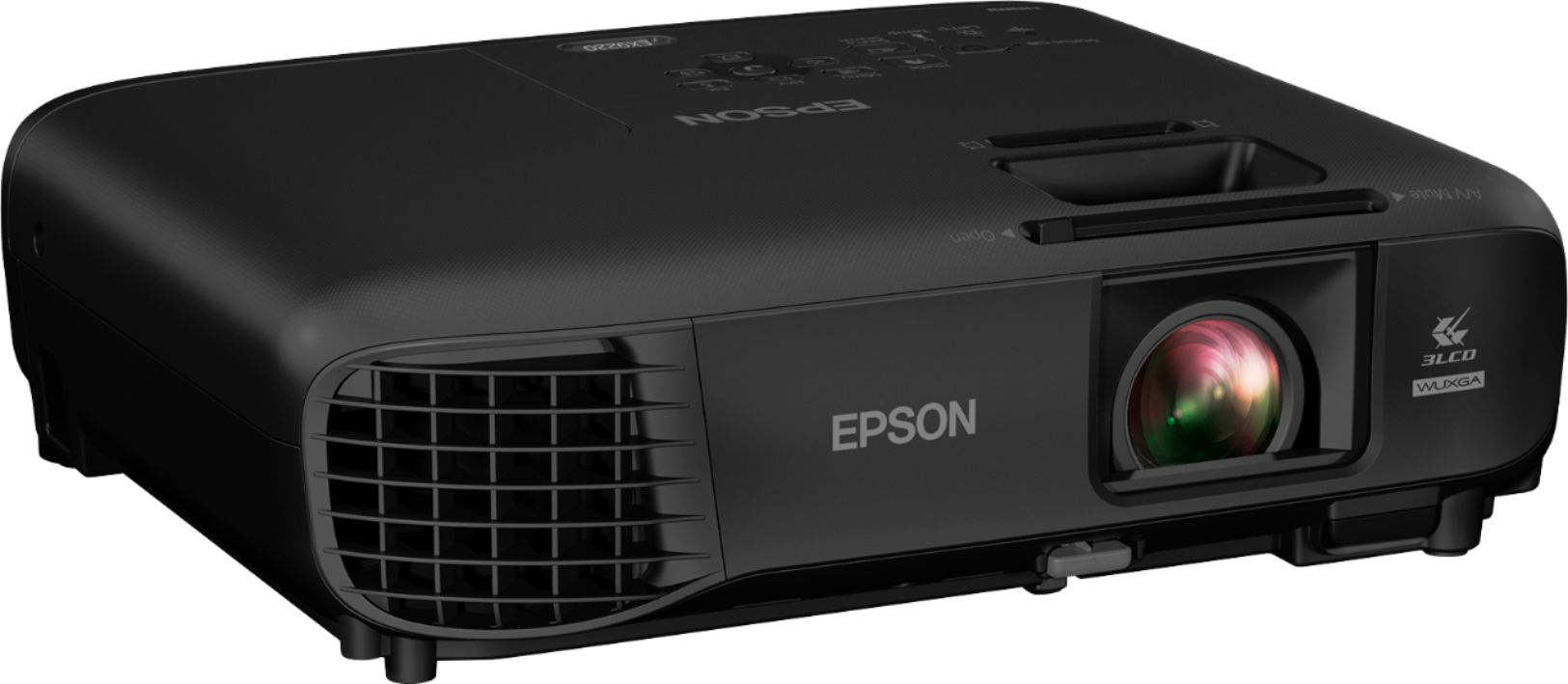
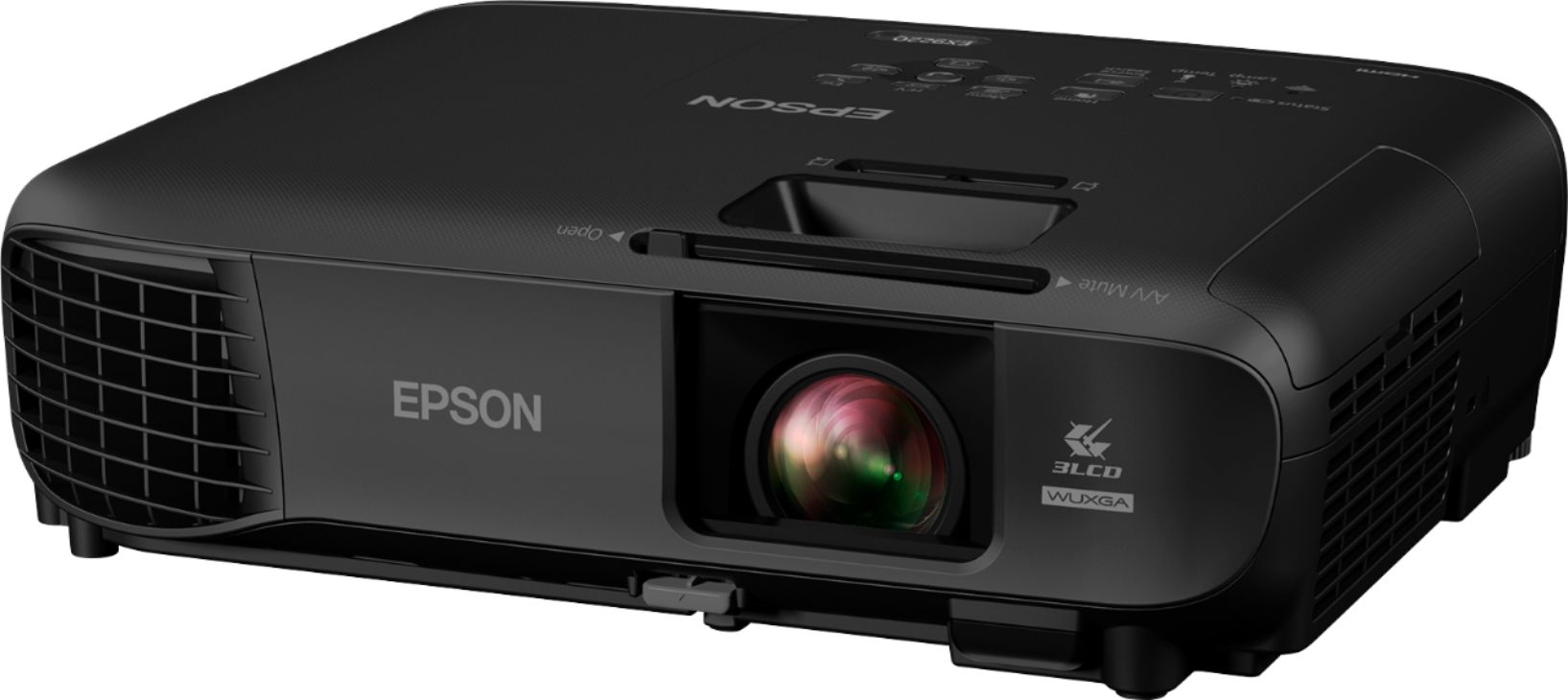
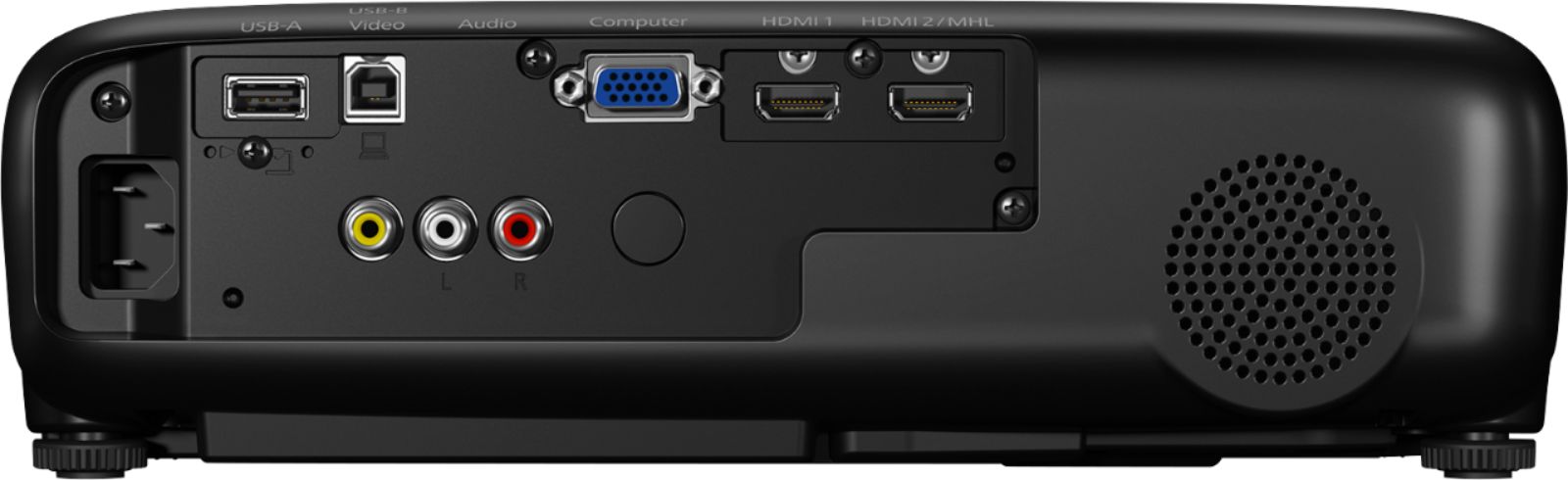
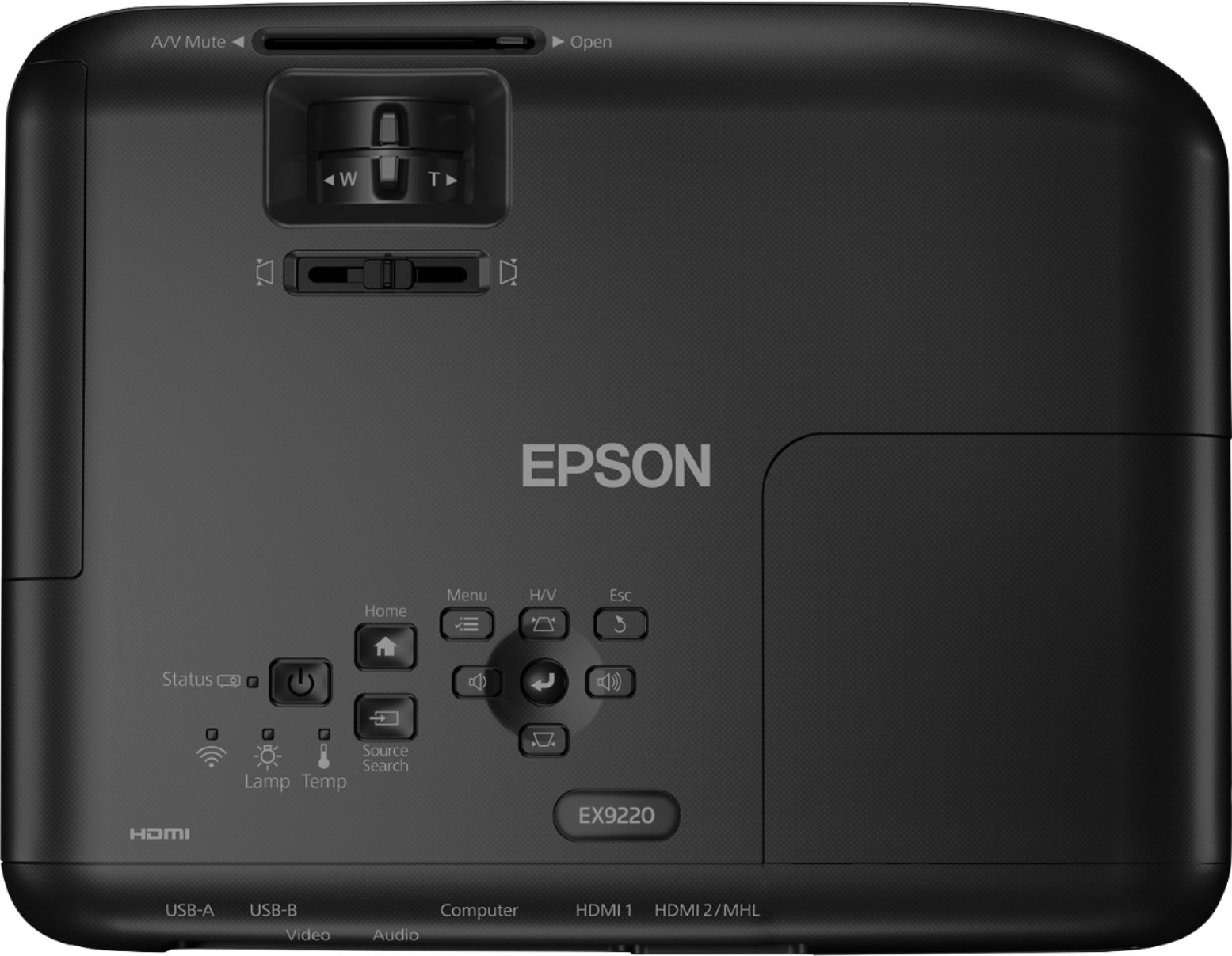
|Posted .This reviewer received promo considerations or sweepstakes entry for writing a review.As a Best Buy Technical Insider Network member, I received the Epson Pro EX9220 for free in exchange for an unbiased review. For a sub-$1,000 projector, this device will literally outshine most other projectors you may have used over the past several years. At 3,500 lumens, for this price point, you're not going to find many projectors that are brighter. In my view, when considering projectors, while dot pitch is certainly important (and can be measured in terms of the highest resolution/ratio that the projector can handle -- in this case, 1080p HD 16:9 format), what is significantly more important is the luminosity, or lumens. This number makes the determination of exactly how much darkness you'd need to fully see a projected image. In this case, the Epson Pro EX9220 has no problems in displaying images/videos in a fully-lit room. As a test, I projected mine in a room in my house where the windows were not covered and the wall wasn't fully white for a background -- and yet there were no issues at all in projecting HD-level images and video. In the dark, the projection simply becomes that much more vivid. This is a "pro" projector, and hence it's technically rated to handle business-type applications; if you're shooting for presentations and other media where fonts must project correctly, this device is definitely for you. However, if you're looking for a device that can handle the latest 1080p-formatted movie, I'd say stick with this device -- it handles anything thrown at it quite easily. In fact, we're now looking at fully replacing our very nice television with this device -- that's how much we enjoyed the projections. Physically, the device is smaller, making it something easy to handle and transport -- it even comes with its own carrying bag. It's light, weighing in at approximately 5 pounds. Its ports include USB-A, USB-B, Left/Right Audio and Video RCA outputs, VGA input, as well as two HDMI inputs. Further, there is a capability of performing "split-screen," where two different inputs can be projected side-by-side. The device is height-adjustable, and contains a handful of anti-keystoning adjusters for optimal projection viewing. Its on-board menu allows for device parameter granularity. There's also a user-replaceable air-intake filter next to the lens housing. The only negative I can see (and I would not reduce the number of stars for this) is that the only cables that come with the device are a USB and VGA cable; you must supply your own HDMI or RCA cables. If you have a source that can feed into the projector and it's up to 1080p, this device should have no issues displaying it, and you should be able to tweak the video to your liking, if factory settings aren't optimal. This is an excellent project for any of your viewing needs.
I would recommend this to a friend- Pros mentioned:Picture quality
Not exactly user-friendly
|Posted .This reviewer received promo considerations or sweepstakes entry for writing a review.As a projector, this works great, but I didn't really want this model for the quality of the picture; I wanted to take advantage of the wireless capabilities. Those work as well, but they aren't what I would call user-friendly. First of all, to connect to a wireless network, you have to manually enter the network SSID through an onscreen keyboard. That means manually selecting each letter with the up, down, left, and right arrows on the remote, which creates numerous opportunities for error. How hard would it be to list available networks? Evidently too hard for the guys who programmed this machine. Secondly, you can project content from your iPhone or iPad, but only through the associated app. That app will pull in content from cloud services like Dropbox (Good!), but it won't play Keynote presentations (Bad!). Oh, and you can also do screen mirroring, but only on devices that support Miracast (sorry Apple fans). There is a very nifty feature that lets the app find the projector by looking at a QR code that the projector displays, so once you've got it on the network, the rest of the pairing goes quickly. However, getting it on the network in the first place is so clunky, that doesn't feel like much relief. So overall, good projector, but if you're buying it for the wireless capabilities, be prepared for a few technical hurdles.
I would recommend this to a friend Good
||Posted . Owned for more than 2 years when reviewed.This reviewer received promo considerations or sweepstakes entry for writing a review.Great picture but one of the HDMI ports does not work anymore.
I would recommend this to a friendBrand response from Epson
Posted .Hi SprintCar0, thanks for taking the time to post a review, and I am sorry to hear you have one HDMI port not working.
Your Epson EX9220 includes a 2- Year Limited Warranty that covers a failing HDMI port.
Please call our support line to troubleshoot first to see if we can resolve your issue.
Please contact Epson Support at (562) 276-4382; Hours: Monday – Friday, 6am – 8pm PT; Saturday, 7am – 4pm PT. Sincerely, Leo – The Epson Team.
EPSON 9220 projector overpriced
||Posted . Owned for 3 weeks when reviewed.This reviewer received promo considerations or sweepstakes entry for writing a review.$850 but basic features and adapters missing not happy.
No, I would not recommend this to a friendBrand response from Epson
Posted .Hello, we appreciate your feedback, and we'll forward this information to the relevant department to help improve future Epson products. Your Pro EX7220 projector comes with a 1-year Limited Warranty and free lifetime technical support. If you ever need assistance, Epson provides useful information, including FAQs and self-help tools, on the product support page at www.epson.com/s/SPT_V11H846020. You can also contact our support team at (562) 276-4382 between 7 am - 4 pm (PT), Monday - Friday. Kind Regards, Bobby D. - The Epson Team.
15% restocking fee on a $900 item is too much!
||Posted . Owned for 1 week when reviewed.This reviewer received promo considerations or sweepstakes entry for writing a review.I returned it the day after I bought it. It was big and fancy but did not offer me anymore than the less expensive model. Sometimes, buying the best model doesn’t pay off.
No, I would not recommend this to a friendBrand response from Epson
Posted .Hello TechnoNerd, thank you for sharing your experience with the Pro EX9220 projector. We'll forward this information to the relevant department for review. If we can help you with anything else, our support team can be reached at (562) 276-4382 between 7 am - 4 pm (PT), Monday - Friday. Once again, thank you. Kind Regards, Bobby - The Epson Team.
Ugh
||Posted . Owned for 1 month when reviewed.This reviewer received promo considerations or sweepstakes entry for writing a review.Not happy about my purchase. Thought buying one that said wireless would make things easier to do. Nope. The projector software and app software are garbage.
No, I would not recommend this to a friendBrand response from Epson
Posted .Hello SLOFUN, we're here to help, and we would like to hear more about the software issues that you had encountered. Your Epson EX9220 Pro projector comes with a 1-year Limited Warranty and free lifetime technical support. Please reach out to our Advanced Support Team directly at 1-800-241-5794 between 7 am - 4 pm (PT), Monday - Friday. We hope to hear from you soon. Kind Regards, Bobby D. - The Epson Team.
A portable projector loaded with many options
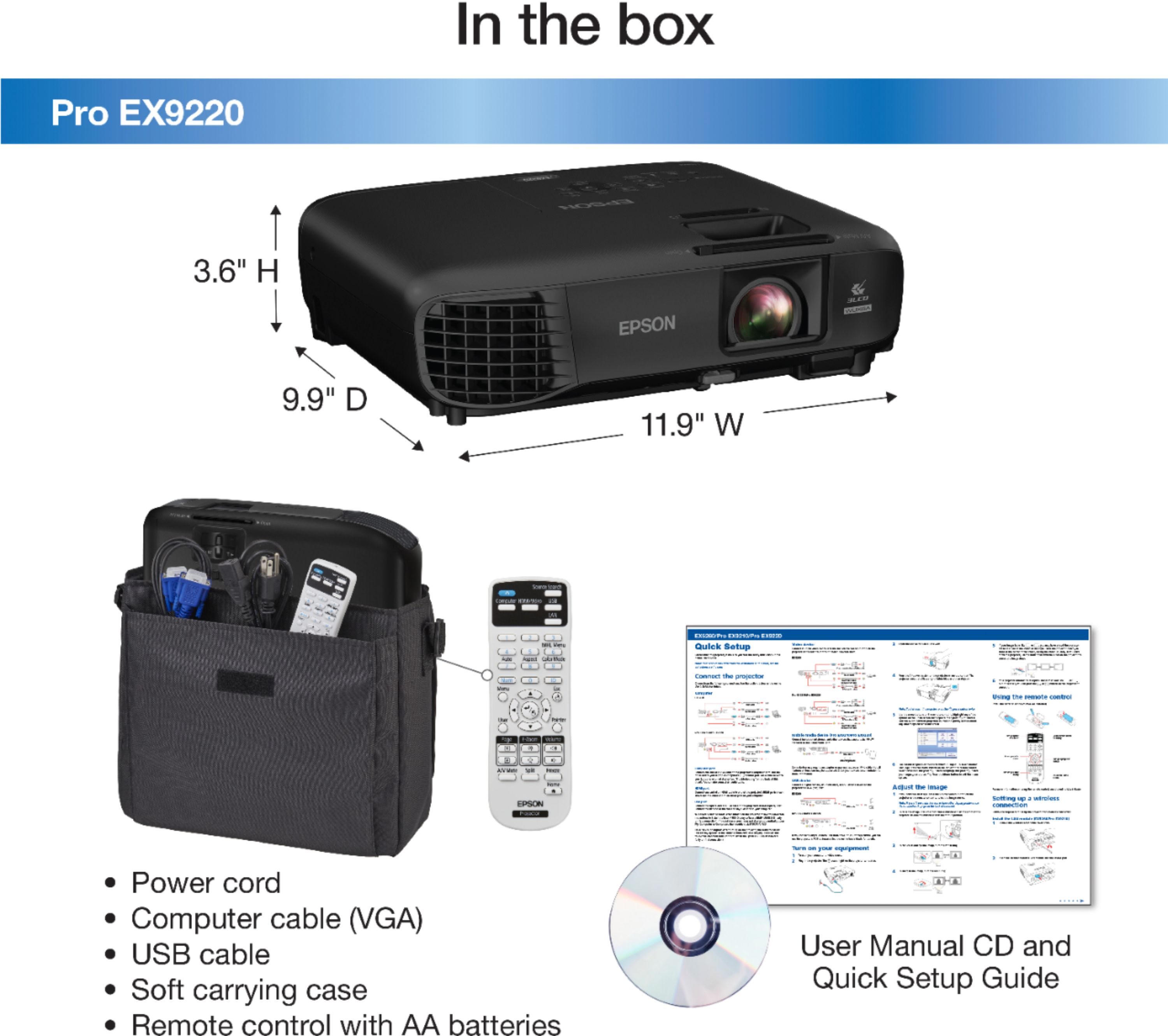
|Posted .This reviewer received promo considerations or sweepstakes entry for writing a review.Opening up the box, you will find a lightweight carrying case with strap, the projector unit, power cord, USB cable connector, HDMI cable connector, remote and 2 AA batteries. The non-electronic items include a Quick Setup guide (with handy support telephone numbers for phone consulting) in English and French, CD ROM with links to the manuals and product registration, Declaration of Conformity, Extra Care Road Service (coverage of replacing a nonfunctional unit. This service runs concurrently with the basic warranty. Once the warranty runs out, you can choose continue the same coverage for a fee.), discount offer on Epson products, and a welcoming note. While a carrying case was a nice touch, this one is not particularly durable or able to provide ample support if dropped or knocked around while traveling. Though there is the ability to hook up to the projector via a VGA and audio cable, those cables are not included. I started working on connecting the projecting to my work and home laptops. I was able to quickly hook up one computer using the VGA connector. It took me longer to set up the other computer wirelessly. My first challenge was checking out what was on the CD-ROM without a CD ROM drive on my newer laptop. Luckily, I had an external DVD player that I could hook up. For those of you the same situation, don’t bother. It is just the product registration process and the manuals which can easily be accessed online and downloaded. The wireless LAN module is not needed for the Pro EX9220 since the wireless functionality is built-in in this model. That was very convenient! The first step you need to take to hook up the project wirelessly is to install the Epson iProjection (Windows/Mac) software on the computer from which you will project. After a lot of fruitless searching, I found success at https://epson.com/Support/Projectors/EX-Series/Epson-Pro-EX9220/s/SPT_V11H846020#drivers. Here you can download utilities, apps, admin tools, and manuals. There is a FAQ that is helpful, particularly to solve issues. Additionally, registration and contact information is found here. The manual walked me through the process using the remote for the settings. One all hooked up and turned on, the projector worked like any other (power button, menu, source, keystone, zoom/focus ring, etc.). It projects 3-30 feet and the bulb can last between 6,000-10,000 hours. But there are a TON of additional options: You can also set up a wireless connection using a Quick Wireless Connection USB Key (Windows only). You can connect a digital camera, USB flash drive or USB storage device to the USB-A port and use the PC Free feature. Mobile High-Definition Link (MHL) Connectivity allows you to project images and videos from your smart devices (smartphone, tablet, etc) using Miracast technology (called screen mirroring). Plug into HDMI2/MHL port. You can recharge your device while viewing and use the remote to control smart device. The feature to present from a mobile device is available using the iProtection app and a QR code that is displayed on the projector screen. You can set up password protection. While I appreciate many of the wonderful options this projector offers, I can’t say that I understand or will use each one of them. The aspects that I found most valuable for the short period of time that I used it is that it is a versatile projector that is portable (weighs 6 lbs), that projects amazingly clear, bright and vivid images, and that can hook up to my laptop wireless allowing me to position my laptop anywhere in the room. If you are looking for just some of the options listed above, this is the model for you.
I would recommend this to a friend- Pros mentioned:Brightness, Picture quality
Excellent Compact Projector
Posted .This reviewer received promo considerations or sweepstakes entry for writing a review.“This is a review for the Epson Pro EX9220 Wireless Projector that I received free of charge to do a beta test and review." The Epson EX9200 Pro WUXGA 3LCD Projector is excellent! Very high resolution and very good color rendition, high resolution for showing images with fine detail. I can project large and detailed design drawings to review for projects I am working on. This projector is light enough to carry easily and bright enough for a small to midsize room. This is especially important as I need to be able to set up a meeting anywhere on the road and this projector is perfect for pop up meetings at Job sites or board room. The compact size allows me to take it with me to setup design reviews and construction drawing markups fast. Gone are the days of the rainbow effect that really gave projectors a bad name. The three-chip LCD technology has really improved picture quality tenfold. Another cool feature is that when I am done with my presentation I can just turn it off and unplug it immediately without needing to wait for a cool down cycle like older projectors. The Setup is pretty much standard, with a manual focus and manual 1.2x zoom. Image inputs are all on the back panel, with two HDMI ports, one VGA port for a computer or component video, and a composite video port. In addition, one of the HDMI ports supports MHL, and there's a USB Type A port for reading files directly from a USB memory key and a USB Type B port for both direct USB display and controlling the computer mouse from the projector remote. There's also built-in Wi-Fi for wireless connections. The price for this compact is very reasonable for the quality of picture produced. I highly recommend this projector.
I would recommend this to a friend No outgoing speakers connection.
||Posted . Owned for 3 weeks when reviewed.This reviewer received promo considerations or sweepstakes entry for writing a review.Internal speakers poor. No outgoing speaker connection.
No, I would not recommend this to a friendBrand response from Epson
Posted .Hi MeMo, thank you for taking the time to write a review, and we'll be sure to share your feedback with our product teams. Your Epson EX9220 includes free technical support, so if you would like to explore potential audio solutions that are compatible with your projector, please contact us at (562) 276-4382; Hours: Monday – Friday, 6am – 8pm PT; Saturday 7am – 4pm PT.
Sincerely, Matt – The Epson Team.
- Pros mentioned:Ease of use, Picture quality
Great for office, portable, great price!
Posted .This reviewer received promo considerations or sweepstakes entry for writing a review.I have always wanted a projector so I finally got the Epson Pro EX9220. I have to say for the price point I am blown away at the quality and features this projector offers. I wanted a projector that was portable so I could move around at home, and office locations. Setup was an absolute snap and I was up in running in minutes. I used it on both a Projection screen and a wall at office, and both had crisp bright video footage. This Projector has both dual HDMI and USB ports so it makes for easy setup, and the USB is great to connect a portable hard drive. Also the Epson Pro EX9220 has a feature called Multicast which allows for you to cast photos easily from a device. The EX9220 has 3600 lumens and 1920x1080 resolution and its bright and very clear. This projector is perfect for making presentations at office and the compact size makes it easy to move around. Also has a built in speaker which is fine for an office room when doing presentations. The fan noise is acceptable and much quieter than others I have tried in the past. Overall I am very impressed, and again for the price point its an amzing value!! “This is a review for the Epson Pro EX9220 Wireless Projector that I received free of charge to do a beta test and review."
I would recommend this to a friend - Pros mentioned:Ease of use, Picture quality
Very nice portable projector
Posted .This reviewer received promo considerations or sweepstakes entry for writing a review.This is a review for the Epson Pro EX9220 wireless projector that I received free of charge to do a beta test and review. The projector came safely packaged and was a breeze to set up. I had the unit up and running in less than 10 minutes time. It is extremely portable; it weighs around 5-6 pounds, comes with a carrying case, and is very user friendly. I intend to use the projector primarily for home entertainment. On that end, I couldn't be more pleased, as the projector displays a bright, colorful, and incredibly sharp picture. I was also impressed with the fact that I did not need an entirely darkened room for the projector to still display a quality picture. The sound quality could be better, as is the case with most projectors, but that is my only complaint and a minor one at that. Overall, I am very pleased and look forward to using the projector for movies and video games galore.
I would recommend this to a friend Better than expected
|Posted .This reviewer received promo considerations or sweepstakes entry for writing a review.Epson hit the ball hard on this one, and it's still going. I cannot believe the performance and features this unit has compared to my 2015 model. The capabilities with the wireless connections from many devices are insane. Throw a Chromecast in the HDMI port and watch movies. Speaking of movies, this unit was not made for it, but it still does it well as long as it is under 80" from my testing. Don't expect movie theater quality, it is not made for it. Now, where it really shines, PowerPoint, excel, school work, homeschooling and so much more. My wife does homeschool our 4 daughters and man, the last week has been the best ever. Now my wife can put up math, science and more on our whiteboard and draw right next to it. The unit is very bright, great for a sunny room. It is also super quiet and can be on for hours. All the inputs work as they should and I have not found one device that I cannot connect to it, minus Apple products, I have nothing to test with. Great job Epson, one awesome winning product.
I would recommend this to a friend