Customer Ratings & Reviews




- Model:
- C11CG39201
- |
- SKU:
- 6214990
Customer reviews
Rating 4.8 out of 5 stars with 74 reviews
(74 customer reviews)to a friend
Customers are saying
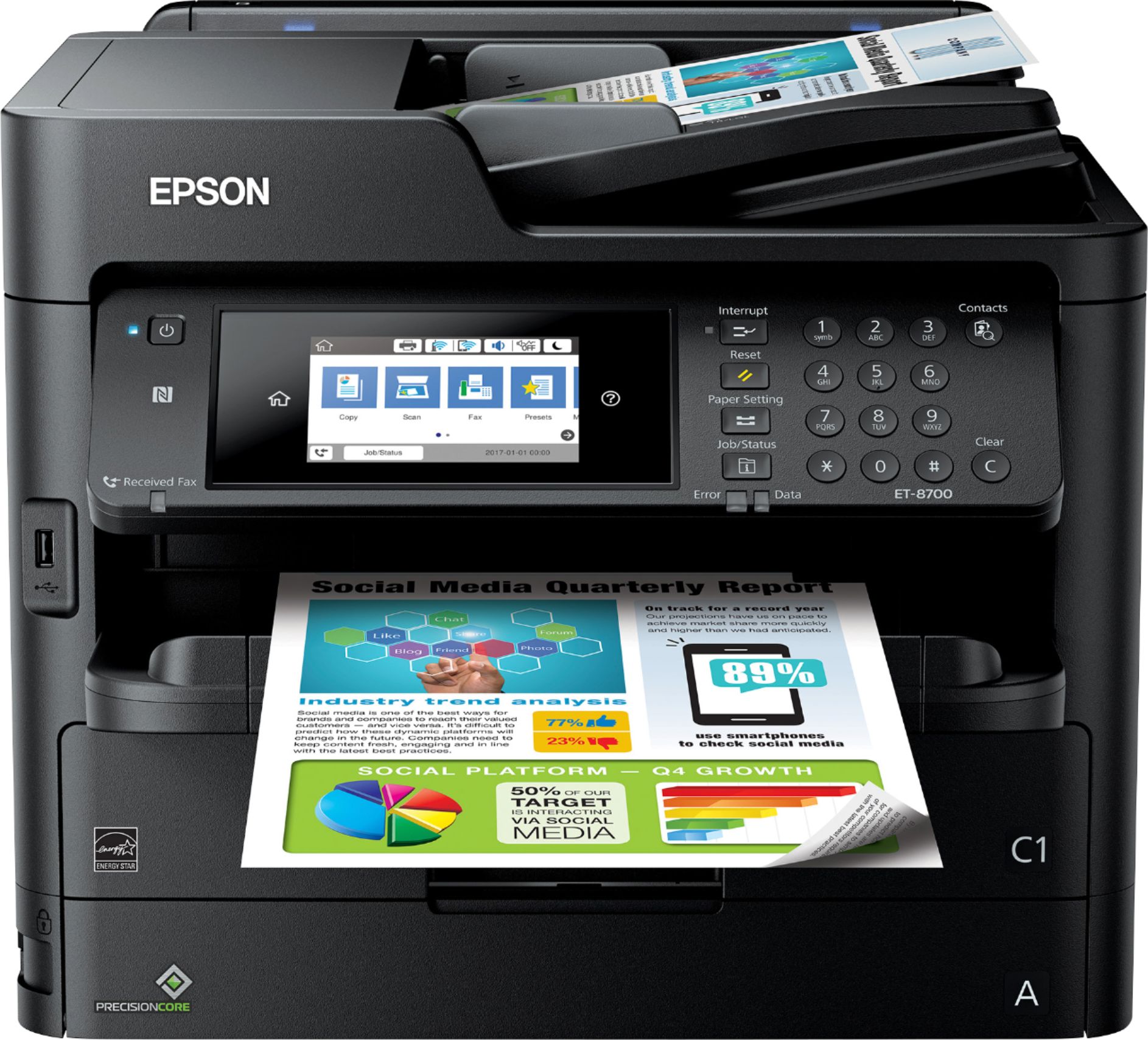
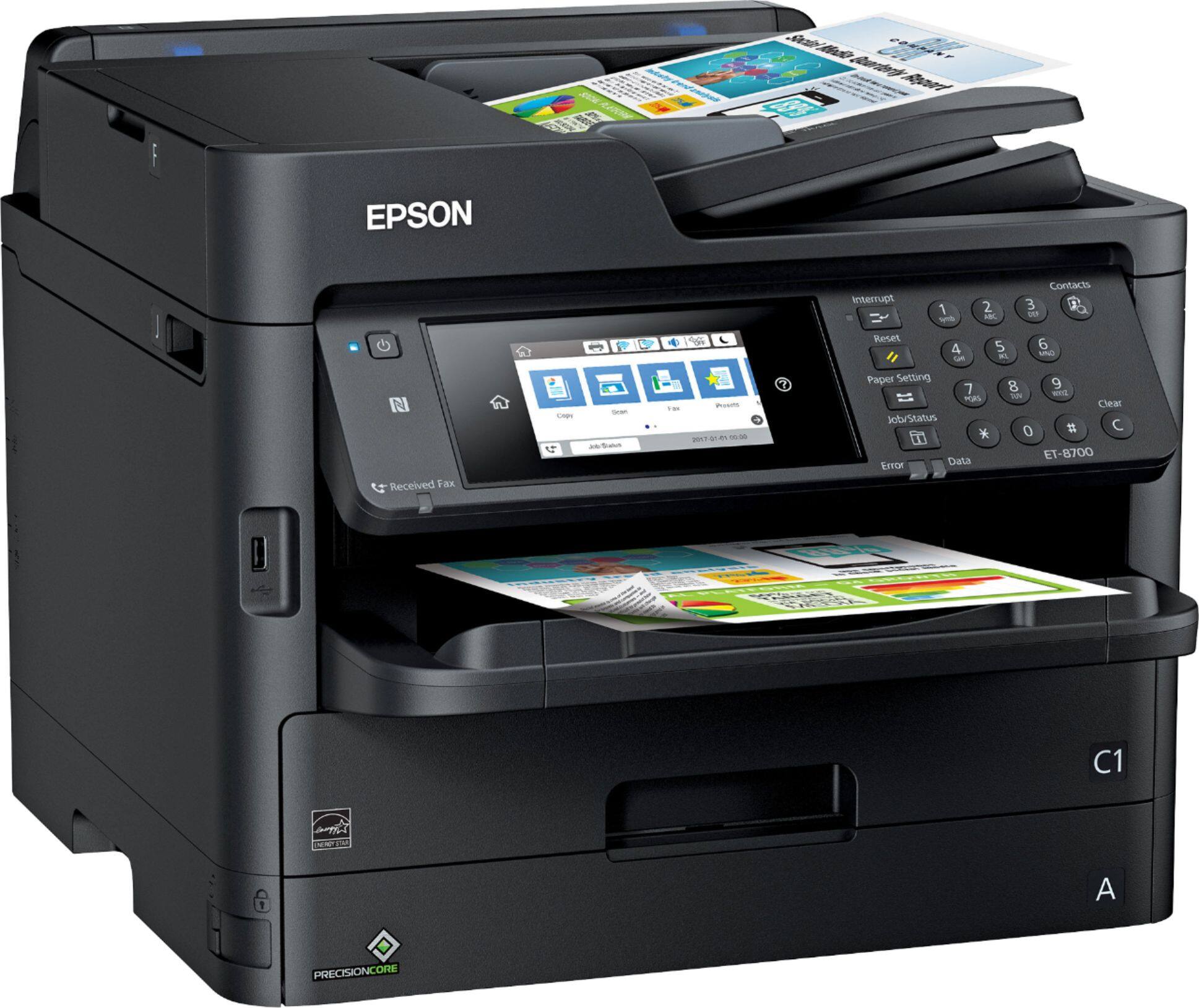
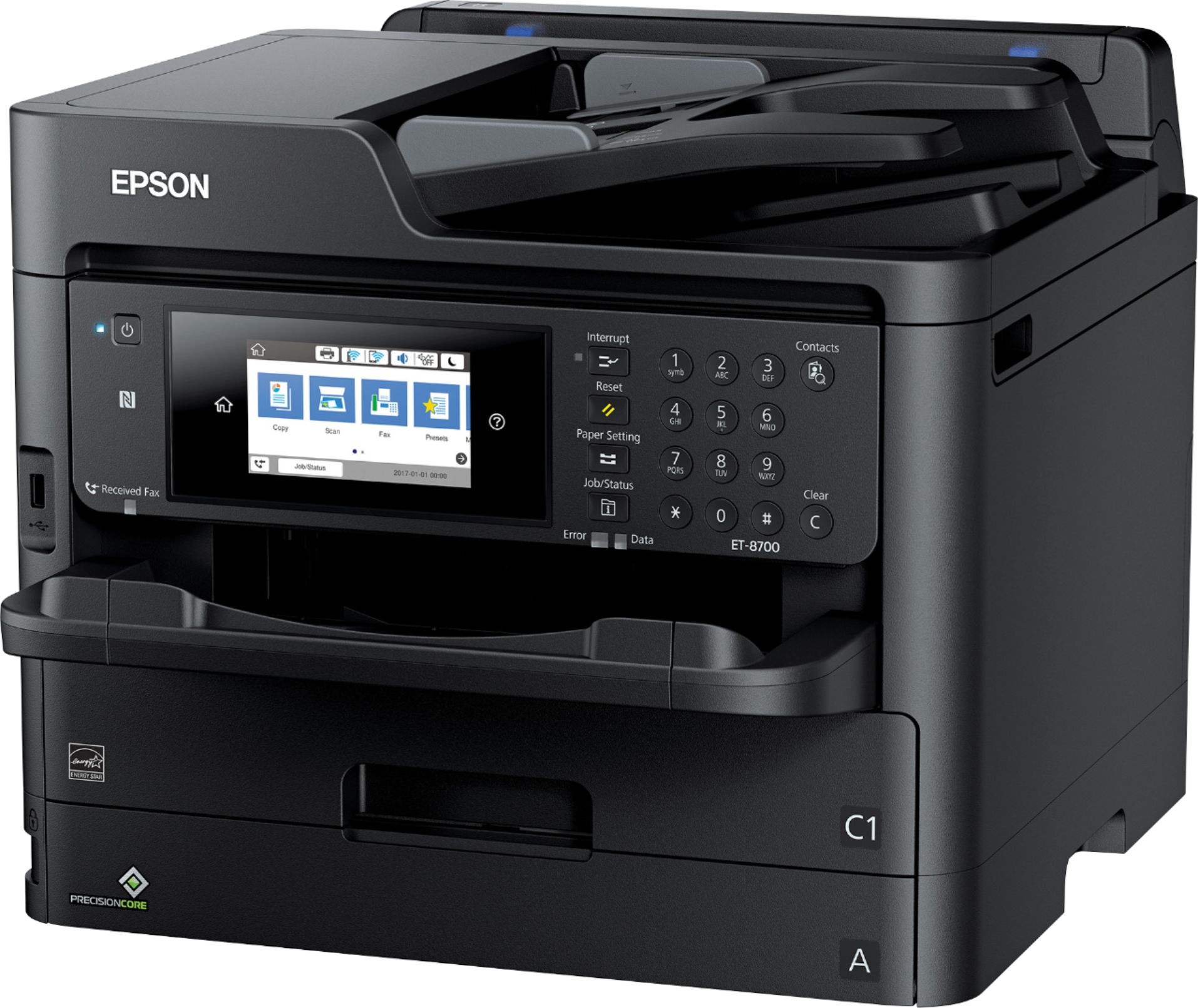
Customers are enthusiastic about the WorkForce Pro EcoTank ET-8700's impressive print quality, ease of use, and intuitive touch screen. Many appreciate the straightforward setup process and the efficient document feeder. While some find it larger than expected and a bit noisy during operation, the overwhelmingly positive feedback points to a highly-regarded product.
This summary was generated by AI based on customer reviews.
- Pros mentioned:Print quality, Touch screen
Rated 5 out of 5 stars
Perfect for my Home-Office!
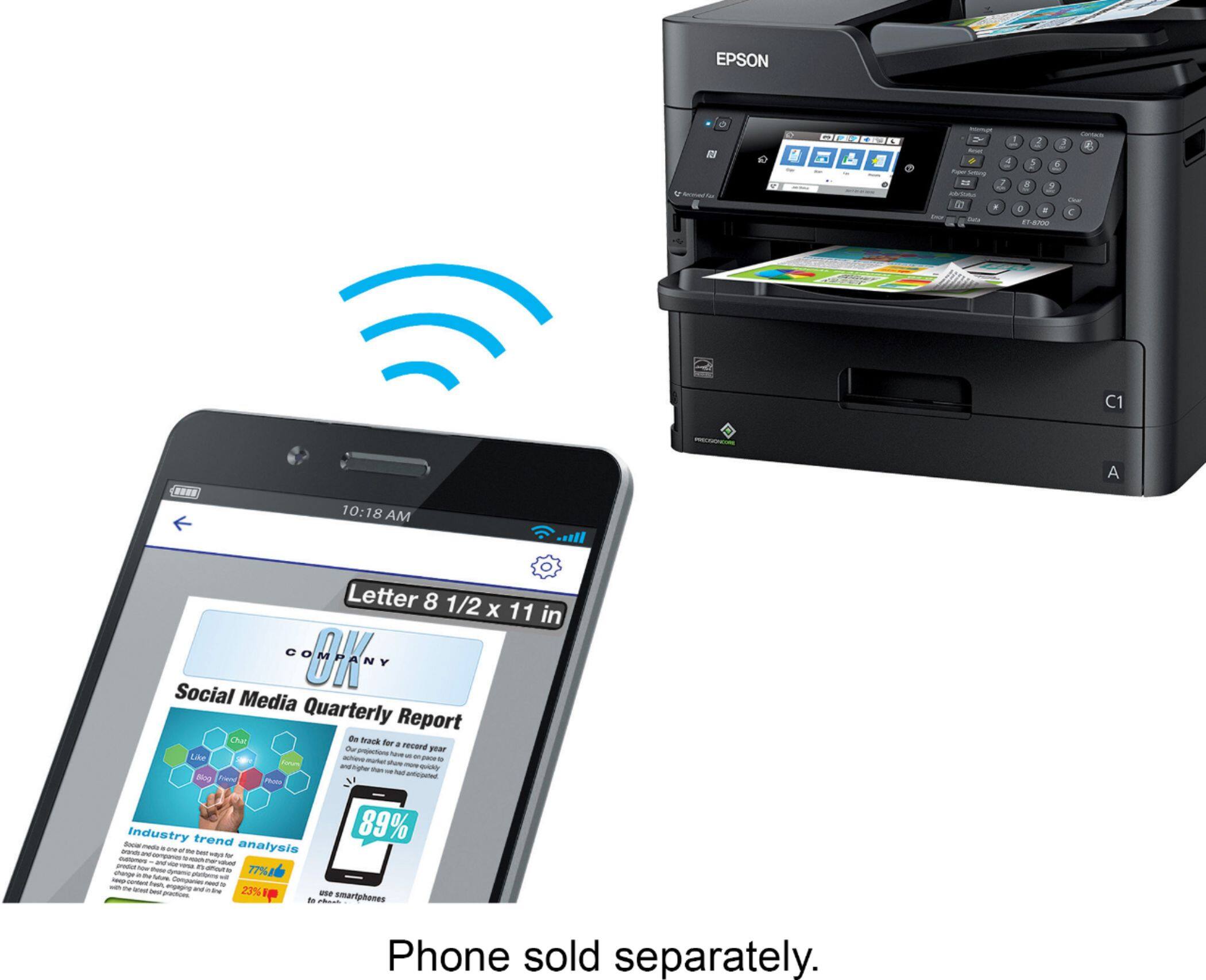
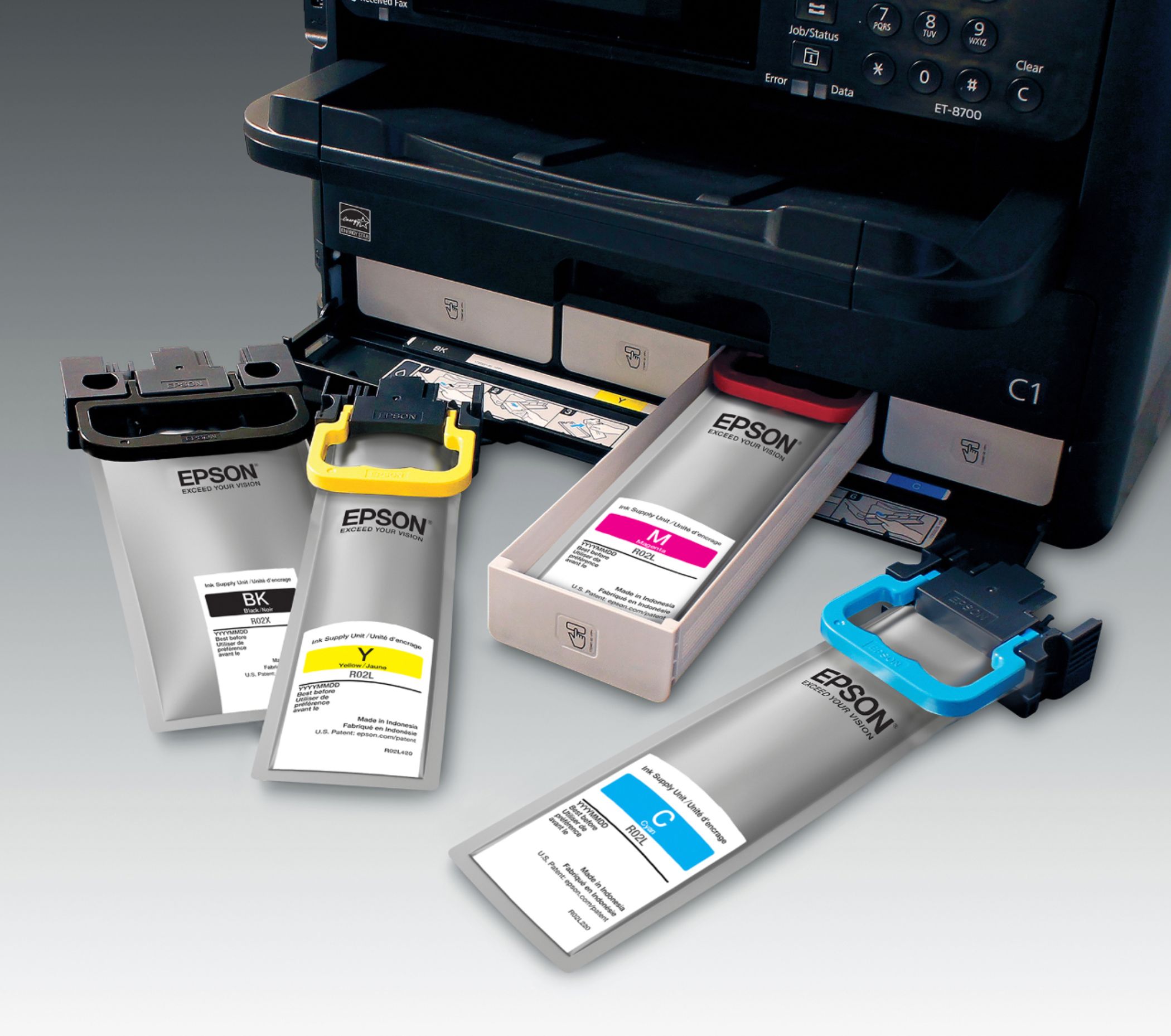
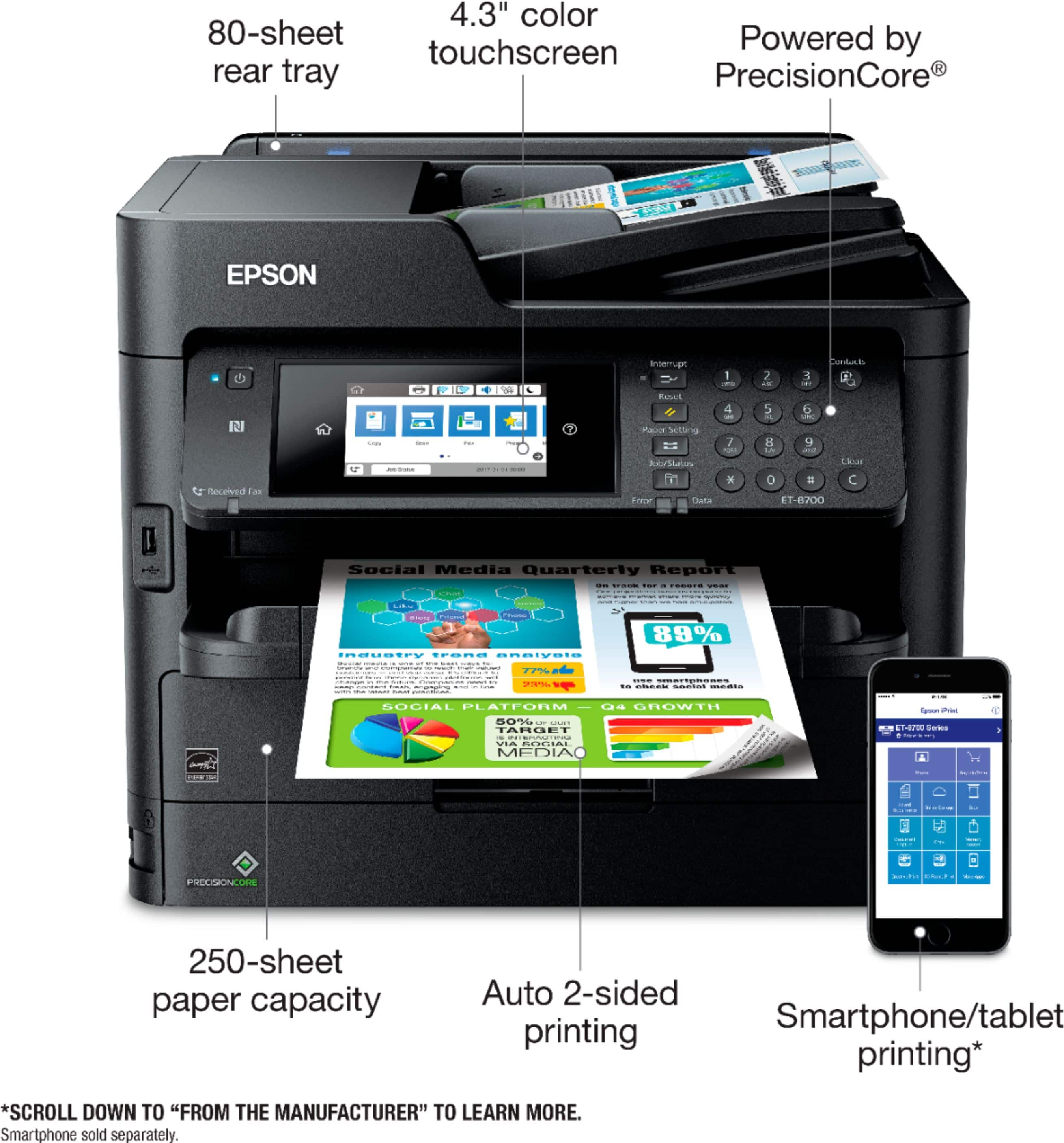
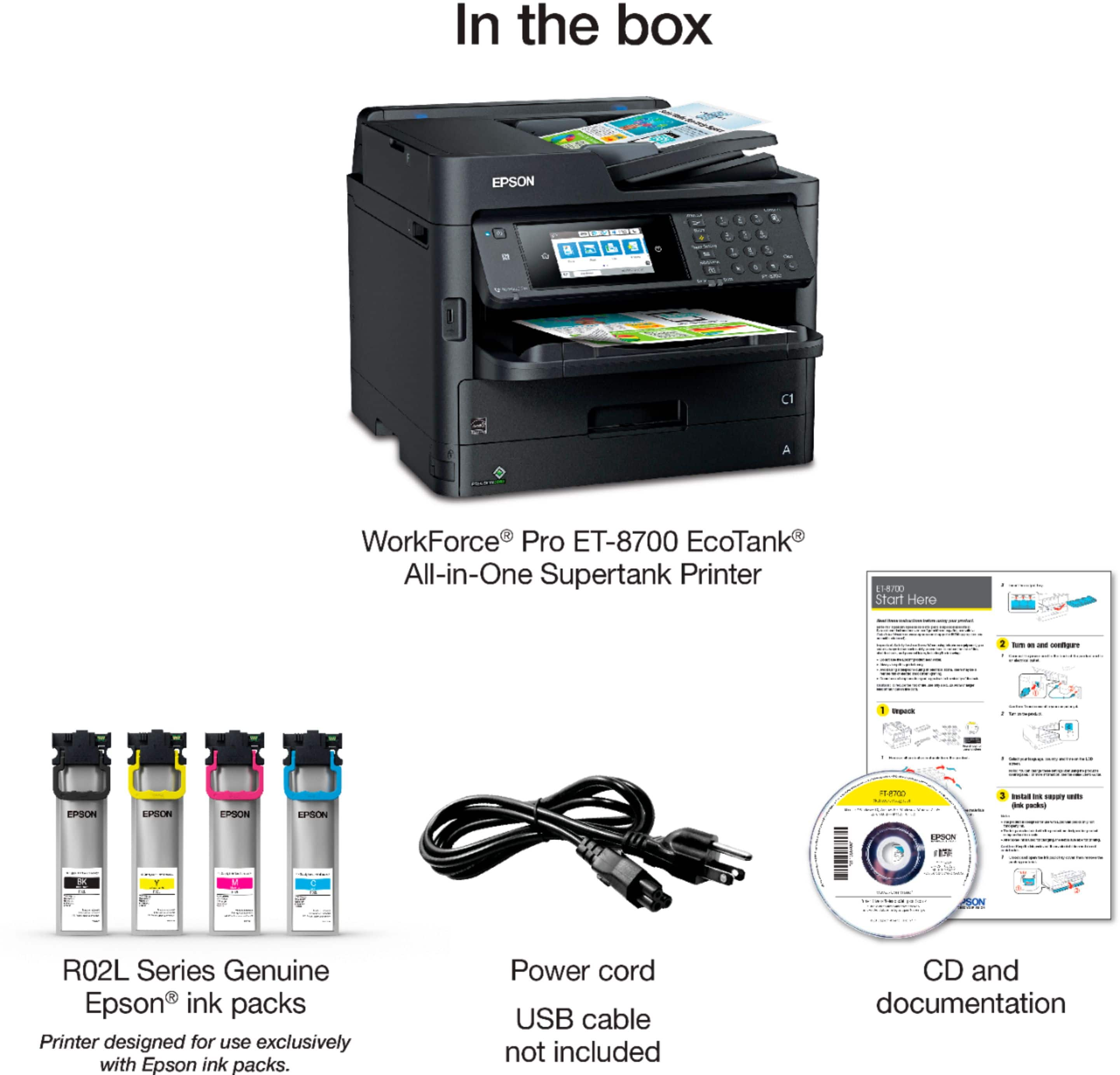
Posted .This reviewer received promo considerations or sweepstakes entry for writing a review.I was looking specifically for a printer that would work well for my home office. I have been debating between an inkjet and laser printer. Pros and cons to each, but for me running out of ink so quickly was the biggest con. The EcoTank doesn’t use cartridges, it uses pouches of ink. It comes with two each of the XL black pouches and three each of the color pouches. This machine is a work horse and has all the features I’ve found in the very expensive commercial printers. This printer sets up as easy as a home printer, but it doesn’t act like one. It’s sturdy, extremely fast and I just like the way it looks, which is important to me, especially for a home office. This printer uses a touch screen and it is extremely responsive. There is nothing cheap feeling about this printer. The paper tray holds 250 pages and it has a manual feed tray that can accept any size paper, including a stack of photo paper. Images can be printed directly from a flash drive via the USB port on the front of the printer. The text and photo print quality of this printer look perfect to me, and I am extremely picky. For photos, it does not have that weird inverse affect when you hold glossy photos at certain angles, like some printers do. The look is even across the entire picture. The scanner also produces professional results and will produce a PDF that looks every bit as good as the original document. Some scanners will add a gray haze to the document, this one does not. I set my printer up on Wi-Fi then connected it to my Google Cloud Print account, which allows me to print from literally anywhere. This is a must have feature for me. The other features I instantly utilized were scanning to network folders and scanning to email, all of which were easy to configure. The printer uses a contact directory, so you can put all of your contacts and network locations in to it for scanning or sending documents/pictures. The printer and scanner functions are both full duplex, another must have feature for me. Printing is lightning fast, but the duplex scanner does not scan both sides at the same time like I was hoping. The one other thing I found lacking in this printer was the ability to print borderless pictures. There is a small white border around my 4x6 photos, which was a little disappointing. The good thing is that I can specify the paper type for the manual feed tray, which allows me to send pictures to the printer and it will automatically print from the correct tray without having to remove paper from the main tray. Although I received this printer for free to test, this is an honest review. This is a review for the Epson ET-8700 EcoTank All-in-One Printer that I received free of charge to do a beta test and review.
I would recommend this to a friend - Pros mentioned:Print quality, Touch screen
Rated 5 out of 5 stars
Upgrading everything, the right way.
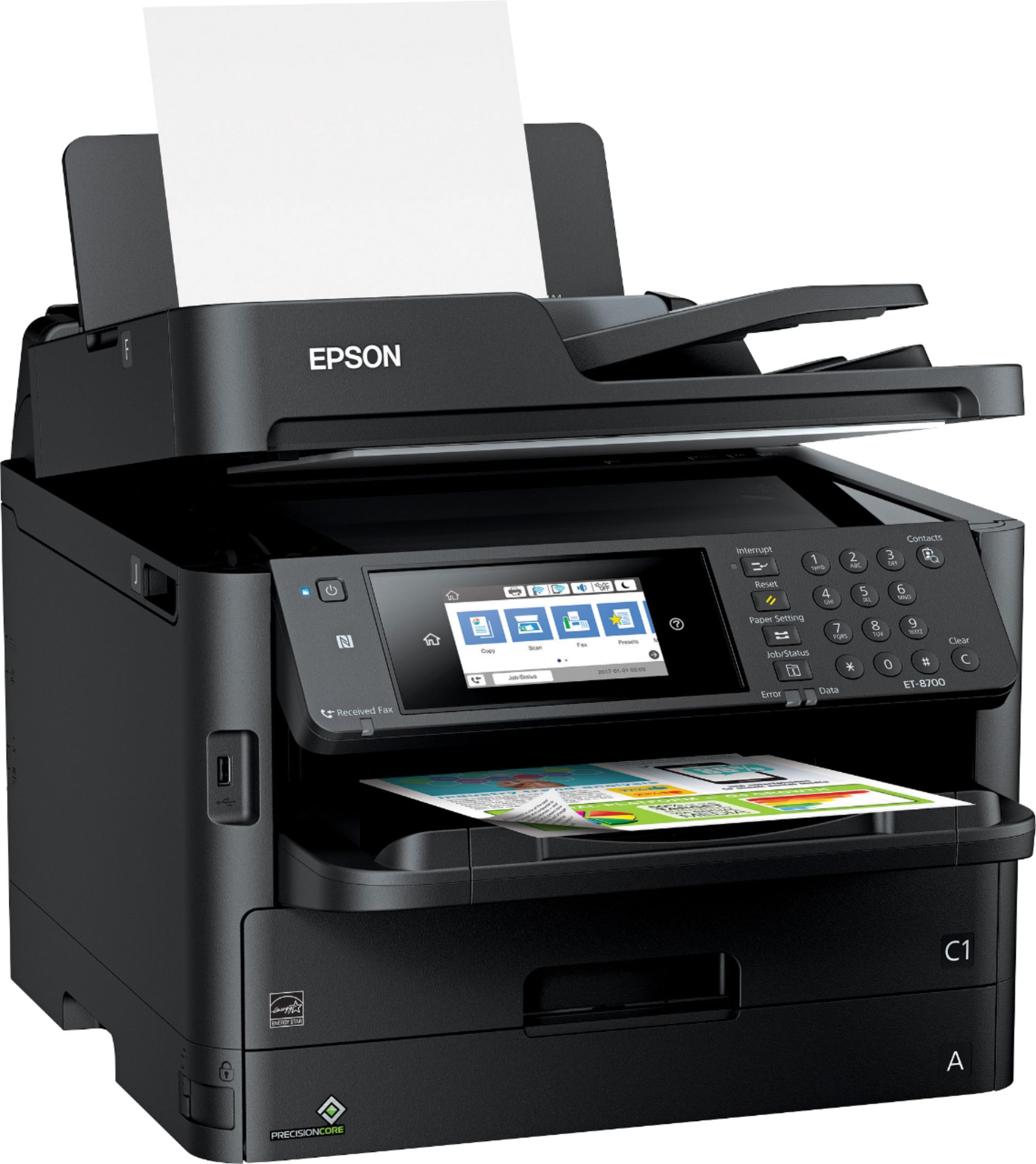
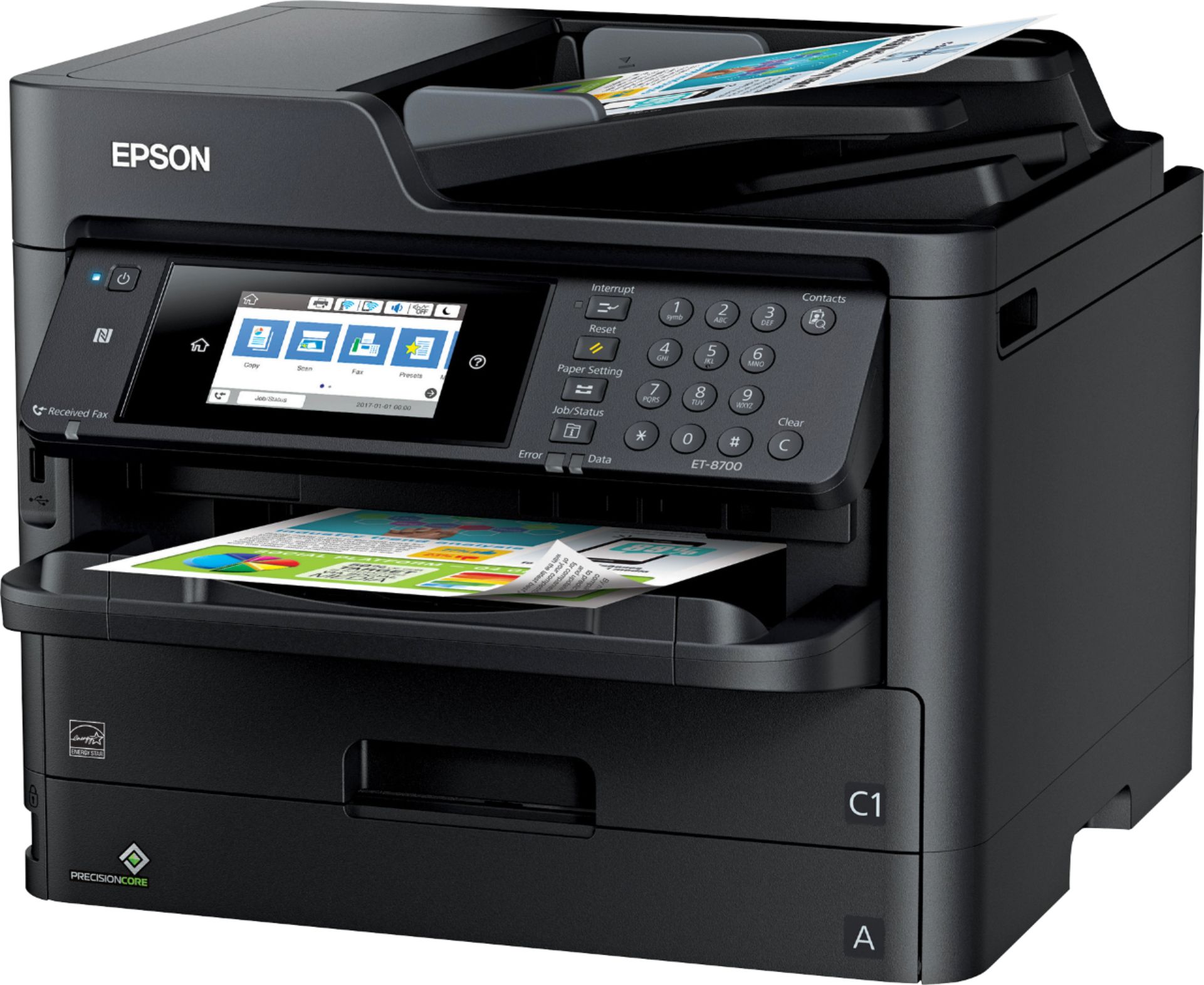
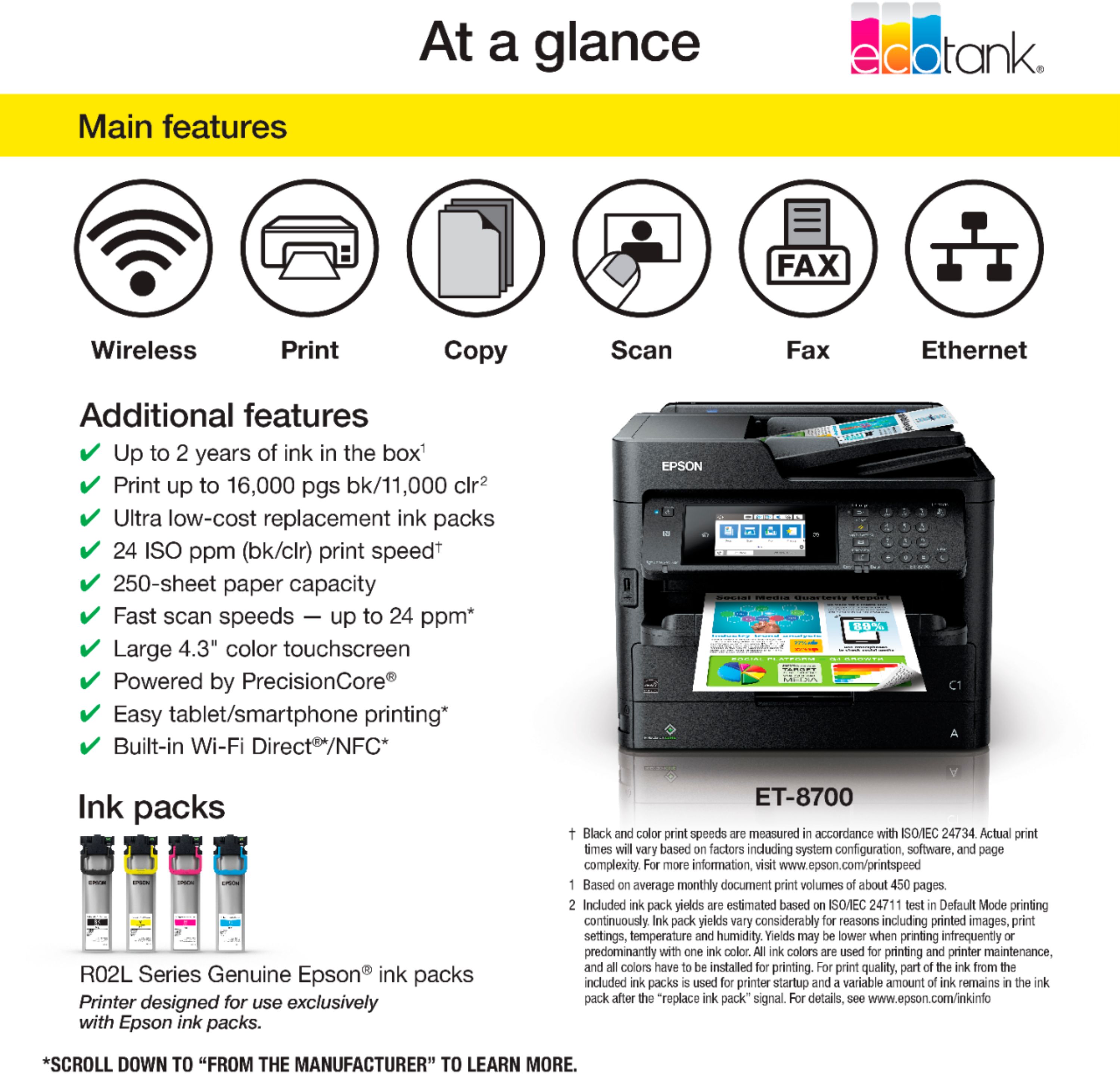
Posted .This reviewer received promo considerations or sweepstakes entry for writing a review.I've gone through a number of different printers from inkjet (cartridge), to LaserJet, to laser and now to this one, and I have to say that I really love the way everything is put together. First and foremost, for everything that it does, it has a surprisingly small footprint. With a built-in scanner bed, a bypass tray, duplex printing, fax, NFC and a bunch of other capabilities, its all packed into a package that fits very comfortably on most any desk. Unsurprisingly, it looks great too with a large (and sensitive) touch screen display to help you navigate to any function you need to access. Ive used some of these in the past, and they always feel like you have to press through a separate layer to actually activate the touch sensor, but this screen is just as sensitive as any smart phone and I love it. Aside from the basics that most every all-in-one printer has, Epson has done a great job of making some upgrades to common features. Rather than the extraordinarily frustrating inkjet cartridges that are found in most printers, the EcoTank is actually a bag of ink that you just lay into a tray. Its easy to access, easy to replace and quite clean. Additionally, the sheer amount of ink in the bags means you wont be running to your local office supply store to purchase it every other week. In fact, the packaging boasts up to two years of ink in the box, depending upon your printing practices. Another upgraded feature is the bypass tray. Rather than a panel that flips down (which you would have to account for in desk space) it has a near-vertical feed with extendable guides and a simple, transparent cover than can be flipped over it when not in use. I love this design. Again, its a great upgrade, but its so simple you have to wonder why it hasnt been done before. And, with wifi, Ethernet and NFC, actually printing what you want to print is a piece of cake whether youre right next to the printer, or in a completely different office/room of the building. It comes with a 250-sheet tray, but they also have a 500-sheet tray add-on, if desired. Finally, printing itself is great. The quality is definitely top-notch when printing graphic-heavy content, and text-based content practically flies to the tray. I love the speed, I love the quality, I love the amount of ink it contains, I love the design and I love the screen. Its a very well done printer that Im thrilled to have. While I did receive this product to review, the content is unbiased. I really cant find anything that I would label as a downside for this printer. Very highly recommended product. Disclaimer: This is a review for the Epson ET-8700 EcoTank All-in-One Printer that I received free of charge to do a beta test and review.
I would recommend this to a friend - Pros mentioned:Print quality, Touch screen
Rated 5 out of 5 stars
Great touch screen!
Posted .This reviewer received promo considerations or sweepstakes entry for writing a review.Loving this printer so far. This thing is a beast. When I first picked up the large 54lb box, I knew this wasn't your average printer. This is NOT a cheap lightweight home printer. It's a true office multi-function office printer. Unboxing was simple. Opening the box, you are presented with 11 boxes of ink. 2 large Black, 3 Cyan, 3 Magenta, and 3 Yellow. I was a little thrown off my the number of ink packs. I was expecting "tanks" of ink due to the name. After getting all the ink boxes out of the way, you lift the printer out of the box using the handles built into the plastic wrapping. Once the plastic wrap is removed there are bunch of pieces of tape to remove. The printer is 99% assembled. All I had to do was attach the paper tray on the front, and install the ink cartridges. I should note I set it up, and primarily use it with our Macs. The setup on the Mac was easy. I downloaded the most recent software from Epson's website instead of using the included CD. My favorite feature so far is the touch screen. It's big and responsive. It made things like setting up wifi super easy. My old LaserJet took forever to set up networking. Using the touchscreen on the front of the ET-8700, it was set up within seconds. Speaking of wifi, Apple Airprint works wonderfully. Printing from ipads and iphones have been super simple Printing is fast too. Again, much faster than my old LaserJet. The only think I was a little disappointed by was photo printing quality. Granted, this is an office printer and not designed to print photos. It'd just be nice to not need a separate printer for photos. I've had a lot of printers over the last 20 years. The Epson's have always been my favorite. They've always been reliable, and the ink is relatively reasonably priced. This is a review for the Epson ET-8700 EcoTank All-in-One Printer that I received free of charge to do a beta test and review
I would recommend this to a friend - Pros mentioned:Document feeder, Print quality
Rated 5 out of 5 stars
Feature-Packed printer that should meet everyone's
Posted .This reviewer received promo considerations or sweepstakes entry for writing a review.This is a review of the Epson WorkForce Pro ET-8700 EcoTak All-In-One Supertank printer. This printer is amazing! We spent a week using this machine as much as possible in order to determine it’s quality. The printer quality is fantastic! If you use it to printer any photos and you’re looking for higher quality, up the quality in the printer options (I noticed on the lowest setting, it had white lines every inch or so, but upping the quality solved that right away. That was only noticeable on full-page photos too. The printer itself does not have any cartridges per-se; they’re more like ink-bags and are considerable in size compared to an ink cartridge. The “bags” were very high-quality and I had 0 concerns that they would break or leak at any point. The print speed is fast and even when the unit is in sleep mode, the time to get a page out of the printer is faster than my old laserjet printer by a mile! The scanner works very well (we have it scanning to a 2 different Drobo NAS devices over SMB). Scanning over SMB works well and was setup without issue. The document feeder did not struggle running anything through it; even pages that previously has staples in them. It handled copies very well as well. The document feeder was fantastic, and we have yet to have any jams. If I had to say anything “bad” about the printer at all; I’d say the software isnt great. The software does everything you’d want it to compared to other printers I’ve used, but most of it feels dated and seems like it has not really kept up with the times. It also has several prompts that while you’ll understand them once you read them, they’re a little technical for the average user or small business user. Do not get me wrong though, there is nothing wrong with the software, it’s just the one area that felt a little weak with this product. Overall, I’d say I’m very satisfied with this printer and would suggest it in a heartbeat to any full-time work from home or small business person(s). The network capabilities of this printer make it ideal for having a single printer in the office that could meet the needs of multiple employees. This is a review for the Epson ET-8700 EcoTank All-in-One Printer that I received free of charge to do a beta test and review.
I would recommend this to a friend - Pros mentioned:Document feeder, Print quality, Setup
Rated 3 out of 5 stars
Great printer, ink may not last as long as claimed
Posted .This reviewer received promo considerations or sweepstakes entry for writing a review.This is a review for the Epson WorkForce Pro ET-8700 EcoTank All-in-One inkjet printer. Summary With the exception of the ink usage problem, this is a GREAT device. Fast, easy, quiet, with a great feature set. Without the ink usage I’d have rated this 5/5. Pros: Great performance on both print and scan, dual paper feeds, easy (clean!) setup Cons: It’s heavy enough that they recommend using two people to carry it, needed updates for auto paper selection to work correctly, the supplied ink may last closer to two months rather than two years! Setup Setup was pretty straightforward, there is a LOT of tape that was used to secure it during shipping that needs to be removed, just make sure you open every compartment to get it all. Filling the ink reservoirs on EcoTank style printers always makes me a little nervous about spillage but this was as near foolproof as I can imagine. No bottles to open at all, each color came in a separate, sealed bag, keyed so that it can only go in the drawer it is supposed to. The only hiccup I had was that the trays the bags go into had inserts in them that looked like they needed to stay, but in fact were for shipping only and can be discarded. I could find any reference to them in the docs which had me worried until I realized there’s simply no way the ink bags and these inserts can coexist in the trays and discarded them. Wifi setup from the touch screen was straightforward, as was cloud print. Printing The main paper is a good size and took about half a ream of paper. I loaded up the second feeder with glossy paper and tried to use the auto paper selection, but it just wouldn’t work. After updating the printer firmware and drivers everything worked seamlessly from then on. Printing in both color and b/w was impressively quick, easily the quickest inkjet I’ve ever used, much faster than most small office laser jets I’ve used in the past. One initially frustrating thing I found was that duplex printing isn’t available on some paper types. I’d select 2-sided, change the paper to Glossy, hit print and it would print single sided. After wasting a few sheets trying to figure it out I noticed that when I selected Glossy it reset duplex printing to 1-sided, and 2-sided was no longer an option. Something in the docs, a warning on the PC or printer before creating two sheets of recycling would be nice. The one issue I ran into, and it’s a big one, is that the “ink low” warning came on (for two different colors) after printing just 127 pages! 30-40 of these pages were full color, full page, on glossy paper, but even so, this has me very worried about the “2 years of ink in the box claim”! The printer came with three bags of each color so that’s one third of the ink gone already. I’ve reported this to Epson but have yet to hear back. Scanning While not quite as printing, scanning was quick and the document feeder that allowed double-sided scanning was a God send! No more standing over the printer while it slowly scans one side just to re-feed the sheet to get the other side scanned – wahoo! I primarily used the “Scan to cloud” feature and received a PDF in my inbox soon after the scan completed. This is a review for the Epson ET-8700 EcoTank All-in-One Printer that I received free of charge to do a beta test and review.
I would recommend this to a friend - Pros mentioned:Print quality, Touch screen
Rated 5 out of 5 stars
Great printer with lots of ink and paper capacity
Posted .This reviewer received promo considerations or sweepstakes entry for writing a review.I have used Epson Workforce Pro ET-8700 for almost a week now. My first impression of the printer has been really great. This printer is geared towards an office environment. The printer is cartridge free and comes with 2 years of ink in the box. Setup: Setting up the printer was a breeze. Initial set up required turning on the printer, installing the included ink packs and charging ink. The step that takes the longest time. I set up the printer to connect to the wireless network. The printer showed up on my Macbook air and I was able to add it without any issues. Everything worked flawlessly. Printing: Printing is extremely fast. I tried both text and full-page color photo, I was really impressed with the quality and speed of printing. I also have a laser printer, and the printing is faster than that. What makes me most happy about printing from the Epson printer is that the printer supports multiple options to connect, like Airprint for iPhone, Google Cloud print and NFC for Android device. I used the printer with my iPhone, I didn't have to download an app or do any setup. Once the printer was on my wireless network from the original setup, my phone saw it, and with just three taps it was printing. Scanning: The speed and quality of scan is great as well. I was able to scan page wirelessly without hiccups. The other features that I like about the printer are: 1.) it has two cassettes to hold tons of paper and different types of paper. 2.) The touch screen interface, it is very responsive and easy to use. 3.) Auto document feeder is great for a big job. 4.) The ability to print from an external USB device directly 5.) The Epson workforce pro all in one also has fax and copier functionality. With all the features, I can see this printer serving the needs of a home office or a small business. I am very satisfied with the product. This is a review for the Epson ET-8700 EcoTank All-in-One Printer that I received free of charge to do a beta test and review.
I would recommend this to a friend - Pros mentioned:Document feeder, Print quality
Rated 5 out of 5 stars
Workhorse of a printer
Posted .This reviewer received promo considerations or sweepstakes entry for writing a review.Initially I was reluctant to use this printer because I have always been a fan of HP printers but I think Epson has stepped it up with their Eco-Tank printers. Moving away from disposable ink cartridges is a huge reason that I was ecstatic to try out this printer. The size of the box and the printer may intimidate you at first but then this printer is for a midsize office rather than a one-person home office. Regardless of the size, the initial printer set up is a piece of cake but be sure to remove all the packaging material including the tape before you turn it on. With it's ability to hold multiple paper formats, the priniting is quick and crisp without any smudged ink. For copying and scanning, the document feeder works like a charm. You can also place the document directly on the flatbed for scan or copy. This is a workhorse of a printer that is suitable for medium sized office or if you do a great amount of printing or scanning, for your home office. It can also fax, though who in these days of email uses fax? Note that you will need to buy your USB cable if you choose to hook it up directly to your computer and a telephone cable if you want to use the fax. The printer comes with 2 years worth of ink with a much larger bottle and tank for the basic black ink. I think this is very helpful for a small to a medium office where the print ratio is skewed towards documents then pictures. The printer also comes with a separate tank an ink for a special photo black ink. This makes for much more vibrant pictures and I think its a great new feature that they are able to do with the Eco-Tank printer. This is a review for the Epson ET-8700 EcoTank All-in-One Printer that I received free of charge to do a beta test and review.
I would recommend this to a friend - Pros mentioned:Print quality, Touch screen
Rated 5 out of 5 stars
Great Printer for small and medium sized business
Posted .This reviewer received promo considerations or sweepstakes entry for writing a review.Boy is this thing a BEAST! Truly an office printer in every shape and form. It is designed to be a daily printer and scanner and with it's 2 paper trays and scanning tray up top. I love the fact that I can just put a stack of documents on top, us the huge touch screen on the front to scan copy or fax the documents and do it in an amazingly fast amount of time. Also, the automatic double sided printing is a VERY nice feature to have that is not available on all that many printers. The speed at which this printer can scan and print documents is outstanding. I am thoroughly impressed every time I go to use it. There are two stand out features for me: Eco Tank and Wireless printing: One of the biggest annoyances with printers I have had in the past is the fact that they always came with "starter" ink. After a month or so of printing it was time to buy ink again. No more with this printer it comes with SO MUCH ink. 2 years worth is no lie....you would really have to work hard to use it all in less time. Wireless printing just makes it so easy to connect from any networked device to print to this printer. Laptops, Smartphones, tablets, everything can just easily print to this printer! All in all I am extremely impressed with this printer. It is a solid printer for anyone, but can really handle the every day usage that offices/small businesses would have. This will be used in my home office for years to come. This is a review for the Epson ET-8700 EcoTank All-in-One Printer that I received free of charge to do a beta test and review
I would recommend this to a friend - Pros mentioned:Ease of use, Print quality
Rated 5 out of 5 stars
Awesome
Posted .This reviewer received promo considerations or sweepstakes entry for writing a review.For the past 5 years we have been using a Brother Multifunction color laser printer which I thought was an very nice machine. The Epson ET-8700 is in a league with the highest quality laser printer with black and white copies at 24ppm and color at the same 24 ppm with color printing of photos etc being much higher quality than a laser printer. Very impressive color reproduction. The Epson ET-8700 is a bargain when it comes to ink, you get 2 years supply of black and one year of each of th.e 3 colors so you won't be spending a fortune on ink, The Epson ET-8700 was easy to connect to our wifi network, less than 10 minutes to up and running. The machine takes up a corner of my desk, lt's large with a small footprint. It does weigh about 40 pounds, so you will need help to move it. The ET-8700 has a color touch screen that tilts which is convenient. There are a host of settings so you can have total control of the printer. There are 2 paper trays, one in the front which holds 250 sheets and a rear tray that holds 80 sheets so less time loading paper. I scan a lot of documents and the quality and speed is amazing. The Epson ET-8700 is truly a workhorse for the small to medium office and I highly recommend this to anyone who wants the best. This is a review for the Epson ET-8700 EcoTank All-in-one Printer that I received free of charge to do a beta test and review. .
I would recommend this to a friend - Pros mentioned:Ease of use, Print quality
Rated 5 out of 5 stars
Powerful and Easy to Use
Posted .This reviewer received promo considerations or sweepstakes entry for writing a review.The Epson ET-8700 EcoTank All-in-One-Printer is a very powerful and easy to use all in one printer. For my small office printing, copying, and faxing needs using a PC, Mac, and iPhone/iPad devices was a dream come true! I had no problem setting it up with my wireless network, iPhone or iPad. Instructions for basic set up were included with the unit, and an easy to use set up CD was also available to me. Basically with this unit, you will need to plug it in and only answer a few questions for basic set up, then you are good to go! The printer itself is very easy to use, the display screen provides simply icons that would be easy for those both technology savvy and those who are still struggling with new technology. The ink and paper were easy to load, and the print quality is amazing, printing multicolor flyers for events I never experienced any problems with the print quality my flyers looked like they came directly from the print shop. I would highly recommend this printer to anyone with a home office, or anyone who would like to print quality images at home rather than paying a print shop to do the work for you. This is a review for the Epson ET-8700 EcoTank All-in-One-Printer that I received free of charge to complete a beta test and review.
I would recommend this to a friend - Pros mentioned:Ease of use, Print quality
Rated 5 out of 5 stars
Shiny Super Printer
Posted .This reviewer received promo considerations or sweepstakes entry for writing a review.Epson makes a fantastic and sleek printer. So far I've noticed the machine itself, I am not going to lie, it is BIG. This isn't an issue if you're working in a traditional office and the shine of the printer really tells your coworkers who's printing with some character. Setting up was easier than picking out a place to grab pizza. I would say that it took about 40 minutes with 30 of it spend unboxing, removing all the packaging and disposing of the trash. Actual installation of the software and set up was only like 5-10 minutes baby! The main selling point for me is the 2 year supply of ink that it comes with because sometimes you need to print without the worry that it'll be your last print. I would say it's like the BMW suv of printers able to print fast, quiet and lasts forever all while looking amazing. Overall, I highly recommend the Epson ET-8700 EcoTank All-in-One Printer as a home office workhorse. This is a review for the Epson ET-8700 EcoTank All-in-One Printer that I received free of charge to do a beta test and review.
I would recommend this to a friend - Pros mentioned:Print quality, Setup
Rated 5 out of 5 stars
Great Printer with Endless Ink!
Posted .This reviewer received promo considerations or sweepstakes entry for writing a review.The printer comes with 2+ years worth of ink, and provides a much larger tank for the basic black ink. No more painful ink cartridge or laser toner to go purchase and install every month! Setup was pretty easy once I got it out of the box and took off all the tape, definitely secure for shipping. Connected wirelessly to my laptop without any trouble and was printing minutes later. Once setup did everything I needed from scanning to the cloud (which was pretty convenient) along with faster printing speeds than my old laser printer. Overall very happy. No reservations, I recommend this printer for all small business or large office business needs. It will not disappoint. This is a review for the Epson ET-8700 EcoTank All-in-One Printer that I received free of charge to do a beta test and review
I would recommend this to a friend - Pros mentioned:Print quality, Setup
Rated 5 out of 5 stars
Love it!
Posted .This reviewer received promo considerations or sweepstakes entry for writing a review.Pretty sweet printer! It scans, copies & prints in great quality. It holds a lot of paper in its tray but also allows for top feed for one off odd sizes. Printing is pretty quick and you also have the ability to turn on quiet mode which slows printing SLIGHTLY but trades a little noise for a little less speed. The printer was easy to setup using the. Wifi was super easy to get connected. This thing holds PLENTY of ink and the ink container is sealed in what does indeed look like a caprisun drink container. I highly recommend it to anyone that needs a home office size printer. This is a review for the Epson ET-8700 EcoTank All-in-One Printer that I received free of charge to do a beta test and review.
I would recommend this to a friend - Pros mentioned:Print quality
Rated 5 out of 5 stars
Supertank, you won't be disappointed!
Posted .This reviewer received promo considerations or sweepstakes entry for writing a review.Supertank. When I first heard this term being used for this printer, I just figured it would be oversized containers connected to the side of the printer like I've seen in other devices in Epson's ET series. I was surprised to learn that it indeed refers to a much larger container of ink residing in a drawer at the bottom of the printer. This printer ships with 2, yes TWO year supply of ink (based on average printing, mileage may vary). In the box is a two pack of black ink, and three each of the Cyan, Magenta, Yellow inks. Unboxing and setting the printer up was mostly effortless. It has a large 250 sheet capacity paper tray that will handle up to 8.5" x 14" (legal) size paper, and an 80 sheet rear tray that theoretically can handle 8.5" x 44" paper for panorama photo prints or those really long spreadsheets. Duplexing, printing on both sides, is quiet and fast. Document scanning from either the flatbed or the document feeder (ADF) is fast and it'll scan both sides on the ADF enabling copying or faxing or scanning from double-sided documents a breeze. A large selection of settings for quality or page options will enable the best quality of scans you desire. Once Epson's software is set up on a PC, scanning from documents to a PDF, e-mail, or network folder can be accomplished with a push of a button. Print quality, like other Epson products I've used in the past, is quite good, more than adequate for an office environment. To get better quality for photos and high quality media would require stepping up to Epson's professional line of photo printers, but that's beyond the scope of this review. Print output was crisp & clean and there was no smearing or other quality artifacts in any of the prints I tested. Both inbound and outbound faxing, while of limited use nowdays with e-mail and social networks, was excellent. The 'Supertank' technology is relatively new to the market but it's coming from Epson who has pioneered and successfully implemented the EcoTank tech in both their consumer and WorkForce printer lines. I see it as nothing less than a great cost saving for the consumer or business owner in the end. “This is a review for the Epson ET-8700 EcoTank All-in-One Printer that I received free of charge to do a beta test and review.”
I would recommend this to a friend - Pros mentioned:Print quality
Rated 5 out of 5 stars
Excellent Printer, Okay Price
Posted .This reviewer received promo considerations or sweepstakes entry for writing a review.My first experience with the printer I was a little surprised at the weight of the printer when it arrived. The package weighted around 52 lbs and unboxing it would have been a little smoother with two people. But, all things considered it was packaged very well. As soon as I unboxed it, I noticed the ink cartridges. I like them MUCH better than printers I have used in the past. The ink cartridges are self-contained in what seems to be airtight bags that can be loaded quiet easily in pullout bins in the front of the printer. I did not know what to expect, but I was pleasantly surprised on how easy it was to load the ink. Once loaded it did take a few minutes for the printer to fully charge the ink cartridge. I did have some trouble with the power. The printer would not turn on initially. I had to mess with the power cord and its connection from the base of the printer to seat the power cable properly in the base of the printer. It took a few minutes to wiggle the cable to get the power on. Since I did not experience any other power issues, again it seems like something to just look out for instead of anything particularly negative about the printer. I noticed others had some trouble with drivers. I actually had no issues with that. I did not use the CD though. Instead, I let Windows find the printer and it worked without any hiccups. I also have a MACbook. Setting up the printer was easy once I managed to get on the same wireless network. The 4” screen is pretty nice. It is intuitive and I really have no need for the web interface anymore. That is a blessing. Everything is available to me on the touch screen. The software is intuitive which I can appreciate. I have had some horror stories with past printers and their software. I used the tray on top to scan some documents. It’s fast. Really fast. I originally made the mistake of increasing the scan quality to the maximum, which turned out to be too large to email. I reduced them to 600 DPI, overkill for black and white work documents. You get an email for the printer If you register the printer with the Ebson website. This is really cool as I can just email print jobs to my printer from wherever. I printed about 75 full-page pictures. They were beautiful with high levels of detail, but I did seem to have some unattractive print lines in each of the images. Pros: Very fast, low noise, high quality printing Email address for anywhere printing Intuitive touchscreen controls Simple setup Cons: Price Some minor lines in printed color images Overall, the cost of this printer requires a significant investment for home and small businesses but its well worth the cost. If you can afford the cost, this printer is an excellent option and one that I am happy to have. This is a review for the Epson ET-8700 EcoTank All-in-One Printer that I received free of charge to do a beta test and review.
I would recommend this to a friend - Pros mentioned:Print quality
Rated 5 out of 5 stars
Solid Business Class Printer
Posted .This reviewer received promo considerations or sweepstakes entry for writing a review.This review is for the Epson WorkForce Pro ET-8700 EcoTank printer. EcoTank printers turn the traditional cheap printer with expensive ink business model upside down. This printer costs a fair amount up front, but ink refills should be less expensive per page than traditional ink printers. The ink packs are easy to install, just shake the packs a few times, remove them from the packaging, and snap into place in the printer. The high-capacity color ink packs that came with the printer are rated for 5,000 pages, while the extra-high capacity pack for black is rated for 10,000 pages. The printer comes with three packs of each type of color ink and two black packs. Setting up the unit was straightforward, but a little bit time consuming due to a large number of tape pieces securing the various components during shipment. The printer connected to my wireless network without problems. One nice thing about this model is that it can update its firmware via its menu system. It’s a lot easier than downloading software to a PC and then uploading to the printer. The printer has a web interface that you can connect to with a browser on your network. The device appears to have a number of options related to device security, access control, LDAP integration, and many other settings that would be used in an office environment who needs more control over printer settings. Print quality seems decent and noise is reasonable for this type of printer. The printer also has a quiet mode for those needing it. Windows 10 was able to find the printer on the network and connect to it, however you can only access basic printer settings unless you download Epson's drivers instead of whatever is included with Windows. I've only had this printer for a few days, but my general impression is that this is a solidly built printer designed for an office environment. This is a review for the Epson ET-8700 EcoTank All-in-One Printer that I received free of charge to do a beta test and review.
I would recommend this to a friend - Pros mentioned:Ease of use
Rated 5 out of 5 stars
Solid All-in-One
Posted .This reviewer received promo considerations or sweepstakes entry for writing a review.I received and set up my Epson ET-8700 EcoTank All-in-One printer about a week ago and have have been using it in my home office ever since. It replaced an Epson ET-3600 that I had been using for the past couple years. I had always used HP printers in my home office prior to these printers but had been having a lot of issues with them not lasting, having expensive ink and not really working when printing from my iPad and iPhone. The Epson printers have had none of these issues. I really am liking the ET-8700 compared to the 3600. The printer was extremely easy to set up – basically just take it out of the box, remove some tape, insert the ink and it is good to go. I really liked the change in ink from the squirt bottles on the 3600 to the bags on the ET-8700. It was much cleaner and easier to use. It was also great that it came with spare ink so I am not needing to go out and purchase replacements. This way I will order replacements when I use the included ones and always have a backup. Once it was physically set up, I ran the included setup disk first on my windows PC and then downloaded and ran the Mac installer on my Macbook – it connected to my network right away and I was using it on both devices in minutes. I love the automatic document feeder – this is a feature that I was sorely missing on my old printer. I also like how much paper it holds. This printer also has fax capability, which I only use a few times a year personally but it is something that my IT Consulting clients sometimes need and because of this I will be able to recommend this printer to them as well. This has been a solid printer and it has been working extremely well since I set it up. This is a review for the Epson ET-8700 EcoTank All-in-One Printer that I received free of charge to do a beta test and review
I would recommend this to a friend - Pros mentioned:Print quality
Rated 5 out of 5 stars
Fast, Reliable and Great Printing
Posted .This reviewer received promo considerations or sweepstakes entry for writing a review.This is the third printer we have used for our business. All have been Epson, and all have been a tremendous improvement. My first printer was a basic printer that I thought would be enough for company. I quickly realized that the printer was not designed for heavy printing. The inks cartridges were costly and did not last long. Enter the Epson ET-8700 EcoTank. This printer has been nothing but a joy. Taking the printer out of the packaging it was clear this is a serious printer. For the size of the printer it the actual footprint is not that large, and it fits comfortably on a small side table. The printer was secured with dozens of blue tape pieces that held everything securely in place for shipping. It was a pain to remove all these pieces, but this is a one time task. Setting up the printer with my Windows 10 laptop was very easy. The directions were clear and simple except when inserting the ink. It wasn't clear that a piece had to be removed for the ink to fit.Two years worth of ink come in the box.The included software walked me through the installation and the upgrade of the printer's firmware. The entire software process took roughly 12 minutes. When the install finished, the magic began. This printer is fast. The test page was printed almost instantly. Faster than any of the big office printers I have used. I have only had this printer for a short period of time, but I can already tell I will love it. For the next two years, I can print and print without any worry about running out of ink. I would recommend this printer to anyone that needs to do a lot of printing or just wants a workforce that won't need any ink for two years. This is a review for the Epson ET-8700 EcoTank All-in-One Printer that I received free of charge to do a beta test and review.
I would recommend this to a friend - Pros mentioned:Touch screen
Rated 5 out of 5 stars
Workforce for your home office
Posted .This reviewer received promo considerations or sweepstakes entry for writing a review.What attracted me to this printer is Epson's EcoTank line. The cost per page is much lower than printers I've purchased in the past, both laser and inkjet. With the Eco tank system, I won't need to search for a DIY/hack to refill proprietary printer cartridges that claim to be empty but are printing well after the "empty" warnings. The touchscreen on this device makes device setup and access to functionality very easy. Wifi setup was fast and the interface was simple. During initial setup, there may be some pumping sounds coming from the printer, but if that's what it takes to squeeze every last drop of ink out of the refillable cartridges, then I'm more than OK with that. The duplex printing capability is a real upgrade for the home office. Day to day utilization of this printer is great. The wireless printing function from Android mobile devices using the Epson iPrint app is more useful than one would think. Also adding this printer on several of our Windows 7 and 10 machines was straightforward and works exactly as expected. This printer is also capable of using cloud printing services and we never have to wonder if the cloud print was successful when you're away from the printer. Using Epson's glossy photo paper we are able print photos at home for around $0.16 per photo and have photos available immediately without having to wait for shipping. Scanning functionality is fast. This is a review for the Epson ET-8700 EcoTank All-in-One Printer that I received free of charge to do a beta test and review.
I would recommend this to a friend Rated 5 out of 5 stars
Best Printer for a Home Office - Forget Laser
Posted .This reviewer received promo considerations or sweepstakes entry for writing a review.I have a home-office and go to my corporate office a couple of times in a month. In the past, whenever, I visited the corporate office, I would make a list of non-standard ( 8.5"x11") documents that I may have to scan ( especially legal documents), as I didn't feel comfortable scanning at local pack and ship stores. I have used a couple of Epson Eco Tank products over the last 2 years or so, this model finally meets some of my requirements, which other were failing to meet. I have several documents which are sized A4, which is slightly boarder than Letter and most printers seem to be limited to either letter or at-time legal. I find the ability to scan and print A4 to be a welcome surprise. The physical size of the printer is not to large, and the scanning was smooth. With respect to scanning and printing, I found the software to be extremely helpful, and found the WIFI performance to beat my expectations. I would have personally preferred that the WIFI network connection work directly over 5GHz too, however, this is a minor inconvenience, and most routers are compatible to 2.4 GHz. The option to use NFC printing and Google Cloud Print are great, and the same are just as equally helpful for scanning. This is a review for the Epson ET-8700 EcoTank All-in-One Printer that I received free of charge to do a beta test and review.
I would recommend this to a friend