Customer Ratings & Reviews




- Model:
- C11CG39201
- SKU:
- 6214990
to a friend
Customers are saying
Customers are enthusiastic about the WorkForce Pro EcoTank ET-8700's impressive print quality, ease of use, and intuitive touch screen. Many appreciate the straightforward setup process and the efficient document feeder. While some find it larger than expected and a bit noisy during operation, the overwhelmingly positive feedback points to a highly-regarded product.
This summary was generated by AI based on customer reviews.
- Pros mentioned:Print quality
Just as good as a Laser Printer
Posted .This reviewer received promo considerations or sweepstakes entry for writing a review.I have always loved my brother MFC laser printer and the EcoTank comes very close! When I first received the package I taken back by the size and the weight of this, but excited at the same time. I quickly opened and unwrapped the printer like a kid on Xmas morning! The printer is pretty large but not bigger than your usual laser printers. The setup took about 10 minutes and was super easy. The entire setup is pretty self explanatory, but you can go through the software setup which guides you through everything. Using the printer was the real test. Although I like my laser printers, the inkjet quality always great! The only thing inkjet generally lack is that the ink either runs out too fast or dries if you do not use it. This is a fast printer and I would definitely recommend it. As far as the ink and the supply goes, it would need to be tested a little longer. I hope that it does not dry out if the printer is not used for a while. If the ink really does last 2 years then its definitely a keeper! This is a review for the Epson ET-8700 EcoTank All-in-One Printer that I received free of charge to do a beta test and review.
I would recommend this to a friend - Pros mentioned:Print quality
Amazing Quality and Functionality
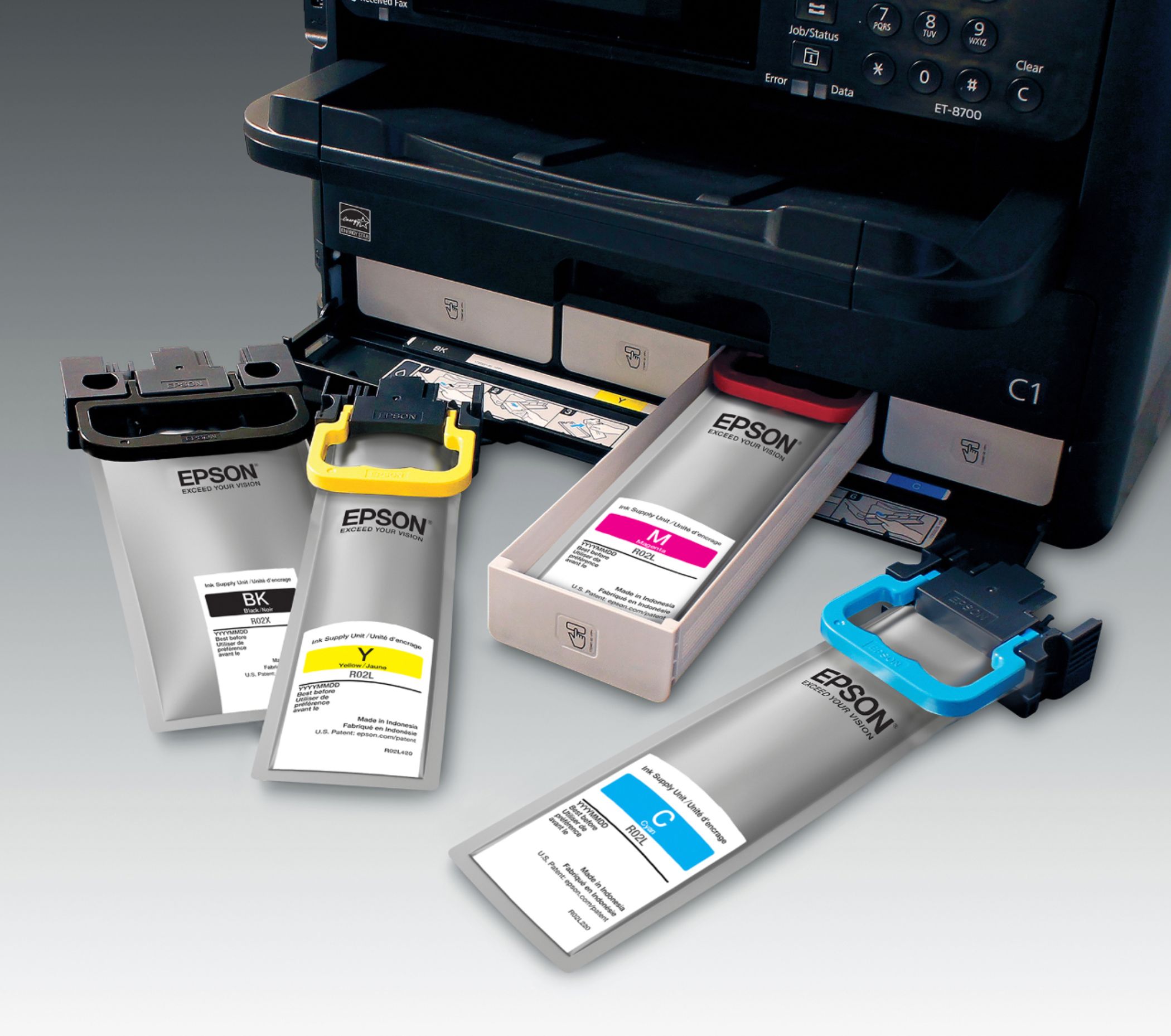
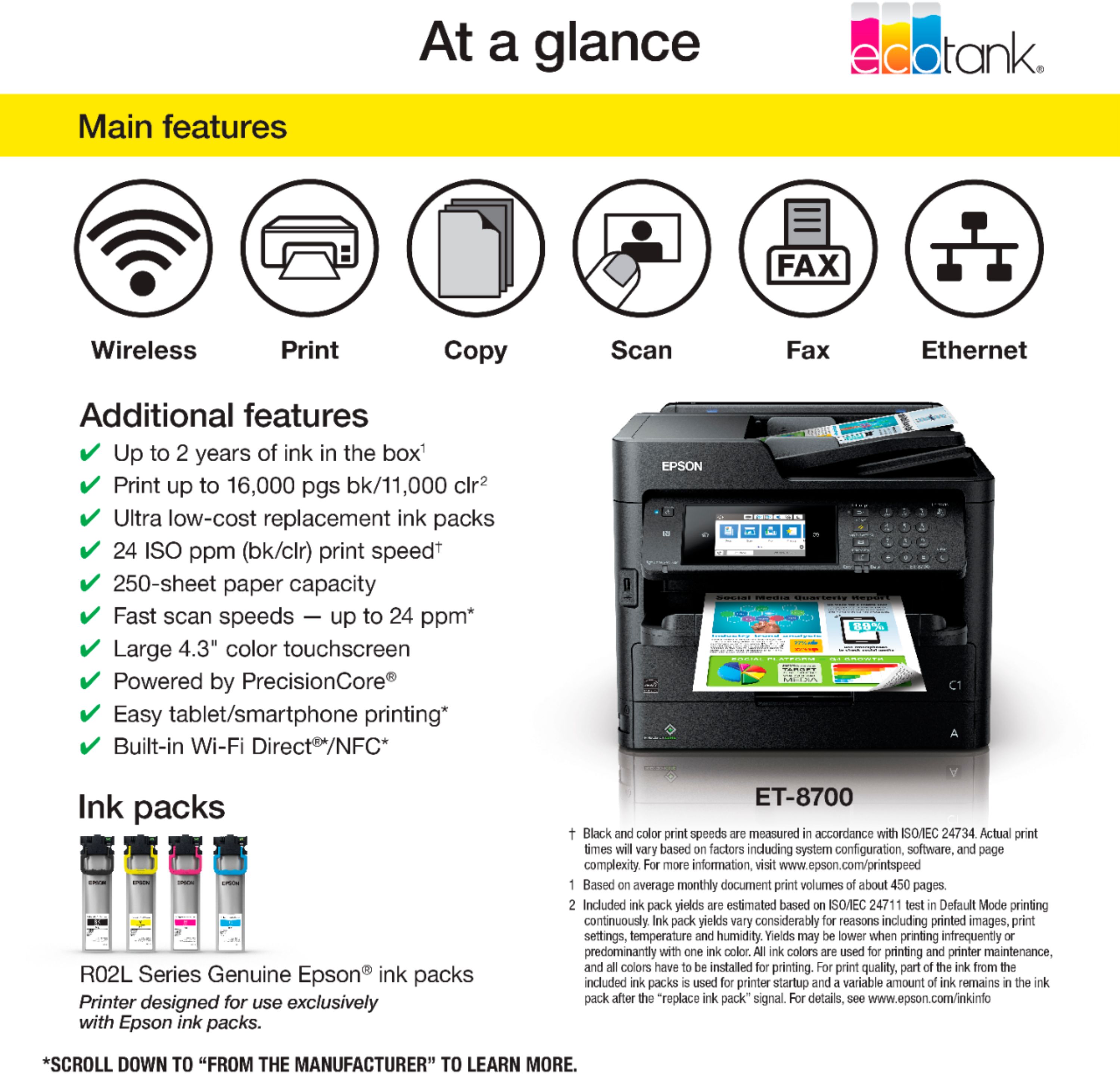
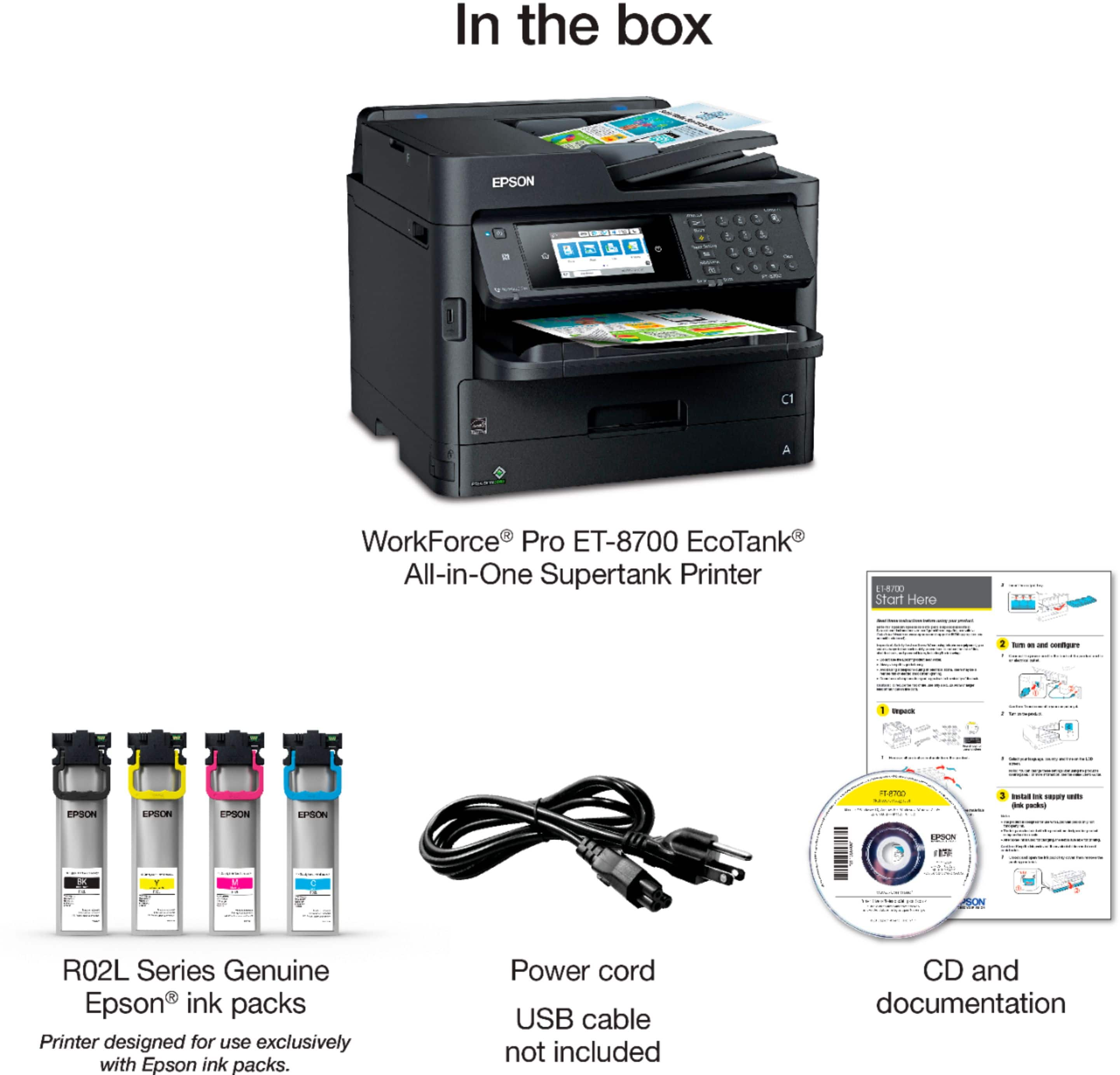
Posted .This reviewer received promo considerations or sweepstakes entry for writing a review.Epson ET-8700 EcoTank All- in-One-Printer I am so amazed using this printer. I thought it would be larger, but it is perfect for my office. It is a great printer. Scanning, faxing and copying are all built into one printer. Extremely fast. Having ink tanks that last 2 years or more is the best. I can print up to 16,000 pages with the cartridges. This printer is efficient and saves me money on ink. ENERGY STAR qualified. Epson has an environmental site I highly recommend, www.epson.com/environment. A CD was included to understand set up. Self-explanatory. There are four ink packs, black, cyan, magenta and yellow. They are self-contained. You place them into the bottom reservoir trays. It takes 7 minutes for them to charge before you can print your first copy. This printer is extremely quiet. It has a large capacity paper tray. Very happy. This is a review for the Epson ET-8700 EcoTank All-in-One-Printer that I received free of charge to do a beta test and review.
I would recommend this to a friend - Pros mentioned:Print quality
Epson Small to Large Office All in One -
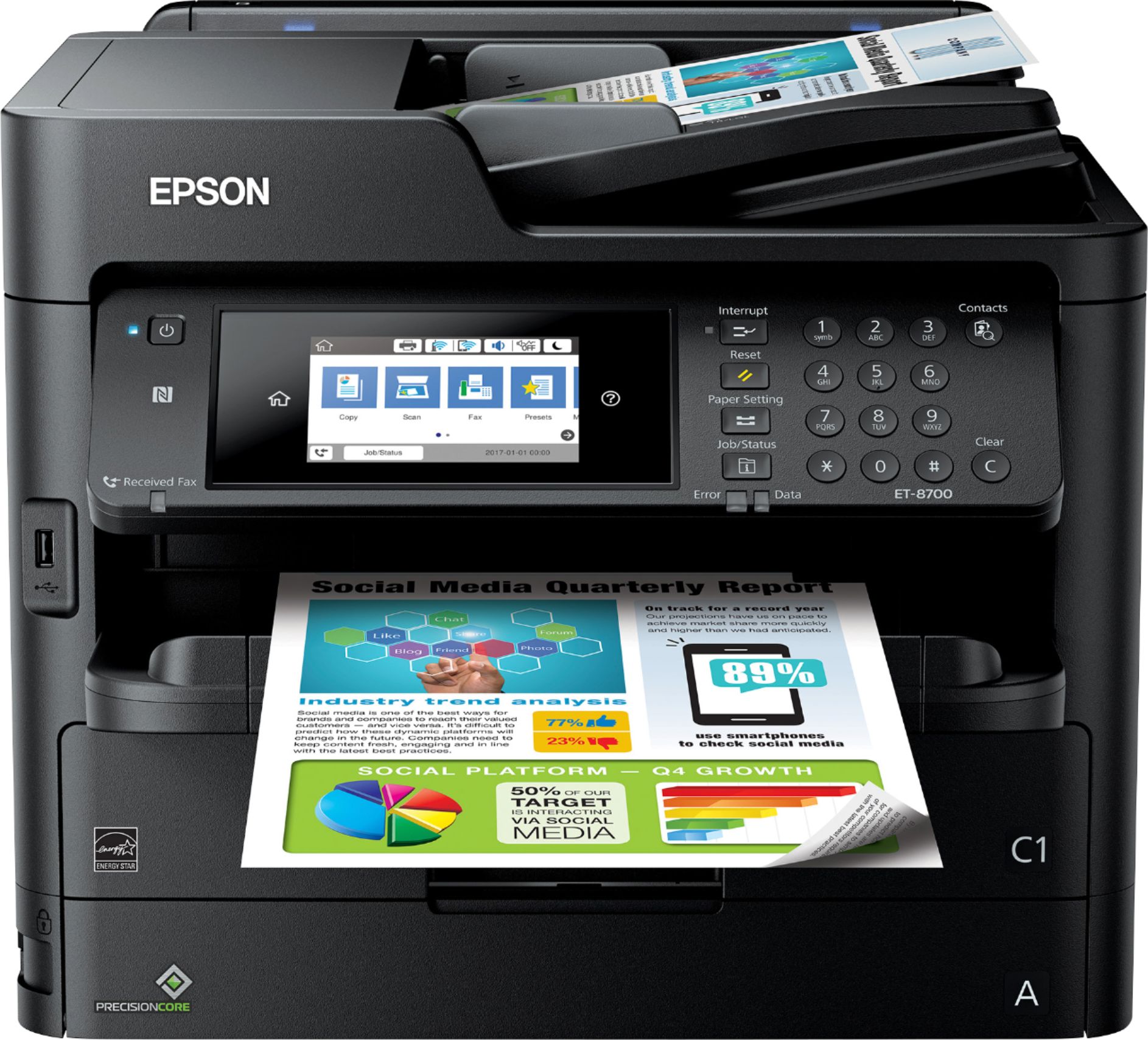
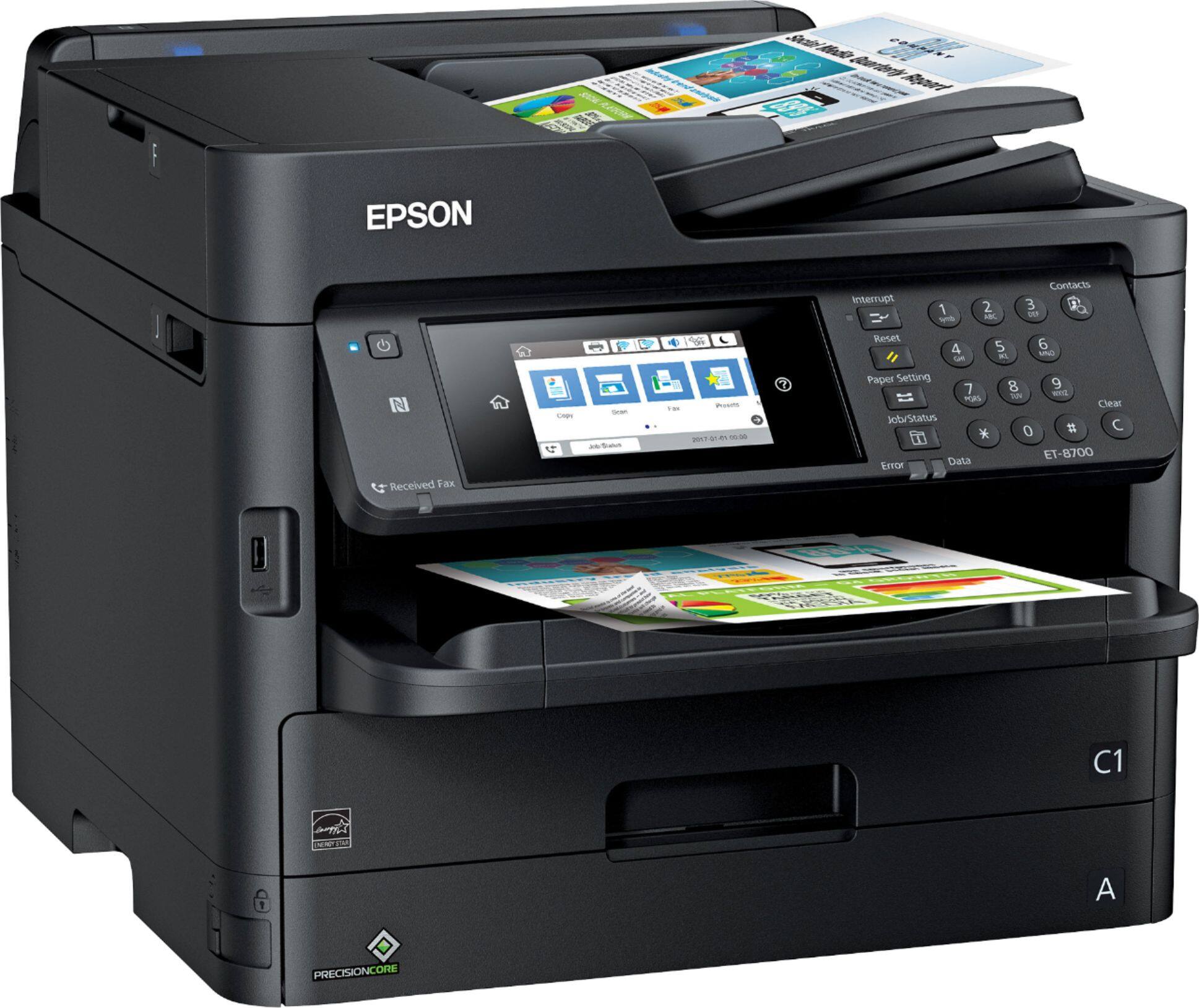
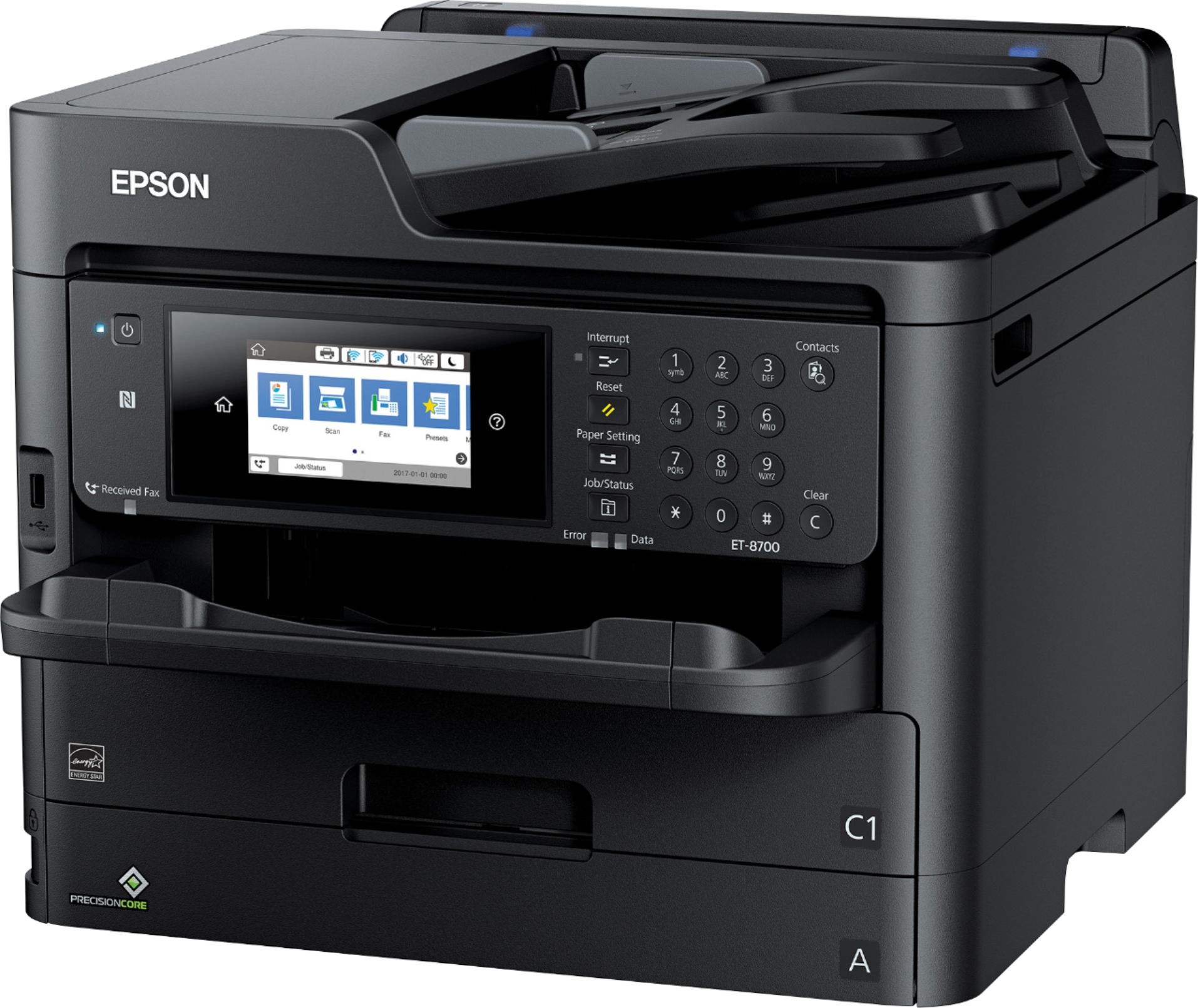
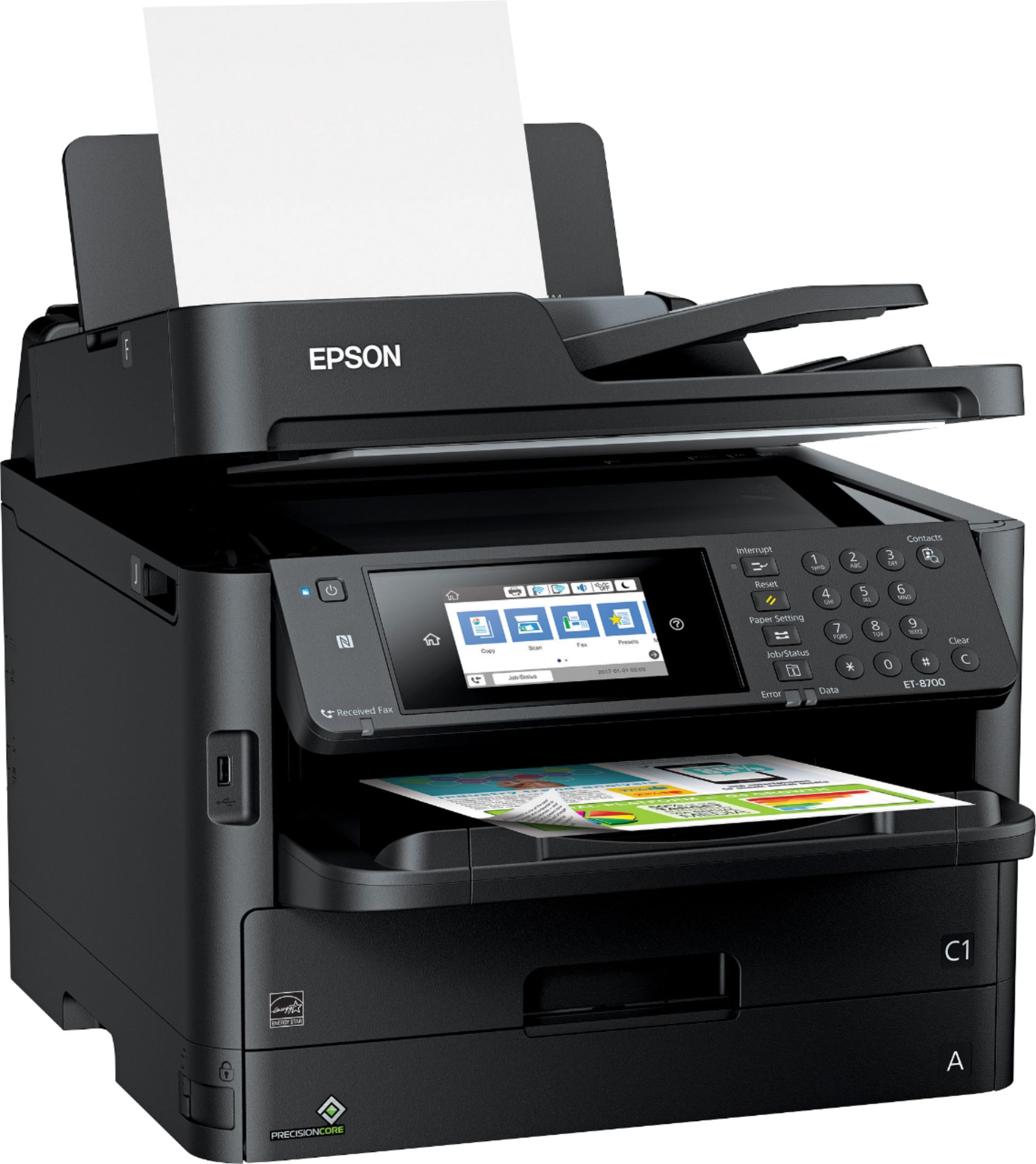
Posted .This reviewer received promo considerations or sweepstakes entry for writing a review.Epson 8700 Eco Tank review. My first impressions of the 8700 printer is that it is clearly a large office grade printer. From packing to assembly, this printer is built very well. The Main paper drawer “A”, for example, is built better than allot of other laser printers I have installed recently for the company I work for. The only drawback in design of the paper handling would be the sheet feeder in back. It would be preferable to have the support handle a legal-size paper. Right now, it hangs over the edge of the printer. The other option would be to purchase the optional 500 sheet second tray which would be wise for a large office. Epson has done it again. I have an older model of Eco tank printer and the newly engineered ink pouches are both easier to install and do not require gloves. Once the pouches were installed, the charging time to fill the wells was half as long as earlier models. One of the first things I always check is the firmware version prior to installing any software on PCs or laptops. The WF-8700 allowed me to update the firmware from the general setting\system administration menu on the printer. The firmware update took 15 minutes and the printer re-started with no problems. Another thing I really like about this printer is the scan to network/email feature which allows users to scan to their email or to a network share. Both features worked seamlessly and to test I scanned a picture to the shared drive, loaded ultra-glossy 24-pound paper in the sheet feeder and printed the picture. Amazing quality. It worked just as well from the scan to email and then print. Besides regular printing, this is the biggest use of multi-function printers in the large office environment. Epson just plain gets it The 4.3 LCD is very user friendly. Just about anything you want to do with the printer is available through a few options one of the eight menu options. I did turn off the sound after rolling though the screens a few times. Overall, I would highly recommend this printer for the ease of setup, extremely fast, clear output and very solid design. This is a review for the Epson ET-8700 EcoTank All-in-Printer that I received free of charge to do a beta test and review.
I would recommend this to a friend - Pros mentioned:Print quality
Perfect for our Office!
Posted .This reviewer received promo considerations or sweepstakes entry for writing a review.The first thing I noticed is how heavy this printer is and was a bit shocked. Seeing what it is capable of and how many things I can do in my small office, it is worth the extra few muscles used to move it around. In the week we have used this, we have printed about 700 pages of text documents and images, sent and received a few faxes and scanned a few documents for an OCR application. First, I want to explain the setup. It was simple. It prompted me through each step, joined our wireless network on the first try (it is only compatible with a 2.4 Ghz network) and easily let me set the IP address to what I wanted. I didn’t configure the Epson Cloud Connect or Google Cloud Print features available. The ink installation was super easy, as well. I’ve used the earlier version of the tanks of individual colors, but this is far neater and less of a chance of it “spilling” all over. It is just as easy as changing the toner on a laser printer. The text printing was faster than I expected. I set it to a quiet mode and it slowed down a little bit. For our use, the quality was great. I tossed a few envelopes in the manual feeder in the back. It is so much better than the standard manual feeder in the front of other printers. The graphics we printed looked sharp. We ended up setting the driver setting on the Mac to high quality and it was great. We were able to print from Windows workstations, Mac laptops, iPhones/iPads and a couple Android phones too. Lastly, the display on the front of the printer. Super easy to use, can be customized to have the functions you need and is bright enough in the bright office room. It is very intuitive and easy to navigate. What I don’t care for on this printer is the lack of a web interface for scanning. The scanning is great, but I’d like to have a web interface. Unlike other all-in-one printers, I’ll take the document feeder for scanning multiple pages over the web interface any day. This is a review for the Epson ET-8700 EcoTank All0In0One Printer that I received free of charge to do a beta test and review.
I would recommend this to a friend - Pros mentioned:Print quality
Home office wizard, one device for everything!
Posted .This reviewer received promo considerations or sweepstakes entry for writing a review.I've spent a week putting this thing through the wringer. It's been nothing short of stellar. I am mostly impressed by the speed of printing, followed closely by the ink capacity and also the paper capacity. You can load half a ream up front, and 50 pages in the rear. The automatic double-sided printing is flawless, pictures print with robust color, and I have yet to jam a paper or have a software hang-up. All that being said, the main downfall (if you want to call it that) is that the software is a tad difficult to use for the novice user, which I am not, so I figured it out pretty easily. The scanner is quick and accurate, from docs to pics it does the job right every time. I will use this printer in my home office from now on! It's amazing and eco-friendly! This is a review for the Epson ET-8700 EcoTank All-in-One Printer that I received free of charge to do a beta test and review.
I would recommend this to a friend Way Beyond My Expectations
Posted .This reviewer received promo considerations or sweepstakes entry for writing a review.Granted this review is based on a short amount of time spent with this all-in-one printer (5 days)…but wow I’m really impressed! Let me start this right from the set up process because that can be a big obstacle for people, especially those not technically inclined and it becomes a major source of frustration, BEFORE you even get to the functionality. I use a printer for both work related and personal task and I’ve had printers that I liked a lot (eventually) but the set up was poorly done; complicated set up, poor directions, repeated steps, etc BUT NOT WITH THIS PRINTER! The set up was a breeze. I mean there is a lot of unpacking to be done but once all the tape and cardboard protection is removed the time I spent from placing the unit down to actual use was not more than 15 to 20 minutes if that. The simple start up directions were super clear and software install on my Mac took very little time. I must admit the part I was dreading was the Wi-Fi network set up because I think everyone will agree that not all Wi-Fi enabled devices “play nice” with your router and network set up. SO, it was with much trepidation that I went through the wireless setup, only to discover that my fears were for naught, as the process and connection could not have been easier. Ok, so with the unit set up, how does it print, scan, copy and fax? Well in a word, GREAT! Very impressed. Printing and copying in black and white (which I do mostly) is very fast and the printing is crisp with no smudging whatsoever, what you might expect from a high end printer like this (as good as the laser printer I just had) The color printing results however were astounding. Files printed clearly with vivid colors and detail….and that was just on plain paper. The results on photo quality specialty papers blew me away. Also the printer has a very cool feature, a rear paper cassette (in addition to the main cassette) that holds special papers and sizes. So rather than having to remove plain paper and put in photo or specialty papers and sizes, you can load them in the rear cassette. For me, scanning is an important requirement, so I need an all-in-one unit to have the ability to easily scan many pages quickly with very good output quality. I can say that the 8700 more than meets that requirement along with a scanning interface that is simple to set up and use. As far as Faxing, I don’t have a land-line and instead use a fax service, therefore I can’t comment on the 8700”s Fax capabilities. But that said, the fax service does necessitate taking docs you want to fax and making scanned copies to your desktop which you then upload to the service and in that regard I go back to the units great scanning capability which results in very clear sent faxes. Finally, I’m new to the eco-tank concept as I had been using a laser printer. Quite frankly I was tired of replacing the ink cartridges so often so I wasn’t keen on ink jet printers….but the 8700 is very different. The 4 separate ink tanks were very easy to install and hold a huge amount of ink. Also, included with the printer were 3 ink tanks for each color; basically 2 extra ink tanks for each color! According to Epson that’s enough to print 16,000 B&W pages and 12,000 color pages! YES you read that right, right out of the box the 8700 will print thousands of pages before replacement ink is necessary. As the statement below indicates, I was provided this printer free of charge to do a review, however having used it, if it hadn’t been free, I would have bought it. This is a review for the Epson ET-8700 EcoTank All-in-One Printer that I received free of charge to do a beta test and review.
I would recommend this to a friendBy George I Think They've Got It!
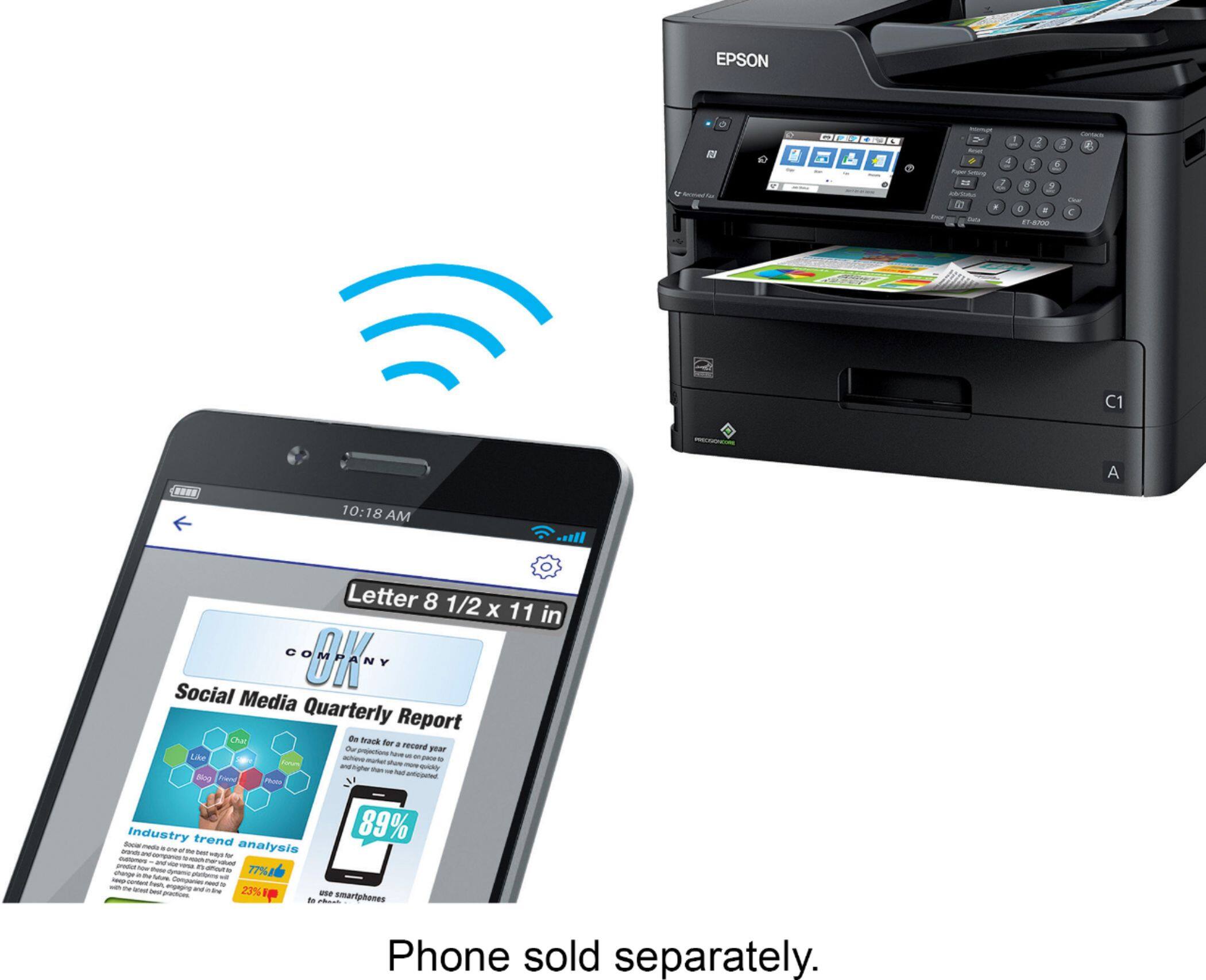
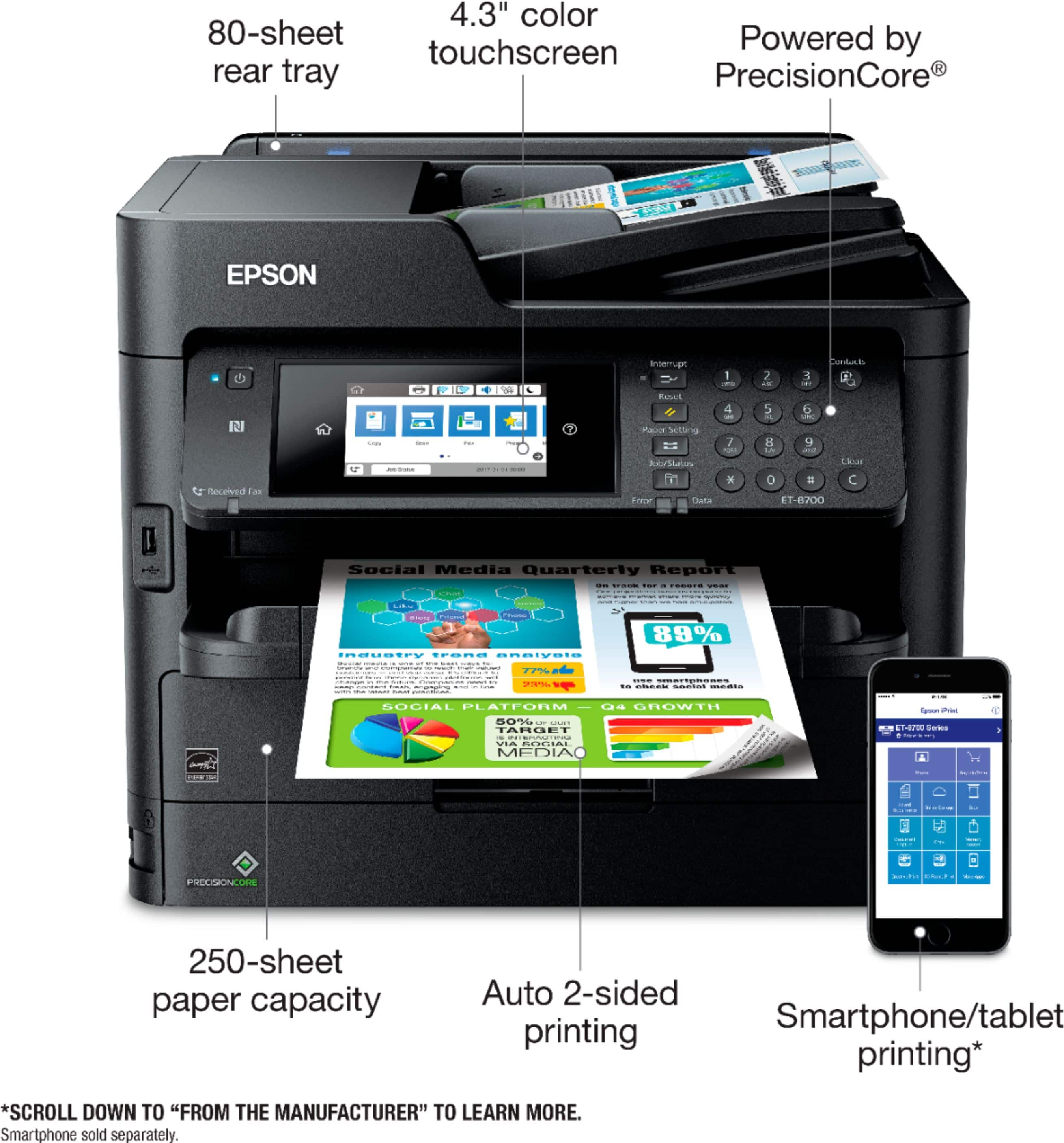
Posted .This reviewer received promo considerations or sweepstakes entry for writing a review.Epson 8700 Eco Tank review This is a fantastic All In One for several reasons. The Epson 8700 is the newest addition to their small business minded line up. It offers a great many features for an all in one at this price point. Some features a consumer should come to expect with technology where it is, and again at this price point. NFC printing, google cloud printing, etc..side note, the printer does have its own email address. That was a new spin for me, and great to have. The setup was quick, and straightforward. Although it slightly differs between installing directly to a user’s computer via usb, and adding the AIO over Wi-Fi. Nothing to write home about, but the ocd in me wondered if there was a hiccup during the install process. Needless to say, it wasn’t. The fax set up was straightforward. There is a phone connection in for those that share the line between talking and faxing. Nothing new, but cool. The 4.3” touchscreen LCD makes for maneuvering the settings effortlessly. I don’t have to sit at a user’s computer to check settings like ink levels, etc… Speaking of ink levels, you get 2 YEARS OF INK folks!!! That’s included in the box!! I repeat 2 YEARS OF INK!! Now let us do some math. That is about $700 in ink alone. I changed my mind. You do the math of what you are paying for. I’ll wait. lol….Now, let’s go back and look at the features shall we: up to 16,000 pages black/11,000 color. 24 ISO ppm (black/color) print speeds, plus fast scan speeds, a 250-sheet paper capacity, 80-sheet rear tray and optional 500-sheet tray, 4.3" color touchscreen as mentioned earlier, connectivity via Ethernet, Wi-Fi Direct, and NFC, duplexing, auto feed duplex color scanning (not listed in the promo materials), etc..whew, but wait there’s more. Ok, I get that I’m starting to sound like a game host, but bear with me we’re almost done. The reason you invest in a piece of hardware or tech is for performance. None of the aforementioned attributes matter if this thing can’t print, and print at a high quality. Scanning and copying quality is better than I expected for an inkjet. It is clear, the colors are replicated well on screen, and the print result is great. Now, what we’ve all been waiting…How’s the print quality? Stunning. THERE IS NO NEED TO OUT SOURCE YOUR PRINT JOBS FOR 2 YEARS!! I have printed color and B&W photos on EPSON paper, brochure materials on Epson specialty paper etc. Get Epson specialty paper. The outputs are amazing. This is straight from the printer without calibrating the paper with my Color monkey paper setup, and icc profiles. I kid you not. Amazing. P.S. the software auto updater makes it a snap to have the latest updates. Why would you buy anything else? Laser or otherwise. This is a review for the Epson ET-8700 EcoTank All-in-One Printer that I received free of charge to do a beta test and review.
I would recommend this to a friendThe best inkjet you can buy!
Posted .This reviewer received promo considerations or sweepstakes entry for writing a review.This is a review for the Epson WorkForce Pro ET-8700. My overall impressions of this printer are that this is the best ink jet printer, scanner, fax machine that I have ever had the pleasure of using. I usually despise using inkjet printers as the ink is expensive, they only come with a trial setup of ink, and requires refilling constantly. This printer changes that. With its Ecotank setup, it allows you to print up to 16k black pages and 11k color pages out of the box. It came with a total of 9x color cartridges and 2x black cartridges straight out of the box. I’ve been printing for a week straight with black and color and I’ve barely begun to use the ink. That’s awesome. Setup of the printer took a little longer than usually because Epson really wanted this printer to stay safe. It is securely mounted in its box and more tape is on this printer holding it together in the box than I’ve ever seen. That’s a good thing. Once I had all the tape off it and had it booted up, I immediately had it check for a firmware update and I updated it. This should be done with every piece of electronics that has a smart function to it. Not once in my uses did I have the printer error out (unless it was me selecting wrong paper sizes). Connection was easily done with this printer. It has options for Ethernet, usb, wireless, wireless direct, and nfc. Plus it has setup for fax. The look of this printer is great. It has a nice 4.3 inch color touchscreen that is responsive to touch and the software doesn’t lag. It’s intuitive to use and just works without issues. With what the printer comes with, you can load 250 pages of paper in the tray and another 80 in the rear feed. The printer also has a self-feed function for scanning and faxing. I love this feature as I despise having to manually send or scan one page at a time. It also does dual sided scanning, printing, and faxing. Another benefit as it saves time, ink, and paper. In terms of printing quality, this is another win for it. Once I figured out what to change in settings, I was printing photo quality pictures without issues. Photo quality from a business class printer that has large ink stores is amazing. It changes how I’ll be setting up my printers at home as I’ve always had 2. A laser printer for mass printing black and white and an ink jet for pictures. Now I can just have one printer that does it all. In summary, this is an amazing printer that truly does it all. It has the benefits of laser printers in that it can print thousands of pages without needing ink all while having better quality. It also has a great scanner and fax setup that just works. Its looks great with a responsive screen and software that doesn’t lag. I highly recommend this printer. This is a review for the Epson ET-8700 EcoTank All-in-One Printer that I received free of charge to do a beta test and review.
I would recommend this to a friend- Pros mentioned:Print quality
Great fast printer!
Posted .This reviewer received promo considerations or sweepstakes entry for writing a review.I was very excited to try out this printer. The concept of an all-on one with EcoTank and top quality printing is something I have been looking for in my office. Setup was no problem (although I am not a novice), works throughout out my office, on all employee computers, no network issues. Also worked well from my iPhone. My first impression was wow, this printer is so fast, it nearly spits out the paper with beautiful color results. The scanner is clear and sharp and the display is user friendly with lots of options. After printing the first few tests I received an error, the front cover was indicated as open. I tried pushing it to close, and the small lock switch was on lock. I tried again and received the same error. I was able to hold the cover closed while printing to get the printing to work. It seems that the sensor on the front cover is defective and this same error comes on and off. Other than the cover glitch, the printer is amazing; fast, sharp and beautiful color with lots of features. This is a review for the Epson ET-8700 EcoTank All-in-One Printer that I received free of charge to do a beta test and review.
I would recommend this to a friend Fast & Functional
Posted .This reviewer received promo considerations or sweepstakes entry for writing a review.“This is a review for the Epson ET-8700 EcoTank All-in-One Printer that I received free of charge to do a beta test and review.” I am really impressed with this printer. It was very easy to set up using the wizard once you get all the tape off. Seriously, there is a lot of tape. The wizard walks you through everything from page setup to fax header. The ink takes some getting use to since it is in pouches instead of cartridges. My first reaction after a print was literally, "Wow. That was fast." I mean it was done before I could even turn around to get the page. Seriously, I have never had a printer that prints this fast. I have alreay used it for b&w prints, color prints and multiple faxes. And for the first time I have scanned to email, which never worked on my past AIO. I like that it has its own email address to so I could send something to the machine from anywhere in the world. The only problem I have had is the first few pages came out crooked, but that has seemed to resolve itself. The web interface and software are not as clean. I would expect them to be, but you can still navigate pretty easily and the funtionality is there. Overall this is a very funtional and comprehensive printer/fax/scanner/copier. I would definitely recommend it for a small office or home use. I'm sure I will use it for years to come.
I would recommend this to a friendForget about laser printers!
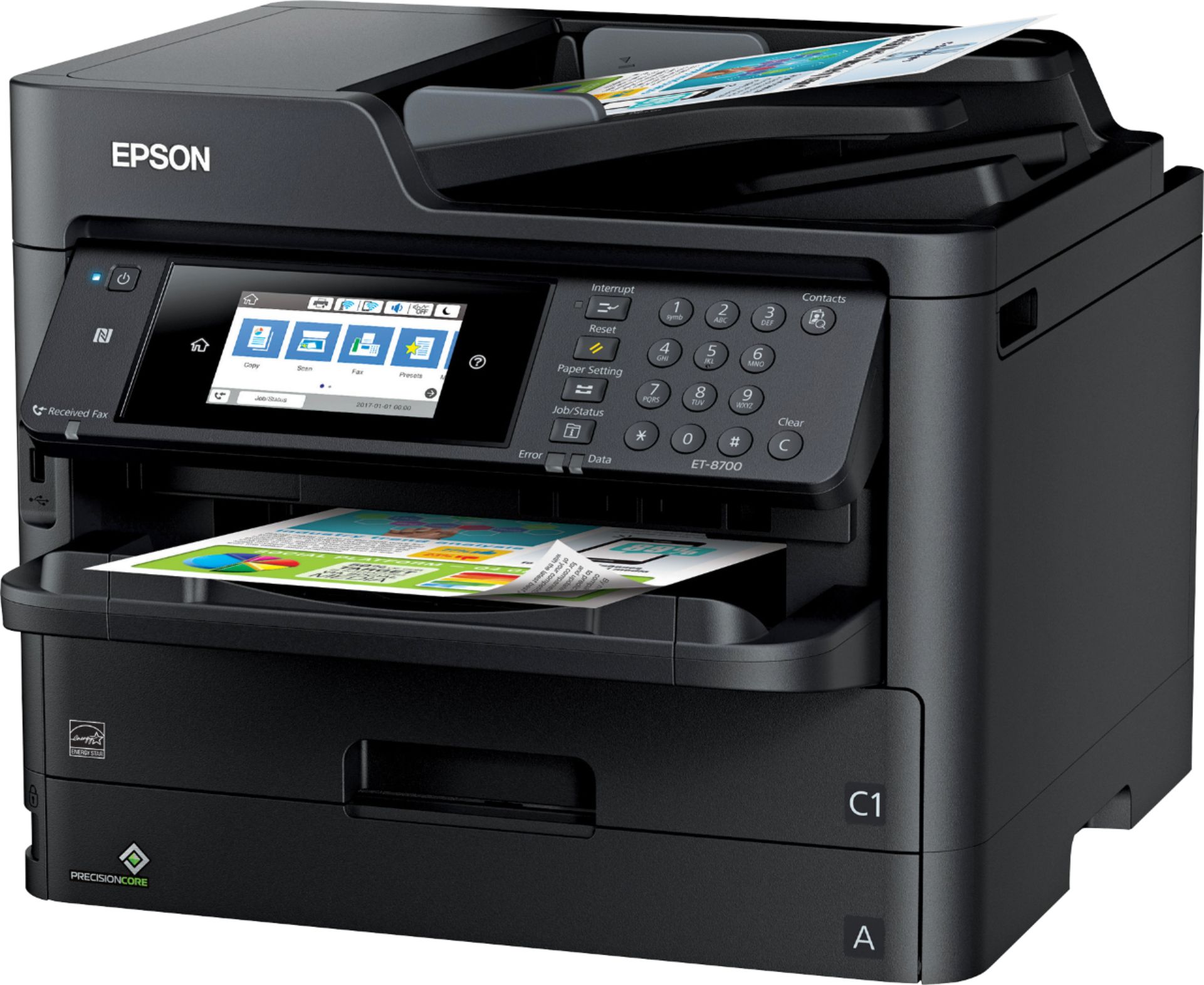
Posted .This reviewer received promo considerations or sweepstakes entry for writing a review.Epson's WorkForce Pro ET-8700 EcoTank All-in-One Supertank Printer is a top-of-the-line machine in a series of small business printers designed to give laser printers a serious run for their money. And with fast print speeds, high-quality output and the amazing EcoTank ink system, Epson's printer should easily meet the demands that any small office can throw at it. All of the stand-alone operations on this beast are handled through the 4.3-inch color touch screen. The menus are easy to navigate and intuitive. There is also numeric keypad, which is handy for stand-alone faxing. The ET-8700 prints sharp text on plain paper, practically laser quality. Text looked noticeably crisp, sleek and dark, on a par with what I'd expect from a quality laser printer. Graphics also printed very attractively on Epson's printer, with sharp details, accurate colors and nice mid-tone gradations. Glossy photos printed onto glossy photo paper looked very detailed, and colors were pleasantly saturated. All-in-all this office powerhouse is a joy to use, a reliable companion, and with it's ink system and multiple paper trays, its super easy to maintain. 2 thumbs up from me! This is a review for the Epson ET-8700 EcoTank All-in-One Printer that I received free of charge to do a beta test and review.
I would recommend this to a friendHome Office Super Genie
Posted .This reviewer received promo considerations or sweepstakes entry for writing a review.The Epson Eco Tank All-in-one is a great welcome for the home office. I was able to use it comfortably, without having to go through a learning curve. The ability to scan and print in different sizes, especially, A4, as hotel receipts from Asia can be in A4 File size, and generally, I have to trim them otherwise. ADF is especially helpful in such a case The fax functionality is great, especially, at times for legal requirements, its preferable to fax over send an email, as the delivery report is proof of delivery. The ability to hold 250 pages is also helpful, as it's easier to load and to forget. Some printers have a limitation of 100 pages, and in such cases, we need to refill every week, here it should be about twice a month. This is a review for the Epson ET-8700 EcoTank All-in-One Printer that I received free of charge to do a beta test and review.
I would recommend this to a friendGreat Printer, Super Fast, Very Quiet
Posted .This reviewer received promo considerations or sweepstakes entry for writing a review.I previously had the Epson ET-3600 and while I liked it for ink wells rather than cartridges, it was pretty slow and loud. The ET8700 fixes both of those issues. The ink is in bladders rather than bottles, so it's not messy at all. It's also extremely quiet when printing. I used to have to mute my calls if someone was printing while I was on the phone. Not so with this printer, as you can barely hear it when it's printing. I also appreciate how scanning can scan directly to several cloud providers rather than needing a computer nearby. This makes sharing and filing scanned documents a breeze. This is a review for the Epson ET-8700 EcoTank All-in-One Printer that I received free of charge to do a beta test and review.
I would recommend this to a friend- Pros mentioned:Print quality
Uses a lot of Ink
Posted .This reviewer received promo considerations or sweepstakes entry for writing a review.We purchased the Epson ET-8700 for our small business. We chose the ET-8700 because it is suppose to come with enough ink to print 1000's of pages. In a weeks time with maybe a couple hundred pages printed we have gone through one cartridge of the cyan ink (three are included). Also, there is no Eco Tank, it has cartridges. You cannot refill these cartridges. Very misleading advertising. On the plus side, it prints fine. It prints fast but copies and scans slow. Bottom line, it's another printer, but not what is advertised.
No, I would not recommend this to a friendBrand response from Epson
Posted .Hi OMBM, we are sorry you are disappointed with your Epson printer. Your ET-8700 includes free technical support for the life of your product. Our Epson Support Team may be able to help you customize your settings for a more efficient performance. Please contact us at (562) 276-4382; Hours: Monday – Friday, 6am – 8pm PT; Saturday, 7am – 4pm PT. We look forward to your call. Regards, Patrick – The Epson Team.
