Customer Ratings & Reviews

- Model:
- C11CF76201
- |
- SKU:
- 5117200
Customer reviews
Rating 4.3 out of 5 stars with 241 reviews
(241 customer reviews)Rating by feature
- Value4.1
Rating 4.1 out of 5 stars
- Quality3.8
Rating 3.8 out of 5 stars
- Ease of Use3.8
Rating 3.8 out of 5 stars
Customers are saying
Customers regard the WorkForce WF-2750 Wireless All-In-One Printer highly for its impressive print quality and ease of use, praising its straightforward setup and convenient wireless functionality. Many appreciate its compact size and the value for its price. However, some users noted that the printer can be louder than expected and occasionally experiences paper jams.
This summary was generated by AI based on customer reviews.
- Pros mentioned:Ease of use, Print quality, Setup
Rated 5 out of 5 stars
One of the best printers ever.
Posted .This reviewer received promo considerations or sweepstakes entry for writing a review.This printer is very simple to use compared to another one that I owned. The setup was quick and painless. I was able to connect to my network in no time. You do not need experience to set up this printer so first time users will be fine with this product. This printer is pretty quiet compared to my last printer. The color quality is awesome. I printed some signs and flyers and the colors were pretty vivid. In terms of photos, its not that bad. I have an Epson Photo printer that the photos come out top notch. The speed of this printer is pretty decent. This review is for the Epson Workforce WF-2750 that I got for free as long as I tested it and wrote a review for it. I definitely recommend this printer.
I would recommend this to a friend - Pros mentioned:Print quality, Setup
Rated 5 out of 5 stars
Fantastic Printer!
Posted .This reviewer received promo considerations or sweepstakes entry for writing a review.This is a review for the Epson WorkForce WF-2750 that I received free of charge to do a beta test and review. Overall, I found this to be one of the best non-laser printers I've ever had. It's fast, quiet, and the quality is great. What I love: - Surprisingly easy to set up on my network, as has not been the case with other wireless printers - Print quality is fantastic - Print speed is good - Colors are spot-on when printing in full color vs. black and white - There's lots of extra functionality, such as the scanner - The paper tray is really well-designed and I haven't yet had a paper jam - It's relatively quiet and doesn't make calibration noises when not printing What I don't like so much: - Installing the ink cartridges was a bit confusing (you must follow the setup steps in a specific order!) - It has a rather wide footprint in terms of its size, but it's not too tall - It comes with a CD containing drivers, but my laptop doesn't have a CD drive (like many others these days), so I had to hunt down the drivers online
I would recommend this to a friend - Pros mentioned:Print qualityCons mentioned:Noise level
Rated 4 out of 5 stars
Average Low Cost Printer
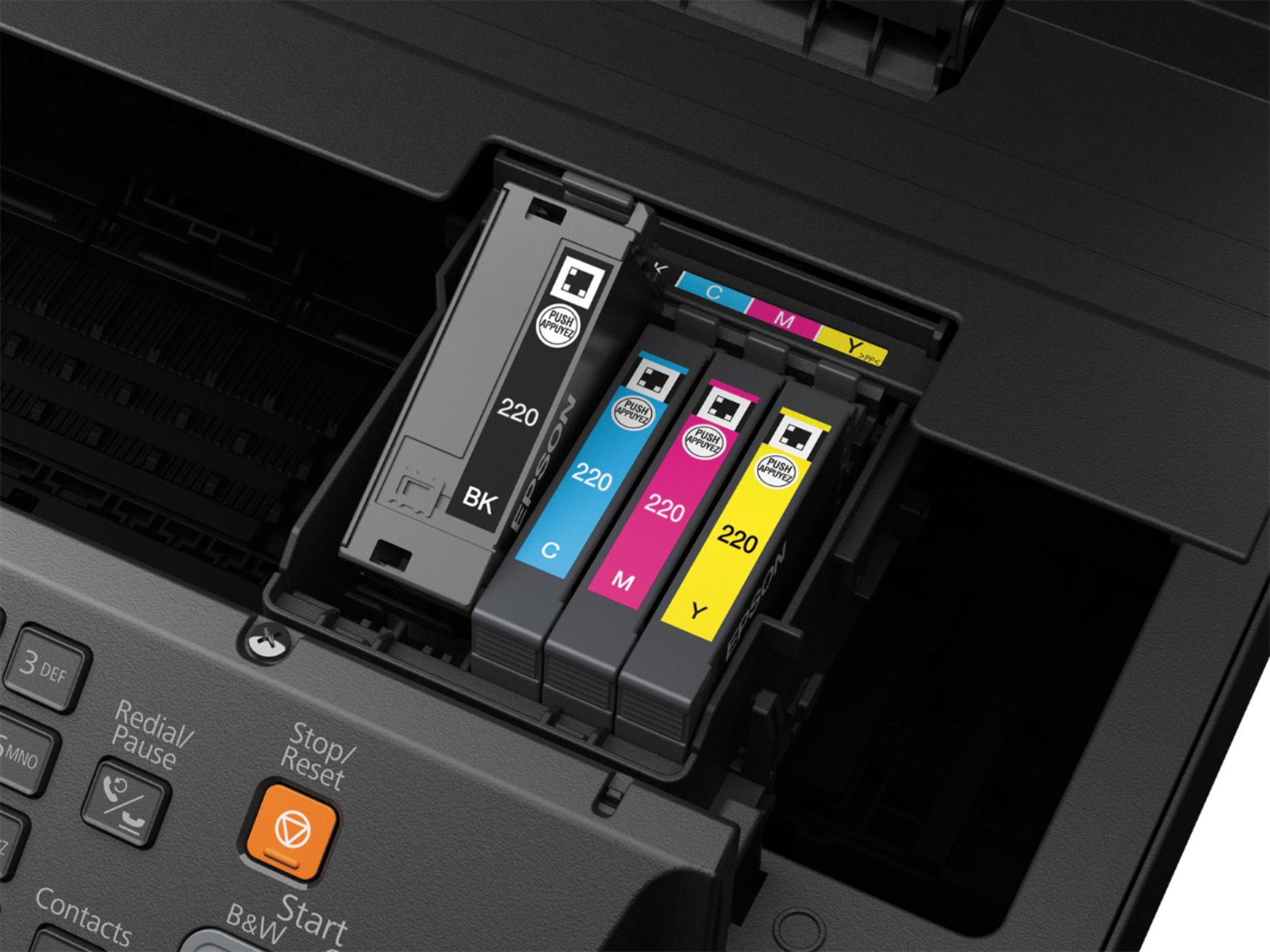
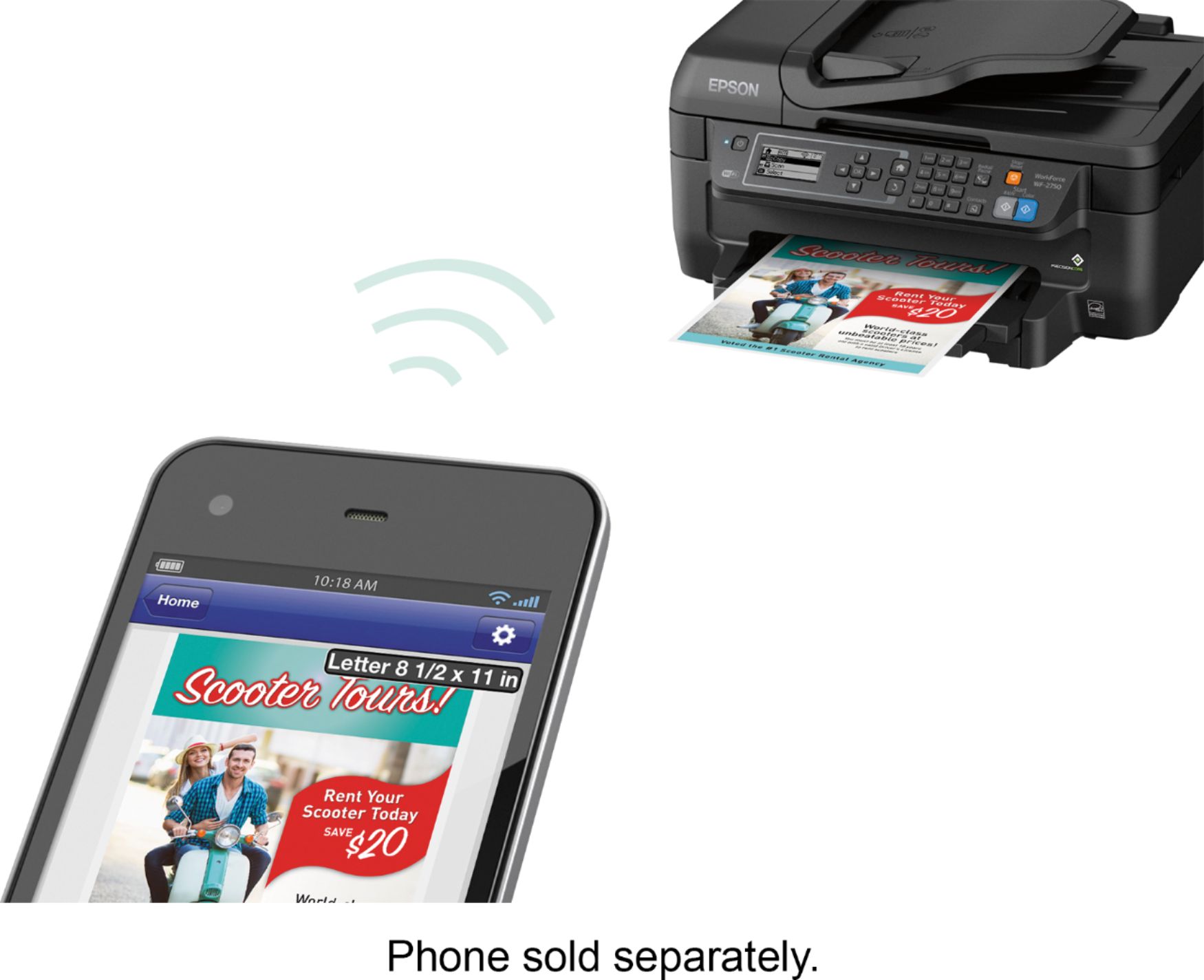
Posted .This reviewer received promo considerations or sweepstakes entry for writing a review.This is a review for the Epson WF-2750 that I received free of charge to do a beta test and review. I received the printer about a week ago and set it up right away. This is your typical inkjet printing system with four individual ink cartridges. I setup the printer and installed the ink as soon as I got the printer out of the box. The first thing I noticed is the physical size. It’s a smaller printer and can print/copy/scan both letter and legal sized documents. While the printer was initializing the ink, I noticed the printer was very loud. While the printer was initializing, I grabbed my tablet to see if my Android could print to this printer as well. All I had to do was add the Epson Print Enabler and make sure the printer was connected to my home Wi-Fi network. Normally I set up the printer on my network as a static IP at the router, however, I didn’t do that this time. After the printer finished its initialization, I sent a test page from both my Android and my Mac. Both were successful. This printer does include AirPrint, which is nice for iOS users. While the printer is fairly quick to receive and print the documents, it is quite loud. I have two other printers, neither of which are as loud as this. The other downfall is the settings screen. It is a hassle to setup on the network without using the Epson software. While I don’t think this is a great printer, it’s a low-end printer that works.
I would recommend this to a friend - Pros mentioned:Print quality, Setup
Rated 5 out of 5 stars
Great printer for everyday printing
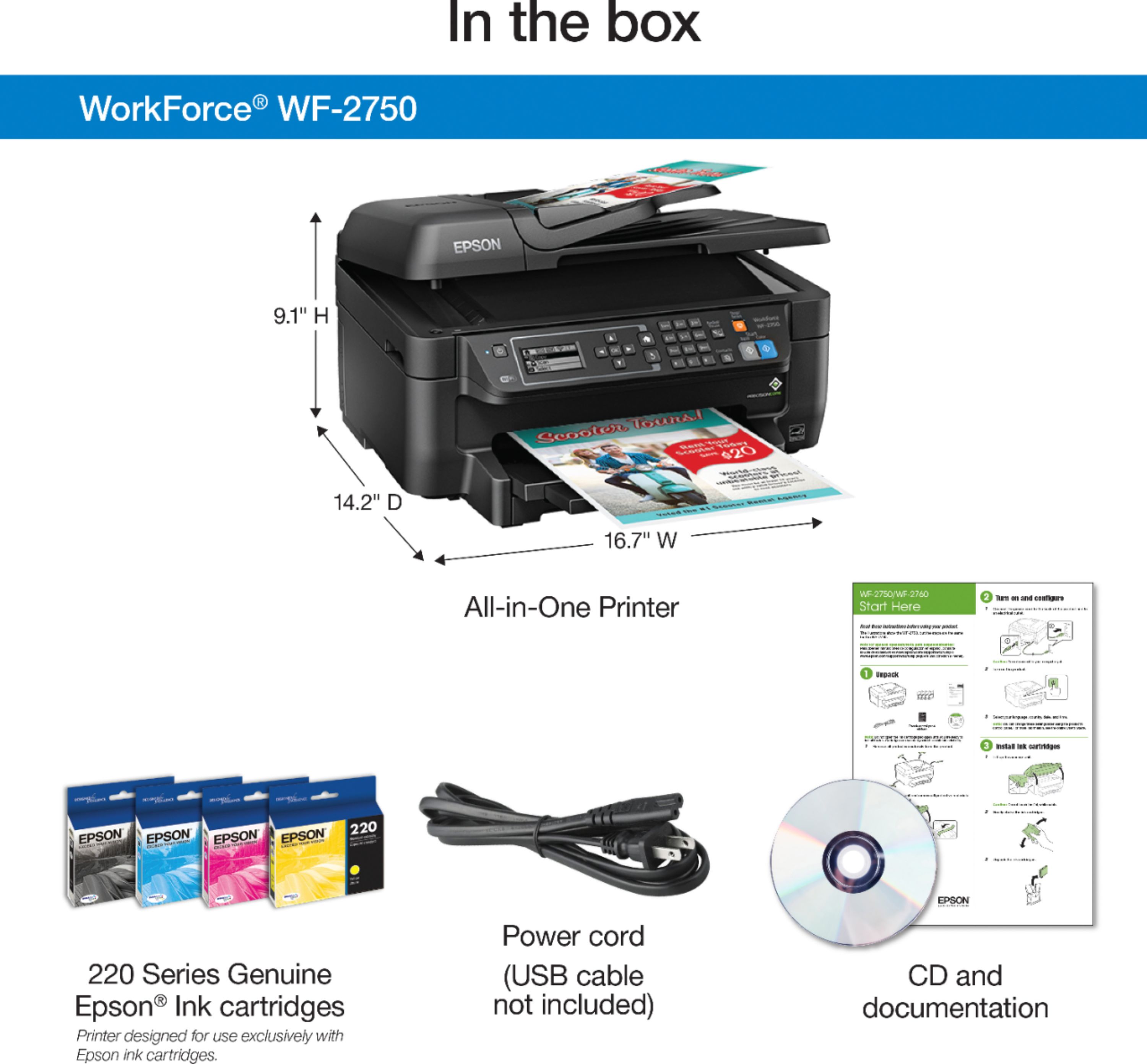
Posted .This reviewer received promo considerations or sweepstakes entry for writing a review.This is a review for the Epson WorkForce WF-2750 that I received free of charge to do a beta test and review. This printer is a great value. It comes packaged very nicely. The installation and setup are extremely easy. It does not come with a USB cable, however, if you are planning on printing wirelessly you do not need one. Setup can be accomplished by only using the setup utility and driver. The features included are great such as duplex printing, scanning and even fax. The print speed and quality are top notch. I highly recommend this printer to anyone looking for an affordabie, high quality printer.
I would recommend this to a friend - Pros mentioned:Print quality, Setup
Rated 4 out of 5 stars
Buggy
Posted .This reviewer received promo considerations or sweepstakes entry for writing a review.This is a review for the Epson WorkForce WF-2750 that I received free of charge to do a beta test and review. Setting up was really easy and after installing ink I decided to print a high DPI collage and it printed awesome!! I printed a few different items with no problems until I wanted to scan to cloud. After setting up cloud service it printed out a "successful registration" page but when I went to scan it would never connect and it said it was not registered. I checked Google cloud and it was in fact registered there was no cause for it to not communicate with cloud. I gave up and had to do a manual scan, successfully over wifi. I do like the all in one printer as it is an upgrade to my Epson WF2650 there's just some bugs to be worked out with the firmware. Overall I would still recommend.
I would recommend this to a friend - Pros mentioned:Print qualityCons mentioned:Noise level
Rated 4 out of 5 stars
Great printer for college/small business
Posted .This reviewer received promo considerations or sweepstakes entry for writing a review.This is a review for the Epson WorkForce WF-2750 that I received free of charge to do a beta test and review. Overall: My impression of this printer that it would make for a great small office or home office, that has a small to medium print job scope, some general scanning, and/or basic fax capability. College dorm for the students where you can directly print to the printer without being on network is very good feature. What I found to be good: 1) Setup was very easy to follow and very quick. 2) Printing speed was very quick. 3) Quality of the print was very color rich. 4) The unit supports internet printing through google cloud print. 5) Ink quality is quite well. (~100 pages and doesn't appear to have made much of a dent in the ink levels). 6) Scanning quality is quite impressive. No apparent blimishes in the scan it self. What I didn't like: 1) The unit is quite loud at initial setup. (can be changed in the menus) 2) The unit is short but very large for a home/small office printer. 3) There is no ethernet port. (Just preference) 4) The cartridges did not click when inserting them. 5) The cartridge cover looks like it was intended to be removed when it's not. 6) No USB port for simple scan storage.
I would recommend this to a friend - Pros mentioned:Print quality
Rated 5 out of 5 stars
Very effective all-in-one printer
Posted .This reviewer received promo considerations or sweepstakes entry for writing a review.This is a review for the Epson WorkForce WF-2750 that I received free of charge to do a beta test and review. I received the printer the day it was scheduled in perfect condition. It was packaged securely using styrofoam so the product did not bounce around during delivery. The printer is much lighter than I was anticipating. My mother has two all-in-one printers that she uses for her home business. They're both huge and don't fit on her desk. The Epson WorkForce isn't as compact as a standard printer, but can fit on my desk along with my computer and isn't a hassle to move or carry when needed. Following the setup instructions was quick and painless. My only wish was that there was a bit more detail on installing the ink cartridges and filling the paper, like which side of the ink cartridge should be inserted. However, after rereading the instructions and studying the pictures I was able to do so with very little effort. Installing the printer's software on my PC (Windows 10) took about 15 minutes with an additional 20 minutes to connect the printer to my PC wirelessly, update software, update firmware, and register the product with Epson. I have printed using the wireless option from my PC and iPhone. The Epson WorkForce is a super fast printer! I'm used to waiting several minutes for my printer/scanner to complete a single task, especially colored documents. It took this Epson printer no time at all to print my colored photos, and even less to complete black and white photos/text documents. The black ink is crisp. The color quality is pretty nice too. I did notice that some of the photos printed from my iPhone have an unnatural yellowish hue, but I believe that has to do more with the lighting in my photos (i.e. bathroom or too dim lighting) than the printer's color matching ability. Overall, I'm in love with this printer and would say it is worth its price. Being able to not only fax, but also print from all of my devices without needing a wired connection is perfect for me and super convenient.
I would recommend this to a friend - Pros mentioned:Ease of use, Print quality
Rated 5 out of 5 stars
Best Printer Ever
Posted .This reviewer received promo considerations or sweepstakes entry for writing a review.This is a review for the Epson WorkForce WF-2750 that I received free of charge to do a beta test and review. The printer itself was easy to set up and since my son and I both have new PCs, the wireless feature is really nice, especially since my room has zero room for equipment so I was happy it could be set up in a different room and I could still print. I likely won't use the fax but the scan works fine. Haven't delved too much into it but it was fairly straightforward as was the copy capability. My one concern is the concern that I always have when it comes to home printers and that is cartridge replacement but Most probably I`ll buy third party cartridge, One of my friend used it and it works great for him, so I`ll try on this. The printer is fairly quiet, prints fast, and I was impressed with the clarity and brightness of the output. I was able to compare prints from the Epson and a canon printer that I already have. Epson is a bit brighter and sharper. The scanner worked well with the Mac OS built-in drivers and due to the way that the printer cover is attached, I was able to scan pages from a book without difficulty. For now, I'll enjoy this item. It looks nice. It works nice.
I would recommend this to a friend - Pros mentioned:Print quality
Rated 5 out of 5 stars
Great All in One
Posted .This reviewer received promo considerations or sweepstakes entry for writing a review.“This is a review for the Epson WorkForce WF-2750 that I received free of charge to do a beta test and review.” The opening and set up experience was an overall positive experience with one hiccup. There was no documentation/software in the box. Hopefully this was a one off. Unboxing is pretty simple though, make sure to thoroughly check for the blue packing tape everywhere. There is no USB lead included so bear that in mind if you need a hardware connection. Initial setup went well, once you realize that everything is done through the lcd front screen including inserting the new cartridges. Connection to WIFI, Air Print and Google Cloud print was easy and without problems. Using the WF-2750 is a great experience. Air Print is stable and a wonderful bonus over the Brother printer I already had. Which makes the WF-2750 worth it all by itself. Machine is about the size you would expect from an all in one unit too. An added bonus is the DUPLEX feature, so double sided printing is enabled by default and hence is a major boon for paper conservation. Printing is very quick as well, along with no paper jams and excellent quality. If you are a medium/heavy home printer or a small business user then this machine would definitely be worth checking out, especially with the AIR PRINT and WIFI option. EPSON does have its own apps for IOS and Android available too, plus the online registration and help, along with connection to Google Cloud Print. The only downside was the lack of documentation in the box. Having said that, it will almost certainly become my main printer.
I would recommend this to a friend - Pros mentioned:Ease of use, Print quality
Rated 5 out of 5 stars
Excellent Printer
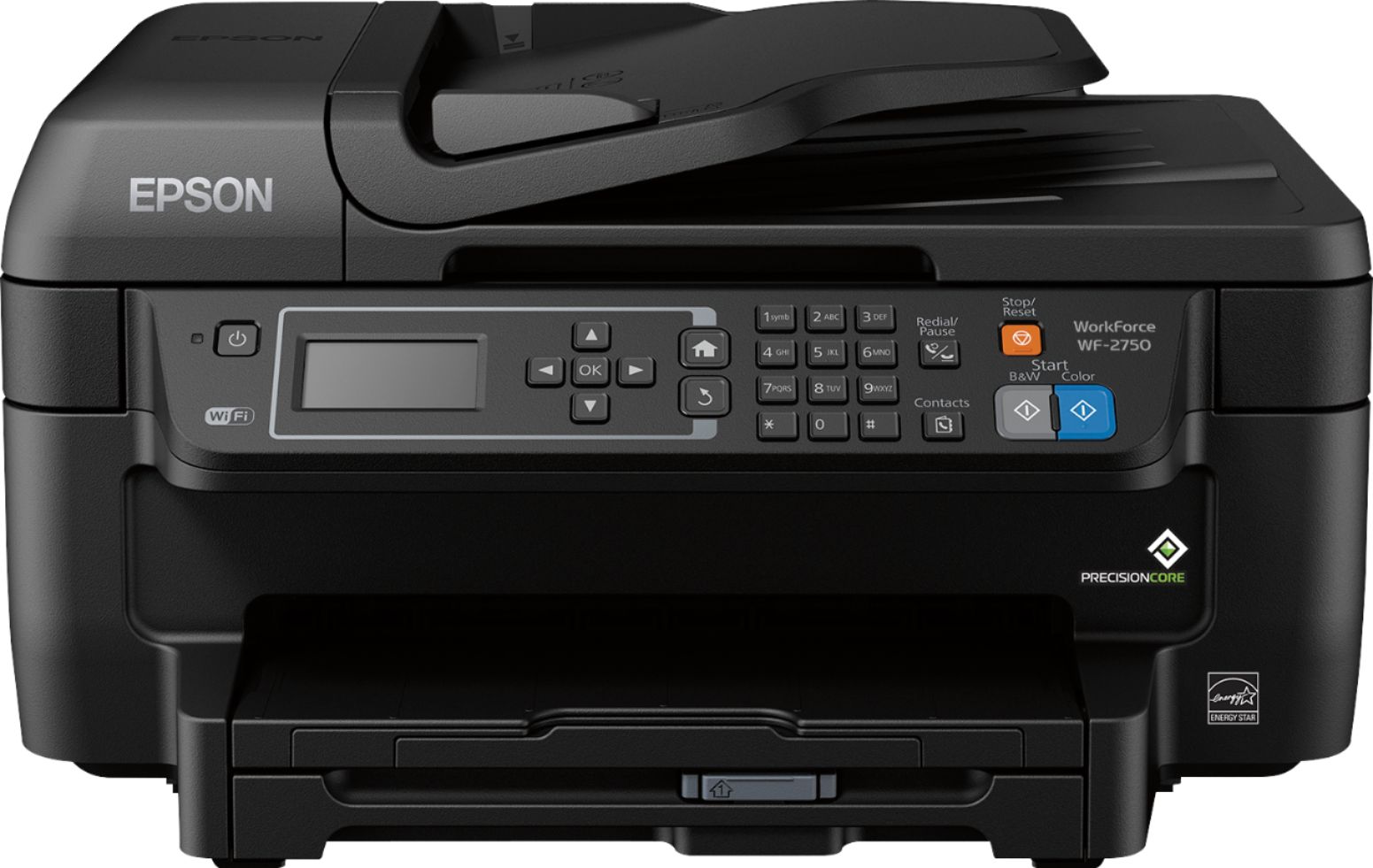
Posted .This reviewer received promo considerations or sweepstakes entry for writing a review.Overall, this is a very capable, solid printer. I’m a student, and have a need for black and white, and color printing, and scanning. I don’t need the fax functions much, but I imagine it’s more than capable of handling that as well. This machine is truly all-in-one… doing printing, scanning, and faxing without issue. It’s advertised for SoHo use, but its a good printer for students or home use too. It’s pretty fast at the scanning and printing, and can do double sided printing easily. I don’t know if i’d use this for photo printing, but it’d work in a pinch, since photo printing is the only real thing it’s slow out… but that’s all printers. The printer is a solid black box, so it looks professional, with a clear display, and solidly built buttons. It’s just heavy enough to feel solid, and not shake your desk when it prints. It uses buttons for navigation rather than a touch screen, but it’s a pretty inexpensive printer, and you wont use the menus very much. Setup is easy. I download the drivers from the internet to my mac, and it was very fast to install, and smart at telling you when to plug things in and gave options for setting up faxing capabilities. Thoe only thing is there is no USB cable, so beware of that. It comes with 4 small ink cartridges, and I’m not sure how long they will last. Ink is pretty cheap though, so im not worried. Ultimately, this is an excellent piece of equipment, and well worth the price. I’d recommend it for people with varied need, but not extreme volumes. I received this at a discount for a fair and unbiased review.
I would recommend this to a friend - Pros mentioned:Ease of use, Print quality
Rated 5 out of 5 stars
Easy Setup Wireless All-in-One Printer
Posted .This reviewer received promo considerations or sweepstakes entry for writing a review.Disclosure: This is a review for the Epson WorkForce WF-2750 that I received free of charge to do a beta test and review. This is the second All-in-One Wireless Color Printer I got within about one month (I bought a Canon All-in-One Printer before I was approved for this beta test). This WF-2750 was easy to set up via wireless LAN (router) on a Win 7 PC. It took me about 15 minutes, including unpacking and a suprising firmware update; the Canon one took about 30 minutes and it tried to connect to other devices several time during the setup. The only setback of WF-2750 was the on-screen keyboard is not efficient as the hard keyboard on Canon Printer. I could print from my laptops, android smartphones, tablet and iPad with easy installation of apps. I could also use my devices to scan photos/documents and save to my devices; of course you could save the scan copies on your computer also. I tested print, scan and copy but fax functions (since I don't need this last feature). The print speed was fast even when doing 2-sides printing, and the print quality is impressive regardless black and white or color jobs. You could also choose copy in black and white or color mode by push a button on the printer. The copy and scan qualities are also very good. I've been sort of regretting that I had bought the Canon printer, but I got that one when it came with two gift cards covering the total amount of what I paid for the Canon printer, so I am going to keep it :-)
I would recommend this to a friend - Pros mentioned:Ease of use, Print quality
Rated 5 out of 5 stars
Outstanding printer at a great price!
Posted .This reviewer received promo considerations or sweepstakes entry for writing a review.After using the Epson - Workforce Wf-2750 for the past few weeks, I have been very impressed with it. This is the first Epson printer that I have owned. The setup was fairly simple and did not take very long. Just pop in the included CD and follow instructions. A great addition that this printer has, than non of my past printers had, was the ability to connect to my phone via WiFi. The ability to print work documents, photos, and emails from my phone on the fly is fantastic. No more having to transfer from my phone to my laptop to print. It also has an option to scan documents from your printer directly to your phone. Another great feature is the ability to check ink levels from my phone. No more hoping I have enough ink left to print a report. As far as the print quality goes, I couldn't ask for anything more. The colors are vibrant and rich. The black is very dark. The ink dries super fast. I have yet to have anything smear on me after handling a new print. I love that there is a separate cartridge for each color. We all know ink is expensive, and shouldn't have to throw cartridges away that still have plenty of ink left just because one color is low. That will save you some serious $$$ if you print often. This is a review for the Epson WorkForce WF-2750 that I received free of charge to do a beta test and review.
I would recommend this to a friend - Pros mentioned:Print quality, Setup
Rated 5 out of 5 stars
Great printer, fast and great quality
Posted .This reviewer received promo considerations or sweepstakes entry for writing a review.This printer is great. I received this printer in the mail. It was nicely packaged which kept the printer from being banged up in shipping. The set up was quick and easy. A couple Styrofoam pieces and plastic was taken off the printer and I was able to plug it in the wall. The on-screen setup was very easy to follow. It told exactly what to do, from installing the ink cartridges to setting up Wi-Fi. Very fast and simple. Once everything was setup, I was ready to test it out. I first tried printing from my computer. I clicked add printer in settings, and in seconds it found the printer and it was added to my list of printers available. I printed a few pages from an article and the pages printed quickly. The quality was very good. This printer said it automatically printed double sided pages. I was excited to try this out. Instead of having to print, then go to the printer and try to figure out the correct way to put the paper back in, this printer does it all for you. It is awesome! Next I grabbed my phone and printed a few color pages from it. Again, my phone instantly found the correct printer and printed the pages. Again, the quality is great. This printer prints quickly and has great quality. I highly recommend. This is a review for the Epson WorkForce WF-2750 that I received free of charge to do a beta test and review
I would recommend this to a friend - Pros mentioned:Ease of use, Print quality
Rated 5 out of 5 stars
Great printer, easy to use
Posted .This reviewer received promo considerations or sweepstakes entry for writing a review.This is a review for the Epson WorkForce WF-2750 that I received free of charge to do a beta test and review. This printer is very easy to set up and use. The instructions for setting up the printer are easy to follow. The software installation was simple and fairly quick. I had no issues with setting up the printer or installing the software. I registered my printer with Epson Connect and connected it to Wi-Fi. This was all very easy to do. I really like that there is a compartment for the paper instead of the paper having to be out on a tray. I have used this product to print, scan, and copy. I have printed from my computer using the Wi-Fi connection, it was fast and had no issues. One of my favorite features is the ability to email files to the printer so you can print anything you need without having to be in the house with the printer. Another great feature is the ability to print via mobile device. I used my iPhone to print pictures via Wi-Fi. These features are very convenient. The printer itself is very user-friendly, the display is easy to read and to navigate through. I tested out the copying function with no issues. I also scanned in some documents to my computer wirelessly- another awesome feature! Overall I am very pleased with this printer. I would definitely recommend this product to others.
I would recommend this to a friend - Pros mentioned:Print quality
Rated 4 out of 5 stars
Great wifi printer
Posted .This reviewer received promo considerations or sweepstakes entry for writing a review.Epson WF-2750 printer is a good printer overall. Set up was very easy and connected to the wi-fi with ease. After a day or so my computer would not see it as being online so I had to use an usb cable and reinstall it. I like the separate ink cartridges, the black one could be bigger as I’m down to 1/3 a tank with 2 weeks of solid printing. It prints text fast, pictures take longer to print than normal. The size is great and love that it also copies and scans. I do get a page size error when trying to print a picture, and you have to just hit ok on the printer and it prints fine. Overall nice printer for the money.
I would recommend this to a friend - Pros mentioned:Ease of use, Print quality
Rated 5 out of 5 stars
Great Printer for the price
Posted .This reviewer received promo considerations or sweepstakes entry for writing a review.This is a review for the Epson WorkForce WF-2750 that I received free of charge to do a beta test and review. I really like this printer. It's fast, the printer cartridges are cheap (compared to most that are $40 or $50 each), and it's decently priced. Using the printer has been a breeze. It's very easy to set up, and I had it up and running in just a few minutes. I don't particularly like having to install software on my computer that's always running, and while I did, you don't have to, even to use the scanner. I registered it with Epson and set it up to send all my scans to the cloud (google drive in this case). I love that! No more worrying about where it ends up on my computer or how to get it to someone else. I also really like the automatic feed tray for scanning and copying - much more convenient that swapping pages after each one is complete. So what about actually printing? Very high quality for both color and black and white. I love that the paper is stored internally (not sitting on a tray). With kids and pets, the paper always seems to disappear, but now that it's out of site, that hasn't been happening. Overall, I'm pretty happy with this and it will be my go to for making copies and scanning documents.
I would recommend this to a friend - Pros mentioned:Print quality, Setup
Rated 5 out of 5 stars
Very reliable
Posted .This reviewer received promo considerations or sweepstakes entry for writing a review.I have generally been very happy with Epson printers, and this one is no exception. The set up was fast, there are a lot of use options, and the quality of the output is good. I love this printer, it fits all my needs perfectly. If you’re looking for a small home office multi-function printer at a great price, get this one. The performance of the WorkForce WF-2750 Printer far exceeds my expectations. This is the perfect printer. I needed a color printer with a scanner and a copier for home. It prints beautifully with sharp color. The copier also makes great copies and is so easy to use. The scanner makes great images and is very quick. The fax is very fast and reliable. This WorkForce WF-2750 all-in-one printer offers easy wireless printing even from your iPad, iPhone, Android tablet or smartphone. It has some very nice feature such as auto 2-sided printing and more. This is a great inkjet printer for the price. I highly recommend it.
I would recommend this to a friend - Pros mentioned:Ease of use, Print quality
Rated 4 out of 5 stars
Great Basic Small Multifunction
Posted .This reviewer received promo considerations or sweepstakes entry for writing a review.This is a review for the Epson WorkForce WF-2750 that I received free of charge to do a beta test and review. I was rather impressed with the printer.. it has crisp color and the printer is sturdy. Easy to setup, does not require a network cable to setup, all can be setup from on-board LCD menu.. So far, this printer was used to print brochures for a conference, the speed of the printer was acceptable and very quiet compared to a OfficeJet 8610. I am about to finish my cartridges that came with it, and looking at price of replacement, the prices are cheaper than the ones I get for my current printer. I would suggest this printer for ANY home user and small offices....
I would recommend this to a friend - Pros mentioned:Ease of use
Rated 5 out of 5 stars
Quality All-in-One Printer
Posted .This reviewer received promo considerations or sweepstakes entry for writing a review.This is a review for the Epson Workforce WF-2750 All-in-One printer that I received free of charge to do a beta test and review. The printer is a reliable printer for the price point. The design is straight forward and easy to use. Each function of the printer worked as intended. The initial setup was clear and concise. The instructions provided and the printer prompts provide an adequate amount of detail to finalize printer setup and start using the device. The printer jammed a few times; any jams were easily cleared. This all-in-one printer does a great job providing multiple feature sets including mobile device printing and quick efficient printing. The printer worked rather well. The Epson Workforce WF-2750 All-in-One printer outperforms for the price point and did not disappoint. The printer is a great multi-tasker; scanning, photo printing, and mass document printing After reviewing this printer, I would definitely recommend this printer to anyone looking for a form factor printer that provides multifunction printing.
I would recommend this to a friend - Pros mentioned:Print quality, Setup
Rated 5 out of 5 stars
Excellent, Low-cost Multifunction Printer
Posted .This reviewer received promo considerations or sweepstakes entry for writing a review.I have been using the Epson Workforce WF-2750 for two weeks. So far, I am very pleased with this multi-function printer. After unboxing, and putting the printer in place, I followed the Start Here Sheet instructions. The setup was extremely easy. The most difficult part was entering my WiFi password (my fault for not changing the default password, not Epson’s). I was immediately able to print from my MacBook Air, iPhone 6s, and iPad mini 2, using the print option from within several applications. Using Epson iPrint, I was able to print, scan single sheets, and scan sheets from the multi-sheet feeder. I’m using standard copy paper for everyday printing, and a high gloss paper for photos. The quality is excellent for both text and photos. The only negative aspect of the printer (although I have not had to do this yet) is the ink cartridges will have to be replaced. This is a review for the Epson WorkForce WF-2750 All-in-One Printer that I received free of charge to do a beta test and review.
I would recommend this to a friend