Customer Ratings & Reviews

- Model:
- C11CF76201
- SKU:
- 5117200
Rating by feature
- Value
Rating 4.1 out of 5 stars
- Quality
Rating 3.8 out of 5 stars
- Ease of Use
Rating 3.8 out of 5 stars
Customers are saying
Customers regard the WorkForce WF-2750 Wireless All-In-One Printer highly for its impressive print quality and ease of use, praising its straightforward setup and convenient wireless functionality. Many appreciate its compact size and the value for its price. However, some users noted that the printer can be louder than expected and occasionally experiences paper jams.
This summary was generated by AI based on customer reviews.
great for the price
||Posted .This reviewer received promo considerations or sweepstakes entry for writing a review.this is the 2nd one of these I have had gteat units for the money
I would recommend this to a friendGreat printer!
||Posted .This reviewer received promo considerations or sweepstakes entry for writing a review.Bought this to replace the old, it's just great !!!!
I would recommend this to a friendBrand response from Epson
Posted .Hi TigersFan18, thank you for taking the time to write a five-star review of your Epson WF-2750 all-in-one printer. We appreciate your business, and value your feedback. Have a great day. Best, Eddie – The Epson Team.

Epson WF-2750
||Posted .This reviewer received promo considerations or sweepstakes entry for writing a review.Replacement for WF-2760 under contract for 2 years
I would recommend this to a friendGood product
||Posted .This reviewer received promo considerations or sweepstakes entry for writing a review.Good computer. Fast booting. Good price. Would recommend
I would recommend this to a friendBasic starter
||Posted .This reviewer received promo considerations or sweepstakes entry for writing a review.I found that this printer can do the basic needs to get the job done, could be a little quicker but has the all in one needs to get started.
I would recommend this to a friendStopped working
||Posted . Owned for 1 year when reviewed.This reviewer received promo considerations or sweepstakes entry for writing a review.I have owned an epson printer for 10 years previously; it still worked but it was getting hard and expensive to find ink so i purchased this printer. The back ink cartridge lasted for about 5 black and white shipping label prints. When I ordered a new one the printer doesn’t recognize the new cartridge. This is the model number that was included with the printer. The new cartridge last about 4 prints. The print heads won’t align, even with running cleaning cycles and alignment. Now the only thing the printer does is display to turn it off and on. This is all after owning it for a little over a year and printing maybe 15 black and white documents. Very poor product.
No, I would not recommend this to a friend- Pros mentioned:Ease of use, Print quality, WirelessCons mentioned:Noise level
Great All-in-One Printer for Home
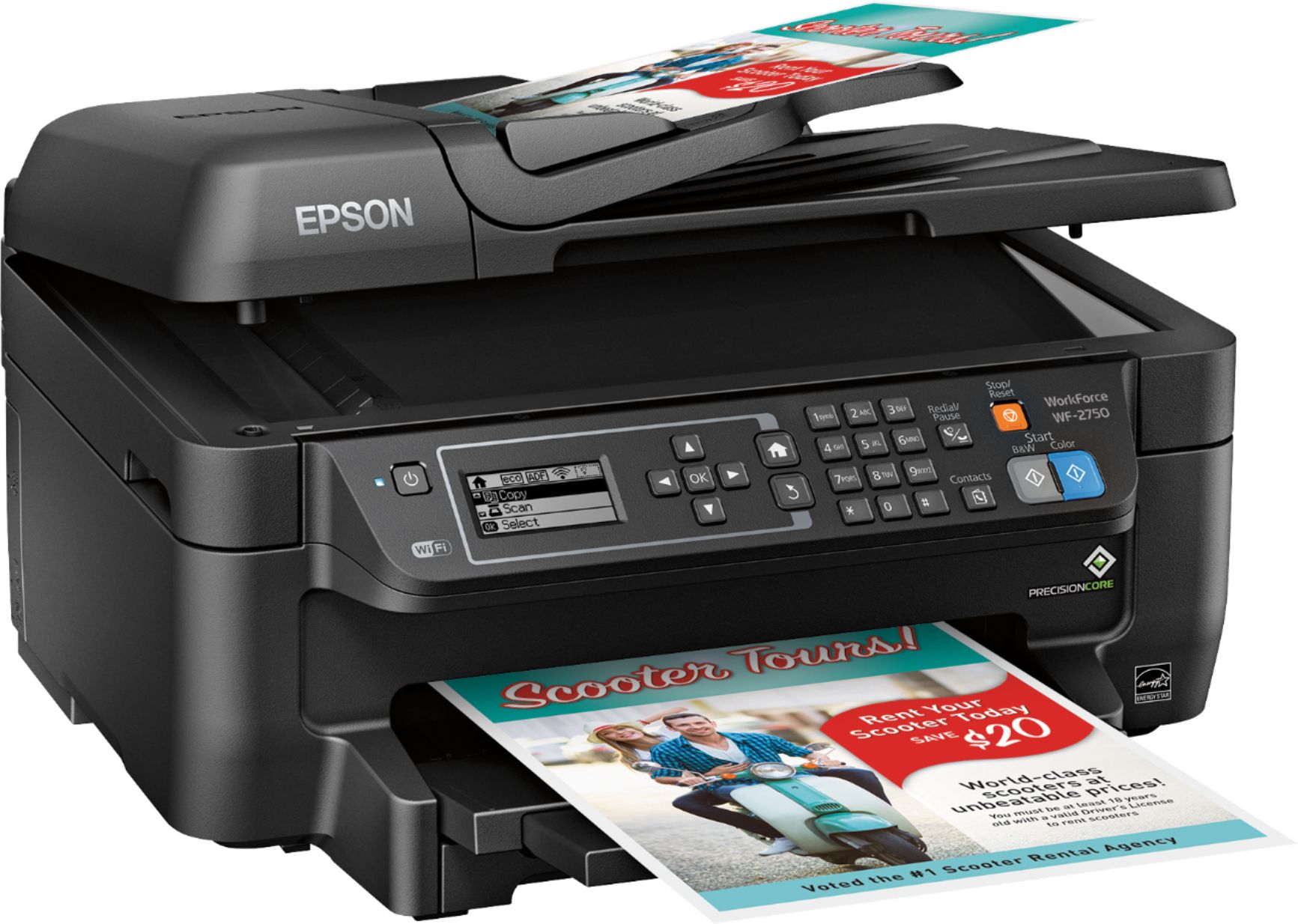
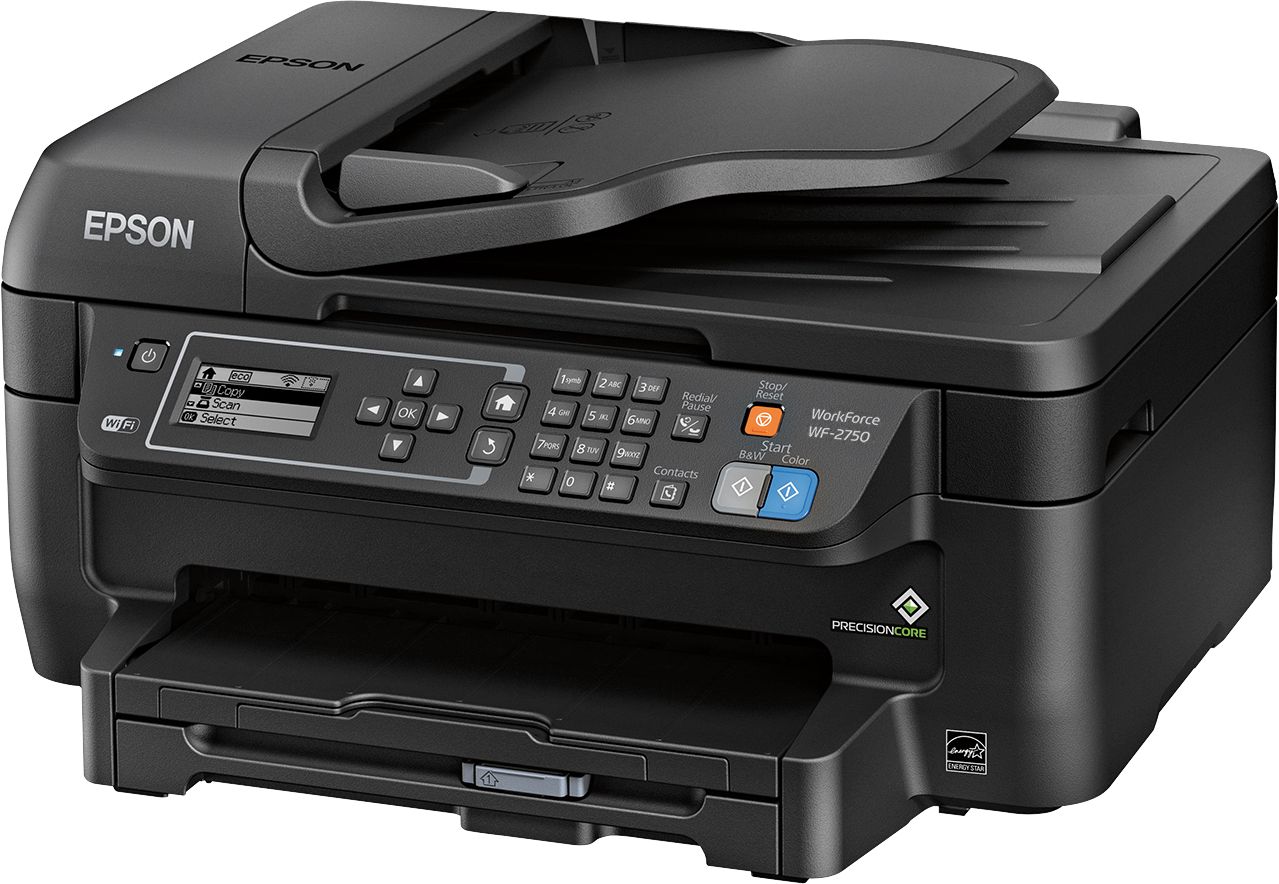
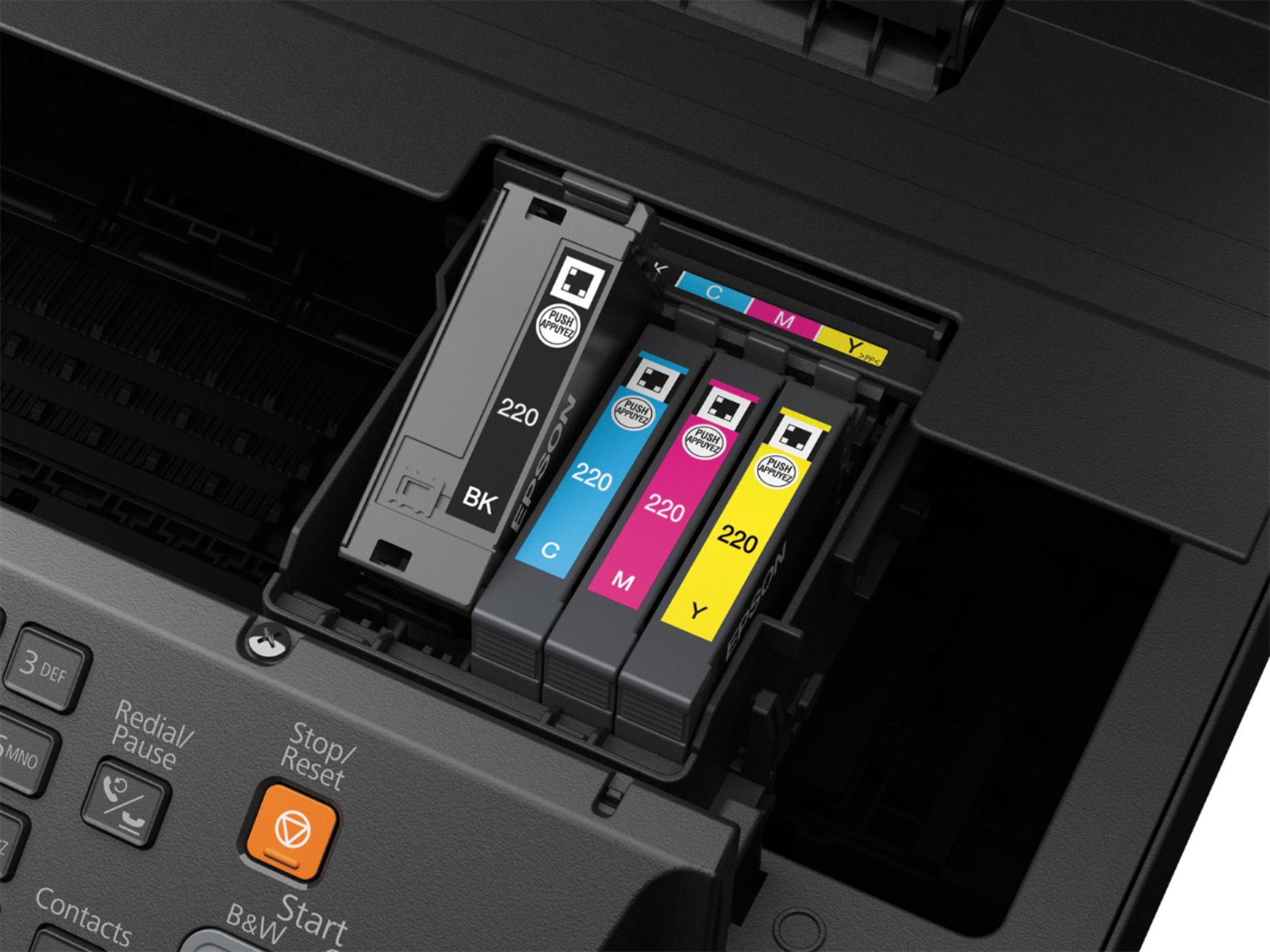
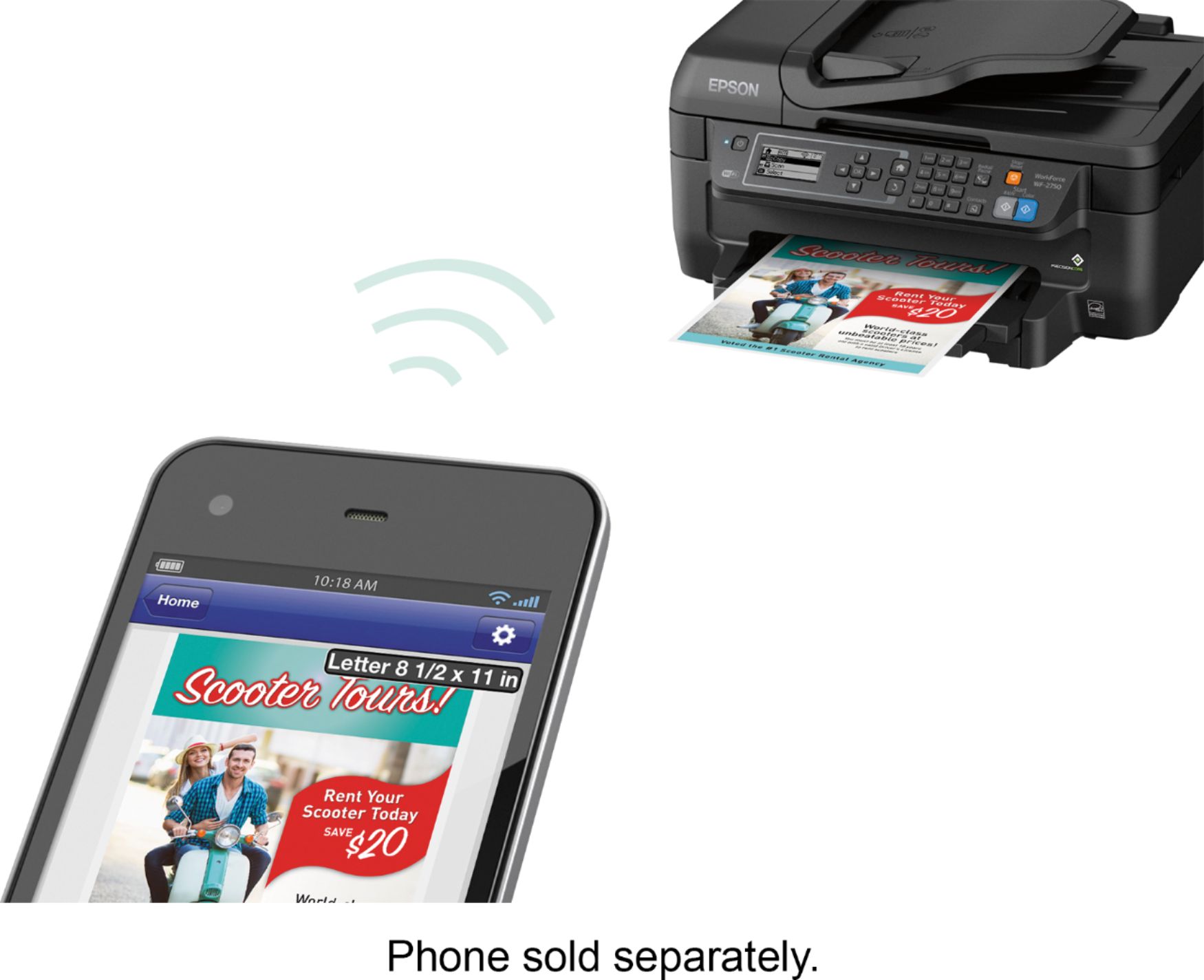
Posted .This reviewer received promo considerations or sweepstakes entry for writing a review.This is a review for the Epson WorkForce WF-2750 that I received free of charge to do a beta test and review. The WF-2750 the compact design is elegant and finish is attractive. WF-2750 is very easy to install. The first time setup required initializing the cartridge. The WF-2750 has built in wifi capabilitiesI setup the printer , I set it up as a network printer by connecting it to my wireless network. This setup allows me to print from any computer/device connected to my network. I also had to install the supplied drivers on my PC/Mac to complete the setup. The Epson WF-2750 is a fast printer giving you 13 pages (black and white) or 7 pages of color print per minute (single sided) which is as fast as my older laser printer. Printing is done via 4 separate ink cartridges (black, cyan, magenta and yellow) and although the ink cartridges that come with the printer are fairly small in capacity. Print quality is also very good for PC documents. The printer is a bit noisier than my laser printer but It's not loud enough to be off-putting. I was also able to AirPrint photos from my iPhone. The printer shows up on my iPhone print option and the photo print quality of my picture was excellent. iPhone also has Epson iPrint app, which allows more control of the printer. I am able to check the status of my printer, get remaining cartridge levels as well as perform maintenance actions on the printer. The app also has other capabilities like scanning the document directly to iOS device, basic manipulation of photos before printing. The app is easy to use, but I will like to see advanced options for photo manipulations. The scanning quality is also very good. The default setting gives clean, crisp, readable document scans. For pictures, I was able to setup higher resolution to get higher quality scans. The scan speed is also very good, with the automatic feeder I was able to scan multiple pages very quickly. WF-2750 copying worked as advertised. A few times copier jammed if the feed paper stack was not alignment was a little off. Once I got the hang of feed tray setting everything worked. I would not recommend this machine as a copier for heavy copying jobs. The device can also be set up as a fax, I did not use this feature, I do not have a wired connection. Overall the Epson WF-2750 is an excellent all in one printer, scanner, copier and fax machine with excellent print and scan quality. I would recommend this device for home printing and scanning needs.
I would recommend this to a friend Hard to keep on-line
||Posted .This reviewer received promo considerations or sweepstakes entry for writing a review.The printer works well when it works. Often it goes off-line. I tried to work it out with Epson and they said my printer was bad. They sent a replacement, but it was a re-furbished model, not the new one I bought. It has the same problem staying on-line.
No, I would not recommend this to a friendBrand response from Epson
Posted .Hi E. Kam, we appreciate your business and apologize for the disappointing experience you’re having with your Epson WF-2750. Your product comes with free lifetime tech support and we would like to help you resolve any issues. Please call the Epson Advanced Support Team at 1-800-241-5794 between 6am – 8pm (PT), Monday – Friday.
Regards,
Stephan – The Epson Team
- Pros mentioned:Ease of use, Print qualityCons mentioned:Noise level
Good Printer for the Price
Posted .This reviewer received promo considerations or sweepstakes entry for writing a review.This is a review for the Epson WorkForce WF-2750 that I received free of charge to do a beta test and review. For the price, this a pretty feature rich printer, but there are a couple tradeoffs. First the positive. I love the wireless features. This was installed in a Mac environment, setup and printing from both iOS device and iMac was very simple. I can easily say it was the simplest set-up I've ever had with a printer. Total setup taking less than 15 minutes and most of that was unboxing and initializing the printer (which claims to be 5 minutes, but I believe it was less). Discovery was automatic on iOS using AirPrint. The Mac was setup under System Prefs > Printers and connected using Bonjour, so no drivers or printer software to install. Very quick, very easy. This isn't advertised as a photo printer, but most of the printing I've done so far was printing 4x6 prints on premium hi-gloss photo paper. The quality was very good, not the best that I've seen, but at least comparable to the quality from most in-store 1-hour prints. The Negatives. The printer is loud. I don't know that it's the loudest printer I've ever had since I recall having a dot matrix before that might've been louder, but it's definitely not quiet. In most scenarios this probably isn't a big deal, but I use this in a home office and my daughter's room is next door, so I was very conscious of the sound level because I was worried I'd wake her if I'm printing either very late or very early. My other complaint is print speed. The first thing I printed was a three page email. I thought I had set this to print double sided so I could test that feature, but it only printed single sided. I'll give the printer the benefit of the doubt and assume I did something wrong, but I was very surprised by how long it took to print the email. One page was primarily graphics, one page was just text and one page was just the footer. Quality was good, but it took in excess of 4 minutes to print the three pages from my iPhone. I followed up this test with some photos printed from my iMac. I wanted to make sure I wan't just imagining that it took a long time to print these, so I started using a stop watch to measure the time it took. On average, start to finish it was taking a little over 2 minutes per 4x6 print. I rated this printer as a 4 because honestly speed isn't that critical to me and in most cases I don't need a printer to be super quiet. For me, features, ease of use and quality of the prints are the key features and this printer delivers on all three. Well worth the price.
I would recommend this to a friend Decent printer
||Posted .This reviewer received promo considerations or sweepstakes entry for writing a review.Decent printer for the price. Seems a little cheaply made, but does the job.
No, I would not recommend this to a friendOK for now
||Posted .This reviewer received promo considerations or sweepstakes entry for writing a review.Seems like it's an ok printer. Hoping it will last several years.
I would recommend this to a friendBrand response from Epson
Posted .Hi Tapper, congratulations on your new Epson wireless printer. We appreciate your business and hope you enjoy your new WF-2750! Kind Regards, Eddie – The Epson Team.
Could be better
||Posted .This reviewer received promo considerations or sweepstakes entry for writing a review.Does what a printer should do. Wireless connection is a bit slow.
I would recommend this to a friendNot happy with the product
||Posted .This reviewer received promo considerations or sweepstakes entry for writing a review.The ink runs out very quickly. Printer stopped printing black even when ink was full. I probably got an year of use before the printer r stopped printing any of the colors properly.
No, I would not recommend this to a friendBrand response from Epson
Posted .Hello Mickey, we apologize for the disappointing experience you’ve encountered with your Epson printer. Epson provides useful information at https://epson.com/Support/Printers/All-In-Ones/WorkForce-Series/Epson-WorkForce-WF-2750/s/SPT_C11CF76201#manuals
that can help you clear nozzle clogs. If you need further assistance, your WF-2750 includes free technical support for the life of your product. Please reach out to our Epson Support Team for assistance at (562) 276-4382; Hours: Monday – Friday, 6am – 8pm PT; Saturday, 7am – 4pm PT. We’re here to help. Sincerely, Christopher – The Epson Team.
Great quality
||Posted .This reviewer received promo considerations or sweepstakes entry for writing a review.Great quality printer, but loves to suck down ink!
No, I would not recommend this to a friend- Pros mentioned:Print quality, SetupCons mentioned:Paper jam
I didn't know a $100 All-in-One could be this good
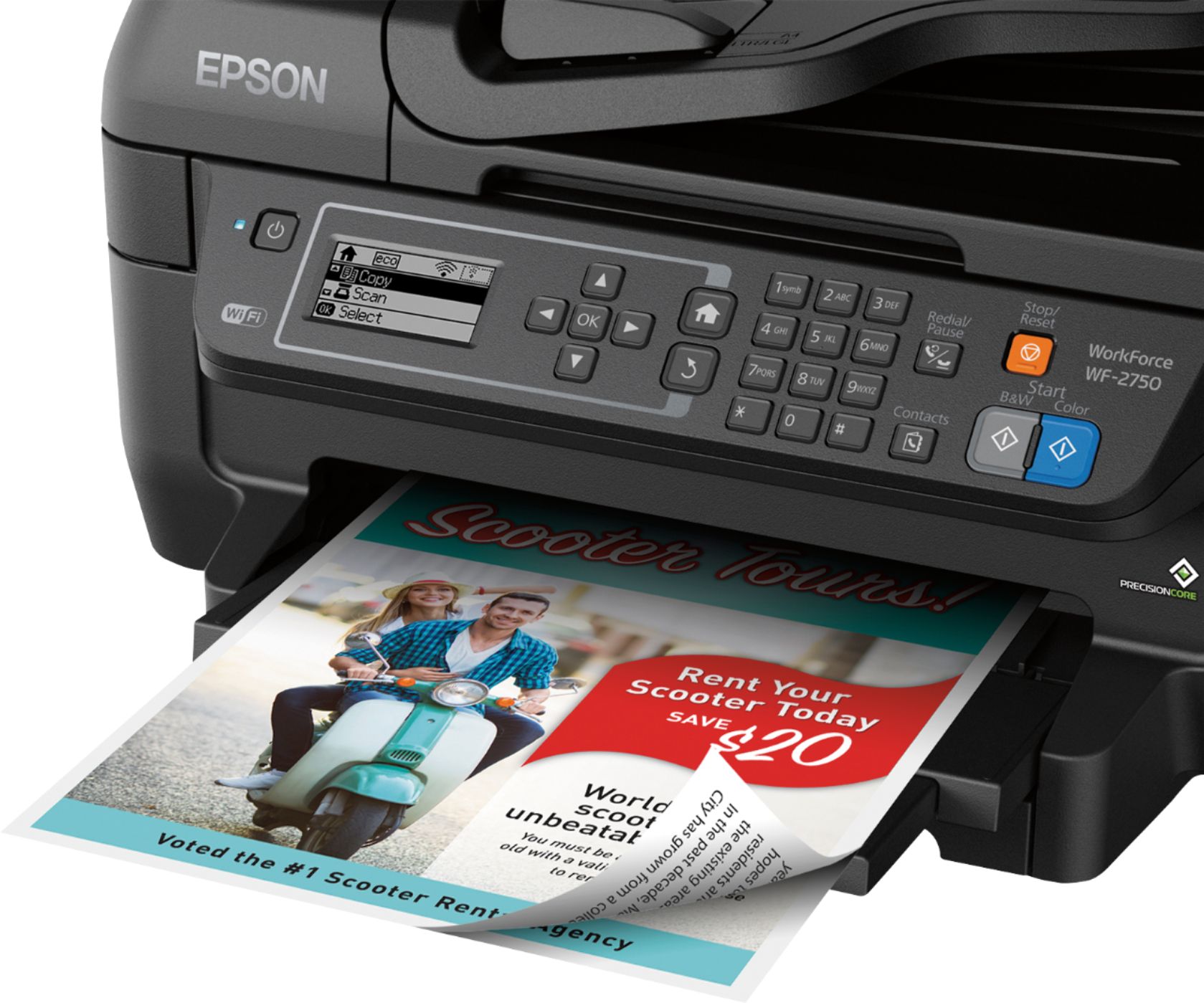
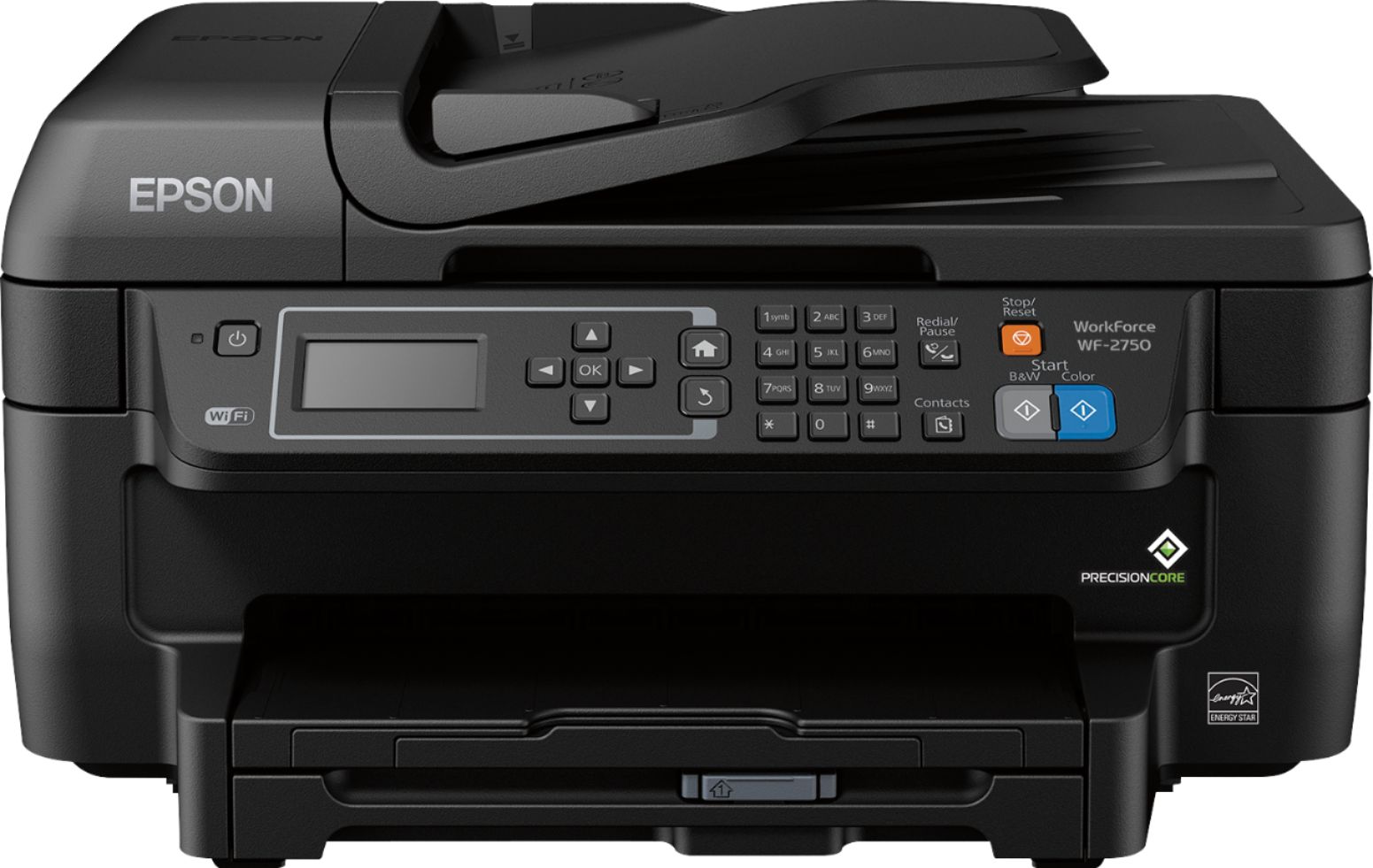
Posted .This reviewer received promo considerations or sweepstakes entry for writing a review.This is a review for the Epson WorkForce WF-2750 that I received free of charge to do a beta test and review. I am upgrading to the Epson WF-2750 from an HP 6500A Plus e710n all-in-one printer that I purchased several years ago. After spending a bit more than a week with the Epson, I'm kicking myself for not looking to replace that HP sooner. The Epson seems to be significantly better in just about every way, and at $99.99 carries a very attractive sticker price. The WF-2750 is a true all-in-one, offering Print, Scan, Copy, and Fax modes; I tested each thoroughly with the exception of Fax (that's just not something I need, though I'm sure that capability will come in handy for those who need it). Initial setup was a breeze, and it only took me a few minutes to get started printing. The alphanumeric LCD panel does a great job of walking you through the setup, even connecting to your Wifi network. It’s not as flashy as the active-matrix displays on some other printers (including my older HP), but the display is clear and easy to read. The inclusion of a telephone-style number pad makes short work of entering network passwords - tap a number repeatedly to cycle through the characters assigned to that button just like on an old timey cell phone. Once the printer is connected to your Wifi network, you’re ready to print from a computer on the same network. You can also install an iOS or Android app to print from your smartphone - and, in fact, my first test print was from my Android phone. The WF-2750 arrives with a CD containing drivers, utilities, and other software, some of which may even be useful in certain scenarios. For most usage, though, I’ve found that you’re better off not even installing the manufacturer’s bloated utility apps. You can manage many settings directly through the printer’s front panel, and many more if you visit the printer’s IP address from a web browser. This web management page also lets you easily enroll your printer for cloud-based printing courtesy of Google Cloud Print and Epson Connect. Epson Connect even provides a Scan to Cloud option to scan documents directly to an email address or cloud storage account (Dropbox, Google Drive, and Microsoft OneDrive are all supported). The convenience of being able to print from (and scan to) anywhere simply cannot be overstated. So far, I’ve been quite pleased with the WF-2750’s print quality and speed - for both black-and-white jobs as well as color jobs. I don’t know if the speed matches the advertised 13ppm (black) and 7.3ppm (color), but I do know that it is a marked improvement from my previous printer - and many other ink-based printers I have used. The speed for two-sided print jobs is especially impressive. My old HP would wait a long time for the ink to dry before retracting a page to print on the other side; the Epson uses a special quick-drying ink which means the duplexer can start on side two as soon as side one is complete without any wasted time. For copy jobs, I like that the printer includes separate buttons to initiate a black-and-white or full-color copy; that saves me from digging through a menu to adjust the copy settings each time I want to do something differently. The Automatic Document Feeder does an adequate job of processing a stack of pages to be scanned or copied. I did experience one paper jam, but it was easy to clear thanks to the hinged cover over the ADF rollers. Copy operations do run a bit slowly, but the resulting documents are just as crisp and clear as the originals. And, again, I can’t exaggerate how much I appreciate being able to scan documents straight to the cloud. I don’t miss having to connect a USB cable or fight with clunky desktop software! All told, I’m extremely impressed with the Epson WorkForce WF-2750. I honestly had no idea that a $100 cloud-ready printer-scanner-copier-fax machine could be this good! Its design may not be anything to write home about, and it’s build may be a bit on the cheap side, but the performance, features, and capabilities ensure this printer will have a long-standing place in my home office.
I would recommend this to a friend - Pros mentioned:Print quality, WirelessCons mentioned:Noise level
Good for occasional printing
Posted .This reviewer received promo considerations or sweepstakes entry for writing a review.This is a review for the Epson WorkForce WF-2750 that I received free of charge to do a beta test and review. Overall: If you need a fast printer, that will not be used often then this is a good printer. Recommended for home use only. Not for Students or Businesses. What I like: - Prints very fast, laser-like speed. - Wireless - It's not small but it is smaller than most printers in it's range. - Automatic Double Sided Printing However, unfortunately there are many more things I do not like. What I don't like: - Scanning via wireless is hit or miss and failed more often than not. Took 30 mins to scan 3 pages to my computer via wireless. - no usb for scanning (this feature is included on other models/brands in this price range) - Out of the box support for Mac for non-printing features is non-existent. - Louder than many other printers. There are a couple other things that in my opinion doesn't overly effect the experience. These are, the smaller 150 sheet document feeder and the lack of feedback when inserting cartridges. If your choice is Epson I recommend the next step up on the Epson Workforce line that includes SD Card reader, USB port, and Touchscreen interface, and a larger tray for more paper to be held.
I would recommend this to a friend - Pros mentioned:Print qualityCons mentioned:Paper jam
Decent printer for home and light small office
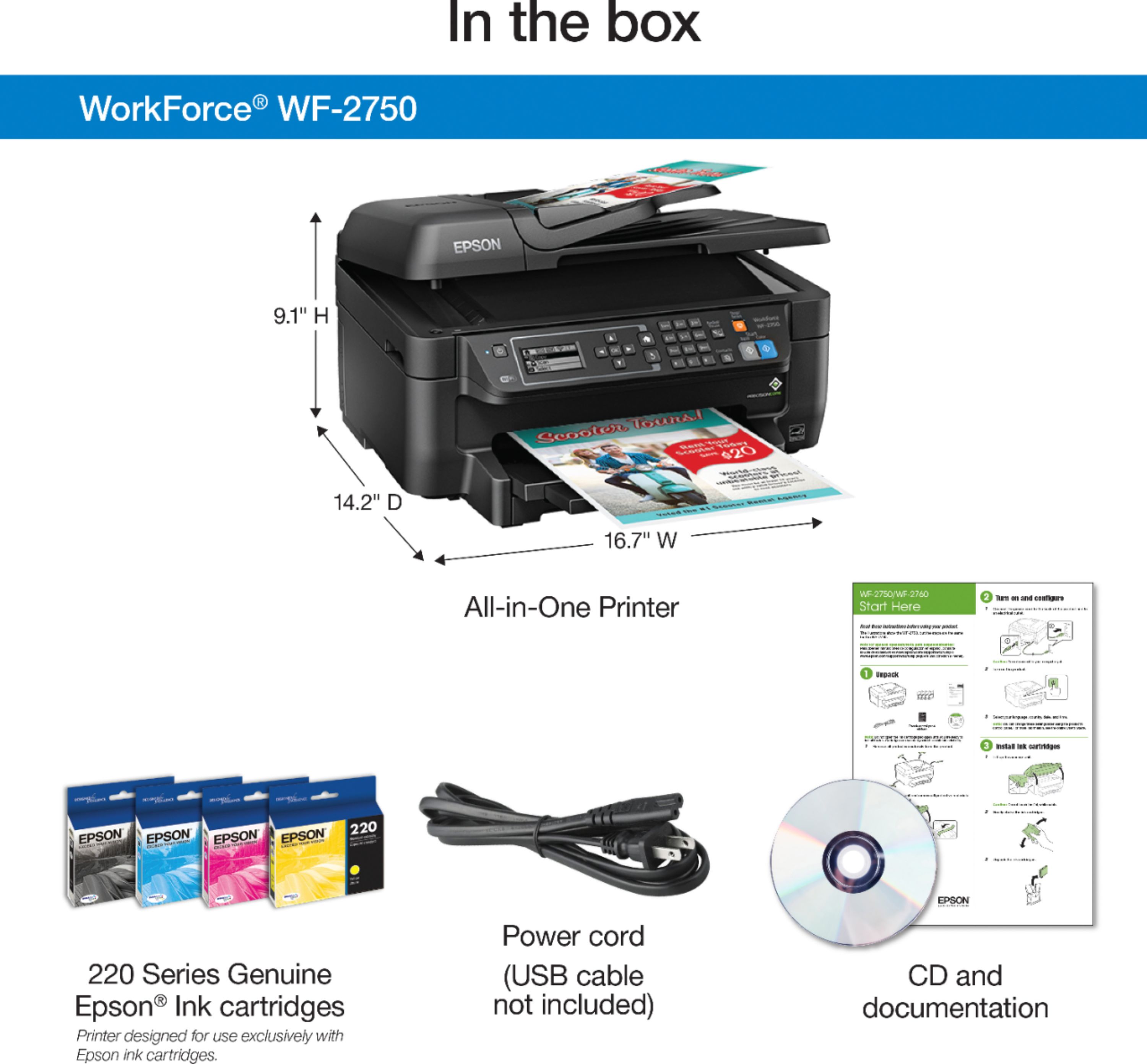
Posted .This reviewer received promo considerations or sweepstakes entry for writing a review.“This is a review for the Epson WF-2750 that I received free of charge to do a beta test on it and provide and unbiased review.” Opening the box I found a securely packaged printer with all of the accessories (ink, power cable and docs), removing everything carefully took no time at all. After removing all of the protective tape, installing the ink and paper, I applied power to the printer and manually setup the wifi connection. Initial setup is quick and easy, the printer steps you through the process. Entering in the wifi password was a flashback for me as it reminded me of how texting on a cell phone used to be before everyone had qwerty keyboards. After the printer was setup on the network, I installed the software and drivers. As a side note, you can also setup the printer via the software on initial install, it's wizard driven as well so it should be super easy. The installation of software was easy and quick, totally wizard driven to help install print drivers and setup the fax. Print quality is excellent and fast. While the printing itself isn't laser fast, the quality of the print is pretty close in my opinion. I printed three 50 page documents that consisted of both B/W and color pages. The printer whipped through them with no issues, there was a slight delay on the pages that had color graphs but I think that might have been the print spooler feeding the information to the printer. The printer handles duplex printing with ease, pages don't come out soaked due to both sides of the paper being printed on, about laser quality. Having two children at home in middle school and they print a lot of documents for reports and internet articles. Most print jobs consisted of a mixture of black and white and color. This printer would have no problem keeping up as long as the ink cartridges lasted. At the time of writing this review, I have about 500 pages through the printer without any major issues. The software comes with some nice perks like being able to print over the internet and from your phone. As an All-in-one unit, I also scanned a few B/W documents, scanner was a little slower to initialize but the scan went smoothly, document feeder helps speed things up during multiple scans. Scanning color pictures worked well too! Faxing from the unit is nothing special or new, it's a fax and it works.. The only gripe i have with this printer is how the paper tray loads paper. The tray has paper size guides and it works well. However when you load the tray with paper and go to slide it into the printer, there is nothing holding the paper from coming out the front of the tray. When you slide the tray into the printer, the paper tends to slide forward. It did it a few times on me, I didn't have any print issues but I could see how this might cause a paper jam. Placement of my printer could have played a factor too as I have it sitting on a lower print stand versus on a side desk which is higher. All in all, this is definitely a solid printer for home or small office use, your only limitation is the amount of ink in the cartridges.
I would recommend this to a friend Disappointed
||Posted .This reviewer received promo considerations or sweepstakes entry for writing a review.I have had to rest settings twice already, printer would go offline. This printer sucks ink up supper fast, this workforce is a workfarce, not even close to our old one that lasted 6years.
No, I would not recommend this to a friendBrand response from Epson
Posted .Hi Dhassfamily, we are sorry to hear that you are having issues with your Epson printer. Your Epson WF-2750 includes a 1-Year Limited Warranty, plus free technical support for the life of your product. Our Epson Support Team would be happy to help and can be reached at (562) 276-4382; Hours: Monday – Friday, 6am – 8pm PT; Saturday, 7am – 4pm PT. Sincerely, Marina – The Epson Team.
- Pros mentioned:Print quality, SetupCons mentioned:Noise level
Good printer with all features
Posted .This reviewer received promo considerations or sweepstakes entry for writing a review.This is a review for the Epson WorkForce WF-2750 that I received free of charge to do a beta test and review. This is a very well rounded printer that has a lot of good features. The setup was very easy once I unboxed the printer. I used the WPS setup function and just had to type the pin on my router and everything went smoothly. I setup the printer online so I could use the Scan to email function and it works great. I press the scan button and get an email with the document I scanned. The scanner is a little slow but it is nice to be able to place a stack of documents in the top and walk away, which makes up for the slow time. The one problem with scanning is that there is no easy way to scan two sided documents on the scanner without having to combine them later. This is a very fast printer, very comparable to a laser printer. The default double sided feature is excellent and extremely convenient. It prints the documents in reverse order and has them facing you waiting for when you pick them up. The only problem during printing is it is extremely loud. I wish there was a way to pick a slower mode that is quieter, I would gladly change this setting. As usual the ink cartridges included with the printer don’t last too long so expect to have to buy new ink. The quality is also great for an inkjet printer, on par with laser printers. The AirPrint functionality is great and works flawlessly with my iPhone, iPad and MacBook Pro without having to download any drivers. Overall this is a good printer with all of the basic features. It might not do everything great but it is capable of doing them. There are a few things I wish were better but at least it can handle the basic functions of a printer for a good cost.
I would recommend this to a friend What scanner?
||Posted .This reviewer received promo considerations or sweepstakes entry for writing a review.It literally takes 18 minutes to scan one page. That is not acceptable at all. It should take the same amount of time as copying a page. I am out of town, but as soon as I return, this printer will be returned.
No, I would not recommend this to a friendBrand response from Epson
Posted .Hi Amazonreview01, we appreciate your business and welcome the opportunity to assist you. Epson provides useful information on how to choose the best scan settings in the product User’s Guide at https://files.support.epson.com/docid/cpd5/cpd51270.pdf. Your WF-2750 includes free technical support for the life of your product. If you continue to have problems with your printer, our Epson Support Team would be happy to help you and can be reached at (562) 276-4382; Hours: Monday – Friday, 6am – 8pm PT; Saturday, 7am – 4pm PT. Sincerely, Christopher – The Epson Team.