Customer Ratings & Reviews

- Model:
- C11CF76201
- SKU:
- 5117200
Rating by feature
- Value
Rating 4.1 out of 5 stars
- Quality
Rating 3.8 out of 5 stars
- Ease of Use
Rating 3.8 out of 5 stars
Customers are saying
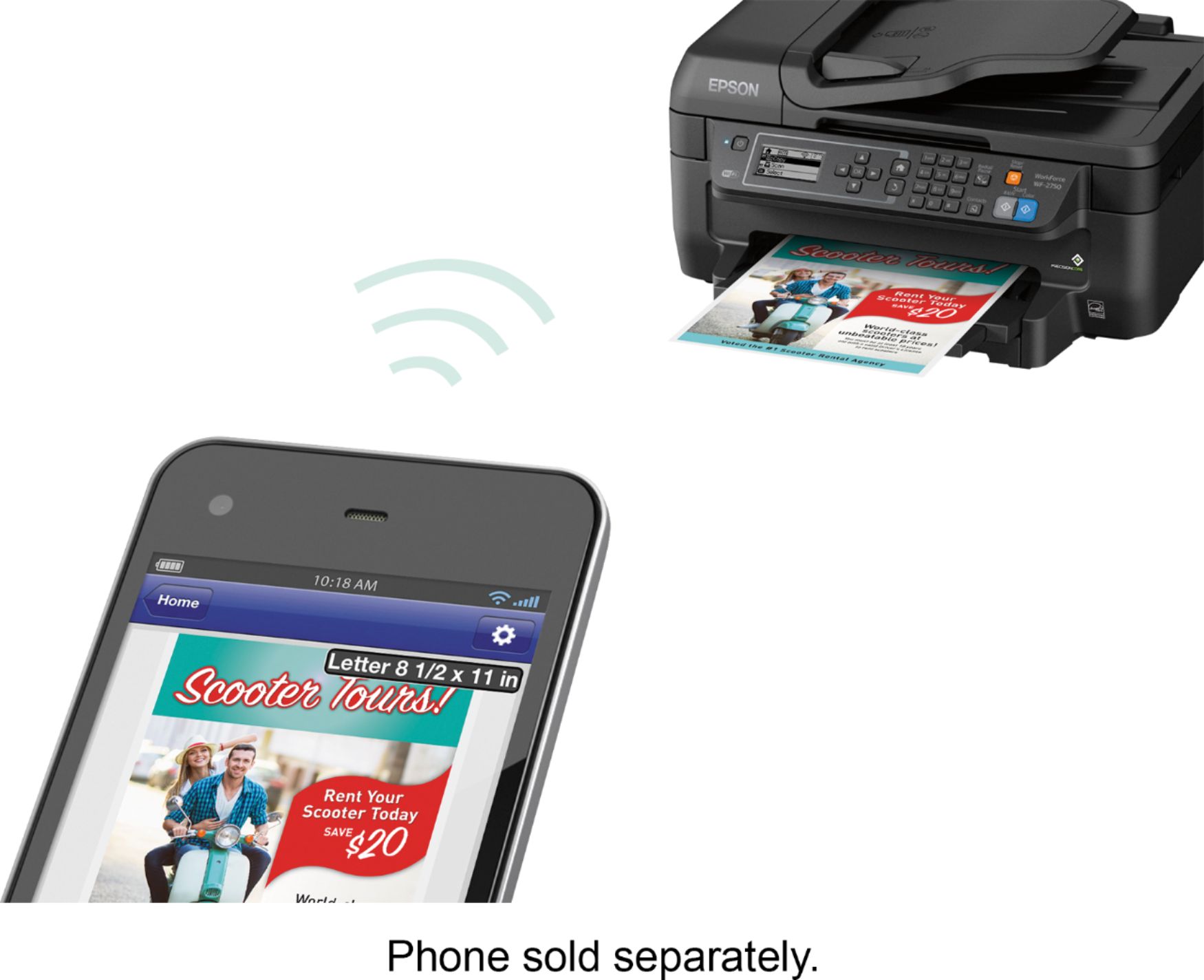
Customers regard the WorkForce WF-2750 Wireless All-In-One Printer highly for its impressive print quality and ease of use, praising its straightforward setup and convenient wireless functionality. Many appreciate its compact size and the value for its price. However, some users noted that the printer can be louder than expected and occasionally experiences paper jams.
This summary was generated by AI based on customer reviews.
Bad printer
||Posted .This reviewer received promo considerations or sweepstakes entry for writing a review.After only 5 months, scanner doesn't work. Bad printer
No, I would not recommend this to a friendIt's alright
||Posted . Owned for 8 months when reviewed.This reviewer received promo considerations or sweepstakes entry for writing a review.This printer is ok but it uses ink pretty fast with out much use.
I would recommend this to a friendBrand response from Epson
Posted .Hi mick, thank you for sharing your experience. We appreciate your business and value your feedback. Your WorkForce WF-2750 includes free lifetime technical support, so if like help, we can help you customize your print settings for more efficient ink consumption. You may reach our support team at (562)276-4382 between 6am - 8pm (PT), Monday - Friday, or from 7am - 4pm (PT) on Saturdays. We welcome the opportunity to assist you.
Regards,
Bobby — The Epson Team
- Pros mentioned:Ease of use, Print qualityCons mentioned:Noise level
Great office printer!
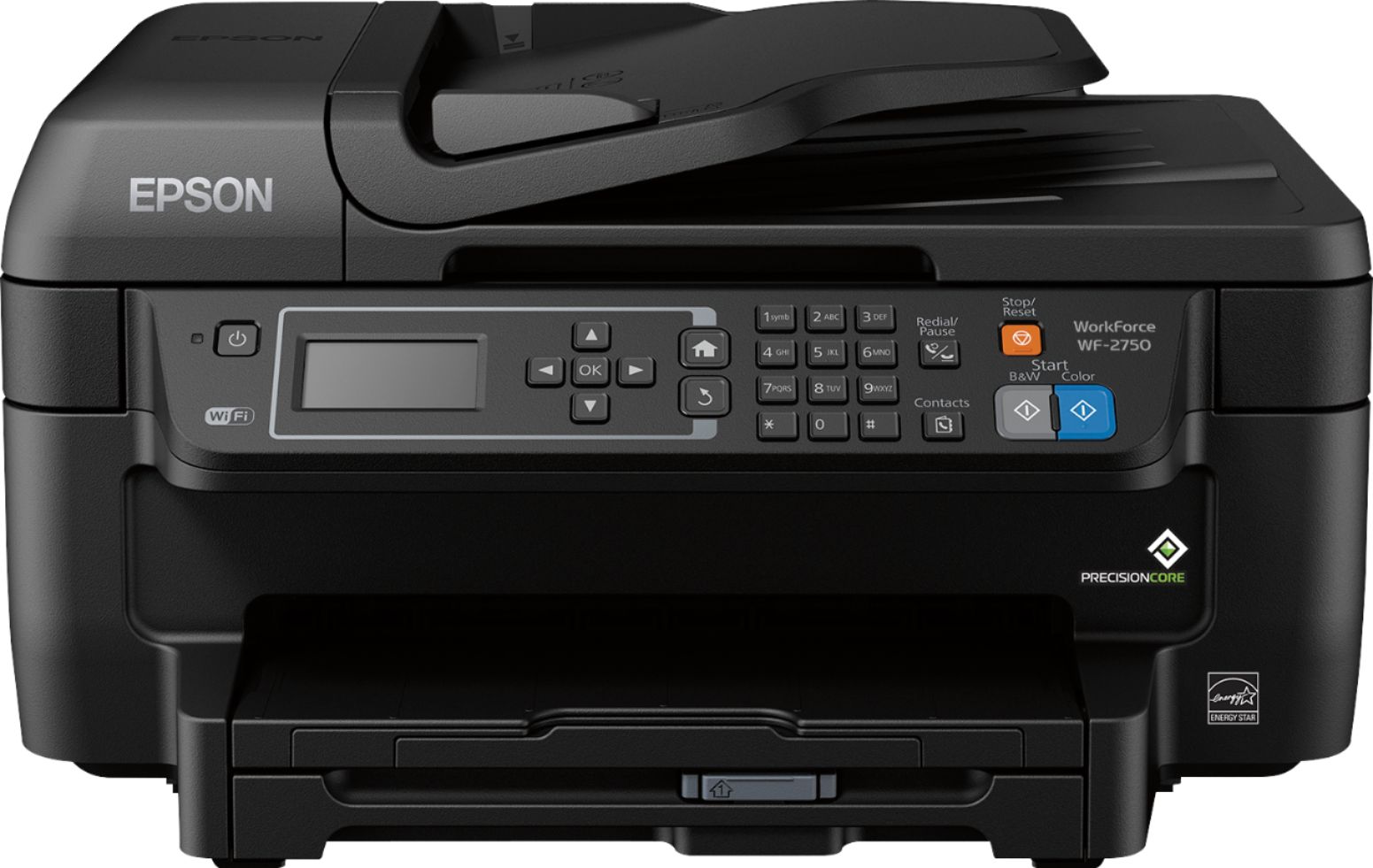
Posted .This reviewer received promo considerations or sweepstakes entry for writing a review.I've been using this printer at my home office for over a week. It was very easy to connect the printer to wifi, get it all set up and install the ink as well. Getting the printer all set up and ready to print took around 5 minutes. This printer has a slot in the bottom you can fill up wit paper which makes the printer look less cluttered compared to regular home printers with a top slot. Pages print out relatively quickly but unfortunately it's really loud. This printer is great for a home office but I had to keep it in the opposite side of the room from my phone. The quality of the prints for documents were great! Scanning and copying documents was simple and easy. With color printing the quality was just acceptable. It's fine if you plan on printing out flyers, documents, menus etc but printing on photo paper isn't that great. Which is understandable as it seems this printer is more for office use than anything else. Overall I'm satisfied with this printer and think it does a great job with what it's mean to do as an office printer. Just wish it was more quiet. This is a review for the Epson WorkForce WF-2750 that I received free of charge to do a beta test and review.
I would recommend this to a friend - Pros mentioned:Print qualityCons mentioned:Paper jam
Great affordable printer
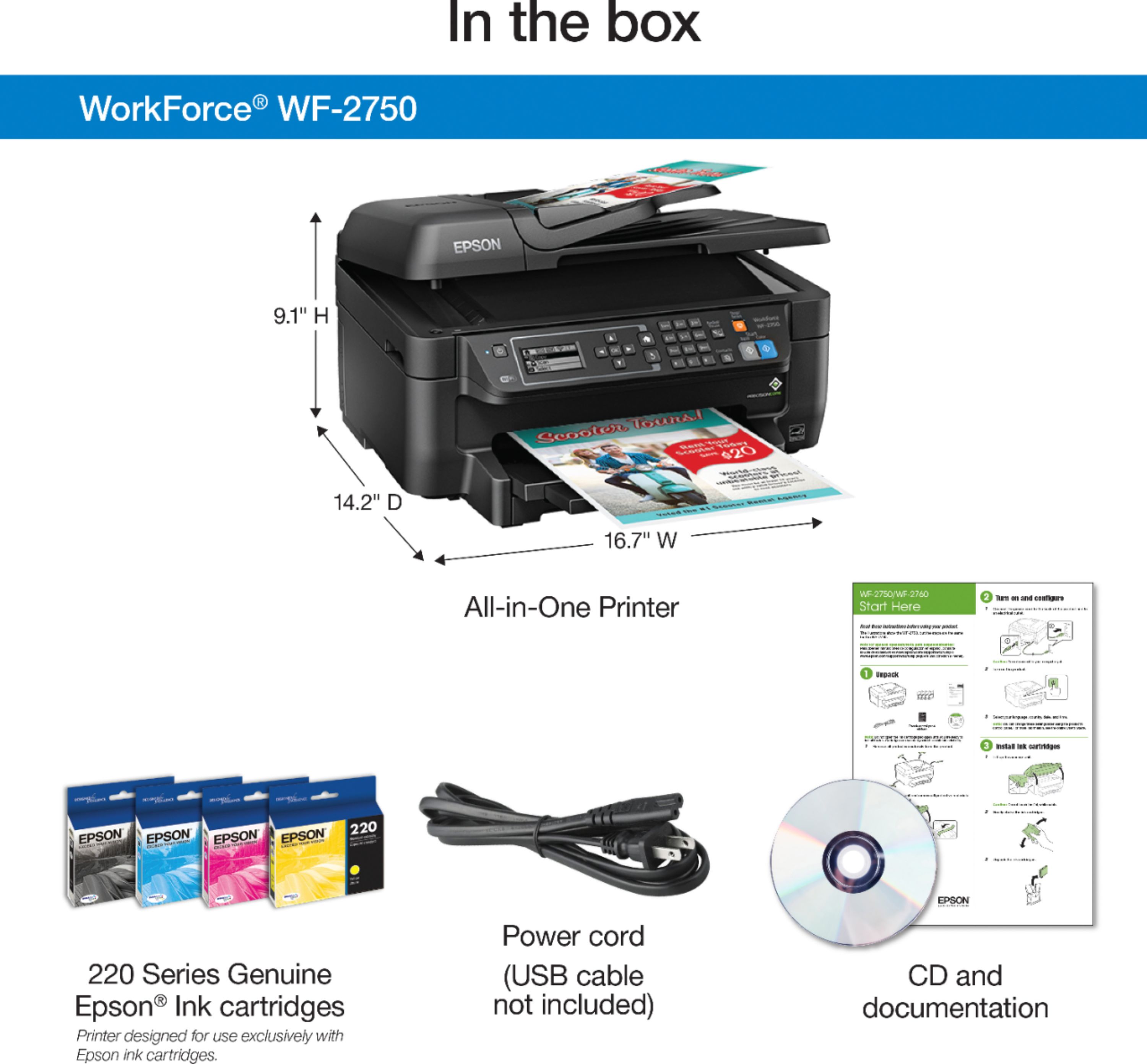
Posted .This reviewer received promo considerations or sweepstakes entry for writing a review.This is a review for the Epson WorkForce WF-2750 that I received free of charge to do a beta test and review. The device came packed very well, with two foam on each side. The printer was inside a big clear plastic bag which past partly opened. It was very hard to pull the printer out of the box, I had to ask another person to hold the outside box for me. The printer had plenty of those electronic no-residue tape which kept the flaps and other moving parts from getting damaged. Setting it up was easy but slow. The quick guide was very helpful and easy to follow. The wait time in between setup(ink check, scan, wifi) was longer than usual. The only issue I had was setting up/using the scanner.. I was able to setup and print a document in about 17 minutes. The printer is small, compact and not too heavy. The printer looks well built and sturdy except for the paper tray. The tray is so light and feels flimsy, if you are not careful with pulling/re-inserting the paper tray you may accidentally break it. The print quality is amazing. The document printouts looks crisp and is similar to those printouts of laser printers. Overall, a good printer worth recommending.
I would recommend this to a friend - Pros mentioned:Ease of use, Print qualityCons mentioned:Noise level
Great Printer
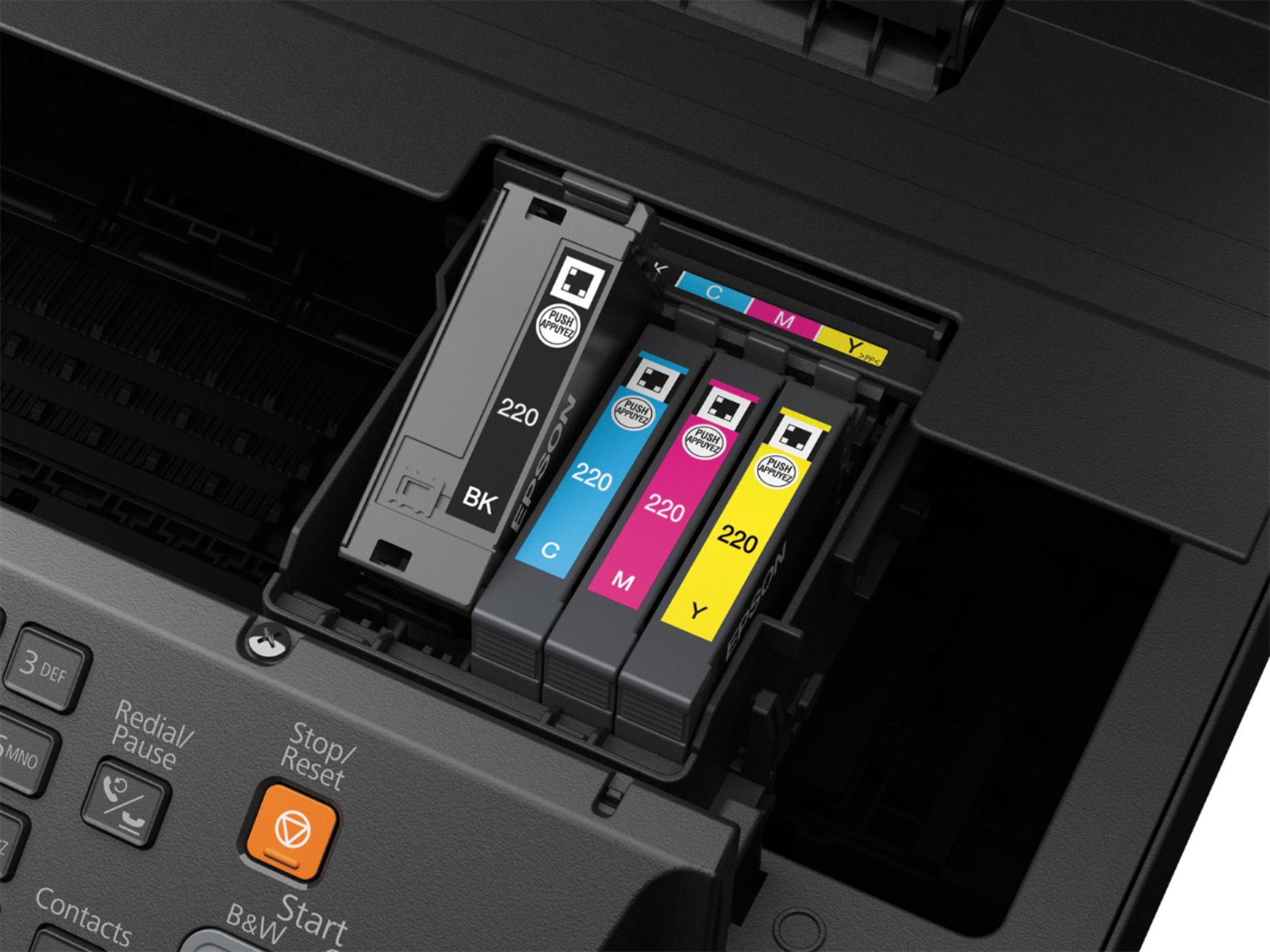
Posted .This reviewer received promo considerations or sweepstakes entry for writing a review.This wireless Epson printer prints really well, and I was able to set up the printer quickly. It comes with 4 ink cartridges (black, pink, blue, yellow) that I was able to pop in, and start printing in no time. It was easy to connect the printer to my internet, and connect my Android to the printer. I can do that all wirelessly, which means that the printer doesn't even have to be near my computer! The only issue that I have, is that it's a little too loud. All-in-all, it really is a great printer. This is a review for the Epson WorkForce WF-2750 that I received free of charge to do a beta test and review.
I would recommend this to a friend Junk
||Posted .This reviewer received promo considerations or sweepstakes entry for writing a review.Piece of junk since the day it arrived, cannot connect with computer on a regular basis,!
No, I would not recommend this to a friendBrand response from Epson
Posted .Hi Ezcruzin,
We appreciate your business. Your WF-2750 includes a 1-Year Limited Warranty, plus free technical support for the life of your product. If you're facing a specific issue, our Epson Support Team would be happy to help and can be reached at (562) 276-4382. Hours: Monday – Friday 6am – 8pm (PT), Saturday 7am – 4pm (PT). We hope to hear from you soon.
Cheers,
Elizabeth – The Epson Team.
- Pros mentioned:Ease of use, Print qualityCons mentioned:Noise level
Great, simple and easy printer for a good price
Posted .This reviewer received promo considerations or sweepstakes entry for writing a review.Disclosure: This is a review for the Epson WorkForce WF-2750 that I received free of charge to do a beta test and review. The Epson WorkForce WF-2750 is an overall nice and inexpensive printer for someone who is not going to be doing alot of printing. Setup: The Setup of the printer was very easy. The printer came with a quick start guide that was easy to follow and I was able to set up the printer and connect to it over wifi with my computer in less than 10 minutes. The printer had 2 sided printing as its default which I liked because it saves paper. Use: The print quality was good. The scanner worked well. The printer was easy to use and printing was a seamless experience. I was able to also set up the printer with google cloud print which was a nice feature and I also really like that the printer had power saving features. Pros: - Inexpensive - Full Color Printing - Full Color Scanner with document feeder. - 2 sided printing - Quality Photo Prints - Easy Setup - Wireless Printing - Email Printing (You can also email the printer if you want to) Cons: - The ink for this printer is expensive. (compared to the Epson WorkForce Pro WF-4630) - 200 Sheet paper capacity. - The Printer is relatively loud. - The printer is slow but not for its price range. (I had a cheap HP printer in the same price range and this one is much faster but compared to the WorkForce Pro WF-4630 which was $180 at the time of this post is is very slow)
I would recommend this to a friend Skip this one
||Posted .This reviewer received promo considerations or sweepstakes entry for writing a review.This model is a disappointing printer. It has glitches and there’s no or little support. The 2760, however, is a whole different story. It is easy and works painlessly. Buy.
No, I would not recommend this to a friendBrand response from Epson
Posted .Hi Painterly, we're sorry for the disappointing experience you've encountered with your WF-2750 printer. Please give our Advanced Epson Support Team the opportunity to assist you by calling 1-800-241-5794; Hours: Monday – Friday, 6am – 8pm PT; Saturday, 7am – 4pm PT. Thank you for your patience. Sincerely, Brandon – The Epson Team.
- Pros mentioned:Ease of use, Print qualityCons mentioned:Noise level
Quick printer
Posted .This reviewer received promo considerations or sweepstakes entry for writing a review.This is a review for the Epson WorkForce WF-2750 that i recieved free of charge to do a beta test and review. It was easy to assemble out of the box. I set it up pretty quick. The only function that i could not get to work was the wifi setup. It could have been my internet but i tried multiple times. I just ran the cord from the computer to the printer instead. The printer was very quick to print. It was a little loud but that was not a problem. If it is not flat it will shake while printing. The picture was very clear when it printed with no smearing.
I would recommend this to a friend - Pros mentioned:Ease of use, Print qualityCons mentioned:Noise level
Excellent Printer for various levels of Tech. Exp.
Posted .This reviewer received promo considerations or sweepstakes entry for writing a review.I have been using this printer at home for about a week now. I must say I was pleasantly surprised by this printer. When you first open the box you see a quick guide for setting up the printer. If you follow the steps provided you will be able to setup your printer with ease whether you are novice at setting up electronics or a pro. The printer comes with the following items: • Welcome Letter • User Manual • Setup CD Disk • 4 Starter Ink Cartridges • Power Cable The entire setup process takes about 10 to 15 minutes including connecting WIFI. This printer was very easy to use for any level of technology experience. The quality of the images and text was excellent. I was actually surprised at how the copies look like the originals. Additionally the ability for the printer to be used from your IPad, tablet or android is a phenomenal feature. This allows one to use the printer with convenience in mind. The only con was the noise level while setting up and printing. I would not say it was extremely loud but it was a little louder than what I was used to. Nevertheless this printer is one that I would recommend to others and purchase for a friend. “This is a review for the Epson WorkForce WF-2750 that I received free of charge to do a beta test and review.” Quick Over view: Pros: • Easy to use • Quick Setup • Excellent printing quality • Wireless Cons: • A little noisy
I would recommend this to a friend - Pros mentioned:Print qualityCons mentioned:Noise level
Quality Multifunctional Printer
Posted .This reviewer received promo considerations or sweepstakes entry for writing a review.Pros: Easy Wifi Setup, Multifunctional, Easy Printing, Performance and Quality Pictures Cons: Very Loud and Expensive Ink This is a review for the Epson Workforce WF-2750 that I received free of charge to do a beta test and review. I received The Epson Expression WF-2750 about 2 weeks ago and I love it. It was delivered by FedEx it it's original box. Once I opened the box the contents were secure and it was ready to be setup. Setup was fairly easy. It took me a minute or two as I wanted to go faster than the instructions. It came with a quick setup page and although setup was easy the printer took about 5 minutes to get ready to print. The WiFi was easy to setup also but very tedious having to put the password in so slow by the number keys. Also, the printer does not have 5 Ghz which was surprising and I had to use the 2.4 Ghz to connect my router instead. All in all it took about 6-7 minutes for setup. You can fax, print, copy and scan!! It's a breeze and only takes seconds to do these tasks. I used my Epson Printer to print, copy and scan as I am not setup for faxing. I found that printing is quick and easy. The quality is very good in all functions. I have an IPhone 7 and what I really like about this printer compared to the others is that you don't need to add an app to your phone. You just pull up what you're going to print and press the print button and a couple seconds later you have your printed document or pictures. The printer can print double sided but if if you're using cheaper paper the ink can be a bit heavy. A quick note: The default for printing is double sided. What is unique to this Epson Printer is that it has a tray for the paper which keeps the paper hidden away. I printed some pictures and the quality was quite good but be aware that any type of function on this model is quite loud!! Copying is also a snap and is up to par. I did scan a few documents and it performed as well as expected. You can use black and white or color for printing. The automatic feed was quite useful and overall I really like this Epson Printer for either home use or small office use!! I would recommend the Epson Workforce WF-2750 to friends and family.
I would recommend this to a friend Clunky
||Posted .This reviewer received promo considerations or sweepstakes entry for writing a review.Very difficult to set up. Wi-Fi just would not connect. After trying for a day I returned it and bought a HP.
No, I would not recommend this to a friendBrand response from Epson
Posted .Hi, we're sorry to hear you were not satisfied with your Epson WF-2750 printer. Epson takes into consideration all feedback to improve the performance and quality of our products. Hopefully we can assist you with a future product.
Sincerely,
Stephan– The Epson Team
Waste of money
||Posted .This reviewer received promo considerations or sweepstakes entry for writing a review.Don’t buy. I guess you get what you pay for. Wouldn’t work after a few weeks
No, I would not recommend this to a friend- Pros mentioned:Print quality, Wireless
An excellent value
Posted .This reviewer received promo considerations or sweepstakes entry for writing a review.This is a review for the Epson WorkForce WF-2750 that I received free of charge to do a beta test and review. I have enjoyed the use of my Epson WorkForce WF-2750 for a little over a week now. It will be replacing my previous printer. This printer will be used primarily for home use but I truly believe it could handle a small office setting with its PrecisionCore® printing technolog it really gives a Laser like professional quality, It copies, faxes, scans (all-in-one printer) with decent speed and ink costs. It also offers 2-sided printing and a complete wireless solution. Right out of the box, set up was very smooth. I chose wireless network, you will need your own usb cable if you choose to go direct. Printer drivers and software on included disk or website support is available for future firmware and or software updates. Its overall size is compact in comparison with the unit that I am replacing.
I would recommend this to a friend - Pros mentioned:Ease of use, Print quality
Great Printer!
Posted .This reviewer received promo considerations or sweepstakes entry for writing a review.This is a review for the Epson WorkForce WF-2750 that I received free of charge to do a beta test and review. After testing this printer for a week now I can say this has been a very dependable and great printer. Since I installed the printer (which I can say was the easiest printer I have ever installed) there hasn't been any issues with the printer. Not even a paper jam. Now lets go into the details of installing this printer. The installation was a breeze from start to finish. In the beginning the software walked you step by step on how to install the printer. I even tried to mess up during the installation as I tried to plug the printer up before installed the printer by using the application. I have since printers in the past that didn't like this as the printer would have issues if you didn't follow the instructions correctly. Anyway this printer so far has impressed me with it's quality as each and every page that it prints is very clear and easy to read. You even have an option to print everything in black and white to save on your color ink. A feature that really never worked on a few printers I have used in the past. As for connecting the printer to Wi-Fi that was the easiest setup I have ever gone through. There is a option on the printer called Wi-Fi Auto Connect which basically does everything on it's own to get your printer connected to your PC. Within minutes I was able to start printing to the printer. Now lets talk about the ink in the printer. On average you will use about 175 pages in black and about 165 pages when you print in color but there is another option to increase the number of pages by upgrading from the standard ink to XL which yields about 500 pages in black and 450 pages in color. It does cost a little bit more but compared to other printers this ink is the cheapest I have ever seen. Also instead of replacing one color ink cartridge you now have an option to change 3 different colors allowing you to replace only the ink that has to be replaced. In some printers you don't have this option which causes you to lose money as you have to replace all the colors at the same time because you didn't have the option to only replace the empty cartridge because all the colors was on one cartridge. This would cause you to replace single color cartridge and waste ink that didn't need to be replaced. With this printer you don't have to worry about wasting your money as it gives you that option to only replace the cartridges that needs to be replaced. This printer will also save you money as this is a Energy Star printer (saving you money on your electric bill) and saves you only in paper as you can print front and back on each sheet of paper. My last item I would like to touch one is all the functionalities this printer has. This printer will allow you to printer to the printer from about any device (Computers and mobile phones/tablets) which is very easy to print from each device. You also have an option to scan and print or scan to your PC or cloud. The last thing this printer does support but isn't required to be used is fax. Faxing from this printer is very easy to do. Select fax from the options on the main menu on the printers screen type in the fax number. Load your printer with what you would like to fax and press the black and white or color start button. Overall my experience with this printer has been awesome and hope you also see the same if you do decide to buy this printer. Epson has done a really good job with this model and was proud to have a chance to test this printer for Epson.
I would recommend this to a friend - Pros mentioned:Print quality, WirelessCons mentioned:Noise level
Great Printer, Great Price
Posted .This reviewer received promo considerations or sweepstakes entry for writing a review.This is a review for the Epson WorkForce WF-2750 that I received free of charge to do a beta test and review. The first thing I did when I got this printer was to try to set it up without the instruction. The setup was straight forward and I was able to set it up with little trouble. It provides great quality printouts fast. I was very surprised at the speed of this printer. The scanning quality is also great. I love the WiFi option. You can set this up anywhere in your WiFi range and still print. This is a great printer for your home or small business. A few con’s that I noticed. The first one is it was louder than I expected. The next one is the ink cartridges are small. It used more ink than I was hoping for but the Epson brand replacements are reasonably priced. This is definitely not a “disposable” printer. I one that will serve you well.
I would recommend this to a friend Does not work
||Posted .This reviewer received promo considerations or sweepstakes entry for writing a review.Does not do what it is supposed to do. It took 2hr and 10 min. To print 78 pages.
No, I would not recommend this to a friendBrand response from Epson
Posted .Hello Dusty, we apologize for the disappointing experience you’ve encountered with your Epson printer. Your WF-2750 includes free technical support for the life of your product. Please reach out to our Epson Support Team for assistance at (562) 276-4382; Hours: Monday – Friday, 6am – 8pm PT; Saturday, 7am – 4pm PT. We’re here to help. Sincerely, Patrick – The Epson Team.
- Pros mentioned:Ease of use, Print quality
Epson WF-2750
Posted .This reviewer received promo considerations or sweepstakes entry for writing a review.This is a review for the Epson Workforce WF-2750 All-in-One printer that I received free of charge to do a beta test and review. This smart printer is very easy to install and to connect with Wi-Fi network. It has all the features like copy, scan and fax along with print. After connecting it to my home network, I send a test print from my smart phone to make sure it works same as connected to my laptop and other computers, and it works awesome with all devices. It is very user friendly and has easy to understand operations. I like it very much because it occupies less space and works better than my old printer. It is small but compact. I like its separate cartridge system which means that I only have to replace the cartridges which is empty. It is best for home use with economical and outstanding printing results.
I would recommend this to a friend - Pros mentioned:Ease of use, Print quality
Great home office printer
Posted .This reviewer received promo considerations or sweepstakes entry for writing a review.Disclaimer: This is a review for the Epson workforce WF-2750 that I recieved free of charge to do a beta test and review. This is actually a really good printer for the price point. The set up was quick and easy, and the individual ink cartridges make it easy to replace only what you need, saving money. I was unable to directly print through my wifi network and had to download a separate Epson app, which I wasn't thrilled about. When I initially tried to print I got an error message, but got it going after I reset the printer. I had a few issues connecting over the next few days caused by a weak signal not being able to communicate with the printer. The speed of printing is much slower than many other printers I have used in the past, but the quality is excellent. This is a really good home office printer for someone who is looking to have a low cost, high quality printer for every day tasks. It works much better with traditional word processing documents, but can handle image prints at high quality as well. I would have liked to see this printer come with a cable in case there are wifi connectivity issues, not having to download a separate app, Bluetooth printing capability, and a bit faster print speed. When printing from phone and iPad, it is difficult to adjust the size of images, so I would like to see a better print option when doing that. Overall I give this device 4/5 stars based on the price easy of use/troubleshooting, and full suite of features for basic office use.
I would recommend this to a friend - Pros mentioned:Ease of use, Print quality, Wireless
Quality printer for this price point
Posted .This reviewer received promo considerations or sweepstakes entry for writing a review.This is a review for the Epson WorkForce WF-2750 that I received free of charge to do a beta test and review. I've used this printer for a couple of days now and it's a quality printer for at home use if you don't have a lot of print jobs. I wouldn't use it to print photos but it is a great all in one printer if you don't want to spend a lot of money. The set up was easy and didn't take long. The best part is being able to print from your smartphone. I would definately recommend this product.
I would recommend this to a friend