Customer Ratings & Reviews
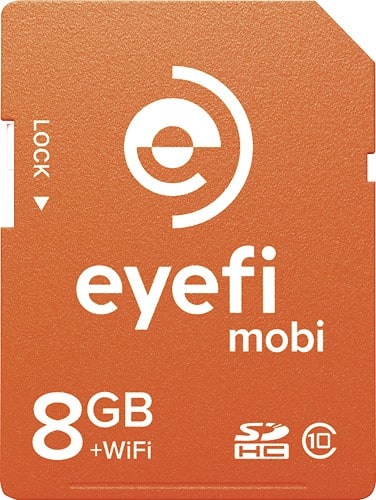
- Model:
- MOBI-8
- |
- SKU:
- 8992065
Customer reviews
Rating 4.3 out of 5 stars with 193 reviews
(193 customer reviews)to a friend
Customers are saying
Customers are enthusiastic about the image quality and performance of the Mobi 8GB SDHC Class 10 Memory Card, noting that it takes great pictures and works well. However, many customers expressed concerns regarding the limited storage space and compatibility issues with certain devices and software. The card's Wi-Fi functionality also received mixed reviews, with some praising its convenience while others found it unreliable or inconvenient. Some users also reported that the card impacted battery life.
This summary was generated by AI based on customer reviews.
Rated 4 out of 5 stars
Does what it says
||Posted .This reviewer received promo considerations or sweepstakes entry for writing a review.I would have liked a product that I could transmit to my desktop computer easily, but this is more affordable. You have to set your ios device's wifi setting to the signal sent by the card. A little awkward, but it does work.
I would recommend this to a friend- Cons mentioned:Storage space
Rated 3 out of 5 stars
Good quality and storage
||Posted .This reviewer received promo considerations or sweepstakes entry for writing a review.I found the card to be a little pricey for the storage it offered but it's ok if you don't take too many photos and it's good quality Nd easy to upload.
I would recommend this to a friend - Pros mentioned:Transfer speed
Rated 5 out of 5 stars
great for cameras without WiFi capabilities
||Posted .This reviewer received promo considerations or sweepstakes entry for writing a review.Very easy to transfer pics to iPad2 and send to social media.
I would recommend this to a friend - Pros mentioned:Transfer speed
Rated 5 out of 5 stars
Works as advertised.
||Posted .This reviewer received promo considerations or sweepstakes entry for writing a review.I bought the EYE-FI to transfer photos to a tablet. We went on a cruise and I wanted to view our photos on a larger screen. I did not want to pack my laptop and I did not want a bunch of extra cables to connect to the tablet. The Mobi Eye-Fi was easy to set up ,per the instructions. I really can't speak of the range, I placed the camera next to the tablet when transferring. The Mobi would only transfer the photos taken after a previous transfer. I think this is a great buy at a great price, easy set-up, Worked great for me. Transfer speed was decent, a few minutes for 25 or 30 jpegs, 4608 x 3456 in size.
I would recommend this to a friend - Pros mentioned:Transfer speed
Rated 4 out of 5 stars
great to share pic from camera to cell
||Posted .This reviewer received promo considerations or sweepstakes entry for writing a review.Love it. Once set up, all I have to do is turn on phone, hit the eye fi app and all or some of my photo ( depending on what I select) are transferred to my phone. I can be anywhere as long as I have connection on my phone. Love it when someone say can I get a copy of that pic, I turn on my camera, select it sends to phone and text it to them.
I would recommend this to a friend - Cons mentioned:Storage space
Rated 3 out of 5 stars
Only choice to get fotos wirelessly
||Posted .This reviewer received promo considerations or sweepstakes entry for writing a review.Pretty pricy for not a lot of storage space. Set up is a pain but once you are set up, it's easy to get your pictures up.
I would recommend this to a friend - Cons mentioned:Compatibility
Rated 3 out of 5 stars
Nice concept.
||Posted .This reviewer received promo considerations or sweepstakes entry for writing a review.Nice concept, but kind of disappointed on how it works with my computer. Works ok with my phone. Way too pricey.
No, I would not recommend this to a friend Rated 3 out of 5 stars
dunno why - filetypes??
||Posted .This reviewer received promo considerations or sweepstakes entry for writing a review.The product does what it says it's going to do - what I cannot understand is why only certain file types? YES this is for pictures - so jpg makes sense - But what if I shoot RAW? What if I wanted to use custom file extensions? What if I just wanted to move files from 1 PC to another? My advice - if you are just doing Jpg - it's GREAT! if you want to use more - look into their other products because this will just not do it - and is not that apparent from the packaging.
No, I would not recommend this to a friendRated 5 out of 5 stars
Works Perfect!
||Posted .This reviewer received promo considerations or sweepstakes entry for writing a review.Works great! you do have to download the app so that you can upload photos to your cellphone. I have an iPhone, i had to set the setting so that your photos from your camera rolls doesn't automatically uploaded to the app also. Take a little while for all photos to load.
I would recommend this to a friend- Pros mentioned:Transfer speedCons mentioned:Storage space
Rated 5 out of 5 stars
Amazing product, but a bit expensive
||Posted .This reviewer received promo considerations or sweepstakes entry for writing a review.I love this product but overall I found it a little bit expensive for only 8 gb storage. Works perfectly and it helps me a lot to get my photos online the minute i took them.
I would recommend this to a friend - Pros mentioned:Transfer speed
Rated 5 out of 5 stars
love it
||Posted .This reviewer received promo considerations or sweepstakes entry for writing a review.If you are just taking a picture or 2 it takes a while to initialize. Once it connects to the phone, it transfers pretty quick. Works better when taking a lot of pictures.
I would recommend this to a friend - Pros mentioned:Transfer speed
Rated 3 out of 5 stars
works ok
||Posted .This reviewer received promo considerations or sweepstakes entry for writing a review.easy to connect, picture transfer works good but videos didn't transfer without additional tinkering.
I would recommend this to a friend Rated 5 out of 5 stars
Smart buy
||Posted .This reviewer received promo considerations or sweepstakes entry for writing a review.I have this card paired with my iPad via the eyefi mobi app, which works out perfectly with the photoshop app I also bought. From there, photos are easily shared with friends. Everything can be done on the spot thanks to this wifi enabled card.
I would recommend this to a friendRated 4 out of 5 stars
Great way to sync pics from camera to phone
||Posted .This reviewer received promo considerations or sweepstakes entry for writing a review.Love it! It's so nice to take pictures from my canon rebel and the. Sync to my phone! It's easy to use. Would recommend to everyone!
I would recommend this to a friendRated 4 out of 5 stars
Great card for my camera
||Posted .This reviewer received promo considerations or sweepstakes entry for writing a review.My camera doesn't have the Wifi option. This card allows me to transfer my pictures over wifi. Works great without any problems.
I would recommend this to a friendRated 5 out of 5 stars
great camera accessory
||Posted .This reviewer received promo considerations or sweepstakes entry for writing a review.I originally asked an associate at best buy if this was available for my Canon camera and was told no. I think it can be used on every camera but not sure. Just what I was looking for eliminates need for taking about memory card
I would recommend this to a friendRated 4 out of 5 stars
Great for transferring photos to you iPhone
||Posted .This reviewer received promo considerations or sweepstakes entry for writing a review.This card makes is so easy to transfer photos from your camera directly to your iPhone. It's very easy to set up and use.
I would recommend this to a friend- Pros mentioned:Transfer speed
Rated 5 out of 5 stars
great idea for vacation
||Posted .This reviewer received promo considerations or sweepstakes entry for writing a review.I found this memory card and thought it would be great for my Hawaii vacation because I won't have to lug my laptop along and I will be able to take almost unlimited pictures because it just transfers them directly to my samsung s3. The app for android doesn't have a whole lot of settings but it works really well. I don't even have to initiate a transfer, its automatic. I bought a 64gb card for my phone so I could take plenty of pics.
I would recommend this to a friend - Pros mentioned:Performance
Rated 5 out of 5 stars
Fast and easy transfer
||Posted .This reviewer received promo considerations or sweepstakes entry for writing a review.The first time connecting the card was easier than I thought. The only thing that might mess one up is when the mobile device automatically switches to a known wifi network because the camera enters sleep mode. That can be fixed by adjusting the sleep timer in the camera's settings. The pictures are imported through the mobi mobile app, but saved (for iOS) in your camera roll. From there they will be put into your photo stream and automatically saved on your Mac. I give this card five stars because it works great, and is very convenient.
I would recommend this to a friend Rated 4 out of 5 stars
Cool
||Posted .This reviewer received promo considerations or sweepstakes entry for writing a review.I do like that I can now use my older version Canon DLSR camera and send the pictures I've taken to my iPhone and iMac.
I would recommend this to a friend