Customer Ratings & Reviews
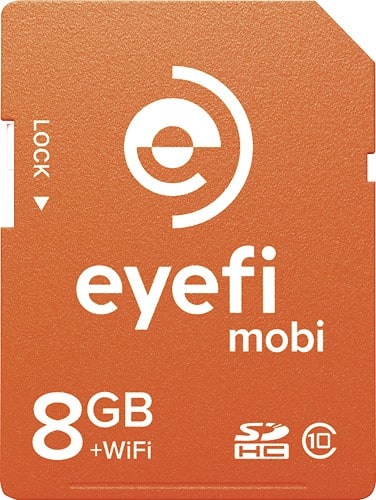
- Model:
- MOBI-8
- |
- SKU:
- 8992065
Customer reviews
Rating 4.3 out of 5 stars with 193 reviews
(193 customer reviews)to a friend
Customers are saying
Customers are enthusiastic about the image quality and performance of the Mobi 8GB SDHC Class 10 Memory Card, noting that it takes great pictures and works well. However, many customers expressed concerns regarding the limited storage space and compatibility issues with certain devices and software. The card's Wi-Fi functionality also received mixed reviews, with some praising its convenience while others found it unreliable or inconvenient. Some users also reported that the card impacted battery life.
This summary was generated by AI based on customer reviews.
- Pros mentioned:Transfer speed
Rated 4 out of 5 stars
gets the job done.
||Posted .This reviewer received promo considerations or sweepstakes entry for writing a review.Bought it out of pure convenience for nikon d800. Works fine for transferring photos and videos to my Android devices. Although at times to certain devices the link connection can take a minute. But never had it not establish connection yet. Like that you can view picture immediately after. Cool product.
I would recommend this to a friend Rated 5 out of 5 stars
Love this wifi SD card!
||Posted .This reviewer received promo considerations or sweepstakes entry for writing a review.This wifi card is great! I take photos with my Nikon D7000, tell my ipad that there are pictures to download and BOOM! They are there. Can't wait to use it at a golf tournament benefit for team photos!
I would recommend this to a friendRated 4 out of 5 stars
Photo transfer from camera to tablet, cellphone
||Posted .This reviewer received promo considerations or sweepstakes entry for writing a review.To be honest, at first I was unimpressed with this Eye-Fi product. I had bought it to update the older 2Gb Eye-Fi card I use in my Pentax K10 DSLR camera. I simply needed more capacity. When I realized that I had purchased the wrong product for my needs I was a little dissapointed. However after learning that my dissapointment stemmed from my lack of research, I began to look at the card with an open mind. It does what it says it will do which is send photos from my DSLR to my mobile devices, in my case my Samsung Galaxy Tab 10.1, via WiFi. I am still a little dissapointed that it can't also be used to download the photos directly to my Windows PC but I have found a usable, though somewhat cumbersome workaround for that. I think that it could be useful for extending the number of photos that can be taken in instances where you might not want to tote around a full size laptop to download to and for viewing the photos almost immediately on a larger screen or uploading from your cellphone to social media sites.
I would recommend this to a friendRated 5 out of 5 stars
Great accessory for sharing images quickly !
||Posted .This reviewer received promo considerations or sweepstakes entry for writing a review.EyeFi is great ! Skeptical at first; but once it got properly synced to my (Android) phone, no hitches ! It's nice to have my photos almost instantly available & ready to post or share !
I would recommend this to a friendRated 2 out of 5 stars
Good for phone and tablet users.
||Posted .This reviewer received promo considerations or sweepstakes entry for writing a review.I purchased this hoping to be able to connect my DSLR camera to my wireless home network and transfer pictures to my computer without removing the SD card. This card creates it's own wireless network and requires an app to access the photos. For users who are looking for a way to transfer pictures to a tablet or smart phone on the go, this might work fine. I was not looking for this type of transfer though and found the packaging and information that came with the product unhelpful in understanding this limitation. Doing some online research there is another model that does offer the features I was looking for. My advice is to do some research before buying this product, there are many different models with different features.
No, I would not recommend this to a friendRated 4 out of 5 stars
Easy breezy
||Posted .This reviewer received promo considerations or sweepstakes entry for writing a review.Love this card, easiest thing ever !! If you want easy then this is a must BUY !!
I would recommend this to a friendRated 4 out of 5 stars
Good
||Posted .This reviewer received promo considerations or sweepstakes entry for writing a review.It is good but not great. It is slow sending to computer. But it does the job
I would recommend this to a friend- Pros mentioned:Transfer speed
Rated 5 out of 5 stars
As easy to use as any SDHC card
||Posted .This reviewer received promo considerations or sweepstakes entry for writing a review.This card does exactly what I intended it to do. It allows photo and movie transfers from my Nikon D5100 to my iPhone. Set up was easy and I was transferring in under 5 minutes. Especially when transferring movies (I was doing some golf swing analysis), you have to make sure there is enough available memory on the phone. Other than that, the transfer process is seamless. Highly recommended!
I would recommend this to a friend Rated 4 out of 5 stars
First time wifi card owner
||Posted .This reviewer received promo considerations or sweepstakes entry for writing a review.First time user.Card was kind of hard to set up ,but works fine.
I would recommend this to a friend- Pros mentioned:Transfer speed
Rated 5 out of 5 stars
Awesome memory card
||Posted .This reviewer received promo considerations or sweepstakes entry for writing a review.This card is so simple to use, and the ability to upload photos directly to my mobile phone is such a benefit. Fast record speed, and easy to use, makes this memory card a must have. Gone are the days of having thousands of photos stored on a card, and having a 3 to 4 step process in order to use them on social media. Now within moments of taking my photos I have access to them.
I would recommend this to a friend Rated 4 out of 5 stars
Good
||Posted .This reviewer received promo considerations or sweepstakes entry for writing a review.Fun to be able to send photos to phone and post right away.
I would recommend this to a friendRated 5 out of 5 stars
Makes transfering photos to phone easy and time ef
||Posted .This reviewer received promo considerations or sweepstakes entry for writing a review.I love how my camera will transfer photos to my phone as I am taking them.I am then able to email ,post or choose to print before I forget.
I would recommend this to a friend- Pros mentioned:Transfer speed
Rated 5 out of 5 stars
Great way to transfer photos to a laptop
||Posted .This reviewer received promo considerations or sweepstakes entry for writing a review.I purchased this card just to try Wi-Fi transfers from my Canon T3i to my HP laptop before spending the money for the Pro version. It was easy to set up and works great. It's not as fast as tethered shooting, but sometimes I don't want to deal with cables. I definitely will be upgrading to the Pro version for the RAW transfer capability and Endless Memory Mode.
I would recommend this to a friend Rated 4 out of 5 stars
great memory card
||Posted .This reviewer received promo considerations or sweepstakes entry for writing a review.the memory card is great and ill buy other one, 32gb
I would recommend this to a friendRated 4 out of 5 stars
Really good
||Posted .This reviewer received promo considerations or sweepstakes entry for writing a review.I really liked cuz its wireless and it's so goods!
I would recommend this to a friendRated 4 out of 5 stars
good mobile camera card
||Posted .This reviewer received promo considerations or sweepstakes entry for writing a review.i have a 4GB eye-fi that i used for the past 2 years now but i am not satisfied since i can only use it with my home wi-fi. so when i got an e-mail from them about this new product, i ordered it online for store pick-up at Best Buy right away. it was so very easy to install just by putting the code that comes with it on my ipad app (eye-fi). click the settings/wi-fi and connect by turning on your camera and also by clicking the name of the memory card (eye-fi mobi) and voila...you are ready to transfer photos & videos. open your eye-fi app and snap a picture on your camera and it will automatically transfer photos from your cam to your ipad. it only takes sometime to connect if you have plenty of photos to transfer and it does by batch.
I would recommend this to a friendRated 5 out of 5 stars
Great for cameras without wifi
||Posted .This reviewer received promo considerations or sweepstakes entry for writing a review.I love the ease and flexibility of this product. I downloaded the app on my phone and iPad so now my pictures are always with me
I would recommend this to a friend- Cons mentioned:Storage space
Rated 4 out of 5 stars
Pretty cool
||Posted .This reviewer received promo considerations or sweepstakes entry for writing a review.All in all a nifty product and very convenient but every single pic you take is transferred to your cell so with an iPhone with no removable memory the space is used up quickly and deleting is a pain.
I would recommend this to a friend Rated 5 out of 5 stars
Best thing to happen to photography
||Posted .This reviewer received promo considerations or sweepstakes entry for writing a review.My second eye-fi card. I love it I can connect it to my iPhone and iPad post pictures instantly to Facebook or Instagram.
I would recommend this to a friendRated 4 out of 5 stars
Works good on my Canon 35 mm camera
||Posted .This reviewer received promo considerations or sweepstakes entry for writing a review.The Eye Fi Mobi fit just fine in my Canon 35mm camera. No many instructions on what to do but it's pretty simple. Put the card in the camera. Download the app from your phone. Use the codes that are on a card in the box. Then, and this is not in the directions; you go to settings, turn on the camera. Let the ipad search for the device. Then click ok. It should turn on and begin to automatically load from the camera to the ipad. One thing it doesn't seem to do is load the photos on to your photo roll automatically. Your photos appear on the eyefi app and then you transfer them to the ipad photos. It's not as complicated as it sounds but you do have to have a learning curve.
I would recommend this to a friend