Customer Ratings & Reviews
- Model:
- G7 Pro 8k BG
- SKU:
- 6671814
Rating by feature
- Value
Rating 4.8 out of 5 stars
- Quality
Rating 4.9 out of 5 stars
- Ease of Use
Rating 4.8 out of 5 stars
Customers are saying
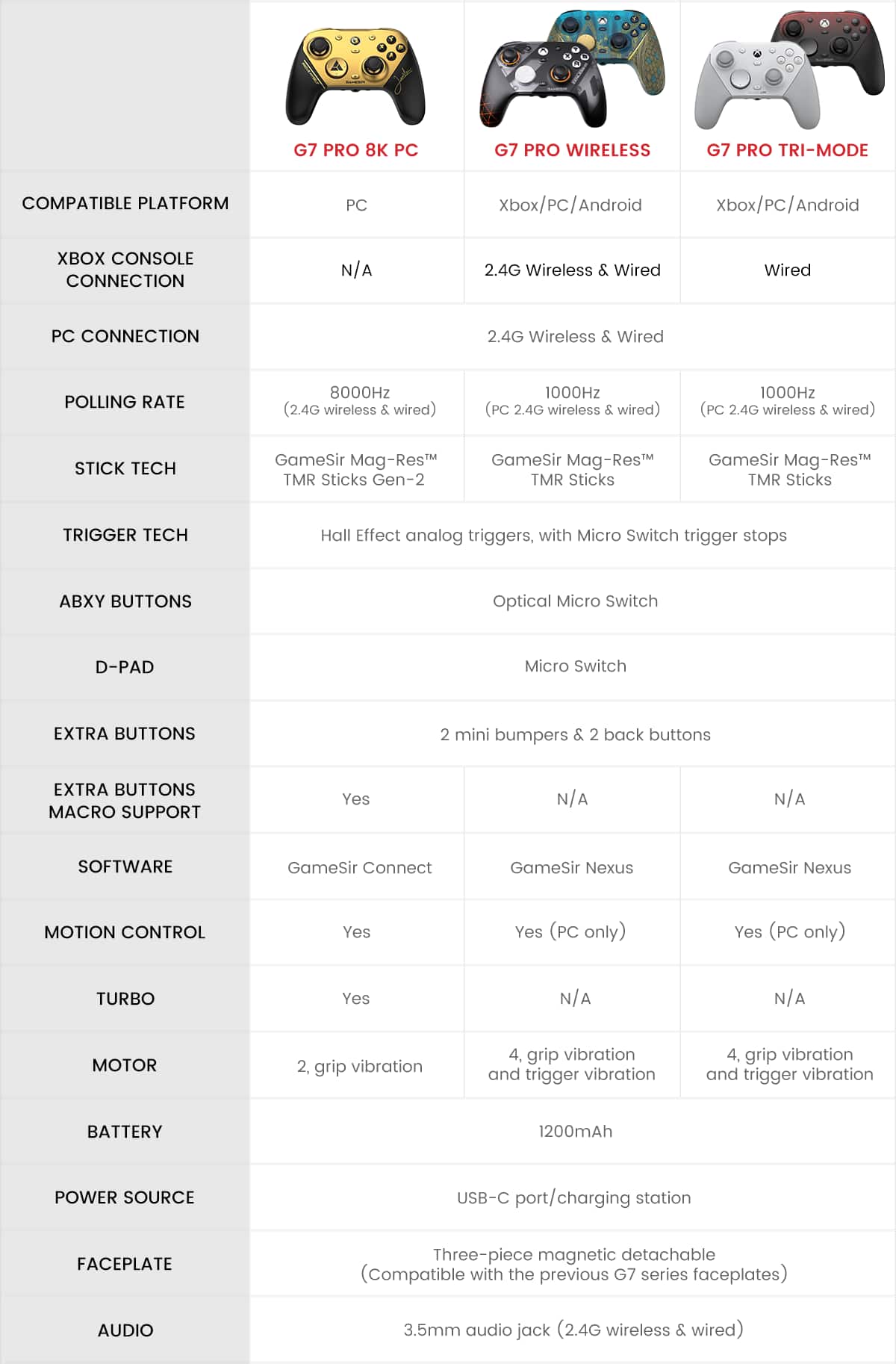
Customers regard the product's build quality and responsiveness very highly. Many appreciate the extensive customization options and comfortable ergonomics, noting how well it fits in their hands. Users also confirm that the polling rate lives up to expectations and that they experience no stick drift.
This summary was generated by AI based on customer reviews.
- Pros mentioned:Build quality, Customization, Ergonomics
Amazing Controller for Competitive and casual.
||Posted . Owned for 2 weeks when reviewed.This reviewer received promo considerations or sweepstakes entry for writing a review.I've been using my GameSir controller for a while now, and it has exceeded my expectations. The controller feels comfortable in my hands even during long gaming sessions, and the buttons are responsive and satisfying to press. One of my favorite features is the Hall Effect sticks, which provide smooth and accurate movement while helping prevent stick drift over time. Many GameSir controllers also include customizable settings, back buttons, and low-latency performance, making them great for competitive games. The build quality feels solid, the triggers are fast and responsive, and the overall performance is excellent whether I'm playing shooters, racing games, or sports games. The controller offers premium features at a price that is hard to beat compared to many other brands Pros: Comfortable ergonomic design Smooth Hall Effect thumbsticks Fast response time Great build quality Excellent value for the price
I would recommend this to a friend - Pros mentioned:Customization, Ergonomics
10/10 controller
||Posted . Owned for 2 weeks when reviewed.This reviewer received promo considerations or sweepstakes entry for writing a review.Overall amazing for multiplayer gaming with huge customization, silky smooth sticks, 4 extra buttons, can be used wired, usb bluetooth or wireless bluetooth, and fits right in your hands. I havent had it for that long (about a month or two), but i havent experienced a single ounce of stick drift, whereas my previous controllers would start showing signs early. My only problem with the controller is a built in macro, as i feel like theres literally no reason any normal person would need to use one.
I would recommend this to a friend - Pros mentioned:Build quality, Customization
Gamesir G7 Pro 8k
||Posted . Owned for 2 weeks when reviewed.This reviewer received promo considerations or sweepstakes entry for writing a review.This control is Freaking awesome! 10/10 recommend it. No more input delay, No more stick drift, and it comes with a bunch of tuning options. You can use recoil control options by fine tuning your stick curve in game, along with deadzone options like square and circle. I highly recommend this control if you want the best combination of quality and durability!
I would recommend this to a friend - Pros mentioned:Build quality, Polling rate
Great pro controller at a budget price.
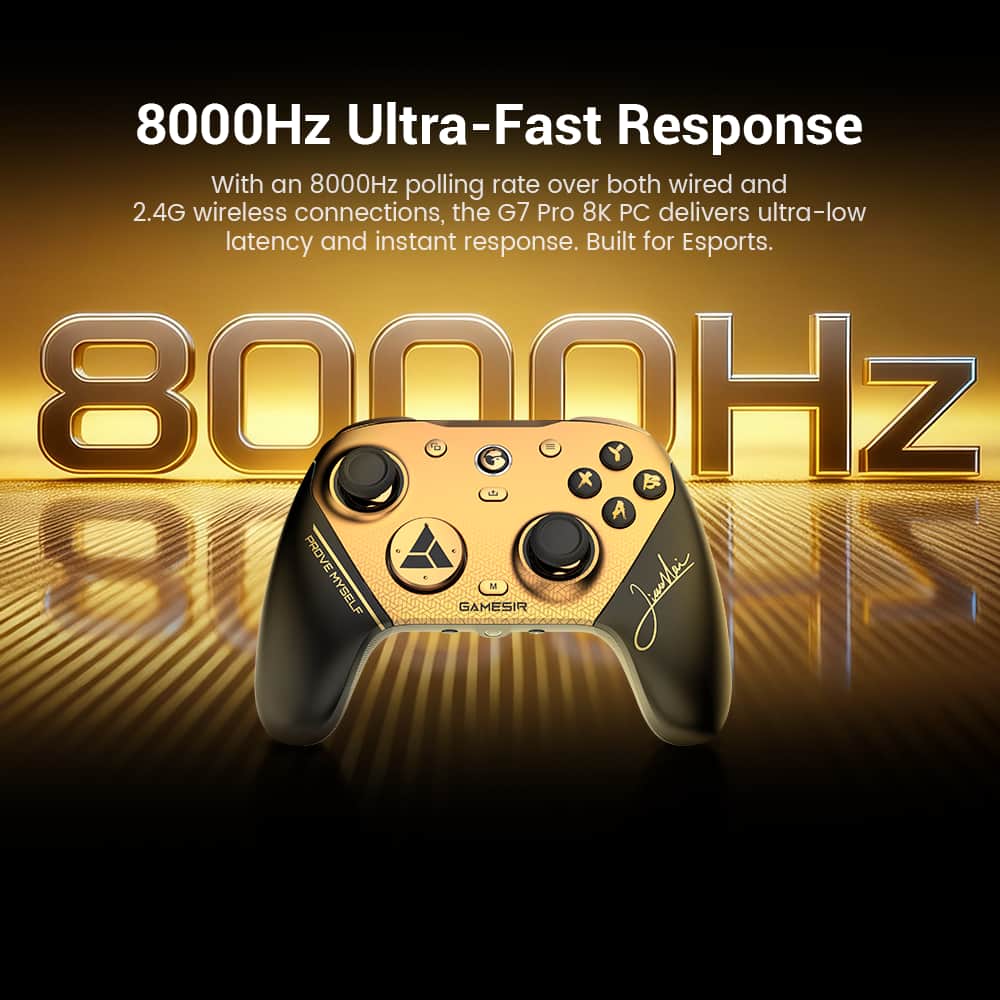
||Posted . Owned for 2 weeks when reviewed.This reviewer received promo considerations or sweepstakes entry for writing a review.Great controller, it feels premium in the hands and the 8000Hz polling rate helps a lot with responsiveness. Cheaper than other alternatives also.
I would recommend this to a friend Excellent TMR Thumbsticks
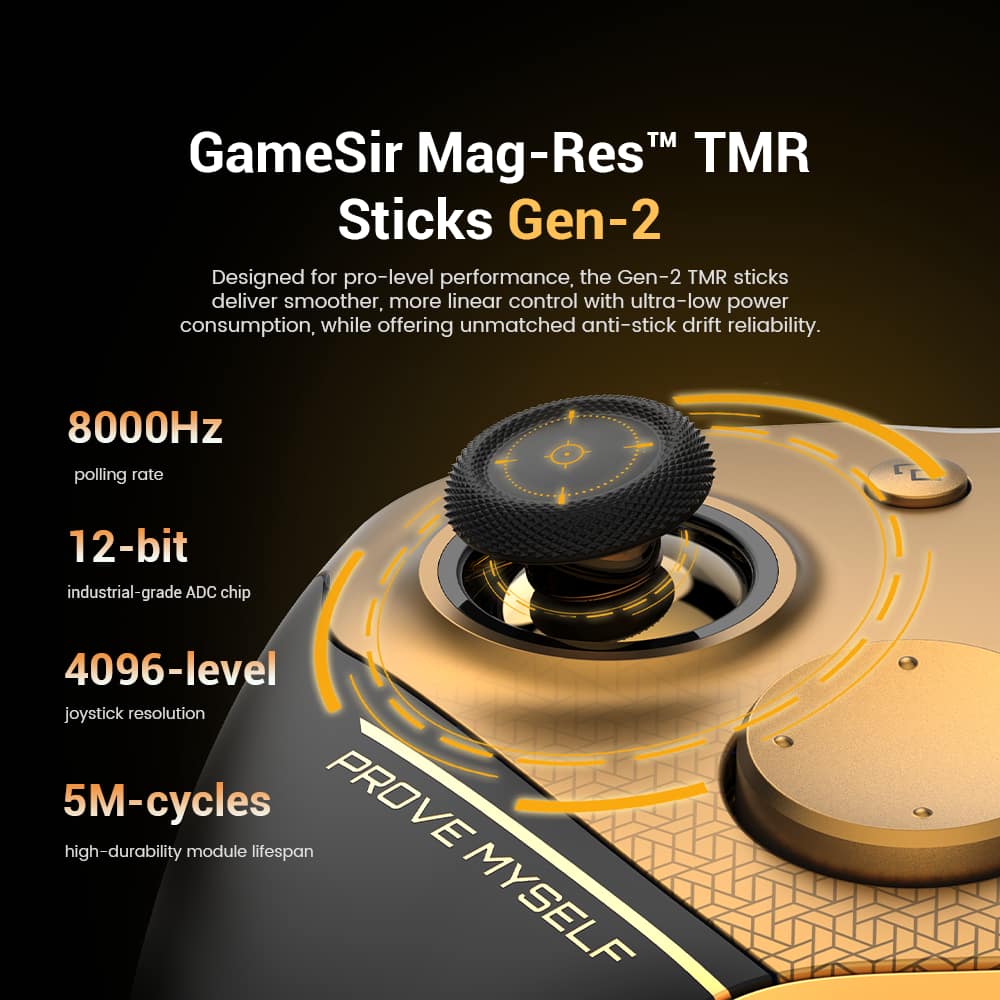
||Posted . Owned for 1 week when reviewed.This reviewer received promo considerations or sweepstakes entry for writing a review.The GameSir G7 Pro 8K is one of the most impressive controllers currently available under $100. It combines premium features usually found on controllers costing twice as much, while avoiding many of the reliability issues associated with traditional analog sticks. For competitive PC gamers, especially FPS players, it's arguably one of the best values on the market.
I would recommend this to a friend- Pros mentioned:Build quality
Good controller
||Posted . Owned for 1 month when reviewed.This reviewer received promo considerations or sweepstakes entry for writing a review.Really solid controller. Love the design and feel and the precision of the thumbsticks. The only downside is i didnt get a collectable card and the controller doesnt come with interchangeable sticks like the aimlabs version and they dont sell them separately yet either. 10/10 controller but i have to take points off for the missing card.
I would recommend this to a friend Amazing Look and feel at a fair price
||Posted . Owned for 2 weeks when reviewed.This reviewer received promo considerations or sweepstakes entry for writing a review.This controller has all the features you need on PC, High refresh rate, quality app for making adjustments, amazing button and stick feel/response. Can’t go wrong would totally recommend to anyone looking for a great all around pc controller.
I would recommend this to a friendGood controller hate the Xbox layout
||Posted . Owned for 3 weeks when reviewed.This reviewer received promo considerations or sweepstakes entry for writing a review.Controller has amazing responsiveness due to the 8k capabilities, the app is easy to use and understand. Buttons feel nice and premium.
I would recommend this to a friend- Pros mentioned:Build quality, Responsiveness

One of The Best PC gaming Controller's available
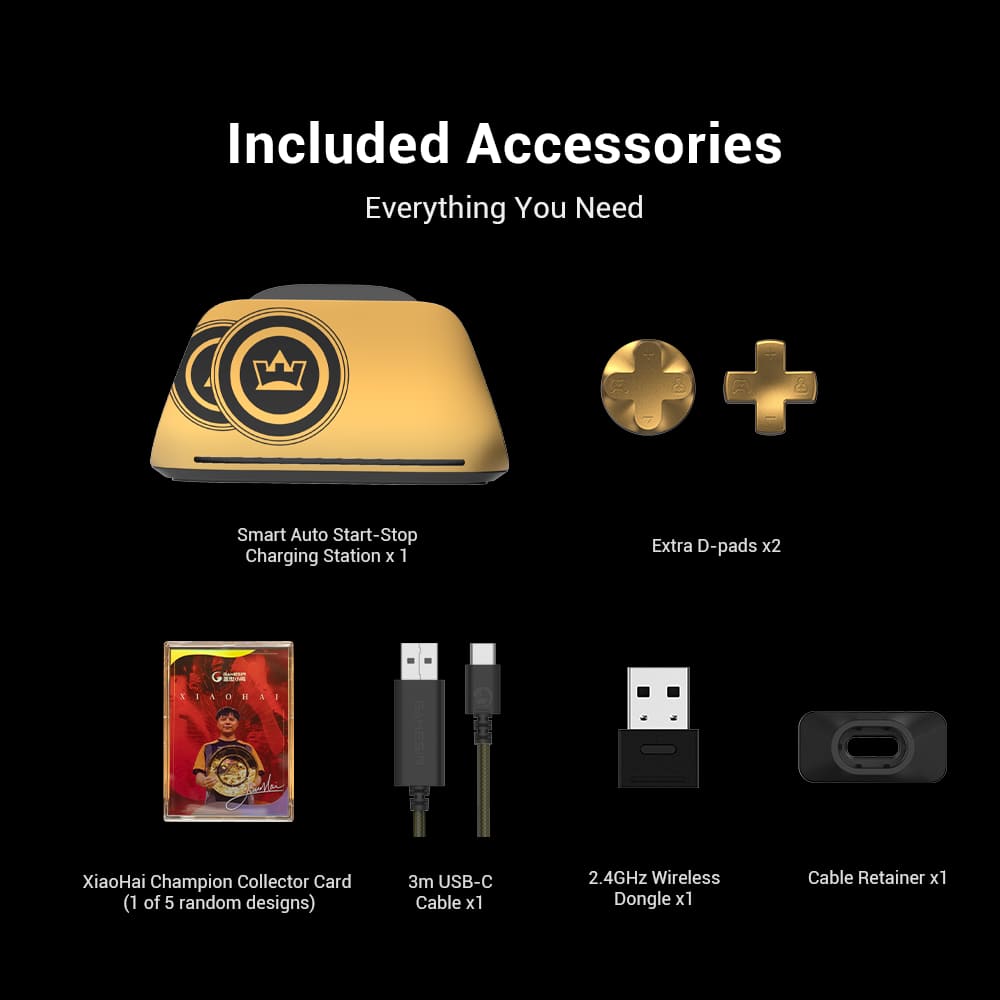
|Posted .This reviewer received promo considerations or sweepstakes entry for writing a review.This is the first "GameSir" branded controller that I have ever owned. Ive been curious about them and always heard good things. I finally got to get my hands on one, and I have to say that I am very pleased with this controller. I'll quickly mention that I have tried just about every major brand of game controllers on the market on just about every console in existence. Ive mainly used Xbox Series X controllers to play video games on PC, but after having a couple fail on me I wanted to try a different brand of controller for PC gaming and the GameSir G7 Pro caught my attention. In terms of build quality.. It is top notch. It feels better than some OEM controllers. The handles have a nice grippy texture. The thumbsticks are smooth and very responsive. While I don't use it much, the D-Pad is also very nice. It has a clicky feel to it, and is concave so your thumb rolls nicely for diagonal movements. I appreciate the extra buttons on the back and top of the controller, even though I mainly just stick to using the standard 4 shoulder buttons and XYAB buttons. The extra buttons on the back and shoulders can be customized in game or you can download Gamesir software to do so. I prefer to just use in game settings to bind keys to the buttons. The buttons on this controller all have a nice clicky feel. They aren't sticky or spongy like some controls. They have a satisfying click to them. If I had to nit pick, I would say that the trigger buttons are too narrow for my fingers. They kind of dig into my fingers and fatigue my fingers if I press them too hard for too long. Not a deal breaker, but just wish they maybe had some padding or were a little wider so your fingers can rest better on them. But everything else about the controller is perfect. It has excellent battery life, has a built in rechargeable battery. The D-Pad is swappable and GameSir includes 2 other d pad buttons to choose. The joysticks are very very smooth and responsive. Probably amongst the best Ive ever gamed with. My thumbs don't get tired, and they are quite precise. The faceplate is also removable and swappable but I haven't checked where you can get other styles and designs. The box includes a charging base and charging cable, as well as a USB dongle for wireless connectivity with your PC. I play games like rocket league, marvel rivals, battlefield 2042 and Fortnite. This controller has been amazing for every game Ive played with it. It is so comfortable and can be connected via bluetooth, 2.4ghz Signal via USB dongle, or wired with the included cable. Would I recommend this controller? If you are a PC gamer that wants a reliable controller. yes I would. I highly recommend it. I enjoy gaming with it, and it will be my go to for the foreseeable future.
I would recommend this to a friend - Pros mentioned:Build quality, Responsiveness
Great for RPG and FPS gaming
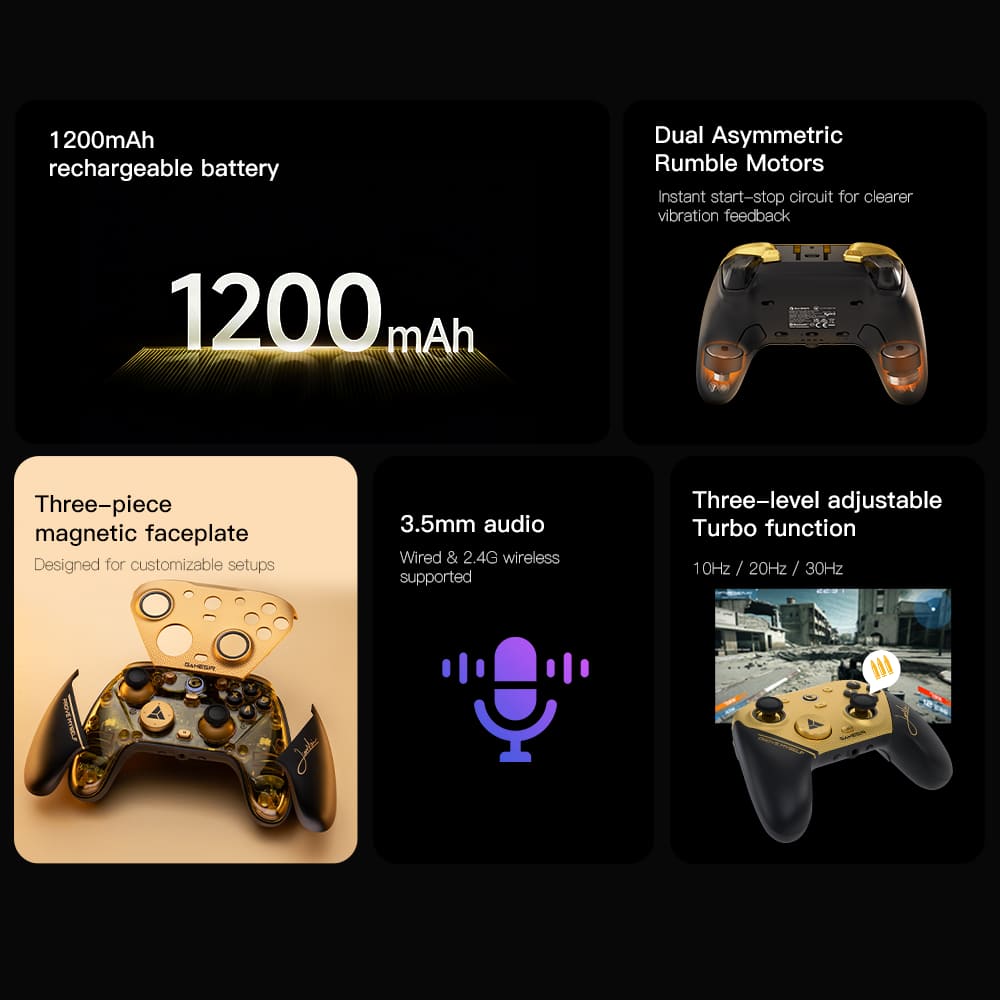
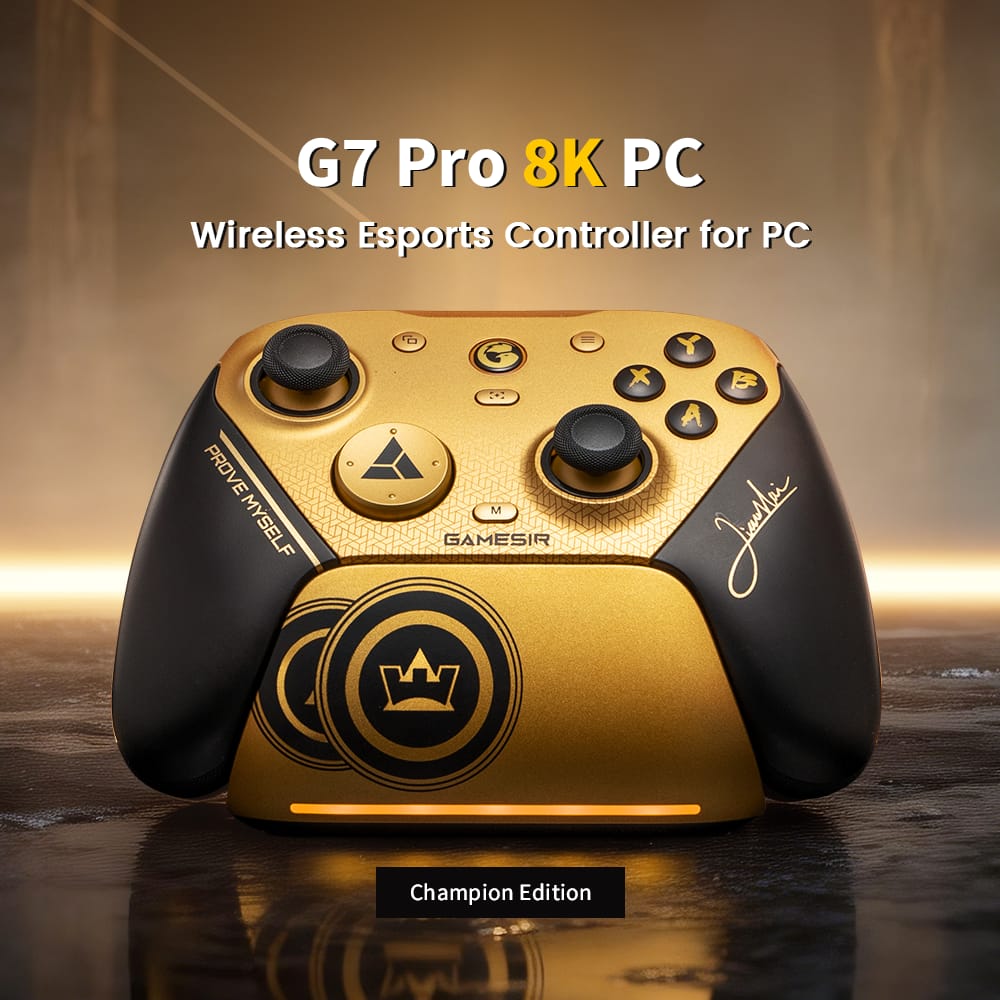
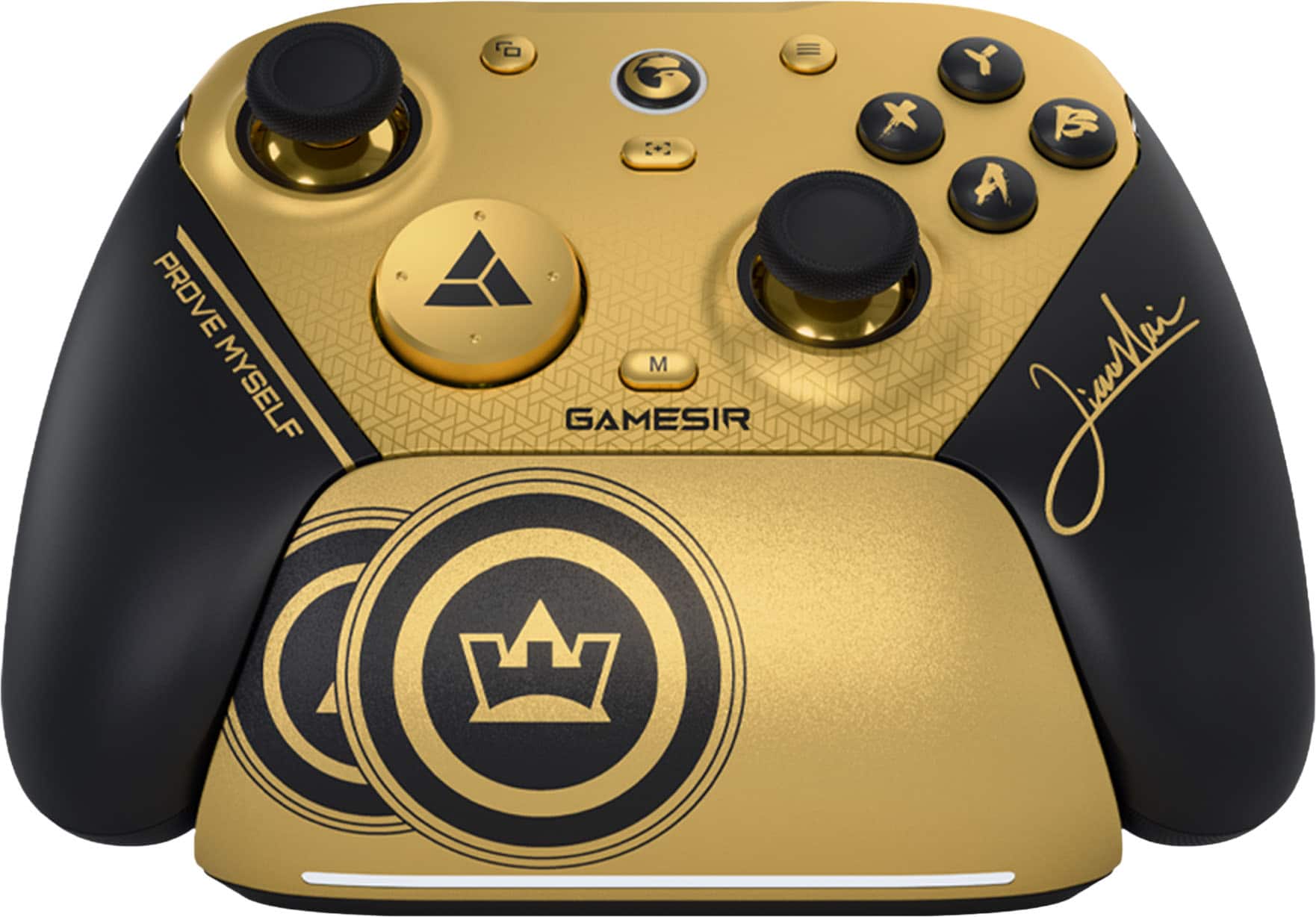
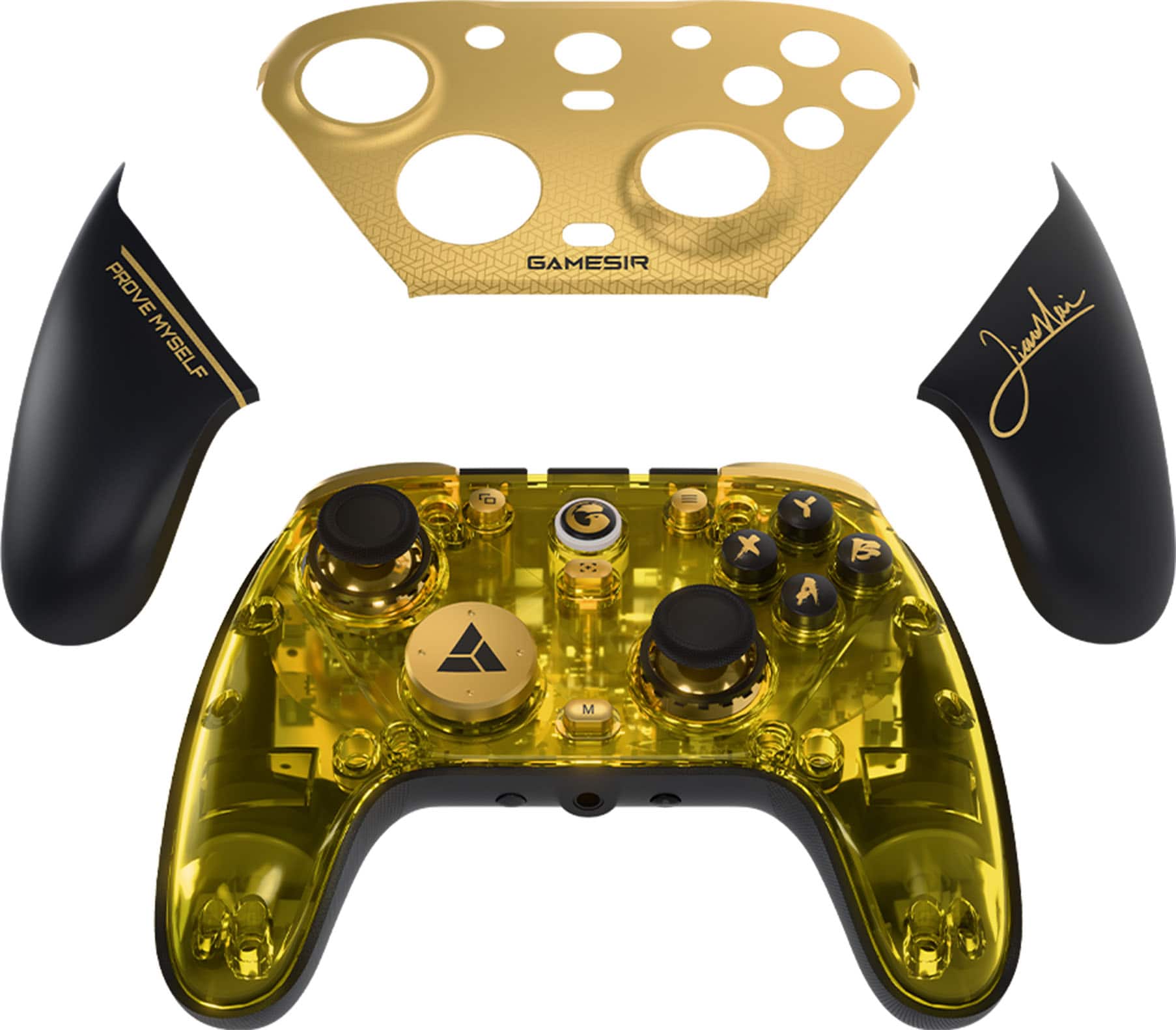
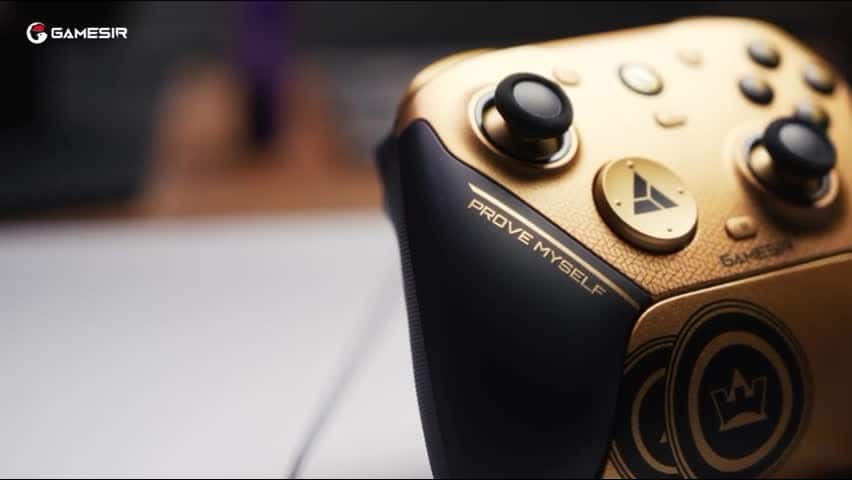
|Posted .This reviewer received promo considerations or sweepstakes entry for writing a review.I have been playing both FPS and RPG PC games with the gamepad and it’s a very solid experience each time that surpasses the performance of typical console controllers. While the color scheme may not be for everyone, it actually looks better in real life. This is not my first Gamesir controller so I know what to expect from the gamepad. Everything is as I expected. Design and Built Quality The controller looks and feels solid. Although I haven't dropped it yet, it seems sturdy enough to withstand accidental falls. The black and gold color scheme is quite eye catching, especially with the signature of Xiao Hai the world champion of fighting games on the right side of the gamepad. The whole appearance is actually a set of changeable plates. The color scheme creates the impression that this gamepad is worthed so much more, the kind of sponsored esport player would use in a competition. When the plates aren't attached, the controller appears as a transparent yellow. It has a balanced weigh - neither too light nor too heavy. There’s anti-slippery rubber surface on the bottom of the gamepad and it makes gripping the gamepad feels natural and stable. All the buttons have the right amount of response and clicks. Button placements follow typical XBOX controller with some extra configurable buttons (L4 and R4). The trigger buttons are configurable for both racing/ shooting and fighting games. In terms of connectivity, the gamepad supports both Bluetooth and wireless dongle/ RF connection. I use the dongle exclusively and it feels responsive. There’s a headset jack, which works really well connecting my headset. I would have preferred if it included a built-in microphone, but it does not. Performance Now there’s a lot of jargons and techs involved but basically this is an anti-drift and highly responsive controller. In my testing, I love the performance. I experience no stick drift, and expect such to be the case for at least the duration of 2-year warranty. The gamepad is as responsive as I expected. Gaming feels natural and smooth. Buttons and triggers press are very responsive. The whole gaming experience with the gamepad is just great. Conclusion This is a solid choice for PC gaming with gamepad. It improves the XBOX controller's design, offering enhanced features and functionality for PC gaming. It's sturdy and works well for RPG and FPS games. Pros: XBOX buttons placements with more customizations and extra buttons Anti drift and high responsive inputs Bluetooth and wireless dongle Headphone jack works well for both audio in and out Cons: No built-in microphone
I would recommend this to a friend - Pros mentioned:Build quality, Customization, Responsiveness
Premium controller without the premium price!
|Posted .This reviewer received promo considerations or sweepstakes entry for writing a review.I am always on the lookout for new game controllers, and I love to give them a try whenever I can. Out of the box, it feels like a very solid controller. Some controllers you definitely get that “this is a cheap” right out of the box feel, and this one isn’t that. It feels good in your hand, I love the rubberized grips on the back. It definitely helps to prevent the controller from slipping around in your hand. That’s always one of my biggest pet peeves with controllers is not having some kind of grip and making them just smooth. The sticks feel very smooth, the triggers feel good and the buttons have a nice click to them, without being loud or obnoxious. This controller comes in a very bold gold color which some people may like, and some may not. The good news is that the entire faceplate of the controller is removable, and you can buy lots of different faceplates for it. When you remove the faceplates, there is still that gold color, but the entire front is transparent so you can see all the inner parts of the controller. Definitely getting a 90’s vibe with that when everything was see through! It has all the regular buttons and sticks on the top. There are 3 sets of rear buttons on the top, 2 triggers and 2 buttons labeled as L5 and R5 which I find are pretty hard to easily access. You really have to stretch your fingers to get to them, and I have fairly large hands. Ther is also 1 trigger on each side on the back of the controller as well. There is also a headphone jack too. All of these buttons and triggers can be customized with the software so you can set up the controller exactly as you want. You can remap all the buttons as well as tune the sticks to your liking. The controller can be used either by Bluetooth, or there is a USB dongle as well. I mainly use this with my PC and found the dongle works best and has the best response. Plus, you don’t have to deal with any interference or dropout. Surprisingly, I was even able to get this set up and use it with my Switch 2 as well. The wake-up functions didn’t work though when using it with the Switch. Performance wise, I was actually very happy with this controller. I was able to play for hours on end and it felt very comfortable and I didn’t have a single problem with the signal dropping out, or lag. The whole 8K polling seems like marketing fluff, but I think there might be something to it, the responsiveness is actually noticeable compared to other cheaper controllers I have tried. Whether it was a first-person shooter, classic arcade game, action adventure, this thing worked great with them all. I would highly recommend checking this controller out if you are in the market for a new one. IT definitely has the premium control features and feels without the premium price tag!
I would recommend this to a friend - Pros mentioned:Build quality, Customization
Premium feeling controller. Standard price range.
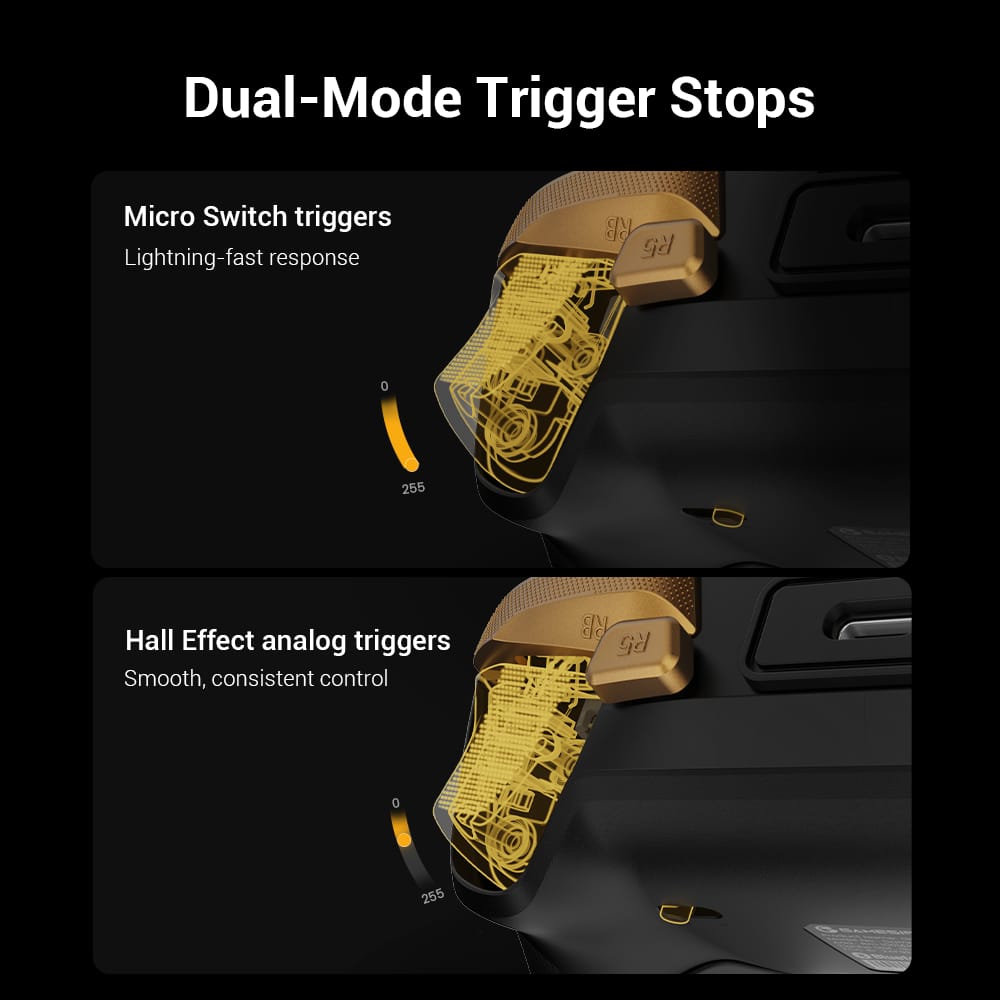
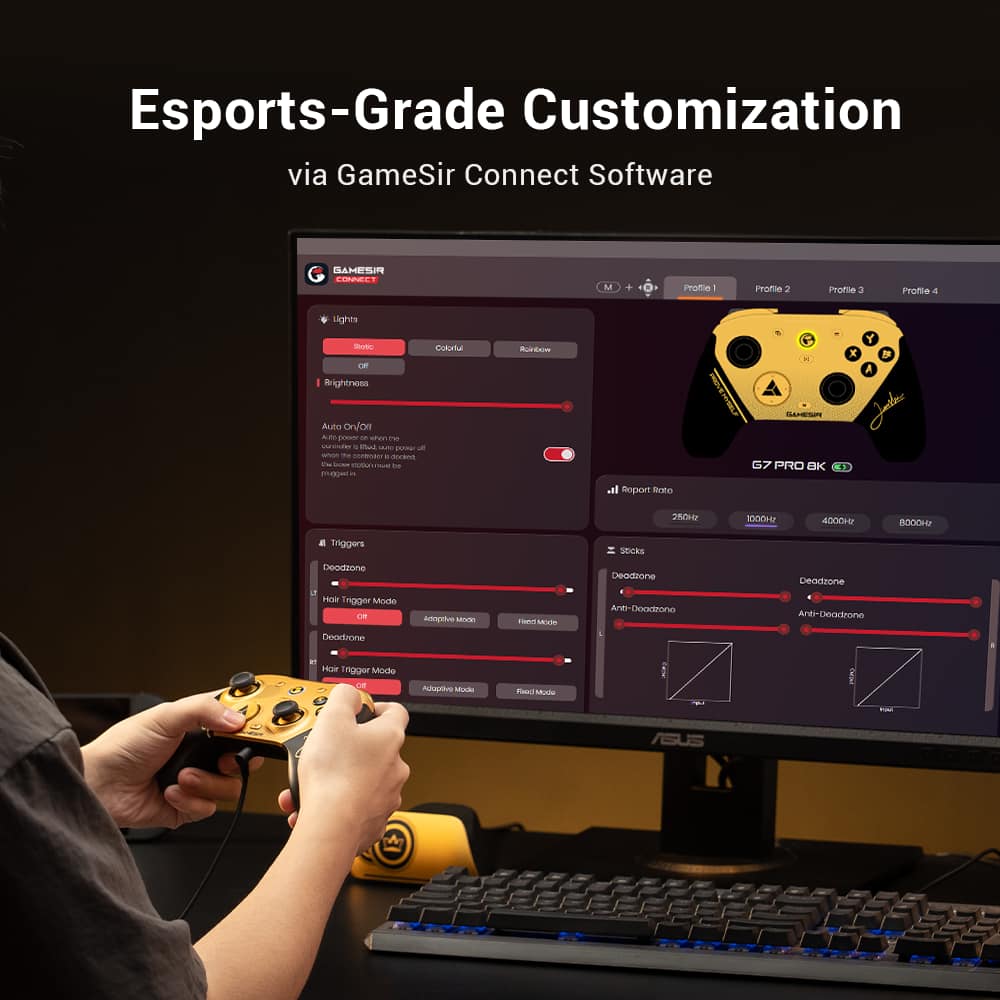
|Posted .This reviewer received promo considerations or sweepstakes entry for writing a review.Finding a controller that feels as premium as this one but doesn't cost much more than a standard controller is pretty rare these days. This controller surprised me most because I'd never heard of GameSir before so I was hopeful but wasn't expecting all that much. I got much more than I expected here. Setup is as easy as plugging in any controller. The charging dock has a fun little compartment in the bottom that lets you plug in the USB dongle so it can double as the receiver if you want (while still giving you the option to use it just for charging if you'd rather not). I'm only a little sad that they didn't leave enough space in the compartment to hold the extra D-Pads you can swap out. You're set to use the controller as is if you want but you can also install the software to GameSir Connect app to add a lot of customization options. The app doesn't require a login and feels pretty lean (both things that are always welcome these days). You can customize the light on the controller ring as well as the strip on the dock. You can do a different color, a colorful mix of colors or cycle through a bunch of colors. You can specify the single color but you can't customize the colorful/rainbow options at all. You can also remap all of the buttons to anything else you'd want. Vibration strength is also customizable for both sides of the controller individually. One thing I haven't seen in a lot of other controllers is the ability to customize the curve for both sticks, triggers and "motion" controls. If you want your analog sticks to be slower to react when you're barely moving them and then get quicker as you move them further, you can do that. Same with the triggers and motion controls. This is on top of the more standard deadzone adjustments. There are a couple of predefined curves for you to use but also the ability to customize a curve exactly the way you want it. I really liked this feature a lot and I can't think of any other (much more premium) controller having this ability. Motion controls is also a thing you can setup to take over for a specific analog stick for aiming or tilting in games that don't support motion controls natively. I'm not big on motion controls for those things but I can see how neat the feature is just being available and I may even try to find some ways to use it just because of that. The overall feel of the controller is actually really nice. Again, it's a very premium feel for a not very premium price. The rubberized grips are some of the best feeling grips I've held in a controller. No hand slipping without feeling sticky at all. Just nice grip. The front face of the controller feels fine and then you realize you can take the front face off and reveal a really nice transparent look into the controller. I sort of prefer this look but I'd rather keep things a little more covered and protected. Really sleek look though. Buttons feel good to press. Analog sticks feel responsive (and since they're customizable, as responsive as you'd like them to). Triggers are also nice and you can easily switch them to instant click triggers with a lock switch on the back of the controller. I'm not usually a huge fan of back paddles but these were in a really nice place for me. And there's a separate switch that locks them as well which is incredibly useful for me since the main reason I don't like back paddles is that I accidentally activate them a bunch. Now, unless I specifically want to use them, I can lock them down so I never have to worry about an accidental X when I didn't mean to. If I had to really find a negative for this controller, it's the recessed USB-C port on the controller. It has a really bulky "sleeve" around the port and one of my USB-C cables I use for a lot of things wouldn't find inside it to plug in the controller. With the dock, you really only need to plug the controller in with a cable when you want to update the firmware unless you want to use it in wired mode, thought, so I wouldn't say it's a deal-breaker at all. Just disappointing in a controller that otherwise feels like a lot of thought was put into it. Overall, I've tested a lot of different controllers over a few decades and I was incredibly surprised with the premium feel and features that came with this controller that doesn't cost a lot more than a standard XBox controller. It will be my new wireless choice and I'll probably even use it wirelessly with my PC where I'm normally always plugged in. I just really liked the way it felt in my hand and all of the customization options available. Definitely give this controller a look if you're looking for anything that isn't a standard official controller.
I would recommend this to a friend - Pros mentioned:Ergonomics, Polling rate
This is the controller I want to use!
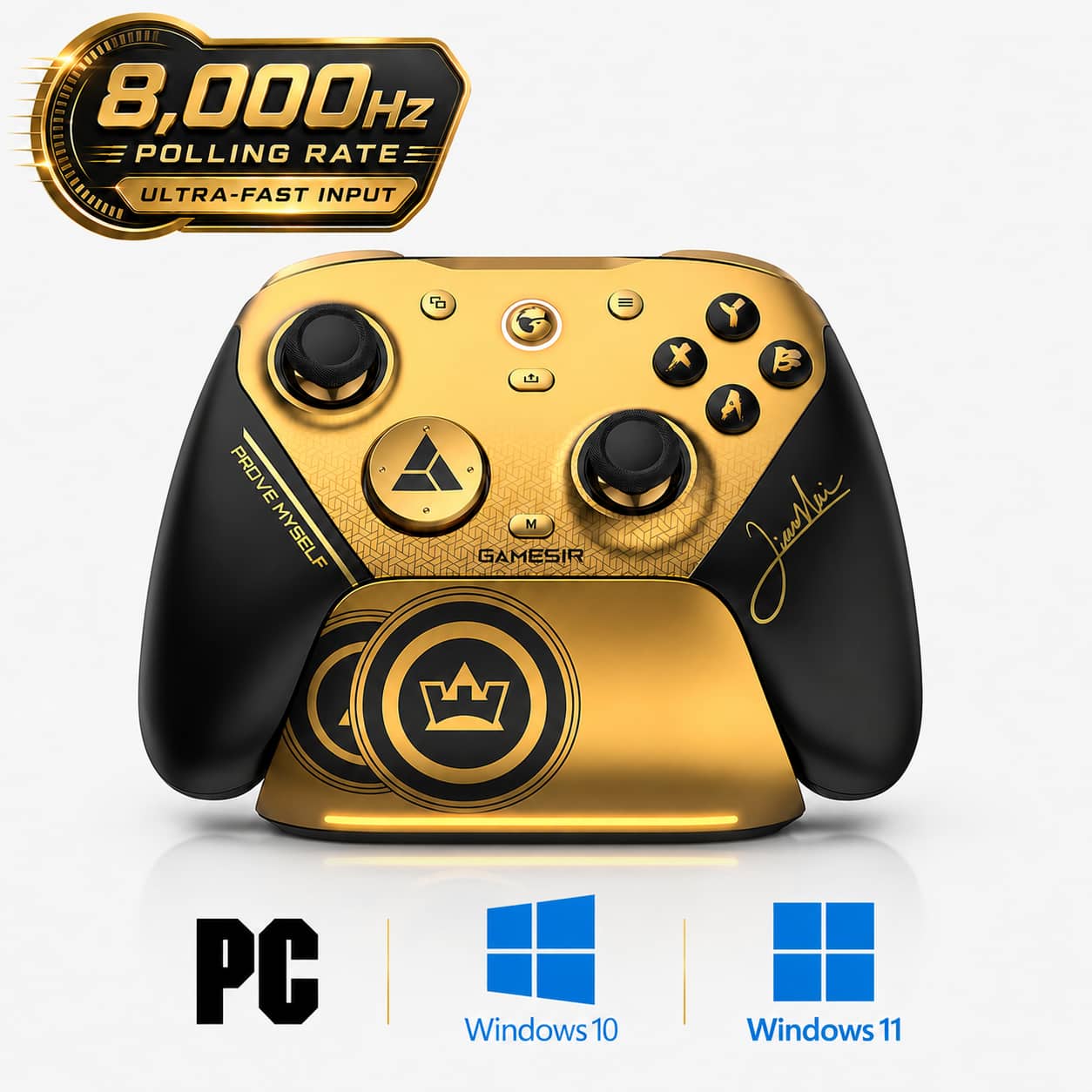
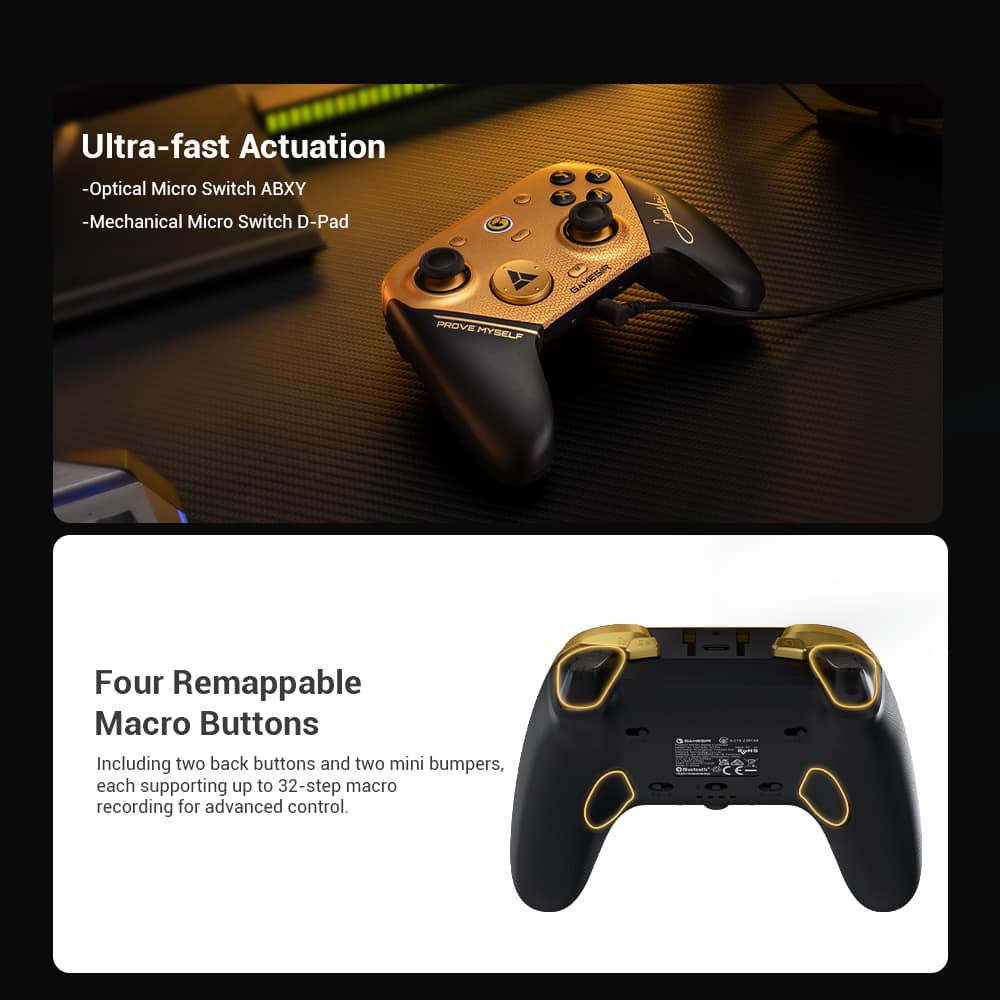
|Posted .This reviewer received promo considerations or sweepstakes entry for writing a review.I am excited to have the GameSir G7 Pro 8k Wireless Controller for PC, Mag-Res TMR Sticks, Hall Effect Triggers, 8000Hz Polling Rate, Tri-Mode Connect as I am frequently playing games on my PC. I love the look of the black and gold for the faceplate and the charging dock. The faceplate is easily removed if you desire to swap it out, but I rather like it the way it is. The feel of this controller is quite nice - the grip is rubberized on the back side providing a secure grip and the controller itself feels well-balanced in my hands. And when the vibration starts in the grips... don't even get me started! To charge this, you can plug the included USB cord into the charging dock and set the controller on it. There is a brief light that will appear at the bottom of the dock to let you know the connection was successful. You are also able to charge it directly via the USB cord plugged directly into the top of the controller. This G7 Pro also provides connectivity for your audio via the 3.5mm port at the bottom of the controller or wirelessly. This controller utilizes the GameSir Connect app. for customization. With this, you are able to switch the action of each and every button, if you would like. To map the 4 programmable buttons (mini R5 & L5, and the 2 back paddles R4 & L4) you can record a macro with up to 32 steps! Also, the 2 back paddles can be locked (which is what I do) with just a switch. I found that I was hitting those paddles unintentionally and that would cause unintended results. There are 3 possible ways to connect this controller to your PC - you can use it wired with the included USB-C to USB-A braided cord, you can go wireless with 2.4Ghz and the included dongle or use bluetooth. Personally, I have found 2.4Ghz is my preferred connection for more control and less drops. Both wired and 2.4G wireless, you can achieve an 8K polling rate, if you have a PC that will support that, which I do not have. I am just fine with 1K polling which is more than sufficient for me. The supplied wireless dongle conveniently stores in the bottom of the charging dock when not in use. They have also included 2 extra gold color options for the D-pad which is easily popped off after removing the faceplate for switching it out. Those 2 extra D-pads will also fit in the bottom of the charging dock for storing which is awesome because I was thinking they would surely get lost. Overall, I am having a lot of fun with the GameSir G7 Pro 8k Wireless Controller for PC, Mag-Res TMR Sticks, Hall Effect Triggers, 8000Hz Polling Rate, Tri-Mode Connect. It is great to look at, feels great in my hands and performs well. At my level of play, this controller provides all the settings I would want. I have tried out a lot of controllers for use with my PC and some are too big for my hands, or too heavy to hold for extended periods or just uncomfortable to use, or even too complicated, but this one is perfect for me. I would HIGHLY recommend this controller.
I would recommend this to a friend - Pros mentioned:Customization
Snappy and responsive
|Posted .This reviewer received promo considerations or sweepstakes entry for writing a review.Unboxing was simple. I appreciated that the box was taped shut but had a strip for manually peeling it off, not forcing you to go find a knife or something to cut it with. Little touch, but appreciated. I DID initially wish though that there was SOMETHING to store stuff in. I’m just NOT a fan of things like this with multiple parts, and no place to store any of it. But then I checked the bottom of the charging base, and there is a pull out panel there, and inside a spot for those swappable buttons and the USB dongle. So well done! And I won’t even consider any controllers without underside programmable buttons anymore since those have become my default base requirement. My go-to controller is currently my Razer Wolverine Pro. Simple, responsive, quick and easy to reprogram on the fly without having to use some app. This has options for Bluetooth, wired, or 2.4GHz. It also includes a 3.5mm audio jack, mute button, and a fairly nice quality braided USB C cable. Ther are instructions for pairing with the Switch 1 and 2, Android, and Playstation. And the triggers have a hair trigger mode like most offer as well. There is also a calibration setting so you can try to get the sticks centered again if you experience drift. Sadly enough, nothing in the box for programming. You have to have a mobile device and scan a QR code to find those instructions. But it’s the pretty common method – in this case, the M button in the bottom center of the controller on top, press that with the button you want to program, and the X box button will flash slowly. Press the button you are mapping to that extra button, and you’re done. Again, this is how I prefer my controllers since it makes it easy to change things up quickly if you need to. That M button plus D-pad up or down will do volume up or down. What I am NOT a fan of – the molded piece around the USB C connector on the controller’s front edge. It prevents me from using the USB cable I already had there for such a purpose as this limits the size of the end of the cable. Got my gaming system going – a brand new 2026 Alienware desktop with a new ultra 9 processor, 64 GB RAM, and an RTX 5080. Not the highest end, but more than sufficient for my needs. Got the controller connected, fired up Destiny 2, mapped the bottom left button to the menu button as I use that for navigation and such as it’s easier to hit underneath than to hit the button on top. The bottom right extra button I mapped to the Y button since I use that to change weapons easily in the middle of a fight. And I was flabbergasted by the absolutely atrocious response I got from BOTH of those buttons. Completely unusable and inputting control moves that I’m NOT doing. I mapped the Y button to the bottom right button, and it was cycling through everything and even SQUATTING, which is a function of clicking the LEFT STICK. Not at ALL involved with the Y button I mapped. So I opened a web browser to go to their website to find out more info. I was in the US site, found a download for their connect software, and it took me to a page with Chinese only and I wasn’t going to start clicking things I could not read. Then I found I could download it from the MS store. Did that. I’m uploaded a screenshot of the program’s main page so you can see some of the granular control. But while in the middle of THAT, after programming the L4 button through the app, and getting ready to map the R4 button, I got the main "connect" page in the program and the controller was disconnected. Reconnected again, and went back to mapping as I wanted, and I see what probably happened making this so horrible when I simply tried to do what the little instruction book said, by doing the M button +L4, waiting for the light to blink, then hitting the button I wanted mapped. This may have defaulted to a different kind of setting, since within the program, you can map to mouse, keyboard, numeric keypad, controller, or macro. I wonder if some macro setting was what was screwing me up. But that means this loses one of my main requirements – easy to swap buttons on the fly. But what it DOES introduce is some pretty amazing possibilities for macros and multiple things happening with that single button press. I stuck with my standard mapping, doing it via the app this time, then went back into Destiny 2 to test if it was functional as expected. And now everything was fine. Vibration is outstanding on this. My complaint here is the two missing buttons on the bottom. I’m so used to four mappable buttons down there this is really throwing off my gaming. But the controller itself is excellent. Feels just fine in the hands, the shape fits perfectly the curve of the fingers when you hold it. Buttons are really nice, a solid feel to the press. No mushy questionable presses. And again, I really like the rumble motor here. The charging base – this is very frustrating as far as getting the controller to charge. It can be a bit of a pain to get it to sit just right. Sometimes no matter how much I try it’s almost impossible to actually get it CHARGING when it’s on this dock, as if the dock is just slightly misshaped or something. I played around with the motion control, but that’s not something that would ever benefit me I think. Maybe if I could tie endless movement to it, but it seems to only work for the left stick for short bits then resets back to zero and I’m unable to find a way round it. And when binding it to the right stick for aiming, the right stick was rendered nearly useless since it was now a very slow input. There are plenty of adjustment options in there though, but since I’ve never dealt with this, I’m unfamiliar. And at the moment there is nothing on their support pages at all about the G7 Pro 8k. But since I won’t be using this option, none of this will impact me. Stick responsiveness is excellent. I had no issues with drift or lag while running wireless. Once I got past the initial programming issues before I downloaded the app, everything just worked as expected. Sides and bottom have a good texture, but I wish the top side where it is held was a bit less slick plastic and more of something with some friction. And back to the app – endless options for customization beyond what I’d ever need since I don’t game professionally, even to the point of setting different curves for the various actions and how you want them to exactly happen. This is a gamer’s dream giving them total control over basically every aspect of things. The only reason I’m not giving it 5 stars is that the bottom really should’ve had two more buttons for the fingertips. I’m used to ones under the middle finger and under the ring fingers, and having only two down there really loses opportunities for me. Yes, they have to more up inside of the triggers on the front end, but so does my Razer and I don’t ever use them, they’re just not as convenient. But great finish, great feel, great responsiveness, and amazing motors for the vibrations.
I would recommend this to a friend - Pros mentioned:Ergonomics
Quality controller at a great price!
|Posted .This reviewer received promo considerations or sweepstakes entry for writing a review.GameSir G7 Pro 8k in this gold finish is a fantastic controller! Ergonomically it feels like any standard XBOX controller - not too wide or bulky. Colors are very subjective but since it’s a controller I will give it a pass + there are technically other finishes available though I have not seen them on BestBuy yet. The top plate and handles can be removed to become transparent which looks cool in my personal opinion and it's something you can mess with whenever you get bored. It also helps shave off a couple grams if you use it without. Weight of the controller (transparent) = 239g (with top plate) = 267g Compared to my standard XBOX X controller = 271g (with batteries) In terms of performance I had the wireless receiver plugged directly to my PC and there was about 10-15 feet on average between it and the controller - the performance stayed fantastic and it was especially good in eSports titles like Rocket League. I did not notice any latency and because the main triggers can be adjusted I set it up to have more travel = more granular braking on the left trigger, and less travel on the right trigger = faster more instant throttle response. This was more in games like Forza 5 though. Either way if you like playing racing games with a controller this will feel really good. When it comes to the buttons they all felt higher quality than average and It’s good that you get TMR Sticks (gen 2) which again just adds to the performance and most importantly avoids the dreaded stick-drift… My only real complaint is the GameSir website because in a way it can be kind of confusing to find the correct software for this controller as there are 7 different programs. For this controller just make sure you get GameSir “Connect” but there is also Nexus and T4k all under the PC section. The software in itself works good, but it would have been even more convenient and faster to just have a webapp with again a more truly centralized experience. Easy recommendation and a good investment for the price.
I would recommend this to a friend - Pros mentioned:Customization
Highly customizable controller for big-handed folk
|Posted .This reviewer received promo considerations or sweepstakes entry for writing a review.The GameSir G7 Pro 8k Wireless Controller is a pretty solid controller for PC, with a ton of customizations to unlock in the Gamesir Connect software. I’ve been using the controller for action and sports games as well as metroidvania games like Hollow Knight, and while I can say I enjoy it, I’m not entirely thrilled by it compared to my platonic ideal: the Switch Pro Controller. The Gamesir G7 Pro just feels a bit large in my (quite large) hands. I think this is down to three factors: the width of the grips, the height of the control sticks, and the throw of the trigger buttons. I have done some measurements with my digital caliper that show the dimensions of the two controller bodies are nearly identical, except for the grips, which are about 2 mm wider on the Gamesir G7 Pro. The dual control sticks are about 1 mm taller. As for the trigger buttons, they stick out from the body about 3 mm more. This changes the hand position a bit and adds to the large feeling. To be clear, I’m not saying this is a bad thing — just that it’s not right for me, personally, The triggers on the G7 Pro have the advantage of acting as potentiometers, allowing the player to precisely control certain aspects of games by how far they depress the switch at any time. The triggers are adjustable in the Gamesir Connect software, allowing the user to adjust the ramping curve of the potentiometer or set them to one of two varieties of “hair trigger” mode, with a specific set point for when in the button sweep the it will actuate. In addition to software controls, one or both triggers can be physically set to an “instant click” mode by switching a button on the back of the controller. The amount of options this controller gives you is pretty staggering, so if you’re into customization and you have larger hands, I can wholeheartedly recommend the Gamesir G7 Pro. Other customization options for the G7 Pro include the physical lock switches for the R4 and L4 buttons and the three kinds of D-pads that come in the box, allowing you to choose whether you prefer a disc-style pad, a disc with four raised directions, or just a t-shaped D-pad. Finally, the multiple connection options are honestly pretty great. You can choose Bluetooth, wireless (using the included dongle), or wired. You can also choose to connect the dongle to the dock in pass-through mode and run the included braided USB-A to -C cable to the PC, using the dock to charge the controller when not in use, and allowing the dock to act as the wireless connection point. The only other complaint I have about the G7 Pro is the rumble, which feels a bit… “loose” isn’t exactly the right word, but I would say a bit less “present” than other controllers, almost like the rumble of the G7 is the deep bass of a subwoofer and the rumble of my favorite controllers is like a solid mid-range driver. The frequency of the vibrations is slower. The rumble strength can be customized in the Gamesir Connect app, but not the frequency. Once again, it’s different, not worse, but I don’t prefer it. Your mileage may vary. All the options the G7 pro gives users adds up to an ultra-customizable experience that might greatly appeal to some gamers — especially those with larger hands, and who like the gold/black color scheme. For me, I’m finding it a good, but not great, fit.
I would recommend this to a friend - Pros mentioned:Ergonomics, Responsiveness
Phenomenal gaming controller
|Posted .This reviewer received promo considerations or sweepstakes entry for writing a review.The GameSir G7 Pro 8k Wireless Controller for PC, Mag-Res TMR Sticks, Hall Effect Triggers, 8000Hz Polling Rate, Tri-Mode Connect is a phenomenal game pad for the PC or Xbox. It has a great shape that it very ergonomic, and does not feel small in my large hands. The buttons are very responsive and require just the right amount of force. The Hall effect triggers are ultra smooth and same goes for the Mag-Res TMR sticks. They are very precise and have the perfect amount of tension. The G7 Pro has an 8000Hz polling rate so the is an instant response, meaning zero lag. You can connect the controller three ways, wireless, wired, and Bluetooth. The G7 Pro comes with the controller, a matching gold and black braided USB-A to USB-C charging cable, two H-pads with different designs to make the controller more to your liking, and a charging stand. That's a feature most gamepads do not come with and is a huge plus in my book. Battery life has been great. I do play sometimes for hours, and the controller has always had plenty of charge. The great part about this controller is the it comes with charge stand, and now I have a dedicated place to set my controller that automatically charges when I set it into the stand. No more fishing around for a charging cable and have that mess on my desktop. The onboard sound is excellent as well, although it has a lot to do with the set of wired earbuds you are using. The is a slight hum that comes and goes. Not sure it's the controller, or the earbuds I'm using. The GameSir Connect software give you access to tons of settings. You can set dead zones, custom settings up to four profiles, and even the lighting can be customized to an extent. I've been playing a particular racing game a lot lately and I'm loving how responsive the triggers and sticks are. It feels like I'm actually doing better with this controller. You're getting a lot of controller at this price point.
I would recommend this to a friend - Pros mentioned:Build quality
Definitely a controller above the rest
|Posted .This reviewer received promo considerations or sweepstakes entry for writing a review.I've been gaming since Atari and I have used literally hundreds of different controllers over my lifetime. When i think of the best controllers i always find myself falling back to either playstation or xbox controllers. the way they feel, the familiarity of the controls, the smooth presses, over time they have just felt the best. Then reality sets in, they are made cheap, after 6 months they gain stick drift, buttons stop working, lets be honest plastic is plastic and it's only a matter of time before you break your controller. i dont expect this to be any different, things wear out over time, but what i do believe is this controller is made well, probably better than some top tier xbox controllers that cost over a hundred bucks and ive had my share, all in the trash within months of using. this thing the controls are precise, the button presses feel good, and solid, and they have added additional buttons all over the place to make the gaming experience that much better. pros Wired or 2.4g wireless gets you 8K polling rates Trigger Stops, remappable buttons Microswitch dpad & abxy buttons that should make these last longer than standard controllers Custom setup with software, fine tune everything on the controller, its pretty amazing how much you can tune in on this thing Charger stand and 2 Extra D-Pads included cons honestly i have yet to find anything i dislike about this controller, its quickly becoming one of my favorites, if i had to nitpick id say the only thing i dislike is the slight (to me) awkward positioning of the view button, im so used to it being directly middle horizontal to the left stick that the slightly angled location makes me miss it when attempting to press it, but thats just from years of muscle memory, nothing to really gripe about really, just something to get used to for myself. Overall i think this is a great controller, it feels like most xbox style controllers; be it a scuf, power A, Microsoft, turtle beach, razer, and they all have been some of the best controllers I've used in a while. i even bought a cheap gamesir nova lite 2 in the last few months, just to have a variety of controllers to switch between. Now enter this 8k wireless g7 pro by Gamesir, it feels similar to my scuff and obviously nova 2 but it feels way lighter and the buttons feel better, the joysticks feel a little more i guess polished or smooth. i've just found myself using this controller alot more than i honestly thought i would. i enjoy the extra buttons all over the thing, that i can map alot of however i want and not to mention the really nice dock that comes with it makes it stay on my desk, so it doesnt get lost in the mix, always accessible and charged and ready to go. i'm not going to sit here and try to sell you on a controller, but i will say this much, if i had a choice between the scuf and this, im picking this up everytime. i would recommend this, definitely worth a try.
I would recommend this to a friend Great wireless gold colored controller.
|Posted .This reviewer received promo considerations or sweepstakes entry for writing a review.Overall great wireless gaming controller. Setup. I first let it charge up for about 5 hours. Then I installed their app to see what it offered. It offered calibration and customization of various things. It took about 10 mins also for a firmware update Not too hard to do. After that I plugged the dongle into my PC and pushed the on button and played with my laptops. Game play was nice on Xbox PC with Forza. I then let my kid try it on it Roblox. I took it back and I played Rainbow 6 Siege. Wireless is a god send. No need to have a wire hold.me back. So that is a huge plus. Controls and feels is great. There is anti drift technology which is nice. Weight is light to help with fatigue. Vibration is a little on the lighter side. Probably to conserve battery. Response was quick with no apparent lag. Color is gold. It stands out. My kids and wife all first saw it and said it looked all fancy. Overall good controller. Appearance is nice. Programming buttons was easy and straightforward. Great controller for PC games. At least for me. Just wished I make sure my PC had the updates first prior to trying them out.
I would recommend this to a friendStep up your gaming
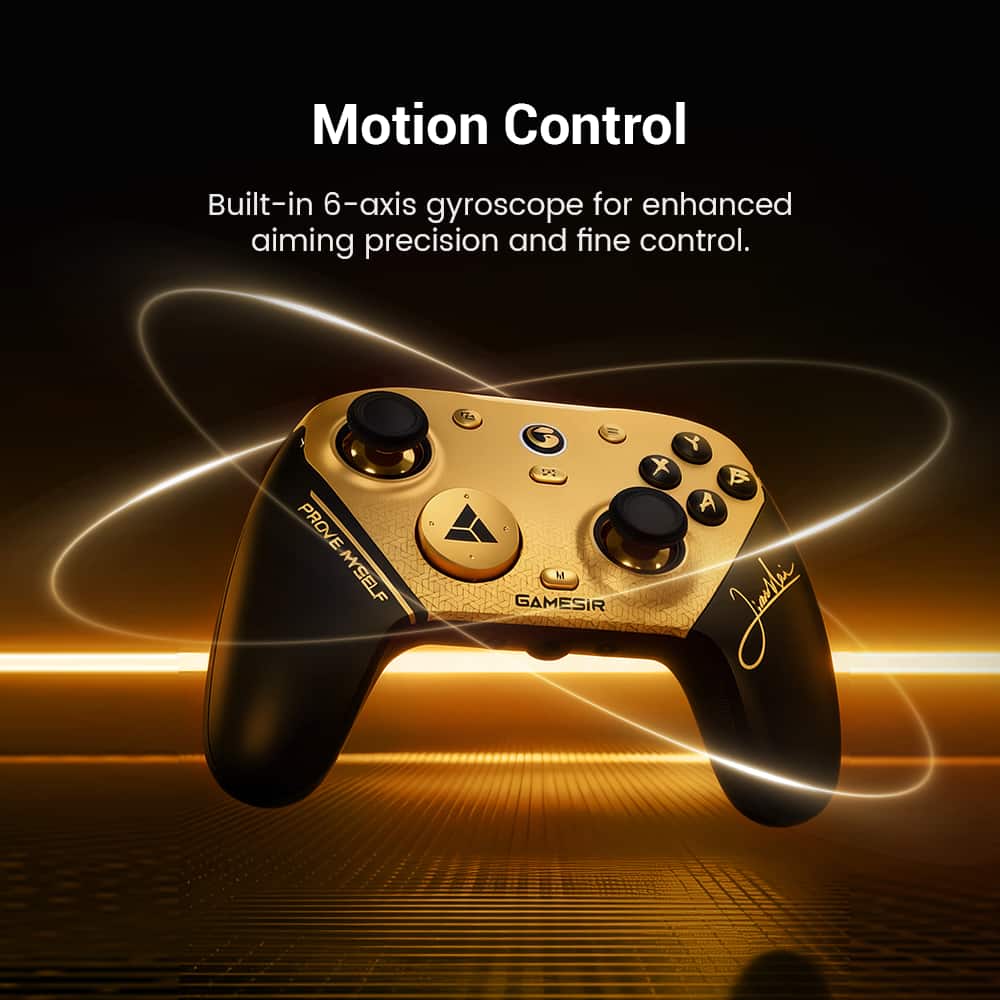
|Posted .This reviewer received promo considerations or sweepstakes entry for writing a review.I used the G7 pro to play 1v1 combat games and some racing games and the controller is a step up in every respect when compared to stock controllers. The G7 includes TMR stick along with trigger stops and some remappable buttons, it even includes a 6 axis gyroscope and rumble motors. This is huge as a lot of pro controllers tend to do away with certain functions such as rumble motors , and although some people feel they are gimmicky I think they add something to the game play which can’t replicated. All of the micro buttons on the G7 work perfectly, the only real complaint I have on the buttons is that the bumper buttons are the traditional buttons instead of micro. The micro click is satisfying and they feel like they will last for 100’s of gaming hours. The G7 software is excellent, you can adjust to your hearts content and all of the changes can be made quickly and easily. I have noticed other gaming controller software is usually buggy however this was not the case with G7. Everything was at my fingertips and the software was responsive and easy to use. Overall the controller is a excellent step up in gaming , the adjustments help you fine tune your game play. There is little to no lag when gaming and the software for adjustments is one of the best on the market. The included charging pad is a excellent so your not always having to plug it in to charge even though the color may not be for everyone. Pros: Cons: -Micro buttons -A bit small for bigger hands -Software -bumpers buttons are not micro -Rumble motors -charging pad -Battery life
I would recommend this to a friend