Customer Ratings & Reviews
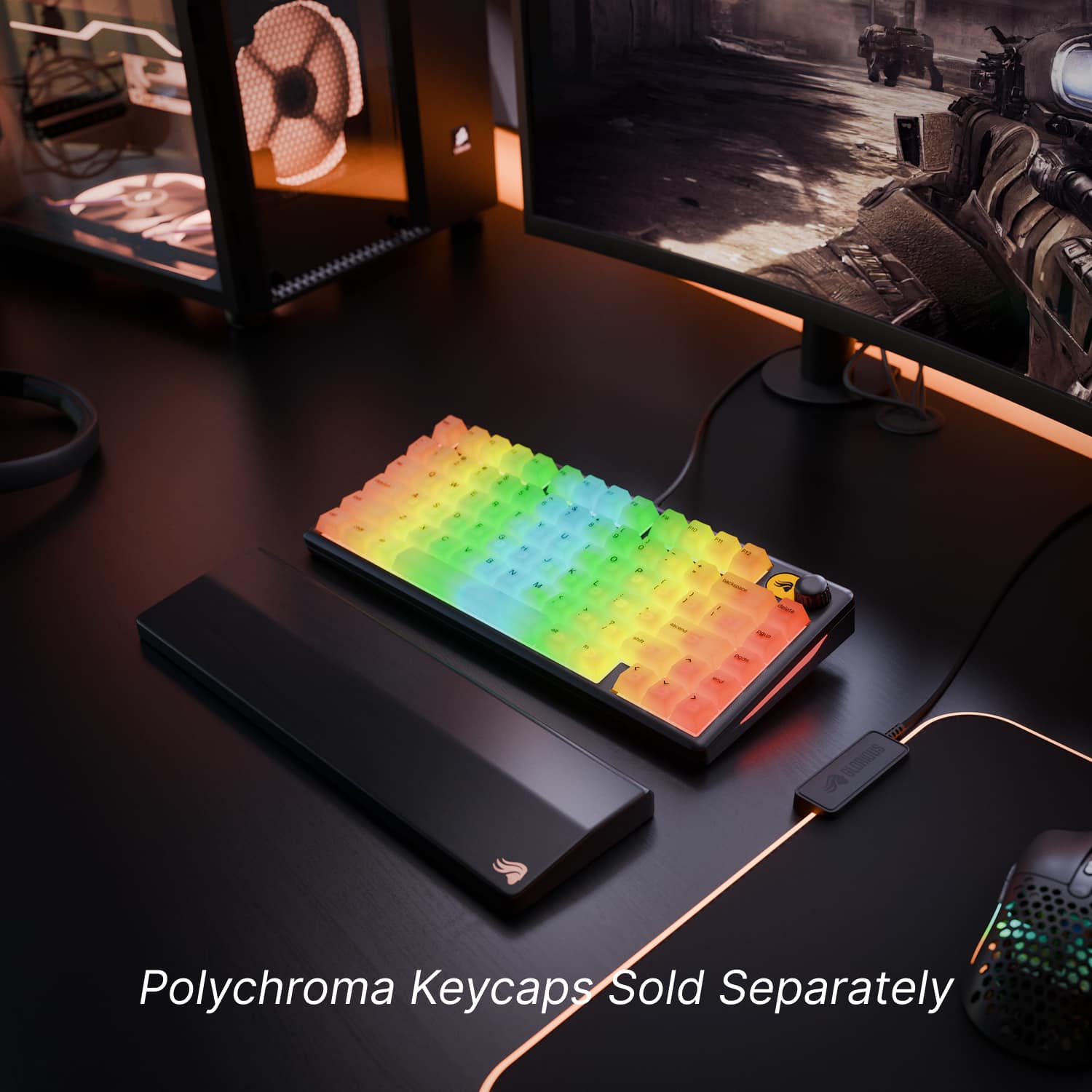
![Sure, here is the corrected and grouped text from the image:
- Top Row: `esc F1 F2 F3 F4 F5 F6 F7 F8 F9 F10 F11 F12`
- Second Row: `1 2 3 4 5 6 7 8 9 0 - = backspace delete`
- Third Row: `tab Q W E R T Y U I O P [ ] \ pgup`
- Fourth Row: `caps lock A S D F G H J K L ; ' ascend pgdn`
- Fifth Row: `shift Z X C V B N M , . / shift end`
- Sixth Row: `ctrl win alt spacebar alt fn`
Additional Labels:
- `backspace`
- `delete`
- `pgup`
- `ascend`
- `pgdn`
- `end`
- `fn`](https://pisces.bbystatic.com/image2/BestBuy_US/images/products/dd50b8da-cc30-485a-8b30-fadda75c08a8.jpg)

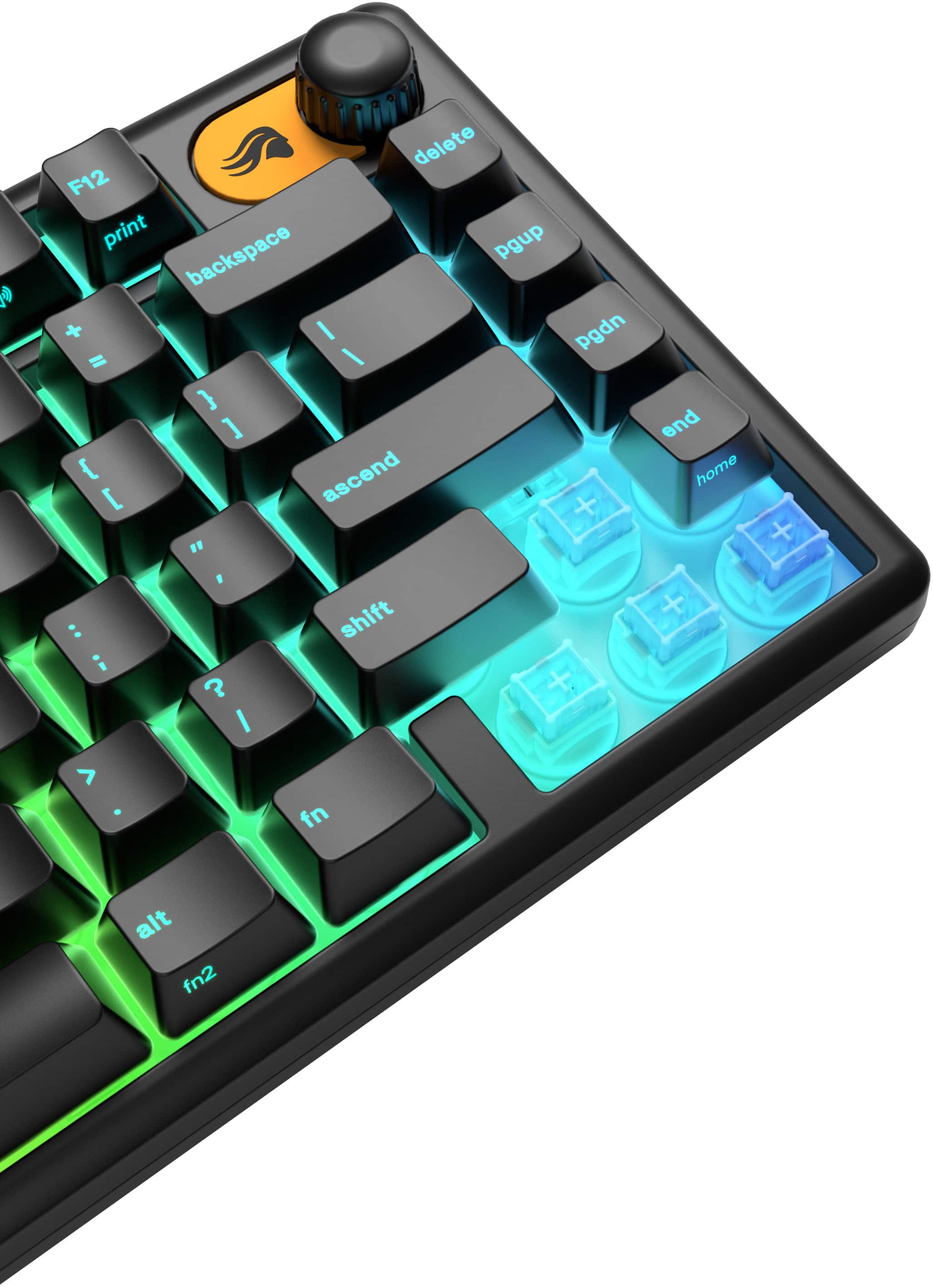
![F8 - ( o : i ? / Durable Wear-Resistant Keycaps No shine, no fade—just crisp RGB legends that last. F10 F11 a F12 0 C - - print + - P backspace { [ } ] delete I I I ascend pgup shift pgdn < end V A 9 home + Q S GMBK](https://pisces.bbystatic.com/image2/BestBuy_US/images/products/b435e46c-7c3c-47b9-8317-f5af192ac878.jpg)


- Model:
- GLO-GMBK75-BLK-US
- SKU:
- 6636034
Rating by feature
- Value
Rating 4.7 out of 5 stars
- Quality
Rating 4.6 out of 5 stars
- Ease of Use
Rating 4.8 out of 5 stars
Customers are saying
Customers admire the sturdy build quality and responsive key feel of this keyboard, which many users find both reliable and satisfying to use. The device is frequently praised for its compact size, making it an ideal choice for smaller workspaces, while the customizable RGB lighting adds a nice aesthetic touch. Additionally, users appreciate the quiet typing experience, convenient USB-C connectivity, and the added peace of mind provided by its water-resistant design.
This summary was generated by AI based on customer reviews.
- Pros mentioned:Build quality, Key feel, Rgb lighting

Clicky, colorful and compact
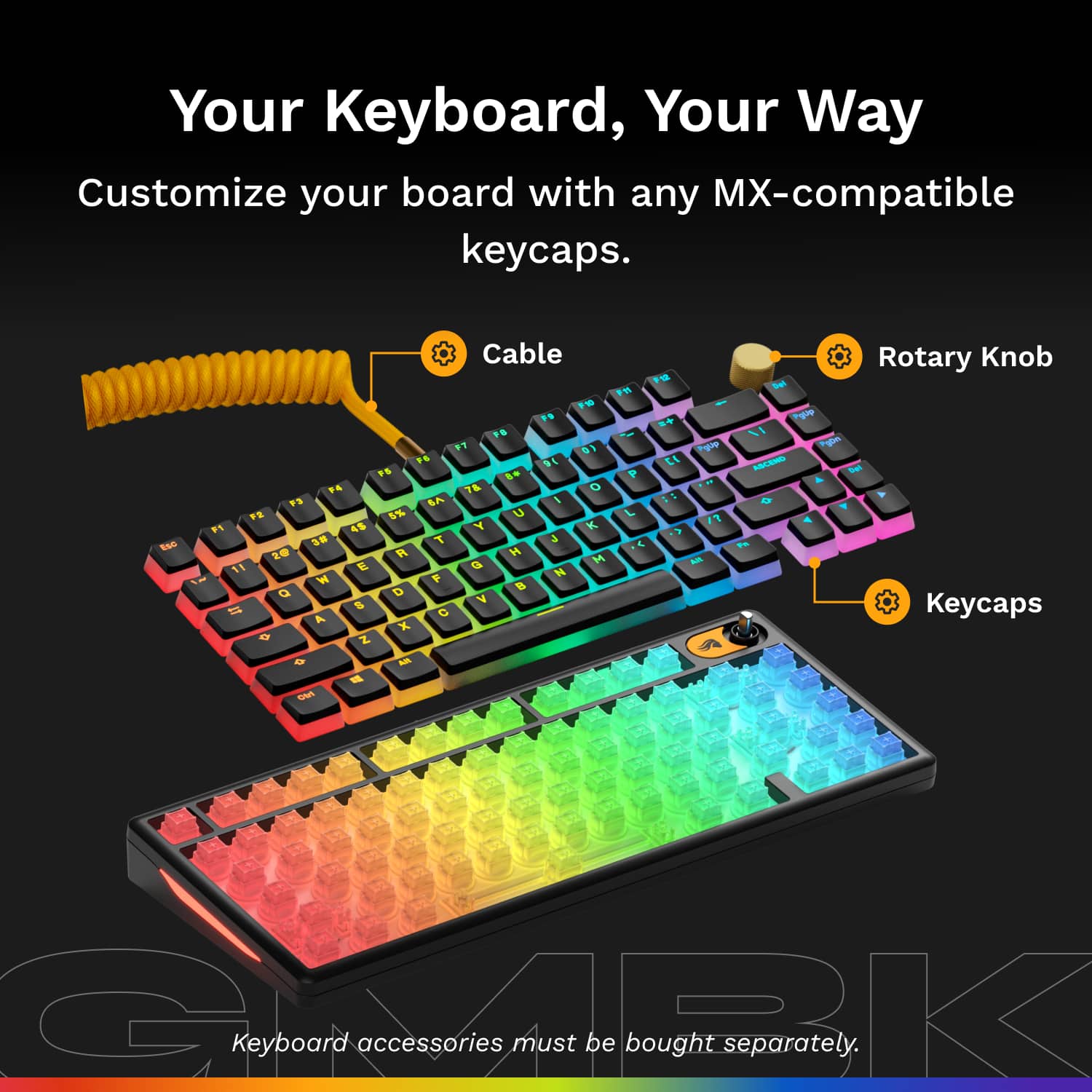
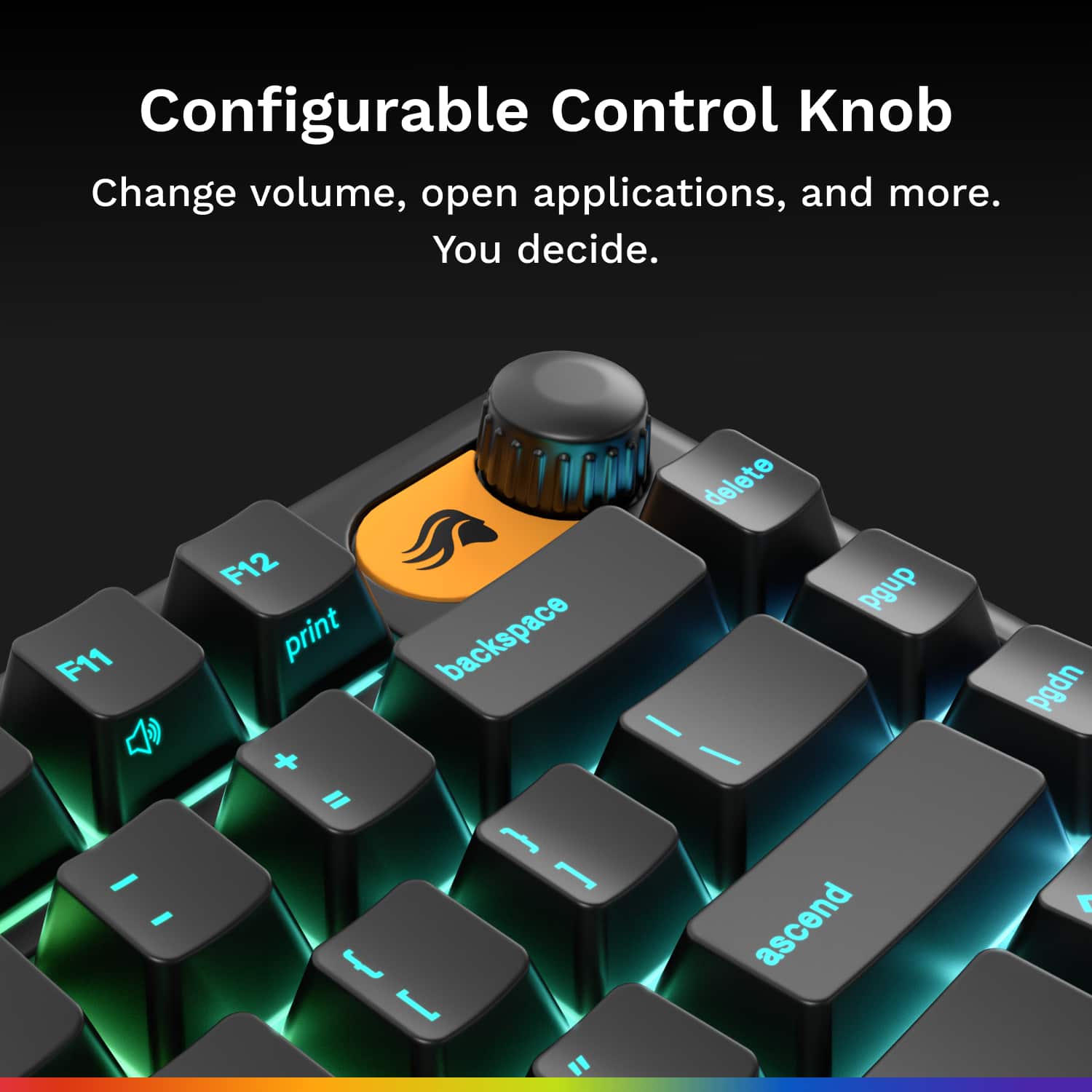
|Posted .This reviewer received promo considerations or sweepstakes entry for writing a review.I’ve been looking for a small-ish keyboard to connect to my gaming tablet for some time, and the Glorious GMBK has met my needs. It is compact, easy to stow and lightweight yet very durable feeling. The keys are very tactile and responsive when typing. I honestly really like the feel of the keys. They have a very nice and satisfying thud and click. It did take me a day or two to get used to the layout of this keyboard. Even though I’m the keyboard is quite large (when compared to the keyboard my tablet came with). I found myself striking the wrong keys when typing for a few hours. Of course, muscle memory will do its thing and you’ll be fine after some use. The RGB lighting on the keyboard is a nice touch, a bit boujie haha, but looks cool when gaming. The volume knob on the top right is also a nice touch, it made adjusting volume quick, and easy. The keyboard is plug and play, I didn’t have to install any drivers or software to get it going. Windows atomically recognized it and worked perfect. Glorious includes a tool to remove the keys for swapping and customization. This kit did not come with swappable keys, but it seems they are available for purchase from them. I feel like this keyboard is so affordable, that you might be better off just buying another if something happens to yours, or if you want a different look. All in all, I think this keyboard is an excellent value and perfect for gaming and typing. Especially if you have limited space on your desk. The keyboard looks and feels quite premium.
I would recommend this to a friend - Pros mentioned:Connectivity, Key feel, Size
Nice Compact 75% Keyboard
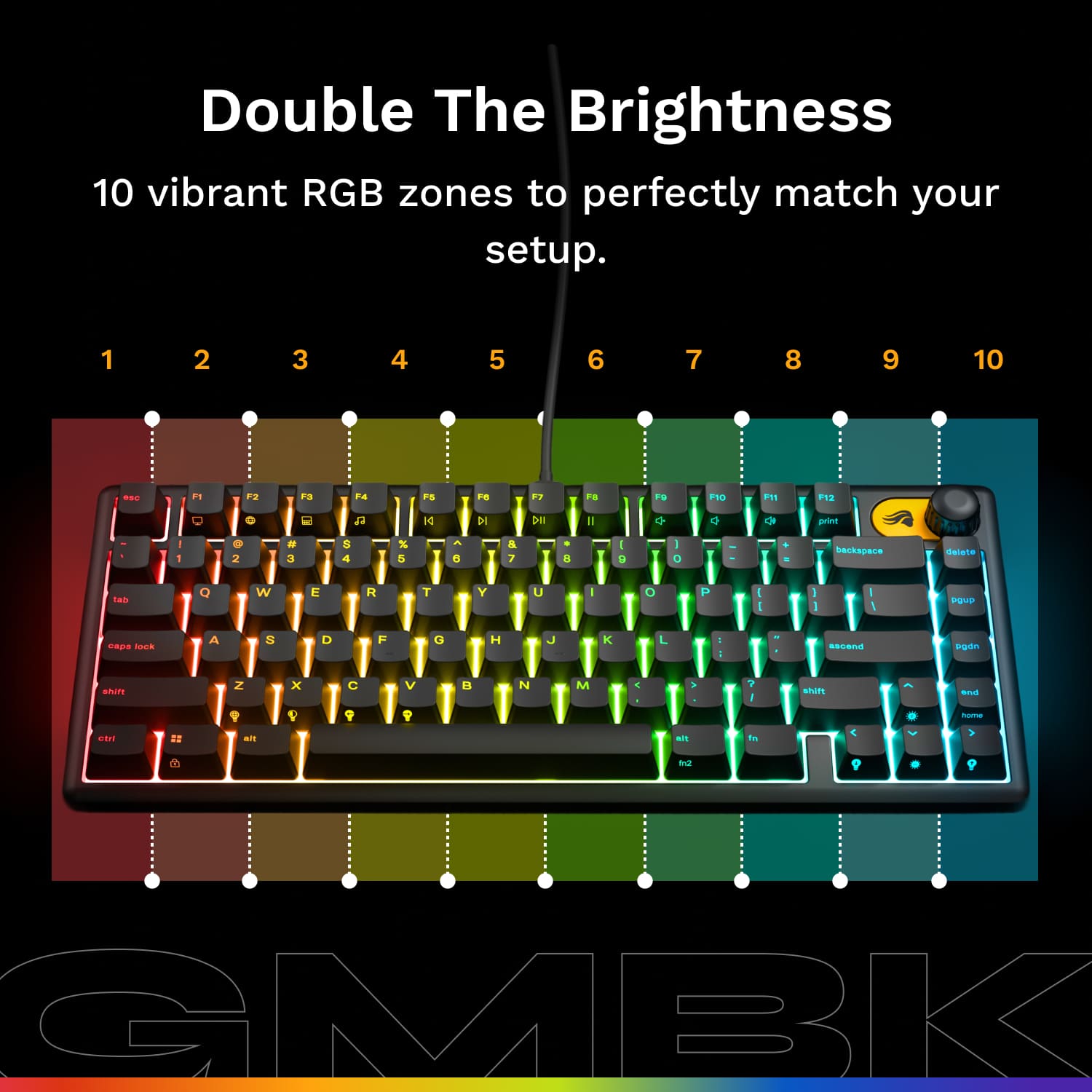
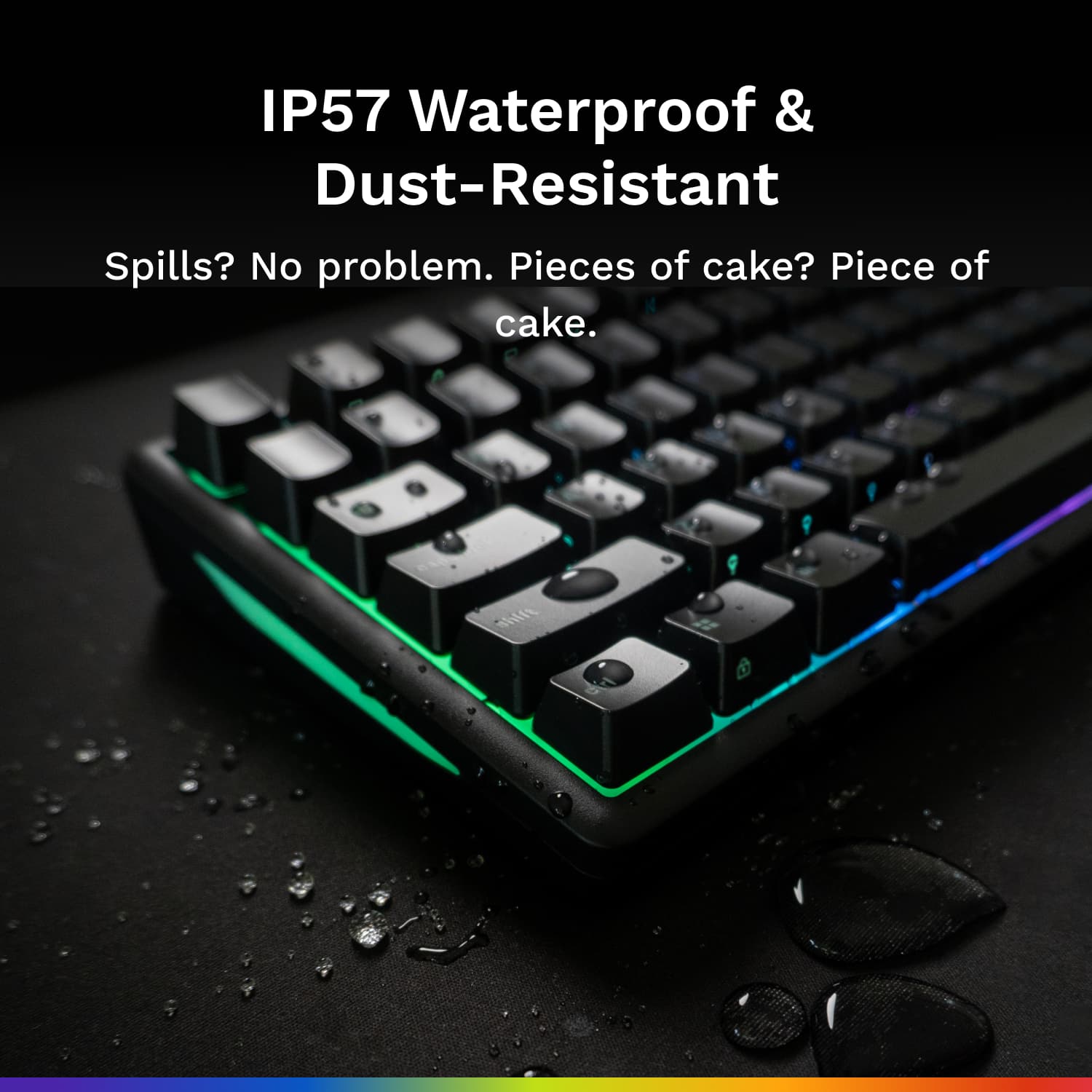
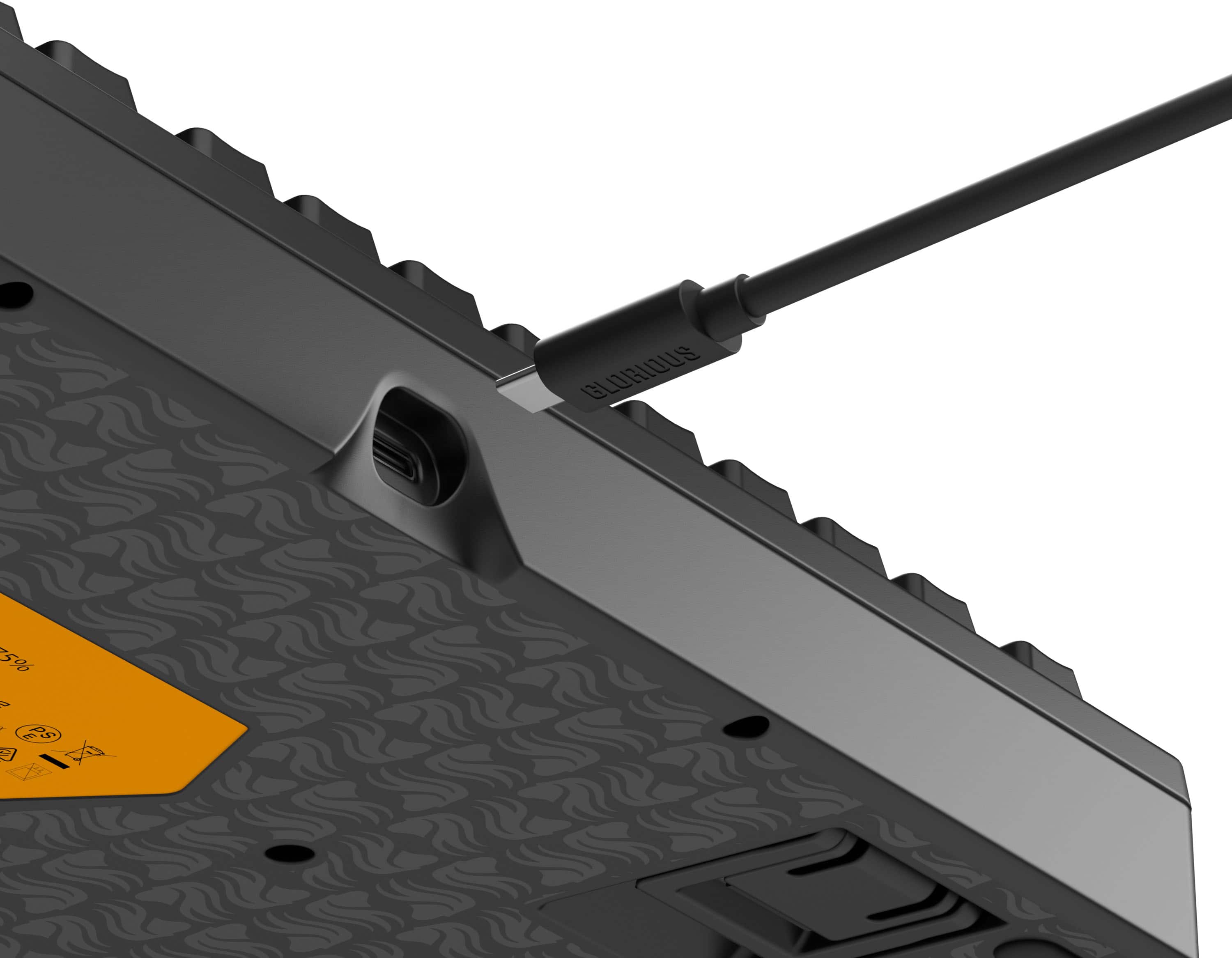
|Posted .This reviewer received promo considerations or sweepstakes entry for writing a review.So yes, desk space is always an issue. A 75% keyboard helps to maximize desk space. This keyboard has 80 keys. It’s customizable for any gamer out there. The lighting on this keyboard is super cool. It has a 10 zone RGB lighting system. The options for lights is almost endless and really adds to the gaming experience. The keyboard itself is IP57 waterproof to protect it from the spills that may happen during an intense RPG or Shooter game. It is also dust resistant so it helps to keep the major crumbs off the keyboard. The rotary knob is good to the feel and is programmable. The keyboard is able to be used with consoles, Chrome, macOS, and Windows units. Very flexible in terms of its usage. The included software called Glorius CORE only works with WinOS only. I love the fact that the included USB-C cable plugs into the back of the keyboard in the very center. This allows you to place it almost anywhere on your desk or lap. I was able to test the included keycap puller and pulling keys was easy to do, so those who want to add custom keys can do so. The stems are MX-Style compatible. Now the most important thing…the feel of the keyboard. It feels great. The keys are responsive. To me they are heavy but soft. Very responsive keys. I had zero issues pressing keys during many hours of hard gaming. It never missed a beat. Combine all the features this 75% keyboard offers, and it’s simply a winner. Highly recommended.
I would recommend this to a friend - Pros mentioned:Build quality
Great option for a small gaming keyboard
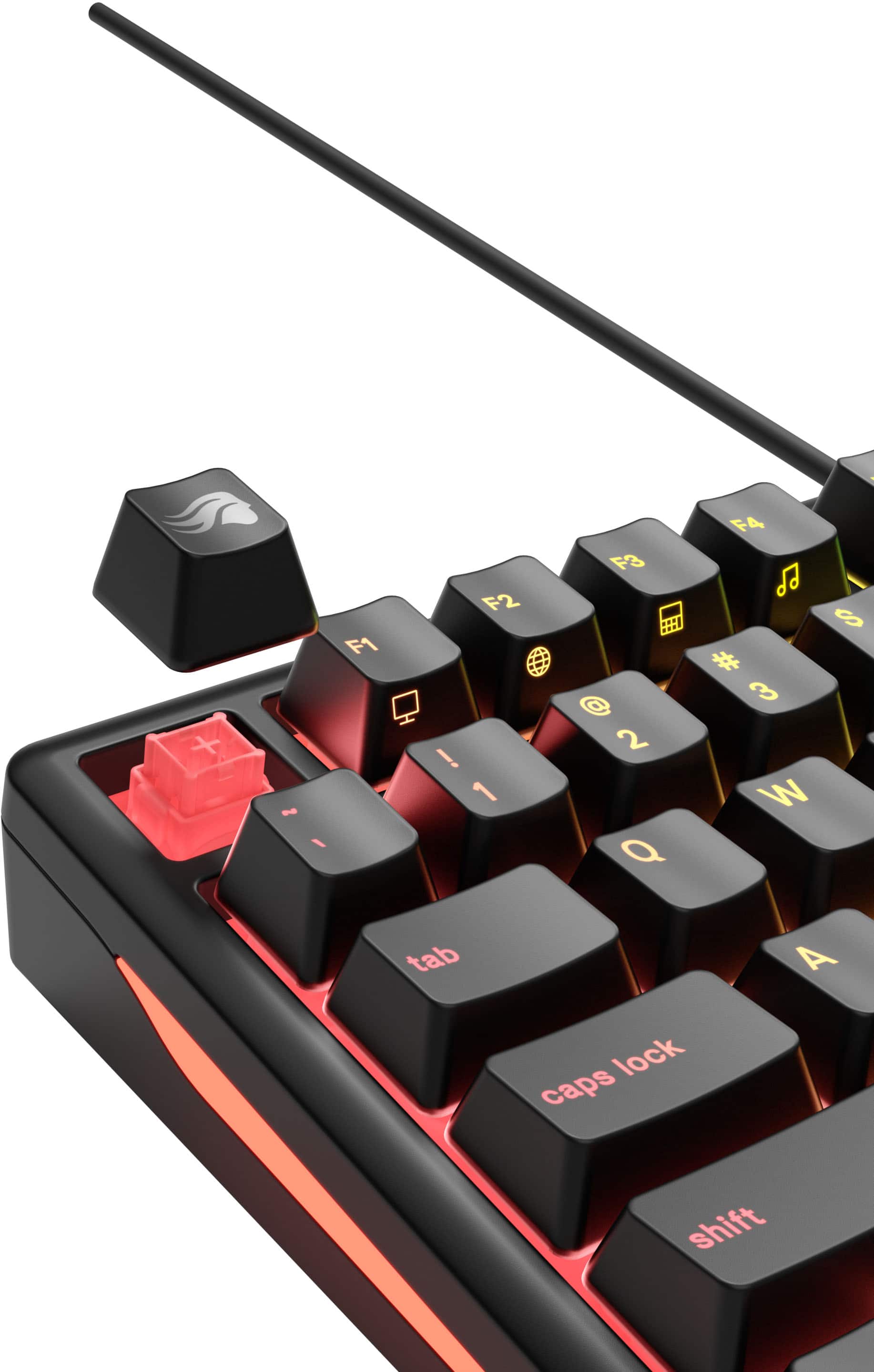
|Posted .This reviewer received promo considerations or sweepstakes entry for writing a review.Verdict: The Glorious GMBK 75% Gaming Keyboard is a great and affordable option for gaming, typing, and style. If you need a small footprint keyboard, this one is great! First impressions. The box includes the keyboard, a USB-A to USB-C cable, a key removal took, an extra key, stickers, and a manual. While smaller, this keyboard has a nice weight to it. It has a plastic frame and popup feet towards the bottom back of the keyboard – with two height levels… nice!! Design. This keyboard has a few fantastic design features that are not on my primary gaming keyboard. The secondary functions are lighted, for example “@” or “%” are visible in the dark, making password input in the dark possible. The functions of the F keys are also visible at a perfect angle, and lighted. The volume knob is very convenient and perfectly located. I love that the keyboard cable is a standard USB-C so it's easy to swap with other devices, and the cable is easily replaceable. Swappable keys are nice to have, but not something I had previously wished to have. The included tool makes removing keys very easy… actually way better than I expected; I may actually consider keys customization now. Fade-resistant keys are also a great feature. Typing. Some people like low action keyboards, and other people like mechanical high-action keyboards. This is more on the high-action, clickity keyboard side of the spectrum. It’s not quiet… it sounds more like productivity. It’s comfortable, perhaps slightly on the stiff side of action; I love it, but it’s probably not for everyone. I find it very enjoyable for typing. Performance. This is a great keyboard for gaming; the keys are responsive and decisive. No complaints. The volume knob is convenient for in-game adjustments. The 75% size means you don’t get extra programable keys, but it’s really great for just what you need, plus mouse. Things I love. - Great action on keys, for both typing and gaming. Super responsive - Ability to control 10 RGB zones for endless color customization through the app - Swappable keys with any MX-stem keycaps; a nice-to-have feature and very easy to use - IP57 (water and dust resistant) rating is GREAT! I have spilled things on my keyboards so many times over the years, and once on a pricey gaming keyboard (it was never the same after that) - The cable is fully removable, so you can swap in other USB-C keyboards - The light on the keys turn off after a few minutes to save power and avoid light nuisance - The secondary functions are also lighted, for example “@” or “%” are visible in the dark, making password input in the dark possible. This is not the case on my other gaming keyboard - The functions of the F keys are also visible at a perfect angle, and lighted. Very nice idea - The volume knob is incredibly convenient and perfectly located - Affordable price for a full-feature gaming keyboard - 2-year warranty Things I don’t love. - It’s not a quiet keyboard. Of note, I LOVE mechanical keyboards for the action and clickity noise, so I am not complaining here; making this comment because this keyboard may not be for everyone. And, it’s actually slightly louder than my primary full-size gaming keyboard (also a high-action clickity keyboard) - Small format and location of the arrow keys takes a little bit of time to get used to, especially for regular typing. The 75% size is convenient because of where I want to use it, but if I had the space, I would opt for a full-size keyboard for increased functionality for other applications Overall, the Glorious GMBK keyboard is a great option for a 75% size gaming keyboard. It looks great, performs well, and offers very convenient features, all at an affordable price.
I would recommend this to a friend - Pros mentioned:Rgb lighting
A Great Customizable Budget RGB Gaming Keyboard
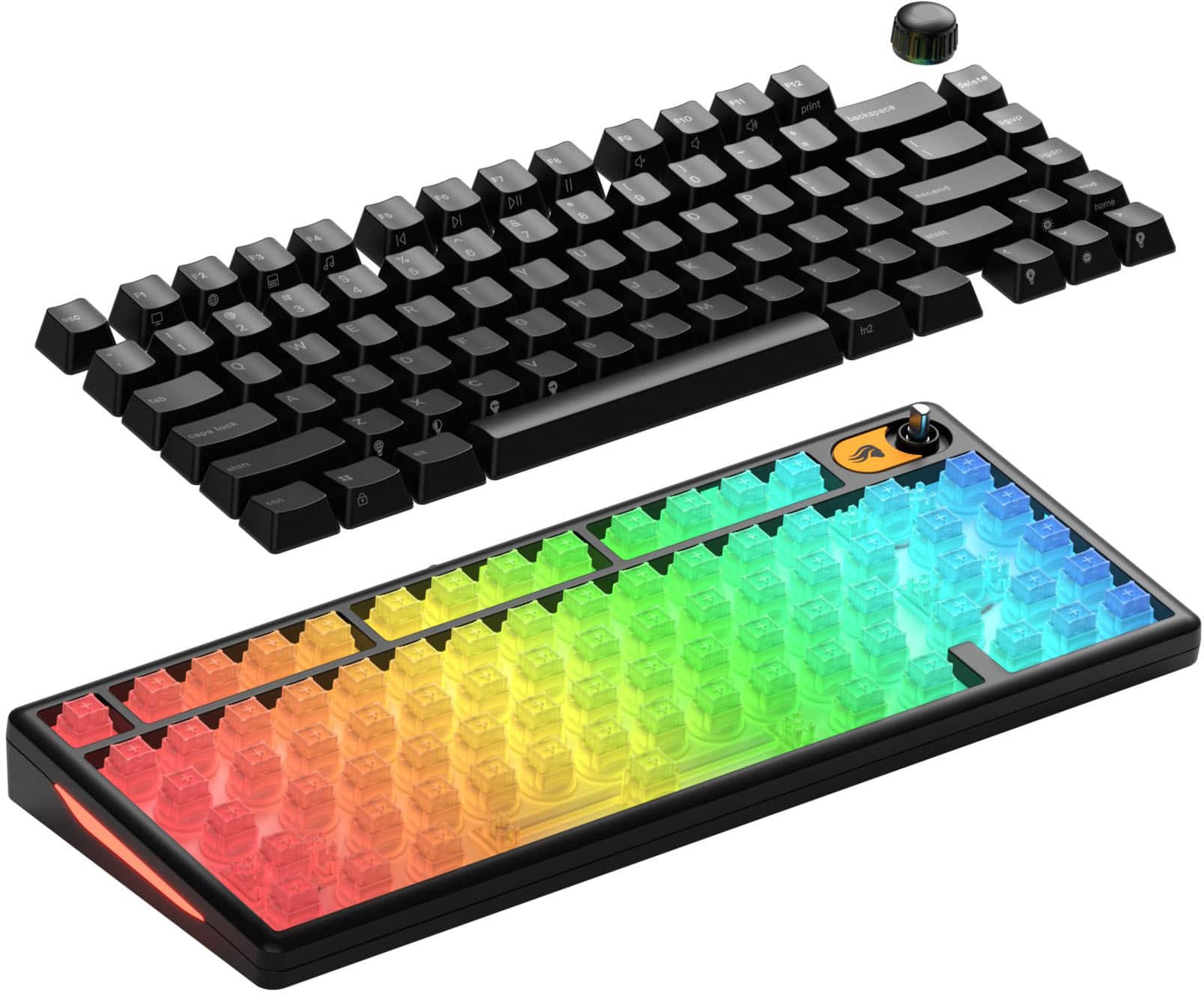
|Posted .This reviewer received promo considerations or sweepstakes entry for writing a review.This wired gaming keyboard for the budget conscious fills the bill quite nicely. It has a 1000 Hz polling rate, which is actually the gaming industry standard for performance. (Polling rates above 1000 Hz don't make a discernable difference for the average gamer.) The 75% layout means the keyboard footprint is 75% the size of a standard keyboard, and therefore takes up less desktop space, leaving more room for the mouse. It's a TKL (no number pad) but has all the needed functions - arrow keys, pgup, pgdn, end, delete, and standard qwerty layout. The materials used on this keyboard are decent enough, the keycaps being UV coated ABS which helps reduce shine and wear of legends, and the case is a lightweight polymer. The switch type is an MX-compatible membrane. While not as durable as mechanical switches, it does have the advantage of being somewhat quieter and also spill resistant. Not waterproof but less susceptible to spill damage than mechanical switches. In operation the keys are smooth and relatively quiet and response is good. The most noise comes from the spacebar, it sounds more like a mechanical one, but still a little quieter. Download the Glorious Core app to customize key function and RGB lighting. The RGB lighting on this keyboard is outstanding. It's bright and completely surrounds and outlines every key, and the key legends are translucent, allowing the color to show through on the legends (see photo with custom zone lighting). The RGB lighting is customizable including zone lighting, but doesn't allow per key lighting, which I would have preferred. But I guess that's understandable in trying to keep the price point low. You would have to pay around $15 to $30 more for per key RGB lighting. Key functions are customizable. Per key function changes can be made along with macros and shortcuts. The MX-compatible membrane switch type allows keycap swapping. A keycap puller is included, and keycaps pull off easily (but not too easily). Glorious offers an assortment of MX style custom keycap sets. The keyboard comes with USB cable, keycap puller, quick start guide, and a novelty (Glorious Logo) ESC keycap. Overall if you want a decent customizable gaming keyboard at a budget price and also has very attractive RGB lighting and swappable keycaps, you can't go wrong with this GMBK 75% from Glorious.
I would recommend this to a friend - Pros mentioned:Build quality
Rugged, Versatile, & Customizable
|Posted .This reviewer received promo considerations or sweepstakes entry for writing a review.I've never had a product made by GLORIOUS before and while the keyboard is quite nice, the branding is confusing to me. Their logo looks like something belonging to a beauty product. I feel like the keyboard is made by Pantine Pro-V Shampoo as there is a silhouette of hair blowing backwards stamped all over the keyboard. I genuinely couldn't tell if the keyboard was made in collaboration with a beauty brand. Nevertheless, I am happy with the keyboard. They keyboard feels slightly on the cheaper side as it is made entirely from plastic, but it functions well and is water resistant - which makes it extremely versatile. My wife has been searching for a keyboard with just the right "sound" & "feel" - which has been difficult because she is basing her preference off of TikTok videos (instead of actual physical testing). After finally convincing her to try a couple of my high-end gaming keyboards (with mechanical switches), she found that she much prefers the squishy clunk of the membrane on this GMBK 75. We both find the volume knob extremely convenient and the RGB lights are vivid and easy to control. The only negative is that the feet that fold out from under the keyboard do not have any rubber grip - which causes the keyboard to slide slightly on my wife's desk. The bottom of the keyboard itself actually does have 4 rubber feet that hold it in place securely - so, if you prefer to use your keyboard flat on the desk, you will have no problems at all with movement. But, if you tilt it up on the fold out risers - you may experience more slippage. Keycaps are easy to remove with the included tool and can be customized with nearly any keycaps purchased online. Customization is fun and easy and the durable plastic design means that my wife doesn't have to be careful with it. She can throw it in a backpack and not worry about crumbs, and she also doesn't have to worry about spilling on it. It's a win-win and we both recommend trying it out.
I would recommend this to a friend - Pros mentioned:Connectivity, Size
Great compact gaming keyboard.
|Posted .This reviewer received promo considerations or sweepstakes entry for writing a review.Great gaming keyboard. Setup was a snap. Plug and play. Windows recognized it without needing any drivers for my PC. Use of the software to setup RGB lighting scheme was super easy. Comes with key pulling tool and USB C cord and stickers to stick up your computer. Last model that I had was slightly larger and much heavier. This version is lighter and a bit more compact. Response is great. I passed this one on to my kid who has been playing Roblox. Playing in first person view is good. Key strokes are short and swift. Distance between keys are nice so moving around between the different keys is easy Desktop use is good and small so it does not take desk space. Since it is lighter you can take this to gaming parties without too much issue with weight and all. Connection is via USB c. Appearance is nice clean black modern matte look. I would definitely recommend this for game use. With performance and appearance. Nice job GMBK on another version of a gaming keyboard.
I would recommend this to a friend - Pros mentioned:Key feel
My first 75% Keyboard and I like it!
||Posted . Owned for 3 weeks when reviewed.This reviewer received promo considerations or sweepstakes entry for writing a review.Moving to this from a full-size Razer Keyboard is still taking some getting used to, but I love the form factor and how compact this is. I did a lot of research on keyboards before running across this one in-store and although it wasn’t my first choice or on my radar at all, I’m satisfied with it. One big issue I have is the software for the keyboard; It isn’t that reliable and after reinstalling the latest and previous versions a couple of times, it still isn’t working properly. That seems to be a common problem from what I saw online. Other than that, I feel like it’s a decent first 75% keyboard (although I know there is better out there). I use it for programming mostly and haven’t tried any gaming with it yet but I do love how quiet the keys are
I would recommend this to a friend - Pros mentioned:Rgb lighting
Great for gaming, perfect for typing.
|Posted .This reviewer received promo considerations or sweepstakes entry for writing a review.I'll be upfront. While this is clearly marketed as a gaming keyboard, I seldom use it as such. I am a PC gamer, but I've always been more of a controller kind of person. I did a little testing with some games, of course, but most of my time with this keyboard has been spent typing, as I'm an aspiring author. With that being said, I feel I should mention that I have extensive experience with keyboards of all kinds. Chiclet keyboards with spongy membrane, clacky, loud, tactile mechanical keyboards, quiet and tactile keyboards. All kinds. For general use, my favorite has been Cherry MX browns. They're not too loud, they give good feedback, and they're much better than standard mechanical keyboards. So when I saw this keyboard, with a membrane style switch despite having MX keycap compatibility, I became too curious to resist. Membrane keyboards tend to get a pretty bad rap in the PC gaming community. We've all had to use one, and most of us move on and never look back. I've heard of some "memchanical" style gaming keyboards, where it's a membrane meant to feel more like a mechanical switch, but I've heard middling reviews for them, at best. I didn't know what to expect with this one, and I was very, very surprised. First off, the feel. It takes a notable amount of force to actuate the keypress. More than I'd expected, actually. But once it does, it sinks immediately and bottoms out. Because of the force required, however, it feels close enough to a mechanical keyboard that I would have thought it WAS one if I didn't know beforehand. The layout on the keyboard is perfect. Normally, it takes me a minute or two of typing on a keyboard to get used to the exact spacing between keys and such, but this one was an immediate and smooth transition. I type very efficiently on this. For the most part, the keys are exactly where you'd think they are. It sounds nice to type on. Louder than a standard membrane keyboard, quieter than most mechanical ones. The arrow keys are a little close to a number of the other keys, like right shift and enter and such, but once you get used to it, it's not so bad. I still have to look down whenever I want to use them, though, just to make sure I don't press the wrong thing. It's very responsive. Of course, it's wired, but even so, it doesn't feel like there's a delay or anything like that with key presses. I tested it a little bit with some Dark Souls, and it works just fine. I'm not huge on keyboard and mouse with that game, but my complaints don't lie with the keyboard itself. I imagine most gamers would feel right at home on this keyboard. The RGB lighting is nice, but the software could use a little work, like most RGB software does. First off, it's enormous. Almost a gigabyte. Second, it's just a little finnicky, and the image of the keyboard doesn't reflect your current lighting pattern. Not to mention that you can't turn off individual sections of lighting, or view the hex code or anything for a certain color you have on it, but outside of that, it's better than most software I've had to deal with. Very usable. Comes with a keycap puller. It works excellent. Right shift is about the length of a caps lock key, so if you want to get a different set of keycaps, keep that in mind. One other thing is that, admittedly, it DOES feel a little cheap if you're paying attention. It's pretty lightweight, and there's quite a bit of deck flex if you're pressing the keys hard, which you may very well be if you're gaming. It's not enough to be a problem, though. I think this is a fantastic budget gaming keyboard, and a great entry level keyboard as well. If you want something a bit nicer than your 15 year old HP keyboard that came with a prebuilt you got rid of a decade ago, this is an excellent place to start.
I would recommend this to a friend - Pros mentioned:Key feel, Rgb lighting
It's a great keyboard
||Posted . Owned for 2 weeks when reviewed.This reviewer received promo considerations or sweepstakes entry for writing a review.Really enjoying it love how it lights up n the keys are on point
I would recommend this to a friend - Pros mentioned:Key feel, Size
Great Keyboard
||Posted . Owned for 1 week when reviewed.This reviewer received promo considerations or sweepstakes entry for writing a review.This keyboard feels great. The size is just right for my desk. I am used to full-sized keyboards so I didn't know if I would like it, but I needed something smaller and this was within my budget and it is great.
I would recommend this to a friend - Pros mentioned:Build quality, Key feel
Excellent quality for its price
||Posted .This reviewer received promo considerations or sweepstakes entry for writing a review.The product came in great condition. I like how the actual color of the keyboard matches from the promotion pictures. I'm already using it for quite some time and I love the feels and sound of it.
I would recommend this to a friend - Pros mentioned:Build quality, Size
Good buy
||Posted . Owned for 1 week when reviewed.This reviewer received promo considerations or sweepstakes entry for writing a review.Love the size weight and the sound plays awesome size definitely is a must and worth it comes with a key tool to swap keys love it
I would recommend this to a friend - Pros mentioned:Build quality
Best keyboard entry for gamers
||Posted . Owned for 2 months when reviewed.This reviewer received promo considerations or sweepstakes entry for writing a review.Solid for the price. I recommend for those who are heistant about entering the keyboard gaming space. This even though its membrane has the best sounding key and clacks for this price range. Best bang for your buck
I would recommend this to a friend - Pros mentioned:Size
Keyboard
||Posted .This reviewer received promo considerations or sweepstakes entry for writing a review.Perfect size for gaming and it comes with a volume nob perfect for music lovers and people that dont have to click multiple buttons.
I would recommend this to a friend - Pros mentioned:Key feel
Most amazing keyboard ever
||Posted . Owned for 1 week when reviewed.This reviewer received promo considerations or sweepstakes entry for writing a review.The keys feel soft and the switches have this sort of resist but it’s not fighting back. I love that can switch the keycaps already switched one to a duck. Highly recommend going in store to feel the display keyboard.
I would recommend this to a friend - Pros mentioned:Key feel
Great
||Posted . Owned for 2 weeks when reviewed.This reviewer received promo considerations or sweepstakes entry for writing a review.Exceptionally good for a membrane keyboard the way it feels is pretty incredible for cheap
I would recommend this to a friend - Pros mentioned:Build quality
Great keyboard
||Posted . Owned for 1 month when reviewed.This reviewer received promo considerations or sweepstakes entry for writing a review.This keyboard is very well built and is easy to customize.
I would recommend this to a friend - Pros mentioned:Build quality
Low cost and very nice to type on
||Posted . Owned for 1 month when reviewed.This reviewer received promo considerations or sweepstakes entry for writing a review.Easy to setup and use with no additional software. Creamy clicks.
I would recommend this to a friend - Pros mentioned:Size
GREAT KEYBOARD
||Posted . Owned for 1 week when reviewed.This reviewer received promo considerations or sweepstakes entry for writing a review.great keyboard, perfect size, and great value for the price
I would recommend this to a friend - Pros mentioned:Rgb lighting

Inexpensive & Customizable
|Posted . Owned for 1 week when reviewed.This reviewer received promo considerations or sweepstakes entry for writing a review.[Employee of bestbuy] I use this for work right now and I love it. It feels nice typing on it. The RGBs are nice and It’s customizable. No complaints so far. Would recommend.
I would recommend this to a friend