Customer Ratings & Reviews
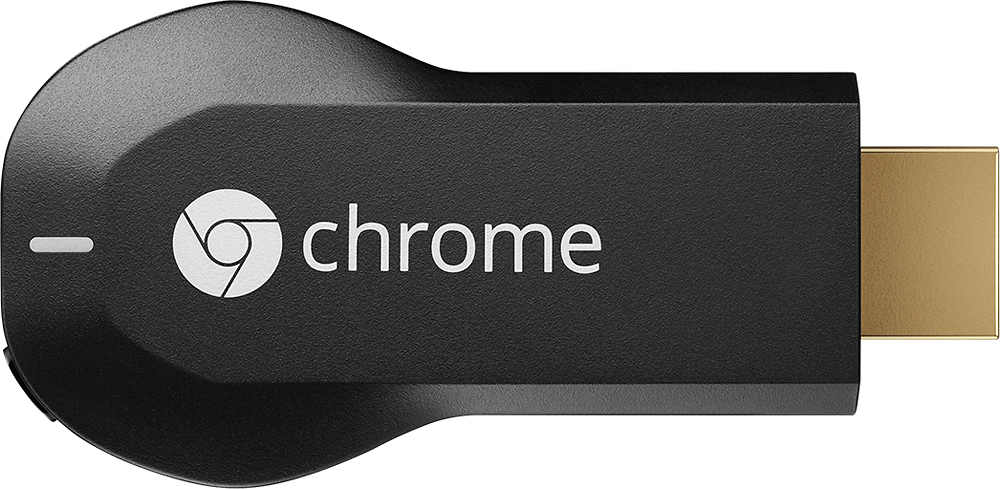
- Model:
- H2G2-42
- |
- SKU:
- 9071056
Customer reviews
Rating 4.4 out of 5 stars with 18769 reviews
(18,769 customer reviews)Rating by feature
- Value4.7
Rating 4.7 out of 5 stars
- Quality4.8
Rating 4.8 out of 5 stars
- Ease of Use4.6
Rating 4.6 out of 5 stars
Customers are saying
Customers consistently note the Chromecast's ease of use, excellent streaming capabilities, and reasonable price as significant advantages. Many also appreciate its simple setup and compact size. However, some users mention challenges with compatibility and connectivity issues. A few also point out limitations in app support and occasional lag.
This summary was generated by AI based on customer reviews.
- Pros mentioned:Hdmi, Price
Rated 4 out of 5 stars
Affordable, but . .
||Posted .This reviewer received promo considerations or sweepstakes entry for writing a review.Very nice product, and so affordable for watching Netflix, Hulu, etc compared to gaming consoles which we have been using for years, and no longer really game especially since there are new consoles that $$$ a lot of money to keep up with. This is an excellent selection for streaming if your not a gamer its thin sleek and virtually takes up no room but one of your HDMI ports most tv's have 2-4. It also gold tipped, the only reason why I returned this item is that I wanted it to mirror my phone (IPhone 5s) I understand that this devise can mirror but only on a few select models which don't include (Apple).
I would recommend this to a friend - Pros mentioned:Ease of use, Price
Rated 5 out of 5 stars
Great item for a non Smart TV
||Posted .This reviewer received promo considerations or sweepstakes entry for writing a review.Like the price, easy setup, and size of this item(own 3 of them now). Delivers great HD picture and works with many mobile apps like Tune In Radio, Rhapsody, YouTube and many more.
I would recommend this to a friend - Pros mentioned:Ease of use, Hdmi, Streaming
Rated 4 out of 5 stars
Simply Elegant Streaming solution
||Posted .This reviewer received promo considerations or sweepstakes entry for writing a review.The chromecast is one of the neatest little devices. An absolute must for traveling, its like a USB flash drive, with an HDMI end instead of a USB end. The device works with and display that has HDMI input, and it works well on our android and apple devices. We have taken it with us while traveling to stream netflix in the hotel, and we have it in our bedroom to replace a blueray drive or streaming box and free up space (and cables!) It doesn't stream amazon videos though, which truly is the only limitation that we have seen.
I would recommend this to a friend - Pros mentioned:Hdmi, Price, Streaming
Rated 5 out of 5 stars
Works great at what it does
||Posted .This reviewer received promo considerations or sweepstakes entry for writing a review.I really think Google hit the mark with this product. The price and features are great. You plug it into your TV (needs an HDMI slot), get it on your home wifi network, and then you can stream from pretty much any webpage - either from your phone or another computer. Netflix, Youtube and others already have the ability to seamlessly stream to it, but I've also watched non-Chrome-ready websites and it works just fine - it just looks like the entire website on your TV screen rather than just the video (which is what you'll get from the 'Chrome-ready' websites.
I would recommend this to a friend - Pros mentioned:Ease of use, Price, Streaming
Rated 5 out of 5 stars
Just Buy It! (I Bought Two)
||Posted .This reviewer received promo considerations or sweepstakes entry for writing a review.These little things are incredible - no other technology does as good a job turning your old, dumb HDMI capable television into a streaming multimedia powerhouse for $35. Love controlling all of my Netflix and HBO Go programming from my tablet or smartphone, and I also am able to stream downloaded or streaming content right from the Chrome browser on my Mac or PC with the Cast and VideoStream extensions! I can't think of another instance where the price of a good meal will substantively improve your quality of life - do it!
I would recommend this to a friend - Pros mentioned:Ease of use, Setup, Streaming
Rated 5 out of 5 stars
Great for the price!
||Posted .This reviewer received promo considerations or sweepstakes entry for writing a review.Ok I would like to start by saying that I loooooove it, this stream stick is amazing. I can play pandora on my tv. My main thumbs up for this product is that it was easy to set up. Also I can move it to any tv in my house without a hassle. If you love YouTube videos, this is great for you because you can watch it on your tv now. The only con I have is that Apple has not added the new "cast my screen" feature to their products yet. And I just switched to a I phone. But other than that I love it.
I would recommend this to a friend - Pros mentioned:Ease of use, Price
Rated 5 out of 5 stars
Easy Set Up. Easy Use. Just Buy It Already
||Posted .This reviewer received promo considerations or sweepstakes entry for writing a review.I can't say enough about this unit. Easy all the way around. No complaints. The unit is virtually undetectable from anywhere in the room. i can't find anything wrong with it. If you have subscriptions to Netflix, Amazon, Hulu, Vudu, etc., just get this. It's a on-time cost, and I've seen them as low as $25. But $30-$35 is the standard cost, and well worth it. I have an older LCD 'not' smart TV, and this thing does everything a SmartTV can. Should you buy it? Yes. Do it. Do it...
I would recommend this to a friend - Pros mentioned:Ease of use
Rated 4 out of 5 stars
Great Product with a few (personal) flaws
||Posted .This reviewer received promo considerations or sweepstakes entry for writing a review.I love this thing. I'm able to use alot of the apps already on my phone and view them on TV. Most of the apps I use already have built in chromecast support. I have the Chromecast connected to a HDMI switch in my living room. So, all I have to do is go to the app on the phone, press the chromecast icon in the corner, connect to my chromecast, and boom in a few seconds the app goes to my TV screen and I'm free to navigate the app on the phone or go out of it and do other things. Its small and light so it won't be a burden if you decide to move it to another room or take to someone else's house. The only flaw I found was more my thing. I have Time Warner Cable and although I can view it on all the devices I have at home there still isn't chromecast support. Don't know what the big deal is. Only thing I can think of is they don't want to lose even more money on the households that use multiple cable boxes. Although you can just as easily by a small laptop or small form factor PC, connect to a computer via HDMI and access the channels through there as long as you have a internet connection. I would say before you buy, look at the apps you use alot or would use while at home and then buy it if there are enough on your list. Although with a MAX price of $35 and different offers combined with it and/or the occasional sale, its not going to break the bank.
I would recommend this to a friend - Pros mentioned:Streaming
Rated 4 out of 5 stars
Works as expected
||Posted .This reviewer received promo considerations or sweepstakes entry for writing a review.Purchased the Chromecast in preparation for cutting the cord. We watch a lot of Netflix and I own a few Google Play movies so we thought this would be the best option due to the small size and cost. There was a little trial and error getting it set up as the HDMI port on the back of our TV doesn't work properly (confirmed it is the port by hooking the blu-ray player to it. See note below). Initial set up was super easy with my Nexus 5 phone and my LG G Pad. Works great for streaming from those devices. I've not played much with streaming from my husband's iPad mini or his iPhone. He let me know that it does work, but I've not played with it. Note: When we first set up our Chromecast we plugged into the HDMI on the back of the TV with the extender in the box and the power to a USB on the TV. Everything set up (connected to wi-fi) no problem. We started to stream a show from Netflix and had a horrible stutter. It would play a bit then buffer then play a bit then buffer. It was horrible. Tried a movie that I own in the Google Play store with the same problem. I moved the Chromecast to a different HDMI port without the extender and plugged the power to the wall. I re-synced my Google Play on my phone and have had no problems since.
I would recommend this to a friend - Pros mentioned:Ease of use, Price
Rated 5 out of 5 stars
The absolute best streaming device, period.
||Posted .This reviewer received promo considerations or sweepstakes entry for writing a review.When forming an opinion of a gadget or smart device, I try to evaluate the cost, quality, ecosystem and ease of use. The Chromecast is, by far, my favorite streaming device and arguably the best. I changed my standard 1080p LED HDTV into a Smart TV without buying a new TV alltogether. For video - Netflix, Hulu and HBO Go - I simply press play on the app and the show starts. This changes the app into an effective browsing tool by allowing me to search through shows and episodes without stopping the current episode being played. For music - I use Google Play Music and managed to get all of my friends signed up as well. Now, anytime I have company, any one of them can select a song and stream it through my TV's sound system. This has proven to be a highlight with groups of people. I'm also an e-comic book reader, and having Chromecast share my screen on my TV is a like a godsend. Using the Chromecast, I simply browse through comics page-by-page and view them on a screen that is much larger and easier to read than my smartphone. Overall, the Chromecast is fantastic. I'm sure there's a lot more polish on similar devices, like the Apple TV, Roku, etc. But with those, you can expect to pay nearly three times what you would pay here. I won't even try to comment on the collection of Chromecast-enabled apps that I haven't tried yet. It's cheap, it was easy to setup and it does everything I need without burning my wallet. Highly recommended.
I would recommend this to a friend - Pros mentioned:Price, Streaming
Rated 5 out of 5 stars
Mac user
||Posted .This reviewer received promo considerations or sweepstakes entry for writing a review.I have an iPhone, iPad Air and MacBook Pro so while shopping I intended to buy the Apple TV. The Chromecast was significantly cheaper and I knew it would not have all of the same features but should be sufficient for what I was currently in the market for, so I went with the Chromecast. Initially I would have given this 4 stars because it seemed to be limited to apps such as Netflix and YouTube and I wanted to play videos I had on my iTunes. When buying, I was under the impression that VLC player would function and play the video files I had stored on my laptop. The most up to date version of VLC will play but the quality is subpar. Recently, I found Google's work around for playing video files on your computer, Videostream. You must have the Chrome Web Browser then you can find in the Chrome Web Store of by going to: https://chrome.google.com/webstore/detail/cnciopoikihiagdjbjpnocolokfelagl Now that I can play any video file, I'm much happier with my decision of going with Chromecast and have added multiple Chromecast devices to my house.
I would recommend this to a friend - Pros mentioned:Ease of use, Price, StreamingCons mentioned:Compatibility
Rated 5 out of 5 stars
Super simple, does what it says!
||Posted .This reviewer received promo considerations or sweepstakes entry for writing a review.Easy to use. In about 4 minutes I was up and running. The streaming is great. It does not stream from your device, but rather uses it as a controller. Which is great. You can run netflix while on the phone, and no slow down on your device. We learned it does not work with amazon tablets, or windows phones. It does work fine with windows, android, and apple products. You can even stream browser (beta). There is a little lag, as this is the only app that does stream through your device. If you own movies, and want to play them through your device, make sure to download realplayer cloud. You can upload movies, and stream through the chrome cast. They have added a few new apps since I purchased, and they claim to be adding more and more. It's cheaper than any streaming device (ps3/4, xbox one/ apple tv) and runs about the same as an hdmi to mini hdmi cable.
I would recommend this to a friend - Pros mentioned:Ease of useCons mentioned:App compatibility
Rated 4 out of 5 stars
Simple and Easy to use, but lacks polish
||Posted .This reviewer received promo considerations or sweepstakes entry for writing a review.The chromecast is very easy to use and setup. Just plug it in and download the app/browser add-in and that's pretty much it. Overall quality is pretty good, but it does lack several features and extra polish. It's mostly small stuff, but they're worth mentioning. 1. Can't change video quality when streaming YouTube videos from Android devices. It just picks a quality and doesn't care for your input. 2. Desktop screen mirroring is mediocre at best. Quality is ok, but there is very noticeable lag, so don't plan on using it for streaming PC games to your big screen with it. It also only work if Chrome is open and the mirroring settings are buried. It's still an "experimental" feature, but there doesn't seem to be any progress made on it all. 3. Limited app support 4. Apple devices can't stream to it AFAIK. In the end, it's not a terrible device, but for the more advanced users, it lacks polish on the more advanced features. I would just expect a bit more from a company as big as Google, but then again, Google has a tendency to ignore the little stuff like this.
I would recommend this to a friend - Pros mentioned:Ease of use, PriceCons mentioned:Compatibility
Rated 3 out of 5 stars
Easy Way to Stream But There Are Better Options
||Posted .This reviewer received promo considerations or sweepstakes entry for writing a review.Google Chromecast is an affordable and easy way to stream content to your television whether you are an Apple or Android user. I am an Apple iOS user and found it easy to use Chromecast with my iPhone and iPad to stream the main apps I use (e.g., Netflix, Hulu+, Pandora, Google Play Music, Google Movies). However, many other devices allow you to do this as well and better. Apple TV, although more expensive, gives you a great deal more options. I thought I would be able to use Chromecast to cast my Chrome iOS app but unfortunately it does not work except for on some websites. Apple TV and Mirroring works so much better. I would recommend Chromecast more to heavy Android users or iOS users who use Google apps/accounts who are looking for a cheap way to stream to another (secondary) TV in their residence.
I would recommend this to a friend - Pros mentioned:Setup, StreamingCons mentioned:Lag
Rated 4 out of 5 stars
Very good little gizmo
||Posted .This reviewer received promo considerations or sweepstakes entry for writing a review.Out of the box and working withing 5 minutes, set up is very easy even for a novice. Streams Netflix, Youtube, etc from my laptop to TV...no more wires :) I experienced a little lag but that may be more to do with my ISP than the chromecast. At $35, it's a good little investment.
I would recommend this to a friend - Pros mentioned:Setup, Streaming
Rated 5 out of 5 stars
So easy to use
||Posted .This reviewer received promo considerations or sweepstakes entry for writing a review.I had doubts about how good such a low cost streaming device really could be. This thing is fantastic. It was really easy to set up and use. Within about 10 minutes, I was streaming from my smartphone and have used my desktop several times already to watch on demand movies and shows from Amazon. I could not be happier with this thing.
I would recommend this to a friend - Pros mentioned:Setup, Streaming
Rated 5 out of 5 stars
love the product
||Posted .This reviewer received promo considerations or sweepstakes entry for writing a review.I actually ordered a Chromecast the day it was announced from Google. However the next day, I was told that they were available for purchase at bestbuy. I was anxious to try it out so I went and bought another one and gave it a try. Setup was easy and within 5 minutes, I was watching a youtube video on my 65" TV. The quality was VERY good. I tried a 1080p video first "Big Buck Bunny" and it looked, played and sounded wonderful. Next, was playing music from my Google Play music app. Same result, the music sounded great. I moved on to my Macbook Pro, and again, the videos was clear, without lag, no audio sync problems at all. Same for my Windows PC. Those considering buying the Chromecast should consider what the Chromecast actually is and does, instead of what they wish it could do. So here are some facts: 1. The Chromecast is not a streaming device of local digital content. In other words, it does NOT play digital music and videos that is stored locally on your network drives or computers. However there is a work-around for this: Use PLEX Media Server. If you don't already have it, here's the link:
I would recommend this to a friend - Pros mentioned:Ease of use
Rated 4 out of 5 stars
Great product.
||Posted .This reviewer received promo considerations or sweepstakes entry for writing a review.Works great. Would choose a Roku over this, but its small, simple to use and performs well. The best part of this, its easy to take on trips so I can stream any of my stuff to it at a hotel and it doesn't take up much space and there's not remote to need to bring with it.
I would recommend this to a friend - Pros mentioned:Ease of use, Price
Rated 5 out of 5 stars
Great! Why did I wait so long to get it
||Posted .This reviewer received promo considerations or sweepstakes entry for writing a review.Been contemplating getting chromecast for awhile until recently. It's been a revelation not been disappointed at all with it. The kids love it too. We share funny stuff on YouTube on big screen. The picture quality is amazing. The price is affordable. Easy to set up and use too, would recommend this device to anyone.
I would recommend this to a friend - Pros mentioned:Setup
Rated 5 out of 5 stars
does almost everything I wanted.
||Posted .This reviewer received promo considerations or sweepstakes entry for writing a review.Basic setup. As long as you have a good Internet connection, runs pretty flawlessly. Issue that I have isn't with the chomecast itself (I don't think) but has to deal with the 3rd party apps. I used chomecast for a few things: Netflix, HBOgo, YouTube, and Pandora. None of which seem to broadcast to anything other than stereo sound. My receiver does decode dd and dd+, but have never figured out how to get 5.1 or more out of the chromecast. This only is relevant to my movie room. My other rooms are just simple TV set ups with sound from tv. I own two chromecast devices and I'll probably own one or two more to have one on each my televisions in and around the home. Something I hope to see in the future is the ability to broadcast the same things on multiple chromecast devices simultaneously. If I have a party at my house I have people in 3 or 4 different locations at once. (basement, living room, and garage) Blasting the same Pandora music throughout the entire house could be very nice. However, I don't think chromecast devices are made to communicate with each other and work that way.
I would recommend this to a friend