Customer Ratings & Reviews
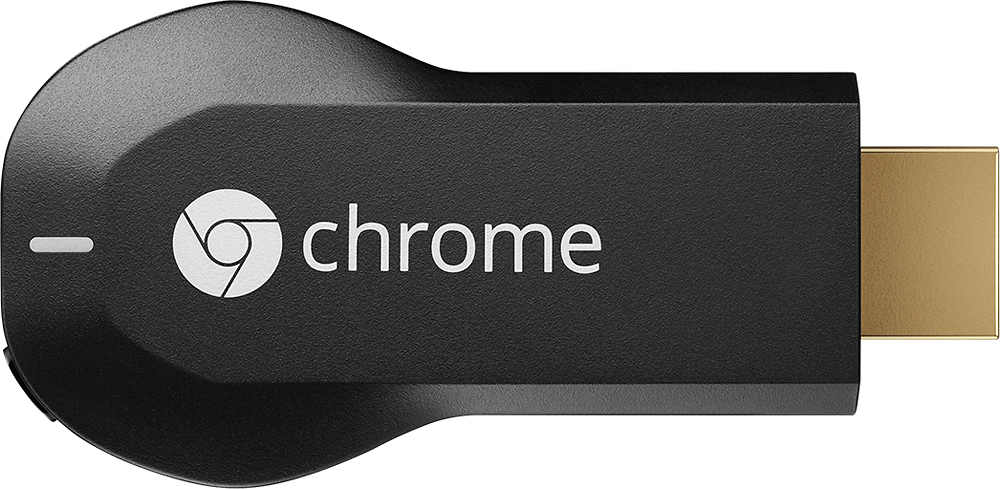
- Model:
- H2G2-42
- |
- SKU:
- 9071056
Customer reviews
Rating 4.4 out of 5 stars with 18769 reviews
(18,769 customer reviews)Rating by feature
- Value4.7
Rating 4.7 out of 5 stars
- Quality4.8
Rating 4.8 out of 5 stars
- Ease of Use4.6
Rating 4.6 out of 5 stars
Customers are saying
Customers consistently note the Chromecast's ease of use, excellent streaming capabilities, and reasonable price as significant advantages. Many also appreciate its simple setup and compact size. However, some users mention challenges with compatibility and connectivity issues. A few also point out limitations in app support and occasional lag.
This summary was generated by AI based on customer reviews.
- Pros mentioned:Ease of use, Setup, Streaming
Rated 5 out of 5 stars
Turns a Dumb TV into a Smart TV
||Posted .This reviewer received promo considerations or sweepstakes entry for writing a review.This is so easy to use. I love not having to use my Bluray player to stream netflix. I love the fact I can stream so many thing from my phone without having to have my phone's screen on. This works better than the built in items on my smart tv. Easy to setup. You can control your content from any room.
I would recommend this to a friend - Pros mentioned:Ease of use, Price
Rated 5 out of 5 stars
Best streaming media player.
||Posted .This reviewer received promo considerations or sweepstakes entry for writing a review.I owned a Sony BDP with apps and one time they have the youtube app not working anymore for 2012 and older. I was so upset that I have to look for something to play youtube on my TV and I began my research. I found this chromecast and read a lot of good reviews so I tried it myself. If I only knew when it went out in the market, I would have putchased this right away since this is very convenient, easy to install and use, gives you a lot of choices for controls like my iphone and ipad. You can actually use other smart phones as control. Once you use your phone as controls, you can still use your phone for other apps without any problem and other people in the house can also use their own phone as a remote simultaneously. Very smart invention. When we went on vacation, I brought it with me and use it in my hotels HDTV and I was enjoying every single bit of it. I will highly recommend this product and for the price it's relatively inexpensive compared to apple TV but this is way better than apple TV.
I would recommend this to a friend - Pros mentioned:Hdmi, Streaming
Rated 5 out of 5 stars
Great for turning tvs into a streaming hub.
||Posted .This reviewer received promo considerations or sweepstakes entry for writing a review.We recently bought an LG 65" tv on sale, we wanted to also use it for streaming but unfortunately the TV doesnt have the capabilites of streaming video by itself and the other "smart" tvs were far out of our price range, we chose the chromecast to stream neftilx and hulu over our ps4 and ps3 because we didnt want to have multiple appliances on at the same time for just streaming video. It comes in two forms one is USB and the other is HDMI input we chose the latter, (it requires a power source so it comes with a USB so it takes 1 hdmi slot and 1 USB slot from your tv or you can connect it to an outlet to power up the device.) The setup is simple and fast once you connect your chromecast to your wifi any smart phone,tablet, itouch, computer connected to the same wifi can easliy pause,play, or change the video source from; netflix, hulu, youtube, hbo go and other apps. For 34.99 it is a very cool add on to your tv watching experience and would recommend it if you want an alternative to buying a "smart" tv.
I would recommend this to a friend - Pros mentioned:Ease of use, Price, Streaming
Rated 5 out of 5 stars
Great Device
||Posted .This reviewer received promo considerations or sweepstakes entry for writing a review.Chromecast allows me to finally stream HBO GO (Xfinity) to my TV, which the Roku doesn't support. Very versatile, since you can use your phone, tablet etc. Price makes it great and the plug and play allows me to bring it on vacations!
I would recommend this to a friend - Pros mentioned:Price
Rated 5 out of 5 stars
Great value with the price paid
||Posted .This reviewer received promo considerations or sweepstakes entry for writing a review.I am amazed that such a small device can be so powerful! It totally exceeded my original expectation. The price is low, but quality is really good. I already recommended this device to a lot of my friends. Only pity is it doesn't mirror Apple devices. But understandable, they are rivals.
I would recommend this to a friend - Pros mentioned:Ease of use, Price
Rated 5 out of 5 stars
Streaming is hassle free
||Posted .This reviewer received promo considerations or sweepstakes entry for writing a review.I was first hesitant to buy this product but once I hooked it up, it was magic! The chromecast comes in a small box and it has the chromecast (HDMI port)and a USB to charge the device. So first, make sure your TV has an HDMI port and USB port- you will need it in order to function. Once it's hooked on, it will manually set up-follow the instructions given --you will need Wi-Fi. Then, there's an app that you will download, which allows you to stream. I can watch movies from my phone, Netflix, YouTube, music, ect... to TV -and the list goes on... it's really inexpensive and very practical. For a little over 30 bucks, you get endless possibilities to watch whatever on the big screen! Innovation at its best. And the best part of it, no subscription needed!
I would recommend this to a friend - Pros mentioned:Ease of use, Price, StreamingCons mentioned:App compatibility
Rated 4 out of 5 stars
Great way 2 use TV 2 watch non-traditional program
||Posted .This reviewer received promo considerations or sweepstakes entry for writing a review.By now you know how easy to use the Chromecast is. For $35 you cannot beat the price. Plug it in to your TV, download the driver/app and you are ready to go. If your internet connection is strong like mine, the streaming is seamless. A simple touch of an icon using my iphone app instantly streams You Tube content to my TV. Only downside is the limited number of apps. I don't subscribe to Hulu or Netflix, so these great features are of no use to me. I would LOVE it if some sports leagues developed a chromecast app -ie MLB.com or NFL Ticket.
I would recommend this to a friend - Pros mentioned:Price, Streaming
Rated 5 out of 5 stars
Affordable way of streaming to your tv
||Posted .This reviewer received promo considerations or sweepstakes entry for writing a review.I am so glad I purchased the chrome cast. It is small and I don't even see it. It works great!! I use it from my phone and my laptop. It works excellent with my Android smart phone to watch movies, netflix, youtube, etc. I love it and best of all it's affordable!!
I would recommend this to a friend - Pros mentioned:Ease of use
Rated 5 out of 5 stars
Value Far Exceeds Price
||Posted .This reviewer received promo considerations or sweepstakes entry for writing a review.Was hesitant at first because I felt like it wasn't anything I really needed. Now I use it all the time. The ability to use my phone (or computer with Chrome and Chromecast extension) to browse Netflix or HBOGo and choose which program to watch makes life so much easier. Showing pictures from vacation but do not have cables or sd card slot on the tv? No problem! Queue up Google Photos and cycle through the photos and display them on the screen. Really, great value for the price. I have the Chromecast plugged into the back of my receiver, both hdmi and a usb port. Never see the stick and rarely have problems. I do see some lag once and awhile, which is fixed by rebooting the thing every couple of months.
I would recommend this to a friend - Pros mentioned:PriceCons mentioned:Compatibility
Rated 5 out of 5 stars
Great for streaming!
||Posted .This reviewer received promo considerations or sweepstakes entry for writing a review.I use my chromecast all the time, best investment for $30 on sale. It works with my wife's iPad and iPhone but sometimes has some connections issues with them, naturally. I have had no issues when I connect with my S3 besides the fact that my phone is getting old and slow which causes re-syncing to be a little slow. Only complaint is having to use my phone to control any streaming which is a little frustrating when trying to quickly pause or rewind. Thought it would be great if they sold a little controller with it to quickly pause or rewind and then the nexus player came out. I picked up the nexus player but it is very clunky and doesn't have many streaming services on it yet. If I want to watch HBOGo or StarzAnytime I have to use my phone to cast it to it. Save your money and just get this chromecast! Not having a controller isn't such a big deal anymore after using the nexus player.
I would recommend this to a friend - Pros mentioned:Ease of use, Hdmi, Streaming
Rated 5 out of 5 stars
This is Awesome
||Posted .This reviewer received promo considerations or sweepstakes entry for writing a review.Chromecast HDMI Streaming Media Player is just a remarkable fine. I plugged it into my TV and now I can look at my Netflix movies on the big screen. It also works with Youtube. I can listen and see music from my Youtube playlists. This is an amazing fine.
I would recommend this to a friend - Pros mentioned:Ease of use, Streaming
Rated 5 out of 5 stars
Excellent and inexpensive
||Posted .This reviewer received promo considerations or sweepstakes entry for writing a review.I've been thinking about getting one of these for ages; just before Christmas the deal was so good I couldn't resist anymore. Plugging it in and connecting it to our wireless network was very simple (download the Chromecast app and follow the on-screen instructions); it would have been very quick too, except that the device needed a firmware update - but the setup program handled that automatically, and the whole process took less than 20 minutes. Since plugging it in, we've watched Netflix, Hulu Plus, YouTube, and an UltraViolet stream via Google Play, and streamed music and photos from our computers and phones. In addition, the default mode for Chromecast (when it's turned on, but you're not Casting anything) is a slideshow of spectacular photographs. We've joked that the slideshow would have been worth the purchase price by itself; it definitely brightens the room.
I would recommend this to a friend - Pros mentioned:Price, Setup
Rated 5 out of 5 stars
Great value for adding internet to any TV
||Posted .This reviewer received promo considerations or sweepstakes entry for writing a review.This is a really neat device but there are a couple of things buyers should note. First of all, the Chromecast is powered by USB so you may need to use the provided adapter and a wall outlet if your TV's USB doesn't power it. It's also worth mentioning that this doesn't work with enterprise Wi-Fi networks such as those found in many offices, schools and hotels. If you can get past those points, set up is fairly straightforward. It doesn't let me down and it's worth a lot more than they charge for it. Also, a major plus is that Google is constantly updating this thing with new providers and there is an offers section which occasionally has free Google Play credit or other trials.
I would recommend this to a friend - Pros mentioned:Ease of use, Setup
Rated 5 out of 5 stars
Great product
||Posted .This reviewer received promo considerations or sweepstakes entry for writing a review.I bought this on sale at Christmas. It is so easy to use. I downloaded the Chromecast app to my IPad and IPhone. There is minimal setup and I can easily move it to the TV in my bedroom. I have a "smart " DVD player but the chromecast works much better.
I would recommend this to a friend - Pros mentioned:Price, StreamingCons mentioned:App compatibility
Rated 5 out of 5 stars
a great basic streaming device
||Posted .This reviewer received promo considerations or sweepstakes entry for writing a review.A great basic streaming device for apps that support it. You need to use a smartphone or tablet to use as a remote control. Not as robust or app supported as a roku or apple tv. If more apps support it, it will become a great inexpensive streaming device
I would recommend this to a friend - Pros mentioned:Ease of useCons mentioned:Compatibility, Lag
Rated 4 out of 5 stars
Nice when you want it.
||Posted .This reviewer received promo considerations or sweepstakes entry for writing a review.We have a Roku 3 and love it to death. So fast, easy, and lots to offer. Watch Netflix and Hulu Plus programming constantly. What Roku doesn't do well (if at all) is allow you to browse the internet or watch a lot of the current top shows over it unless you want to pay thru the nose to buy episodes from Amazon, VUDU, etc. Since so many of those episodes are available online, being able to cast them thru Chromecast is a great solution. I'll be glad when you can cast from the Chrome browser on mobile devices, because juggling a PC on my lap when we're watching stuff is really kind of a pain. This is actually the second ChromeCast we've purchased. We bought one about a year ago, and our old PC just wouldn't play nice with it. Was really disappointing. Got another one when we replaced the PC, and now it works pretty well. Browsing is a little weird, because there's a pretty good lag. So when you're scrolling down a page, you really need to be watching the PC, and not your TV screen, other wise you'll go past where you want to be, because it's taking so long to catch up on the TV screen. I know, first world problems. Whining about a lag when viewing your browser wirelessly on your TV was only a pipe dream for so many years. :) It's pretty cool. Really looking forward to the inevitable improvements and additional content. Haven't tried Netflix through it, since that already works so well over the Roku.
I would recommend this to a friend - Pros mentioned:Ease of use, Price, Streaming
Rated 5 out of 5 stars
Best Bang for the Buck
||Posted .This reviewer received promo considerations or sweepstakes entry for writing a review.Powerful, Easy to use, Inexpensive, Must have! Highly recommend for everyone to have at least one of these in their house. Love to watch Youtube videos and listen to music on Youtube and stream through my TV/Home Theater in my living room. Love it!
I would recommend this to a friend - Pros mentioned:Streaming
Rated 4 out of 5 stars
Easy to use, great for any TV that has HDMI.
||Posted .This reviewer received promo considerations or sweepstakes entry for writing a review.Great for watching all your streaming services, Netflix, YouTube, Hulu, and also videos on web pages on your phone or tablet, you can simply cast those to Chromecast and watch on your TV with ease (using Chrome browser on Device). Things like HBO go and many other apps, can now cast and be watched via Chromecast. Great value for money, you can have them spread out throughout the house, simply label them via Chromecast app on Phone or tablet, Living Room, Bedroom, or whatever you feel like. You can also cast Chrome Web browser via computer or laptop with the casting plugin for Chrome. It's not always a smooth experience, but it works good enough. Android users, you can also watch Movies, or pictures you have downloaded to device using additional apps such as Avia (the best IMO) and Allconnect. Simply use Avia or Allconnect to browse for you movies or pics, and then hit cast icon to play on Chromecast. Please note, Avia requires $4.99 fee to unlock full casting abilities, which is well worth the money. Another way of doing it, would be using ES file explorer and search for your movie, and then after tapping on movie and asked to "open with" simply choose Avia or Allconnect, or any other respective app, and then hit the cast option. For those who use Showbox with Android devices, yes you can cast to Chromecast with a few little steps. With the latest updates to Showbox, its become more of a pain, but it works most of the time with Chromecast. Firstly, you need to get rid of MX Player if you have that installed, then search the web and install Growbox. This will help enable the "open with" function on Showbox. Then simply tap on your movie or tv show, watch now, and then when prompted to, open with Avia. Allconnect works also but has issues at times, if movie or show isn't downloaded to device already. Avia will straight stream to Chromecast the majority of the time without the need to download to device first. My only complaint, why I don't give 5 stars, is, once in a blue moon, the Chromecast won't cast properly and say file not recognized or may not even show up to cast. This usually happens after it as updated by itself. To fix this, you just simply have to open up the Chromecast app, that you initially used to setup it up, and within the menu, choose reboot Chromecast. This usually fixes any problems you may run into, which isn't often at all. Unplugging device, for a period of time will do the same trick.
I would recommend this to a friend - Pros mentioned:Ease of use, HdmiCons mentioned:Compatibility
Rated 4 out of 5 stars
very nice.
||Posted .This reviewer received promo considerations or sweepstakes entry for writing a review.Easy to set up. Glad it comes with the hdmi. Would recommend to others, sometimes ends itself but could be the compatibility with my tablet works great with my phone. But very satisfied with product.
I would recommend this to a friend - Pros mentioned:Price
Rated 4 out of 5 stars
Really Good for the Price
||Posted .This reviewer received promo considerations or sweepstakes entry for writing a review.The thing to remember is what the Chromecast won't do. It's not going to stream the videos from your media server. It's not going to open up a whole new world of entertainment so you can now cancel your cable. What it does is use your phone, computer or tablet to get media on your TV. That being said, it does that great. Never had an issue with picture quality or a significant delay in starting video. Pictures came over as true to their initial quality. The poor quality still were so it doesn't fix anything. Pandora sounded like pandora. I got it as part of a bundle at 39.99 which included a $20 Google Play credit. So at a net of $20, it has one of the best price/performance ratios I've ever experienced.
I would recommend this to a friend