Customer Ratings & Reviews
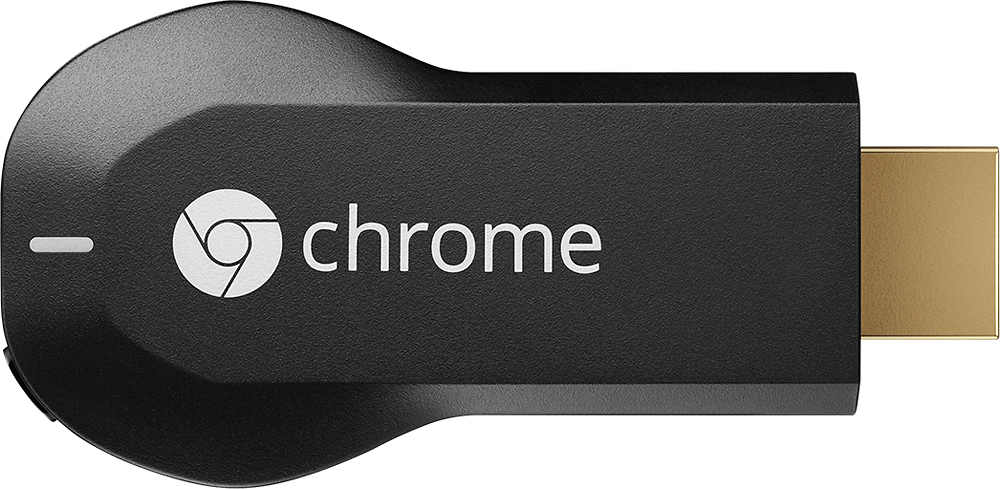
- Model:
- H2G2-42
- |
- SKU:
- 9071056
Customer reviews
Rating 4.4 out of 5 stars with 18769 reviews
(18,769 customer reviews)Rating by feature
- Value4.7
Rating 4.7 out of 5 stars
- Quality4.8
Rating 4.8 out of 5 stars
- Ease of Use4.6
Rating 4.6 out of 5 stars
Customers are saying
Customers consistently note the Chromecast's ease of use, excellent streaming capabilities, and reasonable price as significant advantages. Many also appreciate its simple setup and compact size. However, some users mention challenges with compatibility and connectivity issues. A few also point out limitations in app support and occasional lag.
This summary was generated by AI based on customer reviews.
- Pros mentioned:Ease of use, Streaming
Rated 5 out of 5 stars
So simple and amazing
||Posted .This reviewer received promo considerations or sweepstakes entry for writing a review.I bought this for my Daughter for Christmas so she could use in college. This device is fantastic and very easy to setup.. She can watch all of her favorite movies and music.. Awesome device!!
I would recommend this to a friend - Pros mentioned:Price, Streaming
Rated 4 out of 5 stars
Great Performance - Cost Effective Steaming
||Posted .This reviewer received promo considerations or sweepstakes entry for writing a review.Purchased and set up 2 of these as part of Christmas gifts for our children. While I did have a slight glitch with setting up the second one, I can't blame Google Chromecast as I deleted and re-installed the set up and all worked fine. Ours perform reliably and they work great with NetFlex and HuLu Plus and provide 5.1 sound at a very reasonable price. Only 4 stars because it doesn't support Amazon Prime :-( Otherwise - Google Chromecast gets a strong 5 star rating becasue it provides great video quality and offers 5.1 sound at a very reasonable price! Highly recommended!
I would recommend this to a friend - Pros mentioned:Price, Streaming
Rated 4 out of 5 stars
Works well
||Posted .This reviewer received promo considerations or sweepstakes entry for writing a review.The Cromecast streaming player works well. The insturctions for setting it up are not the best, but with a little trial and error it can be set up and running in no time. I use this mostly to stream home video's which I store on youtube and works great. I have streamed a couple movies off line and it did a good job streaming those as well. This also allows me to stream music from Pandora to our stereo in the living room for better sound. It doesn't let you stream I-heart radio, which I prefer over Pandora. All in all, the Cromecast is well worth the $35.00 it cost me.
I would recommend this to a friend - Pros mentioned:Ease of use, Hdmi, Price
Rated 4 out of 5 stars
Easy to Use and Much Cheaper Than a Smart TV
||Posted .This reviewer received promo considerations or sweepstakes entry for writing a review.I purchased a so-called smart Blu-Ray player a while ago but it was not user very-friendly at all. The Chromecast is a much better device for anyone wishing to stream content wirelessly from their computer, tablet, or phone. The device is very simple to install. After you install it by connecting it to a HDMI port on your TV, you connect it to your devices. You can press the "Cast" icon in Google Chrome from a connected device and it will cast that browser from your pc, tablet, or phone to your TV. Supported apps are increasing almost daily. Redbox Instant, Hulu, and of course the Google-owned YouTube all have the cast icons. Just click it and select the tv to watch. The only thing it has not worked well with is Amazon prime. Although you can watch a movie via the browser, it shows it as if it were just the web page on the TV. I also have a soundbar and need to figure out how to get the sound to come through that. Overall, for $35, if you watch anything from the internet on a phone, pc, or tablet at home, Chromecast is worth the price.
I would recommend this to a friend - Pros mentioned:Price
Rated 5 out of 5 stars
Great way to watch tv without cable
||Posted .This reviewer received promo considerations or sweepstakes entry for writing a review.Great way to watch tv without having to pay the high cost of cable. Awesome for people who have netflix, hulu, google play (movies and music) account and other digital accounts. This is my third chromecast. Now they are on all my tvs. Works great with my apple devices! Good alternative to roku stick for the price. It's also great for hbogo and other cable networks if you do already have premium channels. Save on the amount of set top boxes you need in your house. The picture quality is great too! Full HD quality and fast.
I would recommend this to a friend - Pros mentioned:Ease of use, Price
Rated 5 out of 5 stars
ChromeCast is Limited but works Great!
||Posted .This reviewer received promo considerations or sweepstakes entry for writing a review.Chromecast is a bit confusing. It merely channels data from your phone, tablet or computer to your TV through a network. It says it needs an internet connection and a network to work but ultimately it only needs to a network to be able to operate and broadcast your computer information to a TV. It does great though. You can broadcast a movie to your TV from one browser window, minimize the window and continue working on your computer without interrupting the movie. Or give a presentation from your computer on a large screen TV. Excellent Product! I highly recommend! Got this on sale for $22.00 around Christmas. Well worth the cost even at $30.00.
I would recommend this to a friend - Pros mentioned:Price, Streaming
Rated 5 out of 5 stars
The More Apps You Have The Better
||Posted .This reviewer received promo considerations or sweepstakes entry for writing a review.Unlike Roku or a FireTV or AppleTV or even your typical smart TV, the Google Chromecast doesn't come with anything ON it. It's a receiver. Any Android device can effectively beam whatever it's playing directly to the Chromecast and display it in full HD with audio, while still leaving the device free to be used. Many TV networks, Hulu, Netflix, and more and more apps are developing their iOS versions to also include this functionality. Pull up the video, hit the Cast icon on the control overlay, and wait a couple seconds. As long as you're on the same WiFi network your content is now on your TV screen. It. Just. Works. And it's crazy cheap!
I would recommend this to a friend - Pros mentioned:Setup, Streaming
Rated 5 out of 5 stars
Must have modern toy
||Posted .This reviewer received promo considerations or sweepstakes entry for writing a review.I absolutely love my chromecast for streaming purposes. It allows me to turn my non-smart tv into a web-enabled device for streaming Netflix, HBO GO, Hulu, Youtube, and Plex. I even plug it into my smart tv as I find it faster to use than the built in web suite. It is very straightforward and simple to setup and use. I had my parents buy one to perform the same tasks as mentioned above, and they absolutely love it. They enjoy being able to plug it into whatever tv in the house and start streaming content.
I would recommend this to a friend - Pros mentioned:StreamingCons mentioned:Connectivity
Rated 4 out of 5 stars
Great device for the price!
||Posted .This reviewer received promo considerations or sweepstakes entry for writing a review.I had reviewed numerous devices for streaming movies, etc to my tv. After considering the pros and cons, I decided to give Chromecast a shot. If it failed, then I was only out about $35. The device works great if the movies, etc are streamed from Youtube, Netflix, etc with the included apps built in. However, I am a little disappointed with the Chrome browsing function from the laptop to the device. It has some lag and sometimes the connection between the two will fail. But, overall the device is worth the money and I' have enjoyed it thus far.
I would recommend this to a friend - Pros mentioned:SetupCons mentioned:Compatibility
Rated 4 out of 5 stars
Very Good but Could be Great!
||Posted .This reviewer received promo considerations or sweepstakes entry for writing a review.Very nifty device. Reasonably easy to set-up. Great for you-tube videos or casting whatever is on your Google Chrome screen on your computer to the TV. I was a little disappointed that I cannot use it with my older iPad (needs later IOS) and that I can only cast from Google Chrome, not whatever I happen to have up on my laptop (other programs, etc.). If they made it so that you could cast whatever is showing on your laptop or computer onto the TV, I would have given it 5 stars. As is, I would still recommend, just be aware of its limitations.
I would recommend this to a friend - Pros mentioned:Ease of use, Streaming
Rated 4 out of 5 stars
Best streaming player money can buy
||Posted .This reviewer received promo considerations or sweepstakes entry for writing a review.Being a fan of Google's new products I immediately became interested when they announced the new chromecast streaming player. Having owned android tablets, smartphones, and my newest addition, the samsung chromebook, it wasn't long before i went to my nearest best buy to get my hands on one of these. Being my first streaming player I noticed the many goods and a few bads of this player Pros 1. Cost 2. Easy to set up and use. 3.Size Cons 1. Not many supported apps(yet) 2. streaming from the chrome browser can be choppy sometimes 3. Forced to use handheld as a remote The fact that you can pretty much use your tv as a second screen for the chrome browser sold me. Though sometimes choppy it gets the job done. Youtube and Netflix streamed in great quality and the use of the handhelds are super responsive. This was simple to set up as well. In the end i believe if you don't want to spend $100 for the apple tv, or Roku, this is a great alternative. This nice little unit will do until i get my Xbox One.
I would recommend this to a friend - Pros mentioned:Ease of use, Price
Rated 5 out of 5 stars
Excellent streaming device
||Posted .This reviewer received promo considerations or sweepstakes entry for writing a review.Easy Setup, very user friendly software, great picture, love all the various apps available for streaming, easily transferred, reasonable priced, would definitely recommend.
I would recommend this to a friend - Pros mentioned:Price, Setup
Rated 4 out of 5 stars
good product~!
||Posted .This reviewer received promo considerations or sweepstakes entry for writing a review.Pros: 1. Relatively inexpensive ($35) compared to other options (Roku, Apple TV,...) 2. Easy to setup (takes only 5 min) 3. Can control using multiple devices (smartphone, PC, tablet) on multiple platforms (iOS, Android, Windows) 4. Can stream anything on the Chrome browser (duplicating what's on screen) 5. Doesn't consume battery on the smartphone (initiate streaming and move on to do other things or even put the phone in suspension mode 6.No additional service fee or subscription fee Cons: some of the files are not supported~!
I would recommend this to a friend - Pros mentioned:Ease of use, Hdmi
Rated 4 out of 5 stars
chromecast
||Posted .This reviewer received promo considerations or sweepstakes entry for writing a review.neat tool to cast apps from your andriod phone to the chromecast attached to your tv. I plug it in hdmi and usb ports and not the power adapter. works fine. does freeze sometimes but not enough for me to hate it. I like it a lot cause you control everything with your phone and not some remote you'll end up losing later. just wish Amazon instant video was available for it. it's really cool for 35 bucks. i do recommend it.
I would recommend this to a friend - Pros mentioned:Ease of useCons mentioned:Compatibility
Rated 4 out of 5 stars
Lots of Potential
||Posted .This reviewer received promo considerations or sweepstakes entry for writing a review.I bought this on the first day it was released. Between the Netflix deal and Reward Zone credits, it was an easy decision. My plan is to take the Chromecast with me when I travel. Based on my research, it seems like you would have to have an ethernet internet connection and a mini wi-fi network either through a portable router or Mac in order to use it in most hotels. I tried it at home with both an iPad and a Mac. Setup was very easy. My TV doesn't have an HDMI 1.4 port (which will power the Chromecast without the USB adapter) or a USB port, so finding a place to plug in the USB was the hardest part. Both my DirecTV box and my BD player have USB ports that will work, or you can use a power adapter. Currently, iPad usage is limited to YouTube and Netflix. However, with a computer and Chrome, you have a lot of flexibility. With either device, the picture and audio was very good. One thing I really like about using the Chromecast with the Chrome browser is that you can do other things on the computer while it is casting whatever is in the tab that you linked to the Chromecast. I've used it with HBOGo, MaxGo, and NFL Preseason Live all with good results. Currently, Chromecast with the iPad is limited. However, as more apps become compatible, it will be much more useful.
I would recommend this to a friend - Pros mentioned:Ease of useCons mentioned:App compatibility
Rated 5 out of 5 stars
Easy set up with no cables!
||Posted .This reviewer received promo considerations or sweepstakes entry for writing a review.It took only 15 minutes to start using this product - from the minute I took this product out of the box, plugged it into my TV, downloaded the software, and set up the communication on my tablet. Works exactly as advertised, no hidden details. Only one warning - make sure the app you want to use with this product is currently available. We purchased this product to use with DishAnywhere, and could not. The DishAnywhere app and website are not compatible with Chromecast at this time.
I would recommend this to a friend - Pros mentioned:Ease of use, Hdmi
Rated 5 out of 5 stars
Pretty Cool Product!
||Posted .This reviewer received promo considerations or sweepstakes entry for writing a review.I bought this item with hopes that I could simply connect to the WiFi at home and get right on Netflix...and I did, it's just that simple! Thank you Google and thank you Best Buy for this amazing product!! I have no complaints, I can even broadcast my phone on the screen and it shows everything I do, I love it! And it's so easy and convenient to use, I don't even have to rely on the tv remote for the volume, everything works completely from my Android Phone...all you do is turn the tv on and boom! You're good to go! All you need for this product to work is WiFi and a HDMI socket in your TV.
I would recommend this to a friend - Pros mentioned:Hdmi
Rated 5 out of 5 stars
Easy device to 'cast' phone/tablet videos to TV
||Posted .This reviewer received promo considerations or sweepstakes entry for writing a review.Chromecast works with my IPhone and mini-ipad....plug device into spare HDMI port on your TV. Download Chromecast app onto your smart phone/tablet. Set up "John's chromecast" (use your own name) under Settings, for WiFi; select that network, and switch TV source to the HDMI channel your Chromecast device is plugged in to. Then start video on phone or tablet, and select the icon for casting video to your tv...voila! Better yet, google a video that shows you how to set up Chromecast. I love the picture quality, and ability to see tiny videos on a big screen TV...all for the $35 cost of Chromecast.
I would recommend this to a friend - Pros mentioned:Ease of use, Hdmi
Rated 5 out of 5 stars
Easy way to share your phone screen & stream video
||Posted .This reviewer received promo considerations or sweepstakes entry for writing a review.I wasn't sure if this was going to be useful or not when I bought it, but I proceeded anyway since I'm a gadget lover. It is actually useful when sharing pictures or video with friends/family on a larger screen than your tiny phone. Not only that, but you can functionally turn your "dumb" TV into a "smartTV" by using the apps on your phone. Well worth the paltry $35 or so that you invest. Just make sure that you have a free HDMI and USB port on your TV (or extra power outlet near the TV if no USB port on the TV) to plug everything into. The unit will not work without power to it's USB port.
I would recommend this to a friend - Pros mentioned:Price
Rated 4 out of 5 stars
Great for the price!
||Posted .This reviewer received promo considerations or sweepstakes entry for writing a review.Google Chromecast has pros and cons, so you must make sure the device actually fits the media casting void that you wish to fill. Pro: It's cheap It's got all the popular streaming apps like Hulu, Netflix, Youtube, basic network apps like ABC, Watch ESPN, HBO, Disney, etc. This list has been getting quite a bit larger just this year. A year prior, I may have listed this a con, because they really only had Hulu, Netflix, Youtube, and Pandora, and that was it. Thank you Google for expanding your offerings! Cons: It has no user interface. To interact with your Chromecast, you need to start the show/stream on another device and cast it to the Chromecast, which then takes over. Once the stream has been cast to the chromecast, your mobile device is free to do other things, but it is required as a remote to get things started or stopped. To some, this may be a pro, but I list it as a con, because there can be connection issues that can cause you to have to restart your Chromecast, or close and restart the source app on your phone. I've also had issues where I start a stream, then do something else on my phone, and return to pause the stream, but my iPhone sometimes has trouble reconnecting to the stream. This may be an Apple/Google issue. The above mentioned issue would not happen on a Roku or Apple TV, however, you will pay a little more for a Roku, and way more for an Apple TV. In fact, you can get 3 Chromecasts to go around your house for the price of a single Apple TV. Another Con is that you can't start a DVD or Blu-ray on a laptop and cast it to your screen. The audio appears to be off, and it will skip. This is largely because full screen or tab casting is still in beta on Chromecast, so it really shouldn't be counted as a con, as it's not an advertised feature, but now you know! ;) I do love my Chromecasts, and the price can't be beat. Depending on your usage I would recommend this or a Roku stick. Apple TV is too expensive, and I have no experience with the Kindle Fire stick, so I can't give any advice on that one.
I would recommend this to a friend