Customer Ratings & Reviews
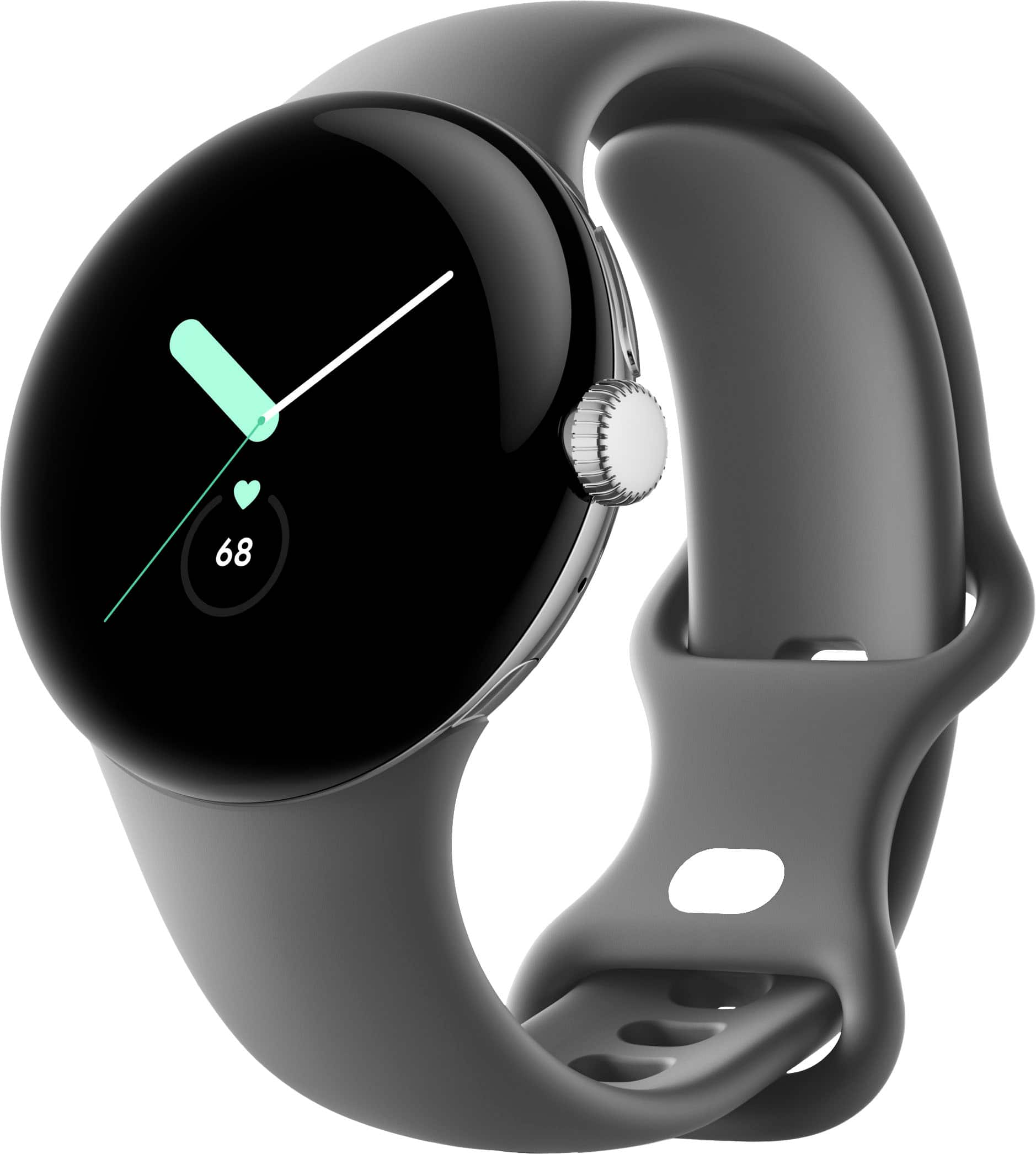
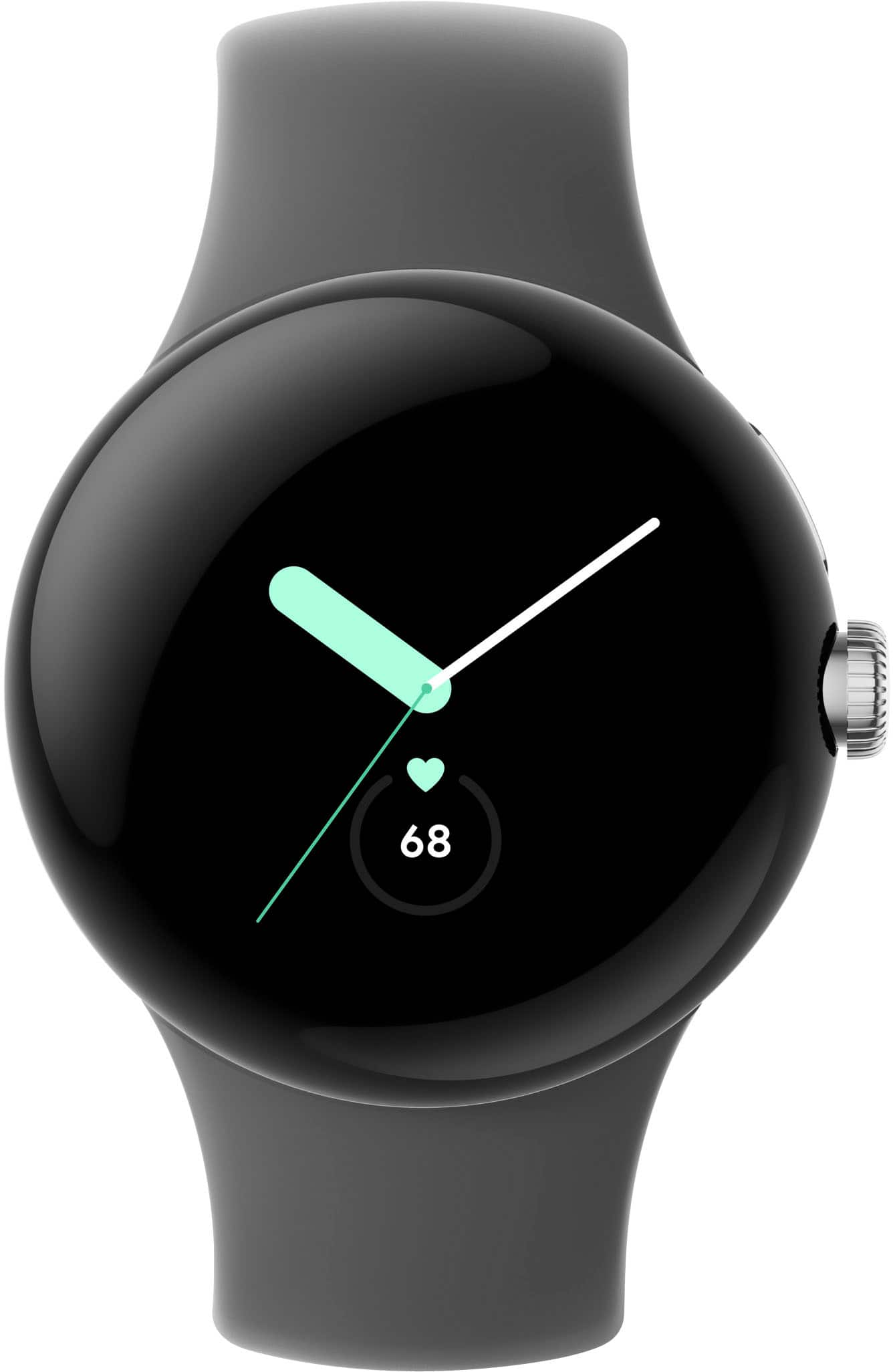
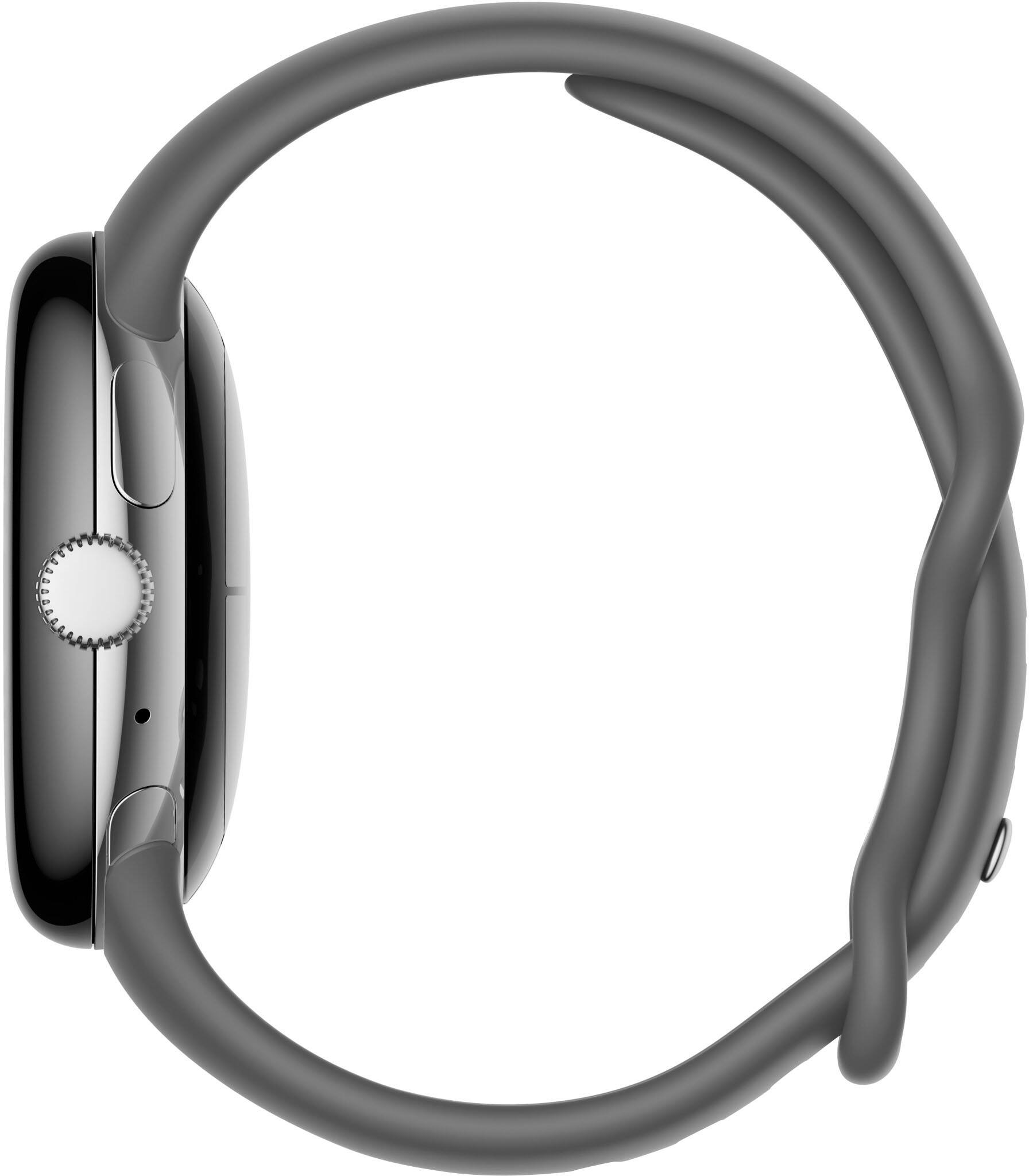
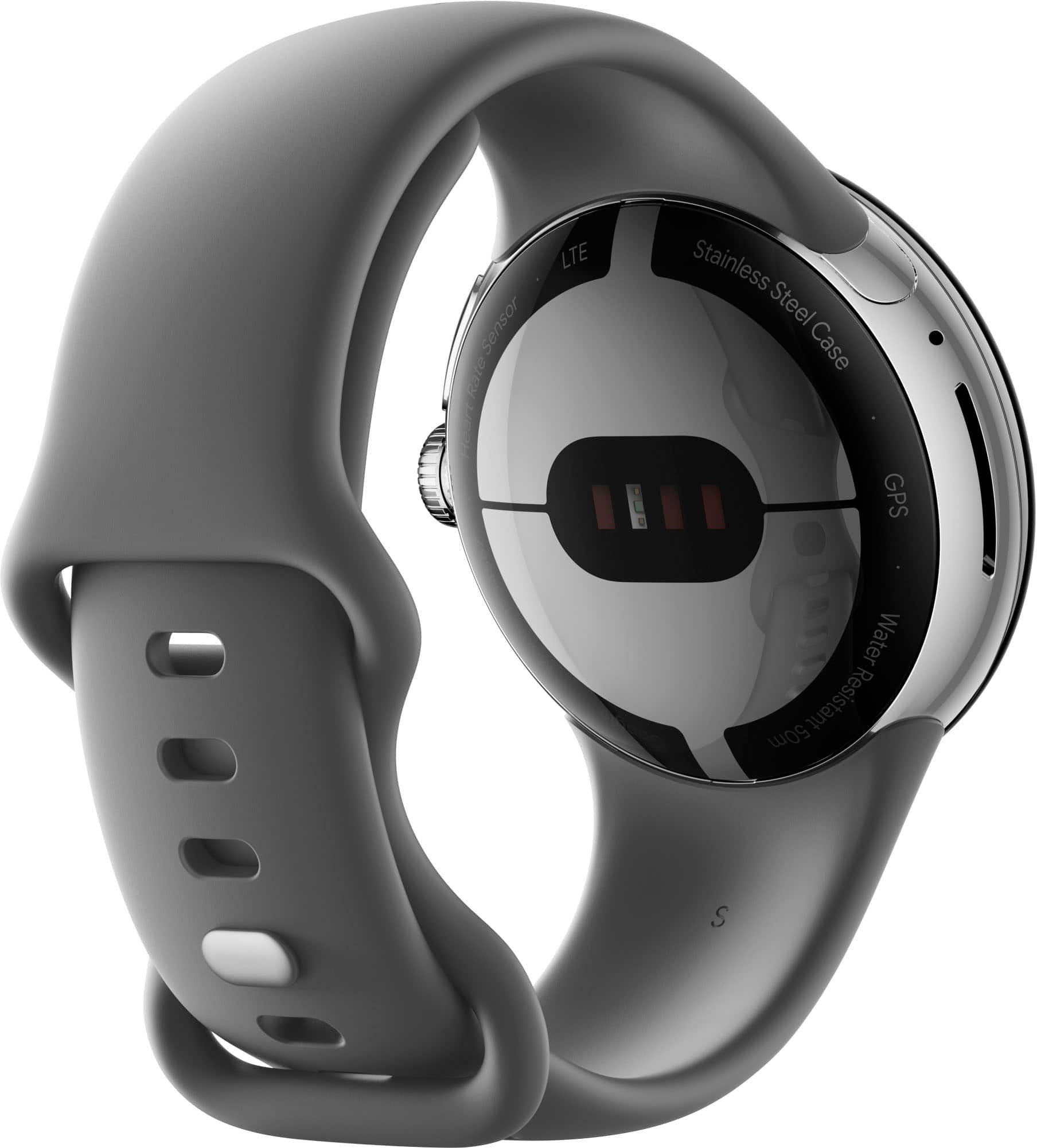




- Model:
- GA03304-US
- SKU:
- 6521695
Rating by feature
- Battery Life
Rating 3.5 out of 5 stars
- Durability
Rating 4.3 out of 5 stars
- Comfort
Rating 4.6 out of 5 stars
Customers are saying
Customers admire the Pixel Watch's sleek design, LTE connectivity, and accurate fitness tracking capabilities, including heart rate and sleep monitoring. However, many users express concerns regarding the watch's battery life and smaller screen size. Some also reported difficulties with Google Pay functionality.
This summary was generated by AI based on customer reviews.
- Cons mentioned:Battery life, Screen size

Small face, big power
|Posted .This reviewer received promo considerations or sweepstakes entry for writing a review.This watch has more features than it does diameters. TL;DR for my frequent readers and details below. Good: Display Clarity Touch screen functionality Samsung interoperability Ease of band changing Additional smaller band Meh: Proprietary magnetic charger Bad: Gets warm when charging Diameter / size USB-C with no wall Adapter Updates only when charging Unknown: Cellular use / activation So, to start - the watch came well packaged and included the proprietary wireless charger and an extra band; no wall adapter was included and all of my USB-C adapters are 35W+ which is overkill, so I had to reallocate one for this purpose (sorry Pixel Slate!). As always, I let the watch charge up before using it for the first time; why start with a low battery and then have to stop playing only to charge it when you could have done it in the first place, right? In not too long (45ish minutes), the watch was charged up and ready to configure. Once on my watch, I realized how small this watch face was and realized it was more of a Fitbit size and one that wasn’t going to work for “me” but maybe this would be better suited for my paddle boarding wife? If you like the G-SHOCK line, or even the mid-size Garmin Fenix devices, this may not work for you. Speaking of smaller wrists, the watch band swap out is so easy - like, super easy and they even give an extra “smaller” sized band in the even this is going to someone with a smaller wrist. Setup and configuration were a breeze, but be careful if you’re close to another Android device at the beginning because it pops up a pairing request to seemingly every phone that’s active. Get a comedian roommate or spouse and it may take you a little bit longer to set it up, should they steal the request. Once going, the setup was easy as pie and my only complaint was that I had to take the watch off and put it on the charger to update the software; even phones have a minimum battery requirement to do updates - Google should do the same here. Onto the usage. For me, no security PIN or swipe pattern, that’s silly. Other than that, use the App and get a nice watch face to configure with some of the widgets that suit your style and go for a walk, or ride, or whatever! Hopping on my Trek with my Garmin Fenix 6 Pro Solar on one arm and the Pixel Watch on the other, was a success. Without needing to pick an exercise (like Google Fit), it knew I went for a short ride around the neighborhood. When compared with my Garmin watch, the heartbeat seems pretty on point however it didn’t track my distance so /sadface. Once a bit pairing circle happens (speaker/phone/watch), controlling Bluetooth speakers is pretty simple, as are most functions of the watch. If you’re a bit far sighted, you may have issues with this watch face - just a heads up. Some overall thoughts: When hanging around, the notifications are haptic enough to know they happen, but not enough to ruin a conversation and I found this pleasant. The screen is nice enough to give you YouTube image updates that make sense (see pic). A responsive touch screen makes all the difference and this is very responsive. When it comes to compatibility, I didn’t use a Pixel device, I used both a Galaxy S22 & S22 Ultra, seamlessly; I literally had no complaints during use or any of the features that are thrown in my face regularly (notifications, alarms, etc.). After charging, it was warm to the touch where the top of my wrist is and I found it uncomfortable. I had to allocate fast charger wall adapters to this as all of the traditional chargers are USB-A. Finally, this is for the Cellular version, however I didn’t test cellular as I had originally wanted the WiFi version, but for an extra $50, it wasn’t a bad thing to have ‘just in case I changed my mind.’ From a battery perspective, I found that without Fitbit connected & always polling, battery life was much better. Here are some rough eyeball’d stats: Setup took around 4% of the battery (I did the setup a few times) 30 hours until it dies without Fitbit & great WiFi 24 hours until it dies with Fitbit Charge it every night and don't worry about a thing Do I recommend this? Sure, given the caveats (battery life, face size). Would I get another one for me? No. So, I guess that makes it a 4 star device because I’d recommend it to a certain demographic; one that’s smaller than I.
I would recommend this to a friendBrand response from Google Team
Posted .Hi nhtechie, we appreciate you for sharing a detailed review of the Google Pixel Watch. We're glad to hear that you liked some of the features, including the clarity of the display, interoperability and ease of changing the band. However, we do apologize for some of the features that you didn't like.
Heat generation during charging is not abnormal. However, if the battery temperature seems warmer than usual, we recommend checking the ambient temperature in the location where you are charging the Pixel Watch. Charging it in a room with a cooler temperature is highly recommended.
We wanted to create a cutting edge smart watch with the feel and size of a regular watch. Though we understand that some users with bigger wrist sizes may prefer a larger watch, we've taken note of your feedback and we'll certainly take this into consideration when working on new features with our products and services. We also appreciate some of the suggested features you have in mind and we'll make sure to forward them to our product team as well. If, in case, the band seems a bit smaller for you, you may want to check out the Google Pixel Watch Stretch Band as it may fit your wrist better.
For any other support needs that may arise with your Pixel Watch, please feel free to contact our Pixel Watch support team here: https://support.google.com/googlepixelwatch/gethelp
- Cons mentioned:Battery life
Beautiful Design, Google Assistant & Fitbit
|Posted .This reviewer received promo considerations or sweepstakes entry for writing a review.In the box you get the Pixel Watch, a secondary smaller watchband , and the charger. You should install the Pixel Watch app and the Fitbit app during setup. After setup go into the Google Play app on the watch and install all of the app updates. The watch itself is beautiful. It comes with the large watchband attached. I have a small wrist so I immediately changed to the small watchband. The mechanism to do so is quick and easy. The watchband attaches in a way that fully integrates itself into the watch. No only is it attractive but this is the most comfortable watch I have ever worn. I have been using Garmin watches for the past 5 years, so I did not have a Fitbit account. The integration of Fitbit in the watch UI is excellent. You get 6 months of Fitbit premium, but I’m not sure just how much value this adds. The only useful information for me is additional sleep details which I feel should be included with the basic subscription. There is a Fitbit EKG app which allows you to touch the crown for 30 seconds and check the rhythm of your heartbeat. As someone who has had irregular heartbeats, I greatly appreciate this feature. Some of my favorite features are as follows: Camera – Opening the camera app on the watch automatically opens the camera app on my Pixel 7 phone. I can see what the camera sees on the watch. I can then adjust the camera settings and take the picture from the watch. The photo will then show on watch. Google Home – I can control all of my home devices from the watch. When my video doorbell rings my watch will show me the video of who is at the door. Google Assistant – Make calls, send texts, check your calendar, search, check weather, all with your voice. Navigation – Use your voice to navigate anywhere and follow the directions on your wrist. Phone Calls – LTE, Bluetooth and WiFi connections are solid. When talking on the phone the incoming call sounds good but not great. However, the people I have spoken to have all told me that I sound like I am calling from my phone. They say the call quality on their end is excellent. Customization – The Pixel watch is extremely customizable. Everything can be adjusted in the settings menu. That leads me to the 2 issues most commonly talked about: Battery – Two of the most important features for me are Sleep Tracking and GPS. I walk 5-8 miles everyday and I use GPS for 1 ½ - 2 hours per day. The first day I charged the watch to 100% before going to bed. When I woke up the watch had 63%. Then I went on my walk. When I returned I was already down to 27%. Needless to say this would not be acceptable. I had similar results for the next 3 days. Yesterday on Day 5, I woke up to 78% and made through the day easily. Today on Day 6, I woke up to 84%, walked with GPS for almost 2 hours, and returned home with 64%. What a dramatic improvement. I would suggest that anyone who buys this watch to give it a full week before determining if the battery is adequate. The only thing I turned off was Always on Display. You have lift your hands and turn your wrist to see the time anyway so I don't see the need for AOD. I turned this off the first day so this did not have any effect on the battery improvement. The other item often mentioned is the bezel. This is a total non-issue as long as you stay within the google designed apps. Truthfully I have forgotten about it and only remembered it for the sake of this review. In summary, this is an attractive, extremely comfortable, Google and Fitbit integrated watch. All of the useful features are too numerous to mention. If I would make any improvement in the next iteration it would be about 20% more battery life in order to utilize all of the features and make easily through a full day. I would definitely recommend the Pixel Watch to anyone, especially if you are integrated in the Google eco sysytem.
I would recommend this to a friend - Pros mentioned:DesignCons mentioned:Screen size
Beautiful watch if you must have Android.
|Posted .This reviewer received promo considerations or sweepstakes entry for writing a review.For many years I rocked both Android and iPhone because I loved tech and wanted to stay up-to-date with the latest handsets. There was even a time when I considered myself an Android guy before Apple got the hint that consumers wanted larger screens…reachability be damned. Ultimately, I found myself deeper and deeper in the ecosystem and my found myself not wanting to give up compatabilty features with all my devices that talked to each other. Recently, I realized that I was way behind with Android ‘know-how’ and leaped back in to Google’s world with a Pixel 6a. Now that I’ve dipped my toes, the only responsible thing to do is buy a Pixel Watch to go with it! First Impressions: The unboxing experience was similar to other recent Google product releases with a crisp white box and a clean presentation when you slide the cover off. Having the watch sit in the box with the band curved around a cardboard sleeve was a nice touch - almost like a real watch box. The Pixel watch itself is truly a nice combination of classy and sporty that I’m not sure its competitor quite reaches. The black stainless steel finish in the base unit was a nice touch as it’s a significant cost upcharge for Apple Watch. Beauty aside, it’s small. The size on my wrist looked and felt small compared to anything I’ve ever worn and I immediately wished it came in two sizes. I can’t say that I have a huge preference - square vs. round - they both have pro’s and cons, but 41mm is absolutely too small for a large man’s wrist. It would be interesting to understand the marketing background research done in the Pixel Watch’s target market. Maybe they realized that the most likely buyer would be a female fitness enthusiast, but not having a size option was a miss. Set-Up: Set-up was easy enough. I was able to power on the Pixel Watch and bring it near my Pixel 6a. I was required to download the Watch application which was fine because I was home on Wi-Fi, but I did find it inconvenient that it wasn’t preinstalled. Pairing felt similar to pairing any bluetooth device and I did have to re-try the entire process because a software update failed after the first set-up. For a first attempt at Pixel Watch pairing it was fine. That’s really the best way to describe it. Fine. Fitness: So I guess when you don’t want to invest in a platform of your own you partner with someone else? The set-up includes the ability to link to Fitbit Premium which was was a welcome surprise, but interesting. Fitbit Premium seems pretty blah to me. While it does seem to offer a well rounded selection of classes and exercises I would have much preferred better integration with Peloton. It’s like buying a TV and getting 6-months free of Paramount+ with ads. Sure it’s fine, but we’d much rather have Netflix. The one positive about partnering outside the Google ecosystem is that I’m sure people will be more comfortable providing their health information to FitBit vs. Google themselves. Advice: If you’re an Android user this is probably the best you’re going to get. The set-up, Google OS integration, style, finish features is pretty good for the price you’ll pay for this watch. Definitely impressed by the Pixel brand in that regard. If you’re coming from Apple Watch you’re going to be whemed. I don’t think that’s a word, but it’s going to feel familiar, but not fresh, it’s going to feel capable but limited, and you’ll be glad you have one but not excited when you put it on every day. It’s getting there. It’s a great step for the Wear OS platform, but not quite what you’d be used to.
I would recommend this to a friendBrand response from Google Team
Posted .Hi Farns, thank you for posting your review of your Pixel Watch. We're sorry to hear that your experience with the device has been less than ideal when it comes to the design and the setup process. Your feedback is appreciated as we improve further with the products and services we provide. If you need further assistance or have additional feedback to share, please don't hesitate to contact us on our Google Help page here: https://support.google.com/googlepixelwatch/gethelp
- Pros mentioned:Lte
Pixel Watch is Here!
|Posted .This reviewer received promo considerations or sweepstakes entry for writing a review.I’ve been eagerly awaiting a Google Pixel Watch ever since smart watches entered into the technology space. When I got the opportunity to review this product, I immediately jumped at the chance. Google was kind enough to have supplied me with the LTE model for this review. I am using the Google Pixel Watch with my Google Pixel 7 smartphone. Setup Could be easier. Remove the watch from the box, power on by pressing the power button on the side of the watch face. There is a prompt that is displayed on the phone which directs you to the Play Store where you can download the “watch” companion app. You simply follow the prompts on both the watch and phone as various steps require you to interact with one or the other. You need to setup at least an initial Google account you wish to use, but fear not, you can add as many second or third accounts as you need after the initial setup. In my case, I have both a consumer Google account as well as a Google Workspace account, so this was a very important feature for me to succeed using the Google Pixel Watch. If you wish to add your smartwatch to a compatible LTE/mobile plan, there is a section to allow you to do this as well. In my case, my provider charges $10 to add a smartwatch. Certain Google Fi plans allow you to do this at no additional cost. Something to consider when deciding if you wish to get the LTE model or not. This can also be done at a later time. Once the initial setup was complete, there was an update available which I immediately downloaded. The watch also continued to add all native phone apps that also had watch versions (such as Google Maps, Google Keep, etc.) The Google Pixel Watch uses Fitbit instead of Google Fit for health tracking. There is a 6 month free trial for Fitbit Premium should you wish to try that out or need the additional features. For my use case, I do not need the Premium subscription at this time, so I opted out of that. Overall, I found the setup process to be very clear and easy to follow. I was up and running within about 10 minutes without running into any issues. Personalization Google really took a lot of time in this department. The Pixel Watch feels like it has an option for most people’s preferences. There are numerous bands you can choose from, plenty of watch face customization options, and a fair amount of color choices for the watch itself. Google’s watch band connection system is unique yet very effective. It allows for a very secure connection while maintaining a very clean and simple look. It takes a time or two to really get good at connecting back with the watch face. I found removal to be super easy and I was able to get that first try. In the box, Google included a shorter band for the silicon sport band that shipped with my watch. I have very small wrists, so this shorter band fits me much better. I am looking forward to purchasing more watch band options from Google in the very near future! Changing watch faces couldn’t be easier from the watch app. There is a dedicated section where you can select the templated style, then edit it further from there. There are numerous complications, colors, and styles. It actually felt overwhelming at the beginning with all of the options to choose from, I didn’t know what to choose first. I decided against a feature rich face, with smaller time, date, heart beats per minute, temperature outside and number of steps for the day.If you cannot find a watch face you like, I am not sure watches are for you! You can also customize the “tiles” you want when swiping left on the watch face. These tiles can be anything from fitness tracking, calendar events, timers, daily heart rate, Google Maps, and weather forecasts. You can set the orientation of how the watch fits on your wrist, for example: if the watch is on the left or right wrist, or if the crown is facing towards or away from your hand. There is an always on display mode you can set as well. I chose to leave mine set to the default “off” to save battery life. I found the watch to be very quick with the screen available once I lifted this up to view. This is an everytime occurrence so I don’t see the need to have this always on in my case. Notifications A huge benefit of having a smart watch is the ability to get notifications from your smartphone, without the need to take your smartphone out of your pocket or off the desk (or even with you at all should you be using LTE). One of the most useful for me is both email and message notifications. You can respond to either directly on the watch. I found this task to be a bit cumbersome and confusing at first, as you have to first “open on the watch” and then reply. It would be nice if there were less steps involved and a simple reply could be done right from the initial notification. I also have a lot of Google smart home devices such as cameras, doorbells, lights, etc.. and I find receiving alerts from any of them to be very convenient on the watch. Overall the notification experience is good, though some of what I consider to be “quick actions” could use some refinement for sure. To anyone who uses MFA applications and were hoping for direct “approve” from the watch. You’ll continue to be disappointed. I could not approve notifications on my watch using Microsoft Authenticator or DUO mobile. Both required me to open on the phone and approve there. Even with smart lock enabled. I am hoping this improves to be a feature over time. In its current state, this is a massive disappointment for me. Fitbit Experience Google has done a good job iterating its recently acquired Fitbit software into the Google Pixel Watch. This is a major highlighted feature of the watch. You get detailed workout tracking like real-time heart rate zones, configurable stats, goals and more. When starting a workout, you must select the type of workout you’re doing before you start. I wish there was an “autodetection” feature where it would notice you’re doing something that appears to be a workout, and ping you about it so you don’t forget this step. This would be especially helpful for things like spontaneous walks. I do however understand the margin of error here and why it was likely omitted. I don’t have much to compare the stats to as this is my first Fitbit experience, but I found the step counts to be on par with other smart watches i’ve worn in the past. I’ve read about occurrence concerns here within the Fitbit app in terms of calories burned, but I have nothing to conclude or compare with here based on my own experience. It seems to be accurate and sufficient from what I’ve seen. Fitbit will also cheer you on when you meet certain goals, or attempt to coach you / motivate you when you’re falling behind on those goals. I mostly found this to be helpful, but on “lazy days” I would sometimes find it annoying too. Overall, I think it’s necessary to help keep me moving, especially during the work day when I need reminders to take a break and walk around! Overall, I am enjoying the Fitbit experience on my Google Pixel Watch. Google Assistant In my opinion, there is no better digital assistant than Google’s assistant. It is great to have this directly baked into the Google Pixel Watch! The watch will listen and respond to requests such as turning off lights, setting a timer, answering a question, or even providing map directions. Google Maps I found the maps integration to be specifically useful. You can trigger directions either right from the watch, or, from the maps app on the phone, which will then sync up to the watch and provide turn based directions right from your wrist. This is especially useful when walking around an area outside of your car. Camera Controls What is a Pixel device without mentioning the camera features? On the watch, you can control the camera from your smartphone directly on the watch. This is great for group photos or taking full body selfies when no one else is around. Battery Life / Charging I find the battery life on the Google Pixel watch to be great. I’ve had no issues getting a full day of use from it. I do not sleep with the watch, and at the end of the day, I have nearly 50% or more left. Placing it on the charger for about 15 min each morning charges it back to 100% and I'm ready for the next day. I appreciate how quickly this watch charges when needed. This makes it easy to charge while taking a shower if you do choose to sleep with it on. Conclusion Google mostly knocked it out of the park with this first Pixel Watch version. It checks most of the boxes it needs to and it is a great first party alternative to others out there. This sets the stage for WearOS watches and I am excited to see how this generation continues to improve and what is in store for the next generation of Google Pixel watches.
I would recommend this to a friend - Cons mentioned:Screen size
Google giving your watch the Pixel treatment
|Posted .This reviewer received promo considerations or sweepstakes entry for writing a review.I was interesting in the Pixel watch since it was announced, it was nice to see Google finally putting their personal spin on the smartwatch. Wear OS has been around for a while, however curious on what they bring with their first official watch, pairing with Fitbit now on the team. In the box, you get the watch, front and center when you open the packaging. Included are two sized bands (Large installed by default), charger and some documentation. The black stainless steel is very clean, the glass curves over the edges to meet the stainless steel body, to give you a glossy look across the whole top. The bottom houses the all of the sensors which tracks your heart rate, and wireless charging, the charger plugs into a USB-C port. Included was the active band, as mentioned the large band is installed by default, however you can switch to the included small band if needed. I swapped over to the small band to test, you press the button down on one side where the band meets the watch, sliding it towards the button, once it's out of the little locks it pops right of. You simply push the replacement band into the open slots, and slide it back, opposite way you slide to remove, to lock it in place. For watches, I am a pretty light user, I like to check notifications so I can keep up to date and not have to take my phone out, I use it constantly for calendar notifications while working. Other than that the usual time, step and occasional payments using the watch. You have the crown to scroll up and down, press the crown in to access apps, above the crown on the side of the watch is a button to bring up recent apps. You can also swipe across the face to interact with your watch, left and right to swipe between tiles you have set, swiping up from the bottom will bring up your notifications, swiping down from the top will bring up the settings. The battery life of the watch is roughly 24 hours, it does charge pretty quickly (About 50% in 30 minutes), which will allow you to wear the watch for sleep tracking. I don't personally use this feature, so this is mostly when I charge. The watch does not support reverse wireless charging, or any other Qi wireless charges, so you will need to use the provided wireless charger when needed. It did last me throughout the day in my experience. Having fitbit added into the Pixel watch was a nice touch, the watch is great for tracking while walking around work all day, plus whenever I am tracking walks or jogs. This pairing makes it great for getting up and being active again, which working remotely for some time I got out of the groove for a bit. I would like to see if a larger watch, or even a screen that takes up a little more of the edge away from the bezels. Most things are designed to fit, it is a little more visible when scrolling through menus. I have also been a fan of larger sized watches, especially smartwatches. I would also like to see what the Google Home app is like down the line. If you are looking for a nice watch to pair with your android phone, and would like this to feature fitbit to track your fitness journey, this watch is definitely for you. My mom loved her fitbit but has been living with the one she got some time ago, I feel this would make a great gift for her over the holidays. The main reason I knocked off one star at this time is size and software feels it can be fine tuned a little more. I am sure software will get much more, hopefully sooner rather than later. I am not sure how Google feels about watch sizes, but would love to upgrade to a larger watch down the line. I will however continue to use the watch and see what further upgrades bring. If it's anything like the Pixel phone, it will!
I would recommend this to a friendBrand response from Google Team
Posted .Hello ZBMILLER, we appreciate you for sharing your review and for choosing Pixel Watch. Your feedback on the overall design and size is appreciated and know that we'll relay this to the right team for improvements we may include in the future. We want to know more details about your experience with the software and understand the difficulties you're having so we can help find a better resolution for you. Please contact us on our Google Help page here: https://support.google.com/googlepixelwatch/gethelp
The watch I’ve been waiting for finally arrived
|Posted .This reviewer received promo considerations or sweepstakes entry for writing a review.I’ve been using WearOS devices since they first came out, starting with the Moto360, then the Huawei Watch, then two Fossil watches – specifically the Fossil 5e and the newer Fossil 6. All of them showed promise, but eventually I would end up using them only in specific instances (when I needed access to an app) as opposed to being daily drivers. In some cases, it was either due to comfort, battery life, integration or most often all three. They’d end up spending most of the time on a charger and I’d go back to wearing my inexpensive Chinese fitness band, which was comfortable and with a LOT of third-party apps and configuration, sort of did the job. But even that was a compromise and of course lacked app access and syncing my health data to Google Fit was always a touchy affair. What I wanted was a true smart watch that I could wear 24 hours (because sleep data tracking is important to me) that wouldn’t be so uncomfortable that I’d be fiddling with it all the time and would last long enough to make it throughout the day without taking hours to top off the charge. When Google announced the Pixel Watch, I was cautiously optimistic because of the current strides they’ve been making with the Pixel Phone platform. The Pixel 6 Pro – my current phone – is the best phone I’ve ever owned, and I hoped that even if it didn’t turn out to be a daily driver, at least it could be a watch I’d wear more often than in the past. I’d seen some reviews by early adopters and influencers that were critical of things like battery life, but I decided to see for myself and make my own judgement. I’m glad that I did. After a few days of wearing it and getting everything set up, this is the smart watch I’ve been wanting for so long! It’s on my wrist 24/7 and it’s the first smart watch that meets all my needs. No more switching between watches and fitness bands… in fact, I’m so confident in it that I’ve unpaired my previous watches and planning on giving my fitness band to my gym buddy. This watch is super comfortable to wear throughout the day as well as when I’m sleeping, which is super important to me. The rounded shape not only looks good but feels great as well. The screen is bright, sharp, and easy to read even in bright sunlight. Navigation is smooth and logical, and everything is a touch or a swipe away. Onboarding was a great experience compared to previous WearOS devices; when I first activated the watch I got a notification on my Pixel 6 Pro that stepped me through paring the watch and getting set up with a Fitbit account. (Smart move on Google’s part to give purchasers 6 months free of Fitbit Premium, by the way!) I’ve never used the Fitbit platform before, but it couldn’t have come at a better time because I recently started going to a gym as a guest with a buddy of mine. It’s easy to find your way around (even for an exercise noob like me) and from the first session I was getting valuable data about my exercises. Fitbit even has an open API, so I can get my data into other apps that I use as well as pushing data from things like my smart scale to my Fitbit account. I’m already convinced that I will be continuing my subscription after the trial is over. It’s more comprehensive than Google Fit and more extensible. And it’s great to be able to look at stats as well as record exercises right from the watch instead of having to open my phone. Google made a lot of buzz about their heart rate sensor, but the watch also includes an SpO2 sensor (more commonly, blood oxygen saturation) as well. It’s not currently activated but will show up as a feature drop update. Google has committed to THREE years of updates for the watch, so the best is yet to come! This is important, because a lot of things that the watch can and should do can be easily remedied by a feature update. For instance, I’ve taken to extending my battery life by putting the watch into Bedtime Mode later in the evening. While this works great, it would make more sense to do this on a schedule, for instance every night at 10:00 PM. I’d also like to be able to turn down the frequency of the heart rate sensor, something that currently isn’t available to control. (Google has stated that the effect on battery life is negligible, but I’d still like the option and ability to test for myself.) Both things could be addressed in a feature update. Regarding battery life, I have found it to be quite satisfactory as opposed to some of the negative reviews I read. I’m not sure if these influencers were just pushing the watch to it’s limits in the testing process or what but I’m getting better battery life than my previous WearOS watches and I’m actually wearing this all day. While I do charge the watch once or twice a day, it’s usually when I’m just sitting at the PC or TV screens so I’m not missing anything (including health data) and it charges so fast that 15-30 minutes is enough for me to top it off. And by the way, there’s no fiddling around to get it to connect to the charger. It has a satisfying ‘snap’ when the magnet in the charger connects to the watch. I can envision use cases like commuters and very active users that spend time in more than one location wanting to have a second charger, but in my case, I am very satisfied. It’s also important to note that battery life is dictated in part by the watch’s algorithm. This means the more you wear and use it, the better it gets. Early testers stated that the battery life improved over 7-10 days; I saw improvements as early as 48 hours of use. This is the first LTE watch I’ve ever owned. I stayed away in the past because of the extra charges and configuration it would create with my previous carrier. But I moved to Google Fi a few years ago and on my Flexible Plan, I was able to add the watch to my account for no additional charges! (If you haven’t heard of Google Fi, I HIGHLY suggest you look into them. I get awesome service at a fraction of what I was paying for with better coverage and more data!) Setting up LTE was simple and part of the initial onboarding. All I had to do was select Google Fi as my carrier and log in with my Google account. Having LTE on the watch is a ‘luxury’ that I didn’t realize I needed until I started using the watch on walks or while shopping. Being able to use Google Assistant or get notifications without having to carry my phone really lightened my load. I even used the phone to answer a call on my watch while I was outside. Surprisingly good speaker and the caller said I sounded clear without a lot of background noise. I could even stream music to my earbuds, though with the included 32 GB of storage it makes more sense to download my tunes to the watch. I honestly thought I would never find the ‘one watch to rule them all’; it seemed like it was just too much to ask for. But Google definitely delivered and for a first gen device it is surprisingly satisfying for the ‘right now’ as well as having promise for long term. If your use cases are similar to mine, I wouldn’t hesitate to recommend this watch. If you’ve been a Wear device fan, I also would implore you to check it out. And the best thing about it is that it’s only going to get better!
I would recommend this to a friend- Pros mentioned:Ease of useCons mentioned:Battery life
Gorgeous Form Factor and Great Features!
|Posted .This reviewer received promo considerations or sweepstakes entry for writing a review.From the gorgeous form factor to all of the great features, this Google Pixel Watch is amazing! I appreciate the thought that went into the mechanism that attaches the bands to the body of the watch. on other manufacturer's smart watches this attachment seems chunky. It's ease of setup and connection is a piece of cake. The battery life is a little disappointing, but with a few tweaks to settings it is manageable. I appreciate that it can run most of my apps I use regularly making it very task oriented and efficient. It's profile seems to be perfect, it doesn't' seem to get in the way when wearing for my field service job. The ability to customize it's tiles, so that what you need most is easy to get to, makes it a great companion for frequent tasks, like timer's, exercise routines, alarms and even messaging. Pro Tip: if you are caught needing to boost the battery, when I plug in my pixel 5 to charge it, and lay the watch across the back of it, the phone acts as a charger for the watch!!! Amazing!
I would recommend this to a friendBrand response from Google Team
Posted .Hi bryanhill, we appreciate you for posting your review here. We're happy to learn that your experience with your Pixel Watch has been great. Your feedback here with the battery life helps us understand better what our customers' preferences are when it comes to the products and services we provide. If you have additional questions or need further assistance with your Pixel Watch, please don't hesitate to contact us on our Google Help page here: https://support.google.com/googlepixelwatch/gethelp
- Pros mentioned:Sleep trackingCons mentioned:Battery life
It's not a perfect device but I like it
||Posted . Owned for 3 weeks when reviewed.This reviewer received promo considerations or sweepstakes entry for writing a review.A lot of what the web reviews say about this watch are true and maybe giving it some benefit of being a Google device. But the battery is not great, the menu transitions have a weird stutter like the device does not have enough memory, and some times the device loses connection to attached Bluetooth devices. Oh and the bezel is very noticeable and to be frank ugly, it would have been better if the screen extended all the way to the edge of the watch face. But it does some cool things too, I can leave home with just my watch and don't need to take my phone. I can listen to music while I'm shopping or working out right from my watch. If a call comes through I can answer it from the watch of my ear buds. I can also send and receive texts. Best of all it syncs with a popular fitness app called fitbit and tracks a bunch of health stats. All in all I like the design and I can get over the shot comings, I think like most have said it is a good first try from Google.
I would recommend this to a friendBrand response from Google Team
Posted .Hi there, MisterP. Thanks for sharing a review on the new Google Pixel Watch. We're sorry to hear that some of the features fell short of meeting your expectations, including the short battery life, interface stutter, storage limitations and connectivity issues. Your feedback is extremely valuable to us, as it allows us to identify areas for improvement. Rest assured, we will carefully consider this information alongside the positive features you mentioned. This will aid us in enhancing our products further.
If you have any additional concerns or questions, our dedicated team of support specialists is ready to assist you. We highly recommend reaching out to them by using this link: https://support.google.com/googlepixelwatch/gethelp
- Pros mentioned:Heart rateCons mentioned:Battery life, Screen size
Good Watch
||Posted . Owned for 4 months when reviewed.This reviewer received promo considerations or sweepstakes entry for writing a review.I've had a couple of previous Wear OS watches. LG Watch Urbane and Fossil Sport Smartwatch. This one is a little smaller than those, but the fit is still good, and it doesn't feel too small. I'm not a fan a of the curved faceplate glass, I would prefer a flat glass with metal bezel as it's way easier to get a screen protector on flat glass. I've tried a couple on this, and they start popping off after a week. I did find the adaptor lug for 20mm band and got that for it, I don't like silicon bands. Not sold on Fitbit Premium, but will use it while free. I do like the refresh rate on the heart rate indicator, way better than any of my previous watches. Battery life for my use is normally a little over 24 hours before it goes dead, so daily charging is needed.
I would recommend this to a friend - Cons mentioned:Battery life
Nice watch, needs some work
Posted .This reviewer received promo considerations or sweepstakes entry for writing a review.There are a lot of positives for this watch. It works great, looks good, and has really nice features. The LTE service is also nice to have so you can leave your phone at home. I don't love the band situation. The proprietary connection is kind of a drag, but there are some easy enough work arounds with 3 party vendors. The real drag is the battery. It's fine with just general use, but if you use GOS or exercise track it'll drain quickly. That being said I enjoy it, I get complements on it's look over my Apple Watch wearing friends. Any google nerd should give it a shot.
I would recommend this to a friend - Pros mentioned:Design, Lte
ALMOST THERE
||Posted . Owned for 3 weeks when reviewed.This reviewer received promo considerations or sweepstakes entry for writing a review.EXCELLENT DESIGN. SIZE IS PERFECT FOR BOTH MEN & WOMEN. DECENT AVAILABILITY OF ACCESSORIES, BANDS APPS ETC. I HAVE THE LTE VERSION, GREAT PAIRING WITH PIX 7 PRO, MSUIC, WALLET, ETC ALL AVAILABLE WITHOUT PHONE NEARBY. THE BAD...NO GOOGLE PLAYBOOKS? SPOTTY INTEGRATION WITH FITBIT. MAKE IT A MUSTHAVE WATCH....NOT A NICE TO HAVE WATCH.
I would recommend this to a friendBrand response from Google Team
Posted .Hey there, DJWPAR3. Thanks for the feedback you shared about the Pixel Watch, and we’re glad you like it. We hear your concerns about having the Google Playbook, along with its Fitbit integration. We’d be happy to share this with the right team as we’re always on the lookout for opportunities to improve our products and services. If you run into any concerns around the performance or functionality of the watch, we have our dedicated team always at your service here: https://support.google.com/googlepixelwatch/gethelp
A versatile companion
|Posted .This reviewer received promo considerations or sweepstakes entry for writing a review.The Google Pixel watch makes what was already a convenient daily device, our cellphones, into an even more easy to use device. Essential information such as text messages, emails, and other notifications are literally a twist of the wrist away. Can it do and show everything a fully capable smartphone can? No. How could it with a screen the size of a wristwatch? But for those looking for a more hands-free experience, you'd be surprised at what it can offer. The more comfortable I became at letting the Pixel watch pick up the slack, the less I had to constantly take my phone in and out of my pocket. And the less time a phone is in my hands is more time avoiding potential phone drops. Instead of constantly taking my phone in and out of my pocket at the grocery store to look at a shopping list I can simply have that information available on the watch while having two hands free. This became the new norm. Whenever the watch was available instead of my phone, I used it, and it was the superior method every time. Well, almost every time. Now keep in mind there are sometimes where a larger screen is preferable, such as navigation while driving. Perhaps there are others but that really was the only time I preferred the on-phone app to the watch, but as a passenger-side navigator I preferred the watch to take over. Step counter and heartrate monitoring are there for the fitness minded people; as well as calorie counting and exercise logging. As someone whose workplace frowns upon constant phone checking, the ability to discretely check messages, weather, and any incoming notification is a plus. Battery life is solid. I can easily make it between two full days with a small percentage of battery left. And fast charging is, well, fast. The screen is nice and bright even in direct sun and watch faces can be changed easily. Information centered for work and stylish for evening depending on your mood. Probably the only hiccup I ran into was using Google Pay. In my experience this was one task that the phone is far superior at tackling. I constantly had to hunt for just the right spot on the point-of-sale terminal to get it to recognize and even then, results were spotty. The Starbucks barista said it was a common occurrence for her. And since some point-of-sale terminals need PIN entry anyway, I ended up just using my card. Whether it's reading work emails or switching between music tracks during my walks, I now don't have to come to a dead stop just to take out my phone to check every beep and vibration. Something I didn't even realize needed remedying.
I would recommend this to a friendBrand response from Google Team
Posted .Hi Mateo, thanks for sending in your feedback on your Pixel Watch. We're glad to hear that you're enjoying your overall experience with the device. Your feedback on the size of the screen and the interaction you had with using Google Pay will be relayed to the right team for future improvements. If you need any technical assistance or have additional questions with your Pixel Watch, please don't hesitate to contact us on our Google Help page here: https://support.google.com/googlepixelwatch/gethelp
- Cons mentioned:Battery life, Google pay
Nice first Google Watch
||Posted . Owned for 1 year when reviewed.This reviewer received promo considerations or sweepstakes entry for writing a review.I love this watch. Google home is an awesome integration to a smart home system. The what works well with that. I have no issues with all the apps on the watch. Great quality but it starts up slow. It definitely should load faster at start up. With Google pay you have to always unlock the watch which is tiresome. I hope Google can fix that so it's secure but does not need a pass code Everytime I want to access the watch. Hopefully they can add a camera that has facial recognition and video chat on the Google Pixel watch in Pixel Watch 3. Battery life can do better, only last a day. Good watch when on sale for <$200
I would recommend this to a friend - Cons mentioned:Battery life
Okay First Attempt, Needs Major Work to Compete
|Posted .This reviewer received promo considerations or sweepstakes entry for writing a review.The Google smartwatch everyone has been waiting years for and it doesn't live up to the anticipation. I'm not the biggest smartwatch fan, I like them as an idea to do specific things. But I was intrigued by the Pixel Watch as I just recently picked up the Pixel 7 Pro and wanted to see if it could replace my Fitbit Charge 5. The thing I like about the Pixel Watch the most is the look of it. It looks like a nice black pebble and is really light weight so I tend to forget about it being there. The thick bezel is a non issue as I don't feel a smartwatch is meant to as something I'm constantly interacting with. And that's about it as far as what I've liked in the week I've used this watch. Now on to the things I haven't enjoyed during my time with the Pixel Watch: * Battery Life is terrible on LTE, it barely makes it through my 0730 - 1630 workday and half of the time dies before then. Solely on Bluetooth, it'll last through the day and an 1.5 hr workout...barely. * Pulls Heartrate data every second...it doesn't need to do that and haven't found a way in the settings of the watch or Fitbit's app to stop it. * The watchband is the same as those on the Fitbit watches and I absolutely hate them as the rubber tends to cause a rash on the inner side of my wrist area, and unfortunately 3rd party band market is pretty non-existent for this watch at the moment. * Fitbit integration at this stage feels more like a substituted side dish vs an actual part of the experience. Just rebrand Fitbit and Google Fit into Google Fitbit or Fitbit by Google and close the loop. Overall, it is a good first attempt by Google from the hardware side, but the software leaves much to the daily experience left out. I'll be going back to my Charge 5 until I feel Google has put some work into the product via software updates to make using it as a daily carry more viable.
No, I would not recommend this to a friendBrand response from Google Team
Posted .Hi there doop22, we appreciate your insights. We're sorry to hear that the new Google Pixel Watch didn't live up to your expectations.
The battery life of your Pixel Watch will depend mainly on how you use it. The maximum battery life is approximate and is based on testing using pre-production hardware and software. How you use certain features and which features are enabled will decrease battery life as well. It will also depend on usage, environment and many other factors. Actual battery life may be lower. A full battery for Google Pixel Watch goes all day with a charge that lasts up to 24 hours to support sleep tracking and other features. Google Pixel Watch comes equipped with settings to care for and help extend battery life. The 24 hour battery life is based on the following usage:
- 240 notifications.
- 280 time checks.
- A 5 min LTE phone call.
- 45 min LTE and GPS workout with downloaded YouTube music playback.
- 50 minutes of navigation (Google Maps) while connected to a phone via Bluetooth.
- The watch is configured with the default settings, including the Always-on display set to off.
- We recommend checking if your typical usage goes beyond or less than the prescribed use of the features for your Google Pixel Watch.
Your Pixel Watch comes with a low-power optical heart-rate sensor. To determine your heart rate, Pixel Watch flashes its green LEDs many times per second and uses light-sensitive photodiodes to detect the changes in the capillaries above your wrist. Then your device calculates how many times your heart beats per minute (bpm). This process helps improve the accuracy for the heart rate reading of your Pixel Watch. For all your FitBit app support concerns, please consider contacting us here: https://myhelp.fitbit.com/s/support
If you need further help other than our FitBit app support needs, please consider reaching out to our Google Pixel Watch support team using this link: https://support.google.com/googlepixelwatch/gethelp
- Pros mentioned:Design, LteCons mentioned:Battery life
Works well
||Posted . Owned for 1 week when reviewed.This reviewer received promo considerations or sweepstakes entry for writing a review.Great smartwatch lte functions better than other android devices imho. Battery life coupd be better but it lasts a day which is decent. Fitbit is a great addon. Love the watch faces, sleek look clean design.
I would recommend this to a friendBrand response from Google Team
Posted .Hi Sunny, thanks for sharing your review here with us. We're happy to learn that you're having a great experience with your Pixel Watch. Your feedback on the battery life is appreciated and rest assured that we'll relay this to the right team for updates we may have in the future. In the meantime, to help improve battery life you can turn on Battery Saver when your device's battery gets low. Please follow the steps here:
- On Google Pixel Watch, swipe down and then tap Settings.
- Tap Battery .
- Turn on "Battery saver".
- Tap OK.
If you need further assistance in improving the performance of your Pixel Watch, please don't hesitate to contact us on our Google Help page here: https://support.google.com/googlepixelwatch/gethelp
- Pros mentioned:Sleep trackingCons mentioned:Screen size
I love this watch but...
||Posted . Owned for 2 months when reviewed.This reviewer received promo considerations or sweepstakes entry for writing a review.I really like this watch. I like the software, the hardware, the fact that fitbit is running the fitness tracking. The only thing that drives me away from it is the size. I think it should have had two sizes at least but this size is way to smart to me.
I would recommend this to a friendBrand response from Google Team
Posted .Hi Pain2two5, it’s great to have your feedback that you like the build and functionality of the Pixel Watch. We’re glad you’re enjoying the helpfulness of the Fitbit app, and we hope you’re getting the most benefits out of it. We hear you, and we understand that having different size options can be ideal. And we’d be happy to share this information with the right team for future improvements. In the meantime, if ever you come across any, concerns, questions, or any other ideas about the Pixel Watch, please don’t hesitate to contact us here for assistance: https://support.google.com/googlepixelwatch/gethelp
- Cons mentioned:Battery life
Good intentions but horrible results
Posted .This reviewer received promo considerations or sweepstakes entry for writing a review.Great design, works for left/right handed people. Has some good intentions. I had started a 2hr weights and cardio workout with 74% battery ended with 17%. Advertised works with Fitbit reality partially works. LTE version still needs the phone to steam music. Can't turn off notifications to save battery life. With every notification I watch the battery drop 3% every 10 minutes. Got to charge the watch twice a day. Battery saver turns off 75% of the watches functions. Including Google Assistant. The case functions well but that's about it. My Fitbit sense used to play music until Google. Everything on while playing music I still had all day battery life. The truth is if the battery life was better, this would be a fantastic watch.
No, I would not recommend this to a friendBrand response from Google Team
Posted .Hey there, mechanic. We appreciate you for sharing your feedback on the battery life of your Pixel Watch and we're sorry that your experience was less than ideal. We still want to understand how we can help improve your experience with the device and recommend that you reach out to our support team by visiting our Google Help page here: https://support.google.com/googlepixelwatch/gethelp
- Cons mentioned:Battery life
Much more than a watch!
||Posted . Owned for 2 weeks when reviewed.This reviewer received promo considerations or sweepstakes entry for writing a review.Took the risk because I love the Google Pixel phones. Setup and use are easy and intuitive. Love the Fitbit integration and the wealth of app notifications available, plus the ease of shutting them off. I keep learning new things about the Watch and they've all been great. While I wish a charge lasted a little longer, the 24+ hour battery life really is sufficient. Definitely recommend!
I would recommend this to a friend - Cons mentioned:Battery life
Phenomenal Software, Underbaked Hardware
||Posted . Owned for 2 weeks when reviewed.This reviewer received promo considerations or sweepstakes entry for writing a review.The google Pixel watch, for the 2 weeks i used the device, was the closest a wearOS watch has been to being the closest equivalent to the apple watch. As a long-time apple user who has recently switched to android, it was nice to see that google's interpretation of what a true wearOS smartwatch could be was a refreshing take in a sea of very similar watches. The software integration with both the pixel phones, as well as with samsung devices, was great. However, there were noticeable drawbacks that led to my return of the device. 1: The presence of burn-in. After a few days of usage w/ the always-on display enabled, i began to notice significant image retention of the watch face I was using (concentric) when opening the notification pane. This is apparently a widespread issue across many pixel watch users, with google's solution being to not use the always-on display. 2: Lack of essential health features. When I picked up the pixel watch, I was pleased to see on the spec list that not only did it have an HR sensor, but also an ECG array and a SpO2 sensor array. While using the watch, I was able to utilize the HR and ECG functions with no issues, just like I would on my apple watches from years past. The SpO2 sensor, however, was inoperable. After doing further digging, google stated that they are still waiting for it to be clinically validated before they enable the feature, which makes complete sense. However, if you are like me and like to track all the metrics from your workouts, SpO2 included, do not get this watch based on the possibility of a software update enabling the sensors. 3: Battery life. The battery life on this watch is absolutely non-existent. The pixel watch uses an improved version of fitbit's purepulse tech, which collects heart rate data every second, which is great in theory, but for a ultra thin, 41mm watch, it chews through battery life like no other watch I have used. I honestly wished google released a larger face, as the battery inside was way too small to run a 24/7 HR monitor alongside wearOS, which was already notorious for how power hungry it is. TL:DR; The Pixel watch's software integrations with all android distros (NothingOS, OneUI, MaterialYou, etc.) is best-in-class. The execution of the hardware, although refined in appearance, is lacking in battery life, quality display tech, and sufficent health monitoring features. If you're looking for the best wearOS watch out now, the pixel watch is very close to the pinnacle, but I would recommend waiting for a second generation to release before dropping $349/$399 on this product.
No, I would not recommend this to a friendBrand response from Google Team
Posted .Hey there, hiimoctagon. Thanks for sharing the details of your experience. We appreciate that you like the Pixel Watch integration with Pixel phones and Samsung devices. But we’re sorry to hear you find some of its features below your expectations and needs. We also appreciate you for pointing these things out so we can identify areas we can work on for users like you. Rest assured this will go to the right team for future improvements with our products and services. We understand that you have enjoyed the features of other smartwatches before, and we're hoping you will keep a close watch as we launch new features for the Pixel Watch and other Fitbit devices. You’ll find the latest updates here: https://blog.google/products/fitbit/
For any inquiries about the Pixel Watch, please know that our dedicated team is always available to help you here: https://support.google.com/googlepixelwatch/gethelp
- Pros mentioned:Design, Ease of use
A great watch with great features.
||Posted . Owned for 2 weeks when reviewed.This reviewer received promo considerations or sweepstakes entry for writing a review.I have purchased a lot of smartwatches and I think this is one of the better ones. I think it is very well styled and easy to use. I think it has a lot of good features and they are easy to access. I would recommend this watch to anyone who is looking for a smartwatch with great features.
I would recommend this to a friend