Customer Ratings & Reviews





- Model:
- NLS-1304-25 1-PACK
- |
- SKU:
- 5706129
Customer reviews
Rating 4.8 out of 5 stars with 12885 reviews
(12,885 customer reviews)Rating by feature
- Setup4.8
Rating 4.8 out of 5 stars
- Range4.5
Rating 4.5 out of 5 stars
- Signal Strength4.4
Rating 4.4 out of 5 stars
Customers are saying
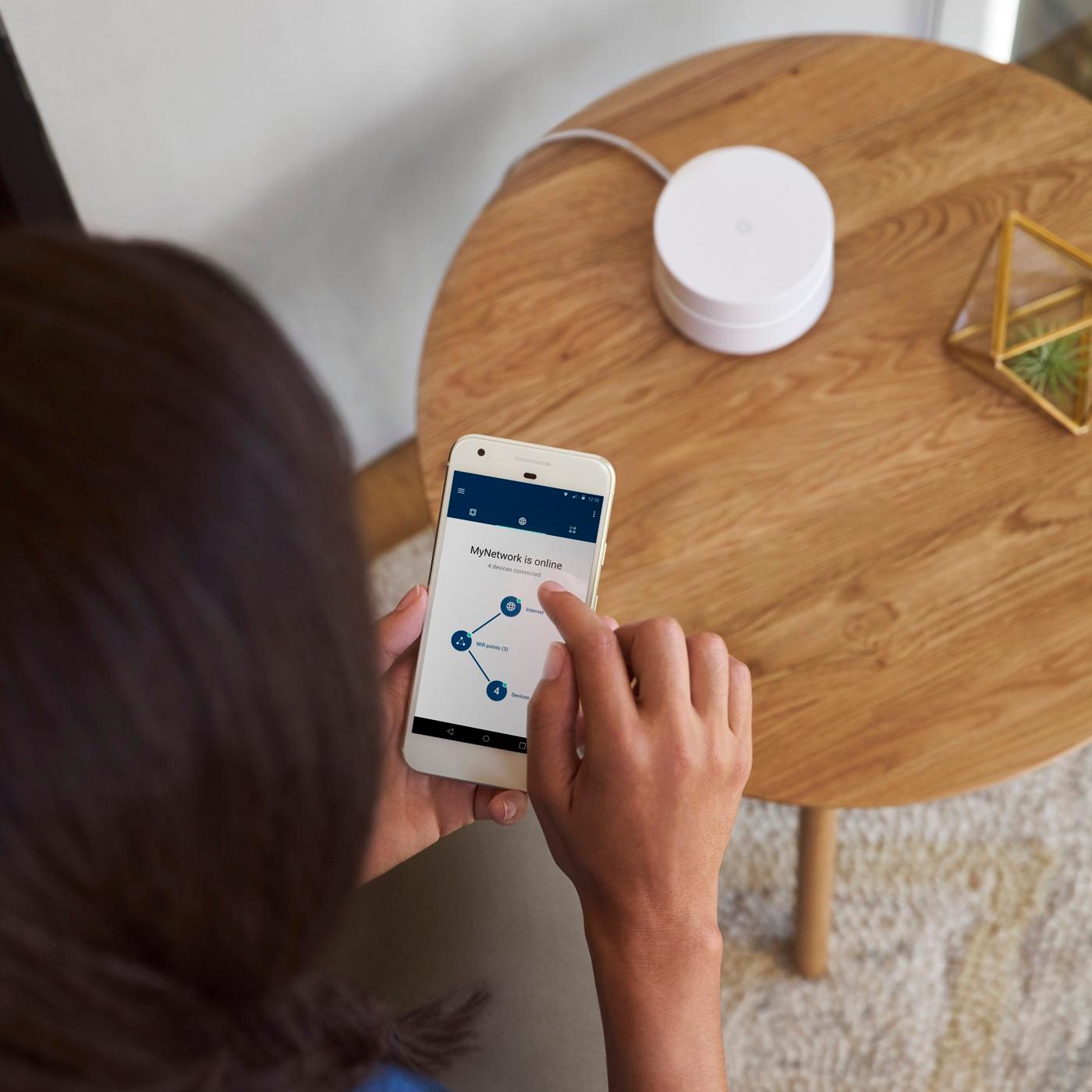
Customers frequently mention the ease of use, excellent coverage, and straightforward setup of the Google Wifi AC1200 system. Many also praise the improved signal strength and extended range, resulting in better overall performance. While some users experienced connectivity challenges, the positive feedback on performance and ease of use outweighs these concerns. A few customers noted the system's higher price point.
This summary was generated by AI based on customer reviews.
- Pros mentioned:Ease of use, Speed
Rated 5 out of 5 stars
For my use, it's the best Wi-Fi system I've owned
||Posted .This reviewer received promo considerations or sweepstakes entry for writing a review.Simply put, IT WORKS. I've gotten great speed and reliability from Google Wi-Fi and have zero complaints. Setup was quick and the mesh network has gotten me speedy wireless internet throughout my home and even in the far reaches of my back yard.
This review is from Google - Wifi AC1200 Dual-Band Mesh Wi-Fi System (3-Pack)
I would recommend this to a friend - Pros mentioned:Ease of use, Speed
Rated 5 out of 5 stars
Great features unlike any other router!
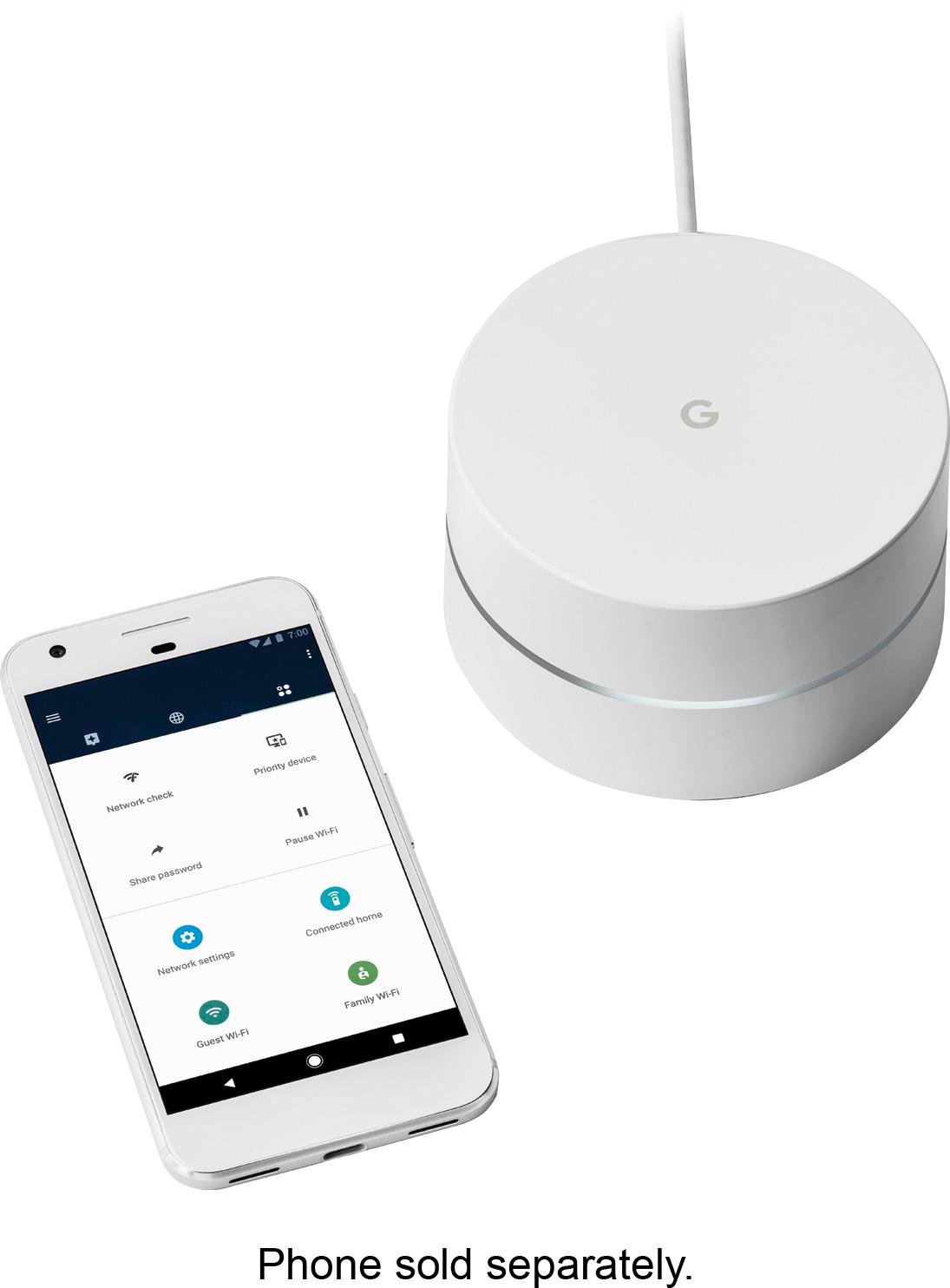
||Posted .This reviewer received promo considerations or sweepstakes entry for writing a review.This was really easy to set up & the accompanying app is great. The 'owner' can control things like which devices are allowed to be online at any given time. Handy if you have kids! Also you have a guest wifi feature, so you never have to share your main password. If my neighbor needed to boost our shared signal, she could buy her own Google router and piggyback on mine. As it is, the single router is powerful enough to reach her house! I also like that I can do speed tests to know if I'm getting the speed I'm paying the cable company for.
I would recommend this to a friend - Pros mentioned:Coverage, Ease of useCons mentioned:Connectivity
Rated 5 out of 5 stars
Easy to set up and use
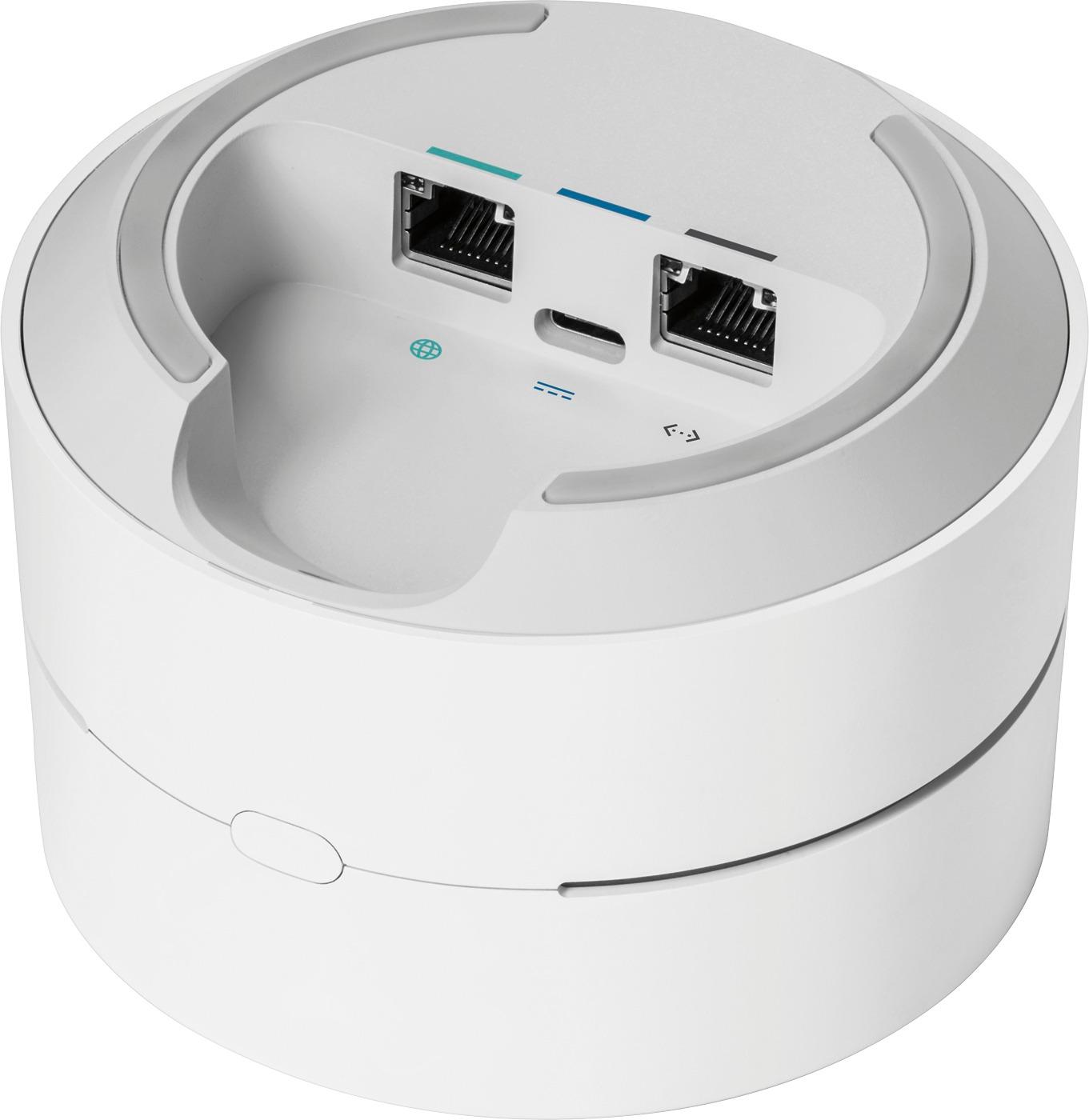
||Posted .This reviewer received promo considerations or sweepstakes entry for writing a review.Decided to go with a mesh system so I bought two. Our place is about 1000 square feet single level but with metal frame and some solid walls. Using the app made set up easy. I like that you can see how many devices are in use via the app. It is also great that you can prioritize a device for an hour for faster speed. Good for concert ticket buying and gaming. No crashes so far, auto updates itself and higher speeds. The only drawback is there is only one Ethernet output port. But it is sleek and I like its simple design.
I would recommend this to a friend - Pros mentioned:Ease of use, SpeedCons mentioned:Dead spots
Rated 5 out of 5 stars
Perfect Wi-Fi setup for extra coverage
||Posted .This reviewer received promo considerations or sweepstakes entry for writing a review.This has been such a great purchase. Easy setup and awesome app that allows such easy control over my whole network. A must have if you have multiple smart Tv's and 10+ other devices connected at any time. Speed is amazing with zero dead spots.
This review is from Google - Wifi AC1200 Dual-Band Mesh Wi-Fi System (3-Pack)
I would recommend this to a friend - Pros mentioned:Ease of use, Signal strength
Rated 5 out of 5 stars
So far so good!
||Posted .This reviewer received promo considerations or sweepstakes entry for writing a review.We have xfinity internet and it's subpar, to say the least (shocker, right?). Unfortunately, in our area there really aren't many good options, and we even pay for the additional "boost" which doesn't seem to do much at all. I work from home so internet speed and quality is extremely important and I finally felt the need to upgrade our system a bit. A few years ago I had purchased a belkin wifi extender for our 1300 SF rental house (ranch style) and it worked okay. It certainly helped in the areas far from the modem but it still wasn't enough. We recently bought a split-level 2200 SF house and the same extender just wasn't cutting it on our main and upper floor, since our office is located on the lower floor. I had read a lot of reviews on this and was thinking of taking the plunge but put it off to mull over the options. Finally, 2 weeks ago I went to buy it in store and it was completely sold out as well as online. Annoying as that was, it was also a good sign in regards to the quality of the product. It finally became available online and I ordered it immediately. It took me about 5 minutes to setup just now and could not have been easier. I didn't even have to disconnect anything on my xfinity modem/router combo, just plugged the main google hub into the ethernet port on the modem and voila! The main hub went in our office and then we put the additional access point on the main level in the living room and then the last one in the master bedroom on the top floor. I checked the strength of the two access points after setup and they were at about 75% (via the Google wifi app). I checked the signal strength of the access points via my wifi settings on my phone, as well as on our smart thermostat, and the new wifi on those levels had full bars, which the old extender was not providing. Woo hoo! I've only had it installed for an hour but it's clearly a major improvement over a simple wifi extender. The app is very cool, simple to use, but I still need to look through it more. I like that you can check your signal strength anytime you'd like, on each unit separately. You can name your network whatever you'd like, change or look up your password at anytime, setup a guest wifi network, and also create a family network where you are able to control various devices and turn the wifi on and off on those, such as at dinnertime etc... I could see this being very helpful with kids, although not applicable to my husband and I yet. Seems like a great product, hope it lives up to how great it seems already!
This review is from Google - Wifi AC1200 Dual-Band Mesh Wi-Fi System (3-Pack)
I would recommend this to a friend - Pros mentioned:Ease of use, SpeedCons mentioned:Connectivity
Rated 5 out of 5 stars
Great router throughout the house!
||Posted .This reviewer received promo considerations or sweepstakes entry for writing a review.Very easy to set up and has great speed throughout the house. The only complaint is that sometimes google sends an update to the system which disrupts the connection when it resets. I haven't found a way to schedule the update when I want.
This review is from Google - Wifi AC1200 Dual-Band Mesh Wi-Fi System (3-Pack)
I would recommend this to a friend - Pros mentioned:Signal strength, Speed
Rated 5 out of 5 stars
Great easy Mesh Wifi Solution, but...
||Posted .This reviewer received promo considerations or sweepstakes entry for writing a review.I have been using both basic Access points/WiFi routers and more advanced gear for years. Our latest was a Netgear Nighthawk, which worked great as an omni-directional Access Point, but wasn't so good as a Router. I put a Ubiquiti Networks router, in my front of the Netgear, which made things stable, fast, and met all our needs. I did try wifi extenders, but didn't like how they required you to set up an additional SSID for thier location, so if I moved though our the house it would eventually require an handoff, which was never seemless. I also think there was a security flaw in this setup, but don't remember. I wanted a greater signal spread in our 3200 sqft multi-story house, so I first bought Luma, while keeping an eye on Eero and Orbi. I liked the security features of Luma, but when I tried to set it up, it had a hard time finding the DHCP assigned IP address from my Cisco/Charter Cable modem. After working on thier gear for numerous hours with thier wonderful customer service, and I seriously do mean wonderful, I gave up and returned thier gear. I still wanted a mesh wifi, and this is right when Google wifi was available for pre-order. After it arrived 30 days later, it took me ~15 min to set up, establish groups, do some port forwarding, and reassign few devices that dropped thier connection. Speed test returned fast great results both from hard wired desktops and wifi connected devices. I connect both Android and IOS phones, iPads and Android based tablets, Ooma VoIP, SmartThings hub, Nest thermostat, Ring Pro door bell, Sonos, Chronecast, FireTV, Nvidia Shield Android TV, Roku 3, both Windows and Mac laptops, Windows 10 desktop, WiiU, 3DS, Tivo, Qnap NAS, HP Laser printer, Epson Muti-Inkjet Printer, and a couple of Echos to the network. I also connect my Ethernet based devices via various switches throughout the house. Everything works great and and has a strong signal. I agree with all posts that say this is a very simple device, and provides very limited advanced networking features, especially when compared to my Ubiquiti router. I have decided to give up my multiple SSIDs for 2.4 and 5Ghz frequencies, routing protocols, subnets, and VPN Into my network, because I really didn't need it. Also, the Google wifi sets up ONE SSID for all frequencies, and determines the best frequency based on signal strength, beam firming capability, and overall speed. Although I can force a 5G via my device, I figured I will only change this if I experience any lag or delay, which hasn't been a problem thus far. We cut the cord a while back and stream multiple session, at once of PlayStation Vue, Netflix, Amazon Video, Plex, HBO Now, Starz Play, Spotify, and Kodi without problem I also play online shooter like BF4, BF1, and Titan Fall2, whithout port forwarding set up, and haven't experienced and lag. I of course set my desktop as a priority device, in settings, to ensure the streaming video doesn't affect my gaming. This would sometimes happen with my previous set up, when we were all streaming something, even with QOS turned on. In summary, although a simple solution, it does everything I want, thus getting 5 stars. I hope for greater networking features as time goes on, and if I experience any problems, then I may reevaluate my review. One suggestion for all users is to hardwire the APs if you have the chance. The wireless mesh works flawless, but if you want the best performance possible, then hardware the APs, which will produce the fastest mesh network available today. This is when compared to Orbi, Eero, or Luma. This has been validated by numerous consumer and trade rag reviews. Orbi does offer some more features and a faster all wireless mesh setup, due to the dedicated network channel, but it also costs $100 dollars more for a two AP solution. I hope this helps and provides some perspective.
This review is from Google - Wifi AC1200 Dual-Band Mesh Wi-Fi System (3-Pack)
I would recommend this to a friend - Pros mentioned:SpeedCons mentioned:Connectivity
Rated 5 out of 5 stars
Small but workable.
||Posted .This reviewer received promo considerations or sweepstakes entry for writing a review.I have about 1500SF home and it covers it well. My internet service is not supper high speed and this router had improved the speed, it’s also stable so far (a month). It has only two Ethernet outlets so I was worried about it but I added a $30 Netgear Ethernet splitter with 5 outlets and it works as well as before but now I have it supporting my Wink hub (home automation) , my Philips Hue lights (home automation) and I also have a Schlage Connect automatic door lock and Nest thermostat and everything works well with Alexa and this router is at the center of it all. I also like that I can buy a second unit and place it anywhere to get it working stronger everywhere. But so far my one unit does the job including in an inlaw area with a tenant. I recommend.
I would recommend this to a friend - Pros mentioned:Ease of use, Speed
Rated 5 out of 5 stars
Easy and powerful.
||Posted .This reviewer received promo considerations or sweepstakes entry for writing a review.Love how easy it is to manage, the distance it reaches, and the speed it allows between my devices. It's a huge plus that if I need to expand the network it's simple with the mesh routing system this WiFi provides.
I would recommend this to a friend - Pros mentioned:Speed
Rated 5 out of 5 stars
Solved speed issues in townhome
||Posted .This reviewer received promo considerations or sweepstakes entry for writing a review.I have a 3,800 square foot townhouse on 3 levels and was using a range extender with my Uverse router. Service was inconsistent on both first and third floors and unacceptably slow in several areas, not to mention the hassle of having to log on to different routers when moving from floor to floor. Google WIFI has solved both issues and my speed is much more consistent from floor to floor. Occasionally still have speed/connection issues but Google tools show WIFI connection speeds (in mesh network) are still good so I fault AT&T for that. Easy setup - followed other reviewers advice to set up second and third pucks in same room as primary puck first and then move to final locations. Overall very happy so far after about a month with Google.
This review is from Google - Wifi AC1200 Dual-Band Mesh Wi-Fi System (3-Pack)
I would recommend this to a friend - Pros mentioned:Setup, Signal strength
Rated 5 out of 5 stars
Great wifi extension system
||Posted .This reviewer received promo considerations or sweepstakes entry for writing a review.These units were bought in conjunction with the Google wifi router. These extenders work great. I have a 2600+ sq ft home, 2 story, with detached garage. Router and one extender downstairs in opposite ends of the house, one extender upstairs, and one in the garage allows us to have seamless wifi coverage. Nothing but full bars in the house, and good coverage in the yard. I probably could have done just one extender and the router, but I wanted to ensure strong reception in the garage. Basically, 3 plus the router is overkill. Setup was simple using the app. These units are good for the novice. Advanced users that like to tinker may not like the interface, though, but there are plenty of tools for the average user. Highly recommend!
This review is from Google - Wifi AC1200 Dual-Band Mesh Wi-Fi System (3-Pack)
I would recommend this to a friend - Pros mentioned:Ease of use
Rated 5 out of 5 stars
Easy to set up and use!
||Posted .This reviewer received promo considerations or sweepstakes entry for writing a review.I'd never heard of this router until I met with Eric, the Best Buy Google rep. He said this was really easy to set up and use. I'm not a computer whiz and was more than a little concerned as there were no visible antennas like all the other routers I'd seen. I finally decided to take a chance and much to my surprise, he was exactly right! After I downloaded the app on my smart phone, installation was a piece of cake and was completed in less than 10 minutes. I only bought one module and I have to say, the range is incredible! I'm able to use it all over my apartment and outside, even making it to my parking spot which has to be well over 100 feet away. The nice thing is that I can add another module or two if I ever buy an house.
I would recommend this to a friend - Pros mentioned:Ease of use, Signal strength
Rated 5 out of 5 stars
Works flawlessly, even with my Sonos
||Posted .This reviewer received promo considerations or sweepstakes entry for writing a review.I bought this package deal to improve my wifi signal through my house and onto my front deck. I was blown away by its capabilities. My signal goes well beyond my deck, it stretched 240 feet beyond to be more specific. WOW! It's EASY, the android or iOS app asks you to scan a QR code on the device and it does the rest. It's smart, it checks connectivity from time to time and prepares a report for me. When I set up my new Wifi network it gave me an option to create a guest network shielding my storage devices from visitors. My Sonos speakers had NO issues when switching over to the new SSID (wifi name). As expected, I had to go from device to device and tell it to go to my new network, after all I gave it a new password.
This review is from Google - Wifi AC1200 Dual-Band Mesh Wi-Fi System (3-Pack)
I would recommend this to a friend - Pros mentioned:SetupCons mentioned:Connectivity
Rated 5 out of 5 stars
Amazingly giving consistent connections
||Posted .This reviewer received promo considerations or sweepstakes entry for writing a review.Before the purchase of google wifi mesh, I was using MIMO AC5200 dual band WiFi router and AC1200 WiFi bridge to handle wifi connections among far devices. My WiFi router has very powerful range and has 8 antennas which gives reliable connectivity among bridge and other WiFi devices. Network was giving consistent streaming experience. But still Bridge and router which connected through secure WPS connectivity got dropped once or twice a month and when new device got added to the network, it started giving conflicts among devices and giving frequent drop of 5GHz band connectivity. I was fed up of baby sitting my network system. Anyways, I bought 3 Google WiFi mesh modules which are connected with each other with WiFi AC1200 dual bands. I placed those modules in such a way that it covers entire house. These modules are very consistently giving reliable connections without any disconnections among modules and devices. It keeping reliable bandwidth to entire house and giving reliable streaming experience (No buffering). Giving no conflicts on adding new device. It is easy to setup, just download the google WiFi app and keep going with start up wizard to setup. It has cool features like prioritizing devices which needs more bandwidth, control to pause WiFi for devices (parental control), compatible with smart home devices. So far I'm totally not baby sitting my network system, it is working just like that. I'm happy with the product.
This review is from Google - Wifi AC1200 Dual-Band Mesh Wi-Fi System (3-Pack)
I would recommend this to a friend - Pros mentioned:Coverage, Setup, Speed
Rated 5 out of 5 stars
Finally reliable WIFI.
||Posted .This reviewer received promo considerations or sweepstakes entry for writing a review.I have gone through many routers in my day. They all have worked somewhat but mostly been unreliable. The speed was always changing. Fast in some areas of the house and at certain times of the day and frustratingly slow at other times. Then of course it would just disconnect for no reason and you'd have to reset it. Well no longer. This is the way WIFI was meant to work. Effortless to set up and it just works. I was holding out for the 3 pack because I have a 2,400 Sq ft home but they are always sold out. So when a single one became available I bought it immediately thinking I would just add another later. Well 1 unit covers every corner of my house and almost at full speed. I have 100 mbps Xfinity and I have done speed tests everywhere in my house and in 98% of my home in getting 90 mbps. It's astonishing. It can automatically sense when my iPhone is in a further away part of the house and I can see it ramp up the speed in real time. I love this device. Highly recommended.
I would recommend this to a friend - Pros mentioned:Ease of use
Rated 5 out of 5 stars
I am never going back to regular routers
||Posted .This reviewer received promo considerations or sweepstakes entry for writing a review.I have lost count how many Wi-Fi routers I haves used in the past 15 years, all brands, models, speeds, antennas and many features. The problems have always been range, stability, speed and firmware updates. It has been nice to forget about that since the introduction of Mesh network routers. I have installed 1 Eero and 5 Google Wifi systems and they are both great. Googl Wifi is less expensive so it has the advantage in that department. Better coverage, expandable, mesh topology, beamforming signal, automatic frequency switch, automatic load balancing, automatic firmware updates, ease of use, good design, great app with lots of options and info without having to be in the same network segment, good price.
I would recommend this to a friend - Pros mentioned:Ease of use, Speed
Rated 5 out of 5 stars
Excellent Router
||Posted .This reviewer received promo considerations or sweepstakes entry for writing a review.The Google Wi-Fi is great. It takes care of keeping itself up to date/secure and seamlessly works. I like that I don't have to think about or worry about managing my network. The setup with the app(btw the app is the only way to set it up) was super easy. Also, the throughput speeds are amazing...you actually get all of the bandwidth you're paying for available to you with this router...bc Google is way better at managing settings and connections than I want to be anymore. So,if you want a fast,easy to use router,that has meshing capabilities as well...then buy this and be happy! Oh also it's kind of cool that it looks like a little Cylon on my TV stand...for the Battlestar Galactica fans out there lol.
I would recommend this to a friend - Pros mentioned:Ease of use, Speed
Rated 4 out of 5 stars
Crazy easy setup. Some placement tweaking required
||Posted .This reviewer received promo considerations or sweepstakes entry for writing a review.This is one of the easiest devices I have ever setup. Agree with some reviews that say if you are a tech nerd that likes complexity and wants enhanced tuning options, you will be disappointed. I am an IT professional and my day is already filled with complex issues. At home, I want simplicity and this offered exactly that. Be mindful that when fine tuning placement of the devices, you should run speed tests from the locations in your home where you will access WiFi and you may possibly have to move the units around a bit in order to get the best speeds. Don't settle for the results from the Google App tests. Use speedtest.net or something similar. I would have given 5 stars except for the following: -AC1200 is old. I'm surprised that Google has not yet set a higher standard for this device. -The app should have a device placement assistant that would tell you where your device is getting optimum speeds in the mesh. A feature like this in the app is completely doable and would save a lot of time on the tuning which would better justify the $299.00 price tag for a 3-unit system with AC1200. Make no mistake, this is a good unit with simple setup that I would highly recommend for all the non-tekkies that want better WiFi at home.
This review is from Google - Wifi AC1200 Dual-Band Mesh Wi-Fi System (3-Pack)
I would recommend this to a friend - Pros mentioned:Ease of use, SpeedCons mentioned:Connectivity
Rated 5 out of 5 stars
Best purchase ever!
||Posted .This reviewer received promo considerations or sweepstakes entry for writing a review.I got tired of wireless issues and resetting my router. I tried many but they all eventually had the same issues from cheap to expensive ones. There's no looking back after switching to Google wifi. It's super easy to setup, connect smart home, and I can set priority devices and get excellent speed with it. No more dropped connections, resetting and frustration. This is my second time purchasing it and I would not buy any other router.
I would recommend this to a friend - Pros mentioned:Coverage, Setup
Rated 5 out of 5 stars
Best Money Spent in a Long Time
||Posted .This reviewer received promo considerations or sweepstakes entry for writing a review.I purchased this mesh wifi system for a couple of reasons. I had a router acting up and a switch that would drop connections periodically, so they both needed to go. My satellite TV costs have increased over time to what I have finally decided is just too much, and so I have decided to cut the cord. My plan included replacing those 2 devices and increasing my internet speed to 1GB, so I needed a hardware upgrade. I bought this kit on the suggestion of a co-worker who is our company's network administrator. He has one in his home, and told me how it worked and how easy it was to set up, and so I went with the Google mesh setup over the Netgear, against PC magazine's suggestion. I saved over $100 bucks, too. I just cannot tell you how happy I am with this wifi setup. Setting this up was the easiest thing I think I have ever done. I was replacing a 4-network wifi config including a guest network, with 2 bridged wifi routers and 2 switches, which was a bit of a bear to set up and maintain. All I had to do to set this up was plug each little hockey-puck sized router in, scan the barcode and away it went. A few minutes later and it was all done - all without me having to do a thing, except for naming the network. It was that easy. I iinstalled the main connection in the basement where the drop is, the second one on the first floor and the third on the second floor. Performance is outstanding with wifi consistently in the low 800MB range, and the coverage is fantastic, without a dead spot in the house anywhere. I honestly couldn't be happier. Buy this router setup and I promise you that you will be too.
This review is from Google - Wifi AC1200 Dual-Band Mesh Wi-Fi System (3-Pack)
I would recommend this to a friend