Customer Ratings & Reviews



- Model:
- A622LJBS1
- |
- SKU:
- 4992600
Customer reviews
Rating 4.1 out of 5 stars with 444 reviews
(444 customer reviews)to a friend
Customers are saying
Customers consistently note the ease of use and large screen size as significant advantages. Positive feedback also highlights the camera quality and affordability of the phone, although some users mention challenges with the volume and battery life. A few comments address the keyboard's usability. Overall, the phone's features are well-received, but improvements in audio and power could enhance the user experience.
This summary was generated by AI based on customer reviews.
Rated 1 out of 5 stars
Bad phone
||Posted . Owned for 11 months when reviewed.This reviewer received promo considerations or sweepstakes entry for writing a review.Phone did not work right. Service was terrible too.
No, I would not recommend this to a friendRated 1 out of 5 stars
Not Great
||Posted . Owned for 1.5 years when reviewed.This reviewer received promo considerations or sweepstakes entry for writing a review.This is a low quality phone that is not that user friendly nor work well. Do not recommend.
No, I would not recommend this to a friend- Pros mentioned:Screen sizeCons mentioned:Battery life
Rated 3 out of 5 stars
Not great for a seriously visually impaired person
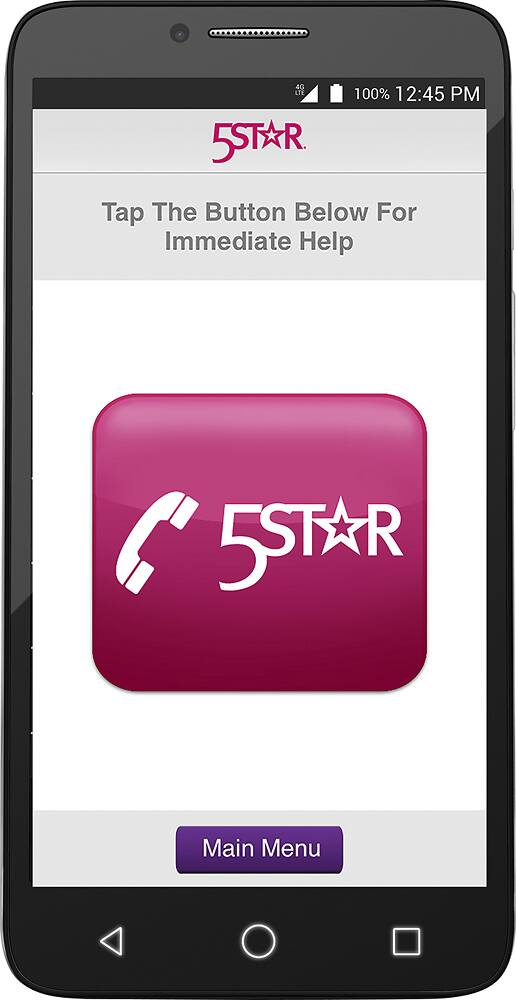
Posted .This reviewer received promo considerations or sweepstakes entry for writing a review.I acquired the Jitterbug initially for my 91-year-old mother to use. She had never used a smart phone before and was looking for something she and my father (who is nearly blind) could both find useful. She is very sharp but still had problems using it without someone to show her how. I currently am using an iPhone and found it not very intuitive, although that could be due to the fact that I'm not familiar with an android system. The first thing that I tried to do was enter my contact information for her and it took both my daughter and me to figure out how to do that. My mother found pulling up texts easy but difficult to respond to. She didn't even attempt to use the camera. Her biggest concern was that although the phone featured the 5* button, it was unusable for someone with limited visibility because there was no tactile button to find to push. There was also no way of sending an emergency call verbally as her current flip phone could do. She also commented that to use the 5* feature as effectively as a life-alert bracelet or necklace meant that you needed to carry the phone with you at all times, even walking around the backyard or using the bathroom. She noted that the battery life of the phone was very short and needed to be recharged every day. On the plus side, the phone itself has a nice large display system that makes it easy to see and hit the first time with your finger without error. The monthly cost of service is also a huge plus for those who aren't as attached to their phone as the younger ones are. I do feel that with a little more help my mother could enjoy many of its features, but her concern about getting something that my blind father could use in an emergency makes this phone not as useful as it could be. All-in-all my mother and I both feel that the phone would be of use to someone a little older than me but not to someone that is wanting it to be a life-line in an emergency.
I would recommend this to a friend Rated 1 out of 5 stars
Couldn't activate
||Posted .This reviewer received promo considerations or sweepstakes entry for writing a review.Unable to activate after several tries. Also, keyboard is very small. resulting numerous erros.
No, I would not recommend this to a friend- Pros mentioned:Screen size
Rated 4 out of 5 stars
Easy to Use, especially for seniors
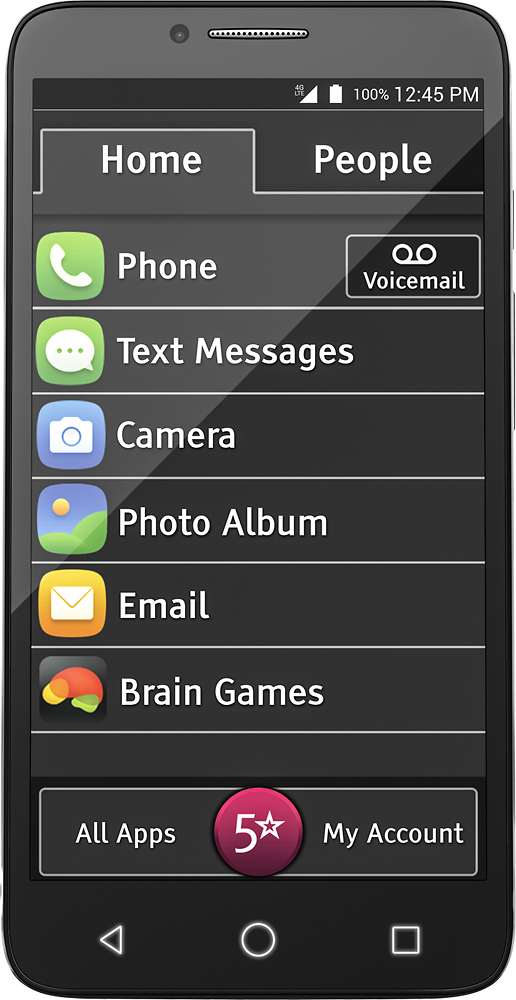
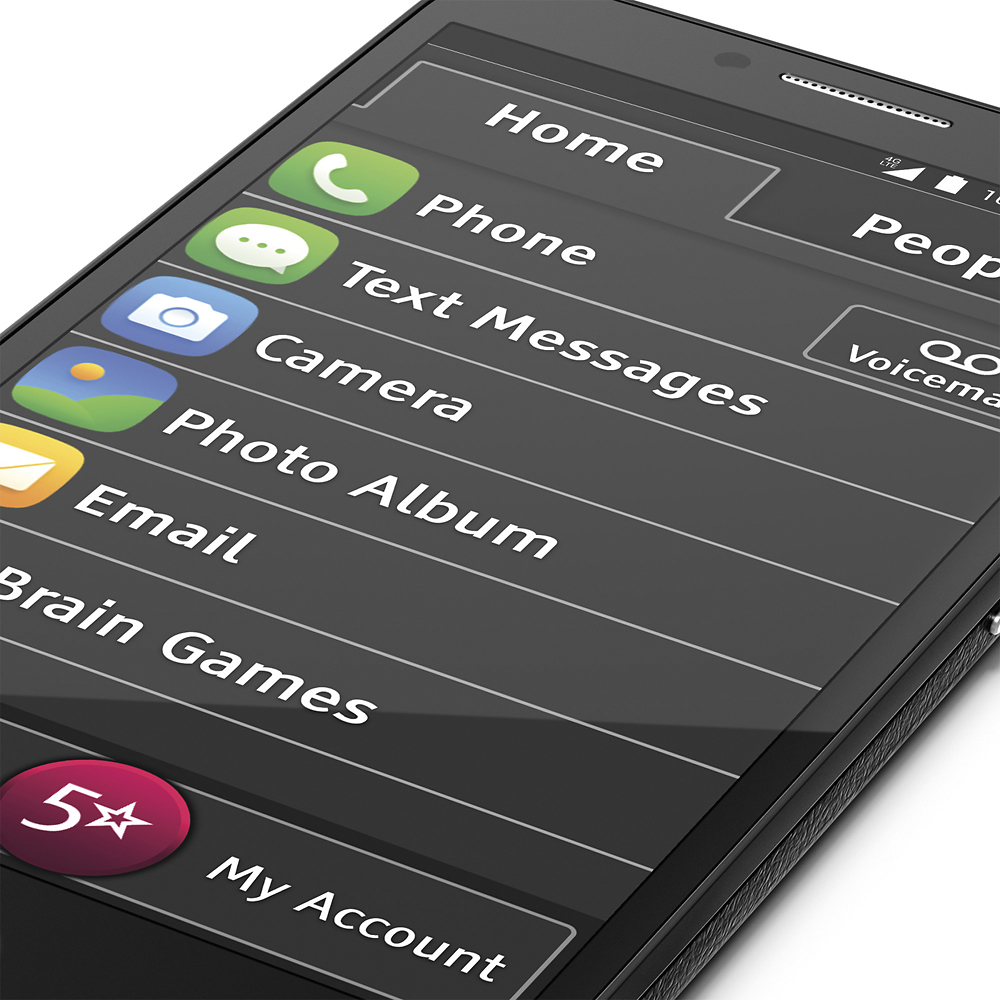
Posted .This reviewer received promo considerations or sweepstakes entry for writing a review.What I like most about the Jitterbug Smartphone is that unlike my iPhone, the Jitterbug home screen is not cluttered with lots of icons, most of which I will probably never use. My home screen only has the 6 main icons that I use most frequently - phone, text messages, camera, photo album, email and Google Chrome (which I added after removing brain games). Yet the other icons (weather, settings, calendar, calculator, etc) are easily accessible if I need them. I also like that all the icons are clearly labeled so there’s no question about what they are for. And like the numbers on the dial pad, they are VERY LARGE and easy to read, even without my glasses. The User Guide that came with the Jitterbug made it very easy to use, and easy to personalize for my needs. Although I have an iphone, I rarely used it because it did not come with a user guide and I did not know how to use it even for some of the most basic functions. So I only used it to make and receive calls when I was away from my land line at home. The Jitterbug User Guide was detailed enough to make the phone very user-friendly. I can see myself getting a lot more use from my Jitterbug that I did from my iphone. Also, the size of the phone itself makes it comfortable to hold, and it’s large enough so that it doesn’t get lost in my bag. I do wish, however, that the sound could be a lot louder. Unless I am in a reasonably quiet place, I find it somewhat difficult to hear the person on the other end of the line.
I would recommend this to a friend - Pros mentioned:Screen sizeCons mentioned:Battery life
Rated 4 out of 5 stars
Easy to Use and Large Font
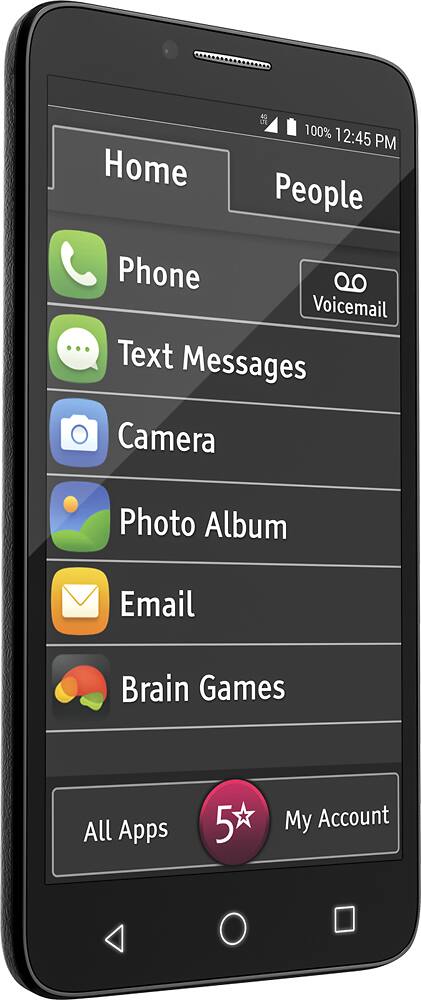
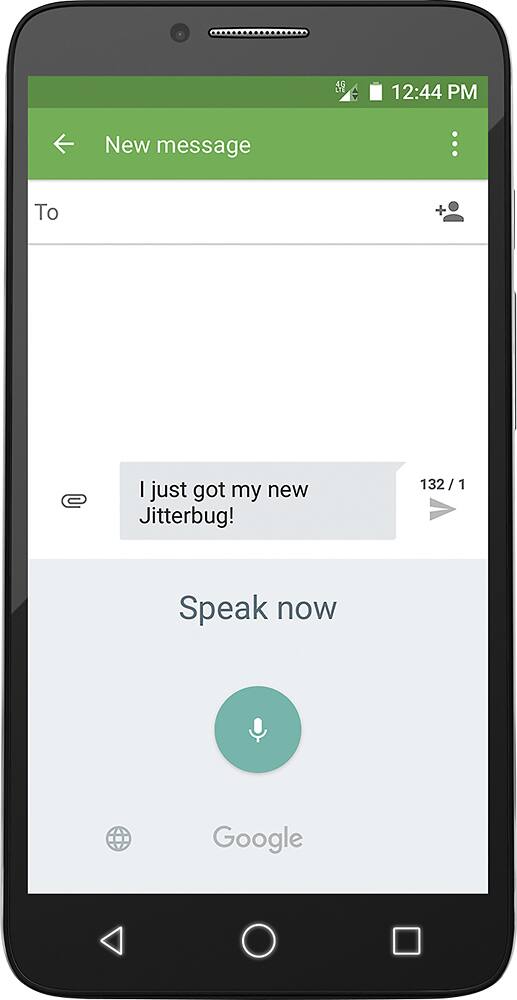
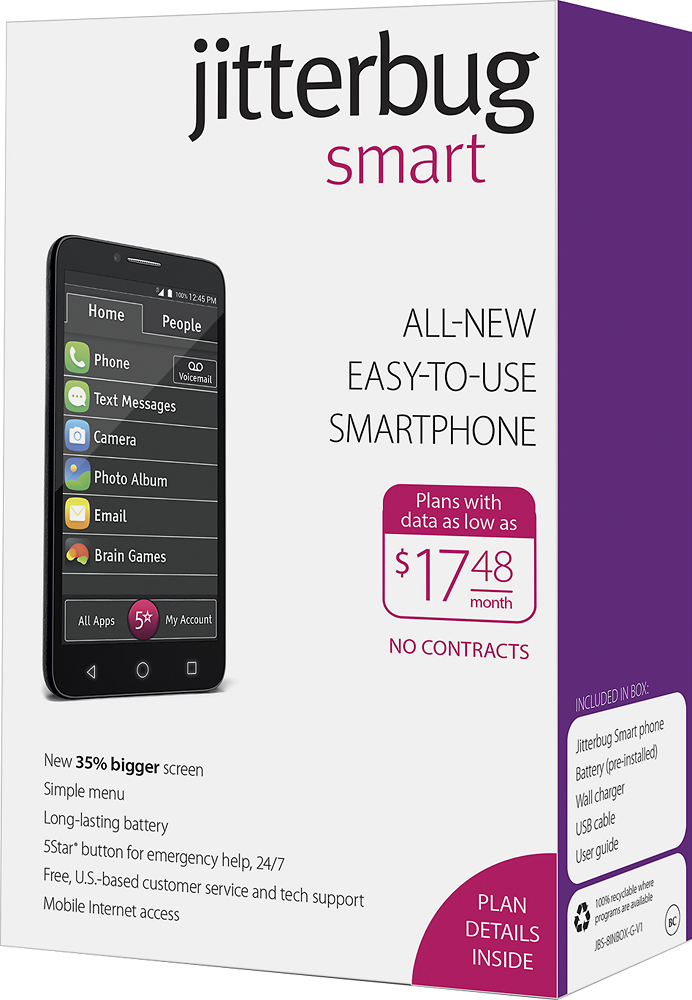
Posted .This reviewer received promo considerations or sweepstakes entry for writing a review.I received a Jitterbug Smartphone to test and provide honest feedback. The phone buttons are large and easy to read. The calls I made came across very clear with no dropped calls. I was not able to test the Urgent Care, MedCoach, and 5Star apps, but I think they could be helpful for an older user. There is a useful Help Guide button that takes the user to various topics such as “Add New People,” “Make a Call” and “Downloading Apps.” The Home screen is uncluttered with only 6 items (Phone, Text, Camera, Photo Album, Email, Brain Games) and the font is large. There is a separate “All Apps” button where the user can get to other apps. This is an Android based phone. My favorite feature was the large font size. My least favorite feature was the short battery life. I had to charge it a couple times a day even with not using it much. I think this would be a great smart phone for a person who wants their first smart phone.
I would recommend this to a friend Rated 4 out of 5 stars
Good phone for Seniors
Posted .This reviewer received promo considerations or sweepstakes entry for writing a review.This is my first time really using a smart phone. The Jitterbug Smart has a very nice 5.5" screen with the time, date, phone number and 5star button displayed in large typeface which makes it very easy to see and read. The quick start guide was very easy to follow, even for the "tech challenged" like I am. The unlock feature is very easy, no "password" number to remember. I like the fact the home page is divided into two tabs, one for your primary apps and one for your people (contacts). If you want to look at the remaining apps the words "all apps" is located at the bottom of the phone and when tapped will bring up all the others, also in a single line list. Again, reading through the quick start guide and the users guide was very easy and simply stated to help guide a non-tech user through each section of the phone. Listing the apps in a single line makes it so much easier to see and they are big enough that you have no trouble pressing the right one to open. The sound clarity is very good while talking on the phone and the volume level brings it up loud enough that anyone with hearing trouble should be able to use this phone. The camera and video app is pretty straight forward although I did have to refer to the user guide to find out where my photos went after taking pictures. Having the 5star "panic" button right on the face of the phone is definitely a plus if you are a senior and by yourself in any given situation. The one downside of the 5 star button location happens when the screen is black, you have to push the power button to bring the screen back up and if you are in a panic situation you might get flustered and not be able to open the screen to press the red 5 star button. If you are not used to a large phone such as this it will feel very awkward and overly large in your hand, especially if you are like me and still use a flip phone. With the buttons on the side, I do tend to find myself inadvertently either hitting the volume or the power button while holding on to the phone. I would definitely recommend this phone to any senior considering a smart phone, it is very user friendly.
I would recommend this to a friend- Pros mentioned:Price, Screen size
Rated 4 out of 5 stars
Easy to use especially for seniors.
Posted .This reviewer received promo considerations or sweepstakes entry for writing a review.The Jitterbug Smart Phone is easy to use and has a large screen making it easy to read. The phone has texting, pictures, emailing and internet plus voice typing. Also, the phone is affordable and has many options for plan use.
I would recommend this to a friend - Pros mentioned:Ease of use
Rated 5 out of 5 stars
Nice phone for seniors
Posted .This reviewer received promo considerations or sweepstakes entry for writing a review.I have thoroughly enjoyed using the Jitterbug Smart phone. The home screen has large buttons and text which make it easy to read, even without my glasses. The sound quality of the calls was very good and I had no trouble hearing the caller. The Texting feature was easy and compatible with other cell phone I have used, including my iPhone. The other apps included with the Jitterbug were quite useful. Besides the routine apps like a calculator, calendar, weather and time, the Jitterbug comes equipped with a compass, a translator and maps for anyone who travels. There is also a Movies & TV app which enabled me to download TV shows trailers and some free episodes. For medical issues, the Jitterbug has a MedCoach to keep tract of Doctor appointments , prescriptions, and pharmacy phone numbers Urgent Care which enables you to speak to medical personnel and look up symptoms. Overall, I found the Jitterbug to be user friendly and extremely easy to navigate. It is equipped with every app that a person could possible need, whether they are young or old. My husband was also very impressed with the Jitterbug and would love to have one for himself!
I would recommend this to a friend - Pros mentioned:Ease of use, Screen size
Rated 5 out of 5 stars
The Jitterbug Smart is very easy to use.
Posted .This reviewer received promo considerations or sweepstakes entry for writing a review.I have owned several traditional smartphones in the past. However, I find the Jitterbug Smart to be exceptional with a 5.5-inch easy to read Screen. One of my favorite features is the ease of setting up additional “Apps” for quick access. After placing a 2-hour charge on the battery, you are ready for the easy setup using the “Quick-Start Guide” which makes this a very simple process. Once activated, the Jitterbug “Home Screen” can be accessed which gives a menu with a single list of the most used features (e.g., phone, messages, camera, etc.) and the “People Tab” allows easy access to your contacts. Also handy are the three (3) navigation buttons at the bottom of the screen which aid in returning you to the “Home Screen”. As the user becomes familiar with the phone, there are many exciting “Apps” that can be accessed to operate the unit as a traditional Smartphone. And, a special feature has been added for those who may have health issues and want to remain independent. It’s the “5Star Health and Safety Services” that can be activated at any time. Overall, I think this is an excellent Smartphone for the price and services it has to offer.
I would recommend this to a friend - Pros mentioned:Camera quality
Rated 4 out of 5 stars
Good for Seniors
Posted .This reviewer received promo considerations or sweepstakes entry for writing a review.The Jitterbug is a bit larger than my other Alcatel smartphone and doesn't fit in the holder so receiving a holder for it would be helpful. The Dial Pad is much better than most as you can use your finger to tap the message and messages are clearer. Couldn't record a "greeting" so had to go to "Customer Care" for help. The cc person was not clear and hard to understand. But somehow I was able to record a greeting. I like that I can adjust the sound to be louder or softer. Especially important for seniors who are hard of hearing. I've added the 646 phone number to reach Voicemail, that seems to work all the time. Need easier method to download other Apps (e.g. VIA,Uber,etc.) Good that it is listed alphabetically. The ability to use voice to request something very helpful. Wonder if I could use this phone with my current ATT service. Above is the message I recorded in my analysis of the Jitterbug smartphone. I like the product even tho it's not able to fit into my case. I'm not sure I'd like to switch from ATT to Great Call. My other smartphone is also made by Alcatel and I like their products. They seem to continually improve the camera.
I would recommend this to a friend - Pros mentioned:Ease of use, Screen size
Rated 5 out of 5 stars
Great phone - love the senior apps
Posted .This reviewer received promo considerations or sweepstakes entry for writing a review.I like the fact that the size of the phone and the size of the text is larger. I can actually read my email easily. It was very easy to link my gmail account to the phone. Even the buttons on the phone are larger than on my iPhone which also makes it easier to hold and use. It’s easier to load apps from the Jitterbug than the iPhone. The calculator is simple. The 5 Star Urgent care app is also really nice to have. Having that app that lets you connect with a nurse to help with things like flu symptoms and getting a call back from a doctor is awesome. Even if I fall, being able to click the 5Star icon and get help is neat! I haven't come across anything that I really dislike about the phone.
I would recommend this to a friend - Pros mentioned:Camera quality, Ease of use
Rated 5 out of 5 stars
Great Phone
Posted .This reviewer received promo considerations or sweepstakes entry for writing a review.This is an excellent product. The menus/icons are easy to read, and logically organized. The large keypad and keyboard are easy to use. There is no need for reading glasses or a stylus. WIFI and Bluetooth are simple to configure. The Compass App, is unique. The Camera quality (front and rear) is very good. The Voice Search capability is very accurate. Battery life is more than adequate.
I would recommend this to a friend - Pros mentioned:Ease of use
Rated 4 out of 5 stars
great senior cell phone
Posted .This reviewer received promo considerations or sweepstakes entry for writing a review.This is only the second smartphone I've ever used. The keyboard is much easier to use than my existing smartphone. It seems less likely to be able to make mistakes which is good for a senior citizen like myself. I also like the way it is set up with a number of functions that you would be expected to use. This makes it easier to use right out of the box. I wish that I had bought this phone instead of the first one that I did buy.
I would recommend this to a friend - Pros mentioned:Ease of use
Rated 3 out of 5 stars
An okay phone
Posted .This reviewer received promo considerations or sweepstakes entry for writing a review.I first have to admit that I do not love cell phones. I only turn mine on if I'm leaving the house in my car so I can have a cell phone for emergency use. I can go days without using a cell phone. That said, the Jitterbug Smart was easy to set up and use. The graphics are a nice size and easy to read. The keypad for the telephone was also sized nicely. The phone operated nicely and smoothly, and once I got used to it was quite easy to use. I was able to figure out how to add apps to it after a few tries. I tried to look up some things on Google and that worked well. I checked the weather and that worked well. All in all, this would be a fine cell phone for most seniors. The phone I have been using is a Tracfone ZTE flip phone which is a smart phone that folds in half and is thus smaller and lighter than this Jitterbug Smart. For me, the Jitterbug felt heavy and bulky. That may not be the case for people who have been using "normal" sized cell phones.
No, I would not recommend this to a friend Rated 5 out of 5 stars
Wonderful phone
Posted .This reviewer received promo considerations or sweepstakes entry for writing a review.This phone is great. Being a first time smart phone user I found the phone easy to use, the numbers large and easy to read and the phone functions easy to understand and use. The voice quality is exceptional and the picture quality is sharp. I have no problem sending and receiving texts and with the larger keyboard mistakes are by the user, not by having too small a keyboard for optimum use. I would recommend this phone to anyone.
I would recommend this to a friend- Pros mentioned:Ease of use
Rated 5 out of 5 stars
Great Little Smartphone!
Posted .This reviewer received promo considerations or sweepstakes entry for writing a review.Nice, sensible, easy to operate Smartphone without too many frills or bells and whistles.
I would recommend this to a friend - Pros mentioned:Ease of use
Rated 1 out of 5 stars
Poor sound
Posted .This reviewer received promo considerations or sweepstakes entry for writing a review.Jitterbug Smart: This phone is light weight and simple to use. The menu is in a large, easy to read list format. All the most useful items are right there on the main screen. Unfortunately I had an opportunity to compare the voice quality with my other phone and found it lacking. I wasn't able to understand all the words of the other person, so I called them back on my phone and had no issues with clarity. In a phone specifically marketed to older people, this is a major drawback. For that reason I have to give it just one star.
No, I would not recommend this to a friend Rated 2 out of 5 stars
Couldn't it be a bit tougher?
Posted .This reviewer received promo considerations or sweepstakes entry for writing a review.A small amount of diet coke was spilled on this phone, with a case and screen protector on it, and it blew the phone. Also, watch out what apps you may put on there, even simple ones. It seems to want to suck data right out of the air. Go get a regular carrier smart phone and set it up for seniors to use. Android does good with that these days. And that tracking software for Great Call is terrible.
No, I would not recommend this to a friendRated 1 out of 5 stars
Poor quality phone
Posted .This reviewer received promo considerations or sweepstakes entry for writing a review.I had this phone for one day with the Great Call plan. I previously had the Samsung Touch with Great Call. The Alcatel phone is difficult to use/set up. The phone did not allow me to make an out going call to Great Call customer service without entering the special Verizon code & going through the Verizon operator. I couldn't call anyone. I would not recommend this phone very unreliable. I packed it up & sent it back. I returned to my Samsung Touch. Too bad Great Call left the reliable Samsung phones to use a very poor quality phone especially when it is meant for seniors. I was told by Great Call that they changed to Alcatel to get a flip phone as Samsung no longer offered them. If this is your only phone plesse think long & hard about going with this phone.
No, I would not recommend this to a friend