Customer Ratings & Reviews
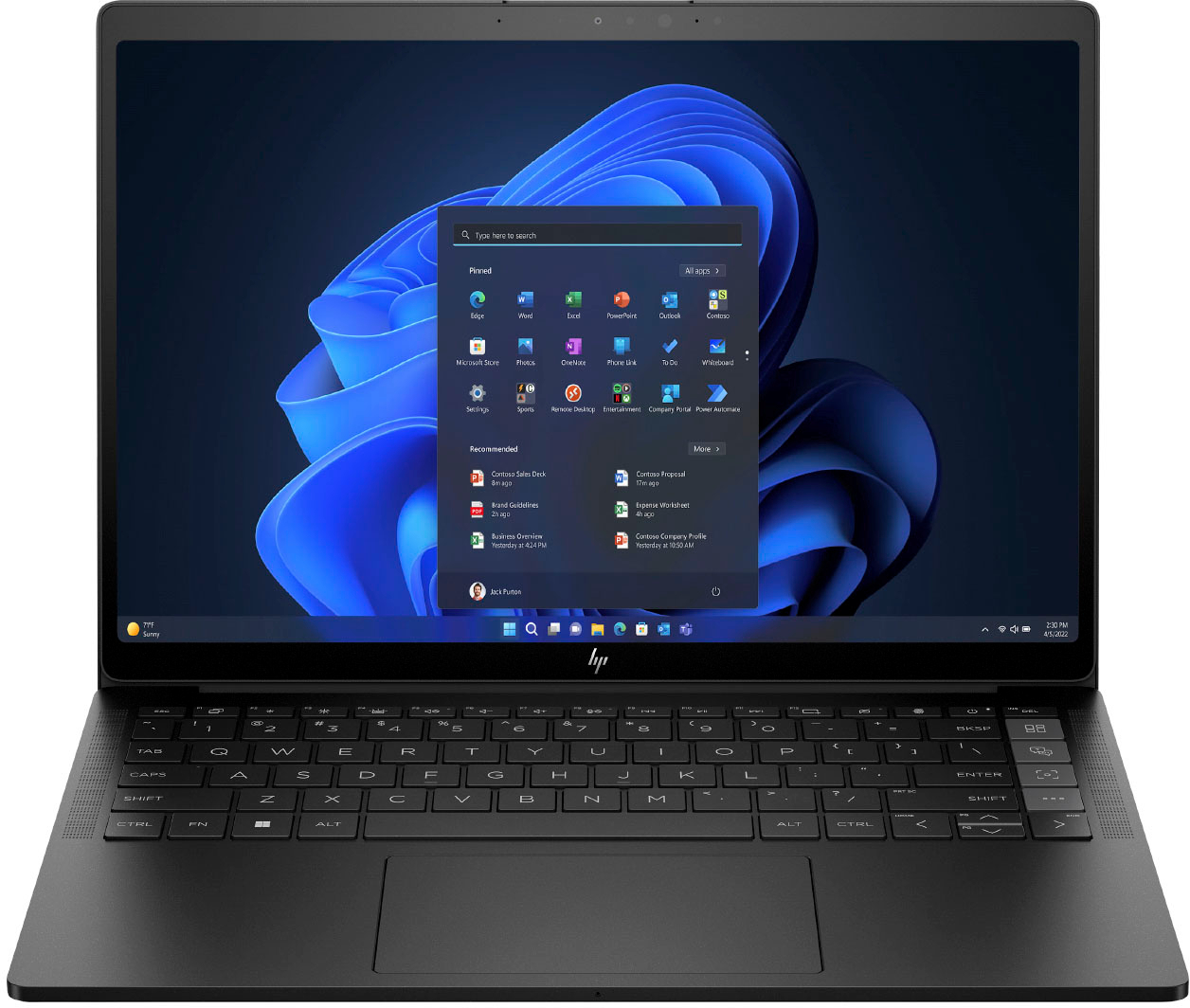
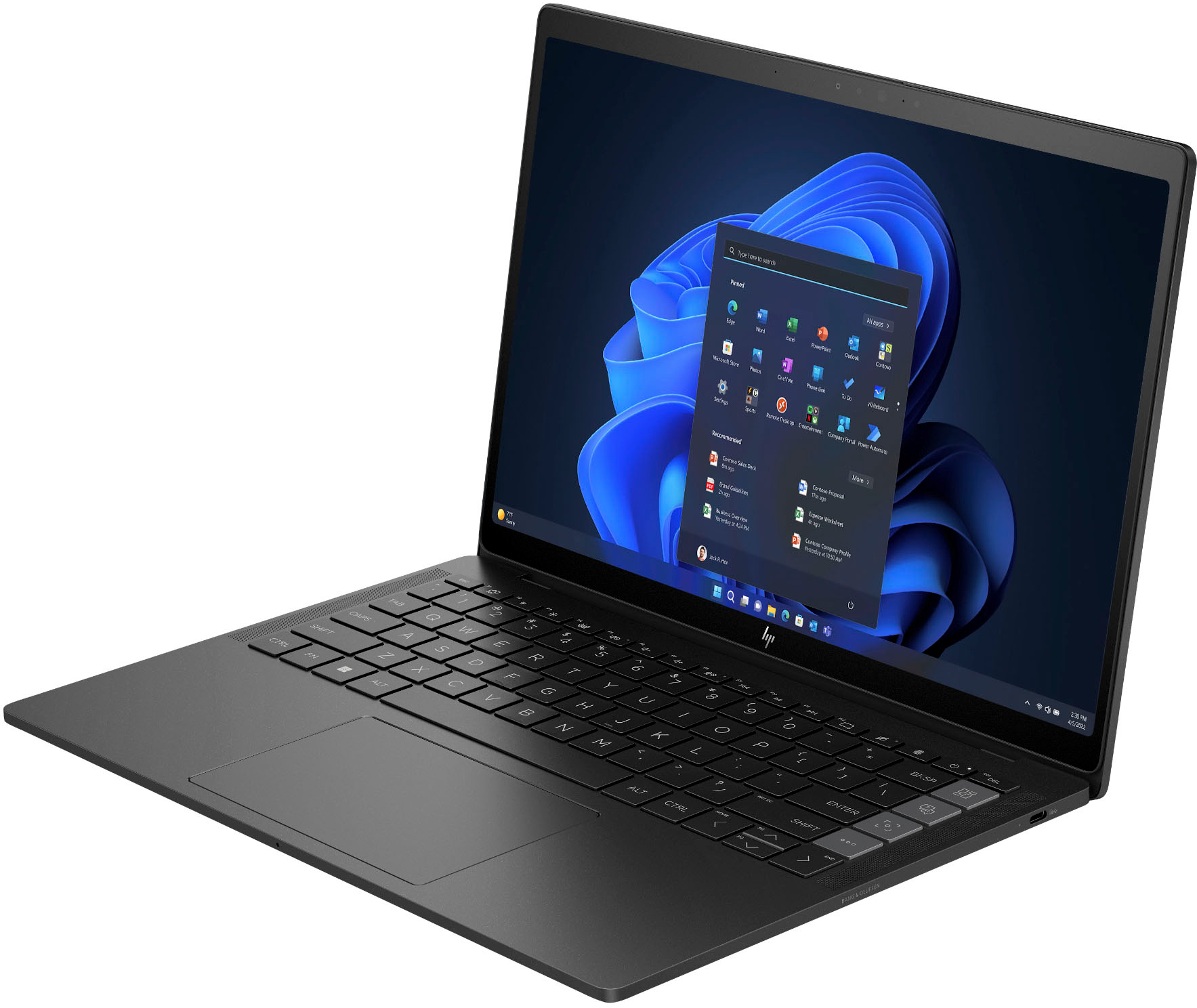
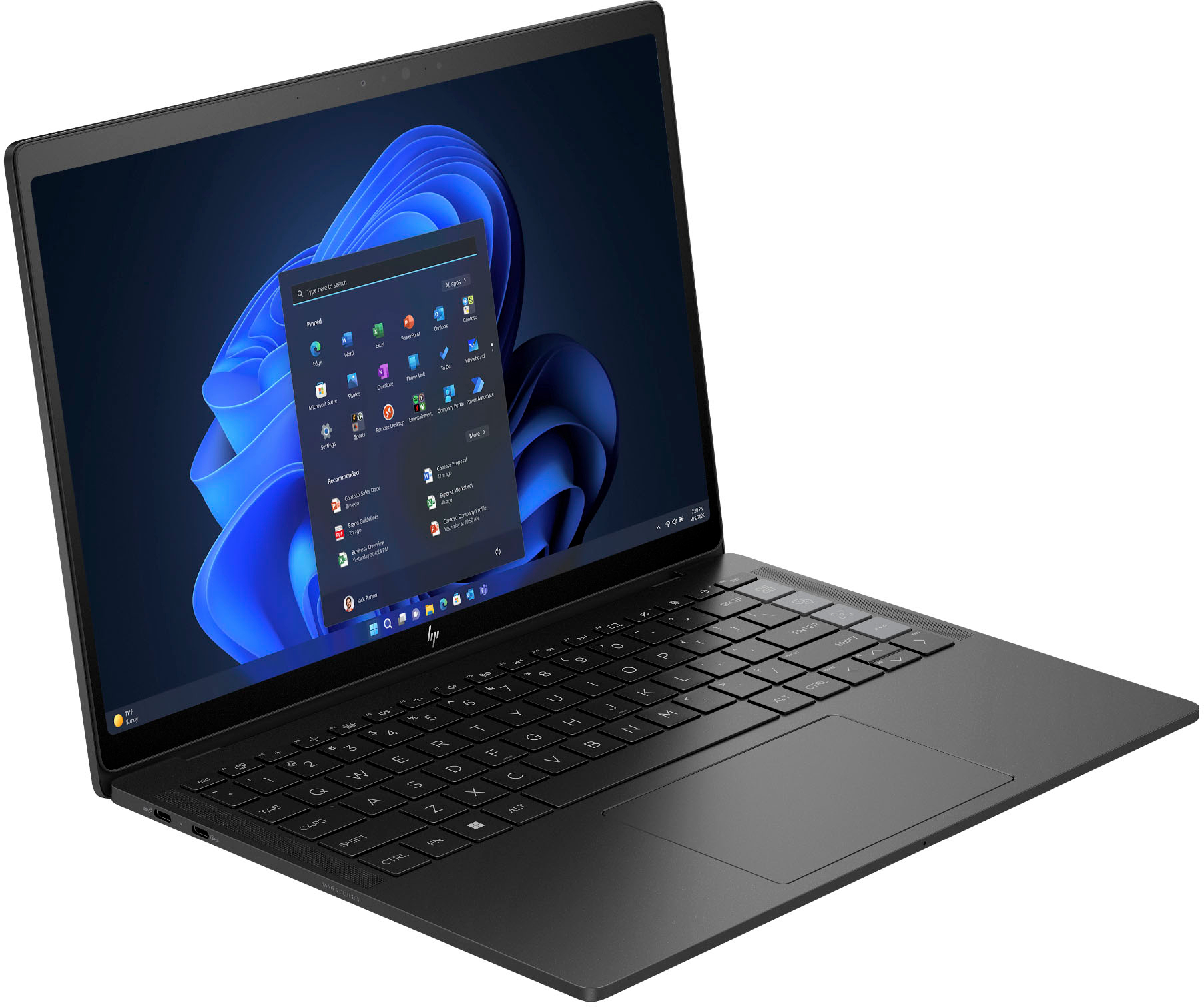
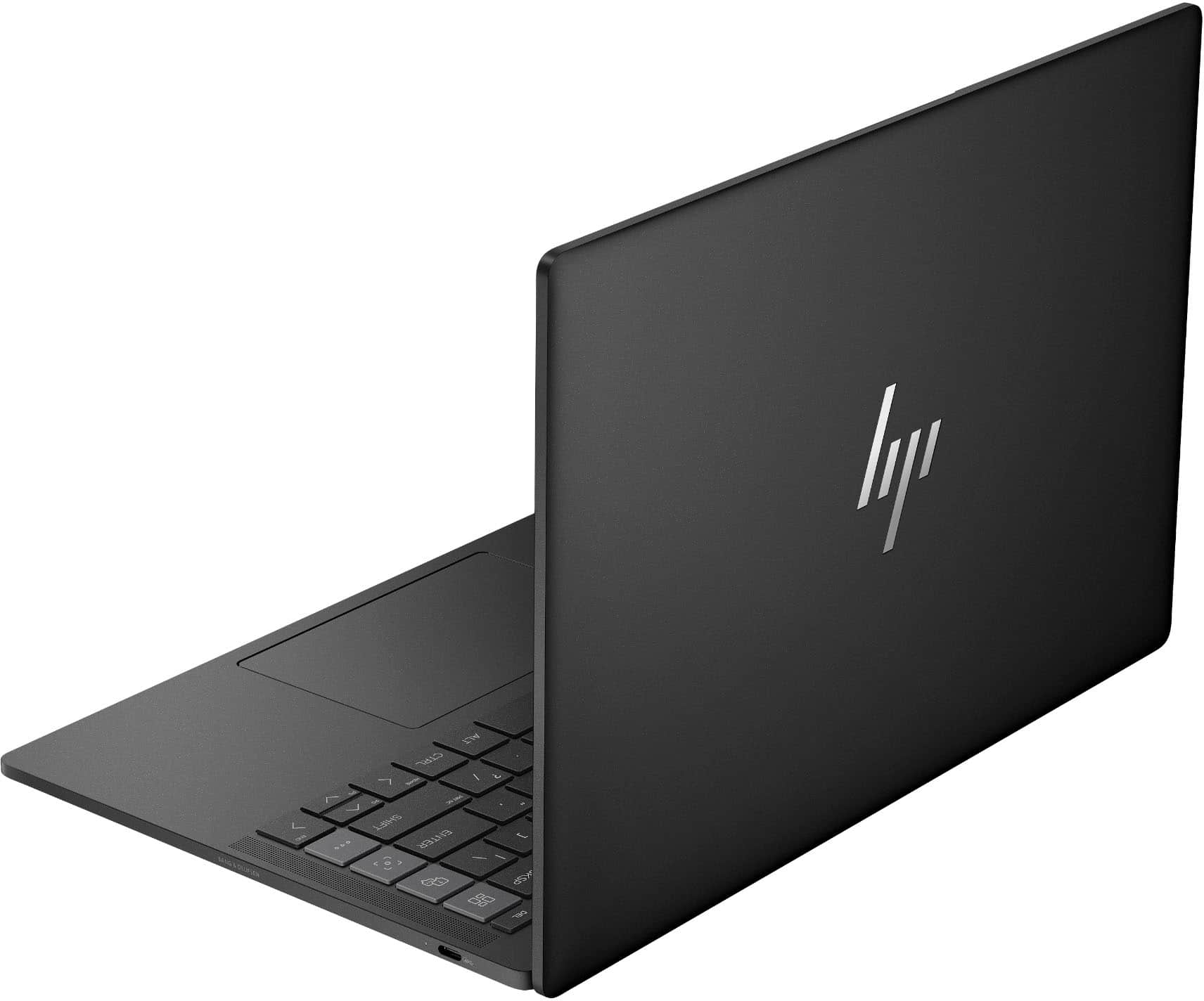






- Model:
- 14 16/512GB BK
- SKU:
- 6538771
to a friend
Customers are saying
Customers highly value the Dragonfly Pro 14" for its exceptional battery life, which lasts up to 10 hours. They also appreciate the comfort and quality of the keyboard, as well as the overall build quality of the laptop. The portability of the device, with its lightweight design, is another key selling point. However, some customers have expressed concerns about the limited number of ports available on the laptop.
This summary was generated by AI based on customer reviews.
- Pros mentioned:Keyboard, Portability

HP and AMD have a winner here!
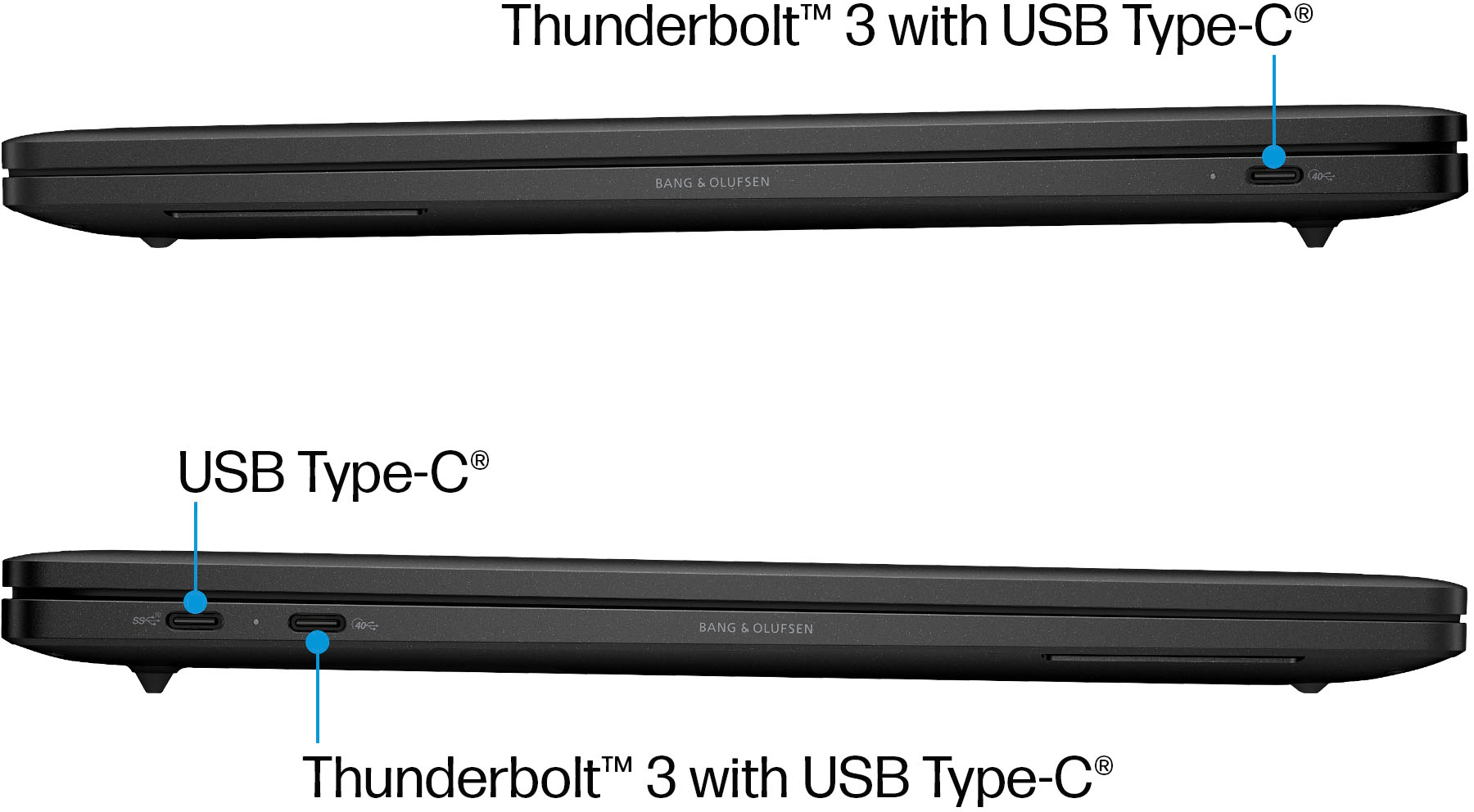
|Posted .This reviewer received promo considerations or sweepstakes entry for writing a review.Summary: This laptop is AMAZING for work, portability and maybe some light entertainment. It is the closest thing to a MacBook I have seen in the Windows ecosystem. There are a few minor issues holding it back from perfection but it is well worth the buy. Unboxing & setup: The HP box is a minimalistic white box with pretty much nothing inside. You will simply find the laptop, the 96W charger & USB-C braided cable and a quick setup sheet between the keyboard and laptop. My first impression was that the build was quality and weight was good for portability. I received the black model which has small bits of reflective material, nothing too obvious but it is there if you look close and adds a bit of personality. Otherwise the design is minimalistic with just the HP logo providing any contrast. There are only three ports. One of the left ones is a 10gbps USB-C right next to a 40gbps Thunderbolt port. I assume the smaller one was meant to simply be the primary changing port and will likely get the least amount of use for I/O. There is another 40gbps USB-C port on the right side. Setup was your typical Windows setup. With an HP login to boot to add access to specific features and registration. It was nice to see WIFI 6e connectivity available and I was able to connect to 6 Ghz frequency. There is a setup for face recognition or fingerprint using Windows Hello. It is nice to have the choice since most laptops only have one or the other. Keyboard & mouse: This is an amazing keyboard in typical HP fashion. It simply feels right. After about an hour of playing with the laptop I was able to get to 90 WPM in a typing test with pretty good accuracy. The keys are a tiny bit offset due to the HP specific buttons on the right. The backlight on the keyboard has three settings; high, low and off and it is plenty bright. I was very impressed by the mouse. This is the first Windows machine I have used that has a haptic touchpad similar to what you will find on MacBooks. You can click anywhere with an equal feel of clicking and it is near perfect. I would rate it to 90% of the feel of a MacBook trackpad. Screen: I do a lot of typing and photo editing. The screen is high enough resolution at 1920x1200, but by default it is set to 150% scale which on a 14 inch screen makes everything huge. I pushed it down to 125% which felt better for the screen space provided. The specs state it has 100% of sRGB and 99% of DCI-P3 color space but when trying a few image tests with good DCI-P3 photos, there was a decent amount of shades it was unable to display. No deal breaker but worth noting if that is important to you. I feel confident doing photo editing on this device on the go. Blacks are also good enough to watch movies on even though it is a LCD IPS screen but it is definitely not as good as an OLED for that purpose. I give the screen an 8 out of 10. It does have a touch screen layer but I rarely use it and think HP should have come with a pen to use it with for signing documents. The display is limited to 60fps and is not HDR. Audio: There is no headphone jack here so you will have to use a dongle or Bluetooth for that purpose. The included B&O speakers are great though, one of the better ones I have heard on a Windows laptop. They are a bit lacking on bass but there is an EQ in the myHP app which can offset this. The speakers support 24bit 48000hz. They are great for music and movies alike. Software: There is not a whole lot of bloatware installed and anything included is useful. There are four full sized buttons on the right of the keyboard. One for the myHP control menu, one for the myHP support menu (more later), and one for another control menu in the same software. The last one is a programmable key which is nice. I thought it was weird they all point to the same software and would like the ability to map some of the keys to other uses since it feels redundant. Also, I have to hold the key down to trigger the software, a simple press often does nothing. Performance: I am greatly impressed by the Ryzen 7 7736U, integrated Radeon graphics, 16gb of LPDDR5x memory and 512 GB of NvME storage. This thing is crazy fast and runs cool consistently! You will easily be able to do this for pretty much everything but heavy gaming. In Adobe Lightroom, I exported 104 RAW photos from a cell phone to 100% JPEG in about 1:02 mins. For comparison I exported the same set of photos using an Asus ROG G14 with a much better video card in almost the same time. In CrystalDiskMark I was blown away with the 7016 MB/s read and 4792 MB/s write. For graphics, I was able to achieve a score of 3428 in Wild Life Extreme and 3372 in Extreme Unlimited. I did try a few games out of curiosity. I was able to play Starship Troopers Terran Command at 1080P at about 30 fps in low/medium settings. This should be good for light strategy games, Fortnite and CS go if you wish. The Radeon graphics are a good step above Intel Xe and can be used for light video editing as well. I also tried mining some Monero. I was able to achieve an average of 2398 H/s. For comparison My Ryzen 9 6700 is able to get 4567 H/s and my intel 1360P is able to achieve 3003 H/s. Battery & heat: This laptop is great for traveling and working on the road. Off of its charger, it runs cool as can be and rarely uses the fans. This is a much more efficient processor than the intel P series. The battery easily lasted me two to three days between charges with typing, music, videos and surfing the internet. If you are using it all day at the office, coffee shop or class, you likely will be able to get home easily before you need a charge. I did not notice any degradation in performance while on battery whereas the Intel P series often slows down quite a bit off of the charger. I think AMD has a hit here with this generation. Of note, perhaps due to the hardware configuration, my copy of windows never gave me an expected remaining battery time, just percentage. Repairability: Though there is not much of anything that can be upgraded, this laptop appears designed to be repaired if a part goes bad. The RAM is soldered on so choose your configuration wisely. The system manual on the HP website has full tear down procedures for pretty much every component as well as part numbers for order. The bottom cover requires no removal of rubber pads to get to screws, they are all (5) accessible. The plate is held on only with magnets so there is no need to pry it open. Photos are included of the interior. Just be careful with the ribbon cables for the fan. HP support: Of note, the four buttons on the right keyboard are designed to provide quick access to personalized support. I had no issues so did not test it but supposedly it provides 24/7 professional support for road warriors. The service is free for the first year. Issues: Nothing is perfect. Though this laptop is amazing. I had two instances in my five days of testing where the system shut down for no reason or would not wake out of standby resulting in a reset. The lid to the laptop is stiff when opening. It is not a one handed open. Also, typing often puts my palms against the sharp corners of the device frame which can be uncomfortable at times. The screen corners are “rounded” but it feels like HP took a shortcut to make it feel more premium. Instead of any actual rounding, they just put a straight diagonal edge on the corners\ (pictured). That is pretty much all I could find that I did not enjoy about the device.
I would recommend this to a friend - Pros mentioned:DisplayCons mentioned:Mediocre cpu, Ports
Solid 14" Laptop with Some Great Features
|Posted .This reviewer received promo considerations or sweepstakes entry for writing a review.Unpacking the new ultra-thin (0.7" thick, 3.4lbs weight) 14" HP Dragonfly Pro PC, I was curious about the sparse writing on the box and even on the laptop itself. There is only a very stylized lower-case 'hp' on top of both the white box containing the laptop and the computer itself. There are no other words or labels; not even the model name on the unit. I believe it is to instill a sense of exclusiveness and luxury, but my impression is that it misses the mark a bit. However, after getting familiar with the Dragonfly Pro, I am a bit more impressed. This 64-bit Win 11 laptop runs on an 8 core, 16 thread AMD Ryzen 7 7736u CPU running at 2.7 GHz with Radeon Graphics on-board and 512KB L1 Cache. HP uses 16GB of fast, high-end LPDDR5 RAM with low power consumption. (You can really tell, because this laptop runs very cool and has up to 7.5 hrs of battery time with fast charging, depending on usage.) As for other features, I found that the installed 512GB PCIe SSD is really fast with data transfers both upload and download. I found that the 5 nit bright FHD display is a flicker-free Touch Screen with 100% RGB showing true colors and capable of running HDR video very smoothly. I also found that the Dragonfly Pro has USB C ports capable of running USB4 / Thunderbolt 3 (too bad that there are only 3 USB C ports on the whole machine.) I was delighted to find high-quality sound (for a laptop) out of the built-in quad Bang & Olafson speakers. Also on the delighted side, I discovered that the laptop has a Synaptics FS7606 Touch Finger Print Sensor which works very well. In addition, the Dragonfly Pro has a 5 megapixel camera that does 1440 webcam video and great facial recognition. Another plus is the Qualcomm WCN685x WIFI 6E Dual Band Simultaneous WiFiCx Network Adapter supporting the latest IEEE 802.11 standard for fast wireless. All-in-all, the HP Dragonfly Pro has much to recommend and is a very nice laptop. But the lack of ports, the mediocre CPU speed and the small screen size detract, in my opinion. These are not deal-breaker negatives. I am going to take it on vacation with me.
I would recommend this to a friend - Pros mentioned:Battery life, KeyboardCons mentioned:Camera
Great work laptop. True 10 hr battery life.
|Posted .This reviewer received promo considerations or sweepstakes entry for writing a review.I love the Dragonfly Pro 14 as a day to day and work laptop. It’s snappy, has a good typing keyboard, an excellent touchpad, and a bright and colorful touchscreen. It’s also very well built, with a stiff aluminum and magnesium chassis adorned in an understated matte black finish. I feel like this is the laptop Batman would use, and I stand by that claim. Partially because it offers a legit 10 hours of battery life which is essentially an all day charge. That’s 10 hours of being able to work anywhere, which is a comfortably long leash of freedom. It’s mated to a backlit keyboard with keys that are comfortably spaced and offer good tactile feedback. The haptic touchpad is accurate and a bit magical. I’m fascinated by how it makes it feel like I’m actually clicking the touchpad when in reality, it’s not moving at all. The best part is that you can “click” any part of the touchpad and receive a confirmed “click” which means you don’t have to reach all the way down to the bottom edge of the touchpad. It’s only a matter of inches, but the extra margin of error comes in handy when trying to rush through things. It’s small details like these that make the Dragonfly Pro 14 a joy to use, not to mention the bright and responsive 1920x1200 touchscreen. Covering 100% of the sRGB spectrum, colors are gorgeous and deep. Screen protection comes by the way of Corning Gorilla Glass, which should keep a clean finish over the years. Sound is by Bang & Olufsen, which is good, but for some reason the internal speakers are incompatible with Dolby Atmos. Not a big deal though as it still sounds good and movies look great. Port wise, I hope you like USB-C, because that’s all you get. Of all ports, it’s a good one to be stuck with, but you’ll need an adapter if you want to plug in anything else. That includes headphones too. On the bright side, you can plug the 96 watt charger into any of the 3 ports to recharge the laptop. Being able to move the charging cable to either the left or right side is a type of convenience I’ve only dreamed of until now (again, little things), though it’s still no excuse for not having a headphone jack. Speaking of which, while I love the Dragonfly Pro 14 as a day-to-day and work laptop, it’s not without some faults. While snappy with photos and spreadsheets, it struggles for gaming. I tried Cyberpunk 2077 as a torture test and it crashed every time I tried to just start the game. Plants vs Zombies 2 through Game Pass / EA wouldn’t load at all, though that might be an EA/Game Pass issue. Surprisingly, Forza Horizon 5 was pretty smooth, though all of the graphic settings were set to low and it took a long time to load. The built-in camera sounds good on paper, but so far it seems like the average run-of-the-mill laptop cam. It’s still grainy in low ambient light, but it works well for Zoom, Teams, etc… There’s 4 special keys on the right side of the keyboard, which is marketed as a big feature, but only 1 is reprogrammable. I get having the Customer Service button stay static, but I really don’t need a key dedicated just opening the MyHP app. I hope this gets changed in a future software update as having 3-4 programmable keys would actually be really useful. And my last gripe is that it’s not user serviceable, so don’t plan on upgrading the RAM or HD later on. You get it as you got it, and it’ll stay that way. Fortunately, the Dragonfly Pro 14 is fast with office apps and websites, so it should hold up for quite a while. With a bright screen, all day battery life, and a keyboard that feels good to type on, it’s a great laptop for school, work, and would make excellent fleet laptops for company staff. Especially with the dedicated customer support button to instantly bring help for any tech issues. PROS - Legit 10 hour battery life - Fast for day to day, streaming, and office tasks - Good touchpad with haptic feedback - Solid build quality - Good sound - Excellent feeling keyboard - Sharp and bright screen - 100% sRGB color spectrum - Responsive touchscreen - Fast WiFi with good range - Great do it all laptop - 3 USB-C ports - Fast 96w charger - Can charge from any port - Dedicated screenshot button - Programmable key - Quiet CONS - Bad for gaming - Have to turn on keyboard backlight - A little heavy - Incompatible with Dolby Atmos - No headphone port - Average camera - Gets warm - Fan vents only on bottom - Not upgradeable - Can only program 1 button
I would recommend this to a friend - Pros mentioned:Build quality, KeyboardCons mentioned:Ports
Pro in the Making
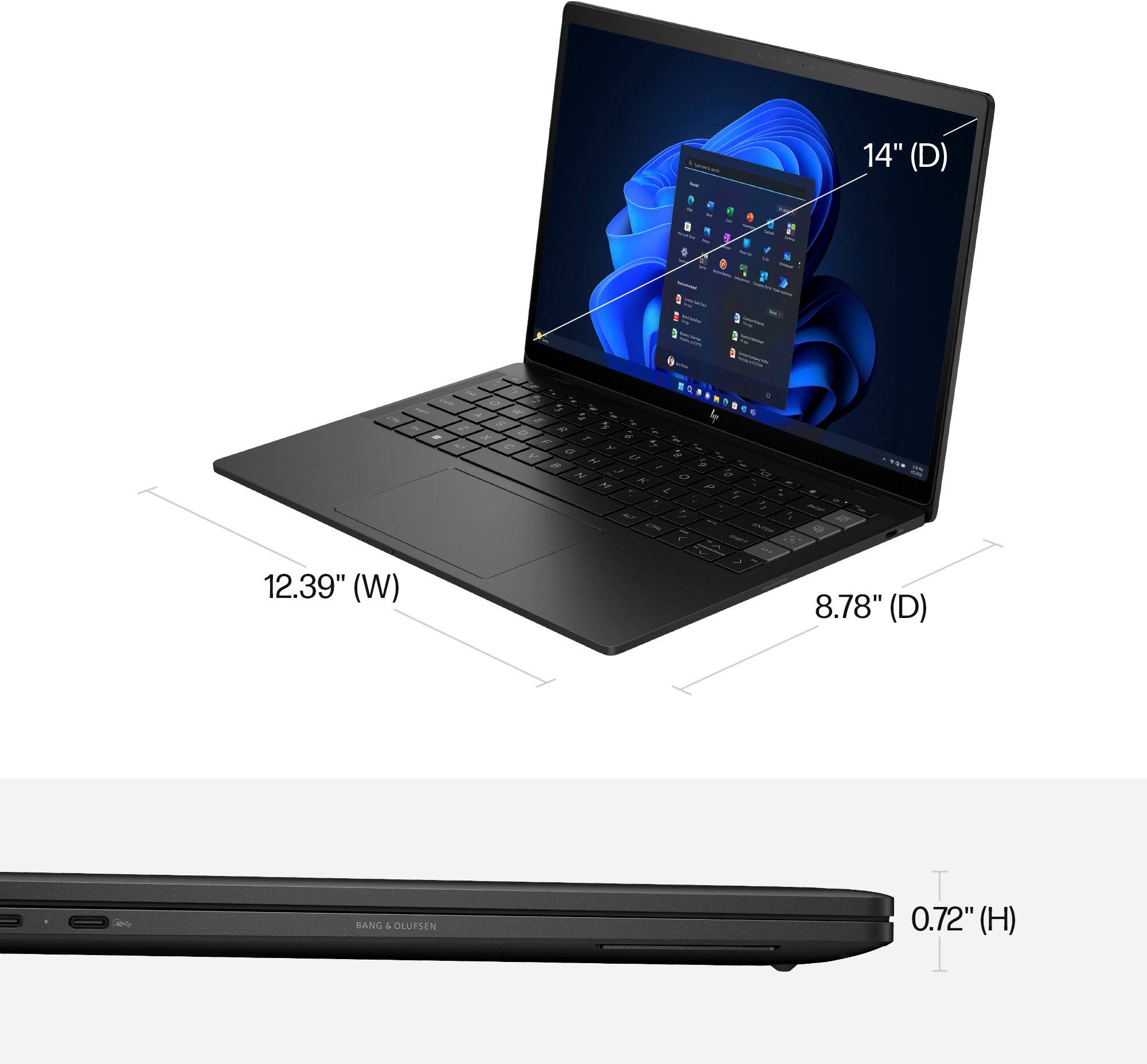
|Posted .This reviewer received promo considerations or sweepstakes entry for writing a review.Hewlett Packard’s Dragonfly Pro 14-inch laptop evokes a premium feel in terms of build, form and performance. Packed with an AMD Ryzen™ 7000 Series processor, you get stellar performance for routine tasks (i.e., browsing, word processing, streaming and not so tasking games.) The minimalist packaging means you receive only the 14-inch Dragonfly Pro, a lengthy braided dual ended USB Type-C cable and the charging power adapter rated at 96 W. The laptop appears well-built with an aluminum cover, magnesium base and keyboard cover. For protection, the touchscreen is Corning Gorilla Glass NBT, touted to provide “enhanced scratch resistance, reduced scratch visibility, and better retained strength once a scratch occurs… “by Corning. It has a very compact form 12.39 x 8.78 x 0.72 inches) and can easily be carried around at around 3.4 pounds. Mine is described as sparkling black but I would personally go with matte black; fingerprints are well hidden in addition. The WUXGA (widescreen ultra extended graphics array) multitouch-enabled 14-inch touchscreen supports a maximum resolution of 1920 x 1200, a little more than the Full HD (1080P) of 1920 x 1080. It has a glossy finish and at 400 nits, outside use in bright sun got tricky in my experience. My preference would have been a matte finish to help reduce reflections on the screen. Viewing angles are remarkable with no significant degradation (at least to me) between watching content from the side or directly. In line with current trends, the bezel around the screen is narrow that gives the illusion the screen is much bigger than it really is. A 5MP camera and a microphone array are housed in the bezel above the screen. The camera is also equipped with an electronic shutter that can be toggled off and on via a dedicated key on the keyboard. Having moved away from the mechanical shutters that older laptops used to cover the camera lens, this electronic shutter provides assurance that the camera is really shut off – minus the sticky tape/note placed over it. Facial recognition is flawless even in low light conditions. The keyboard is flanked by two speakers from Bang and Olufsen. Underneath the laptop is another speaker assembly that helps deliver an impressive bassline for a laptop this size. Overall sound is clear and rich. Two rubber strips placed beneath the laptop serve as footing that angle the keyboard and provide clearance for the optimal operation of the speakers beneath the laptop. The keys are adequately sized and comfortable to use. Keystrokes are gratifying with decent travel. There are two levels of brightness for the backlit keyboard that work very well. I regularly use the snipping tool and as such was very impressed to find a dedicated key for the action; it will definitely get its fair share of daily use. Nested between the power button and the previously discussed electronic shutter key is the fingerprint reader. The design is a little unique as it looks like a regular key. It is accurate. HP includes four additional non-standard keys on the right-hand side of the keyboard that can easily be identified by their color difference (in lit conditions.) While it sounds clever on paper, I found that three of them pretty much performed the same function: to open the “my HP” utility. This utility allows for the configuration of audio controls (microphone and speakers) and settings for videoconferencing. There are some clever options for background effects (i.e., blur, preset or user defined images.) The last non-standard key of the four is the programmable key that allows the user to invoke actions such as starting an app (camera perhaps), opening a weblink for a site or a file location. The good news is that once programmed, the key works as configured, however, it appears that all the actions get executed at the same time. I have yet to determine the limit of programmable actions, but the simultaneous execution could be jarring depending on the number of actions invoked. An option could be multiple presses in rapid succession or long presses etc. for the various actions. The other three non-standard keys also appear to all open the “my HP” utility. One opens the Home tab, another opens the Support tab while the third opens the same “my HP” utility with no tab selected. A recommendation would be to condense all three actions into a single key to free the remaining as additional programmable keys. The trackpad is a joy to use. I really like the feedback. There is just the right amount of travel, that is also very gratifying. At about 5.5 inches (measured diagonally), it is generously sized to allow for multitouch and gesture actions. While most of us have come to terms with docking stations and external monitors, I am sure multiple port options would have been welcome on the 14-inch Dragonfly Pro. Yes, it is very portable but all you get are two (2) Thunderbolt 3 USB Type-C ports and one (1) USB Type-C for a total of three (3) ports. Yes, there are adapters that can make this backward compatible for your flash drives with USB Type-A flash drives but I wish at minimum, one had been provided on the laptop. For headphones/headsets, you will need to connect via the Bluetooth 5.2 wireless card. I personally do not mind this configuration, but I feel there is still some population that prefer wired headsets/headphones. Wi-Fi 6E is powered by a Qualcomm wireless card but unless your setup at home is via a Wi-Fi 6E wireless router, you will still connect at the standard at play with your setup. An AMD Ryzen 7 7736U processor with a base of 2.7 Ghz and capable of up to 4.7 GHz max boost is the brains for my Dragonfly Pro. Integrated in this processor is a 2GB 2200 MHz AMD Radeon 680 M graphics processing unit (GPU.) It also shipped with 16GB of RAM (LPDDR5-6400 MHz) and a 512 GB solid state drive storage (PCIe NVMe M.2) Asphalt 9 gameplay was very smooth and my Dragonfly Pro did not appear to show any signs of stress. I am not an avid gamer so occasional gamers should be okay. Paired with a 4-cell 64.6Wh Lithium-ion polymer, HP claims 15 hours of use. I have yet to achieve those benchmarks in my typical use. HP also boasts a 50 percent charge via the provided 96W charger in 30 minutes, with the caveat the laptop must be shut off. This will be helpful if you discover your laptop was drained and you had that amount of time to spare. When in use and plugged in, it takes much longer to charge. The good news from the three USB Type-C ports is that they can all charge the Dragonfly Pro. My wish list for the next iteration would include additional programmable keys, more ports, a higher resolution screen, Windows 11 Pro and a matte finish screen (or not so glossy/reflective.) Initial thoughts on quality appear the Dragonfly Pro is well built and a joy to use. I did have an initial issue around the third day of use when the sound appeared to have some interference. A Windows update along with the audio drivers and the issue resolved itself. This laptop attempts to sit between medium and high-end laptops. I do fear it may face fierce competition from other manufacturers through everything to dominate the segment. It does not have any tricks such as folding the screen 360 degrees for a tablet mode, for example.
I would recommend this to a friend - Pros mentioned:Battery life, Display
Solid Choice
|Posted .This reviewer received promo considerations or sweepstakes entry for writing a review.It may not be the thinest or lightest but the HP Dragonfly Pro is a very nice mid-range laptop with a high-end feel. The aluminum and magnesium chassis is rigid and doesn’t flex when holding it by the palm rests. The Sparkling Black has subtle gold specks that are unique without being over the top. The smooth satin exterior looks refined but is also fairly resistant to fingerprints, thankfully. Though thicker than an ultrabook at .72 inches, it never felt bulky. The Dragonfly Pro feels solid at 3.42 lbs, but I wouldn’t consider it light. The 14” display is very vibrant, features minimal bezels, and is topped with Gorilla glass for a smooth touch experience so long as fingerprints on your display don’t bother you. The rich display reproduces images and movies accurately thanks to it’s 100% sRGB color gamut. Though the IPS display is only 1920x1200, however I found it to be clear and sharp while offering 400 nits brightness. There is a bit of light bleed at the bottom edge, but it isn’t terrible. The audio on this device is top notch. Even though they are not going to replace a quality set of headphones, the quad speakers by Bang & Olufsen sound surprisingly good for a laptop. The keyboard is fantastic, yet also disappointing. The disappointment is due to the dedicated myHP keys on the right side, which only one of those keys can be reprogrammed to open an application or website. I am not a fan of bloatware on computers, much less ones dedicated to all essentially launch a different aspect of the same myHP app. The prominent keys come with 1-year of 24/7 live support after which you will need to purchase a care pack to utilize. I did actually use the support/chat key to ask a question about an issue with the presence sensor, which HP’s support was helpful and informed me it would be fixed in a Windows update, which it was. I don’t see needing the dedicated keys myself but fortunately the rest of the keyboard is fantastic and makes up for HP’s odd design choice. The key travel and feel is excellent, while noise is minimal. I found typing to be very enjoyable and I easily adjusted to the slight offset due to the myHP column of keys. The keys are color matched to the body, apart from the grey myHP keys, and feature backlight with 3 settings; high, med, and off. I liked the led indicator that the electronic shutter on the camera was disabled which worked as expected. Performance and battery life are both great on the Dragonfly Pro. I found the laptop always felt quick and handled a large number of Chrome tabs (this is life now?) while using local applications without hesitation. The Ryzen 7 7736U performs well and can handle light gaming with many PC games at full resolution and low settings. Though more demanding games may be better suited for a gaming PC, the Ryzen 7 7736 is quite capable. The AMD APU is also efficient with up to 15 hours of battery life with light usage. So far I am able to use the device a couple hours a day for a few days before I need to worry about plugging it in. The included 96 watt charger and long woven USB C cable have a premium look and feel while able to charge the internal 64 Wh battery to 50% in as little as 30 minutes. The I/O is pretty good with 3 USB C ports with power delivery, 1 port on each side are Thunderbolt 2 which are capable of 40Gbps transfer rate for high speed peripherals. I know many would like to have seen a USB A port but I have transitioned mostly to USB C and have several type A dongles already so it doesn’t bother me. There is also decent wireless onboard with 2x2 WiFi 6E and bluetooth 5.2 via Qualcomm. Though I only currently have WiFi 6 at home, the wireless is fast and the included standard should be quite useable for the foreseeable future. I think for the most part HP knocked it out of the park with this device. If you can look past the minor gripe about the macro keys, it is otherwise a great keyboard and overall the Dragonfly Pro is a solid choice.
I would recommend this to a friend - Pros mentioned:Battery life, Build qualityCons mentioned:Ports
A lot to like, with a few caveats.
|Posted .This reviewer received promo considerations or sweepstakes entry for writing a review.The Windows 11-based HP Dragonfly Pro is a solid laptop offering excellent speed, fantastic battery life, and excellent build-quality. The Dragonfly Pro comes in two configurations, both utilizing the AMD Ryzen 7 7736U CPU and a 14.0-inch 16:10 Full HD+ IPS display. One version comes with 16GB of RAM and a 512GB SSD, with the other bumping up to 32GB of RAM and a 1TB SSD. Value is reasonable given both versions are well-built, premium laptops that use solid components. The version reviewed here is the 16 GB RAM with 512GB storage. The design is minimalist, with simple lines and almost no accents other than the HP logo on the lid which for me work well. There's no flex in the lid, keyborard or chassis. It weighs in at 3.5 lbs., which is a little on the heavy side for a 14-in. ultra portable, but it's hardly something you have to lug around, and I apprecieate the solid feel and build quality. The keyboard is solid and has a snappy feel, and is comfortable to use. There are dedicated keys on the keyboard to reach HP's live support. Hit the key and you're an instant away from text chatting or speaking to a live representative. The large, haptic feedback touchpad works very well. The firm haptic response mimics physical buttons but is a lot quieter, and the touchpad was quite precise. The built-in 5-megapixel camera is quite good, and supports IR so can be used with Windows Hello to log in using facial recognition. There is also a privacy button to the left of the fingerprint reader for easy access. HP got it right with the camera. Connectivity is lacking in my opinion. Wireless is Wi-Fi 6E and Bluetooth 5.2, so no complaints there, but The Dragonfly Pro comes with just two USB C Ports. There are no USB A ports, no 3.5mm audio port, and no included adapter for HDMI and USB A ports that other laptops in this class come with. I had no way to connect the USB dongle so I could not use my wireless mouse. While I understand removing legacy ports are necessary for the slim profile, for a premium laptop with a price to match, not including an adapter is an inexcusable oversight in my opinion. HP uses AMD’s Ryzen 7 eight-core/16-thread 7736U CPU for both versions of the Dragonfly Pro. The CPU performs admirably in single core operations, and absolutely screams in multi-core applications, excelling in Cinebench and Geekbench tests. The on-chip GPU holds it back in Creative applications and gaming, but with it's excellence in CPU intesinve performance it excels in business taks. With such speedy workstation performance, it makes me scratch my head that it comes installed with Windows 11 Home rather than Windows 11 Pro. Another oversight by HP in my opinion. The Dragonfly Pro comes with a 66-watt-hour battery, and it's performance exceeded my expectations. The Dragonfly Pro lasting over 14 hours of general usage like web browsing, and after two hours of video on a full battery left it with around 85% of battery remaining. By comparison, my Dell XPS lasted around 8 hours of general usage. I was impressed. As impressed as I was with it's excellent battery life, I was equally disappointed with the display. As a premium laptop, it should come with a higher resolution than FHD The 1920x1200 resolution with a disappointing 60Hz refresh rate is not very sharp, even in a 14-in display. It's an 'okay' display and offers decent colors, but the Dragonfly Pro Chromebook comes with a 14-in QHD (2560x1600) display. Again, a headscratcher. Sound is good, but not exceptional. The four speakers (two downfiring, and two along the sides of the keyboard) offers clear mids and highs and the downfiring speakers add touch of bass provide to provide a decent experience for streaming video and music. The Dragonfly Pro offers a lot to like. It's very fast with excellent battery life, with a premium feel and excellent build quality. Holding it back it the display that screams 'meh', a lack of ports (or at least an included adapter), and the 'Home' version of Windows 11. Disappointing considering the quality offered by the Dragonfly Pro in other, important areas. Still, given how it excels in those important areas, it's still very much worth considering.
I would recommend this to a friend - Pros mentioned:Battery life, PortabilityCons mentioned:Fingerprint
Definitely a Student and/or Business Meeting Focus
|Posted .This reviewer received promo considerations or sweepstakes entry for writing a review.This is not a Gaming Laptop where size, weight and power consumption are sacrificed for sheer speed. Its relatively light-weight portability, high-function camera, clear screen and web-meeting functionality make it an excellent choice for Zoom type meetings, Home Office and classroom purposes. Features: - OS: Windows 11 Home - ACCESS/SECURITY: Face Recognition (Windows Hello), Finger Print Reader, PIN #, Mic mute key; Trusted Platform Module (Discrete TPM) support; Speaker mute key; Camera electronic shutter key - GPU: AMD Ryzen 7 7736U 2700 MHz CPU with integrated AMD Radeon™ Graphics - RAM: 16 GB LPDDR5-6400 MHz (not expandable) - STORAGE: 512 GB PCIe® NVMe™ M.2 SSD - WEB CAMERAS: 5 MP RGB-IR camera with electronic shutter and integrated wide-range microphone array (1 front-facing individual, 1 world-facing conference mode) - TOUCH SCREEN: 14” diagonal, WUXGA (1920 x 1200), multitouch-enabled, IPS, edge-to-edge glass, micro-edge, anti-reflection Corning®️ Gorilla®️ Glass NBT™️, 400 nits, 100% Srgb - WIRELEES TECH: Qualcomm®️ Wi-Fi 6E WCN685x (2x2) and Bluetooth®️ 5.2 wireless card - BATTERY: 4-cell, 64.6 Wh Li-ion polymer, Up to 15 hours runtime, Supports battery fast charge of approximately 50% in 30 minutes - EXTERNAL IO PORTS: 2 Thunderbolt™ 3 (40Gbps signaling rate) with USB Type-C 10Gbps signaling rate (USB Power Delivery, DisplayPort (1.4, HP Sleep and Charge); 1 USB Type-C 10Gbps signaling rate (USB Power Delivery, DisplayPort 1.4, HP Sleep and Charge) - AUDIO: Audio by Bang & Olufsen; Quad speakers - SENSORS: Accelerometer; Color temperature light sensor; Gyroscope; IR thermal sensor - DIMENSIONS & WEIGHT: 12.39 x 8.78 x 0.72 in, 3.42 lbs. - WARRANTY: 1-year limited hardware PROS: - Cool running with good battery life. - Smaller dimensions and relative lightness make it easy to store in a backpack or briefcase to carry between meetings or classes. - Facial recognition (Windows Hello) is much more reliable than fingerprint reading for us older folks. When you get older, you’ll find that thinner skin makes the fingerprint ridges much flatter causing fingerprint readers to fail. - The sound is very good. - Keys are large, legible and usable considering the overall size of the laptop. CONS: - If ONLY the computer industry would stop switching I/O ports every couple of years, eventually all of our new computers and peripherals will have the same USB-C ports. Until then, we are left again with Daisey-Chained-Dongles to connect our peripherals (Blu-ray Players/Burners, Memory Cards of many sizes, Etc.) that used to plug directly into our computers to our USB-C devices. For now though, if you want to use this laptop with only 3 USB-C ports to connect (by wire) to your HDMI monitor or television, you’ll have to dig through your drawer of dongles. - The shiny surface of the touch screen collects fingerprints and can reflect light from windows and bright lights. Conclusion: Not a gaming laptop per-se, but this is much more portable if you don’t need extreme power.
I would recommend this to a friend - Pros mentioned:Build quality
Power and Support in a Compact Package
|Posted .This reviewer received promo considerations or sweepstakes entry for writing a review.Simple design should never be mistaken for a lack of capability. The era when a plethora of different port types was necessary for productivity is a thing of the past. With the Dragonfly series, HP has targeted those who require substantial processing power in a compact, robustly constructed design. The chassis is breathtaking. While it isn't exactly an ultralight device, its weight is by no means a deal breaker. In fact, it instills a confidence in the hardware that might not be present with a lighter, equally sized unit. Maybe it's just my perception, but that extra bit of heft serves as a constant reminder of its potential. The keys have a shallow travel but provide excellent feedback when pressed. There's no second-guessing if my keystrokes registered, eliminating the need to double-check and correct any errors when typing without looking at the screen. The keys' firmness, with no wobble in any horizontal direction, is a testament to the keyboard's quality. However, I do wish HP had positioned the proprietary keys for their Pro Live Support elsewhere. Their current location makes accidental activation too easy. The Bang and Olufsen speaker setup is surprisingly high-quality. Top-firing speakers at the keyboard's edge and down-firing speakers closer to the chassis front create a convincing surround sound effect in the right environment. The volume levels they can achieve are impressively high. The absence of a headphone jack might disappoint some, but in a world where Bluetooth audio devices are the norm, this seems a minor issue. I can't fault this design choice and commend the decision to omit it. The laptop comes equipped solely with three Thunderbolt 3 ports, all capable of charging the laptop with the supplied USB-C cable. This cable can also be used for other accessories when charging isn't required. The flexibility to charge from either side broadens workspace possibilities, as you're not tied to a specific port. A few years ago, this might have seemed a restrictive design choice, but with the rise of USB-C and wireless protocols, it's no longer an issue. I see no reason why this would limit my use of the machine and appreciate the minimalist approach to this design. As much as I’d like at least one of these to be Thunderbolt 4, I think that would be a big ask for this package and could lead to a strain that could deteriorate the lifespan of this unit. Thunderbolt 3 is 2015 tech but feels very appropriate for this unit and its use case. The IPS screen armored edge to edge with Gorilla Glass is wonderful. Touch capability is a nice bonus for those who prefer thumb scrolling through info rather than using the mouse pad for direction. I habitually scroll through PDFs and websites by holding the right side of the screen and thumbing up for some reason, and the ability to do so is very welcome. The viewing angle of this IPS display is incredible. However, some may not appreciate this as it leaves almost no room for screen privacy as you can see in the amazing viewing angles provided in the photos included in this review. My biggest issue with the included touch capability is the screen bobs a little too much for my liking if I touch it almost anywhere near the halfway point in the vertical direction. I’d appreciate a stiffer hinge to mitigate this issue. The integrated 24/7 support system is amazing for those who do not have an IT department or other readily accessible tech support available. I generally have a knee-jerk reaction of low-level negativity towards add-ons that echo nickel-and-dime-esque subscription platforms. A year of this service is provided, with an option to extend it for another 3 years at the price point of $10.99/month. Some may balk at the idea of paying that per month, but for those who do not have the luxury of immediate IT assistance, this service could very well be a lifesaver. Especially with the additional accidental damage coverage it provides. Overall, this is an exceptional laptop. The build quality is top-notch. It performs admirably under various loads in different work environments, thanks to its Ryzen 7 7000 series processor with integrated graphics. The support mechanism is easy to access and requires little initial troubleshooting as all relevant information pertaining to your specific model is already provided to the support on the other end of the conversation. It's the perfect solution for the working professional who needs a powerful, compact laptop and appreciates technical support at their fingertips when required.
I would recommend this to a friend - Pros mentioned:Battery life, Keyboard
Power, beauty, and stamina
|Posted .This reviewer received promo considerations or sweepstakes entry for writing a review.I like everything about this laptop. Its attractive packaging is predictive of the beautiful product inside. The frame in “sparkling black” is made from recycled metals and it has a cool solid, quality feel to the touch, and does not show fingerprints. The spacious keyboard is lighted in white, and typing was quite comfortable. The unit weighs about 3.5 pounds. For comparison, it is lighter than the 14-inch MacBook Pro. It is attractive but built like a tank. The Dragonfly Pro has more than enough power with its Ryzen™ 7 7736U processor, which also gives excellent battery life. I used it for office work, media consumption, and plan to do some light photo editing. It is quiet and I have not gotten it to run hot in my use. I did hear the fan running one time, but the room was very quiet, and I have not heard it since. For those who game, this model should offer more than enough power for light gaming. I don’t game and did not test in that area. The 16 gigs of RAM and 512 gig SSD make this device snappy and responsive. It is easy to squeeze a day’s work out of a single charge. When it is time to charge up, HP supplies a hefty 96-watt charger which replenishes the battery in no time. It took just over an hour to re-charge up to 100 per cent. For me, battery life is the number one consideration in a business laptop, and this model is certainly competitive with its peers in that regard. The screen is bright and detailed and pumps out 400 nits of brightness. Resolution is HD and movie titles can be streamed in HDR, but not 4K. I previewed several Netflix titles and marveled at the presentation. To my eye, colors were rich and accurate and the quad Bang & Olufsen speakers easily filled the room with sound. The touchscreen was quite responsive. The webcam is excellent, and its performance is among the best I have seen in any laptop. Port selection is commensurate with the body style and presentation being offered by HP: three USB-C ports and no headphone jack. Two of the ports have Thunderbolt 3 support. If you need HDMI or ethernet, you’ll need an adapter or hub which are readily available and should not add little bulk to your backpack or bag. In my opinion, that’s a small sacrifice for the beauty and convenience offered by this Dragonfly Pro. It will travel well. This model is aimed at independent contractors and gig workers and offers dedicated keyboard access to 24/7 support. The service is free for the first year, and you’ll have to subscribe hereafter. Some might complain about the four keys taken up by these features. One of the keys can easily be programmed for other tasks. Since the laptop is aimed at those who don’t have company IT help available, this feature could be a lifesaver. I have not had the need to use it beyond accessing available features and device tuning that did not require human interaction. It all comes down to the features you need and your budget. I believe this Dragonfly Pro is worth every penny of its price. It is a very attractive and reasonably light Windows laptop. It has more than enough power for my needs, and the battery life is superb. Go over to Best Buy and look at the Dragonfly Pro. Type on it. I promise it’s going to be hard to walk away from!
I would recommend this to a friend - Pros mentioned:Keyboard
Nice midlevel laptop for home/small business users
|Posted .This reviewer received promo considerations or sweepstakes entry for writing a review.I had an HP laptop a long time ago (i.e., back in the Windows 95/98 days), but wasn't impressed. However, this laptop has really changed my mind about HP laptops. I have used this for 5 days now and I really love it. (I know that sounds weird to say, but for someone that works on a PC all day and much of the evening, it comes from the heart.) I feel the HP Dragonfly Pro would work very well for most average to advanced home and small business users. I was looking for a Windows 11 laptop to take on the road with me for Photo & Video editing and the usual home office applications. I was able to install my photo and video editing software suites on this laptop without any problems. More importantly, they run very quickly and without any lags. I also installed MS-Office 2021 and it runs fine too. I use this to watch movies on the plane or in hotel room, do some quick photo/video while traveling, upload files to social media, and stay up-to-date with internet, email, webinars, Skype, etc. The HP Dragonfly Pro 14 really works great for all of that. I really like the weight, look and overall design of this laptop. It is light, easy to hold, and nicely designed. First, the sound from the B&O speakers are absolutely amazing! It also has Bluetooth 5.2, Wifi 6E, 3 USB-C ports (2-40Gbs and 1-10Gbs); one of the 40Gbs ports doubles as the charging port. This laptop has two nice sized quiet fans on the bottom, which is slightly raised in the back for air circulation. The keyboard is comfortable to use with a nice, easy to type touch. They also added four special HP function keys on the right and a fingerprint reader. Lastly, the touch monitor responds quickly and isn't too sensitive and it is very clear and bright with good resolution. I had no problem connecting my wireless headphones and earphones. But, I wished it had a USB-A port for my beloved Logitech Mouse. However, it was easy to find a good, reliable USB-C dock that added Gigabit Ethernet, HDMI, DP, Memory Card reader, and some additional USB-A/C ports. Overall, I really like everything about the HP Dragonfly Pro 14. I also feel the price is perfectly in line for a laptop of this quality and with these features and specifications. I highly recommend this laptop.
I would recommend this to a friend - Pros mentioned:Battery life, Build quality
Solid AMD-Ryzen based machine for everyday use
|Posted .This reviewer received promo considerations or sweepstakes entry for writing a review.It’s been a while since I last laid my hands on an AMD-based laptop. Several years back I used to recommend AMD-based machines, mainly due to cost/benefit reasons, but then lost touch with those systems. Having used different Windows laptops in the past couple of years, Intel and Arm based ones, I can tell the HP Dragonfly Pro feels awesome and has been working flawlessly for the past several days I’ve been using it. With 8 cores and 16 logical processors, tied to 16GB of RAM, 512GB SSD (could have been better), WUXGA (1920x1200) IPS touch screen, and Radeon integrated graphics, among others, browsing, creating documents, basic/general picture and video editing, and even programming, this machine performs great. I have yet to try big programming projects, but from my experience with other systems, I expect this machine to handle them. I was not sure to give this a 4-star or 5-star rating, based on what I perceived as drawbacks; however, overall it feels closer to a 4-star rating. Some people might still prefer a competing microprocessor brand (loyalty, trust); however, from my daily use of this laptop in the last several days, I’d recommend the AMD-Ryzen based HP Dragonfly Pro. - Pros: fast, long battery life, quick charge, great sound, decent video. - Cons: a little heavier than desired, power button placement, only USB-C ports. >> Setup << I am not sure if it is Windows 11 or HP software itself, but setting the machine up was a breeze. Just add your Microsoft account and you’ll be set. The only thing I had to adjust was the trackpad sensitivity, no big deal. So, I’d say it is ready for use out of the box. >> Audio << Impressive audio quality. I was taken by surprise since sound quality (no matter what is advertised) is not the strongest points in a laptop, but the HP Dragonfly with its Quad Speakers (tuned by Bang & Olufsen) produces great sound, so much that I don’t need my external speakers or headphones to get to hear my favorite music. Only one little “vibration” problem. Whenever I am listening to my favorites tunes while working on the keyboard, I can feel the vibration from the speakers going through my hands. Annoying? Yes. Anyways, half of the time, I am connected to a docking station with external monitor, keyboard and mouse, so vibration won’t be an issue working on that “mode”. >> Performance benchmarks << I ran PCMARK 10 tests which yielded decent results. Please refer to the images for the PC as well as the Online versions of the tests, the latter showing a comparison with other systems. >> Dedicated keys << This machine has a set of 4 dedicated keys on the right edge of the keyboard. They trigger different actions (you need to press and briefly hold them): - The top key brings up the myHP application window with the Home Page/Window to configure Audio and Video, among other options. - Next key brings up the myHP application window with the Help/Support page. - The third key from the top, brings up the same myHP application window with warranty information (it looks like this is the “View all controls” option from the home window.) - Finally, the bottom key is a programmable/customizable key which can be configured to launch one or more applications, websites, folders and files. I think that the first and third keys could have been just one, well in reality, all the first three keys from the top could have been combined into one, so it feels like a little waste of keyboard real state. The one key I found useful is the Programmable key, which I customized to launch the local machine’s user folder (not the onedrive one) and my Hotmail/Outlook email on the browser. I will add a few more actions that I most frequently perform when I turn on my machine. It is handy to have this key to get a “start” environment; however, all the actions that you configured will execute, there is no option to selective choose what action to execute. >> Other notes << A few additional observations: - The “Del” key is next to the power key, which is problematic, as I have touched that key several times already. The machine doesn’t turn off just by touching that key anyways, but it still feels like an inconvenience and not so great design. - The weight is something I feel could have been better, i.e., lighter, but I guess the battery has a lot to do with that, and perhaps something to bear with if longer battery life means a heavier laptop. - I like the IPS screen, videos look great, and I think that the resolution is fine for a 14” screen laptop. No complaints in this department. - I found some lagging when editing pictures, e.g., when moving a picture around.
I would recommend this to a friend - Pros mentioned:Battery life, Portability
Nice laptop with a few oddities
|Posted .This reviewer received promo considerations or sweepstakes entry for writing a review.I've had more than a few laptops over the years, although I tend to require something with a bit more power, which oftentimes sacrifices portability to achieve that. It's rare to come across a device that has both power and portability without completely breaking the bank. That's where the HP Dragonfly Pro comes in. To start, the unboxing experience is a premium one, the laptop itself is in a very nice high quality white box, not just your average brown laptop box or even a lidded brown or black HP box as many come, but a glossy white box. Upon opening it, the laptop and charger are sheathed in a semi-opaque paper sheath with a nice look and feel to it. The first thing you will notice, however, when removing the laptop from the box is that it's fairly hefty for a 14" laptop. This was a bit of a surprise as usually laptops in this range are thin and light, more in a moment. The laptop is also a bit thicker than you'd expect in this day and age. The charger itself is a 96w USB-C brick that's relatively small for what it is and the USB-C cable is braided and high quality. Setup is very straightforward, with very little in the way of extras from HP outside of the warranty acceptance, and almost no bloat. In fact the only HP software I see is the support center which has the normal things, including warranty checking and configuration and use of some custom buttons, as well as access to live support if needed. And that's one of the selling points of this laptop. On the right side of the keyboard there are 4 buttons that don't usually exist on a traditional keyboard that give access to some of the extra support features of the laptop. Three of the buttons are preconfigured for access to that support or configuration, and the fourth button is customizable. I have to say that the placement of the buttons on an already narrow keyboard since this is just a 14" laptop is a little awkward. I keep finding my fingers not quite striking the correct keys due to this. I'm sure I'll get used to it, but for now it's a little annoying. I also wish that all 4 of the buttons were programable, because I just cannot see myself contacting support enough to need a dedicated button. Outside of this odd button use and placement, the keyboard itself is actually fairly decent to type on for a small laptop keyboard. The backlight is nice, though seems to need to be manually enabled with each boot, which is annoying. When it comes to performance, the built in drive is a Phison 512GB PCI-E 4.0 drive. The performance is average, with maximum reads coming in a little over 6GB/s and writes about half of that, I've attached a screenshot. This is not a gaming laptop, but I've run 3DMark Timespy and 3DMark CPU Mark against it just for some baseline numbers. It does have a Ryzen 7736U processor with integrated graphics, and while I said this isn't a gaming laptop, the capabilities of Ryzen integrated graphics are shockingly good for what they are. 3DMark benchmark screenshots are included. In running the benchmarks the fan definitely kicked on as expected, but honestly that's the only time I've done anything with this that stressed it enough for me to even hear the fan. The laptop is definitely sold to the professional as it doesn't have those gaming capabilities, but the strong Ryzen 7,m 16GB of ram and quick hard drive support those functions well. It has a touchscreen monitor if you find you need it, though I don't ever feel the need to use it. On the note of the touchscreen, it is actually a beautiful monitor, looks great and has good resolution at 1920x1200. The battery life is good, although with the weight of the device, it's less portable than it should be. Bottom line, the laptop is very nice, has a number of great things about it, good performance, great battery life and a wonderful screen. But the weird additions of the dedicated support buttons and the strangely hefty proportions are detriments.
I would recommend this to a friend - Pros mentioned:Display
A great laptop that falls just short of perfect
|Posted .This reviewer received promo considerations or sweepstakes entry for writing a review.The HP Dragonfly Pro 14 is a fantastic prosumer laptop that makes a strong first impression, with a sleek look and lovely rounded corners. It comes very minimally packaged, but as someone who prefers eco-friendly packaging over a mass of styrofoam and single-use plastics I was pretty pleased that not only was everything so neatly presented but that there was almost no plastic at all save for the plastic peel on the charging brick, which is fantastic for an electronic device. Moving on, the build quality is solid and robust. I am not a fan of matte black as it tends to be both a fingerprint and dust magnet and if you happen to be a pet owner you will probably know well the struggle of keeping any dark-colored objects looking even moderately clean for long. The "sparkling black" color scheme does not do this device any favors in this regard as, being so understated, it often just looks a bit dusty as opposed to sparkly unless you are looking very closely or in direct or bright light. I appreciate the uniqueness of not just opting for a plain, fully black matte finish but pushing the sparkle a bit more would've resulted in a more unique and more intentional look. Color aside, this is a nice-looking laptop — it might be a wee bit chunky but it certainly does look premium, from the braided power cable to the standout keyboard font to the controversial decision to mimic Apple's decision to cut I/O ports for a more minimalistic look. Coming in at 3.42 lbs, this is a bit too heavy and thick to be considered a "thin and light" or ultra-portable laptop but can be easily slipped into a bag and taken on the go, be it for workers commuting to and from the office or for those traveling further from home. Using the laptop is also a generally positive, premium-feeling experience. The display is extraordinarily bright and feels a good deal brighter than the specced 400 nits HP quotes the Dragonfly Pro 14 at. Reading, watching content, working, and even gaming in a sunlit room are very doable, and I found that I had to dim the screen brightness even in sunny (albeit indoor) conditions to prevent eye strain. The colors are vivid and surprisingly seem to run fairly accurately, which is great for professionals on the go who may need a device they can trust for color-sensitive work like photo or video editing. The screen also has touchscreen functionality which I found myself instinctually using a couple of times, though I do wish the touchscreen had more functionality akin to a Surface laptop. (Mayhap I ask too much?) Screen contrast is great, and text clarity is excellent. Reading content on this screen is comfortable, and the aspect ratio seems well-suited for multi-tasking with multiple windows open. As for the keyboard, I found it decent with some major caveats I will get into later; one minor caveat is that I would have preferred a keyboard with more tactility, such as those typical of Lenovo Thinkpads, but keyboards are largely a matter of personal preference and I am an admitted keyboard snob. The touchpad was an interesting experience and one that took some adjusting. As a person with somewhat small hands, I found the touchpad to be a bit too large but the palm rejection is good, and being able to adjust the haptic feedback is a neat feature and one that I did not expect to see. Performance-wise, the AMD Ryzen 7 is a wonderful choice for a device geared for "professional consumers" like freelancers or other creative workers handling projects on the go. This laptop is snappy and handles routine web browsing and work program use well from what I tested, including running Adobe Creative Suite and Microsoft Office alongside multiple Chrome windows with several Chrome tabs open. Shockingly, this laptop even handled gaming pretty well. Depending on the game, medium or even high settings were more than doable. Of course, this isn't a gaming laptop and shouldn't be expected to be running triple-A titles as high graphics settings and gaming on the touchpad was a godawful experience, but this laptop seems well-equipped to handle some play after work. It can also chug along for quite some time; I found that it lasted me intermittent use throughout most of the day (roughly 12ish hours) before I needed to top it off, but your mileage may vary. With regards to media, the speakers were another surprising high point. A quad-speaker setup was very unexpected and helped add to the richness and fullness of the sound of the laptop, which, even when set at a lower volume, sounded clear and impressive. This doesn't offset the omission of a proper 3.5mm headphone jack, but you will be pleasantly surprised by these speakers. The webcam and mic are both great as well, and more than adequate for Zoom meetings. The webcam is also used for Windows Hello and is lightning fast, logging you in almost as soon as the laptop is opened. The fingerprint reader button allows for another option if one doesn't want to use face ID, but it does take just a fraction longer to unlock and I find the experience to be less seamless. An important note about the webcam is that it unfortunately cannot be physically blocked using a shutter as seen on some other laptop models. Sadly, this is where the mostly glowing praise ends. The first major downfall of this laptop is its glaring omission of I/O ports. For a laptop marketed as a "pro" laptop, having a sum of two Thunderbolt 3 ports and one USB-C charging port is unacceptable to me. What professional, especially someone working on creative projects which might require hooking up cameras or tablets or other gear, would find two Thunderbolt ports enough? Who wants to be lugging around docking stations or dongles or adapters for every little thing? The second is that the SSD is soldered, severely hindering both repairability and upgradeability. 512GB may be enough today, but consider that software does bloat over time and that with time so does the amount of files and disk space taken up by your own files, projects, and so on. Considering that HP is pushing their own premium subscription support plan past the one year warranty point and that people typically want their laptops to last longer than just one year, future-proofing as best you can would be ideal versus being locked into a specific spec configuration by a manufacturer. Being unable to swap in a new SSD, even if the current one fails at some point, is more than a simple inconvenience; it poses a real cost to the consumer if the device cannot be repaired and must be replaced, even if the consumer doesn't directly see that cost in the case of a warranty replacement. It also generates unnecessary e-waste. My greatest grievance with this laptop isn't the lack of I/O ports or HP's poor approach to upgradeability and repairability in the Dragonfly Pro 14. It's actually with the keyboard, specifically with the macro key column on the right. Initially, I had high hopes as a keyboard enthusiast with a love for macropads. The first issue with the macro column is that to accomodate it, the entire keyboard is shifted to the left. This took some adjusting, but even after getting used to this layout the keyboard is more cramped than it otherwise should have had to be. The second issue is that the macro keys are genuinely useless for me because they all run the same app: the myHP app. While the HP Dragonfly Pro 14 ran so smoothly in almost every test scenario I threw at it, not only did it often take multiple actuations of the macro key for the macro to actually run, it took anywhere from 7 to 16 full seconds to load the myHP app (yes, I timed it). Of the four macro keys, THREE are mapped to the myHP app and two are mapped to options within it which are easily accessible along the app's sidebar, which isn't even hidden with a hamburger menu or anything else that might necessitate two separate macro keys. One entire key is dedicated to accessing HP support, which I'd appreciate more if HP didn't seem hellbent on selling their support subscription service. Only one macro key is remappable and thus only one is actually usable. As the user, I end up incredibly frustrated looking at the keyboard. Why on earth must I give up an entire column of keyboard space for laggy macros I don't even want for an app I likely won't ever use? Why not let us remap all the macro keys if we must have them? I don't need a separate app to help me change my desktop background or check the news. I found the video and audio controls useful, but I didn't need them mapped to macro keys. In the end, this is a great laptop with some rougher edges that may or may not be a dealbreaker for you. There are other laptops aimed at freelancers that manage to shine where this laptop didn't, but also didn't excel quite as well as the Dragonfly Pro did. It's hard not to recommend this laptop if you can get past the macro keys and the I/O ports. Moreover, frankly speaking most consumers won't even care about the soldered SSD, making the Dragonfly Pro 14 a laptop with a suite of fairly strong "pros" and only a handful of workable cons. Rating it a 4/5 instead of a full 5/5 comes down to my own bittersweet disappointment towards HP for what this laptop could've been if it had just made a few decisions in its design that put the user first than how I think most people will end up feeling about the Dragonfly Pro, the latter of which I anticipate will be closer to a more impressed 5/5 given the premium feel and build quality, snappiness and performance, impressive display, decent keyboard, and long-lasting battery life.
I would recommend this to a friend - Cons mentioned:Ports
Good travel laptop
|Posted .This reviewer received promo considerations or sweepstakes entry for writing a review.My first impression of the HP was good, I love the way this came packaged. First, the box the laptop came in is a very sturdy box, actually perfect for gift-giving. It come nestled in cardboard which has flaps on the top to allow you to easily lift the box out of the shipping package. The laptop itself is covered in paper and there is a flap in the front which, again, allows you to easily get the laptop out of the box. This is probably the first laptop where I wasn't worried about accidently dropping it while trying to get it out of the packaging -- yes, I'm that clumsy. The instructions to turn on the laptop acts as a buffer between the screen and the keyboard. After lifting out the laptop, there is another thin cardboard which hides the spaces for the cable and charger. So far, so good. Then I encountered what didn't sink in when going over the specifications -- only USB-C ports. All my add-ons are USB-A ports. No worries, easy fix and my mouse is up and running. Other than the sheet which tells you how to plug in, turn on, and access wifi for the first time, there is no other information. This I find problematic depending on who will end up with the laptop. It does pretty much auto-start and I didn't have a problem but just be aware of the knowledge level of the person getting the laptop in case they may need help to set-up. I tried using the fingerprint reader but that did not work for me. I do have cold hands though and know it has been an issue with other devices. The touch is easy and I had no issues typing or accessing anything I needed. My big complaint is the positioning of the power and delete keys. I simply don't understand why they are set up the way they are and turned off the laptop a couple of times reaching for the delete key. A touch-typist will have issues with this. Also, there are keys I don't recognize and there is nothing to explain them -- another issue. Other that the power button issue, I have found this laptop easy to use, responsive and it does everything I generally need it to do.
I would recommend this to a friend - Pros mentioned:Build quality
Awesome screen and graphics, light and capable!
|Posted .This reviewer received promo considerations or sweepstakes entry for writing a review.I've had the pleasure of using many, many laptops do to my work in IT. When given the chance to review the new HP Dragonfly Pro, I jumped at it. This machine is packed with features. I tested the Dragonfly Pro with Windows 11 Home, a 14" touch screen, AMD Ryzen 7 processor, 16GB RAM, a 512GB SSD drive and a super nice and crisp screen. I've got to say upon turning it on - the screen REALLY stood out for me. there are more features, like 4 "special keys" in which 3 are preset and 1 is customizable to open an Application, Website, File, Folder, etc. Neat feature but if you have one programmable key - why not 3 or 4? The other 3 keys open things like myHP access, Live Support and the HP Smart Cam. Benchmark testing using the Passmark Performance Test tool showed GREAT scores on the CPU and Disk, while slightly sub-average scores for 2D/3D graphics and the RAM (see attached picture). Putting in a few better components would really speed this machine up - but honestly it is quite capable of your everyday surfing and streaming tasks. In additional, HP boasts the battery life of all their 14" consumer laptops - partly due to NOT having a power-hogging, dedicated GPU - so this was a conscious decision by HP. HP did it right on several fronts with this machine: PCIe SSD storage is SUPER FAST, audio Bang & Olufsen with quad speakers (music and movies sounds great), integrated fingerprint reader, a clear 5MP integrated webcam with electronic shutter and wide-range microphone, all kinds of sensors (accelerometer, color temperature light sensor, gyroscope, IR thermal sensor - WOW! Overall - I really like this laptop and would have given it 5 stars if the graphics and RAM scored better - but again HP made this laptop more power friendly by installing power efficient components - that just means they are quite as performant as other more power-hungry components.
I would recommend this to a friend Delightful Dragonfly
|Posted .This reviewer received promo considerations or sweepstakes entry for writing a review.I have been delighted with my new HP Dragonfly. I wasn’t sure what to expect so I went into the testing phase with no real expectations set. The unboxing was uneventful, except for the seal was broken on the white box that the computer came with. I was a little concerned about that, but nothing seemed to be amiss, so I continued with set-up. Some of the things I did notice about the unit: * There is a braided cord for charging and a large power brick – not the normal cord or transformer that lays on the floor as I’m used to, which is great for me. * The laptop does not have an USB-A port, nor does it have a headphone jack. * There are USB-C ports on either side – one for the power cord, and one for functionality. It’s nice to have a choice on which side to have your power cord plugged in. These are all the ports you have. *This laptop does not have a numeric keypad. The set-up process was a breeze, as would be expected. The laptop did come with Tik Tok and WhatsApp pre-loaded, so I uninstalled those since I don’t use them. The screen quality was remarkable. I’m not sure the photos I captured does the colors justice. It was just beautiful. It does have a touch screen. It also has the most responsive trackpad I’ve ever used on a laptop. It responds to a light touch and is easy to use. I was quite impressed. Since I am a creature of habit, though, I did get a mouse for it. There doesn’t seem to be too many choices for a USB-C dongle mouse. I didn’t want to spend a lot on a mouse because I tend to go through them. I found a Bluetooth compatible budget-friendly mouse that works quite well. The Bang & Olufsen sound was FAN-TASTIC! I’ve been a bit disappointed in my last two laptops, as their sound quality was, well, terrible. If I have to hook up a wireless speaker to the laptop because I cannot hear a video at full volume, that’s not great. This laptop had great sound – no issues with hearing videos at all. The laptop is a bit heavy, in my opinion, for travel but it is compact. I can see this as a great alternative to a tablet if you want to bring a device with you on vacation or even a long road trip. I’ve been delightfully delighted so far with this laptop. Definitely worth picking up.
I would recommend this to a friend- Pros mentioned:Battery life, Build qualityCons mentioned:Ports
Strong Office Notebook, lacks HDMI and USB-A ports
|Posted .This reviewer received promo considerations or sweepstakes entry for writing a review.The HP Dragonfly series of notebooks have been intertwined with their EliteBook line which are business oriented high end notebooks. When the Dragonfly series was introduced, it was aimed as an ultra-lightweight, thin, yet powerful notebook. I've enjoyed many aspects of the HP Dragonfly Pro. At first glance, I picked up tiny specs of gold in the finish of the case, keyboard and trackpad. It is rather thin at 0.7" without the rubber strip and 0.85" with the larger (rear) rubber strip. It's fairly lightweight, but it has a solid build. The screen does a great job at resisting twists, the base has a nice solid feel to it and the keyboard area does a great job holding up to firm keypresses. On the keyboard, I found the first thing I don't like. There are 4 hot keys along the right hand side that open up different aspects of the myHP application. The first opens up the myHP application's home page, then Support Page, then the Device Page. The 4th hot key is programmable. It bothers me that they've taken precious keyboard space for these extraneous keys. What's more is that the myHP application is slow to come up. If you're going to tie physical keys to bloatware, please don't make it slow bloatware. They keyboard also has a fingerprint reader key. This key, like the power button has more tension behind it. This fingerprint reader can be used for Windows Hello. I was very pleased to learn the built in web cam in the top bezel is 5 megapixels with IR, so it can be used for Windows Hello Facial Recognition as well. The screen resolution is 1920x1200. It is a multi-touch enabled screen that is nice and bright at 400 nits. The hardware is very impressive. AMD Ryzen 7 7736U, paired with 16 GB of LPDDR5 RAM and a 512 GB NVMe SSD. Though, if I had to do it again, I would have spent the extra money to get the 32 GB/1 TB variant. In my research, I found that the RAM and Storage are soldered, so there is no upgradeability down the road. The GPU is the integrated AMD Radeon Graphics afforded by the Ryzen 7 7736U processor. It will play many games, but don't expect it to push 90+ frames a second with ultra-high settings in a AAA rated game. Rather, the system is aimed for a more casual gamer. Battery life impressed me. It's rated for up to 15 hours and in my testing, it was getting very close to that number. The Dragonfly Pro comes with a power brick that puts out 96 Watts over a Type-C USB cable. Supposedly, with the system off, it can charge 50% in 30 minutes. Another area of disappointment is the lack of diversity in the ports. It comes with 2 Thunderbolt 3 ports and 1 USB Type C - 10 Gbps. That's it. I expected a business oriented notebook would at least have an HDMI port and a Type-A USB port, but sadly these ports can't be found on the Dragonfly Pro. Overall, the Dragonfly Pro can handle office tasks with ease. I would make sure anyone using this notebook has a decent USB-C travel dock readily available whenever needing to present on a conference room screen. Otherwise it will power through most apps you can throw at it.
I would recommend this to a friend - Pros mentioned:Battery life, Build quality, Portability
Great screen, portable, perfect for my student
|Posted .This reviewer received promo considerations or sweepstakes entry for writing a review.The new Dragonfly Pro is a decent little laptop but you need to understand what you are getting. This is an excellent productivity laptop with great portability. It’s just big enough to use as an everyday on the go laptop without being bulky. This is not a gaming rig. Sure, it will play relatively simple/older games without any trouble as long as you don’t crank up the settings. You’ll probably need to use med-low presets and then tweak the things you care about like 3D quality, frame rate, and view distance. It’s slightly heavier than you might expect when you look at it, but it feels like the weight is due to quality rather than bloated hardware. It’s a sleek unit. No media drives or course, and only 3 USB-C ports. That is not a problem if you don’t use peripherals, but if you like your own keyboards, mice, external drives, etc, you might want to pick up a USB-C hub. I might also recommend a USB-C video adapter if you think you’ll ever need to connect it to an external monitor, TV, or projector since it has no built-in video ports. It’s really not a problem. I like that there are just USB-C ports, but you need to think about what you are going to do with it and decide if you need some extra adaptors. The power brick is pretty small and is simply a nice braided USB-C cable that is fully detachable. No proprietary connections. I love that. The keyboard and touchpad are nothing special but they are fine. The feel is a little different than I’m used to, but once I spent a few minutes actually typing, the muscle memory kicked in and I was able to fly around. I like the touchpad. It’s large and responsive. The two and three finger swiping works great and I use it all the time. The touch screen is nice to have. I know most people don’t use them all that much, but I like having the touch screen to easily navigate streaming content and such. It’s a personal preference thing. It’s very responsive and I haven’t had any trouble. The screen is nice and bright and has great color and contrast. Everything looks rich and deep. I was surprised by the audio quality. It’s pretty dang loud for a unit of this size, and there was a surprising amount of med-low in the sound. There is no sub so, you know, it’s not great, but for something this size, it had some nice low frequencies. It works quite nicely for gaming, a little music or watching a movie. Setup was super easy. I just walked through the standard Windows 11 setup. It took a few rounds of windows updates to get everything fully patched, but I didn’ have any issues. It comes with the standard HP suite of software. I rarely use the HP stuff, but it doesn’t seem to slow down the system or annoy me with pop ups, so I’m content to leave it installed on the off chance I’ll need it. The one thing I do run now and then is the HP Support Assistant app. It’s actually pretty good for making sure you have current drivers and it has some nice troubleshooting utilities for that dreaded day when something doesn’t play nicely after an update. Overall this is a solid portable laptop. Battery life is sufficient for my use and it fits in a small backpack easily. It is perfect for on the go personal or business use. My daughter will be taking this one with her to college this fall. It should be an excellent option for most people. Gamers might be disappointed, so do a little homework before you end up regretting your purchase.
I would recommend this to a friend - Pros mentioned:Battery life, Build qualityCons mentioned:Ports
A great portable experience for productivity
|Posted .This reviewer received promo considerations or sweepstakes entry for writing a review.I've been using the HP Dragonfly Pro for about 2 weeks now and overall this is very good laptop. Performance of the Ryzen processor is great for office productivity applications, browsing the internet, and general productivity tasks. I used the PC mainly as a replacement for my work laptop, and there are a number of things that I like about this unit and some that could be improved. First, as I said, performance overall is great. I had no issues getting a full day's battery life out of the unit too. This is great and will make it easy to take on trips on the train or flights. The screen is bright and vibrant and the text is easy to read. The HP Dragonfly Pro has a webcam that looks clear and my coworkers commented that the picture looked clearer than my previous laptop. Now there are some things that prevent this from being a 5 star unit. First, while the HP Dragonfly is not heavy, I wouldn't characterize it as ultraportable. It weighs about 3.5 lbs, which just doesn't feel all that light to me. It also has an anemic selection of ports, with the laptop only having 3 USB C ports. I still have older style USB devices, like thumb drives, that I use, but now are unable to use them on this unit without an adapter. There is also no headphone jack, which means either using an adapter or connecting by bluetooth. It's not the end of the world, but adapters are just one more thing I need to bring with me or invariably lose.. On the positive side, you can plug the AC adapter into any of the USB C ports and it will charge the unit. That is convenient. Finally, I am impressed with the build quality of the unit. It does not feel cheap. This is definitely a laptop geared towards professionals for productivity. I do some gaming, but this laptop is not for gaming. The integrated AMD graphics are just not powerful enough if you are looking to play AAA games on this. As I said, there are few things holding me back from a 5 star review, but it is still a good unit, and if you are able to grab it when it inevitably goes on sale, it is worth a look.
I would recommend this to a friend - Pros mentioned:Display, KeyboardCons mentioned:Camera
Decently Powerful Laptop for Everyday Use
|Posted .This reviewer received promo considerations or sweepstakes entry for writing a review.The HP Dragonfly Pro is a decently powerful PC for basic work functions and productivity. This version of the PC includes a 512 GB SSD hard drive and 16 GB of RAM, so it’s not going to perform as well using high-end CAD or video processing software, but was more than capable for my use for office apps and e-mail. The device comes with a 14” screen, making it a more compact laptop than many others on the market, which made it easy to pack in my backpack. It was extremely lightweight and easy to carry at around 3 pounds. Despite its size, it has a very nice full-sized keyboard that is a pleasure to type with. While it’s doesn’t have a number pad set of keys, they also didn’t try to squeeze in a ton of extra, unnecessary buttons, allowing for full-sized, well-spaced buttons. And it is nearly silent, even for a neanderthal like me who pounds hard on the keys. The touchpad and wrist rest are both large with plenty of room to comfortably type without your wrists falling off the edge. USB: The laptop features 3 ports – all USB-C in size (there are *no* USB-A ports on the device, which is the way everything is moving anyway). Two of the ports are Thunderbolt USB-C slots and one is standard USB-C, with all 3 compatible with DisplayPort outputs for a spare monitor or projector and for charging the laptop. The device comes with a 96W USB-C plug brick and a USB-C cord, though I wish the cord was longer. DISPLAY: The display is a touch display, of course, and is bright and crystal clear. Coming in at 400 nits max brightness, it is generally brighter than many other displays. The touch is responsive and exact and is compatible with Windows Ink styluses (my Wacom worked well with the screen, including variable pressure). SOUND: The speaker features both top and bottom-facing speakers from Bang & Olufsen, with the rubber bumpers on the bottom of the laptop lifting it enough to give the bottom-facing speakers room to work. Despite being from a B&O, I found the sound tinny and hollow, though the bass is decent. CAMERAS: I was disappointed with the low quality of the built-in camera, coming in at a mere 5 MP here in 2023. It also does not feature a shutter cover, rather can be “disabled” with a function key above the number key row (the “camera off” button does feature an LED indicator like your caps lock button would to let you know the camera is off). For a laptop with the word “Pro” in it, I was hoping for a better camera, seeing that “pro” in 2023 means A LOT of remote work and videoconferences. I’ll use my external USB camera and disable the built-in for meetings. There is a separate IR camera for use only with Windows Hello, allowing facial recognition for logging on (fingerprint log on is also an option, depending on your preference). WIFI: The WiFi is 6E, so it’s compatible with the faster WiFi routers for better performance. BLOATWARE: Like so many other Windows laptops, the laptop comes with a number of pre-installed apps and programs as bloatware. Sorry, but I don’t want to play Candy Crush on my laptop. Step 1 after getting this up & running should be recovering hard drive space by uninstalling unnecessary apps. HP also includes not 1, not 2, but FOUR (4) HP-specific apps. They really need to figure out how to consolidate their diagnostics and settings apps into 1 at some point. SUMMARY: In summary, it’s a compact but reasonably powerful laptop for those who don’t need a ton of local storage or massive RAM. The screen is bright & easily seen, even in bright light.
I would recommend this to a friend