Customer Ratings & Reviews
- Model:
- 700-214
- |
- SKU:
- 3199314
Customer reviews
Rating 4.4 out of 5 stars with 311 reviews
(311 customer reviews)to a friend
Customers are saying
Customers are delighted by the ENVY Desktop's performance, ease of use, and ample storage, frequently citing its large hard drive and generous RAM as significant advantages. Many appreciate the computer's value for the price. However, some users express dissatisfaction with the lack of an operating system and the learning curve associated with Windows 8. A few also mention that the graphics card could be improved.
This summary was generated by AI based on customer reviews.
- Pros mentioned:Ease of use, Speed
Rated 4 out of 5 stars
Great personal PC
||Posted .This reviewer received promo considerations or sweepstakes entry for writing a review.Great family pc. Fast reliable and easy to use. Has beats audio software but no internal speakers. Make sure to purchase some type of external speaker if you want sound.
I would recommend this to a friend - Pros mentioned:Speed
Rated 5 out of 5 stars
This PC will last me for at least 5 years.
||Posted .This reviewer received promo considerations or sweepstakes entry for writing a review.I selected this PC because I wanted a computer that would last me for at least 5 years. It's fast and has plenty of memory for video and picture files.
I would recommend this to a friend - Pros mentioned:Performance, Speed
Rated 3 out of 5 stars
A good general purpose desktop computer
||Posted .This reviewer received promo considerations or sweepstakes entry for writing a review.This is a good desktop computer for home or possibly small business applications. It has plenty of speed and enough performance to handle all of the applications I use including Microsoft office and Adobe Photoshop. My biggest complaint with the system is the annoying red front panel lamp. This lamp is on whenever the computer is turned on. And, to make matters worst, it blinks when the computer goes into sleep mode.
I would recommend this to a friend Rated 4 out of 5 stars
Great storage for the files I need for research
||Posted .This reviewer received promo considerations or sweepstakes entry for writing a review.Great storage for all the files I need for research needed
I would recommend this to a friend- Cons mentioned:Windows 8
Rated 5 out of 5 stars
super quiet
||Posted .This reviewer received promo considerations or sweepstakes entry for writing a review.Great machine but find it sometimes gets "lost" and needs to reboot sometimes. Not sure if it is not just windows 8. I am still testing it out. But I bought for storage for all my media. My old desktop was old and tired!
I would recommend this to a friend - Pros mentioned:Speed
Rated 5 out of 5 stars
Great computer
||Posted .This reviewer received promo considerations or sweepstakes entry for writing a review.Great computer good for everything I do from editing to gaming and extremely fast shipping
I would recommend this to a friend - Pros mentioned:Performance
Rated 4 out of 5 stars
Great PC
||Posted .This reviewer received promo considerations or sweepstakes entry for writing a review.Great PC, fast+++++++++++++++++++++++++++++++++++++
I would recommend this to a friend Rated 5 out of 5 stars
Excellent for Real Estate
||Posted .This reviewer received promo considerations or sweepstakes entry for writing a review.Could not be more impressed with the features! I purchased this for my real estate office. The speed, function, capabilities and storage capacity are everything needed for my busy office. And, after hours, streaming a movie isn't bad either while I finish up paperwork.
I would recommend this to a friend- Pros mentioned:Speed
Rated 5 out of 5 stars
Love it
||Posted .This reviewer received promo considerations or sweepstakes entry for writing a review.My tower is great!!!! It's fast. I can play my games.
I would recommend this to a friend Rated 4 out of 5 stars
Nice computer
||Posted .This reviewer received promo considerations or sweepstakes entry for writing a review.A good product overall. However, the Shut Down, restart, log in/log off and those types of buttons are hidden in the right side of the screen and You have to point over and over to get them to pop out. It is quite aggravating since there's not that "one" spot that works. Other than that, seems to work great
I would recommend this to a friendRated 4 out of 5 stars
Plug in and Go!
||Posted .This reviewer received promo considerations or sweepstakes entry for writing a review.I purchased this computer for an office that has a need for a machine that can handle heavy daily use. I was impressed with how easy the system was to set-up and begin using. I did need to purchase the Microsoft Office suite as an add-on since that is essential to having our office run smoothly. But, I suppose that is to be expected. Two months in and the computer is still running great!
I would recommend this to a friend- Pros mentioned:Speed
Rated 5 out of 5 stars
Great computer for the price
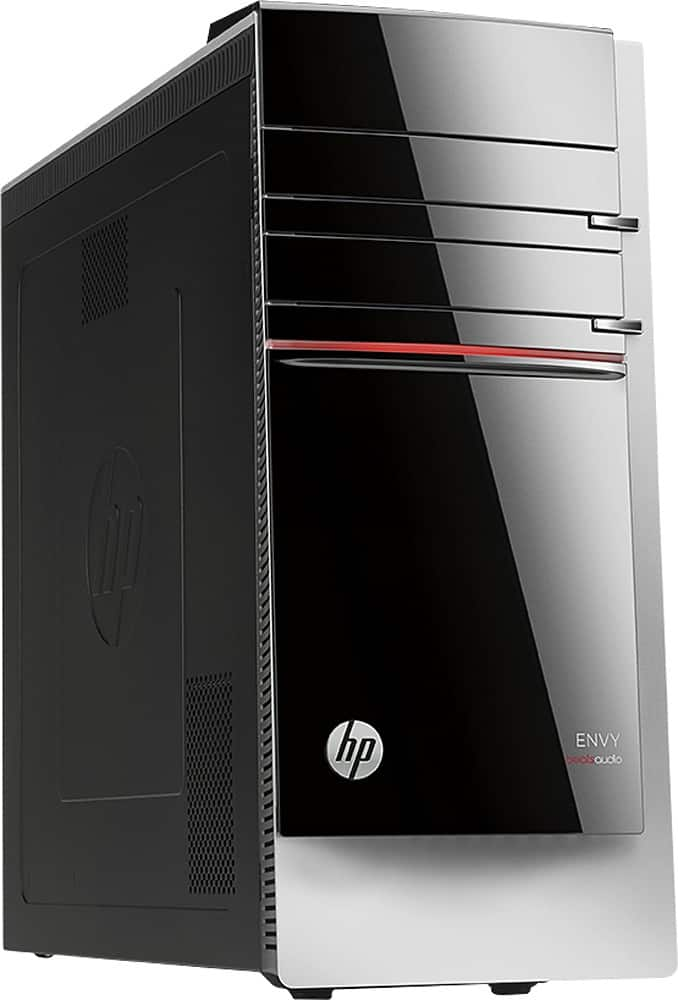
||Posted .This reviewer received promo considerations or sweepstakes entry for writing a review.This is a great computer once you figure out how to manuever around in Windows. The wi-fi features, USB ports, speed, graphics- all well worth the low price. And it's a cool looking tower. This is actually the second one of these I've bought!
I would recommend this to a friend - Pros mentioned:Speed
Rated 4 out of 5 stars
Speed and looks are great. Ready to go!
||Posted .This reviewer received promo considerations or sweepstakes entry for writing a review.Have not bought a new tower in 10 years so I am pumped about the speed. The price was good for the size and speed of this product.
I would recommend this to a friend - Cons mentioned:Windows 8
Rated 3 out of 5 stars
Still trying to learn all about the features
||Posted .This reviewer received promo considerations or sweepstakes entry for writing a review.It`s a good computer,and have had to turn a lot of things off to get proper activity from it. Not at all like my old HP, It was way easier to set up and enjoy. There`s a big difference between Windows XP and Windows 8.
I would recommend this to a friend - Pros mentioned:Speed
Rated 4 out of 5 stars
Excellent Value
||Posted .This reviewer received promo considerations or sweepstakes entry for writing a review.Computer great. Windows 8 not so bad. Facebook slow may be related to Windows 8. Other internet explorer sites appear to work well. Otherwise, the computer is fast (Intel i5 processer is nice), feature rich, and easy to use. This was purchased in store which limited the features to a 2 TB HDD and 12 GB of memory. I regret not taking the time to compare how much the computer would have cost online with 4 TB HDD and 16 GB of memory. Also, I would have preferred expansion to 32 GB memory.
I would recommend this to a friend - Pros mentioned:Memory, Performance
Rated 5 out of 5 stars
Great Desktop...
||Posted .This reviewer received promo considerations or sweepstakes entry for writing a review.I am very pleased with the PC to this point. It performs well, has plenty of memory, and when paired with my Klipsch speakers, sounds as good as my home theater system.
I would recommend this to a friend Rated 5 out of 5 stars
great computer
||Posted .This reviewer received promo considerations or sweepstakes entry for writing a review.Great computer the price is right for the quality !
I would recommend this to a friend- Pros mentioned:Ease of useCons mentioned:Operating system
Rated 5 out of 5 stars
Not impressed with windows 8 but otherwise great
||Posted .This reviewer received promo considerations or sweepstakes entry for writing a review.Windows 8 is too flashy. Prefer the more basic version, but the system is pretty easy to use otherwise.
I would recommend this to a friend - Pros mentioned:Speed
Rated 4 out of 5 stars
Easy to use
||Posted .This reviewer received promo considerations or sweepstakes entry for writing a review.Easy to set up Quiet Nice for an inexperienced person Great product More than enough to satisfy storage needs speed or power
I would recommend this to a friend - Pros mentioned:Hard drive, Speed
Rated 5 out of 5 stars
Super Unit for the Long Term
Posted .This reviewer received promo considerations or sweepstakes entry for writing a review.Overall, I do love the HP Envy 700-214. I purchased one each for my wife & me back in March. They have to last for at least five years technology-wise, so the 4th Gen. i5 quad core processor, 12Gb RAM & 2Tb HD assures that. I made a major modification, though. For each system I spent $219 (cheaper now) to add an Intel 240Gb SSD & had the operating system moved to that drive. So now it boots up in less than 15 seconds & wakes up even sooner. I use the 2Tb drive as archive storage & the target for File History. One very nice feature of this unit is that it is so easily upgradeable. The motherboard will take an i7 -4771 by just swapping it out. That Haswell processor (now around $300) will be cheaper once the 5th gen. processors arrive. The memory upgrade to 16Mb is done by swapping out the 4Gb memory board for a 8Gb (approx. $80) but that won’t be required anytime soon since my unit only uses around 3Gb. Right now it has 2.7Gb in use with Firefox, Outlook, Excel & Word running. I do like Windows 8.1 but yes, it takes a lot of getting used to. I work off the desktop interface and love being able to pin apps to the taskbar with two clicks. Sticky Notes is wonderful. The alarm & weather apps are only a click & 5 seconds away as is File Explorer, Control Panel & Task Manager. I have 18 apps pinned and room for 8 more. I’m not into pre-installed free trial software, so I had the McAffee removed & use Microsoft’s built-in Windows Defender instead. There are lots of USB ports, but still not enough so I bought a 4-port USB 3.0 hub. The standard mouse is OK. I like the Logitec wireless Coke-bottle shape better so I moved it over from my Dell circa 2005 XP machine. The standard HP keyboard sucks, really! The letters, numbers & especially the punctuation (, ‘ .) are thin & hard to read. The NumLock key turns off whenever you switch users. There’s no indent on the Caps Lock key to separate it from the “A” key. Being wireless, to save the battery the NumLock & Caps Lock lights go off after a while. So when you re-start, you don’t know where you’re at. There is no on/off switch. The only good feature is that the Delete key is double size. I gladly gave that up when I moved my Dell USB keyboard over. Here’s one case where old technology is superior. HP has packaged some free cloud storage but between Microsoft’s OneDrive & Dropbox, I don’t need or use it. Along with the purchase, I paid for Geek Squad Support. That’s well worth it. They did all the mods & helped with the install by phone and provided some early tech support. I had already purchased Office 365 for a Surface Pro, so adding it to these machines was a breeze. That’s also a bargain…$100 a year for up to five installs. Some advice: If you’re buying a desktop with bells & whistles like this one and you expect it to last five years or more technologically, then spring for a touchscreen monitor. It is so much easier to zoom in with finger gestures so you can sit back to read or view. Also much easier to switch interfaces & to shut the unit down. I did not do sufficient research, assuming all the name brand monitors would function alike. I bought the Lenovo LI2341T 23” unit. While it works just fine (except the speakers are horrible, I use external speakers again from the old Dell), it has no Windows 8.1 driver. And Lenovo stubbornly refuses to address this. No matter who at Lenovo I contact by phone or on their website or via Facebook, nobody at Lenovo knows anything or wants to find out anything. The practical implication of this is that I cannot control the screen brightness. And it is too bright; I get a headache if I look at it too long. So….touchscreen monitor, yes…Lenovo, no.
I would recommend this to a friend