Customer Ratings & Reviews
- Model:
- W1A30A#BGJ
- SKU:
- 6348957
Rating by feature
- Value
Rating 4.4 out of 5 stars
- Quality
Rating 4.6 out of 5 stars
- Ease of Use
Rating 4.5 out of 5 stars
Customers are saying
Customers are pleased with the LaserJet Pro MFP M428fdw's print quality, ease of use, and compact size, frequently citing positive experiences with its setup and scanning capabilities. While some found the price to be a drawback, many appreciate the printer's reliability and quiet operation. The fax functionality also received positive feedback from users. A few users expressed a desire for a color printing option.
This summary was generated by AI based on customer reviews.
- Pros mentioned:Print quality

A Work Horse Printer!!
|Posted .This reviewer received promo considerations or sweepstakes entry for writing a review.This is the perfect printer if you are a person, who has a small business from home, or you share an office space with someone. The features on this printer are great as you can employ print, scan, copy and fax via laser which always gives an optimal finish. This printer comes in handy as a work horse because I work from home as well as away from home. I am a college instructor, who teaches online classes and hybrid classes too; as such, I have to print out papers on a regular basis. Needless to say, this work horse of a printer comes on time as fall classes are nearing.
I would recommend this to a friend - Pros mentioned:Ease of use, Print quality, Reliability
HP Printer is excellent
Posted .This reviewer received promo considerations or sweepstakes entry for writing a review.Easy to use; reliable; fast; clean copies. Scanning worked well, too. I'd defintely recommnend this machine to friends and family/
I would recommend this to a friend - Pros mentioned:Print quality
Good Pro laser jet printer, Minor Scan Issue
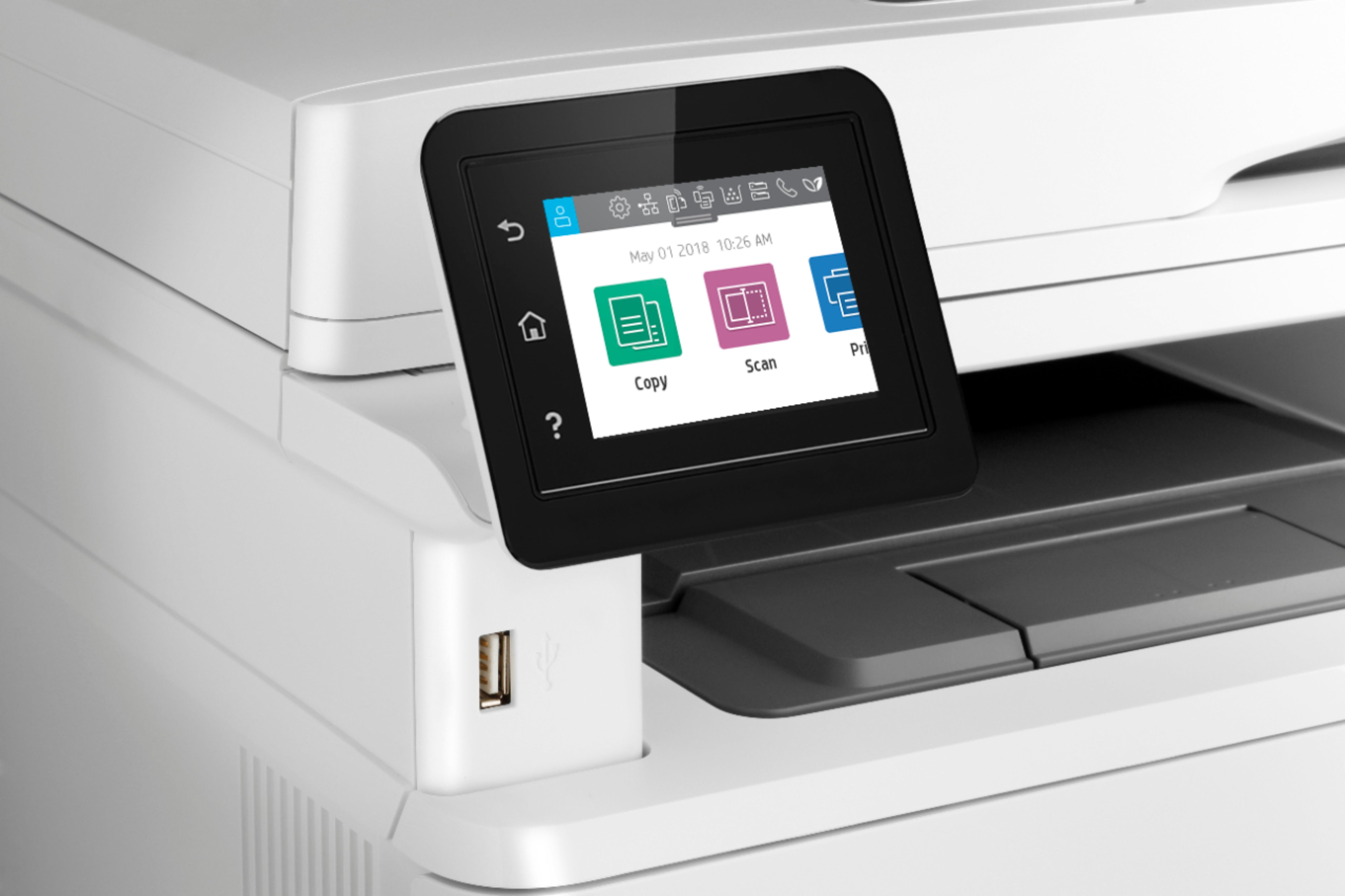
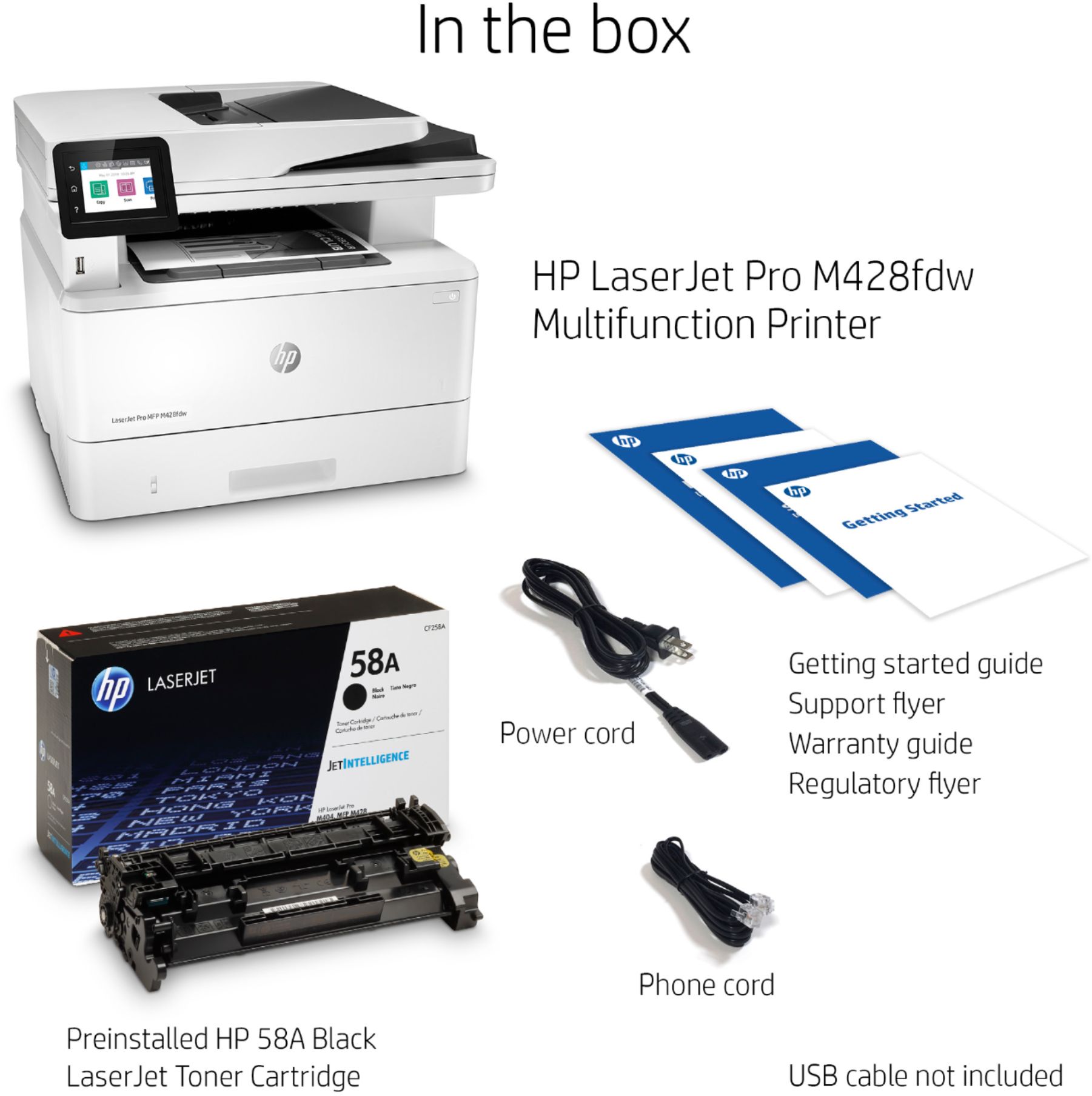
|Posted .This reviewer received promo considerations or sweepstakes entry for writing a review.The HP LaserJet Pro MFP M428fdw is a mouthful and a laserjet black and white printer. So, off the bat, we should expect this should have above average black and white print quality and great printing speed. In addition to being a wireless printer, this can also scan, copy, and fax documents. In the box is the printer itself, power cable, USB and phone cable, plus guides. The cables are a nice plus. Typically, wireless printers don't include a USB cable and it's been years since I've seen a new fax capable printer actually ship with the requisite phone cable. Setup is pretty straightforward from the touchscreen. It's similar (if not identical) to HP's other touchscreen home facing enabled inkjet printers. Even though you may not use it, you will need to go through the fax setup as well. One difference from some other printers is that the touchscreen is on a pivot. You can move it around - either to better match the location in which the printer will be installed or avoid glare from lighting. In my home office, I didn't need that per se, but it's a nice touch. Also, the toner cartridge is preloaded so no need to fumble around doing that. You'll learn how to install it when the ink runs out. Print quality and speed were good. As usual, my setup is for wireless printing and scanning. Setting up a scan to a network folder was pretty easy and in the process of doing so, I discovered that one can also configure the printer to scan to Sharepoint! That said, the workflow I continue to use is scanning to a network drive, then copying to Sharepoint as needed. It does scan in color, so no worries though obviously the copy function results in a black and white print. One thing that's interesting is the scan quality is different via the automatic feeder versus scan panel. That is quite annoying due to the fact that most of the time, you're scanning a series of documents. I noticed the box hypes up the printer's security. I'm not sure I buy all the network protection features it has and it does make me worried about using cheaper print cartridges upon replacement. In all, it does it's job well aside from the different scan quality issue.
I would recommend this to a friend Unable to scan to a PDF format
||Posted .This reviewer received promo considerations or sweepstakes entry for writing a review.I had a bad experience with HP trying to trouble shoot not being able to scan to a PDF. After two long calls with no resolution, I contacted Best Buy. They tried to troubleshoot and had to move the ticket up to another level. I returned the copier.
No, I would not recommend this to a friend- Pros mentioned:Print quality, Scanning
Good Printer
|Posted .This reviewer received promo considerations or sweepstakes entry for writing a review.Overall this is a pretty good printer. Print quality is good, and scanner speed is really fast. The only way I was able to accomplish 2 sided scanning using the top scan feeder tray was by using the scan app on my computer. Doing so using the mobile app for iOS and Android does not give you the option to scan 2 sided. The software installation was a bit of a pain for both my MacBook and Windows PC. The software hanged and timed out near the very end of the install process on both computers. I ended up rebooting my computer and the printer, and then everything worked as it should. If you're using a device such as a Surface Pro, you will not be able to use the HP Laserjet Pro software for scanning. The DPI on the computer makes the app too small to view. It is very small and difficult to read. The HP Smart software is also installed on Windows, so that one is better optimized. The touch screen on the printer is an added plus, but it's a bit laggy scrolling and navigating through menus. All in all this is a pretty decent machine.
I would recommend this to a friend - Pros mentioned:Print quality
Phenomenal and great
|Posted .This reviewer received promo considerations or sweepstakes entry for writing a review.although I use this as a home printer this could double as a business printer as well All the feature capability the easy setup is just amazing. For the money it is definitely the printer that you'll almost never have to upgrade. Do yourself a favor that makes sure and buy this.
I would recommend this to a friend - Cons mentioned:Price
Printer not good buy
||Posted . Owned for 7 months when reviewed.This reviewer received promo considerations or sweepstakes entry for writing a review.Scanner, can't get rid of the line. Other issues as well. Toner too expensive.
No, I would not recommend this to a friendBrand response from HP Team
Posted .Hello there,
I want to sincerely apologize for all the problems the printer has been causing with scanning. We certainly build our printers with the intent of providing a reliable experience for our customers, so I can imagine how frustrating and disappointing a situation like yours can be.
First of all, there is a specific guide that may solve issues with scan quality:
- support.hp.com/us-en/product/hp-laserjet-pro-mfp-m428-m429-f-series/19202524/model/19204098/document/ish_3434839-3365471-16
Also, please don't hesitate to reach out to us for support. We'd be more than happy to work through any troubleshooting or initiate a replacement under your printer's warranty. You can give contact us via: support.hp.com/us-en
To verify the warranty, you can use the following link: support.hp.com/us-en/checkwarranty
Kacper
HP Care
hp.com/support
- Pros mentioned:Print quality
High Quality Full Featured Laser Printer
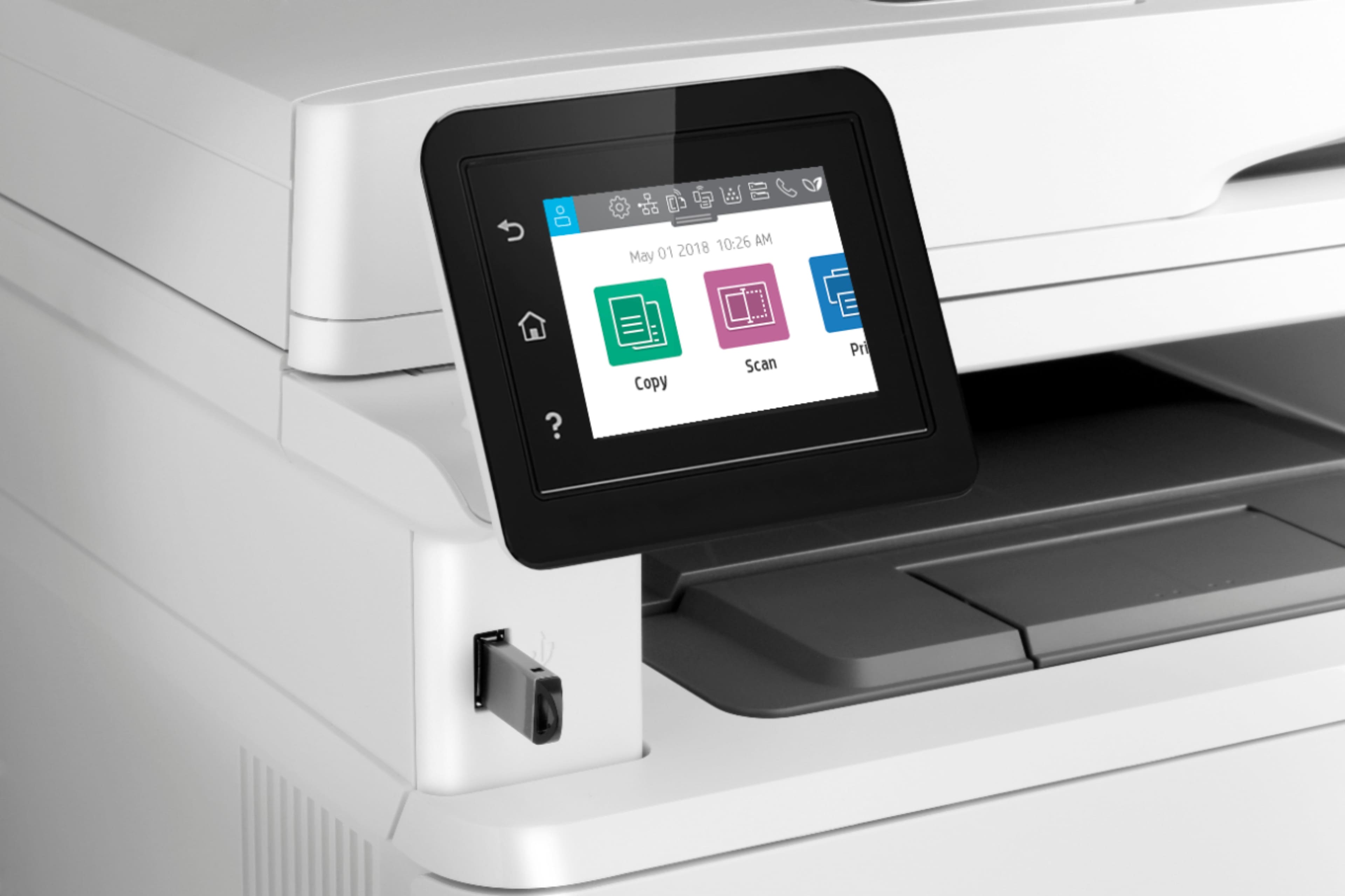
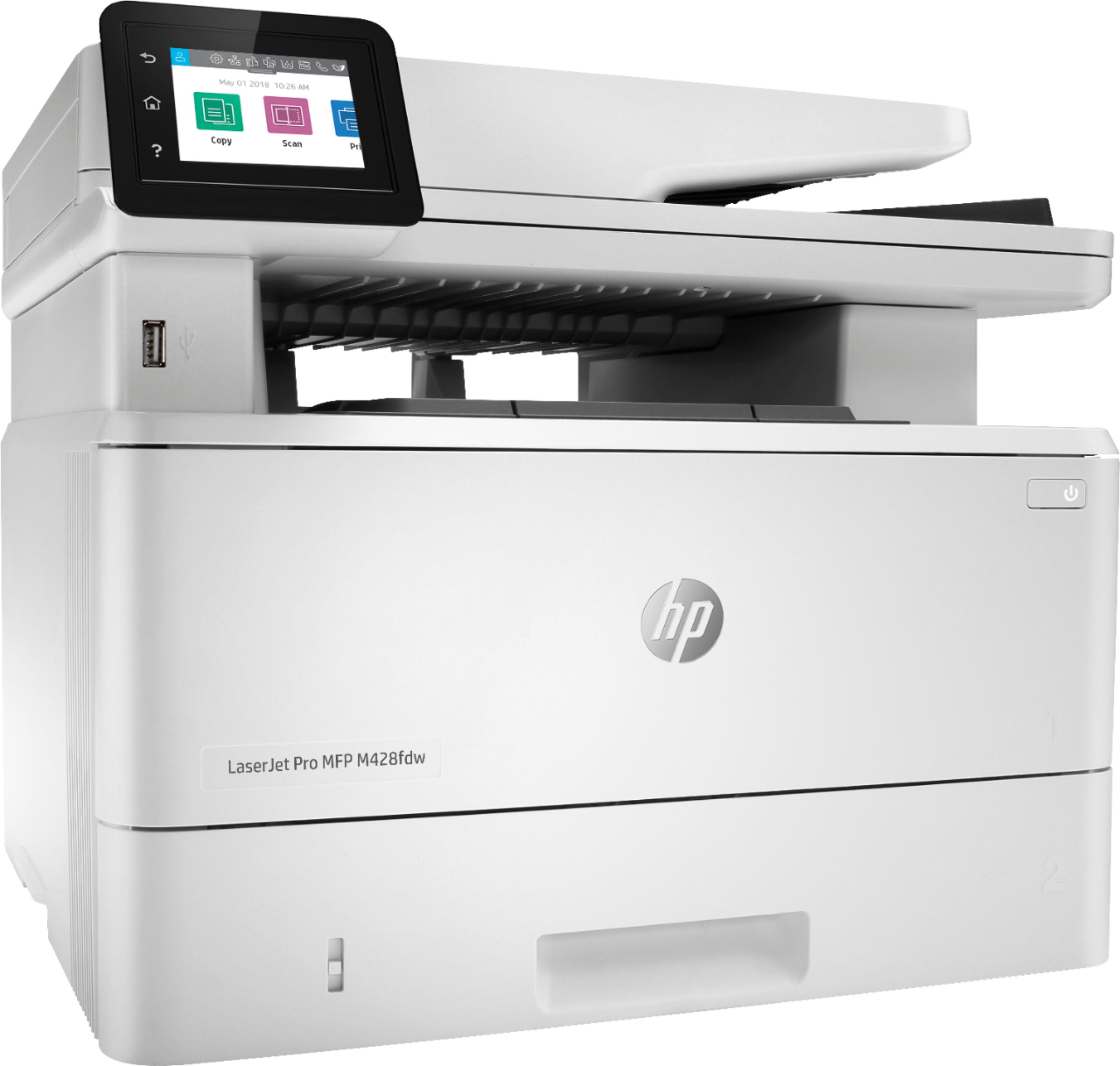
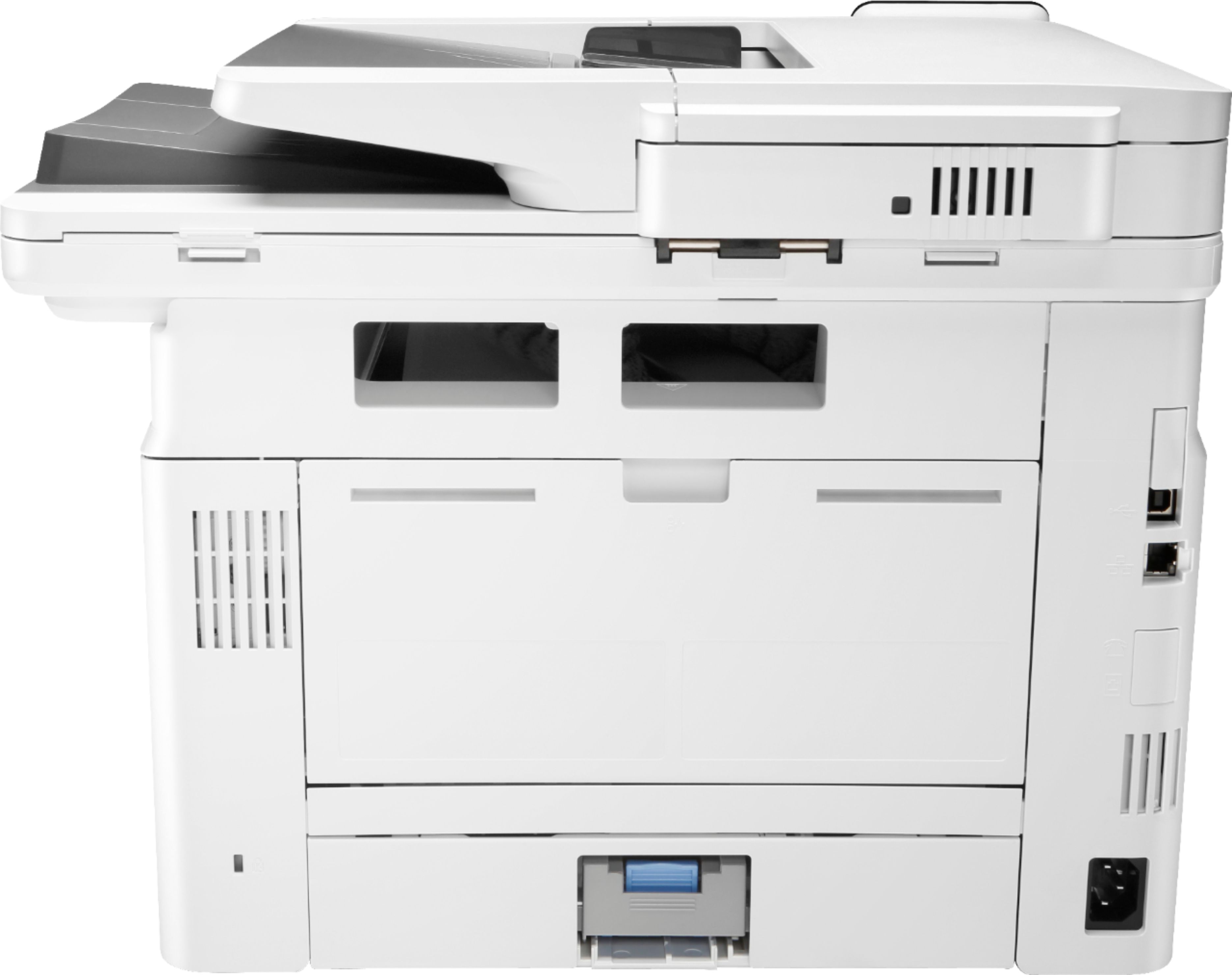
|Posted .This reviewer received promo considerations or sweepstakes entry for writing a review.I’ve been exclusively an HP inkjet printer owner for over 20 years and I’ve never been disappointed by a single one. The HP MFP M428fdw LaserJet Pro is my first laser printer so I was curious to see how it measured up. The box itself is big. Upon opening it you are prompted to lay the box down sideways and pull it out of the box with the bag. Included in the box was a power cable, a usb cable, phone cord, and the manual/setup instructions. The M428fdw comes with the toner cartridge installed. Upon removing the shipping bag I jumped right to setup. The instructions simply prompt you to adjust the paper tray, fill it with paper, plug it in, and power it on. Simple! After the printer powers on you are prompted to continue setup on the 2.7 inch color touch screen. Here you select language and your location and enter the date. You are asked if you would like to do a self-managed or IT-managed setup. I’m guessing self is for home use and IT is for a business setting. I selected self-managed and was directed online to download software. The setup prompts to connect the printer to wifi or usb. I opted for WiFi and entered my network settings on the touch screen. This HP supports 802.11b/g/n at 2.4 and 5 Ghz. The installer then detected my printer. At this point the installer downloaded additional software. As you proceed you can select to also install Iris OCR software too. OCR stands for optical character recognition which will allow the the printer to read and import text via the scanner into other software from a physical paper document. This comes in handy. As setup continued I selected to use WiFi direct printing. A great feature which allows you to print via WiFi from your phone, tablet, or laptop. I love that the M428fdw is Apple AirPlay enabled. Also supported is Google Cloud Print and HP ePrint. You can’t beat printing from the sofa or the back yard. The software then installed a printer firmware update which restarted the printer. That was it. Up and running in no time at all. I must say I was pleased by the appearance of the HP M428fdw. The design is fairly sleek and modern looking. I like the white color which seemed to fit right in in my home office. I don’t do tons of personal printing but when I inevitably bring work home I often print loads of documents. As a result I was definitely happy to see that the installed printer cartridge will print up to 3,000 pages and at 38 pages per minute this HP prints fast. This is a black and white printer but I prefer that as I rarely print in color. This baby print, copies, scans, faxes, and email. Perfect machine for home or small business. As I printed some documents I immediately recognized the high quality print. A huge step up from inkjet. This M428fdw is capable of printing up to 4800 x 600 dpi. This is perfect for producing professional looking documents for work. I haven’t used FAX in years buts nice that this HP supports it. I noticed that there are 3 USB ports. 1 front and 2 rear. Here you can print documents directly from a usb drive without even starting your computer. Great feature. You’ll also find gigabit ethernet LAN connectivity. I next wanted to try the scan feature. Here you’ll find plenty of scan options. You can of course simply scan to your computer but you can also scan documents directly to Microsoft SharePoint, Google Drive, Dropbox, email, USB, and network folders. Now that’s some impressive flexibility. Another feature I love is that the M428fdw is web enabled meaning that it has its own email address and you can email a document from anywhere and it will print on your printer. I know I’ll use this feature often. The HP MFP M428fdw LaserJet Pro is a high quality full featured printer which is perfect for any home office or small business. HP does not disappoint. Highly recommended.
I would recommend this to a friend Very disappointing
||Posted . Owned for less than 1 week when reviewed.This reviewer received promo considerations or sweepstakes entry for writing a review.The printer has lots of issues, first of all, it shouldn't be called an all-in-one printer because the scanning never works, spent hours with support and they couldn't figure it out. The printing quality is very poor. Returned it and purchased a Cannon Printer -- So far no major/minor issues
No, I would not recommend this to a friend- Pros mentioned:Print quality
Great product printer
||Posted . Owned for 1 month when reviewed.This reviewer received promo considerations or sweepstakes entry for writing a review.I love the speed of the printer very clear Love the all in one features
I would recommend this to a friend Watch for return policy
||Posted .This reviewer received promo considerations or sweepstakes entry for writing a review.15 day return policy does not work for anyone running a business. This printer was not compatible with the software I needed it to scan to, but by the time I was able to get an appointment with IT and to learn this, the 15 days was past. Something to think about and be aware of when you buy things from Best Buy!
No, I would not recommend this to a friend- Pros mentioned:Print quality
Fast, Quiet Prints, But "Value" Build Quality
|Posted .This reviewer received promo considerations or sweepstakes entry for writing a review.This printer delivers exactly what small businesses need - a small-footprint, fast B&W document printer with quiet, economic output. The issue I had with this particular LaserJet Pro was the build quality. The access doors and paper trays seemed flimsy and at times required "wiggling" to open and close - The flimsiness of the paper guides was a constant struggle when loading with paper, and the access door to the toner cartridge felt like it could break when opening repeatedly. This construction seems more like this is a cheap inkjet printer vs. a business LaserJet. ]Aside from this poor build quality, the print output is crisp and sharp. Pages feed well and noise is very low. The printer kicks out fast prints and seems to be able to handle large documents. The catch tray for output seems to not be built for large jobs though. I haven't used the printer enough yet to get an idea on toner economy, so stay tuned for follow-up on that front. Good HP print quality and speed, increasingly shoddy build quality with clear influence of their value consumer products.
I would recommend this to a friend Brought back same day
||Posted . Owned for 4 months when reviewed.This reviewer received promo considerations or sweepstakes entry for writing a review.I told the salesperson I wanted a printer that would easily talk to the network, as these things can be a pain in the neck to set up. This is the model I was assured would be fine. Got home and you know what happened. After blowing an hour I packed it up and back it went. I got a different model elsewhere and had better luck with that one.
No, I would not recommend this to a friendBrand response from HP Team
Posted .Hello there,
This is so disappointing that you were unable to connect this printer to your network and because of that, you had to return the device. I can assure you that we build our printers with the intent of providing a reliable experience for our customers, so I can imagine how problems you described could cause frustration. With that said I am very glad that you were able to return it without any issues.
When it comes to network connectivity issues, this guide may prove helpful in resolving those problems:
- Network Issues Troubleshooting: support.hp.com/us-en/document/c06476091
Last but not least, if you decide to give us a second chance in the future, do not hesitate to contact our support so we can help you in every way possible to purchase the product that fits your needs the better. You will find us at: hp.com/contactHP
Kacper
HP Care
hp.com/support
Piece of Crap
||Posted . Owned for 5 months when reviewed.This reviewer received promo considerations or sweepstakes entry for writing a review.The scanner does not activate the document feeder. You are therefore left with a flatbed scanner, and a separate document for each of the 40 pages needed for a typical scan these days
No, I would not recommend this to a friendBrand response from HP Team
Posted .Hello there,
I'm very sorry to learn that you were not able to scan directly from the document feeder. I can definitely understand why could you feel disappointed With that said let me see what I can do to resolve that issue.
First of all, please familiarize yourself with this following document:
- How to Scan (Windows): support.hp.com/us-en/document/c03466081
- How to Scan (Mac): support.hp.com/us-en/document/c04788799
Furthermore, if the above fails to resolve the problem, I would suggest you contact us. We would be more than happy to troubleshoot this with you, get in touch with us via this link: hp.com/contactHP
Additionally, in case you will need to use it, I want to simply remind you that all HP products have a Limited Warranty Period. You can check your warranty entitlement by entering your product model number and serial number at: www.hp.com/go/warrantycheck
Kacper
HP Care
hp.com/support
Not Good
||Posted . Owned for 1 month when reviewed.This reviewer received promo considerations or sweepstakes entry for writing a review.It’s horrible and I was given the wrong printer by the Sales Agent. I showed him the color HP. I just got some one to connect it and realized it’s Black and White. I only printed a couple of pages and part of the sheet is lighter printed than the other. It is pass the 15 days now so I am stuck with it.
No, I would not recommend this to a friendBrand response from HP Team
Posted .Hello there,
I want to sincerely apologize for this difficult situation. I can imagine how frustrating and disappointing a situation like yours can be.
Please reach out to us for support. We'd be more than happy to help you. You can give contact us via: support.hp.com/us-en
On a related note, I'd like to mention the fact that HP printers do also have the warranty from their purchase date, so if you find you need to use it, I hope you will. To verify the warranty, you can use the following link: support.hp.com/us-en/checkwarranty
Kacper
HP Care
hp.com/support
Upset about HP customer service
||Posted .This reviewer received promo considerations or sweepstakes entry for writing a review.The printer looks great but I haven't been able to use it. I am getting an improper ink cartridge message,. It's the right cartridge and it came from the factory,. HP has been impossible to get any results. Not very happy right now,. I have a $500 printer that I can't use
No, I would not recommend this to a friendBrand response from HP Team
Posted .Hello Jake,
This is so disappointing to learn that the printer you bought is not working properly with genuine cartridges. We certainly build our printers with the intent of providing a reliable experience for our customers, so I can imagine how frustrating a situation like yours can be. I would really love to provide some help on how to proceed in this situation.
Due to the vague nature of the issue, please reach out to us for direct support. We'd be more than happy to work through any troubleshooting or initiate a replacement under your printer's warranty. To reach a phone agent, call 1-855-785-2777. Please note that because of restrictions on personal movement and workplace attendance associated with the COVID-19 pandemic, wait times for agents are longer than normal. Thanks in advance for your understanding. To reach a virtual agent, follow this link:
- instantink.hpconnected.com/us/en/l
If it’s a matter for our printer support staff, I suggest that you contact us directly at +1 800-474-6836. To expedite the process, I recommend gathering the following information before the call:
- Model number
- Serial number
- Your location
- Case number (from any previous contact with HP support)
Kacper
HP Care
hp.com/support
Software and driver issues
||Posted . Owned for 1 month when reviewed.This reviewer received promo considerations or sweepstakes entry for writing a review.It prints ok but never could get the scanner to work. Often times it decides to go offline and I cannot print until I reboot the system. I would not recommend this printer to anyone.
No, I would not recommend this to a friendBrand response from HP Team
Posted .Hello Richard,
I want to sincerely apologize for all the problems the printer has been causing. We certainly build our printers with the intent of providing a reliable experience for our customers, so I can imagine how frustrating and disappointing a situation like yours can be.
There is a specific document that should help you to resolve an issue with the printer going offline mode. Please follow the guide linked below:
- support.hp.com/us-en/document/c05087973
If the issue persists, please contact us for support. We'd be more than happy to troubleshoot this further with you. You can get in touch anytime via your preferred method here: support.hp.com/us-en/contact-hp
Hope this helps!
Kacper
HP Care
hp.com/support
I have never had so many problems with a printer.
||Posted . Owned for 3 weeks when reviewed.This reviewer received promo considerations or sweepstakes entry for writing a review.horrible!! Who even makes only black printers?? I have used HP products for years with very little problems, but this thing has given me noting but issues. Every day goes offline multiple times a day. Spend 1/2 my day trying to fix this thing and cant get an y work done.
No, I would not recommend this to a friendBrand response from HP Team
Posted .Hello there,
I'm so sorry to hear that you stumbled upon some issues with the wireless setup of your printer. Despite this experience, I want to assure you that it’s always our intention to provide long-lasting reliability with our printers. On that note, I regret that we fell short this time, so, let me try to help you.
First of all, please read through the following document. It may prove useful in eliminating wireless connectivity issues:
- Wireless Network Problems: support.hp.com/us-en/document/c06476091
Second of all, since you tried to troubleshoot your problems already, I would suggest that you give us a call at +1 800-474-6836 between the hours of 8 am - 9 pm ET and explain your situation. To expedite the process, you can gather these beforehand:
- Model number
- Serial number
- Your location
- Your case number (if you had prior contact with support)
Again, please take my apologies and I do hope that everything will turn out great so you can enjoy your printer fully.
Kacper
HP Care
hp.com/support
Printer
||Posted . Owned for 1 month when reviewed.This reviewer received promo considerations or sweepstakes entry for writing a review.It was very difficult to set up. Plus we called Best Buy in advance to verify that this was a color printer, it ended up being a black and white Printer. I am very very unhappy about this
No, I would not recommend this to a friendBrand response from HP Team
Posted .Hello,
I’m very sorry to hear that you aren’t satisfied with this printer. We of course always want to offer our customers a reliable and satisfactory experience and I regret that we missed the mark here. I can understand how disappointing this must be for you.
If you have any other questions or issues I want to remind you that you can always contact us directly for further help. We are always there for you. Find any contact options here: hp.com/contactHP
Denise
HP Care
Hp.com/support
OnlyBlackandWhitePrinting
||Posted . Owned for 1 year when reviewed.This reviewer received promo considerations or sweepstakes entry for writing a review.I purchased it then immediately returned the box doesnt clear state its just a black and white print and for my business i need versatility.
No, I would not recommend this to a friend