Customer Ratings & Reviews
- Model:
- A7F64A#B1H
- |
- SKU:
- 4672006
Customer reviews
Rating 4.6 out of 5 stars with 4629 reviews
(4,629 customer reviews)Rating by feature
- Value4.3
Rating 4.3 out of 5 stars
- Quality4.1
Rating 4.1 out of 5 stars
- Ease of Use4.4
Rating 4.4 out of 5 stars
Customers are saying
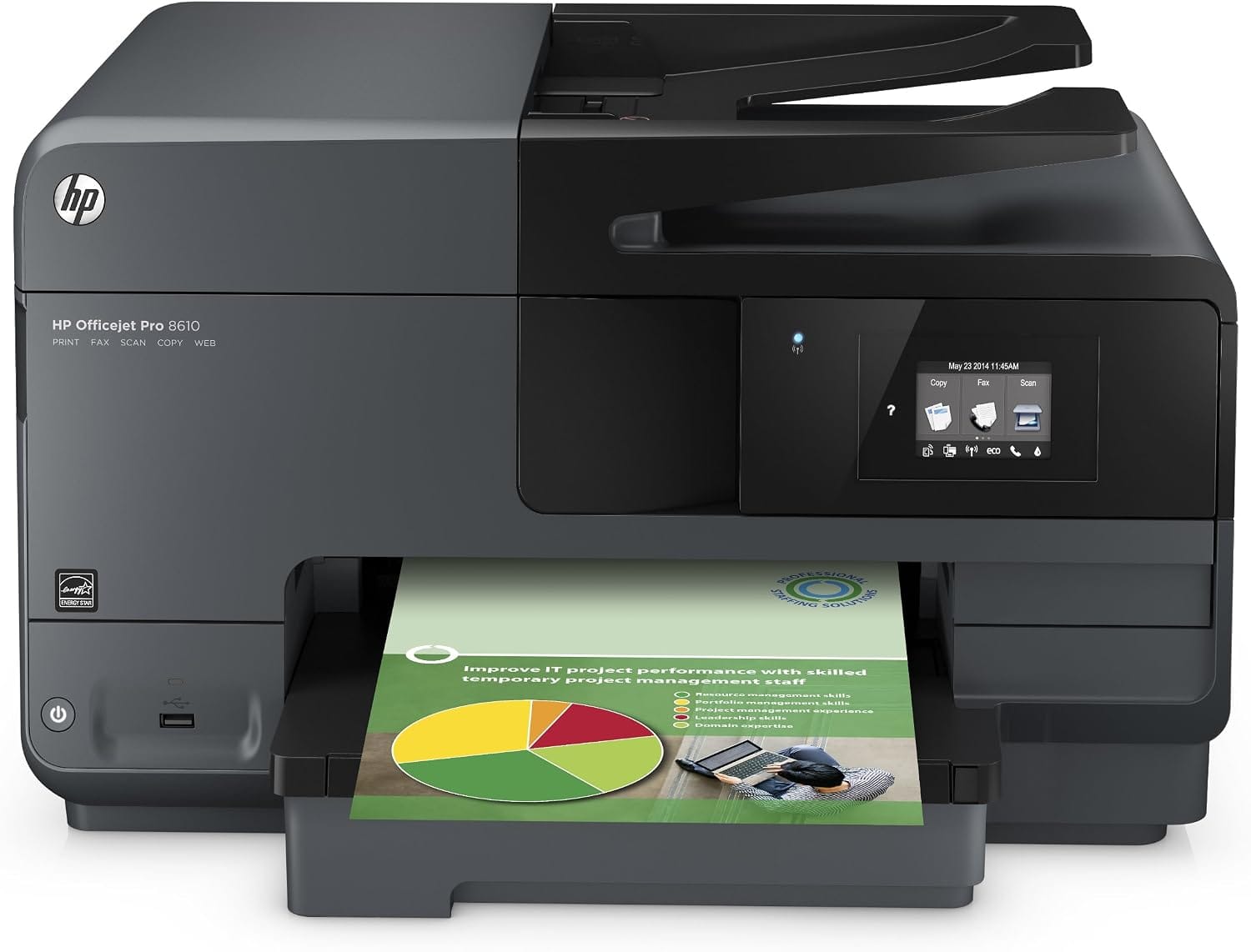
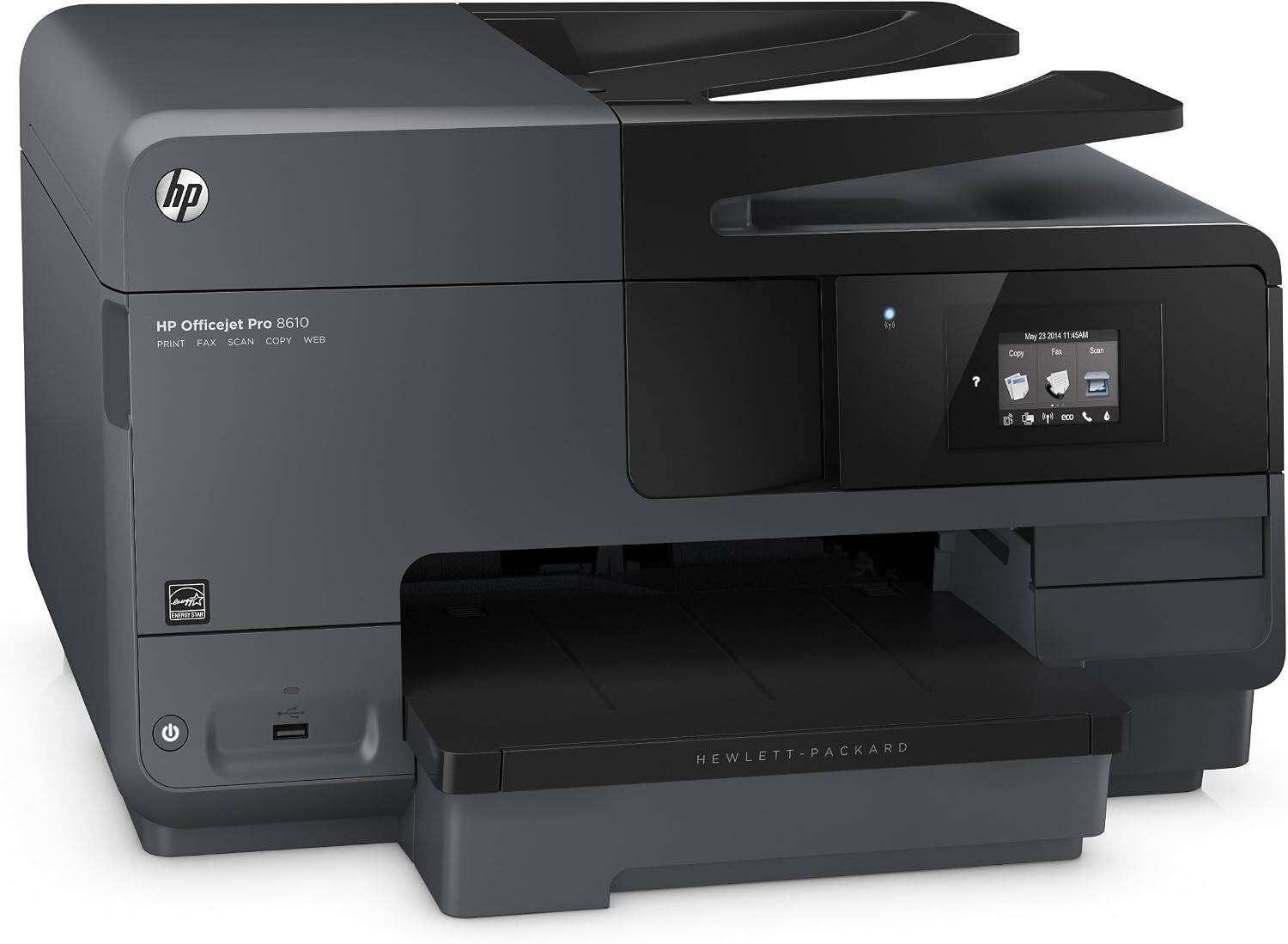
Customers are satisfied with the Officejet Pro 8610's print quality, ease of use, and wireless functionality. Many appreciate its ease of setup and the inclusion of fax and scanning capabilities. However, some find the printer to be large, and a few note that it can be somewhat noisy during operation. Overall, the positive feedback on key features outweighs the negative comments regarding size and noise.
This summary was generated by AI based on customer reviews.
Rated 1 out of 5 stars
Not good
||Posted .This reviewer received promo considerations or sweepstakes entry for writing a review.Maybe it's the set up maybe it's the operator but this is the worse printer I've had. It doesn't print half the time, I contact Geeksquad and they fix but then it 'breaks' again...no one knows why. Plus I didn't know it did not print mirror imagine, my fault I never asked, but most of the previous printers I've own had so it didn't really even cross my mind.
No, I would not recommend this to a friend- Pros mentioned:Print quality
Rated 5 out of 5 stars
Probably the best printer I have ever purchased!
Posted .This reviewer received promo considerations or sweepstakes entry for writing a review.Ok so how do i put this into words. THIS PRINTER IS THE BETTER THAN ANY OTHER PRINTER YOU CAN FIND! no seriously, probably wont ever need to upgrade ever. Bought this printer when it was $79.99 (retail $199.99) so i saw instant value. I came from an epson which was a pain to get ink for, it cost way too much and it used so much ink on each print that every 100 pages i had to replace it. I'm glad i made the decision to upgrade. The best features by far are the wireless printing from my phone or tablets, saves me the hassle of opening up my computer, and the web print functionality is a life savor! the printer has its own email address and every time i have to print something while im out or for example my brother forgot to register for his voter id card and he was home, i just emailed the form to the printer and it printed it out for my brother! you will not be disappointed!
I would recommend this to a friend Rated 1 out of 5 stars
DON'T PURCHASE!
||Posted .This reviewer received promo considerations or sweepstakes entry for writing a review.I loved my first 8610 and thought it was just a coincidence when the print head failed just out of warranty. the second one did the same thing. I will not purchase another HP product. I have been burned every time. tech support was helpful but the warranty is what it is.
No, I would not recommend this to a friendRated 2 out of 5 stars
Great while it lasted.
||Posted .This reviewer received promo considerations or sweepstakes entry for writing a review.Worked great at first but quit before printing 500 pages.
No, I would not recommend this to a friend- Pros mentioned:SetupCons mentioned:Size
Rated 5 out of 5 stars
Excellent fax/printer
Posted .This reviewer received promo considerations or sweepstakes entry for writing a review.I have Comcast phone line and tried to set up an Epson with disasterous results. I took it back and exchanged it for this printer. I had to stop the messaging, call forwarding, etc on my Comcast line and now it works like a charm. I am not computer literate so was worried that it would be difficult but it set itself up. What a relief. It works well, is fast and does a great job. I work from home so needed a reliable fax machine, and this one works flawlessly. It is a behemoth but performs so well I would recommend it for anyone who needs a fast, reliable fax/printer/scanner. Note: got on sale so it made a great deal even better. This is a great piece of office equipment.
I would recommend this to a friend - Pros mentioned:Ease of use, Wireless
Rated 5 out of 5 stars
Great printer
Posted .This reviewer received promo considerations or sweepstakes entry for writing a review.We bought this printer for our home use. I work at home sometimes as does my wife. Our kids also have many school projects. This printer is a workhorse and serves the printing needs for the entire family. We bought it to replace an older model HP, which still works but just no longer provided the quality we needed. The wireless feature is great and set up was a breeze.
I would recommend this to a friend Rated 1 out of 5 stars
Worst Printer ever
||Posted .This reviewer received promo considerations or sweepstakes entry for writing a review.this printer is super slow to print using both Wifi and USB, Take an long to send print jobs to printer and and even longer to print a single page and it almost never detected by my laptop or phones, Wish i could return it
No, I would not recommend this to a friend- Pros mentioned:Ease of use, Print quality
Rated 5 out of 5 stars
Happy happy happy
Posted .This reviewer received promo considerations or sweepstakes entry for writing a review.This is easy to set up. Print quality is fine for my needs. I looked at it for over a month before buying. Ended up buying an Epson all in one, and took it back. Can't beat an HP! This is my 2nd. The 1st one lasted for over 7 years before it died.
I would recommend this to a friend - Pros mentioned:Ease of use, Print quality
Rated 4 out of 5 stars
Nice printer for the money
Posted .This reviewer received promo considerations or sweepstakes entry for writing a review.Good print quality and easy to use controls. Little difficult printing envelopes because you have to remove the paper tray and paper and adjust the slides, but other than that it's a good home office printer.
I would recommend this to a friend - Pros mentioned:Wireless
Rated 5 out of 5 stars
A little big, but totally awesome!
Posted .This reviewer received promo considerations or sweepstakes entry for writing a review.My old HP Photosmart died after 7 1/2 years of faithful service, so I had to replace it. I got this one on sale for under $100 and I'm very pleased with it. It takes up a bit more desk space, but the feeder tray for copies is handy, as well as the wireless benefit. The only thing I didn't like was that I had a delay in setting software up on my computer, and didn't realize I could finish the on printer set-up without it, so I had to wait and go through the calibration page printing a second time. I've printed a good 40 pages so far in just 2 day from multiple devices and OS all wireless with no problems!
I would recommend this to a friend - Pros mentioned:Ease of use, Print quality
Rated 5 out of 5 stars
Excellent printer
Posted .This reviewer received promo considerations or sweepstakes entry for writing a review.This is a very good printer. It prints very quickly, even with slight pauses while processing PDF data. The copy/scan function is very handy. The touch screen is very handy and easy to use.
I would recommend this to a friend - Pros mentioned:Print quality
Rated 5 out of 5 stars
Excellent product!!
Posted .This reviewer received promo considerations or sweepstakes entry for writing a review.This is the best printer I have ever used! It prints quick and with excellent quality, even with fast draft. I love the paper drawer so I'm not loading paper every five minutes. (I print a lot!) it has not jammed once and I've had it since June. I love the wireless capability so I can print from multiple devices. The instant ink option is the most convenient service for replacing ink and absolutely affordable! I must have printed over 3000 pages so far and spent $60; what I would have spent in printing 500 pages on my old 3-in-1. The best part is the printer will order ink for you when it's low and send it to you. You can't ask for better service!!
I would recommend this to a friend - Pros mentioned:Wireless
Rated 5 out of 5 stars
Works Great
Posted .This reviewer received promo considerations or sweepstakes entry for writing a review.Easy to install and startup via wi-fi. Pretty much plug and play. My Dell desk top and wi-fi network took longer to recognize the printer than I expected, but works fine. My Apple wireless MacBookPro instantly recognized the printer and also works well with the printer. Ink is pricey... but whats new? Look for sales on the cartridges and be sure to get the XL cartridges if you do much of any copying or printing. This is a duh?...but I got this printer when Best Buy had it 50% off and also because my wife's printer (for her business) uses the same cartridge replacements.
I would recommend this to a friend Rated 1 out of 5 stars
Very hard to operate
||Posted .This reviewer received promo considerations or sweepstakes entry for writing a review.Can't use wifi half the time very difficult to operate would highly recommend to avoid this printer
No, I would not recommend this to a friend- Pros mentioned:Print quality
Rated 2 out of 5 stars
Could have easily been a 4.5 star review IF.....
Posted .This reviewer received promo considerations or sweepstakes entry for writing a review.While reading this review please take into account that I am not technologically adept by any means and consider myself having an average ability on any and all electronic devices. So if after reading this anyone has any recommendations that would be far easier than what I went through to set up this printer then I discovered, please leave a comment after to perhaps help someone else who may be having the same issues while installing this printer as I did, and who is as electronically impaired as myself. Until recently I had a Canon MX892 printer. When I set this printer up a few years ago it was a breeze to install and work with. I recently had issues with the printer head shortly after I purchased a new laptop Windows 10. Not sure if the printer failure was related to the new purchase or purely coincidence, but nevertheless I ended up having to purchase a new printer ASAP. Luckily for me Best Buy was having a clearance sale and after reading reviews for several different printers on Best Buy, as well as on Amazon, I decided to purchase this one for the awesome price of $79.99. That was where my excitement over getting a new printer ended, at least in the short term. Even though this printer comes with extremely LOUSY printer setup directions I managed to follow the pictures and put everything together properly. Then I inserted the startup disc into my laptop and proceeded to follow those directions. Somewhere along the way something was skipped because nothing would print from my laptop when it was done installing and I basically had to start over again with the setup by taking the setup disk out and putting it back in. At this point the printer kept getting paper jams every time I tried to print a test page. Now mind you, this was about 2 hours into the installing process so I was getting a bit irritated and was ready to just return the printer, especially after I read other reviews of people having the same problem. Then I figured an instant fix for this that has worked great so far. Basically you CANNOT fill the paper tray completely. The printer will continue to have paper jams until you take at least half of the paper out of the tray. Once I did this the issue was resolved. Then I decided to try getting the printer to work on my mobile devices. On my iPad 2 I went into the Apple store and downloaded the hp app, followed the steps and quickly had it up and running and printer directly from my iPad. Then I proceeded to do the same with my Android phone (Samsung Galaxy Note 5) and Android Digiland tablet. This is where the nightmares started. I went into the Play Store and downloaded the hp app just as I had on my iPad and diligently followed the steps only for it not to recognize my printer on either device. After another 2 hours online and going through the online owners manual for the printer I discovered that the only way it would work was to set it up with wi-fi direct which basically meant having to input the actual printers IP address and name (not the same as my modems), turn on the wi-fi direct on the printer as well as in the settings/more/printing on my Android devices, and then to get it to print to anything, I had to switch over from my modem's wi-fi to the printers wi-fi (unless I wanted to save it in pdf and print from there). While doing this it disconnected me from my modem and internet capabilities and then I had to remember to go into wi-fi in my settings and switch it back to recognize my modem to be able to get back online to use the internet or check my email EVERY TIME I was finished printing something. Though I am a big PC lover, at this point I began to question why hp couldn't get their act together and make the app connect to the printer as effortlessly as the Apple store version did. I also downloaded the hp e-print app and the hp all-in-one app (hp plugin was what I originally installed from Play Store) and on the hp e-print app I had to set up ALL four of my email accounts individually to be able to print from my email as well. Even in doing so I would have to access that app to be able to print out any emails, as well as disconnect from the internet and use the printers IP address as I explained above. On my iPad all I had to do was hit 'print' as usual while in my emails to print. So why couldn't it do the same thing with Android devices you ask? This is where I ask anyone to pitch in with an easier method I missed while installing these apps. At this point I was determined to discover an easier method since, while researching the problem, it seemed many people were NOT having this same issue with their Android devices. This is where I figured my electronic ineptitude came into play. But I figured I couldn't be the only simple minded person when it came to technology that would have this issue and go researching advice on how to fix it. That is why I decided to write this review. So this is a GREAT fix I discovered online from someone. Go into the Play Store and download the FREE PrinterShare Print Service app by Mobile Dynamix. Follow the simple steps (just like when I was installing on my iPad) and VOILA!!! It worked beautifully, and I could then print anything without having to download and go into another app to print or switch wi-fi. It worked just like my iPad when printing. A VERY IMPORTANT FYI though that is not mentioned in the step-by-step setup is that, after you have installed the app, before it will work you have to go into your Android settings/more/printing and TURN OFF any other plugins listed as well as TURN ON the PrinterShare plugin to get it to work. My Android devices had Samsung Print Service Plugin and HP Print Service Plugin turned on which was why I couldn't get PrintShare to work at first. So make sure to check that those apps are turned OFF and PrintShare ON before proceeding to print anything. I will also mention that because I downloaded the free version of the PrinterShare app and not the one for $9.95, that at the end of every print job so far there has been an ad that pops up. I just close out of it and go back to what I was doing. The first time before I could print there was a box that popped up with a countdown in the left corner before the print option came up. It also offered in the right corner the option of purchasing the $9.95 app but don't let that fool you. Just wait until the box on the left lower side counts down to 0, hit the PRINT option that takes its place, and print away! I haven't gotten that countdown option since the first print job so don't worry that it will happen every time until you purchase the full app. So far there have been no further issues with the printer and I am truly loving its capabilities. It is so much faster, quieter and smoother running than my Canon printer was. I couldn't give it the 4.5 star review the actual printer itself deserves though because of how horrible the setup was for me personally. As I stated earlier, I could be in the vast minority on this issue, but figured if there was anyone else out there like me, that they could save HOURS of frustration and aggravation trying to set this printer up by trying these fixes I discovered after the MANY HOURS of researching and trial and error. So don't be afraid to give this printer a try because you may not have any issues at all with installing, or if you do, this review may help you out. I will update at a later time if I have any more issues come up with the printer or software itself.
I would recommend this to a friend - Pros mentioned:Ease of useCons mentioned:Noise level
Rated 5 out of 5 stars
Great Printer and a Fantastic Deal
Posted .This reviewer received promo considerations or sweepstakes entry for writing a review.I just bought this printer a little over two weeks ago so I may be premature on my review but I think this printer is great, especially the Instant Ink Program. I thought I might have problems getting it set up because I have two computers in my office, a Windows 10 PC and an iMac with OS X 10.11 (El Capitan) installed. The guide said it was compatible for Windows 10 but only for OS X 10.6 to 10.9. After going on the HP web site, I found out that it is compatible with 10.11, I just had to download the drivers instead of using the enclosed software disc. Actually, I ended up using the HP web siite to download all the necessary drivers for both the iMac and the PC rather than use the disc. Always the most up-to-date that way. I also loaded the drivers on a laptop PC and my MacBook Pro laptop and it works great with all four computers. Set up was a breeze. I just followed the instructions on the touch screen on the printer and it guided me through every step of the procedure. The only fault I find with the printer is that it's very loud but I can live with that. I also got a fantastic deal from Best Buy. Was on sale and I got it for only $80.99 vice the $199.99 normal price. I just received my first Instant Ink cartridges this morning but it will be awhile before I have to use them since it came with all the cartridges. In the meantime, I'm not being charged for the Instant Ink Program since the charges won't start until I put the first Instant Ink cartridge in the printer.
I would recommend this to a friend Rated 1 out of 5 stars
Frustrating
||Posted .This reviewer received promo considerations or sweepstakes entry for writing a review.I couldn't get it to stay connected to the internet. Returned it an got a Canon.
No, I would not recommend this to a friendRated 1 out of 5 stars
Did not like
||Posted .This reviewer received promo considerations or sweepstakes entry for writing a review.Did not like. Broke after a few uses and I had to return it.
No, I would not recommend this to a friend- Pros mentioned:Wireless
Rated 5 out of 5 stars
Love it
Posted .This reviewer received promo considerations or sweepstakes entry for writing a review.I bought this over the internet. I never saw it and if I had I wouldn't have bought it. When I went to pick up the box was huge. Oh my God. Saying that this printer is the best I ever have, even the one in my old job is not as good as this one. I can print from my phone and by sending an email. You name it and it probably will be able to do it. The good thing is that since is wireless I have it in hardest place possible for it and it still get the signal from the router.
I would recommend this to a friend Rated 1 out of 5 stars
Slow
||Posted .This reviewer received promo considerations or sweepstakes entry for writing a review.Takes forever to print. Especially color photos. Has to be rebooted often.
No, I would not recommend this to a friend