Customer Ratings & Reviews
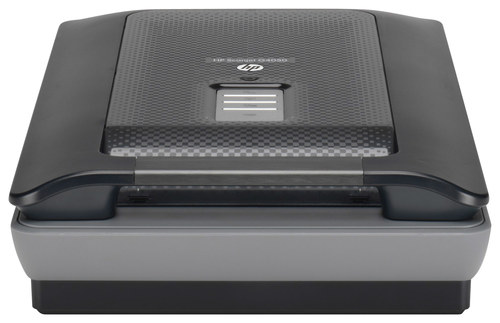
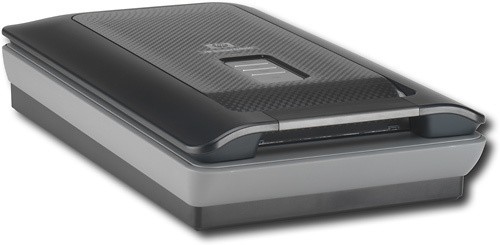
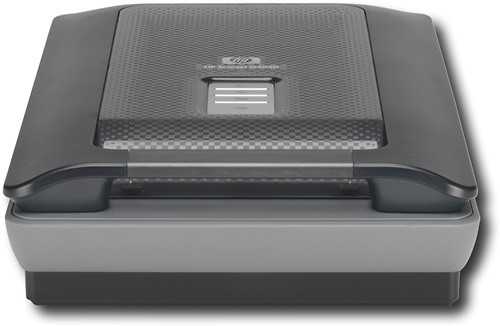

- Model:
- SCANJETG4050
- |
- SKU:
- 8278213
Customer reviews
Rating 3.8 out of 5 stars with 9 reviews
(9 customer reviews)to a friend
Customers are saying
Customers are satisfied with the fast scanning speed of the Scanjet Flatbed Scanner. One customer mentioned that it took about 30 minutes to scan a tray of 80 transparencies.
This summary was generated by AI based on customer reviews.
Rated 5 out of 5 stars
A must-have for any graphics fanatic.
||Posted .This reviewer received promo considerations or sweepstakes entry for writing a review.Needed something to record (digitally) photographs, documents, etc. so a scanner was an essential piece of equipment. As a graphic artist, I can create my own stuff - at home - without pirating time or material from my employer. I know I could probably make do with a digital camera, but I like having choices.
I would recommend this to a friend- Pros mentioned:Scanning quality
Rated 5 out of 5 stars
Severly Under-rated
Posted .This reviewer received promo considerations or sweepstakes entry for writing a review.This scanner is spectacular. I purchased it to scan my stacks of slide trays. The provided slide holder and easy software make scanning slides incredibly easy. It took about 1/2 hour to scan a tray of 80 transparencies. The software automatically locates and scans 16 slides at a time. The color and clarity is an exact copy. I printed out one 30 year old slide from the scan in 8X10 to compare it to a print I had made by Kodak 30 years ago. The new print was even better and just as clear as the 30 year old original. Then there are also holders for negative strips and larger format negatives. I also love the buttons on the cover that will create a scan in PDF, send a scan directly to your printer, simply scan it as a saved file or the film button. The software was easy to load and I was scanning almost right out of the box. HP's G-4050 is the most scanner for my buck and is even better than what I was expecting. I would and will recommend this to anyone in earshot.
I would recommend this to a friend - Pros mentioned:Scanning quality
Rated 4 out of 5 stars
Great pictures
Posted .This reviewer received promo considerations or sweepstakes entry for writing a review.The copies that are scanned are very clear and print in brilliant colors. It takes a while to get used to some of the methods in working, but overeal a great product. I do still have problems with enlargements.
I would recommend this to a friend - Pros mentioned:Scanning quality
Rated 4 out of 5 stars
G4050
Posted .This reviewer received promo considerations or sweepstakes entry for writing a review.1st unit ordered online was DOA. Bestbuy customer service was great in rectifying the situation and getting a replacement. The scanner produces wonderful images, although 6 color scanning can be slow. For the photographer or advanced amature, I'd recommend 3rd party software to run the unit as the HP software is geared more towards calendar and scrapbook creation.
I would recommend this to a friend - Pros mentioned:Scanning quality
Rated 2 out of 5 stars
Poor Choice for Slide Scanning
Posted .This reviewer received promo considerations or sweepstakes entry for writing a review.I bought this specifically for scanning slides and negatives after my HP Photosmart kicked the bucket. If I try to scan slides using the slide option, they are all black and it takes forever editing. Can use the negative option, and they actually come out, but it changes the color that is actually in the slides and it can not be corrected (water in lake changed to pink, should have been blue/sandy color, etc.). I do like this much better than the scanner that is part of my all in one HP printer/scanner for pdf files, it's fairly fast and it allows me to put many scans into one file/folder. So if you want a scanner for slides or negs, don't get this one! Should have gone for a newer HP photosmart - loved the old one. Reason for choosing this one was the price, so I guess I got what I paid for.
I would recommend this to a friend Rated 4 out of 5 stars
slide scan difficulty
Posted .This reviewer received promo considerations or sweepstakes entry for writing a review.I have great difficulty scanning slides. The instructions do not provide any directions to set controls for slides. In a batchscan, some come out others do not or are skipped for no apparent reason. i purchased this scanner speciffically for the slide scan capability and I am VERY disapointed. There is also no method for selecting only portions of a photo to capture.
No, I would not recommend this to a friend- Pros mentioned:Scanning quality
Rated 5 out of 5 stars
Works exactly as advertised
Posted .This reviewer received promo considerations or sweepstakes entry for writing a review.I ordered for store p;ickup, and it arrive sooner than promised. It works exactly as claimed. I can now scan large old negatives as well as 35mm slides and film.
I would recommend this to a friend Rated 1 out of 5 stars
very disappointing
Posted .This reviewer received promo considerations or sweepstakes entry for writing a review.Ordered this directly from HP mostly for scanning negatives and slides. Struggled to install it on my imac - had conflict with the HP all in one I already had installed. The fix was supposed to be to uninstall the all in one, reinstall the scanner to see if it worked, and then reinstall the all in one. Reinstalled scanner, it did not work. Could not reinstall the all in one, was told by HP tech support that I would have to get a new printer/al in one. Tried to install scanner on my macbook pro - said the ap was no longer supported - forget it. Finally installed on my pc, had limited success which kept getting worse, finally wouldn't scan negatives at all. HP suggested replacement of scanner - no thank you. Returned it. They tried to be helpful, and gave me a good deal on a new printer/all in one that I didn't need in the first place. What a hassle, wasted so much time. Quality of scans was very poor, and SO SLOW.
No, I would not recommend this to a friendRated 4 out of 5 stars
Easy
Posted .This reviewer received promo considerations or sweepstakes entry for writing a review.HP is the bst brand to use for scanners of computer moinitors.
I would recommend this to a friend