Customer Ratings & Reviews






- Model:
- HP SMART TANK 7602/28B98A#B1H
- |
- SKU:
- 11006122
Customer reviews
Rating 4.4 out of 5 stars with 1876 reviews
(1,876 customer reviews)Rating by feature
- Value4.4
Rating 4.4 out of 5 stars
- Quality4.5
Rating 4.5 out of 5 stars
- Ease of Use4.4
Rating 4.4 out of 5 stars
- Pros mentioned:Print quality
Rated 5 out of 5 stars
Hp smart tank printer 7602
||Posted . Owned for 1 week when reviewed.This reviewer received promo considerations or sweepstakes entry for writing a review.Print’s good. Looks good.it’s pretty quiet. Ink was easy to install. Colors are good.
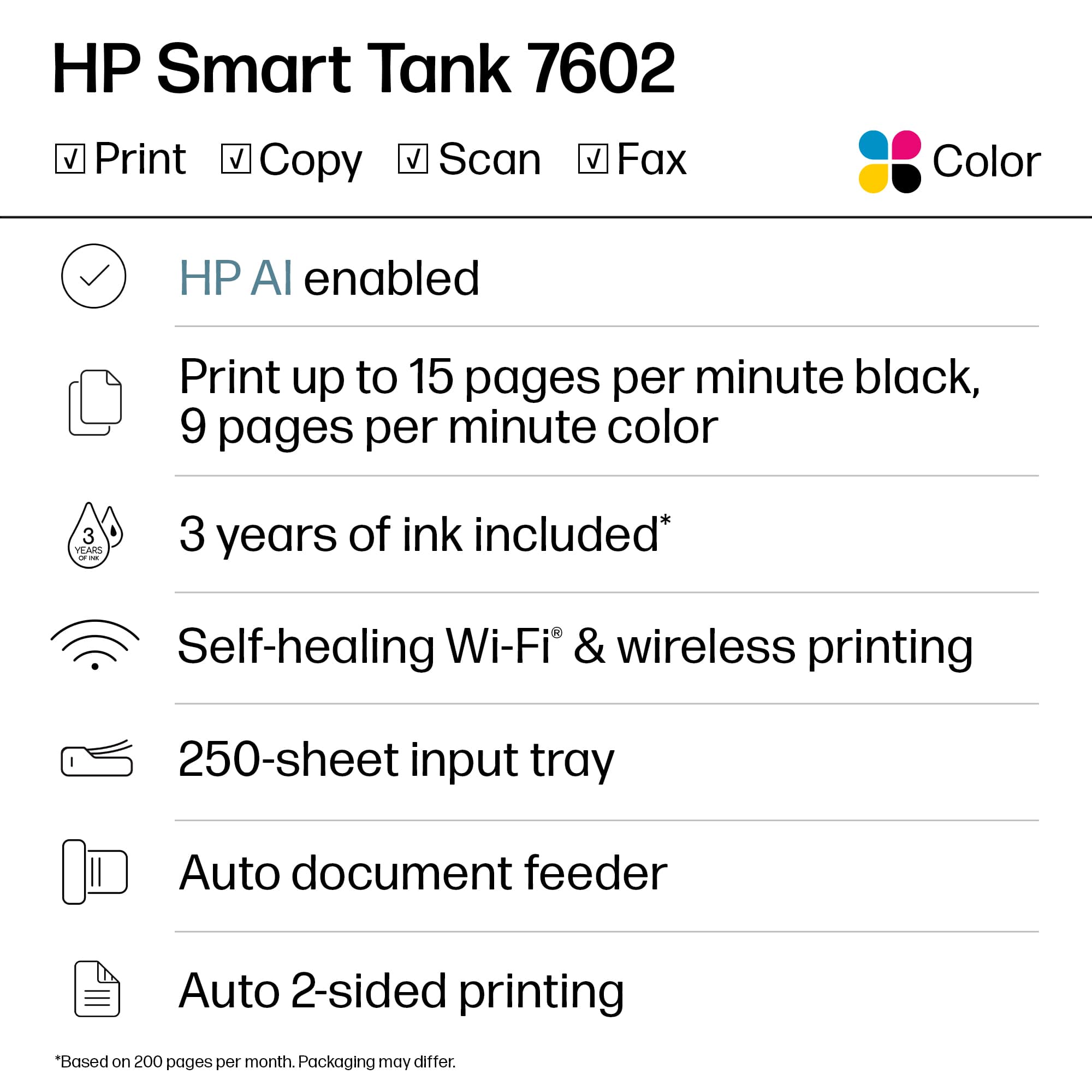
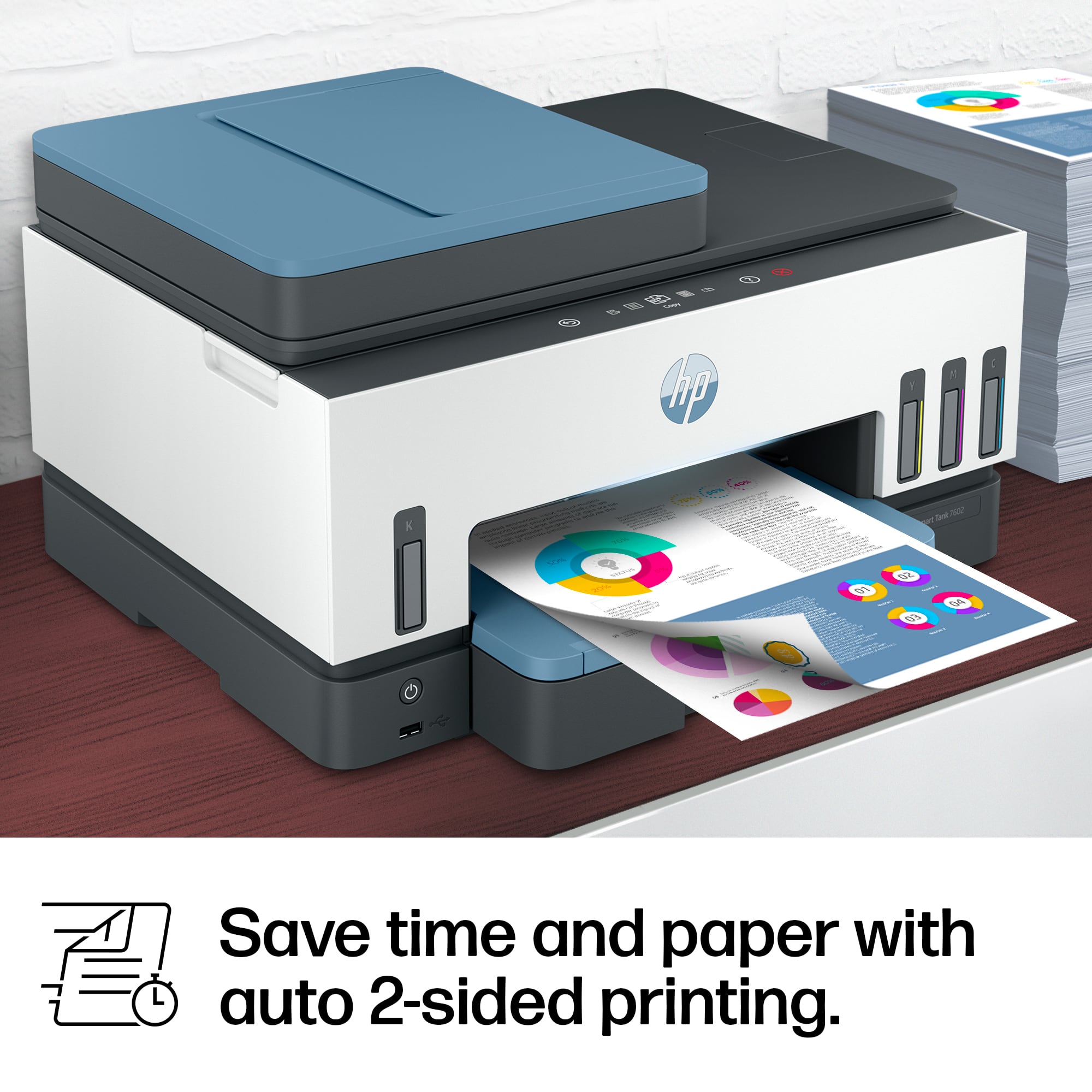
This review is from HP - Smart Tank 7602 Wireless AI-Enabled All-in-One Cartridge-Free Supertank Inkjet Printer with 3 Years of Ink Included¹ - Dark Surf Blue
I would recommend this to a friend Rated 5 out of 5 stars
Great
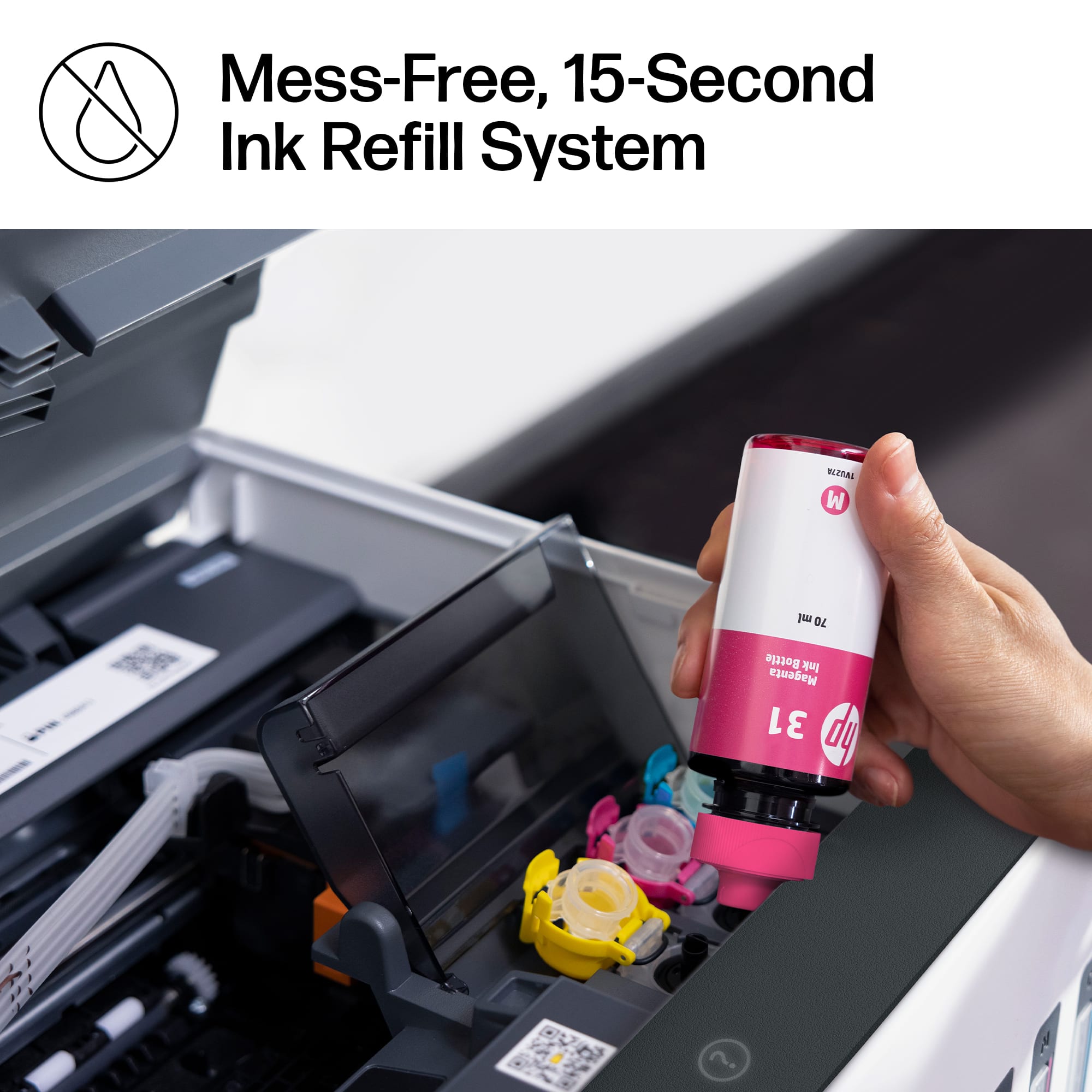
||Posted . Owned for 2 months when reviewed.This reviewer received promo considerations or sweepstakes entry for writing a review.This printer is a breeze to use. It’s easy to fill up with ink, and there’s no mess involved. It works flawlessly, printing, scanning, and even remote printing. It can hold a good amount of paper, too.
This review is from HP - Smart Tank 7602 Wireless AI-Enabled All-in-One Cartridge-Free Supertank Inkjet Printer with 3 Years of Ink Included¹ - Dark Surf Blue
I would recommend this to a friendRated 2 out of 5 stars
Buyer beware
||Posted . Owned for 1 month when reviewed.This reviewer received promo considerations or sweepstakes entry for writing a review.Buyer beware, the required software is cumbersome and intrusive, not to mention generic across platforms so it fails to help with detail issues. I bought this printer a month ago and liked the idea of having refillable tanks instead of buying whole printer cartridges. From the start, the printer produced a high-pitched, but quiet, whine. Think like the sound of high-frequency noise from old modems, but really quiet, however noticeable and annoying. The only thing that stops it is turning the printer off (mine is plugged directly into the wall socket so that HP support resolution didn't work). The biggest issue I now have is the inability to print to an envelope. I have attempted to print to an envelope only to find the text is jagged each time and unreadable. I tested out whether it was the envelope itself (thickness, material, etc), and printed using the MS Word Mailings tool, but with an 8.5 x 11 piece of paper in the tray. It had the same jagged text. I did some experimenting, thinking it was the speed at which the printer is set to print when it thinks it's printing to an envelope (an issue with laser printers), but, no, when the text is rotated it comes out jagged, envelope or not. So, I saw someone resolved that issue on a similar printer by simply installing the driver directly to their Windows machine. I tried everything to do this, but it just wasn't an option - you must use the Smart Tank App, and Windows simply states in the device details that a driver isn't needed. Since I didn't have this issue with our Brother printer, it must be an HP printer issue. Last, note that the setup is cumbersome and intrusive. You need to install the HP smart app - phone and laptop - in order to initialize the printer. It requires location permission, registering an account and more. In my desperation to print an envelope, I downloaded even more of the HP software and was disappointed to see how many times it required permission to send analytic data and the sort in order to provide support. Unless HP can contact me and resolve the envelope issue quickly, this is going back and I am going back to Brother printers.
This review is from HP - Smart Tank 7602 Wireless AI-Enabled All-in-One Cartridge-Free Supertank Inkjet Printer with 3 Years of Ink Included¹ - Dark Surf Blue
No, I would not recommend this to a friendRated 5 out of 5 stars
Great
||Posted . Owned for 2 weeks when reviewed.This reviewer received promo considerations or sweepstakes entry for writing a review.No problems at all i enjoy it. It makes printing multiple pages easy.
This review is from HP - Smart Tank 7602 Wireless AI-Enabled All-in-One Cartridge-Free Supertank Inkjet Printer with 3 Years of Ink Included¹ - Dark Surf Blue
I would recommend this to a friend- Pros mentioned:Print quality
Rated 5 out of 5 stars
Best printer so far!
||Posted . Owned for 2 weeks when reviewed.This reviewer received promo considerations or sweepstakes entry for writing a review.The printer runs very well. I printed a bunch of papers without any issues.
This review is from HP - Smart Tank 7602 Wireless AI-Enabled All-in-One Cartridge-Free Supertank Inkjet Printer with 3 Years of Ink Included¹ - Dark Surf Blue
I would recommend this to a friend - Pros mentioned:Print quality
Rated 5 out of 5 stars
Great Printer
||Posted . Owned for 3 weeks when reviewed.This reviewer received promo considerations or sweepstakes entry for writing a review.This printer is superior to any of the printers I've owned. Well worth the money we spent.
This review is from HP - Smart Tank 7602 Wireless AI-Enabled All-in-One Cartridge-Free Supertank Inkjet Printer with 3 Years of Ink Included¹ - Dark Surf Blue
I would recommend this to a friend Rated 3 out of 5 stars
Printer
||Posted . Owned for 1 year when reviewed.This reviewer received promo considerations or sweepstakes entry for writing a review.Started messing up after a year of having it…………..
This review is from HP - Smart Tank 7602 Wireless AI-Enabled All-in-One Cartridge-Free Supertank Inkjet Printer with 3 Years of Ink Included¹ - Dark Surf Blue
No, I would not recommend this to a friendRated 5 out of 5 stars
Easy
||Posted . Owned for 3 weeks when reviewed.This reviewer received promo considerations or sweepstakes entry for writing a review.Easy to set up and adding the ink is very clean. No mess to clean.
This review is from HP - Smart Tank 7602 Wireless AI-Enabled All-in-One Cartridge-Free Supertank Inkjet Printer with 3 Years of Ink Included¹ - Dark Surf Blue
I would recommend this to a friend- Pros mentioned:Print quality
Rated 5 out of 5 stars
Mrs.
||Posted . Owned for 3 weeks when reviewed.This reviewer received promo considerations or sweepstakes entry for writing a review.I am very happy with my Smart Tank Printer. I like the bottles of ink instead of replacing the cartridges all the time!
This review is from HP - Smart Tank 7602 Wireless AI-Enabled All-in-One Cartridge-Free Supertank Inkjet Printer with 3 Years of Ink Included¹ - Dark Surf Blue
I would recommend this to a friend - Pros mentioned:Print quality
Rated 5 out of 5 stars
New Ink Technology
||Posted . Owned for 3 weeks when reviewed.This reviewer received promo considerations or sweepstakes entry for writing a review.The best part is that you don't have to worry about buying expensive refills cartridges anymore
This review is from HP - Smart Tank 7602 Wireless AI-Enabled All-in-One Cartridge-Free Supertank Inkjet Printer with 3 Years of Ink Included¹ - Dark Surf Blue
I would recommend this to a friend - Pros mentioned:Overall performance
Rated 4 out of 5 stars
HPPrinter
||Posted . Owned for 3 weeks when reviewed.This reviewer received promo considerations or sweepstakes entry for writing a review.Only in use for less than a month. So far so good.
This review is from HP - Smart Tank 7602 Wireless AI-Enabled All-in-One Cartridge-Free Supertank Inkjet Printer with 3 Years of Ink Included¹ - Dark Surf Blue
I would recommend this to a friend Rated 5 out of 5 stars
Nice printer!!
||Posted . Owned for 3 weeks when reviewed.This reviewer received promo considerations or sweepstakes entry for writing a review.Great easy to use printer!! Give it a try - think you will be as happy as I am!!
This review is from HP - Smart Tank 7602 Wireless AI-Enabled All-in-One Cartridge-Free Supertank Inkjet Printer with 3 Years of Ink Included¹ - Dark Surf Blue
I would recommend this to a friendRated 5 out of 5 stars
Buddypet
||Posted . Owned for 1 month when reviewed.This reviewer received promo considerations or sweepstakes entry for writing a review.The HP smart Tank is great. Took more effort than it should to learn how to operate it. The instructions lack a few critical details. But, I worked it out.
This review is from HP - Smart Tank 7602 Wireless AI-Enabled All-in-One Cartridge-Free Supertank Inkjet Printer with 3 Years of Ink Included¹ - Dark Surf Blue
I would recommend this to a friendRated 4 out of 5 stars
Great printer
||Posted . Owned for 2 weeks when reviewed.This reviewer received promo considerations or sweepstakes entry for writing a review.Super easy to set up can print right from your phone
This review is from HP - Smart Tank 7602 Wireless AI-Enabled All-in-One Cartridge-Free Supertank Inkjet Printer with 3 Years of Ink Included¹ - Dark Surf Blue
I would recommend this to a friend- Pros mentioned:Overall performance
Rated 5 out of 5 stars
Solid printing platform so far.
||Posted . Owned for 3 months when reviewed.This reviewer received promo considerations or sweepstakes entry for writing a review.My brother laser mfc died. I decide in to buy this instead, I have no complaints thus far.
This review is from HP - Smart Tank 7602 Wireless AI-Enabled All-in-One Cartridge-Free Supertank Inkjet Printer with 3 Years of Ink Included¹ - Dark Surf Blue
I would recommend this to a friend Rated 5 out of 5 stars
HP Printer
||Posted . Owned for 3 weeks when reviewed.This reviewer received promo considerations or sweepstakes entry for writing a review.Quality printer and a good value for home use. Easy to set up, with set up wizard.
This review is from HP - Smart Tank 7602 Wireless AI-Enabled All-in-One Cartridge-Free Supertank Inkjet Printer with 3 Years of Ink Included¹ - Dark Surf Blue
I would recommend this to a friendRated 5 out of 5 stars
Best printer!!
||Posted . Owned for 3 weeks when reviewed.This reviewer received promo considerations or sweepstakes entry for writing a review.It’s easy and fun to operate…and more than efficient for business or residential use.
This review is from HP - Smart Tank 7602 Wireless AI-Enabled All-in-One Cartridge-Free Supertank Inkjet Printer with 3 Years of Ink Included¹ - Dark Surf Blue
I would recommend this to a friendRated 5 out of 5 stars
Easy work
||Posted . Owned for 3 weeks when reviewed.This reviewer received promo considerations or sweepstakes entry for writing a review.Really easy to ensamble and to work with it. Work very good from phone or laptop
This review is from HP - Smart Tank 7602 Wireless AI-Enabled All-in-One Cartridge-Free Supertank Inkjet Printer with 3 Years of Ink Included¹ - Dark Surf Blue
I would recommend this to a friend- Pros mentioned:Overall performance
Rated 5 out of 5 stars
Printer
||Posted . Owned for 1 month when reviewed.This reviewer received promo considerations or sweepstakes entry for writing a review.This has been one of best printers I have purchase so far.
This review is from HP - Smart Tank 7602 Wireless AI-Enabled All-in-One Cartridge-Free Supertank Inkjet Printer with 3 Years of Ink Included¹ - Dark Surf Blue
I would recommend this to a friend Rated 5 out of 5 stars
No cartridges
||Posted . Owned for 3 weeks when reviewed.This reviewer received promo considerations or sweepstakes entry for writing a review.Easy set up to my HP laptop and Android smartphone. Looking forward to no cartridges.
This review is from HP - Smart Tank 7602 Wireless AI-Enabled All-in-One Cartridge-Free Supertank Inkjet Printer with 3 Years of Ink Included¹ - Dark Surf Blue
I would recommend this to a friend