Customer Ratings & Reviews
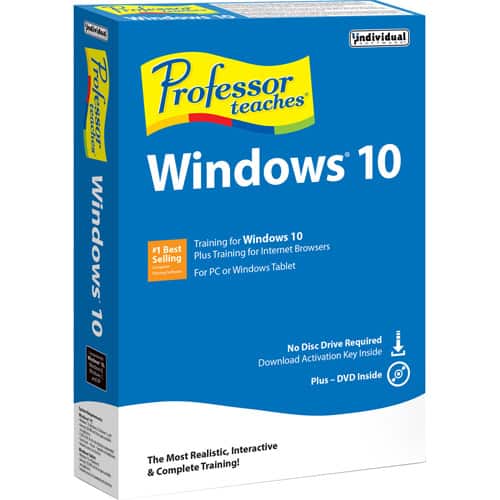
- Model:
- 8129237
- |
- SKU:
- 4402701
Customer reviews
Rating 4.2 out of 5 stars with 42 reviews
(42 customer reviews)to a friend
Customers are saying
Customers are delighted by Professor Teaches Windows 10 for its easy-to-understand instructions and guided hands-on experience. They appreciate that the course brings them up to speed on the Windows 10 operating system and its new features.
This summary was generated by AI based on customer reviews.
- Pros mentioned:Ease of use
Rated 4 out of 5 stars
Easy to learn lessons for Win 10
||Posted .This reviewer received promo considerations or sweepstakes entry for writing a review.I was looking for something like "Windows 10 for Dummies", but the store did not carry this item. One of the clerks recommended the program Professor Teaches Windows 10. It's cheap, easy to follow and good tool for getting started on the new Win 10 - good recommendation!
I would recommend this to a friend Rated 4 out of 5 stars
Good training aid
||Posted .This reviewer received promo considerations or sweepstakes entry for writing a review.Good training aid for making someone aware of the new Windows 10 features and enhancements.
I would recommend this to a friend- Pros mentioned:Ease of use
Rated 5 out of 5 stars
great for someone getting windows 10
||Posted .This reviewer received promo considerations or sweepstakes entry for writing a review.Teach your kids how to use their new windows 10 computer with this program
I would recommend this to a friend - Pros mentioned:Ease of use
Rated 4 out of 5 stars
Great software for beginner
||Posted .This reviewer received promo considerations or sweepstakes entry for writing a review.The software is very easy to use and explains everything thoroughly
I would recommend this to a friend - Pros mentioned:Ease of use
Rated 5 out of 5 stars
Good Introduction to Windows 10
||Posted .This reviewer received promo considerations or sweepstakes entry for writing a review.This tutorial was easy to install. It offers a step-by-step thorough explanation of Windows 10 features. Each chapter has hands-on practice that enhance the tutorial.
I would recommend this to a friend Rated 4 out of 5 stars
Helps find things after windows 10 upgrade
||Posted .This reviewer received promo considerations or sweepstakes entry for writing a review.Bought this to help me find some of the things I lost after upgrade . I still have some duplicate files .
I would recommend this to a friendRated 3 out of 5 stars
Professor Teaches Windows 10 --it's OK
||Posted .This reviewer received promo considerations or sweepstakes entry for writing a review.Professor Teaches Windows 10 is an adequate instructional approach to the introduction of Windows 10. I think, perhaps, that I best learn with the teacher by my side so I can ask questions and receive a response immediately. I always seem to have LOTS of questions.
I would recommend this to a friend- Pros mentioned:Ease of use
Rated 4 out of 5 stars
Great for Beginners in Windows 10 atmosphere
||Posted .This reviewer received promo considerations or sweepstakes entry for writing a review.The course was well arranged and made working in Windows 10 much easier. Gave many descriptions and tips on how to do resizing, adding apps to tile menu, etc. I found it very helpful.
I would recommend this to a friend - Pros mentioned:Ease of use
Rated 4 out of 5 stars
Good for learning the in's and out's of Windows 10
||Posted .This reviewer received promo considerations or sweepstakes entry for writing a review.A good software product for learning some of the tips and tricks of Windows 10. It brings you up to speed on the Windows 10 operating systen.
I would recommend this to a friend - Pros mentioned:Ease of use
Rated 4 out of 5 stars
Getting me off to a good start with Windows 10
||Posted .This reviewer received promo considerations or sweepstakes entry for writing a review.Feel like I'm back in school but it's save me time in learning how to get around in Windows 10 after using Windows XP for so many years.
I would recommend this to a friend - Pros mentioned:Ease of use
Rated 4 out of 5 stars
Good overview of Windows 10
||Posted .This reviewer received promo considerations or sweepstakes entry for writing a review.I learned alot from this training program. It taught me how to make use of the new features of Windows 10.
I would recommend this to a friend - Pros mentioned:Ease of use
Rated 4 out of 5 stars
Good for Novice
||Posted .This reviewer received promo considerations or sweepstakes entry for writing a review.Purchased for wife so she could learn basics of W10 they use at work. Seems to be working out well.
I would recommend this to a friend Rated 5 out of 5 stars
like it. a lot
||Posted .This reviewer received promo considerations or sweepstakes entry for writing a review.Without. It I would not be able to work it I knew windows seven not 10
I would recommend this to a friend- Pros mentioned:Ease of use
Rated 4 out of 5 stars
Product works
||Posted .This reviewer received promo considerations or sweepstakes entry for writing a review.Good teaching tool for a small cost.very helpful for a newbie or seasoned computer user.
I would recommend this to a friend Rated 5 out of 5 stars
Excellent tutorials
||Posted .This reviewer received promo considerations or sweepstakes entry for writing a review.Easy to follow instructions with guided hand-on experience.
I would recommend this to a friend- Pros mentioned:Ease of use
Rated 5 out of 5 stars
Windows 10
||Posted .This reviewer received promo considerations or sweepstakes entry for writing a review.I love the Professor Teaches line of teaching tools. Very simple to understand, done in intervals of presentation that you can pause or review the previous. Would purchase to learn other software or programs!
I would recommend this to a friend - Pros mentioned:Ease of use
Rated 4 out of 5 stars
Good start to using Win10
||Posted .This reviewer received promo considerations or sweepstakes entry for writing a review.Easy to follow. Do it in sections. Easy to review items you may not understand.
I would recommend this to a friend Rated 5 out of 5 stars
great to have until you get use to the program
||Posted .This reviewer received promo considerations or sweepstakes entry for writing a review.have used this program from their first issue of "xp"
I would recommend this to a friend- Pros mentioned:Ease of use
Rated 4 out of 5 stars
Very helpful
||Posted .This reviewer received promo considerations or sweepstakes entry for writing a review.Windows 10 was a big change for many of us old timers. This was a big help.
I would recommend this to a friend - Pros mentioned:Ease of use
Rated 4 out of 5 stars
very helpful
||Posted .This reviewer received promo considerations or sweepstakes entry for writing a review.Easy to understand and able to finally use Windows10 the way it should be
I would recommend this to a friend