Customer Ratings & Reviews
- Model:
- i355020
- SKU:
- 6422933
Rating by feature
- Value
Rating 4.2 out of 5 stars
- Quality
Rating 4.4 out of 5 stars
- Ease of Use
Rating 4.4 out of 5 stars
Customers are saying
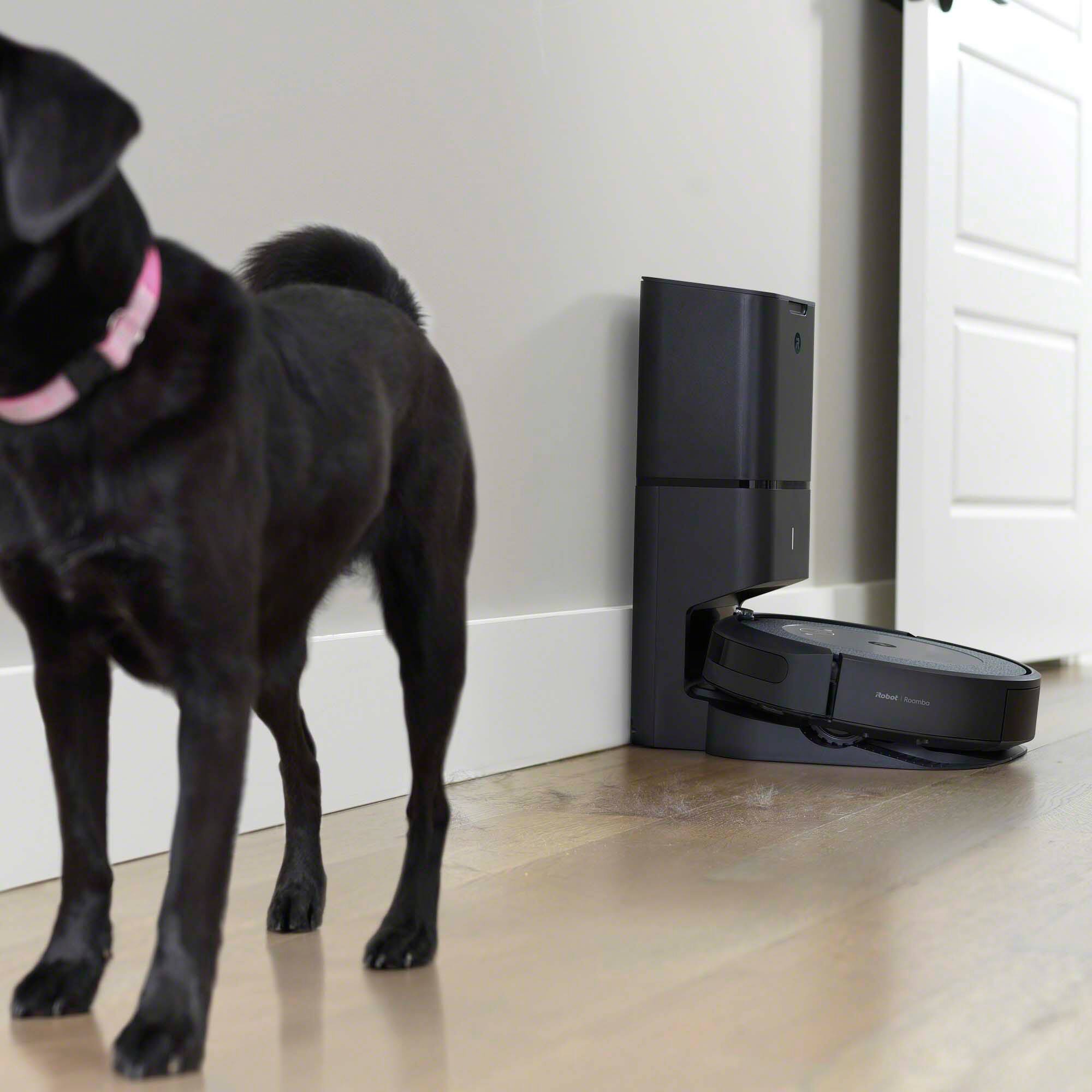
Customers frequently mention the Roomba i3+ EVO's powerful cleaning performance and convenient self-emptying feature as major strengths. The ease of use and effective pet hair removal are also frequently praised. However, some users note that the robot can be noisy and occasionally struggles with navigation in certain areas. Concerns regarding battery life and occasional connectivity issues were also raised.
This summary was generated by AI based on customer reviews.
Useless
||Posted .This reviewer received promo considerations or sweepstakes entry for writing a review.Totally useless vacuum. Don't buy this useless equipment.
No, I would not recommend this to a friendBad product
||Posted . Owned for 1 month when reviewed.This reviewer received promo considerations or sweepstakes entry for writing a review.Brush issues stopped spinning for no reason at all
No, I would not recommend this to a friend- Pros mentioned:Cleaning performance, Mapping
It's amazing!
Posted .This reviewer received promo considerations or sweepstakes entry for writing a review.Have only used the Roomba twice so far. It has done a good job. I don't think I could have set it up without help - my grandson did the set-up for me. The first time we just turned it on and let it go. Apparently it is doing some mapping so it knows where walls and furniture are - it goes around tapping into walls and anything else in the way. The next day he set it to just map without vacuuming - it moved a bit quicker and was learning where everything is so it knows where to stop and turn around. It seemed to be a little confused by table and chair legs as it kept going around them several times. It returns to the home base on its own and empties itself. The emptying process is quite noisy - sounds like a jet engine. After the floor plan was arranged in the app we set it to vacuum the living room and it took off and did just that room and went back to base and emptied. I think it is great that I can tell it to vacuum when I am not there and come home to clean floors. I purchased it on a great sale which makes it that much better.
I would recommend this to a friend Roombai3
||Posted . Owned for 1 month when reviewed.This reviewer received promo considerations or sweepstakes entry for writing a review.Bought the roomba and went to the store to get bags and they don't carry these. Frustrating!!!!
No, I would not recommend this to a friendRoomba
||Posted . Owned for 3 weeks when reviewed.This reviewer received promo considerations or sweepstakes entry for writing a review.Bad product a lot of inconvenience, issues and so slow
No, I would not recommend this to a friendBroken after 3 times use
||Posted . Owned for 2 months when reviewed.This reviewer received promo considerations or sweepstakes entry for writing a review.Broken after 3 times use, not recommended to purchase
No, I would not recommend this to a friendRoomba Irobot
||Posted . Owned for 2 weeks when reviewed.This reviewer received promo considerations or sweepstakes entry for writing a review.Product hasn't met our expectations. I thought it would do a better job cleaning.
No, I would not recommend this to a friend- Cons mentioned:Noise level

The best Roomba to date, worth every penny
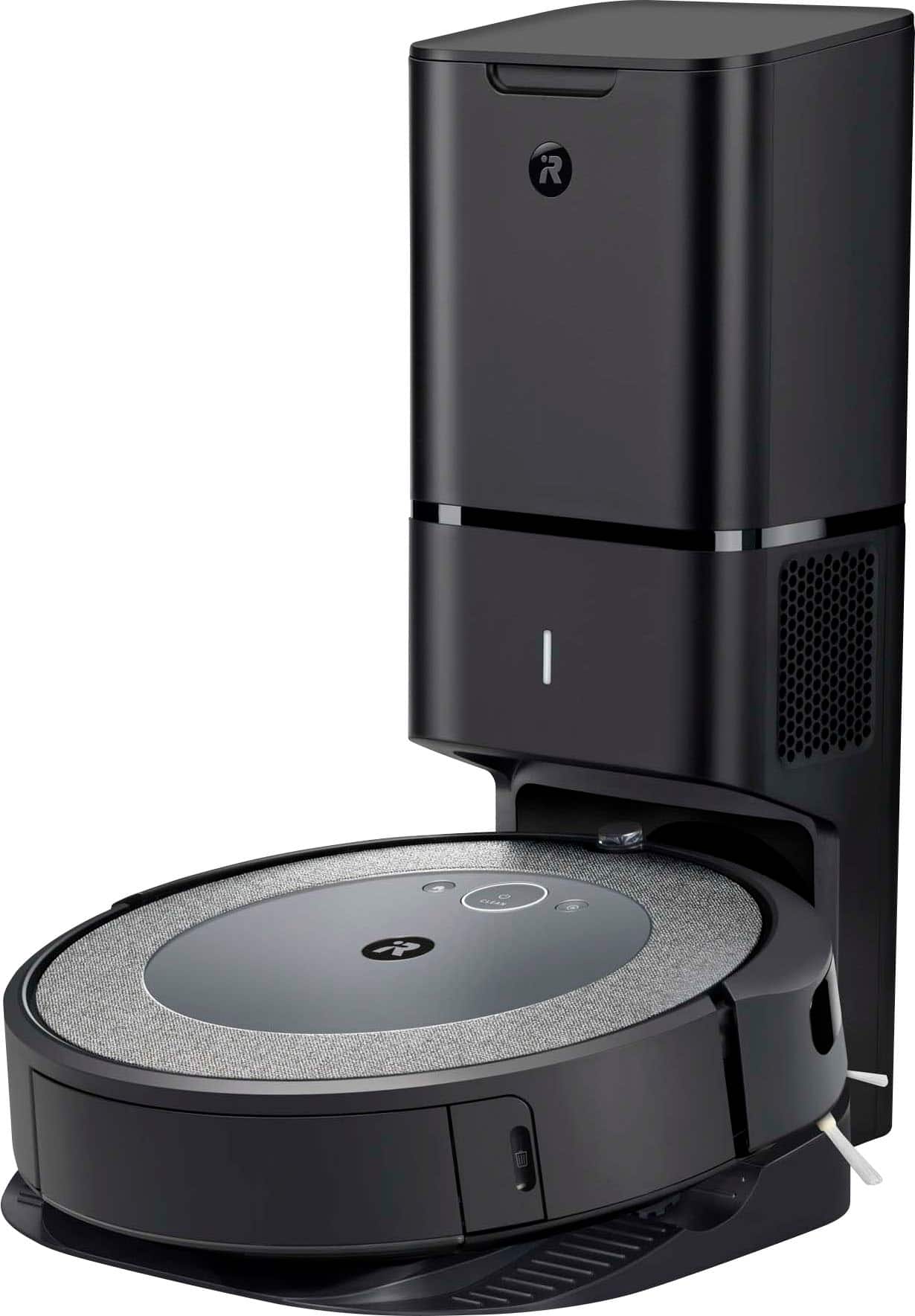
|Posted .This reviewer received promo considerations or sweepstakes entry for writing a review.This is now my second Roomba, and fourth smart vacuum overall. iRobot typically sets the bar pretty high, and they’ve honestly outdone themselves with the i3. The setup process was very easy. In the box you’ll find the vacuum, and the trash bin, along with an extra filter and trash bag which was a huge bonus for me. It took a few minutes for the unit to load when I put it on the charging station straight out of the box. Connecting to the app went off without a hitch very simple no issues at all with that. You’ll get very detailed instructions as you’re setting up your Roomba in the app as well as paper instructions and a quick start guide. Once I hit clean in the app and the Roomba started cleaning, you can instantly see just how much of a difference it made and how great a job it does at really picking up the dirt. It left no stone unturned and was able to do my entire room without missing a spot. It lasts much longer on one charge than previous models. Not having to empty the bin so often during a job was great! That was a problem I had with previous models. It was able to clean about 200sq ft with ease and didn’t have to go back to the base to empty the bin. Once it had finished the room and headed back to its base, I will say that it’s very noisy once it’s emptying itself into the dirt disposal. But, it’s to be expected since the disposal is sucking out the dirt from the Roomba and trying to get it all. It beats having to empty it yourself and it’s only noisy for a minute tops. I checked the trash bin and it was empty. The disposal did a great job of clearing the bin. A great feature that I noticed was the summary after a job is complete. It completely scanned my entire room and showed me where it vacuumed, where the couch was or anything in its way that caused it not to vacuum there, the sq footage of the room everything. I beyond impressed and they’ve made so many great updates. See attached pictures included of the summary. Overall this is a GREAT buy. If you’re second guessing because of the price? Don’t because it’s worth every penny, and some.
I would recommend this to a friend Roomba i3
||Posted . Owned for 2 weeks when reviewed.This reviewer received promo considerations or sweepstakes entry for writing a review.Could not connected to my app. So i returned and got the number 7
No, I would not recommend this to a friendDo not recommend
||Posted .This reviewer received promo considerations or sweepstakes entry for writing a review.Terrible experience. I will be returning the product.
No, I would not recommend this to a friend- Pros mentioned:Cleaning performance, Self emptyingCons mentioned:Noise level
Good floor cleaner
Posted .This reviewer received promo considerations or sweepstakes entry for writing a review.Easy to set up Wi-Fi and Alexis. Very noisy for a home bound retiree. Decent cleaner not good for the trendy washable rugs, catches the edge. If you want to create zones, you must go to the 7 series. Those folks that want to schedule a clean before returning from work or school would obviously not hear the vacuum. Self emptying is great
I would recommend this to a friend - Pros mentioned:Cleaning performance, MappingCons mentioned:Noise level
Great vacuum, a little loud.
Posted .This reviewer received promo considerations or sweepstakes entry for writing a review.I love that it maps, but it struggled to get all of our rooms - it’s also great at cleaning; but beware that it’s INCREDIBLY LOUD when it cleans itself! But we love Mr. Clean :)
I would recommend this to a friend - Cons mentioned:Battery life, Noise level
Fantastic Cleaning Machine
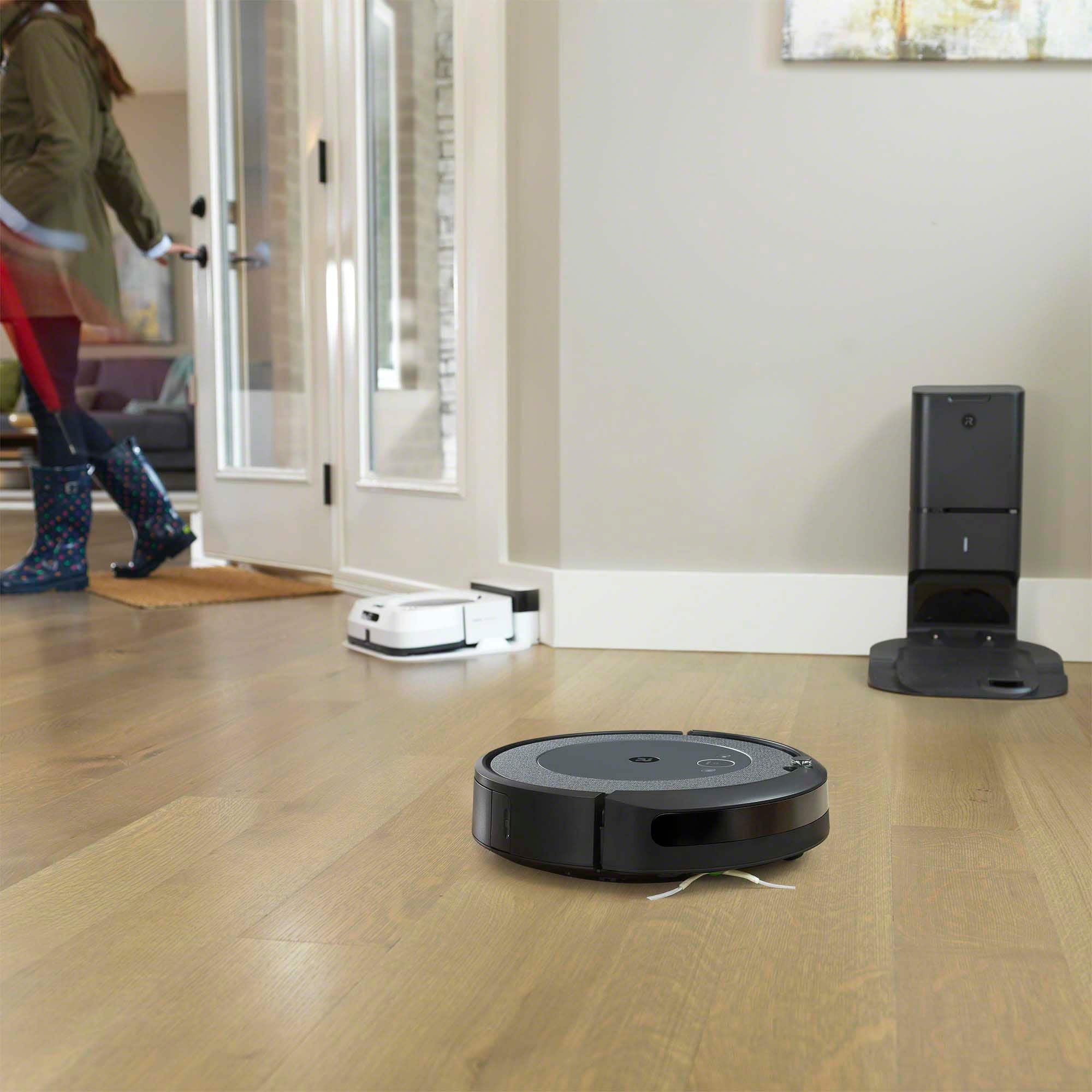
|Posted .This reviewer received promo considerations or sweepstakes entry for writing a review.I’ve owned a Roomba for many years. I’ve owned the non-intelligent models, meaning they turn on and go around your room without any direction or course. Here are my reactions to my first week of usage. The first time I used this model, I observed for the Roomba to see what it would do. Set up was super easy, syncing to the app took maybe 5 minutes. I pushed start in the app and watch the vacuuming start. The Roomba was going around my room and about half way through cleaning the room, the machine went back to dock because the battery is low. To my surprise, about 45 mins later the machine started up, undocked and continued where it left off. Once the room was completed, the Roomba went back to its docking station and emptied into the waste bag. The emptying is a bit loud so maybe be cautious of running the machine at night. I check the waste canister on the Roomba itself and it was empty. Such a nice feature to have! Also, I received a notification on my phone stating the length of vacuuming and the square footage covered. The next day, the vacuuming took about half the time because the Roomba learned the layout of the rooms. I got another notification telling me the vacuuming was done and the bag emptied. The Roomba does everything as advertised. If you like having a clean floor without the stress of having to vacuum yourself, check out this model.
I would recommend this to a friend - Pros mentioned:Self emptyingCons mentioned:Navigation
We call it Hazel...
|Posted .This reviewer received promo considerations or sweepstakes entry for writing a review.For a one time fee (the purchase price of the i3+) you will have a clean floor automatically without even thinking. Set up is a breeze pretty much just plug it in and download the app to get the Roomba i3+ working on your Wifi system. The Roomba i3+ is a very powerful vacuum, it traps pollen and mold with the AllergenLock Bags and can take care of emptying itself for about 60 days with the Clean Base Auto Dirt Disposal system so you don’t have to do that dirty task as often as you would with non self emptying units. Once the Roomba i3+ learns your house you don’t need to worry about it getting stuck on furniture, obstacles etc (although it did get stuck a few times…so its not perfect) The app is a great companion to the Roomba i3+ that helps with scheduling and even tweaks due to seasonality etc. You can even use the app or Alexa to clean up on the fly. We have two cats and a dog in our household and in just a few days of using the Roomba i3+ we noticed the difference. Keeping the house clean with the pets and kids isn’t easy and the Roomba i3+ is a great addition to the house to help us stay neat.
I would recommend this to a friend Don't Throw Out Your Old Vaccum
|Posted .This reviewer received promo considerations or sweepstakes entry for writing a review.I have bad allergies, so vacuuming is something that has to be done weekly. We have a Dyson Animal Ball which used to help dig out the worst from our carpet. Even after we recently swapped the carpet for vinyl flooring, weekly vacuumings couldn't be avoided. Between working from home and home schooling our 4 year-old, cutting the weekly vacuuming out could definitely help us out. Enter the iRobot Roomba i3 with Automatic Dirt Disposal. I've had limited experience with iRobot's Roomba vacuums before and those I've spoken to about their Roomba haven't had many complaints. In general, I can probably say the same. It's great that we can cut out having to manually vacuum, but there still was a bit of work that had to be done to get a decent sweep. We had to turn on all the lights and put chairs on tables. Even then, there was still some visable debris left on the floor. For our purposes, I think it does a good-enough job. As mentioned in the title, I think we're still going to need to vacuum using the Dyson, but far less than we did before, which should mean that this was a succesful acquisition. Given the existinance of the i7 model, I'm guessing this is the entry level model meaning less powerful suction. You'd probably want to look at the i7 if you want to start getting into solutions that would eliminate manual vacuuming all-together. Also, the i3 doesn't apply HEPA filtering, so you're going to feel the effects of each pass. The Automatic Dirt Disposal base is nice to have so we don't have to empty the Roomba itself everytime. However, it uses a bag. That's understandable given its configuration, but it would have been nice to have a bin that could just be dumped out without having to purchase bags. The iRobot Home app is easy to use and intuitive. As with any smart home product, you have to go through the whole WiFi configuration process before use, but I've dealt with other apps that were much more painful to configure. The app provides a "Vacuum Everywhere" button which is helpful for the initial pass, so the Roomba can learn your floorplan. The app even shows you what the vacuum mapped out. With that, you can creat custom tasks, then schedule when you want the Roomba to go. I thought I'd be able to schedule this to run at night while we are sleeping, but considering how much light the unit needs, I don't think nighttime tasks are happening. The app also tells you how much charge the Roomba has, if you want it to empty its bin, and provides a history. Overall, as long as you understand that this is not a complete replacement for manual vacuuming, and that it'll do a good-enough job so as to allow you to concentrate on other things, I would recommend this product for you. Those with more frequently dirtier floors and worse allergy issues should probably look at upgrading from this model.
I would recommend this to a friendOne of the smarter robot vacs, but not perfect yet
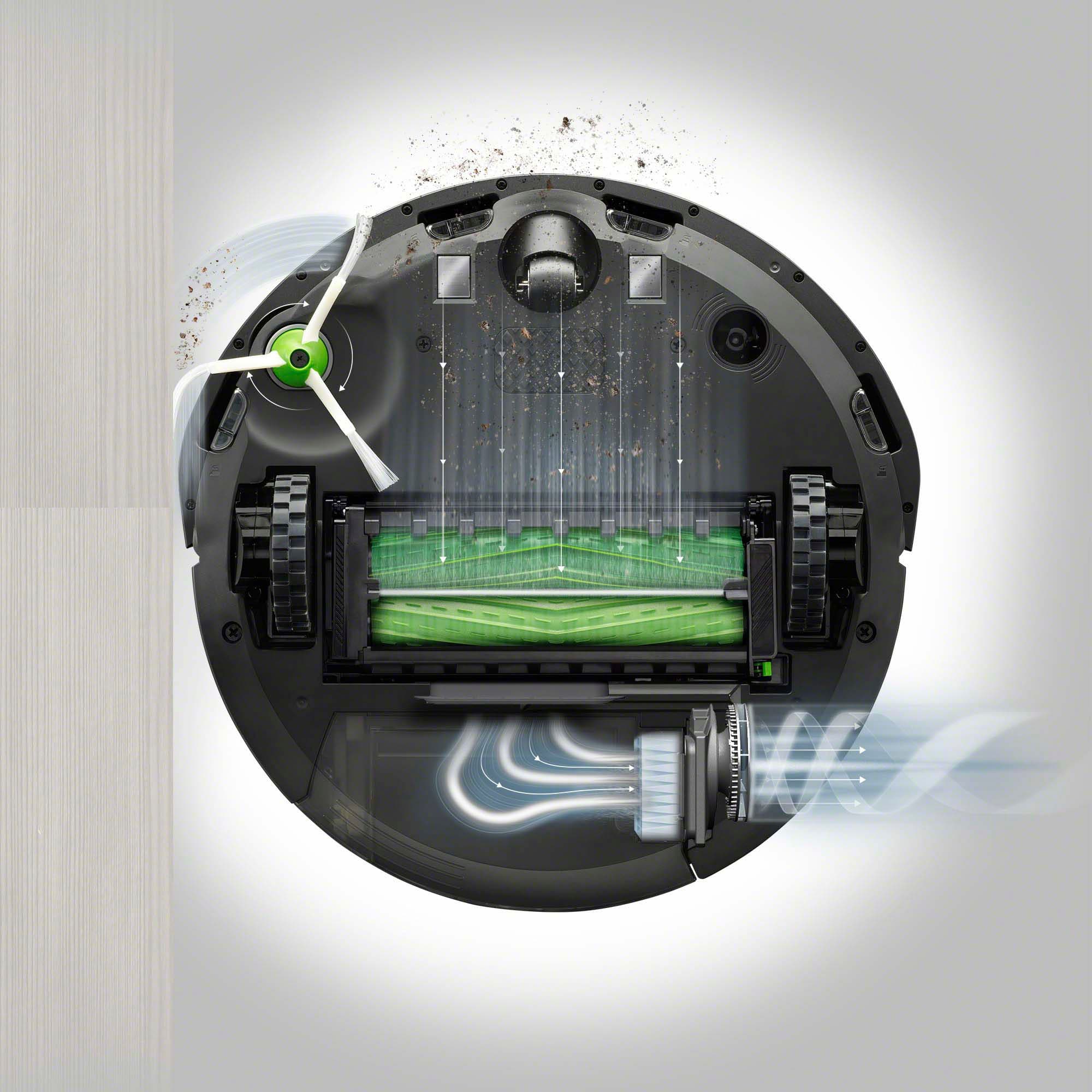
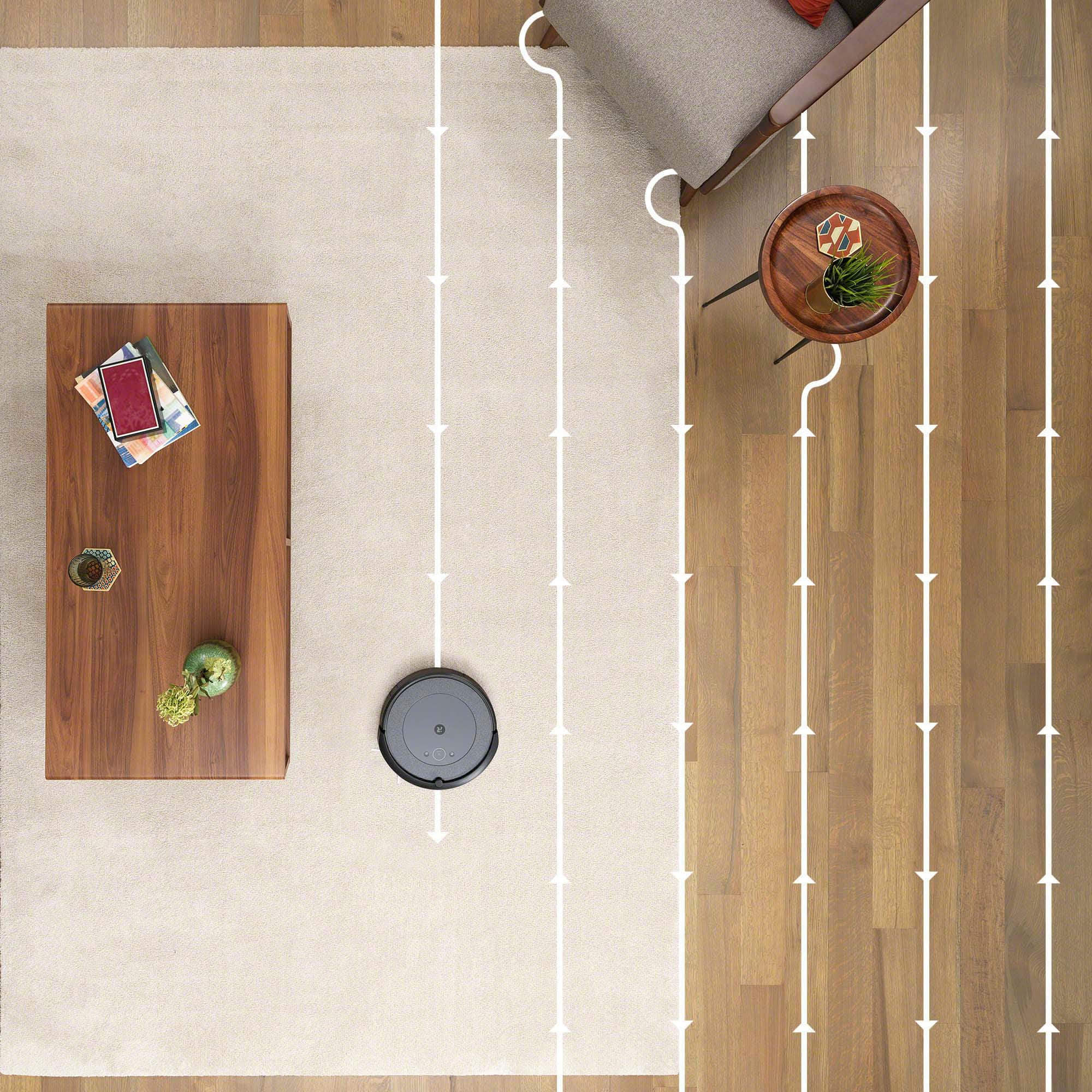
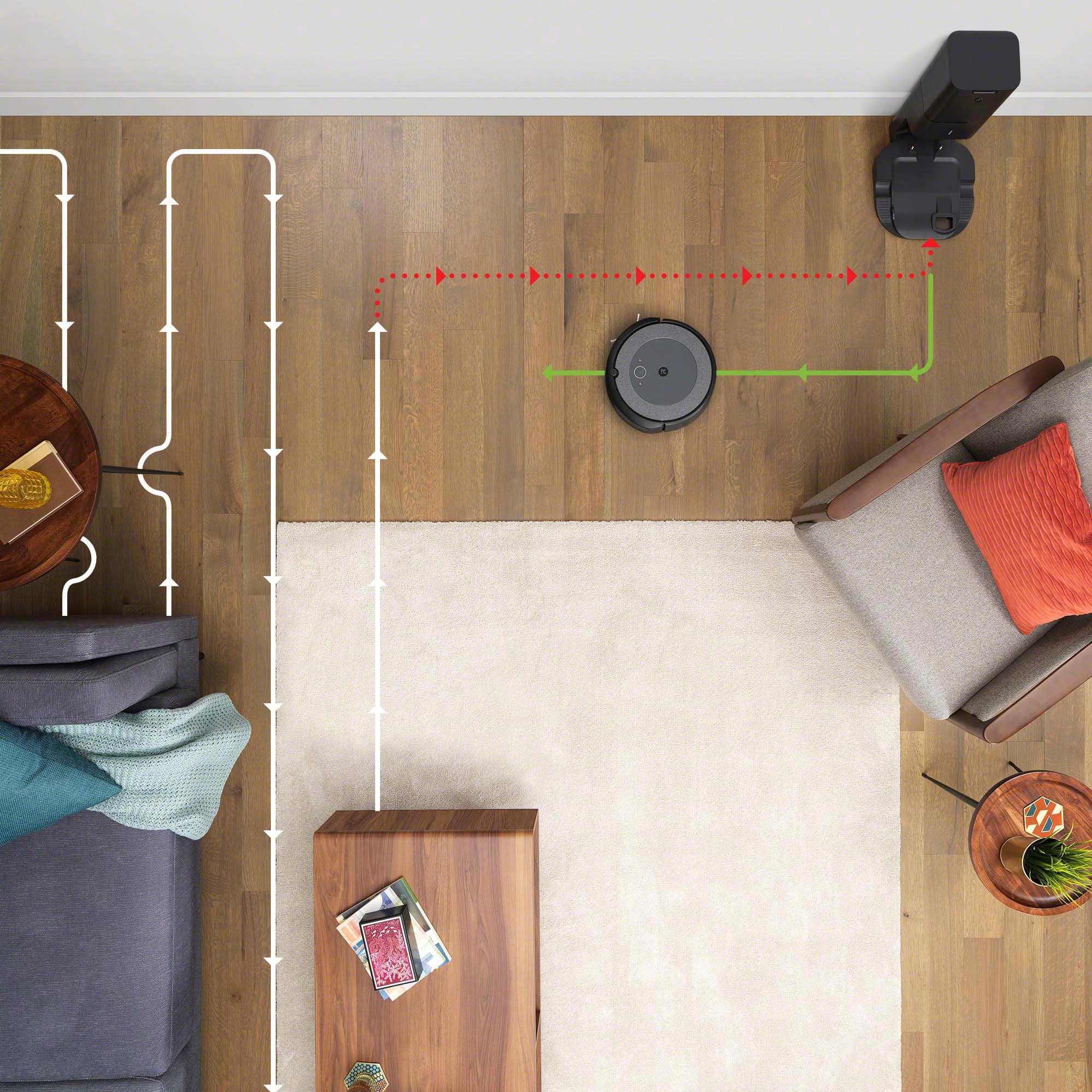
|Posted .This reviewer received promo considerations or sweepstakes entry for writing a review.Robot vacs have come a long way since the first generation began rolling across living room floors and the latest offering from iRobot shines a spotlight on many of those advances, along with few lingering shortcomings. This Roomba i3+ is the third robot vac I have used over the past three or four years ( the other two were from different manufacturers ) and I have to admit I am impressed with how far the AI has come. The vac is waaay smarter than my other two, skillfully navigating all my rooms with only a few small hiccups. Unlike my first one, which aimlessly wandered the rooms of my house in a random pattern, this new Roomba is smart. Using onboard sensors, it keeps tracks of where it has been and where it has not. The Roomba first attempts to clean using an efficient grid pattern, back and forth like mowing a lawn. But when it comes across furniture or other obstacles, it has been programmed to quickly work a way around it, while at the same time ensuring every square foot of the room that is accessible is cleaned. It is pretty impressive The Roomba spins around table legs with ease and gently bumps along walls, as its spinning cat whiskers attempt to pick up every crumb it comes across. Even better, it moves along at a pretty good clip most of the time, unlike another "smart" robot vac I owned. It had to go slow and stop to " think" a lot. And still was not very smart. But perhaps the best feature is auto-vac base station. This Roomba returns to dump its load of dirt when sensors say it is full up (most of the time). And a built-in vacuum cleaner in the base automatically sucks everything out of the Roomba's dirt chamber. Gotta love that. Even it does sound like a fighter jet taking off when the base station vac fires up. Thankfully that only last for for a few seconds. The Roomba itself is pretty quiet on carpet but rattles around a bit more loudly on hard floors and tile. Setup was pretty simple. Plug it in. Charge it. Download the iRobot app. register, connect to wi-fi network -- the usual drill. You can control the Roomba with the app or simply push the CLEAN button on top (or use Alexa voice commands once you activate the skil. Google devices also are supported) . The app keeps track of battery status, hours run, square footage covered and any errors that are generated. It even shows a map of the area covered in each session. The Roomba also will issue voice messages in some cases, to let you know what is happening or needs to be done. The only point of confusion is the little circle of light on top of the Roomba. It shows what is going on... like flashing white when charging, or blue when communicating with wi-fi. But the light only stays on for a short period and then turns off. The vac appears to have died. But no. It is just saving power I guess. Check the app if you are unsure what the vac is doing... or press the "clean" button to reactivate the light. Bottom line: The technology on these things is getting better....a LOT better. But be aware, it's still not perfect yet This Roomba still got stuck sometimes rolling over power cords, or trying to climb over the sled type base on some chairs I have. And once you extract it from such situations, it seems to forget everything it may have done previous to that point and begins vacuuming the same areas over again. Even worse, if you move it any distance, it seems to loses track of its base station and just dies in place when the battery runs down, rather than returning to recharge as it is designed to do. The red light on top turns on. The motor turns off. Game over. Pausing it, using the app, produced the same result for unknown reasons. The software does not seem fully baked yet. The software seems designed to allow you to tell the Roomba to only do certain rooms or certain parts of the house. But opting for that feature produces a "coming soon" banner. Still, this Roomba got stuck a lot LESS than the previous two models I owned because it is just smarter about extracting itself from job ending obstacles. One other downside of nearly all robot vacs is they simply aren't very powerful compared with corded upright vacs. The Roomba did an OK job in this regard, but did not seem special, , despite iRobot's claim that the 13+ is much more powerful than earlier models. Don't expect it to get your house as clean as those old tech vacs. Also a concern are the "consumables" as the industry likes to call them. The vac in the base station uses special small dirt collection bags that must be replaced frequently. You get two with the Roomba, replacements run $20 or so for 3 (OEM, less for knockoffs) . It seems it would have been easy enough to simply dump the dirt in a plastic chamber, as many vacs do, avoiding the whole bag thing. But there is money in consumables so, you are stuck with this setup. One-time use paper filters in the main Roomba unit also must be replaced. (You get two with the unit) Washable reusable would be better. Worse yet, the rollers and cat whiskers also wear out and must be replaced eventually. $60 or so per set. This stuff adds up over time, so be aware the costs don't stop with the purchase price. Still, in the world of robot vacs, this new Roomba is a vast improvement over many that have come before it. It is much smarter, empties the dirt chamber automatically so you don't have to and completes a job most of us hate without a lot of drama. If you can handle the hefty price, and the consumables, it's a good choice.
I would recommend this to a friend- Pros mentioned:Cleaning performanceCons mentioned:Navigation
good if you don't have kids and pets
Posted .This reviewer received promo considerations or sweepstakes entry for writing a review.I read a lot about different models of roomba. I think i3 has the minimum technology to get the work done. It moves systematically so it cleans everywhere without missing any area. So, we scheduled it weekly to clean the house. BUT, we had some guests over for 2 weeks, we wanted the vacuum to clean only the dining room and kitchen daily, i3 is not able to do so. So, I had to use our manual vacuum. If you have kids or pets and need to clean specific areas (like dining room) more than other places like your home office, then you should get i7.
I would recommend this to a friend - Pros mentioned:Mapping, Self emptying
Worth every penny!
Posted .This reviewer received promo considerations or sweepstakes entry for writing a review.This isn't the top-of-the-line Roomba that iRobot makes but it's still amazing! It does everything I want it to do and more. My favorite feature is that it self-empties. This saves me so much time and makes cleaning my house effortless. It also maps out my house so I can get it to clean certain areas if I dont want it to clean the whole house. Would highly recommend to anyone in the market for a robot vacuum.
I would recommend this to a friend - Cons mentioned:Noise level
Maid In A Box!
|Posted .This reviewer received promo considerations or sweepstakes entry for writing a review.This really is a game changer! I’ve had a slightly lower quality robot vacuum for about a year. It lacked suction power, & I absolutely dreaded having to empty the bin and wipe out the dust & debris after each run. This i3+ with the self-emptying bin is a dream. I can create a cleaning schedule & forget about it. I wasn’t able to do that with my old robot vac since it had to be manually emptied between each run. Out of the box, setup was a snap. Nothing to attach or screw on. Just unwrap & plug it in. Mine was almost fully charged, so it only took a few minutes to get to 100%. If you don’t have time to download the App, you can just press the “Clean” button to send it on its way. I was impressed with the suction power. I have dark hardwood floors, so it’s very easy to see debris. My floors were spotless after one pass and, so far, it’s able to run for about 1 hr. before returning to the charger to empty the bin. While the bin is emptying, it makes a very loud roaring noise. Not quite as loud as a space shuttle launch, but close. Best to keep small children & pets away during that short process. Frankly, I don’t care how loud it is if it relieves me of having to empty the bin. The iRobot Home App needs work. I initially had no trouble downloading the App, creating an account & connecting to the vac. Then the App began crashing. After a dozen attempts, uninstalling & reinstalling on 3 different devices, I had success. It’s working fine now & is very handy. You can do things like: start the vac remotely, create a schedule, view the history (which includes a map of the cleaned area) & set favorites. I’m still going to give it 5 stars because the vac itself is so fantastic that it outweighs the minor issue with the App. I’m sure the developer can work out the kinks on the App over time.
I would recommend this to a friend - Pros mentioned:Cleaning performanceCons mentioned:Noise level
PET OWNERS TAKE HEED
Posted .This reviewer received promo considerations or sweepstakes entry for writing a review.What can I say, this product cleans the floor of pet hair. In our case we have a GSP that can't stop sheeding. This product learns the room layout and cleans the floor. At the end of the cycle it dumps into the bin bag. If you have a considerable amount of debris it will dump as often as necessary and resume the task. Yes, it is loud when it dumps to the bin.
I would recommend this to a friend