Customer Ratings & Reviews


- Model:
- JCD382
- SKU:
- 6115810
Rating by feature
- Value
Rating 4.1 out of 5 stars
- Quality
Rating 4.3 out of 5 stars
- Ease of Use
Rating 4.4 out of 5 stars
Customers are saying
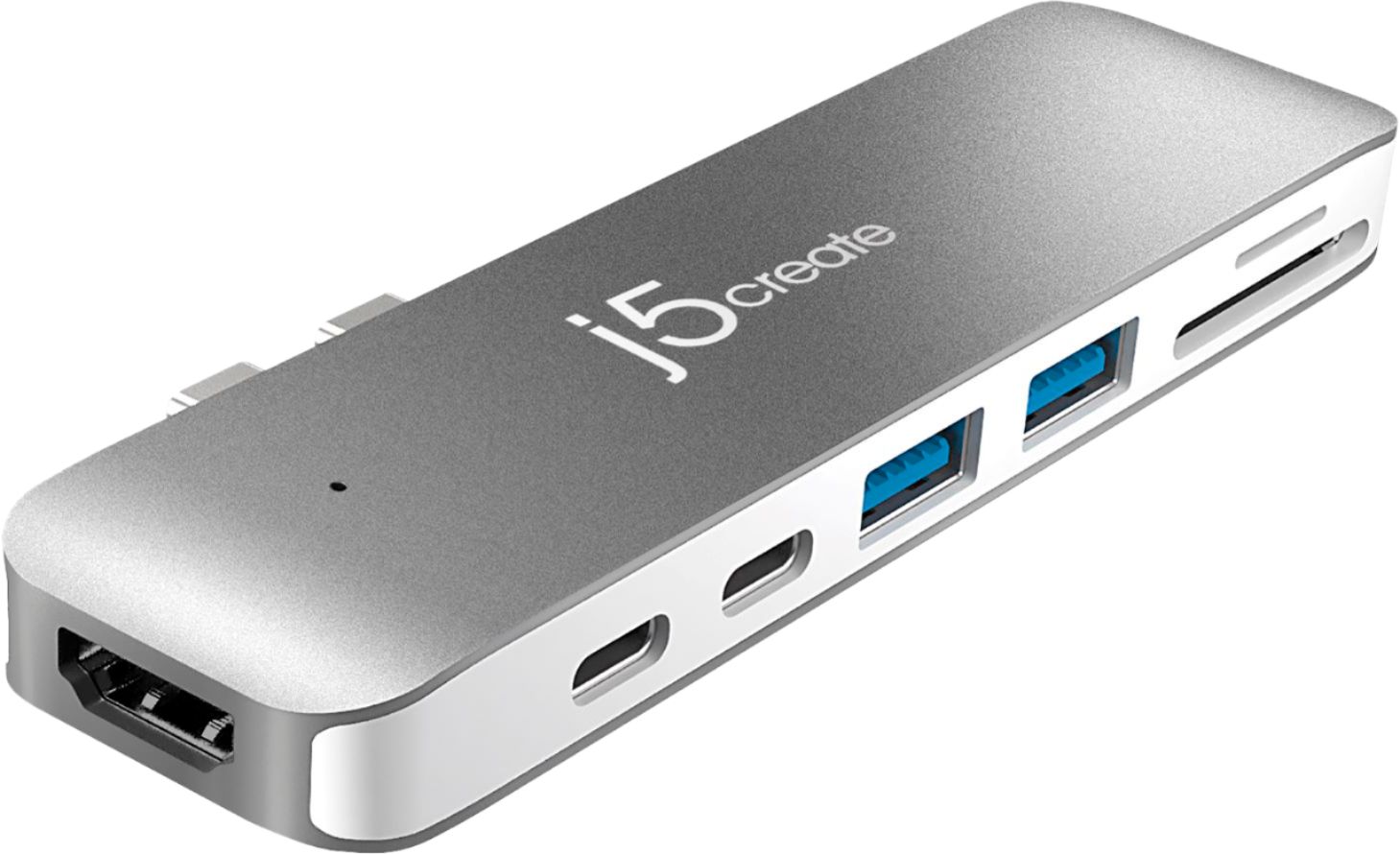
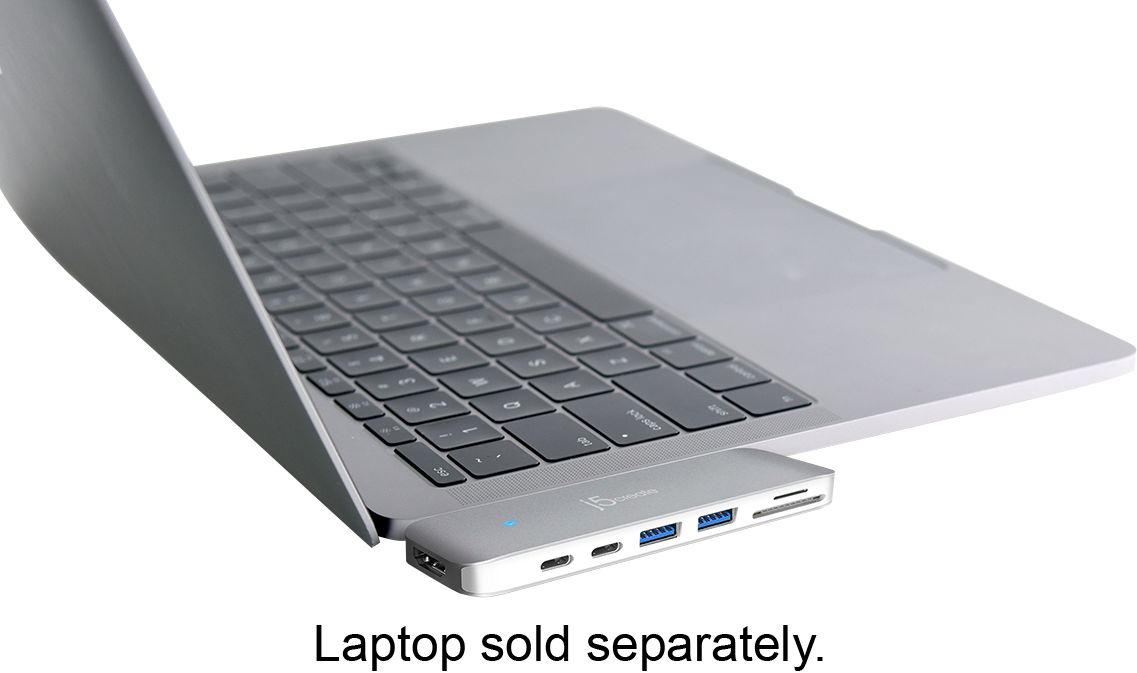
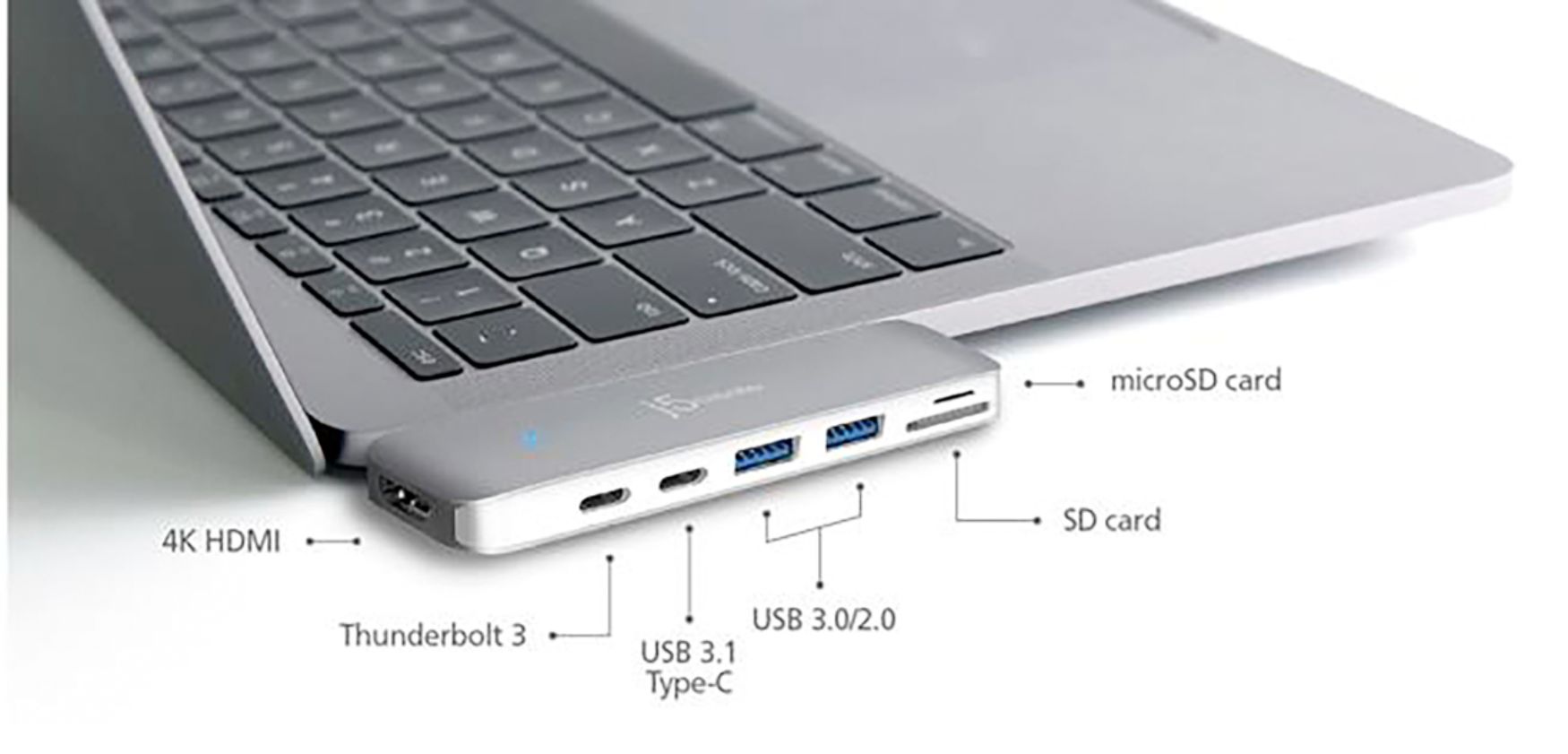
Customers have good things to say about the Ultra Drive Mini Dock's ease of use, plentiful ports, compact size, and generally good performance. Many appreciate the additional USB ports it provides for their MacBooks. However, some customers experienced issues with compatibility, connection stability, and the device's tendency to overheat. A few also felt the price was a bit high.
This summary was generated by AI based on customer reviews.
- Pros mentioned:Usb
I works great, but not perfectly
||Posted .This reviewer received promo considerations or sweepstakes entry for writing a review.I use it with my MBP to HDMI, there are times that it does not work with it, so I need to remove and reinsert it several times. But for USB and USB-C it does work great. Overall it is good to have it than a danging style port.
I would recommend this to a friend - Pros mentioned:Usb
Just what I needed
||Posted .This reviewer received promo considerations or sweepstakes entry for writing a review.I purchased a new MacBook Pro November and was bothered that there were only two USB-C type ports. Well, I started getting back into photography and immediately recognized that I lacked connection ports for different USB types... I needed something that equals the color of my MacBook, easy to install and transport, and reliable. This hub/connector has met and surpassed my expectations. Look no further if you require additional ports. Finally, the added bonus was the HDMI port, I can now show and share my screen from my MacBook to my TV.
I would recommend this to a friendBrand response from J5create Team
Posted .Just what is needed - the JCD382 provides the user with HDMI, SD card reading capabilities, charging and USB ports for gadgets all in one - it's PnP nature will have you up and running in seconds.
Regards,
j5create
- Pros mentioned:Design, Ports
Slim design, all the ports you need
||Posted . Owned for 1.5 years when reviewed.This reviewer received promo considerations or sweepstakes entry for writing a review.Highly recommend this adapter. It’s slim design makes it easy to keep it plugged in. Includes all the ports you need.
I would recommend this to a friendBrand response from J5create Team
Posted .Hi!
That's great to hear! I'm glad that the JCD382 has met your needs and made things just a little easier for you. If you ever have any questions regarding your device, please don't hesitate to contact us and we would be more than happy to assist you. Our information can be found on the back of all of our product boxes and on our website under the support tab. There you can find links to our livechat, phone, and ticketing services.
Thanks,
j5create
- Cons mentioned:Compatibility
Good but...
||Posted .This reviewer received promo considerations or sweepstakes entry for writing a review.It works really well and transfers files really fast but the only problem is that it’s not case friendly. I like having a hard shell case on my MacBook but that case stops this from plugging in completely:(
I would recommend this to a friendBrand response from J5create Team
Posted .Hi Darathy, Due to the snug insertion required by the JCD382, having a case on your Mac may obstruct proper connectivity resulting in a non-functional device. We understand the inconvenience and apologize. Devices such as the JCD383 may be a better fit because it connects via a host cable allowing you to keep the cover on at all times. For further information, we recommend reaching out to support on the casing to speak with a rep and they will be ready to assist.
Respectfully,
j5create
- Pros mentioned:Ease of use, Usb
Excellent
||Posted .This reviewer received promo considerations or sweepstakes entry for writing a review.The j5 made it very easy to connect USB ports and cards all at the same time! Definitely made transferring videos and pictures a breeze
I would recommend this to a friendBrand response from J5create Team
Posted .Excellent customer experience is guaranteed with the JCD382, the ability to read SD cards and connect peripherals into one is now a reality.
Thanks,
j5create
- Pros mentioned:Ease of use, Ports
Dock drive
||Posted .This reviewer received promo considerations or sweepstakes entry for writing a review.This Ultra dock drive is awesome! Has 5 ports that allow you to plug anything into it. Easy for beginners to connect to their laptops.
I would recommend this to a friend Makes having only 2 USB-C ports bearable
||Posted .This reviewer received promo considerations or sweepstakes entry for writing a review.This is a great mini-docking station for MacBook Pros that only have 2 USB-C ports. It eliminates the need for those pesky USB-C dongles. The only quirk is that to use the Mac in full "closed-clamshell" mode (i.e. lid closed, with an external monitor, keyboard and mouse), you must plug the Mac into external power, which is only supported in the Thunderbolt port. This means that (I think) there's no way to do dual external monitors, since the only monitor ports are HDMI and Thunderbolt, the latter of which would be occupied by the power plug. Another minor nitpick is that the dock extends about 1 cm past the rear edge of the MacBook (see pic). It's a little awkward looking but doesn't hurt the functionality.
I would recommend this to a friend- Pros mentioned:Ease of use
Great dock for macbooks
||Posted . Owned for 1 month when reviewed.This reviewer received promo considerations or sweepstakes entry for writing a review.This product is a good one that works very well on the year old MacBooks. The color matches my computer and the functionality is great. It doesn’t hang over the computer like the adapters.
I would recommend this to a friendBrand response from J5create Team
Posted .Matching the computer's color and clean connection without messy, long cables all while adding everything you need.
Cordially,
j5create
- Pros mentioned:Usb
Wonderful dock to get vital ports back on MacBook
||Posted . Owned for less than 1 week when reviewed.This reviewer received promo considerations or sweepstakes entry for writing a review.This was the perfect dock for my MacBook Pro. Connected flawlessly. Thankfully it was on Clearance so the price was sensational. I just wished that APPLE had continued to build this model notebook with the ports already built in as before so that there had been no need for spending money to continue connecting vital accessories via HDMI and USB. The card readers are a plus.
I would recommend this to a friend - Pros mentioned:Ease of use
Great tech accessory
||Posted .This reviewer received promo considerations or sweepstakes entry for writing a review.Very functional & perfect for my needs! Simple to attach; but, be sure it is snug & blue light is on confirming connection. Negative - won’t fit with an outer protective cover on computer. This 4 stars.
I would recommend this to a friendBrand response from J5create Team
Posted .TechGirl, We apologize for the inconvenience in regards to having to remove the protective cover on your Mac to use the JCD382. Models such as the JCD383 for example, connect via a cable and will allow you to keep cases on. If you would like more information, please reach out to us and thank you for the input on how great the accessory is working for you!
Cordially,
j5create
- Pros mentioned:Ease of use
Great drive dock
||Posted .This reviewer received promo considerations or sweepstakes entry for writing a review.Compatible with the latest Apple air laptop with Retina display. Since the latest model Apple Air only comes with one built in port, this dock drive is a must! Easy to plug in and use.
I would recommend this to a friendBrand response from J5create Team
Posted .Easy to plug in and get working for quickly augmenting video, SD card reading and more to your MacBook.
Appreciatively,
j5create
- Cons mentioned:Compatibility
ok product.
||Posted .This reviewer received promo considerations or sweepstakes entry for writing a review.I don't like the fact the I bought a shell for my Mac and I can't attach this piece while using my shell on my Mac. I don't know if you guys should invest in a premium wired adapter or what.
I would recommend this to a friend - Pros mentioned:Ease of use
Bought it
||Posted . Owned for 1.5 years when reviewed.This reviewer received promo considerations or sweepstakes entry for writing a review.Easy purchase process! Works great and I love it def wanna make my next purchase at Best Buy.
I would recommend this to a friendBrand response from J5create Team
Posted .Hi,
It is great to hear that you had a good shopping experience. I hope that you are enjoying the JCD382 mini docking station.
Have a good day,
j5create
- Pros mentioned:Ports, Usb
USB ports -galore.
||Posted .This reviewer received promo considerations or sweepstakes entry for writing a review.Plenty of ports. Love that I can use it for my USB, my thumb drive, by disk from a digital camera, it’s a 6 in one.
I would recommend this to a friendBrand response from J5create Team
Posted .Plenty of ports for reading SD cards, connecting peripherals e.g. mice, keyboards... , adding monitors - the JCD382's unique PnP nature makes this a attractive choice.
Regards,
j5create
- Pros mentioned:Size
Yes!
||Posted . Owned for 9 months when reviewed.This reviewer received promo considerations or sweepstakes entry for writing a review.This is a necessity. Performs great and large enough so you won’t lose it
I would recommend this to a friend - Pros mentioned:Ports
It's almost everything I wanted
||Posted . Owned for 1 month when reviewed.This reviewer received promo considerations or sweepstakes entry for writing a review.In general, I like this dock a lot. It helps having all my ports in one small locations. However... It's missing a port for headphones. If it had that, it would be perfect.
I would recommend this to a friendBrand response from J5create Team
Posted .LizaBee, in regards to having an audio port, the JCD543 may be a great fit. The JCD543 has 13 capabilities built into one and allows laptop rest while in use. If you have any questions or concerns regarding your device, please don't hesitate to contact us at your earliest convenience and an agent will gladly help.
Respectfully,
j5create
Not good for extension devices requiring power
||Posted . Owned for 1 month when reviewed.This reviewer received promo considerations or sweepstakes entry for writing a review.I was surprised that this product, while offering great “connectivity”, doesn’t support accessories that require power. I had to get an external DVD player and it wouldn’t work when connected to this adapter, as it requires power. I’ll have a similar device, bought at Best Buy, that has essentially the same connections but this device powers my DVD player. I just lucked out getting one of each, so I’m good. Stand alone this is a nice unit, if you only need connections.
I would recommend this to a friendBrand response from J5create Team
Posted .Hello,
We appreciate you for sharing your feedback for this mini docking station. We are glad to hear that the dock is useful despite its limitations.
Cheers,
j5create
- Cons mentioned:Compatibility
Good
||Posted . Owned for 1 year when reviewed.This reviewer received promo considerations or sweepstakes entry for writing a review.Not usable with my MacBook Pro case. Which is a THULE. But all functions work and get the job done. Falls out kind of easily due to its size. Only if moved.
I would recommend this to a friendBrand response from J5create Team
Posted .Hello Cesar,
This docking station does have a close tolerance with the edge of the MacBook. Below is a link to another mini docking station that connect by a traditional USB-C cord that may work better with your case:
https://www.bestbuy.com/site/j5create-usb-type-c-multi-adapter/6406972.p?skuId=6406972
Thank you for sharing your review.
Have a great day,
j5create
- Cons mentioned:Compatibility
Good
||Posted . Owned for 1 year when reviewed.This reviewer received promo considerations or sweepstakes entry for writing a review.This is good little adapter that work great. The only reason for 4 star is the fact that I have to remove my cover case in order for it to click into place.
I would recommend this to a friendBrand response from J5create Team
Posted .Hi!
I'm glad to hear that this has suited your needs and I hope it continues to do so for a long time coming. I know that there are cases that work with this adapter, however I know how frustrating it can be to have to buy yet another product. If you have any questions regarding your device, please don't hesitate to contact us and we'd be more than happy to assist you. Our information can be found on the back of all of our product boxes and on our website under the support tab. There you can find links to our livechat, phone, and ticketing services.
Thanks,
j5create
- Pros mentioned:DesignCons mentioned:Connection
Ok for connections
||Posted .This reviewer received promo considerations or sweepstakes entry for writing a review.Sleek and looks great w the MacBook but is finicky about connections and sometimes the items hooked up to charge don’t stay connected
No, I would not recommend this to a friendBrand response from J5create Team
Posted .If the peripherals connected to the JCD382 are finicky and they are not maintaining a steady connection, it is possible the JCD382's USB-C connectors may be loose resulting in this type of performance. In this case, we recommend contacting support on the packaging and seeking an exchange. As long as it is within 2 years, we will be happy to exchange it for you.
Respectfully,
j5create