Customer Ratings & Reviews


- Model:
- JCD382
- SKU:
- 6115810
Rating by feature
- Value
Rating 4.1 out of 5 stars
- Quality
Rating 4.3 out of 5 stars
- Ease of Use
Rating 4.4 out of 5 stars
Customers are saying
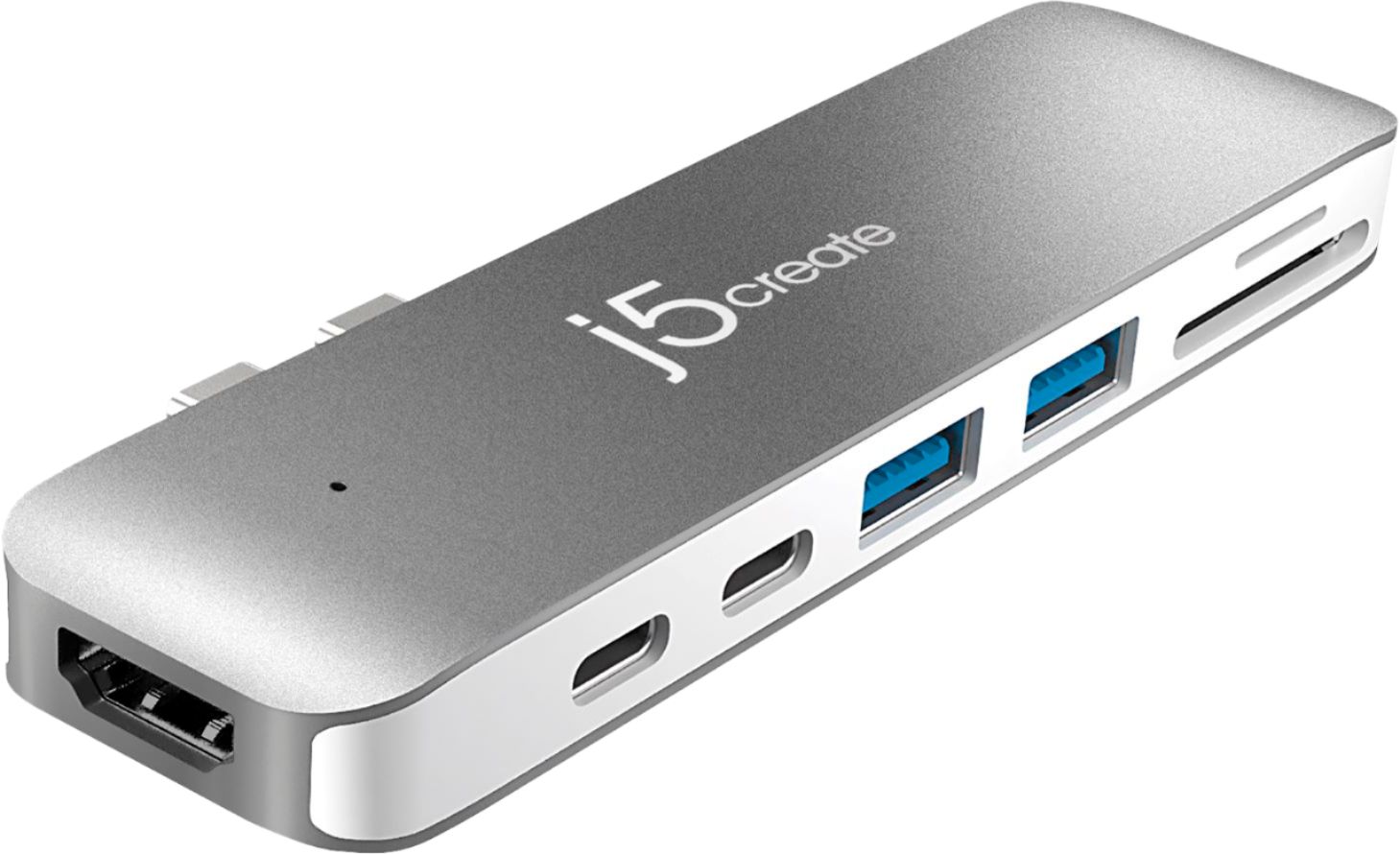
Customers have good things to say about the Ultra Drive Mini Dock's ease of use, plentiful ports, compact size, and generally good performance. Many appreciate the additional USB ports it provides for their MacBooks. However, some customers experienced issues with compatibility, connection stability, and the device's tendency to overheat. A few also felt the price was a bit high.
This summary was generated by AI based on customer reviews.
- Cons mentioned:Connection
A Bit Disappointing
||Posted .This reviewer received promo considerations or sweepstakes entry for writing a review.I'm already a bit upset that Apple has decided to take USB ports away in the first place, and I only continued to get a Macbook because all the programs I've purchased have been for Mac. The device does what it's supposed to, but I've found it has some connectivity problems. Sometimes if it's not angled correctly, my computer charger doesn't work. I've also noticed that whenever I plug this adapter in, my wireless connection is broken and I can't access the internet, which is pretty inconvenient when I'm trying to work.
No, I would not recommend this to a friend - Pros mentioned:Usb
Great way to update MacPro port options
||Posted . Owned for 3 weeks when reviewed.This reviewer received promo considerations or sweepstakes entry for writing a review.There is much that is growing to be compatible with the new Macbook Pro 2 USBC ports, however this accessory allows our legacy items to be ready to use our USB, HDMI and SD cards while not losing the original 2 USBC ports. Use when needed, remove when not. Easily plugs into both ports on MacBook maximizing the data transfer potential available. It is a bit expensive, but will last the duration of your MacBook investment.
I would recommend this to a friendBrand response from J5create Team
Posted .We really value the personal input on the JCD382 and the feedback on the multiple ports and features available to you as it is something we constantly strive for in customer satisfaction.
Regards,
j5create
- Pros mentioned:Ports
Good product
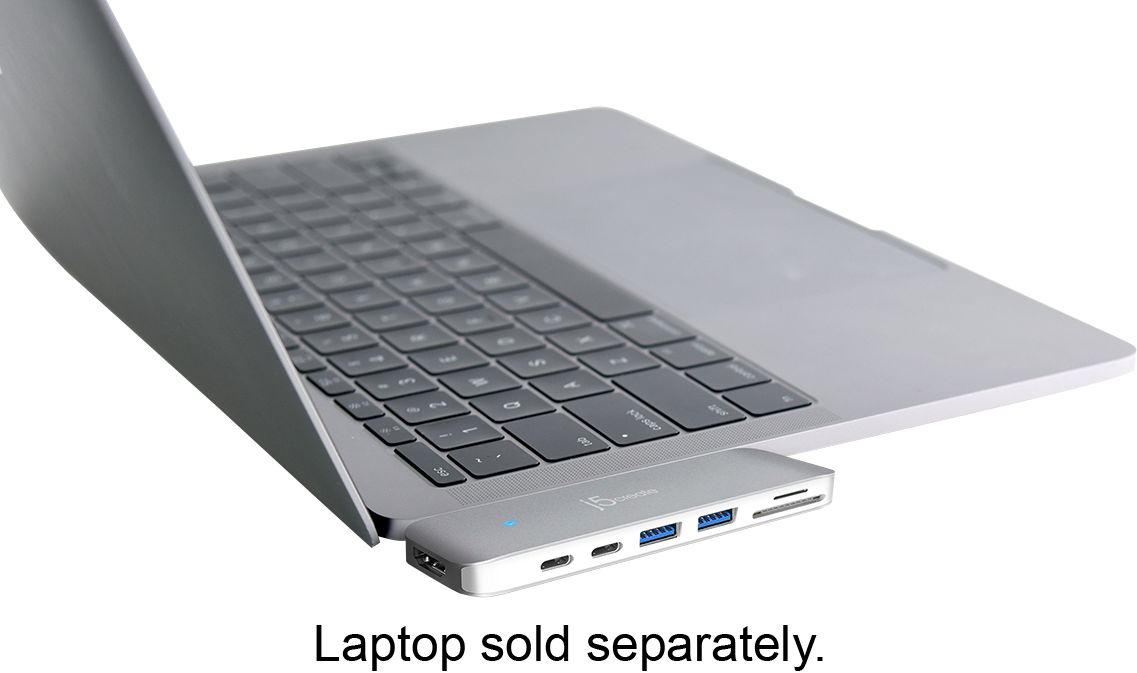
||Posted .This reviewer received promo considerations or sweepstakes entry for writing a review.The dock has all the drives and hookups I need to use my older devices. Make sure you push it in flush against the laptop and a blue light will come on in order to use it.
I would recommend this to a friendBrand response from J5create Team
Posted .MSTeacher, Ensuring there is a flush connection between the JCD382 and the Mac is vital as anything in between such as a cover could impede proper connectivity - we appreciate your review!
Have an excellent day,
j5create
- Cons mentioned:Connection
Good depending on needs
||Posted .This reviewer received promo considerations or sweepstakes entry for writing a review.This adapter works well for me. I use my laptop on a desk, however the adapter will have an intermittent connection if you are not on a flat or stable surface.
I would recommend this to a friendBrand response from J5create Team
Posted .SD card reading, HDMI, USB ports for your accessories in one make the JCD382 an attractive choice for Mac users. It's simple to use nature adds various capabilities in seconds.
Gratefully,
j5create
- Cons mentioned:Price
So far so good
||Posted .This reviewer received promo considerations or sweepstakes entry for writing a review.Price was right and it works great on my new Macbook.. Glad I didn't buy one of the more expensive ones..
I would recommend this to a friendBrand response from J5create Team
Posted .Right price and working great on MacBooks; adding HDMI, SD card readers, USB ports for gadgets has never been easier - we value your feedback, Headmonkey!
Sincerely,
j5create
- Pros mentioned:Usb
Nice Product
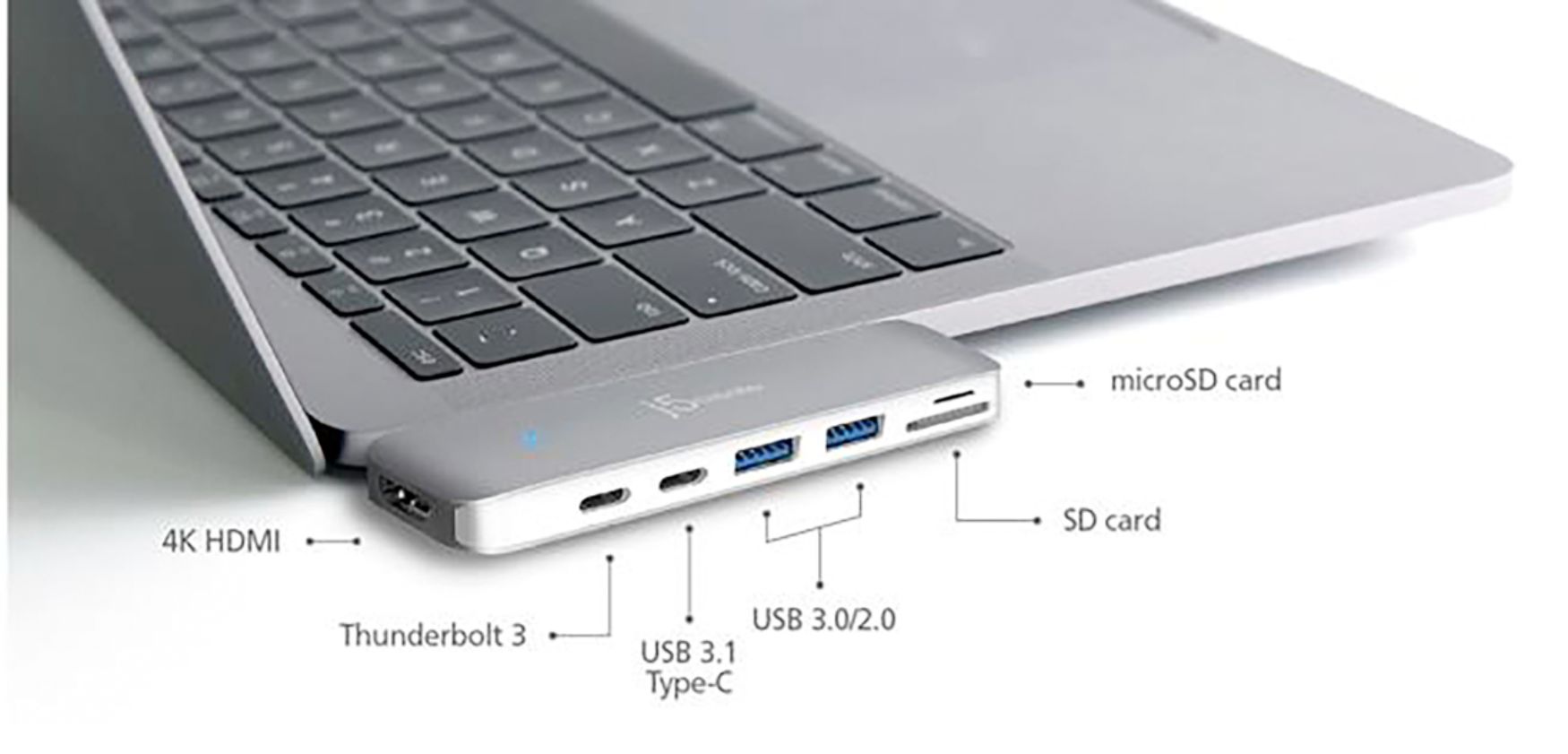
||Posted .This reviewer received promo considerations or sweepstakes entry for writing a review.Everything works as described but if you are in need of both thunderbolt 3 you will have to sacrifice 1 T3 for the hdmi and two USB ports.
I would recommend this to a friendBrand response from J5create Team
Posted .Hello,
Glad to hear that you like the mini docking station for your MacBook. There are still a lot of peripheral devices out there that still need a USB-A, and I would always welcome and extra monitor. Thank you for sharing your review with us.
Have a good day,
j5create
- Pros mentioned:Size, Usb
Great for Macbook Pro
||Posted . Owned for 1 month when reviewed.This reviewer received promo considerations or sweepstakes entry for writing a review.Works great if you need HDMI and SD card slot. small and matches the silver look.
I would recommend this to a friendBrand response from J5create Team
Posted .Adding monitors, other capabilities to your Mac has never bene easier; with the mini dock, simply connect, watch the blue LED light turn on and you're ready to work. If needed; technical assistance can be obtained by contacting support on the packaging.
Cordially,
j5create
Good enough for most..
||Posted . Owned for 8 months when reviewed.This reviewer received promo considerations or sweepstakes entry for writing a review.This was one of my favorite looking MacBook Pro usb hubs. The build quality is good and it looks great when connected to my Macbook. The I/O options here are almost everything I needed. The loss of a star comes from the HDMI port only being 30Hz at 4K making my monitor feel unusable at 4k (the whole point of the monitor). I keep this around in case I need it when on the go but for my home office I have purchased a CalDigit TS3+ hub for dual 4k screens at 60Hz. But this hub is $200 so you get what you pay for here.
I would recommend this to a friendBrand response from J5create Team
Posted .Hello John,
Thank you for your feedback on the mini docking station. There are some limitations on the features that can be packed into a mini docking station. Improved resolution is something that is being considered for future docking stations.
Have a good day,
j5create
- Pros mentioned:Ease of use, Ports
Simple
||Posted .This reviewer received promo considerations or sweepstakes entry for writing a review.No installation required. Just plug in and go. I have used all ports with no problems at all.
I would recommend this to a friendBrand response from J5create Team
Posted .Mac users looking to instantly add SD card reading capabilities, charging, USB ports and monitors look no further; the JCD382 will provide all functions in seconds - simply insert and done.
Sincerely,
j5create
- Pros mentioned:Usb
Makes my hybrid teaching possible.
||Posted . Owned for 7 months when reviewed.This reviewer received promo considerations or sweepstakes entry for writing a review.This Ultra Drive Mini Dock is lightweight, portable, and makes my hybrid teaching on-the-go possible. I am required to teach in person and remotely on Zoom. I need to bring my laptop with me to record and share my lessons. I need to plug in a USB microphone so that my students can hear me musically. I need to plug in a wired mouse to navigate quickly through the lessons.
I would recommend this to a friendBrand response from J5create Team
Posted .Hello,
A docking station is almost a necessity with a newer laptop. It will allow you to connect all of your peripheral devices to get the full potential out of your computer. We appreciate you for sharing your experience.
Thanks,
j5create
- Pros mentioned:Usb
So many ports!
||Posted . Owned for 1 month when reviewed.This reviewer received promo considerations or sweepstakes entry for writing a review.This product is very great because it has so many ports such as HDMI SD card and the micro SD chip and it was cheaper than Apple's actual product.
I would recommend this to a friendBrand response from J5create Team
Posted .Cheaper and providing the ability to read SD cards while augmenting HDMI connectivity make the JCD382 a great choice for MacBook users.
Thanks Doug,
j5create
- Cons mentioned:Compatibility
Ultra drive dock
||Posted .This reviewer received promo considerations or sweepstakes entry for writing a review.I bought the ultra drive dock for my MacBook 2018 but had to return because it wouldn’t work with my computer
I would recommend this to a friend - Pros mentioned:Ease of use, Ports
Great product
||Posted . Owned for 2 weeks when reviewed.This reviewer received promo considerations or sweepstakes entry for writing a review.This unit was very easy to use. The ports were enough for the additional devices
I would recommend this to a friendBrand response from J5create Team
Posted .Great products such as the JCD382 make the perfect add on for MacBook users looking to use SD cards, add HDMI connectivity and even USB ports for gadgets.
Thanks for the input,
j5create
- Cons mentioned:Charging, Heat
Little spotty to charge
||Posted .This reviewer received promo considerations or sweepstakes entry for writing a review.Only one of the ports you are able to charge your laptop with a little disappointing and tends to heat up
No, I would not recommend this to a friendBrand response from J5create Team
Posted .Depending on what is being connected to charge, there may be higher power requirements for the device and may not power as intended. In order to determine requirements for the device you are connecting, we would value the chance to gather the make and model of it and offer a working solution or alternative. Support information can be found on the casing and a specialist will be ready to help.
Respectfully,
j5create
- Pros mentioned:Usb
Must have for home or offices
||Posted . Owned for 2 weeks when reviewed.This reviewer received promo considerations or sweepstakes entry for writing a review.The j5create Ultra Drive Dock is a must have if you want to maximize the use of your Macbook. It allows you to connect multiple monitors which is great when working on projects using multiple programs. It's great have as well for using any product with a USB connection as most Macbooks don't have any or enough of those ports. It's affordable and not bulky at all.
I would recommend this to a friendBrand response from J5create Team
Posted .Hi George!
That's fantastic! I'm happy to hear that this has suited your needs and made things just a little easier for you.
Thanks,
j5create
- Pros mentioned:Usb
Does what it needs to do.
||Posted .This reviewer received promo considerations or sweepstakes entry for writing a review.I didn't realize that new MacBook Pros didn't come with USB ports or SD card ports, like my old one did. This piece here did the job. It has multiple USB ports so I can plug my Audeze Mobius headphones in while I transfer things from my external hard drive. The SD slot makes it easy to transfer pictures. Bottom line is, if you need multiple connections for the MacBook Pro, this is what you need.
I would recommend this to a friendBrand response from J5create Team
Posted .Adding multiple ports for different capabilities on a Mac can be difficult, with the mini dock you will now have SD card reading, HDMI, USB ports, charging and more all in one.
Cordially,
j5create
- Pros mentioned:Size
High Price Point
||Posted .This reviewer received promo considerations or sweepstakes entry for writing a review.It works really well, and I like how slim it is. It fits in my laptop sleeve without having to take it off. I have this years MacBook Air.
I would recommend this to a friendBrand response from J5create Team
Posted .Slim design and working well represent the JCD382 - it's unique PnP nature will have you working in seconds.
Sincerely,
j5create
- Pros mentioned:Ports, Size
Love it
||Posted .This reviewer received promo considerations or sweepstakes entry for writing a review.Love the size of it and like it because it has different size ports to use.
I would recommend this to a friendBrand response from J5create Team
Posted .Mac users looking to add capabilities i.e. reading SD cards, adding monitors to work with, even USB ports for accessories such as mice, keyboards, flash drives, web cameras can do so with the JCD382 - simply plug it in and done.
Appreciatively,
j5create
- Cons mentioned:Compatibility
Great item!
||Posted . Owned for 1 month when reviewed.This reviewer received promo considerations or sweepstakes entry for writing a review.I love this dock. The only problem I have is more of a personal liking. I can not use this dock with my hard case for my MacBook.
I would recommend this to a friendBrand response from J5create Team
Posted .Shortstuff8976543, due to the short USB-C connectors of the JCD382, having a hard case may impede proper connectivity. If you wish to keep the hard case and still obtain all the capabilities of the mini dock, I recommend taking a look at the JCD383 as it inserts via a cable.
Cordially,
j5create
- Pros mentioned:Usb
Necessary Docking Port
||Posted .This reviewer received promo considerations or sweepstakes entry for writing a review.The j5create - Ultra Drive Dock does what its made for. It enables you to add HDMI and USB ports to your MACBook Pro. I have no complaints at all. There is a light on top of it that turns blue once you have completely inserted it into to port to let you know that it is operational. It is absolutely required if you plan on adding files and/or pictures to your computer via USB.
I would recommend this to a friend