Customer Ratings & Reviews
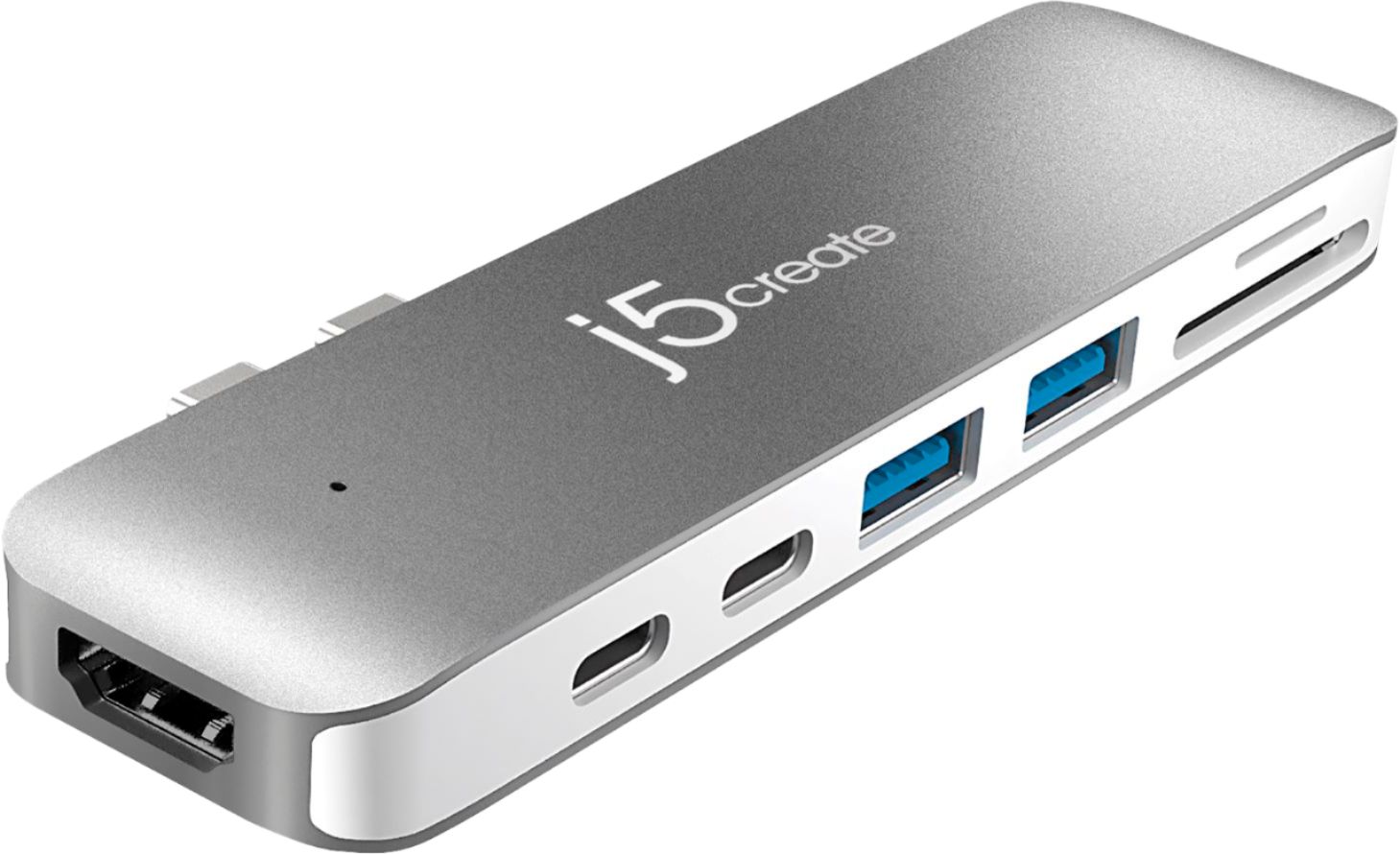


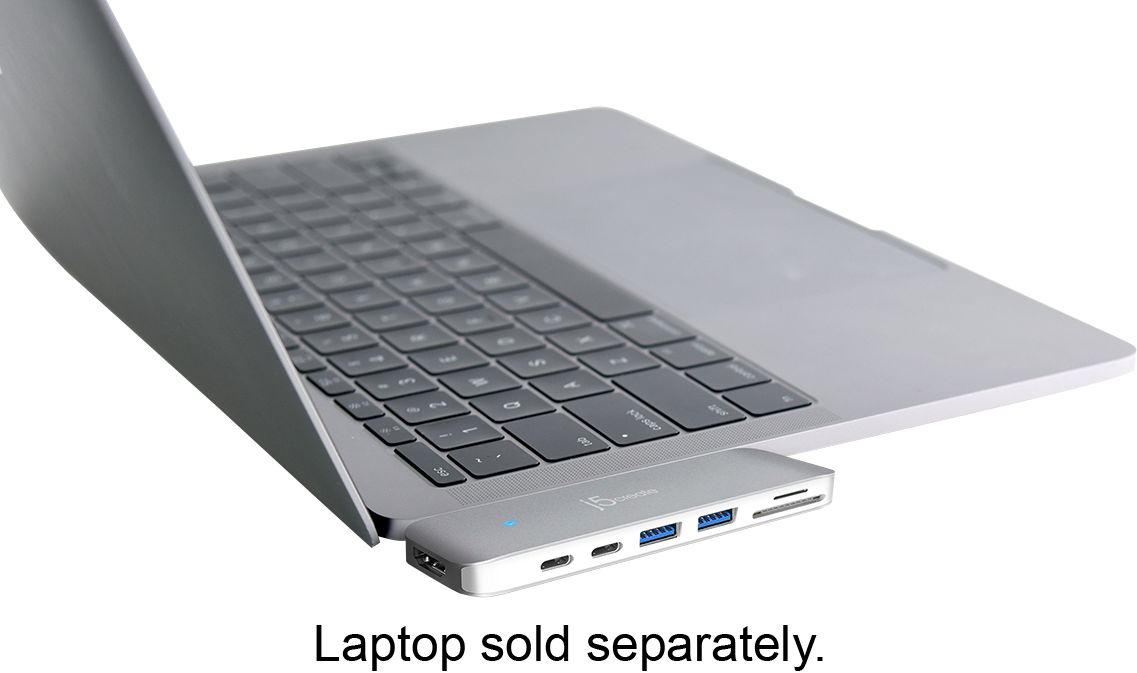
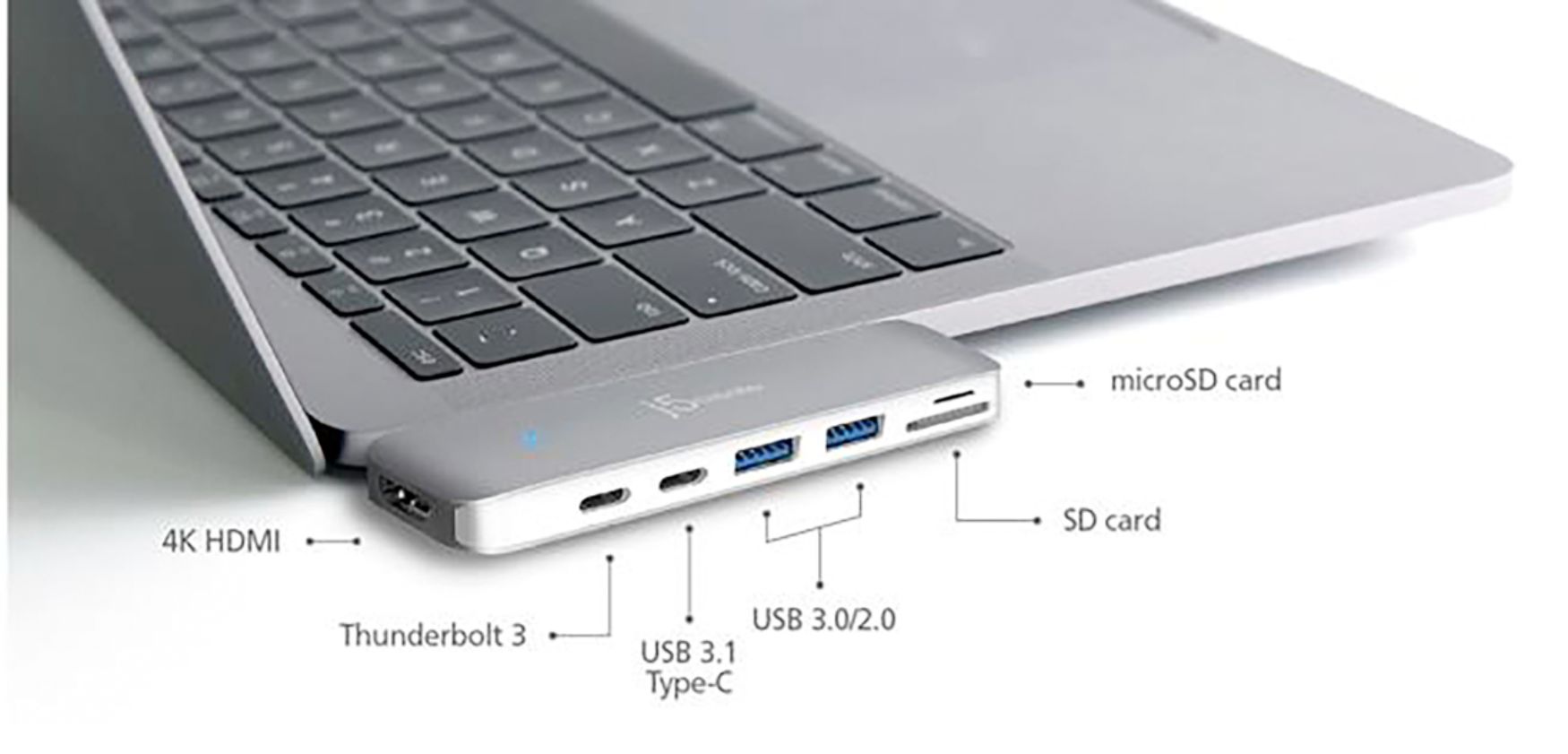
- Model:
- JCD382
- SKU:
- 6115810
Rating by feature
- Value
Rating 4.1 out of 5 stars
- Quality
Rating 4.3 out of 5 stars
- Ease of Use
Rating 4.4 out of 5 stars
Customers are saying
Customers have good things to say about the Ultra Drive Mini Dock's ease of use, plentiful ports, compact size, and generally good performance. Many appreciate the additional USB ports it provides for their MacBooks. However, some customers experienced issues with compatibility, connection stability, and the device's tendency to overheat. A few also felt the price was a bit high.
This summary was generated by AI based on customer reviews.
- Pros mentioned:Usb
Works great for new MacBook users!
||Posted . Owned for 1 month when reviewed.This reviewer received promo considerations or sweepstakes entry for writing a review.Bought this for use with a new MacBook Pro. Needed a port adapter that would not only accept my USB 2.0 external SSD drives, but would read SD cards and provide HDMI output for video monitoring. So far it works great when retrieving photos and video from SD cards for editing, and exporting data to external SSD. Easily plugs in and stays connected without issue.
I would recommend this to a friendBrand response from J5create Team
Posted .Easy to plug in, read SD cards and transfer data - the JCD382 provides all your basic needs in one.
Cordially,
j5create
- Pros mentioned:Ease of use, Size
Great product
||Posted . Owned for 5 months when reviewed.This reviewer received promo considerations or sweepstakes entry for writing a review.Easy to use and not bulky. Perfect for students. Highly recommend.
I would recommend this to a friendBrand response from J5create Team
Posted .Easy to use and not bulky are the best features of the JCD382 - thanks for the input, JWWJ!
Gratefully,
j5create
- Cons mentioned:Compatibility
Perfet one-stop-shop [port]!
||Posted . Owned for 9 months when reviewed.This reviewer received promo considerations or sweepstakes entry for writing a review.If you are like me and need multiple connections and access to drives, this is honestly the only option I find appropriate. The scan disk slots are a game changer if this is something you work with frequently. Only complaint is that it sometimes conflicts with my laptop case; but something I can deal with!
I would recommend this to a friendBrand response from J5create Team
Posted .Hello there, thank you for your feedback and we apologize the inconvenience when it comes to your laptop case. We appreciate you support rating. Cordially, j5create.
Great little device!
||Posted . Owned for 3 weeks when reviewed.This reviewer received promo considerations or sweepstakes entry for writing a review.Great for all of my needs! I will be using all of the different drives available on this. yes, it has a power connection as well, don't worry about that! I just wish there was some sort of safety feature to keep this connected without having to worry about ruining my computers power connection--what I'm getting at is I just have to be careful not to bump it once its in place and it's hard to do that if you have your computer on your lap. Wish it was cheaper as well.
I would recommend this to a friendBrand response from J5create Team
Posted .We appreciate the input on the Mini Dock and understand the concern for damaging the device once it is plugged in, we have other devices available in the case that you are interested and if you were to contact the support team on the packaging, we would be more than happy to assist you.
Respectfully,
j5create
- Cons mentioned:Compatibility
Had to return
||Posted .This reviewer received promo considerations or sweepstakes entry for writing a review.I had to return this purchase after buying it. In the very top corner in very small letters it states that it is for a pre 2016 Mac. I do not know why Best Buy has these still on the shelf but they do, so the guy handed me this when I bought my brand new 2018. Not a bad idea, but the little lettering in the corner would be great if it was larger. I had to drive back a half hour to my nearest Best Buy.
No, I would not recommend this to a friendBrand response from J5create Team
Posted .Hi John, Thanks for the feedback. Unfortunately, the JCD382 is compatible with newer Macs as the mini dock simply requires two USB-C ports next to each other for proper functionality. If needed, technical assistance can be provided by contacting support on the casing and a rep will be happy to help. Thanks again and we apologize for the misinformation on the packaging.
Respectfully,
j5create
- Cons mentioned:Compatibility
Great accessory, Bad compatibility
||Posted .This reviewer received promo considerations or sweepstakes entry for writing a review.This is a great accessory to have for your new MacBook Pro, UNLESS you are planning to put a hard shell case around the computer. It is not compatible with a case because it has to plug in flush with the side of the macbook’s aluminum case. A hard shell case makes a gap of around 1 mm, which is enough to disallow the accessory from clicking into place fully, and will not receive a connection unless fully engaged.
I would recommend this to a friend - Pros mentioned:Ease of use, Ports
Great product
||Posted .This reviewer received promo considerations or sweepstakes entry for writing a review.Product adds additional ports, easy to install/remove. Works great
I would recommend this to a friendBrand response from J5create Team
Posted .Easy to use, simple to set up are the best features of the JCD382 - simply insert to the side of the Mac, watch the blue LED light turn on and enjoy!.
Gratefully,
j5create
- Pros mentioned:Usb
Sleek design and great functionality
||Posted .This reviewer received promo considerations or sweepstakes entry for writing a review.I knew having the newer Macbooks that the ports were limited so having almost all of the ports in one is awesome.
I would recommend this to a friendBrand response from J5create Team
Posted .All in one and a sleek design for the perfect space efficient add on - simply insert the mini dock and enjoy!
Regards,
j5create
- Pros mentioned:Design, Ease of use
Great accessory for your MacBook
||Posted . Owned for 2 months when reviewed.This reviewer received promo considerations or sweepstakes entry for writing a review.Nice looking and made well. Very handy and easy to use.
I would recommend this to a friendBrand response from J5create Team
Posted .Easily transportable and lightweight design makes the Mini Dock a great choice for adding peripherals and an HDMI monitor to your setup. Glad to hear it is meeting your expectations!
Regards,
j5create
- Cons mentioned:Price
Great peoduct
||Posted . Owned for less than 1 week when reviewed.This reviewer received promo considerations or sweepstakes entry for writing a review.It’s a great product to upgrade a MacBook. It is a must have. Good quality. Should be cheaper to get a 5 star.
I would recommend this to a friendBrand response from J5create Team
Posted .Hi AlvesC, thanks for taking the time to leave a review on the JCD382; we're excited to hear it is working to your needs. In regards to pricing, we have other models available and if interested in learning more about them, please reach out to our support team and an agent will be happy to help.
Regards,
j5create
- Pros mentioned:Ports
Works great
||Posted . Owned for 1.5 years when reviewed.This reviewer received promo considerations or sweepstakes entry for writing a review.Works great with my MacBook Air. Lets me plug in my charger cord, HTMI cable for an external monitor, plus a SD card and wireless mouse. Only thing to note is that if you have a hard shell cover on your laptop, it might not fit flush enough to the side. You may have to remove the cover while you're using it.
I would recommend this to a friendBrand response from J5create Team
Posted .Hello,
Great to hear that you like the JCD382. We do recommend that when using the JCD382 to remove any laptop case or cover that you may be using so that the dock does seat firmly to your laptop.
Thank you,
j5create
- Pros mentioned:Ports
Add the USB ports I needed
||Posted . Owned for 3 weeks when reviewed.This reviewer received promo considerations or sweepstakes entry for writing a review.While I love my new MacBook Air, it did not have any outputs (except for speakers). This doc has 2 USB ports, camera chip slots and an output for my monitor. Plus it is portable and I can take it with me when I travel. I have had no problems with it--wish it had a couple more USB ports--but didn't want a much larger dock.
I would recommend this to a friendBrand response from J5create Team
Posted .Adding more USB ports for peripherals can be tricky at times especially for travelers; we have other devices in stock that may be a better choice for you and if interested, we would love the opportunity to discuss them with you. For questions or concerns, our support information can be found on the packaging and a representative will be ready to help.
Appreciatively,
j5create
- Pros mentioned:Ease of use, Size
Love the extra drives
||Posted . Owned for 4 months when reviewed.This reviewer received promo considerations or sweepstakes entry for writing a review.The size is great for traveling or office. Easy to store.
I would recommend this to a friendBrand response from J5create Team
Posted .Travel friendly, great for office or home use are the best characteristics of the JCD382; simply insert to the side of your Mac, watch the blue light illuminate and you're all set.
Appreciatively,
j5create
- Pros mentioned:Usb
Better than the Apple Multiport Adapter
||Posted .This reviewer received promo considerations or sweepstakes entry for writing a review.I recently purchased my first macbook and love everything about it! I purchased the Apple - USB-C Digital AV Multiport Adapter but I did not love the way it looked...and I lost it while traveling. Instead of buying another one I upgraded with the j5create - Ultra Drive Dock...and I love it! It looks better and more importantly it has every port I need and more!
I would recommend this to a friendBrand response from J5create Team
Posted .Augmenting more capacities to your MacBook is now easier; simply insert the JCD382, watch the LED illuminate and done.
Appreciatively,
j5create
- Cons mentioned:Connection
Good for table tops
||Posted .This reviewer received promo considerations or sweepstakes entry for writing a review.This works fine when the laptop is on a desk but if you use it while on your lap it may cause disconnect issues.
I would recommend this to a friendBrand response from J5create Team
Posted .Securing connections on your laptop is easy with the JCD382, it's simple PnP architecture makes a tight fit eliminating constant disconnect issues.
Appreciatively,
j5create
- Pros mentioned:Ease of use, Size
Great MacBook Accessory
||Posted . Owned for 3 weeks when reviewed.This reviewer received promo considerations or sweepstakes entry for writing a review.Works great. Compact. Easy to use. Comes with case.
I would recommend this to a friendBrand response from J5create Team
Posted .Compact and easy to use while providing everything needed to read SD cards, augment HDMI displays and more USB ports for peripherals in one.
Gratefully,
j5create
- Pros mentioned:Usb
Must have for MacBook Pro
||Posted .This reviewer received promo considerations or sweepstakes entry for writing a review.Use with pass through charging. HDMI output is great, have had to unplug a few times due to hdmi not waking after sleep.
I would recommend this to a friendBrand response from J5create Team
Posted .ADubs, If your monitor is going to sleep, this could be due to a sleep setting on the monitor itself and if you would like assistance on narrowing down the root of the problem, please reach out to our support team and a rep will happily help.
Respectfully,
j5create
- Pros mentioned:Ease of use, Ports
Nice dock
||Posted .This reviewer received promo considerations or sweepstakes entry for writing a review.Easy to use. Nice to have so many ports and inexpensive.
I would recommend this to a friendBrand response from J5create Team
Posted .Nice dock, having everything you need in one saving you space and money is what represents the JCD382 - it's PnP architecture will have you working in seconds.
Gratefully,
j5create
- Pros mentioned:Usb
Does what its supposed to
||Posted .This reviewer received promo considerations or sweepstakes entry for writing a review.Unfortunately newer MacBooks have USB-C inputs but not USB inputs. A good way to remedy that is to purchase the j5create - Ultra Drive Dock. Its a little pricey, but if you have a modern Mac and want to 'USB, you will need one of these. When you plug it in you'll still have two USB-C inputs, but adds two additional USB inputs.
I would recommend this to a friendBrand response from J5create Team
Posted .Doing what it's supposed to is a great feeling when needing to get work done. With the JCD382, you can easily read SD cards, add ports for peripherals, HDMI output for more screens to work with - simply plug it in and done!
Appreciatively,
j5create
- Pros mentioned:Usb
It’s a must for every MacBook Pro users
||Posted . Owned for 3 weeks when reviewed.This reviewer received promo considerations or sweepstakes entry for writing a review.I find this accessory very useful to my MacBook Pro. I will recommend this product to my friends.
I would recommend this to a friendBrand response from J5create Team
Posted .Recommending to friends/acquaintances is something we value from customers and we appreciate you letting us know we're meeting expectations, JimRico.
Sincerely,
j5create