Customer Ratings & Reviews


- Model:
- JCD382
- SKU:
- 6115810
Rating by feature
- Value
Rating 4.1 out of 5 stars
- Quality
Rating 4.3 out of 5 stars
- Ease of Use
Rating 4.4 out of 5 stars
Customers are saying
Customers have good things to say about the Ultra Drive Mini Dock's ease of use, plentiful ports, compact size, and generally good performance. Many appreciate the additional USB ports it provides for their MacBooks. However, some customers experienced issues with compatibility, connection stability, and the device's tendency to overheat. A few also felt the price was a bit high.
This summary was generated by AI based on customer reviews.
- Cons mentioned:Compatibility
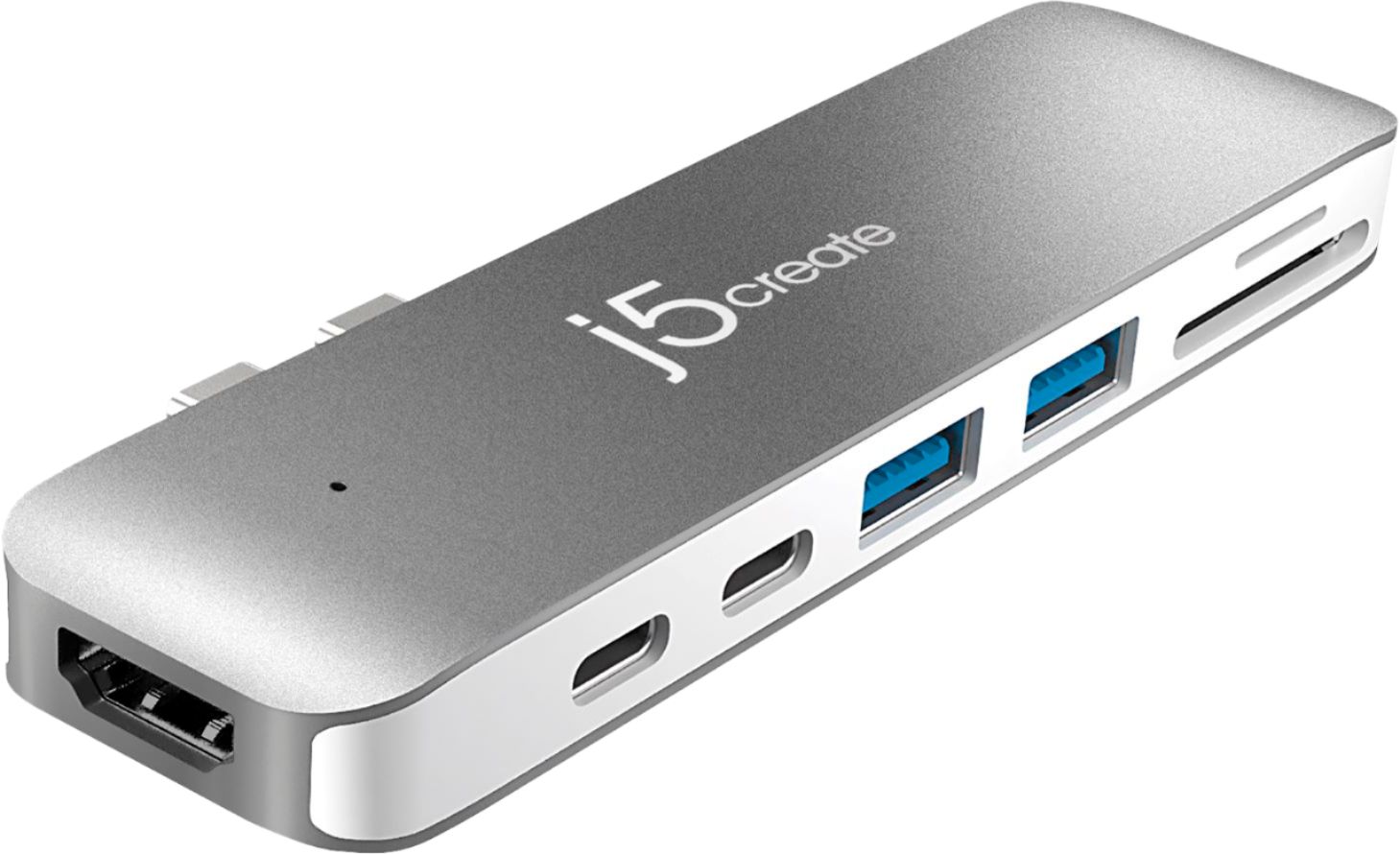
Compact port adapter/dongle
||Posted .This reviewer received promo considerations or sweepstakes entry for writing a review.Great form factor for all the ports you would typically need. However it does NOT work if you have a case on the MBP.
I would recommend this to a friendBrand response from J5create Team
Posted .Hi Revsix, we apologize for the JCD382 not working correctly if there is a cover on the MacBook - the JCD382 requires that there be no space between the JCD382 and the MacBook as it needs to be flush up against the side of the Mac to connect properly. ** Feel free to contact the Technical Support team on the packaging for device warranty registration, further assistance or if you have any other questions and someone will be glad to assist you.
Thanks.
- Pros mentioned:Usb
Good price ultra drive
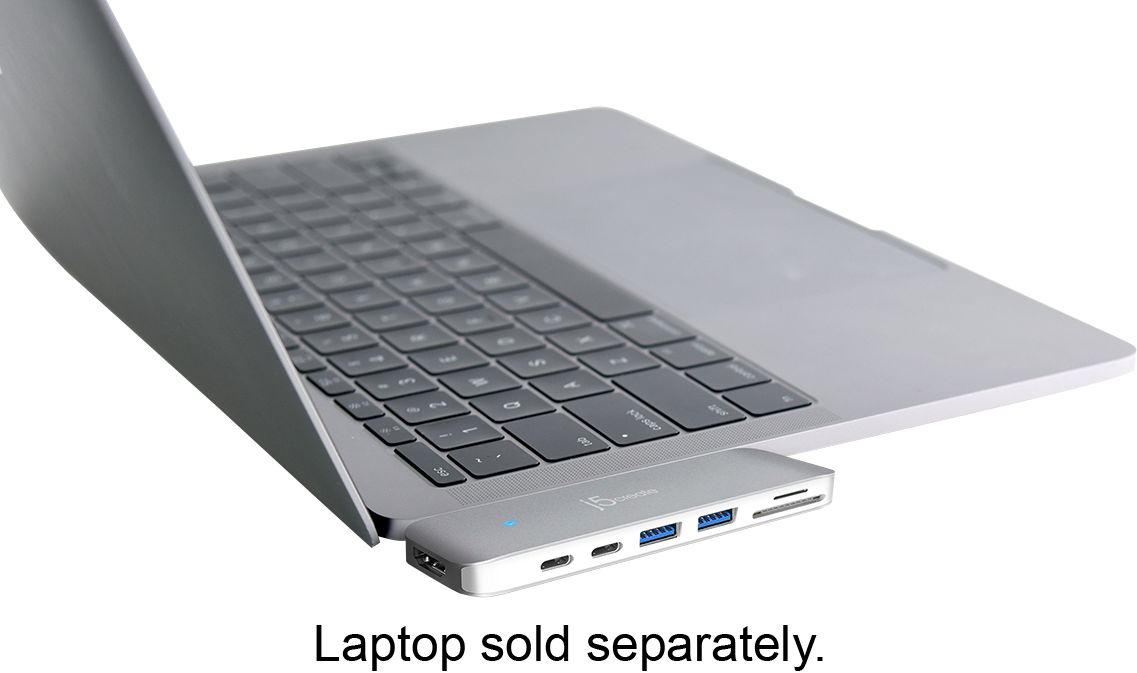
||Posted .This reviewer received promo considerations or sweepstakes entry for writing a review.Good product. Uses both thunderbolt connectors on MacBook Air to expand to thunderbolt connectors and usb.
I would recommend this to a friendBrand response from J5create Team
Posted .Easily adding peripherals, capabilities to your Mac is now possible - simply insert the mini dock to the side of the laptop, watch the blue LED light turn on and enjoy!.
Appreciatively,
j5create
- Pros mentioned:Ports
Good Product for MacBook
||Posted . Owned for 1 month when reviewed.This reviewer received promo considerations or sweepstakes entry for writing a review.Got this for my granddaughter for her laptop as she needed extra ports. Seems to work well for her.
I would recommend this to a friendBrand response from J5create Team
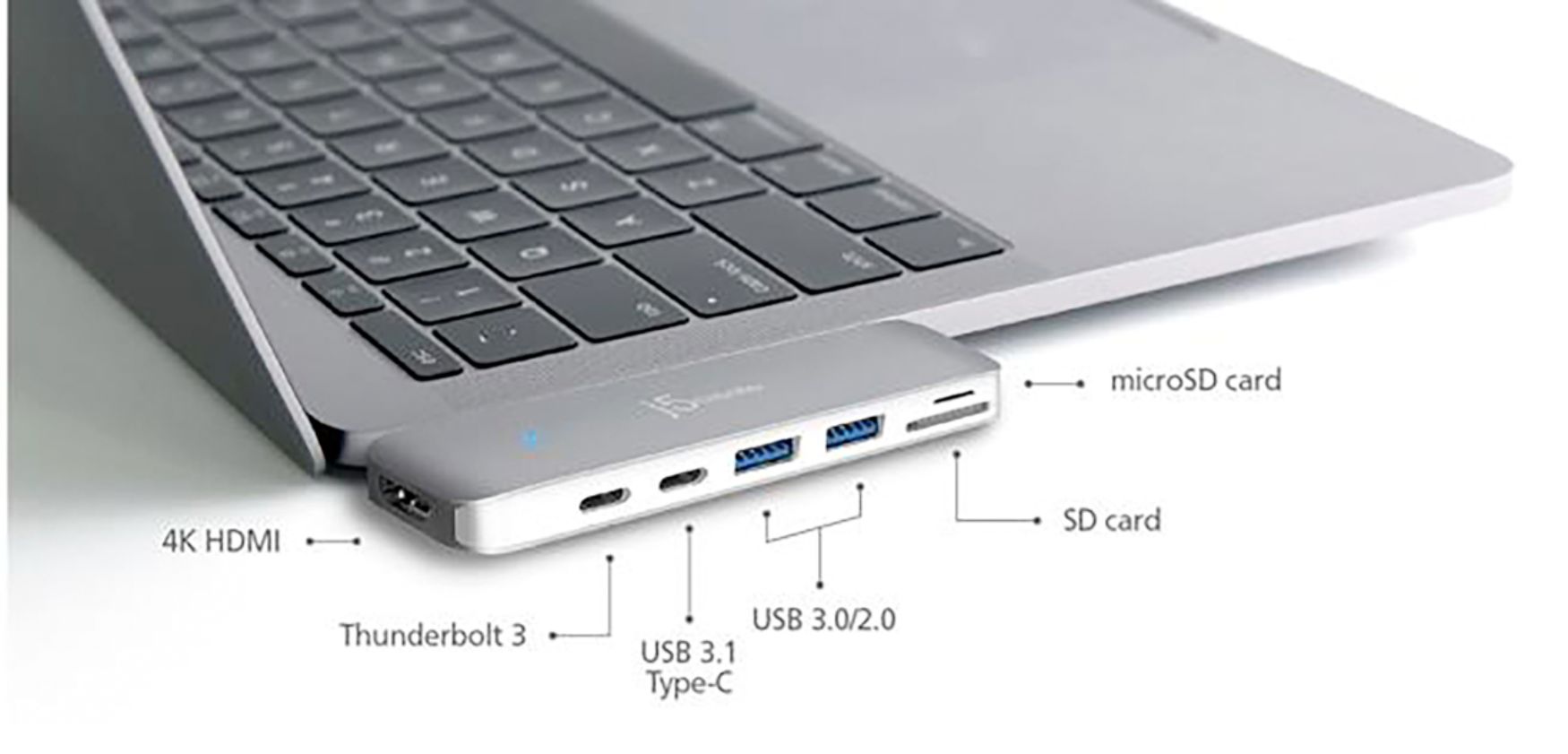
Posted .MacBook users looking to augment SD card reading, USB ports for gadgets, and even HDMI connectivity can rely on the JCD382 - simply insert, once the blue LED illuminates, you're done.
Gratefully,
j5create
- Pros mentioned:UsbCons mentioned:Heat
Not worth the price
||Posted . Owned for 1.5 years when reviewed.This reviewer received promo considerations or sweepstakes entry for writing a review.I purchased the dock for the USB ports as well as the extra USB-C port for running a dual screen setup on my MacBook. The dock would overheat every time and one of the USB-C ports stopped working all together. Basically it turned into a very expensive flash drive.
No, I would not recommend this to a friendBrand response from J5create Team
Posted .Good Evening PreacherMan, we sincerely apologize for the inconvenience this may have caused. The JCD382 provides an HDMI port and one USB-C Thunderbolt 3 port on it for additional monitors or for pass through charging your Mac laptop. If the JCD382 was recently purchased, we would be more than happy to assist you in exchanging it for you if you wish. Please feel free to contact us at your earliest convenience for questions, comments, concerns
regarding your j5create device and someone will be more than happy to further assist you and potentially provide a solution to your situation.
We also provide both Spanish and English speaking Technical Support.Thank you.
- Cons mentioned:Compatibility
Finicky
||Posted .This reviewer received promo considerations or sweepstakes entry for writing a review.You need to make sure it’s plugged in pretty snug for it to work. Can get annoying but necessary for any add ons
I would recommend this to a friendBrand response from J5create Team
Posted .Hello RCarm, If you are experiencing any kind of finicky behavior with your dock, please reach out to support and a rep will be more than happy to diagnose and make recommendations.
Thank you for your time,
j5create
- Pros mentioned:Design, Size
Ideal
||Posted .This reviewer received promo considerations or sweepstakes entry for writing a review.Small compact. Sleek gives me the extra ports I need
I would recommend this to a friend - Cons mentioned:Compatibility, Connection
Works but finicky
||Posted . Owned for 5 months when reviewed.This reviewer received promo considerations or sweepstakes entry for writing a review.It does the job short term. After about 30 minutes it seems to disconnect what's plugged into it. I use it for an external hard drive and its kicked the drive off several times. Same with other usb drives and phones I plug into it. Better options available.
No, I would not recommend this to a friendBrand response from J5create Team
Posted .Hello Chris,
Typically external hard drives work best if they are plugged directly into your computer. If you are having general connectivity issues please make sure that the mini dock is firmly seated against the side of your MacBook. If you would like any assistance troubleshooting feel free to contact the j5create customer support team. Our contact information is printed on the product packaging and is also on our website under the ‘Support’ drop down.
Thank you,
j5create
- Cons mentioned:Compatibility
Good if you don’t use a case
||Posted .This reviewer received promo considerations or sweepstakes entry for writing a review.I didn’t realize that this would not work with a case. Who wants to use a $3000 computer with no case?
No, I would not recommend this to a friend - Cons mentioned:Connection
It has all the ports you will ever need
||Posted . Owned for 1 month when reviewed.This reviewer received promo considerations or sweepstakes entry for writing a review.It work just fine for what I use it for. It takes up two ports on the laptop and the devise is suspended just above the desk. I have a nagging fear that the plugs may get broken or bent since they are in a vulnerable position on the side of the computer. I slip something under the j5create to try to prevent it being broken.
I would recommend this to a friendBrand response from J5create Team
Posted .Hello and thanks for the feedback on the JCD382, we understand the design of the Mini Dock can be concerning and if you ever have any issues with it, feel free to contact the support team on the packaging and a representative will be ready to assist.
Respectfully,
j5create
- Pros mentioned:Usb
Very efficient!
||Posted .This reviewer received promo considerations or sweepstakes entry for writing a review.This product is super helpful for connecting various types of devices that don't utilize USB-C, especially if you have one of the MacBooks that only has USB-C ports. It's a one-stop solution for making all kinds of flash drives and other things become compatible.
I would recommend this to a friendBrand response from J5create Team
Posted .One stop solution for most of your needs whether it is for schooling or working, the JCD382 simply inserts to the side of your mac, requiring no software installation, you will be up and running in seconds!
Gratefully,
j5create
- Pros mentioned:Usb
It’s solid
||Posted . Owned for 3 weeks when reviewed.This reviewer received promo considerations or sweepstakes entry for writing a review.I love that it has ports for both SD and Micro SD cards. Note that it doesn’t fit flush with MacBook Air laptops on top but is still much more neat than having a dock hang off of your laptop by a cord. It’s fast and works for just about anything you’ll need with your laptop.
I would recommend this to a friendBrand response from J5create Team
Posted .Hi!
That's great to hear! I'll pass your feedback onto my team so that we can continue to improve our devices and the fit of them on different models.
Thanks,
j5create
- Pros mentioned:Usb
great
||Posted .This reviewer received promo considerations or sweepstakes entry for writing a review.USB 3.0 laptop docking station that provides a host of connectivity options for Ultrabooks, laptops, and MacBooks. In addition to allowing a second monitor to be attached via HDMI or VGA connectors, the Ultra Station has connections for Ethernet, speakers, microphone, and other USB 2.0 and 3.0 peripherals.
I would recommend this to a friend - Pros mentioned:Size
Mini dock for Mac book pro
||Posted . Owned for 4 months when reviewed.This reviewer received promo considerations or sweepstakes entry for writing a review.Great as a mini dock but had to connect to laptop in an orthodox position.
I would recommend this to a friendBrand response from J5create Team
Posted .Hi Paul!
Glad to hear that this met your needs! If you ever have any questions or concerns regarding your device, please don't hesitate to contact us and we'd be more than happy to assist you. Our information can be found on the back of all of our product boxes and on our website under the support tab. There you can find links to our livechat, phone, and ticketing services.
Thanks,
j5create
- Cons mentioned:Heat
Overheats
||Posted . Owned for 11 months when reviewed.This reviewer received promo considerations or sweepstakes entry for writing a review.Works well with multiple attachments but gets pretty hot to the touch
I would recommend this to a friendBrand response from J5create Team
Posted .Hello.
Happy to hear that the mini dock is working well for you. All electronic devices will generate some amount of heat and the JCD382 will seem warmer than other devices you are used to because of the aluminum casing.
Thank you,
j5create
- Cons mentioned:Price
Satisfied
||Posted .This reviewer received promo considerations or sweepstakes entry for writing a review.Found it stranger my computer didn’t have this already. A little pricy but I’m happy that it works !
I would recommend this to a friendBrand response from J5create Team
Posted .Satisfying customers is what we aim for and we're glad to hear the JCD382 is working to your needs, Boogirl561!
Gratefully,
j5create
- Cons mentioned:Compatibility
Lots of connection options
||Posted .This reviewer received promo considerations or sweepstakes entry for writing a review.nice compact adapter. unfortunately this piece will not work with a hard case on your macbook
I would recommend this to a friendBrand response from J5create Team
Posted .Nice compact adapter for all your needs in one is the nature of the JCD382. In regards to the mini dock not working with your cover, we have models such as the JCD383 which connect via a cable and that may work for you. If you would like more information on it, please contact support and an agent will be able to answer any questions you may have.
Regards,
j5create
- Pros mentioned:Ease of use, Size
Great
||Posted . Owned for 1 month when reviewed.This reviewer received promo considerations or sweepstakes entry for writing a review.My son says it is easy to use and it is very small
I would recommend this to a friendBrand response from J5create Team
Posted .Easy to use and small in size make the perfect mini dock for Mac users looking to instantly obtain such capabilities in one.
Appreciatively,
j5create
- Cons mentioned:Compatibility
great product
||Posted .This reviewer received promo considerations or sweepstakes entry for writing a review.great product overall does what it’s intended to do, it just doesn’t fit with a case.
I would recommend this to a friendBrand response from J5create Team
Posted .Having a case on the Mac when attempting to use the JCD382 can cause connectivity issues. In such situations, we recommend using adapters such as the JCD383, or the JCD384 where they connect via a host cable eliminating the need of removing your cover. Please feel free to reach out to support for questions, comments, concerns and we'll be glad to help.
Gratefully,
j5create
- Pros mentioned:Ease of use
Overall decent
||Posted .This reviewer received promo considerations or sweepstakes entry for writing a review.A little finicky and had to be pushed in a lot in order to work but when it’s working it’s great
I would recommend this to a friendBrand response from J5create Team
Posted .RobC, Overall decent for MacBook users when it comes to adding HDMI, SD card readers and USB ports for peripherals. In the case where the mini dock is finicky, we recommend contacting technical support and a rep will gladly diagnose the situation and offer solutions. We appreciate you taking the time to review the JCD382 and look forward to working with you.
Respectfully,
j5create
- Pros mentioned:Ease of use
Easy Hub To Use
||Posted .This reviewer received promo considerations or sweepstakes entry for writing a review.I found this hub easy to use...I've yet to try the HDMI port but so far all is working well.
I would recommend this to a friendBrand response from J5create Team
Posted .Easy to use and very useful; when it comes to obtaining all your needs in one, the JCD382 gets the job done - simply connect and done. We value your feedback, Xbox1er!
Thanks,
j5create