Customer Ratings & Reviews
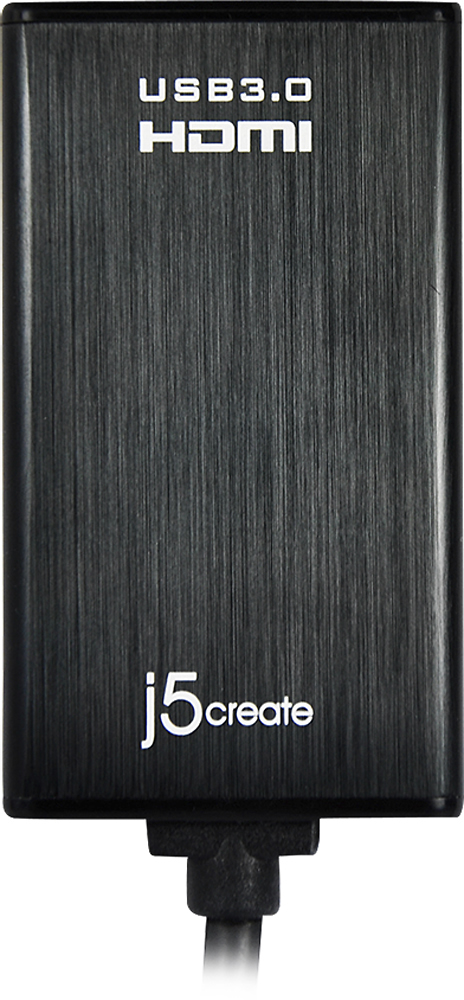
- Model:
- JUA350
- |
- SKU:
- 5384981
Customer reviews
Rating 4.4 out of 5 stars with 822 reviews
(822 customer reviews)Rating by feature
- Ease of Use3.9
Rating 3.9 out of 5 stars
Customers are saying
Customers admire the USB 3.0-to-HDMI/DVI Display Adapter's ease of use, excellent picture quality, and compatibility with various operating systems. Many appreciate its performance and the convenience of having both HDMI and DVI options. While some found the price a bit high and experienced occasional lag, the adapter's positive attributes generally outweigh these drawbacks.
This summary was generated by AI based on customer reviews.
Rated 5 out of 5 stars
Great Product!
||Posted .This reviewer received promo considerations or sweepstakes entry for writing a review.Using this adapter I was able to add a third monitor to my 2012 Mac Mini. All three monitors are Viewsonic VX2450WM-LED 24-Inch Widescreen LED Monitor with Full HD 1080p. I am using the Mac Mini built in ports, and one of these adapters. One to the Mac Mini DVI port, one to the Mac Mini HDMI port using the Apple HDMI to DVI adapter, and one hooked to the J5 device, using the J5 included HDMI to DVI adapter. I am not using mirror mode, all three monitors have their own unique display, with all the features OSX provides therein, such as different backgrounds per monitor, more useable desktop area, etc. As a working professional, the extra desktop space of a third monitor is awesome. The only mild downside is that the OSX color calibration controls did not work on the monitor using this adapter. I was able to use the monitors built-in controls to reasonably match the color of my other two monitors that had previously been carefully calibrated using the OSX controls. I can definitely tell that the monitor refreshes a tad slower when I try to "push" it, like if I am rapidly moving a window around the screen there is a barely noticeable delay while it redraws. For normal use, such as web-browsing or creating content in Adobe products, I do not notice the refresh at all.
I would recommend this to a friend- Pros mentioned:Hdmi, Picture quality
Rated 4 out of 5 stars
Doesn't work on my macbook too well
||Posted .This reviewer received promo considerations or sweepstakes entry for writing a review.I love this adapter for my PC but not on my Mac. It lags
I would recommend this to a friend - Pros mentioned:Hdmi, Picture quality
Rated 5 out of 5 stars
Easy to set up. Follow the clear instructions.
||Posted .This reviewer received promo considerations or sweepstakes entry for writing a review.I wanted to mirror my laptop screen for both business and entertainment purposes. I followed j5create's instructions to download the latest driver from the internet. It took only a few minutes to download and install. I connected an HDMI cable to a Sony 4k, and per the j5create instructions (first connection must be after the software installation is complete) connected the j5create device to the HDMI cable and plugged the USB into my laptop. Results- a great picture and sound. (Note: For sound you may have to right click your speakers icon. Select playback audio devices and choose USB). Depending upon your system, you may choose to use your computer's audio (sound card), and select that option, when you disconnect your laptop from your television, however I found no difference in the audio quality
I would recommend this to a friend - Pros mentioned:Compatibility
Rated 4 out of 5 stars
HDMI/Display Adapter
||Posted .This reviewer received promo considerations or sweepstakes entry for writing a review.This is a great product when I used it on the Windows 7 Environment. Very practical and portable. There is one set back at this point and that is it does not do as well within the Windows 10 Environment. Not sure if they will be coming out with another one in the near future since Win10 is a new OS.
I would recommend this to a friend - Pros mentioned:CompatibilityCons mentioned:Price
Rated 5 out of 5 stars
Very good
||Posted .This reviewer received promo considerations or sweepstakes entry for writing a review.Little too expensive but it works very good for my TV and laptop.
I would recommend this to a friend Rated 4 out of 5 stars
Works great nearly all the time!
||Posted .This reviewer received promo considerations or sweepstakes entry for writing a review.Bought this to add an additional screen (a third) to my setup (extend desktop). Possibly due to my system, I had some initial trouble getting Windows to allow me to use it as an additional screen and it would only allow me to duplicate an existing screen. Was really frustrating, but I kept messing with settings and downloaded updated video driver software for my computer's internal video card. It eventually worked awesomely! A couple times I had it revert back to the duplicate screen issue, and it was a tad frustrating, but after messing with settings for a bit it finally allowed me to extend my desktop to it. A computer reboot seemed to have helped revive the extended desktop as well. I say "buy it and try it" - my system setup could have been the source of my issues, and you may likely (hopefully) have no problems with it. I haven't had any issues for a while now, so it's possible the bug worked itself out or an update to the j5 software might have taken care of it.
I would recommend this to a friend- Pros mentioned:Hdmi
Rated 5 out of 5 stars
No need for a monitor now
||Posted .This reviewer received promo considerations or sweepstakes entry for writing a review.I purchased this item to use with my 60 TV. I am use to working with 2 27 inch monitors at the office, but had a ton of work to do at home and just could imagine working on a little 17 inch laptop screen. Love being able to view multipe screens on the big TV. Quality is excellent and my music sounds so much better coming out of the TV than the laptop.
I would recommend this to a friend - Pros mentioned:Hdmi
Rated 5 out of 5 stars
Better than Expected!
||Posted .This reviewer received promo considerations or sweepstakes entry for writing a review.I was looking for an option for connecting to more than just 1 HDMI monitor with my new HP laptop. While I had researched, the store representative was able to guide me to this USB 3.0 to HDMI which actually also came with DVI adapter. Works really well. Would recommend.
I would recommend this to a friend - Pros mentioned:Ease of use
Rated 5 out of 5 stars
It's working ok so far.
||Posted .This reviewer received promo considerations or sweepstakes entry for writing a review.It is working fine so far. Easy to install. I was annoyed I had to buy this to be able to connect a monitor to my laptop. You'd think with all this technology available this days this would be something already provided on the laptop, after all it was a $1,500 laptop.
I would recommend this to a friend - Cons mentioned:Heat
Rated 5 out of 5 stars
Awesome adapter
||Posted .This reviewer received promo considerations or sweepstakes entry for writing a review.I needed a USB to HDMI adapter when I purchased a Lenova Yoga 900 (no HDMI output). I originally purchased (an expensive) USB type C to HDMI adapter from another company that worked but got REALLY hot, I then bought this adapter and it works great and does NOT get hot.
I would recommend this to a friend - Pros mentioned:Ease of use
Rated 4 out of 5 stars
Easy but careful
||Posted .This reviewer received promo considerations or sweepstakes entry for writing a review.Works great and am loving it. A little installation difficulty on WIndows 10 but I didn't follow the large instructions on the box stating to install software before attaching the device. I would recommend doing as it says but overall a great choice at a great price.
I would recommend this to a friend - Pros mentioned:Hdmi
Rated 5 out of 5 stars
It works as it is supposed to work.
||Posted .This reviewer received promo considerations or sweepstakes entry for writing a review.Needed this connector to hook up a MacBook to a TV via an HDMI cable. The Thunderbolt connect was already in use. Downloaded and Installed the software for the MAC and it worked as it should from the beginning. Connector was recommended by a customer service rep from the company that created the software I was using.
I would recommend this to a friend - Pros mentioned:Ease of use
Rated 5 out of 5 stars
Works well, good price
||Posted .This reviewer received promo considerations or sweepstakes entry for writing a review.Works great for connecting my hp monitor and my 13" macbook air. Just be sure to read the directions and follow everything exactly. At first I thought it wasn't working when I initially plugged it in. After reading the directions and installing it properly, it works great!
I would recommend this to a friend - Pros mentioned:Hdmi
Rated 5 out of 5 stars
Great adapter
||Posted .This reviewer received promo considerations or sweepstakes entry for writing a review.The Best Buy associate was extremely helpful in finding what I needed. This particular item works perfectly for my needs. Our computer does not have a HDMI out signal. This worked to convert one of our USB ports to an HDMI out.
I would recommend this to a friend - Pros mentioned:Ease of use
Rated 4 out of 5 stars
Works well.
||Posted .This reviewer received promo considerations or sweepstakes entry for writing a review.Works as advertised out of the box. Load the drivers first and away you go. Great for computers that do not have an HDMI output.
I would recommend this to a friend - Pros mentioned:Compatibility
Rated 5 out of 5 stars
Excellent Adapter
||Posted .This reviewer received promo considerations or sweepstakes entry for writing a review.This unit has saved the day at our church more than once as our large screen projector is set-up for HDMI only and often we need to connect a device from a guest that does not have an HDMI port. A quick install of the software and a USB port on their device puts us in business.
I would recommend this to a friend - Pros mentioned:Ease of use
Rated 4 out of 5 stars
Great product
||Posted .This reviewer received promo considerations or sweepstakes entry for writing a review.The item still early easy to use BtotheN software was a little hard to install vendors though it was plug in and play and took awhile to install. There then that it's been easy to use and works perfectly.
I would recommend this to a friend - Cons mentioned:Price
Rated 4 out of 5 stars
Solid product; way too pricy
||Posted .This reviewer received promo considerations or sweepstakes entry for writing a review.The product works well, and was very petite to travel and go to meetings with. One thing though- it is almost 100% more than what I anticipated on pricy. Almost $70 for a single adapter was a little steep.
I would recommend this to a friend - Pros mentioned:Hdmi
Rated 5 out of 5 stars
worked for what I wanted!
||Posted .This reviewer received promo considerations or sweepstakes entry for writing a review.I wanted to watch a race that was being shown on demand, but I didn't want to watch it on my computer. I was able to connect my laptop to my TV to watch the race.
I would recommend this to a friend - Pros mentioned:Ease of use
Rated 5 out of 5 stars
2nd screen
||Posted .This reviewer received promo considerations or sweepstakes entry for writing a review.I needed this device to plug in my second display and my computer does not have an HDMI port. This is not a sexy purchase, simply a functional one. Plug it in and it works. That simple. Does what I want.
I would recommend this to a friend