Customer Ratings & Reviews
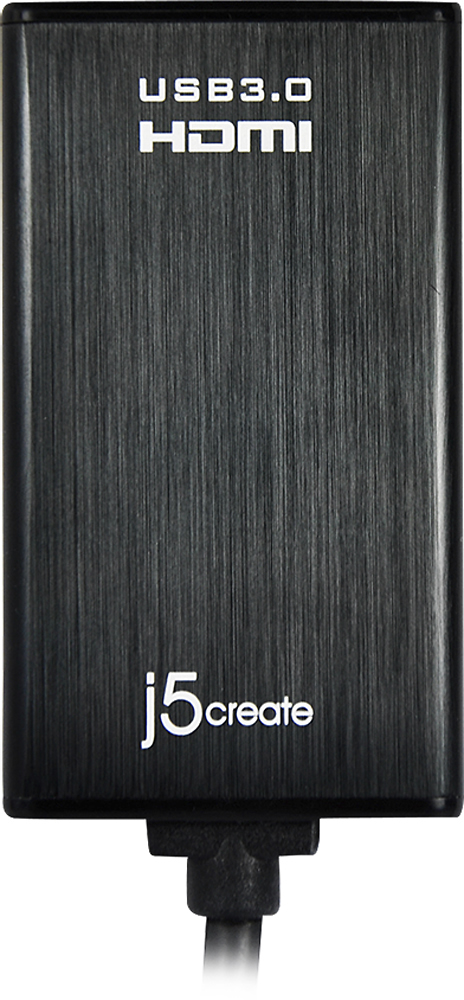
- Model:
- JUA350
- |
- SKU:
- 5384981
Customer reviews
Rating 4.4 out of 5 stars with 822 reviews
(822 customer reviews)Rating by feature
- Ease of Use3.9
Rating 3.9 out of 5 stars
Customers are saying
Customers admire the USB 3.0-to-HDMI/DVI Display Adapter's ease of use, excellent picture quality, and compatibility with various operating systems. Many appreciate its performance and the convenience of having both HDMI and DVI options. While some found the price a bit high and experienced occasional lag, the adapter's positive attributes generally outweigh these drawbacks.
This summary was generated by AI based on customer reviews.
- Pros mentioned:Ease of use
Rated 4 out of 5 stars
great bargain
||Posted .This reviewer received promo considerations or sweepstakes entry for writing a review.if you are looking to add an additional monitor then this little guy is the way to go. pretty simple install. DL drivers, plug it in and install the drivers and bam, that simple.
I would recommend this to a friend - Pros mentioned:Compatibility
Rated 4 out of 5 stars
Does the job
||Posted .This reviewer received promo considerations or sweepstakes entry for writing a review.It does the job. as a developer, I have one monitor directly through HDMI and another using the adapter. The one using the adapter is a bit slower than the other, but it works fine for what I do.
I would recommend this to a friend - Pros mentioned:Hdmi
Rated 5 out of 5 stars
Great product
||Posted .This reviewer received promo considerations or sweepstakes entry for writing a review.My husband can now sit in his recliner and read his e-mail on the 60" tv screen across the room. This product is used to connect his computer to the HDMI then to the tv. The only thing that could be better would be if everything was Bluetooth.
I would recommend this to a friend Rated 3 out of 5 stars
HDMI to USB Adaptor met my needs
||Posted .This reviewer received promo considerations or sweepstakes entry for writing a review.Use case was that I needed to connect a PC without an HDMI out connection to an LG 4K display. When I explained my need to an associate at the Bend Oregon Best Buy, she immediately had an answer for me which I really appreciated. I loaded the software onto my PC using the supplied CD. After loading and updating the software, I restarted as instructed. First things I got was an error message that the software had stopped working. I was alarmed by this, but hoped for the best when I connected the PC to the 4K display. Everything worked fine. But every time I do start my PC, I get the same error message which is mainly just annoying. Recently I attempted to load the software onto a "loaner" PC without a CD player. I tried the j5 Create website as well as chatting with a tech who provided me a link to the driver software. My attempts to load the software were met with error messages. The tech's opinion was that the reason I could not load was that I didn't have admin right to the loaner PC. I'm giving a 3 out of 5 for two reasons. First, even though the software does appear to work fine on my PC, I hate getting the error message every time I start my PC. Second, even though it may not be a software issue, I still can't load onto the loaner PC.
I would recommend this to a friend- Pros mentioned:Compatibility
Rated 4 out of 5 stars
external video card
||Posted .This reviewer received promo considerations or sweepstakes entry for writing a review.For an external video card that I can plug in to my laptop this thing works great that allows me so that I can work more fluidly on multiple monitors
I would recommend this to a friend Rated 4 out of 5 stars
expesive but does the job.
||Posted .This reviewer received promo considerations or sweepstakes entry for writing a review.We needed a way to transmit HDMI from our laptop to our TV. Unfortunately HDMI ports do not seem to like being plugged and unplugged over an over. We broke both the plug on our TV and our laptop We remedied the TV issue by using a hub plugged into another port. The laptop had no other port so we purchased the adapter after researching it online. We had purchased the laptop at the same Best Buy and tole the associate what we were buying the laptop for. I wish we had known how vulnerable HDMI ports are. We would have purchased the adapter along with the laptop. It has worked fine.
I would recommend this to a friend- Pros mentioned:Performance
Rated 5 out of 5 stars
HDMI/DVI Adapter
||Posted .This reviewer received promo considerations or sweepstakes entry for writing a review.There are many shown but when you drill down and see the performance of them, especially for Mac, the price for performance makes a HUGE difference, this is the top of the line and well worth the investment!
I would recommend this to a friend Rated 5 out of 5 stars
What I needed
||Posted .This reviewer received promo considerations or sweepstakes entry for writing a review.This is exactly what I needed to hook my laptop up to a TV ... haven't used it much but so far it has performed as I needed it to. It is small and compact which I needed because I needed to travel with it.
I would recommend this to a friend- Pros mentioned:Ease of use
Rated 5 out of 5 stars
Easy set up.
||Posted .This reviewer received promo considerations or sweepstakes entry for writing a review.Easy set up and configuration. Using dual monitors, one to an HDMI port, the other utilizing the converter. I can't tell the difference between the two monitors. Works just like an HDMI connection from the computer.
I would recommend this to a friend - Pros mentioned:Hdmi
Rated 4 out of 5 stars
It works with USB 2.0
||Posted .This reviewer received promo considerations or sweepstakes entry for writing a review.It's a pretty nice alternative solution for people who does not have HDMI output. It works ok for powerpoint slide presentation with USB 2.0 connection.
I would recommend this to a friend - Pros mentioned:Compatibility
Rated 5 out of 5 stars
Works great
||Posted .This reviewer received promo considerations or sweepstakes entry for writing a review.I installed this on my laptop so I could watch movies while in hotel rooms. It works great on the hotel TVs and provides something to watch when nothing is on the few stations they provide.
I would recommend this to a friend - Pros mentioned:Ease of use
Rated 5 out of 5 stars
j5 create - USB 3.0-to-HDMI/DVI Display Adapter
||Posted .This reviewer received promo considerations or sweepstakes entry for writing a review.I used this product to get my desktop hooked up to multiple monitors with HDMI. Once it was connected and I ran the cd, it didn't take long for it to be set up. The graphics looks great!
I would recommend this to a friend - Pros mentioned:Performance
Rated 5 out of 5 stars
Great Product
||Posted .This reviewer received promo considerations or sweepstakes entry for writing a review.Worked like it was supposed to. Just be careful what order you hook them up, follow instructions, I didnt and drove me crazy for a few minutes but works flawlessly
I would recommend this to a friend - Pros mentioned:Compatibility
Rated 4 out of 5 stars
What I needed for my tablet
||Posted .This reviewer received promo considerations or sweepstakes entry for writing a review.To connect tablet to a HDTV for class presentations - but have to be able to load the program on to the tablet
I would recommend this to a friend - Pros mentioned:Compatibility
Rated 5 out of 5 stars
Excellent devive
||Posted .This reviewer received promo considerations or sweepstakes entry for writing a review.This device allows me to connect a second monitor to my Surface Pro 3 giving me an additional monitor. I can use my Surface Pro 3 like a desktop with the docking station.
I would recommend this to a friend - Pros mentioned:Hdmi
Rated 5 out of 5 stars
Nice touch to new tv set-up!
||Posted .This reviewer received promo considerations or sweepstakes entry for writing a review.This adapter enabled me to set up an older desktop to the new television set. I was concerned that I would not be able to easily connect this, but it was simple to do.
I would recommend this to a friend - Pros mentioned:Compatibility
Rated 5 out of 5 stars
Works great
||Posted .This reviewer received promo considerations or sweepstakes entry for writing a review.I am a software developer and the addition of the 3 monitors has been great. The product works perfectly and as advertised with windows 8.1 on a dell precision laptop.
I would recommend this to a friend - Pros mentioned:Hdmi
Rated 4 out of 5 stars
simple to set up
||Posted .This reviewer received promo considerations or sweepstakes entry for writing a review.works well enough, though occasionally i have to remove the plug from my laptop then plug it in again to re-sync it.
I would recommend this to a friend - Pros mentioned:Picture quality
Rated 5 out of 5 stars
Good, reliable performance
||Posted .This reviewer received promo considerations or sweepstakes entry for writing a review.I bought this when the HDMI port stopped working on my laptop. I already had the JUA210 (USB2-to-VGA) and it uses the same drivers. It could handle 1080p video.
I would recommend this to a friend - Pros mentioned:Hdmi
Rated 5 out of 5 stars
Plug and play
||Posted .This reviewer received promo considerations or sweepstakes entry for writing a review.Works as predicted along with a discrete card. Be wary of restarting pc and ensuring the display comes back up as it was prior to reboot.
I would recommend this to a friend