Customer Ratings & Reviews
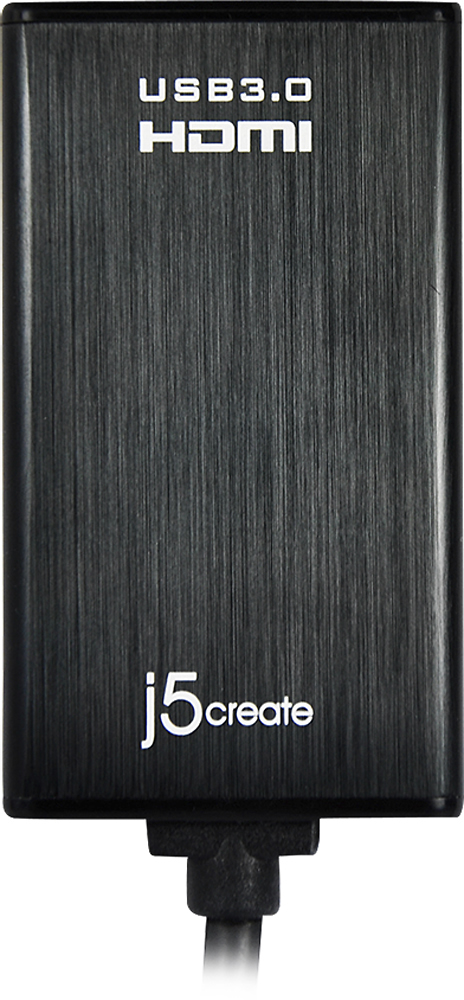
- Model:
- JUA350
- |
- SKU:
- 5384981
Customer reviews
Rating 4.4 out of 5 stars with 822 reviews
(822 customer reviews)Rating by feature
- Ease of Use3.9
Rating 3.9 out of 5 stars
Customers are saying
Customers admire the USB 3.0-to-HDMI/DVI Display Adapter's ease of use, excellent picture quality, and compatibility with various operating systems. Many appreciate its performance and the convenience of having both HDMI and DVI options. While some found the price a bit high and experienced occasional lag, the adapter's positive attributes generally outweigh these drawbacks.
This summary was generated by AI based on customer reviews.
Rated 5 out of 5 stars
See my review
||Posted .This reviewer received promo considerations or sweepstakes entry for writing a review.I'm really not able to give a "great" or "not so great" review! I simply purchased what the sales associate told me I needed. I connected it when I got home and everything worked just fine. When asked if I would recommend it to a friend ..... sure I would ..... if it was what they needed.
I would recommend this to a friend- Pros mentioned:Ease of use, Performance
Rated 5 out of 5 stars
Great product,
||Posted .This reviewer received promo considerations or sweepstakes entry for writing a review.Great product and easy/quick set up. Just followed the instructions and was up a running in ten minutes. I use this for a third monitor during video editing. Works great with no problems so far.
I would recommend this to a friend - Pros mentioned:Compatibility, Performance
Rated 5 out of 5 stars
Simple to install and use
||Posted .This reviewer received promo considerations or sweepstakes entry for writing a review.I tried the simple adapter and it didn't work. I got this device and followed directions to install and it works like as charm. I might add my laptop is old on Windows XP.
I would recommend this to a friend - Pros mentioned:Ease of use, Performance
Rated 4 out of 5 stars
Good product
||Posted .This reviewer received promo considerations or sweepstakes entry for writing a review.I purchased this to have two exterior monitors on my MacBook Pro. It was easy to setup and works great. I have not had any issues.
I would recommend this to a friend Rated 5 out of 5 stars
Great for hooking computer to TV
||Posted .This reviewer received promo considerations or sweepstakes entry for writing a review.Initially I was worried that this wouldn't work on my USB2 connection as the literature says USB3 recommended but it works great. I purchased a Samsung Smart TV Nov 2012. The TV is great however, Like most Smart TV's they are not as user friendly and don't access all the internet that a computer can. I purchased the keyboard for the TV ($100) to make searching faster and wasn't satisfied as it was still slow and the TV still wouldn't access all internet content. I decided to hook the TV up to a spare computer I had. The Computer didn't have an HDMI output so my options were to get a new video card or gamble on this adapter. So far the gamble has paid off and it hasn't failed me. I would suggest to skip buying a smart TV and go the computer/adapter route.
I would recommend this to a friend- Pros mentioned:Compatibility, Ease of use
Rated 4 out of 5 stars
Simple to use
||Posted .This reviewer received promo considerations or sweepstakes entry for writing a review.I was able to this product very easily. It was compatible with my device and my customers projector.
I would recommend this to a friend - Pros mentioned:Ease of use, Performance
Rated 5 out of 5 stars
Works great! Easy to use.
||Posted .This reviewer received promo considerations or sweepstakes entry for writing a review.Very inexpensive and easy to use. I looked everywhere for something like this for my monitor . Works great and easy to install. Definitely recommend this product.
I would recommend this to a friend Rated 5 out of 5 stars
Problem Solved!
||Posted .This reviewer received promo considerations or sweepstakes entry for writing a review.One of my computers has a USB output and I need to attach it to a projector with an HDMI input. I purchased the j5create - USB 3.0-to-HDMI/DVI Display Adapter. Bingo! No problem works like a charm. I am very pleased with this excellent product.
I would recommend this to a friend- Pros mentioned:Ease of use, Picture quality
Rated 5 out of 5 stars
Great product
||Posted .This reviewer received promo considerations or sweepstakes entry for writing a review.Easy to attach. Works awesome. President of company really likes it. It allows him to connect his notebook to the big screen in the conference room.
I would recommend this to a friend - Cons mentioned:Price
Rated 3 out of 5 stars
j5 create - USB 3.0-to-Hdmi Adapter Review
||Posted .This reviewer received promo considerations or sweepstakes entry for writing a review.Overpriced, sub-par product. It did a decent job. Best Buy in typical fashion is way overpriced for this product, or for any other product for that matter.
No, I would not recommend this to a friend - Pros mentioned:Ease of use, Picture quality
Rated 5 out of 5 stars
A USB to HDMI Cable that actually works
||Posted .This reviewer received promo considerations or sweepstakes entry for writing a review.I've tried multiple USB to HDMI Cables and this is the only one that truly works with no effort. Installs easily and quickly. Picture is perfect.
I would recommend this to a friend - Pros mentioned:PerformanceCons mentioned:Price
Rated 5 out of 5 stars
It works!
||Posted .This reviewer received promo considerations or sweepstakes entry for writing a review.I needed something to add a third monitor and this device fit the bill. A little pricey in my opinion but I'm truly satisfied with the results
I would recommend this to a friend - Cons mentioned:Connection
Rated 4 out of 5 stars
Solution for 3 monitors
||Posted .This reviewer received promo considerations or sweepstakes entry for writing a review.I was able to connect my laptop with two other monitors with HDMI cables with this since I only had one HDMI port on my laptop. Using the USB with this gave me the second HDMI port I needed. The cable is kindof loose though and I can't move it without the connection and screen going out. The loose connection is the only downfall.
I would recommend this to a friend Rated 4 out of 5 stars
good product
||Posted .This reviewer received promo considerations or sweepstakes entry for writing a review.Only issue is that sometimes due to inactivity the external display goes into sleep mode and does not turn on until you detect the display again. Otherwise and overall good product.
I would recommend this to a friendRated 4 out of 5 stars
Great device
||Posted .This reviewer received promo considerations or sweepstakes entry for writing a review.You do have to go download the software to get the device to work. I would have given 5 stars if it would have been more plug and play ready.... Other then that, it is great.
I would recommend this to a friend- Pros mentioned:Ease of use, Performance
Rated 5 out of 5 stars
Easy to use
||Posted .This reviewer received promo considerations or sweepstakes entry for writing a review.Plug right into my computer with no issues and the first time I used it was during a customer meeting. Seamless with no problems.
I would recommend this to a friend - Pros mentioned:Ease of use
Rated 5 out of 5 stars
Complete lifesaver
||Posted .This reviewer received promo considerations or sweepstakes entry for writing a review.I am an IT professional and have several users with brand new Dell Latitude laptops working off of a docking station. For some reason these laptops don't play well with multiple monitors. One of the monitors would just start flashing repeatedly. These video adapters have saved the day on multiple occasions. Very easy to setup and seems to work like a charm. I have even had to use 2 of them on one laptop because Dell can't seem to get their act together. Definitely recommend this device.
I would recommend this to a friend - Pros mentioned:Ease of use, Picture quality
Rated 4 out of 5 stars
Great value
||Posted . Owned for 1.5 years when reviewed.This reviewer received promo considerations or sweepstakes entry for writing a review.It is easy to install, great value and good quality.
I would recommend this to a friend - Pros mentioned:Ease of use, Performance
Rated 5 out of 5 stars
works just fine
||Posted .This reviewer received promo considerations or sweepstakes entry for writing a review.Able to set up a 2nd monitor using this that works without issue. Hook up and play, no set up otherwise was really needed
I would recommend this to a friend - Pros mentioned:Ease of use
Rated 5 out of 5 stars
Simple solution
||Posted .This reviewer received promo considerations or sweepstakes entry for writing a review.This is a really simple and trouble free way to hook up a second monitor. It plugs into any USB port, download the driver off the internet, and install. Magically it starts working. We have bought and used 3 on different computers and all work well. Make sure you figure out which one is the primary monitor because one time my secondary monitor was on the left side which was confusing, but on Windows you can easily swap it under settings.
I would recommend this to a friend