Customer Ratings & Reviews

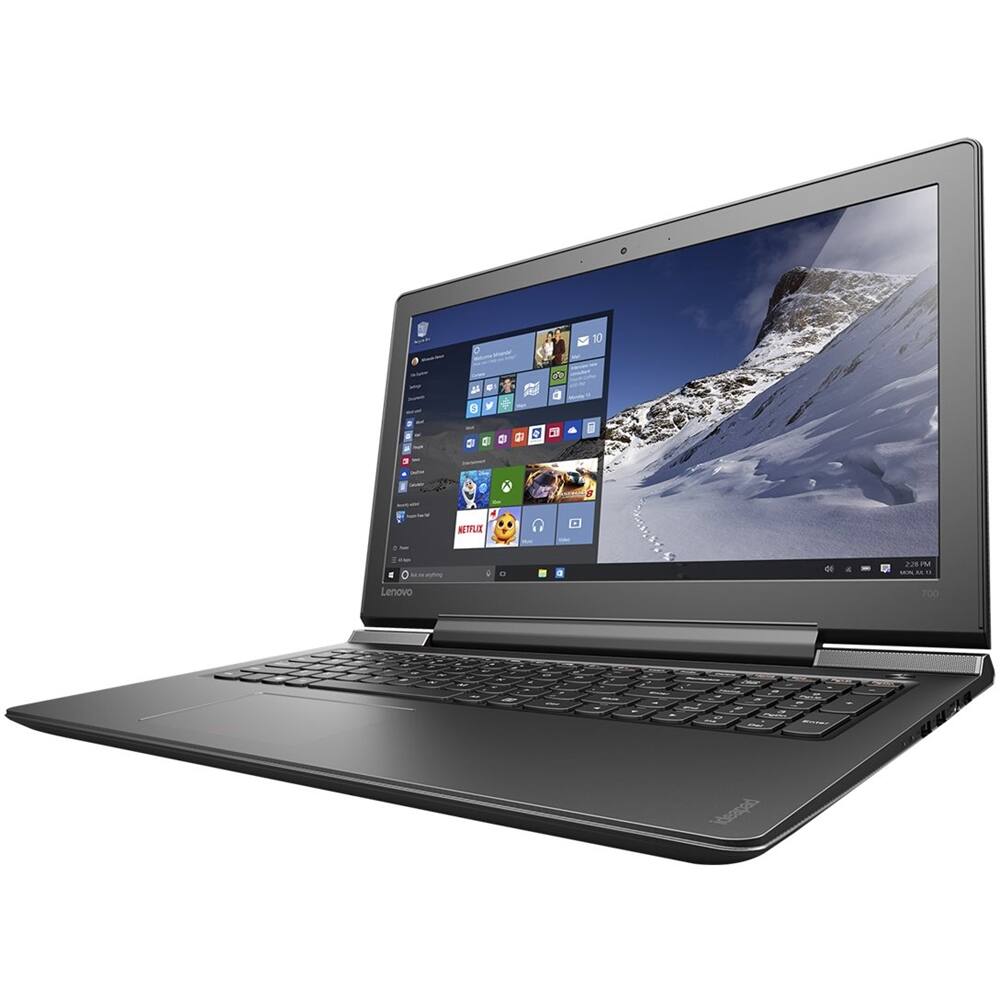
- Model:
- 80RU00D7US
- SKU:
- 5412737
to a friend
- Pros mentioned:PriceCons mentioned:Function keys
Good Computer
||Posted .This reviewer received promo considerations or sweepstakes entry for writing a review.On paper this computer looks amazing! And for the price you get a lot of band for the buck. However, I don't think it's as good as it is described. I built a PC a few years back that's now three generations behind, but still runs everything better than this one. I get a few stalls and jumps when it's maxed out with a game, but overall it is a good computer and I am satisfied. Haven't had any real technical issues either. One bad thing I would say is the function keys (F1, F2, etc). Things like volume, brightness, and airplane mode are the standard for these keys and you must hold the Fn key to use the actual function key. If you use them a lot for programming or gaming, this is not your computer; it is very annoying. Other than the standard fingerprints and smudges (every laptop) it looks great too.
I would recommend this to a friendBrand response from Lenovo Product Expert
Posted .Thank you for choosing the Lenovo IdeaPad 700 laptop. With regard to the functions of the hot keys/function keys, you can reverse the functions of these key. Here is a link to the steps for doing this: https://support.lenovo.com/us/en/documents/ht101437

- Pros mentioned:Memory, Performance
Exactly What I needed
||Posted .This reviewer received promo considerations or sweepstakes entry for writing a review.I purchased this as a replacement laptop for my DJ Business. I run some pretty memory intensive programs and also need ample hard drive space to store the music that I play. This Laptop has met and exceeded my expectations and handles all tasks asked of it with no problems. The only thing I wish it had was a bigger "ENTER" key
I would recommend this to a friend - Cons mentioned:Difficult to upgrade, Hdd issues
Good computer, Bad HDD
||Posted .This reviewer received promo considerations or sweepstakes entry for writing a review.Returned soon after purchase. After initial startup and establishing user account, it locked up. Forced reboot only to have the same happen several more times. Found that this was common because of the HDD. Upgrade to an SSD was the fix; however dismanteling a brand new computer was off the table. Computers like this need a simple access to get at the HDD, and will be my number one consideration for future purchases.
No, I would not recommend this to a friendBrand response from Lenovo Product Expert
Posted .Thank you for choosing the IdeaPad 700 laptop. With regard to the hard drive issues you mention with your device, there may be driver updates for your specific system. Follow the link below to look for new driver updates for your specific system. You can also run diagnostics from the Lenovo site as well. As always, be sure to create a restore point on your system before you make any changes. Here is the link:
http://support.lenovo.com/us/en/products/Laptops-and-netbooks/700-Series/700-15isk/80RU/00D7US?linkTrack=Caps%253ABody_SearchProduct&tabName=downloads&beta=false
- Pros mentioned:Fast appsCons mentioned:Large screen
Oustanding laptop
||Posted .This reviewer received promo considerations or sweepstakes entry for writing a review.This laptop rocks. It starts up and shuts down like greased lightning. All the apps and internet functions are fast like I always wanted. the backlit keyboard is a nice feature for lower lighting use. The size is a little big for the lap, but good on the desk. I can find no faults with this Lenovo unit.
I would recommend this to a friendBrand response from Lenovo Product Expert
Posted .Thank you for choosing the Lenovo IdeaPad 700 laptop. We are pleased to hear that the performance of the IdeaPad 700 is working out so well for you.
- Pros mentioned:Excellent, Memory
Excellent for a DAW (digital audio workstation
||Posted .This reviewer received promo considerations or sweepstakes entry for writing a review.I brought fthis laptop for song writing and recording and it is excellent for its purpose. 16gigs expandable to 32 gigs. I love it!
I would recommend this to a friendBrand response from Lenovo Product Expert
Posted .Thank you for choosing the Lenovo IdeaPad 700 laptop. We are pleased to hear that the performance of the IdeaPad 700 meets your computing needs so well.
Fast response time
||Posted .This reviewer received promo considerations or sweepstakes entry for writing a review.Have not used this computer myself. Bought for college student. Student says it has super fast response time.
I would recommend this to a friendBrand response from Lenovo Product Expert
Posted .Thank you for choosing the Lenovo IdeaPad 700-15 laptop. We are pleased to hear that the performance of the IdeaPad 700-15 meets your computing needs so well.
- Cons mentioned:Battery life
I like the computer but the battery life is terrib
||Posted .This reviewer received promo considerations or sweepstakes entry for writing a review.The computer is nice and light. It runs fast and has the features I wanted EXCEPT the battery life is terrible. It's annoying but I mostly use it at home so it's nice a huge deal. Would be worse if I had to travel a lot
I would recommend this to a friendBrand response from Lenovo Product Expert
Posted .Thank you for choosing the Lenovo Ideapad 110-15 laptop. The battery life of this model is up to 4 hours, depending on what work the device is performing. To extend the battery life, try changing your power management setting to a more conservative one. You can do this in the control panel, in the power management category on your system. Select a more conservative power management setting to extend battery life.
Wish it would have had a touch screen
||Posted .This reviewer received promo considerations or sweepstakes entry for writing a review.Really great computer laptop for me. Handles all my photos, emails, and work projects. Just really wish it would have come with a touch screen.
I would recommend this to a friendBrand response from Lenovo Product Expert
Posted .Thank you for choosing the Lenovo IdeaPad 700-15. With regard to a touch screen for this system, we will look in to this for future improvements.
Great Item
||Posted .This reviewer received promo considerations or sweepstakes entry for writing a review.This item was recommended to me and it does exactly what I was looking for it to do.
I would recommend this to a friendBrand response from Lenovo Product Expert
Posted .Thank you for choosing the Lenovo IdeaPad 110-15 laptop. We are pleased to hear that the IdeaPad 110-15 is working out so well for you.
Inoperative screen
||Posted .This reviewer received promo considerations or sweepstakes entry for writing a review.Unfortunately, I am unable to review the laptop because because upon delivery the screen was inoperable.
No, I would not recommend this to a friendBrand response from Lenovo Product Expert
Posted .This system is equipped with OneKey Recovery System. There is a very small pin hole on the left side of the device, right near the headphone jack on the device. You will need a pin to push this reset button. Plug the device in. Let the battery charge for about 15 minutes. Push the reset button. The system should boot to a choice screen where you can choose "Restore To Factory Default". Select this. You can select to leave your file and programs alone and only restore the operating system to factory default, select this option. If you don't have copies of the files, try to make one before you restore by selecting "Boot to desktop" and trying to back up your files. See if this initiates the screen for you. If it doesn't, you may want to call Lenovo Tech Support at 877-453-6686.