Customer Ratings & Reviews

- Model:
- 80V50009US
- SKU:
- 5579132
to a friend
Customers are saying
Customers often highlight the superb screen quality, lightweight design, and impressive battery life of this 2-in-1 laptop. The fast SSD is also frequently praised, along with the laptop's ease of use. However, some users have noted concerns regarding the keyboard layout and fan noise. These issues, while mentioned, don't appear to overshadow the positive experiences reported by many customers.
This summary was generated by AI based on customer reviews.
- Pros mentioned:Speed, WeightCons mentioned:Keyboard quality
Nice Computer Overall
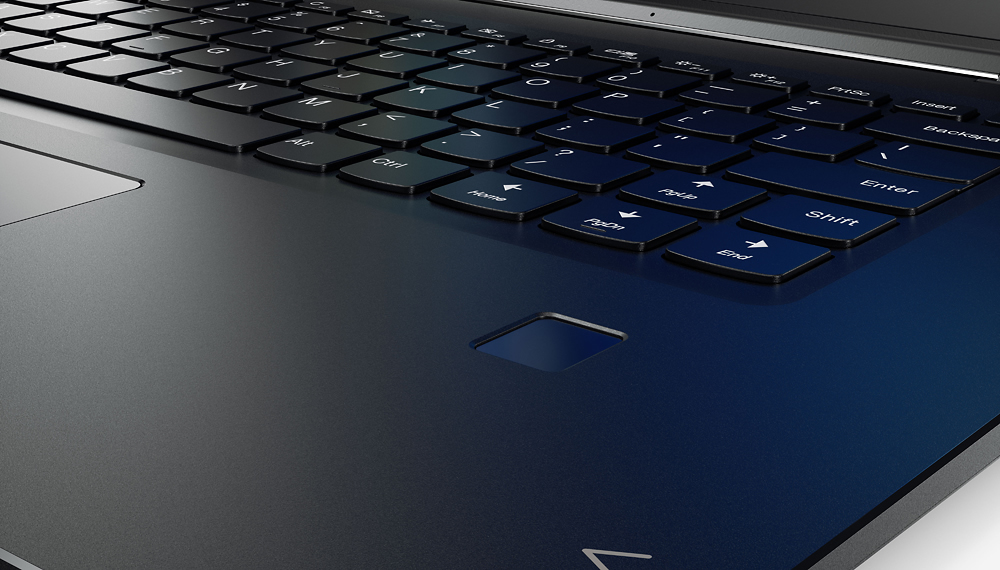
||Posted .This reviewer received promo considerations or sweepstakes entry for writing a review.Love the size, light weight and speed! This is a good hardworking laptop and was a good choice. Keyboard is tricky if you type like a typist! The right shift key is placed too far to the right to comfortably reach! Guess I'll adjust to that eventually! Overall, happy with purchase!!
I would recommend this to a friendBrand response from Lenovo Product Expert
Posted .With regard to the right shift key issue you mention, there is a free software APP called KeyTweak that may help you. You can switch the key functions of specific keys on your keyboard with this software, so you could change the right shift key with the key you hit in its place. Just Google search "KeyTweak" and you will find articles about what the software does and you will find the download location for this free APP.

- Pros mentioned:Screen quality, Speed, Weight
Nice 2-in-1, but . . .
||Posted .This reviewer received promo considerations or sweepstakes entry for writing a review.A few things I noticed: Nice sharp display, but the responsivness of the touchscreen is laggy at times. If connecting to a second display, there are driver issues that cause flickering, improper window resizing, and resolution switching. Right out of the box, while using the track pad, I experienced delayed click response. On the positive note, It is blazing fast. From power on, to ready to go using the fingerprint recognition, takes about 5-6 seconds. The power button is a little finicky, as it is oddly placed on the right side, very thin, and requires precise and firm pressure to turn on. It is very light, seems well made, with a nice brushed finish. The price point is awesome though. In the end, I returned the unit and opted for a MacBook Pro with Retina display.
No, I would not recommend this to a friend - Pros mentioned:Screen quality, WeightCons mentioned:Keyboard quality
Excellent value
||Posted .This reviewer received promo considerations or sweepstakes entry for writing a review.After reading all of the reviews, I found the strong references to the right shift key humorous. How could people get so worked up by a shift key? Well now I know! I had no idea how much I used that key until now. I'm constantly hitting the up arrow out of habit. It's going to take some training. Aside from that, this is an excellent value for the cost. Great for photo editing and good for light gaming. Great screen and lightweight.
I would recommend this to a friendBrand response from Lenovo Product Expert
Posted .Thank you for choosing the Lenovo Yoga 710-15. With regard to the right shift key issue you mention, there is a free software APP called KeyTweak that may help you. You can switch the key functions of specific keys on your keyboard with this software, so you could change the right shift key with the key you hit in its place. Just Google search "KeyTweak" and you will find articles about what the software does and you will find the download location for this free APP.
- Pros mentioned:Speed, Ssd, Weight
Fast, quiet and lightweight
||Posted .This reviewer received promo considerations or sweepstakes entry for writing a review.This is the second Lenovo Yoga I have purchased this year. Bought my son one for college. When it was time to replace my computer, I bought the same one. It is extremely lightweight. The solid state drive negates the need for a loud fan. The i7 processor with 16 Gig of ram makes it the fastest computer I have ever owned. I do not use it for gaming, I use it for research, writing reports and bill-pay
I would recommend this to a friendBrand response from Lenovo Product Expert
Posted .Thank you for choosing the Lenovo Yoga 710-15 for both your son and then yourself. We are pleased to hear that the Yoga 710-15 is working out so well for your son, that you purchased a second for your self. We appreciate your loyalty to the Yoga 710-15 and the Lenovo Brand.
- Pros mentioned:Screen quality, Weight
LOVE LENOVO
||Posted .This reviewer received promo considerations or sweepstakes entry for writing a review.I was in need of a laptop with a touchscreen, and was looking at getting a convertible. This Levovo laptop is great, converts to a tablet even! very fast browsing etc... and instant boots! Wifi is very responsive, and the 4k screen resolution is gorgeous!! The only reason I gave my laptop 4 not 5 stars is due to the fact that battery life isn't superb. Its good, not great. But this machine is very well built, has chamfered laser cut edges and looks fantastic! Also , its pretty light weight, around 4 lbs.. while it could be lighter in weight, its not that bad. Fan noise isn't bad, wont annoy u... and the track pad is very responsive and precise! Plus you can do moderate to somewhat hardcore gaming with the 2 gig graphics card.. All in all, I am very pleased with my purchase, I paid $899.00! Amazing price! Best buy rocks!
I would recommend this to a friendBrand response from Lenovo Product Expert
Posted .With regard to the battery life, try changing your power management setting to a more conservative one. You can do this in the control panel, in the power management category on your system. Select a more conservative power management setting to extend battery life.
- Pros mentioned:SpeedCons mentioned:Keyboard quality
So-So Laptop
||Posted .This reviewer received promo considerations or sweepstakes entry for writing a review.I read a lot of great reviews of this laptop, and it seemed impressive enough in the store. The laptop is sturdy and has a classy style to it. I love the feel of it, although I will mostly use a wireless keyboard and mouse. The speed is fantastic, and it boots up between 4-5 seconds. My computers at home have been Lenovo laptops and at work, that’s all we use. There is ONE BIG PROBLEM with the laptop. While I appreciate the larger screen, there are two patches of white in the lower right corner and the upper left corner, and they seem to be growing. This is very annoying as I like to use my laptop for watching DVD's and blu-rays exclusively. In a darkened room or if the picture is black (or widescreen) or dark, the white is overpowering. It gnaws at me. I hemmed and hawed on this issue and then my 15-day return period was up. The video performance is not the greatest. When watching action, like vehicles driving by, there is a slight jerky action and it is not smooth. Also, I streamed one NFL game before the season ended and while the picture was beautiful and sharp, that was all the laptop could do. Any clicks elsewhere on the computer caused the video to jerk and the sound to also sputter out. (This does not occur during the playing of DVD's or blu-rays.) I guess I am settling for application speed vs. video performance. As usual with Lenovo, there is yet ANOTHER Dolby program to get used to and adjust as I am very particular about sound. This is my third Lenovo home laptop... the previous ones were a V560 and a Yoga 14. The V560 by far had the best sound and it was easy to adjust. Now the Dolby programs have "presets" so I have to adjust sound by other means. However, the 710 does have pretty good sound; I just have to continue to experiment and play with it… a never-ending process. Speaking of the Yoga 14, that was absolutely the BEST one for smooth video and the 710 doesn't even come close. Unfortunately, I spilled water into the keyboard and it was toast immediately. ** Take a note: Lenovo does false or gimmick advertising about Yogas and their other laptops taking on water or even wine spilled in, and they keep working. Mine didn’t. ** My Yoga 14 was almost two years old so it was beyond the warranty period. I was sad that it didn’t last long, but it was my fault of course. The 710 i7 is a beautiful laptop to look at, for sure. However, I cannot recommend it. It ranks way below my "easy" standards for video playback. If you only want to use it for Excel workbooks, Word documents, and e-mail it will do fine. I would have returned it, but I let too much time lapse anguishing about the white splotches on the screen and in 15 days you really can’t make a sound judgement on the video performance. I had already gone without the Yoga 14 for a few weeks, and I needed a computer again badly. I bet I could have found something that performed better, cheaper.
No, I would not recommend this to a friend - Pros mentioned:Screen quality, Speed
Wonderful computer
||Posted .This reviewer received promo considerations or sweepstakes entry for writing a review.This is a great laptop computer, sharp images, fast speed to internet, touch screen, good for desk and as a tablet computer.
I would recommend this to a friend - Pros mentioned:Screen quality
Can handle anything I throw at it
||Posted .This reviewer received promo considerations or sweepstakes entry for writing a review.I bought this laptop to use for gaming and Adobe design software. It works for both perfectly! So far it has handled games that all my other friends had to build their computers to play. It also handles my graphic design programs. The touch screen I forget about at times but when I use it is amazing! Makes some of my games easier too! I definitely recommend this laptop!
I would recommend this to a friendBrand response from Lenovo Product Expert
Posted .Thank you for choosing the Lenovo Yoga 710-15. We are pleased to hear that the performance of the Yoga 710-15 meets your computing needs so well.
- Pros mentioned:Speed, Ssd
Excellent Laptop!!
||Posted .This reviewer received promo considerations or sweepstakes entry for writing a review.I was looking to upgrade from an older laptop with a dying hard drive. I spent a lot of time shopping and researching as I had been out of the tech market for some time. I decided on the Lenovo 710. It had most of the specs I wanted, 4K display, I7 processor, SSD, max RAM, graphics, etc. The only compromise was the HD. I really wanted something in the 500G range but do plan on installing a larger HD in the future. I have been really pleased with this purchase. It is my first experience with SSD. Boot time is seconds! I also really love the biometric log in! From power on to working state is less than 10 sec. There was a learning curve with Win 10, but it was an easy transition. (Coming from Win XP, 7). So far this unit has been flawless. It is well constructed and feels like quality the first time you pick it up. Nice feature compared to a lot of the laptops I handled in shopping. Very little pre loaded bloatware. Very responsive, no software issues and has handled any software I have installed without glitches. I am very pleased with my purchase and would highly recommend this laptop to anyone.
I would recommend this to a friendBrand response from Lenovo Product Expert
Posted .Thank you for choosing the Lenovo Yoga 710-15. We are pleased to hear that the features and performance of the Yoga 710-15 meets your computing needs so well.
- Pros mentioned:SsdCons mentioned:Keyboard quality
Powerful computer especially for a home user.
||Posted .This reviewer received promo considerations or sweepstakes entry for writing a review.My 5th grader liked this one the best in our price range. My wife was indifferent but seems to like it. We were looking for a solid state to stay ahead of the technology curve. Wanted speed and efficiency and this seems to have it. I'm getting more comfortable with the key pad. The lower section click is a little stiff and the right shift key takes a bit to get use too. Great graphics. We tried for an open box unit that seems fine and purchased 2 year warranty. Overall so far happy with our purchase. Replaced a Dell that served us well for ~ 6 years but was getting tired.
I would recommend this to a friendBrand response from Lenovo Product Expert
Posted .Thank you for choosing the Lenovo Yoga 710-15 for your family. With regard to the right shift key issue you mention, there is a free software APP called KeyTweak that may help you. You can switch the key functions of specific keys on your keyboard with this software, so you could change the right shift key with the key you hit in its place. Just Google search "KeyTweak" and you will find articles about what the software does and you will find the download location for this free APP.
- Pros mentioned:Screen qualityCons mentioned:Keyboard quality
Yoga Rocks
||Posted .This reviewer received promo considerations or sweepstakes entry for writing a review.Came in store to buy a Samsung I researched because I had to leave on a Business trip in 2 days. They didn't have any, but a salesgirl pointed out this amazing computer to me. Fast, extremely clear and vivid screen, can do all my work and sneak in a game. 2 drawbacks: 1. the right side shift key is small and in an difficult position, so I cannot type at top speed, 'cause I'm always hitting Page Up, quite annoying. 2. Bing INSISTS on itself as a browser, I like Google Chrome and this computer fights you tooth and nail on installation and keeping it on your computer.
I would recommend this to a friendBrand response from Lenovo Product Expert
Posted .Thank you for choosing the Lenovo Yoga 710-15. With regard to the right shift key issue you mention, there is a free software APP called KeyTweak that may help you. You can switch the key functions of specific keys on your keyboard with this software, so you could change the right shift key with the key you hit in its place. Just Google search "KeyTweak" and you will find articles about what the software does and you will find the download location for this free APP.
- Pros mentioned:Battery life, Speed, Weight
Great machine!
||Posted .This reviewer received promo considerations or sweepstakes entry for writing a review.Have had this for about a year and it still performs well. Lightweight, battery lasts fairly long, it's fast and handles heavy work very well. My only tick is that it gets a bit loud when it's processing a lot. Nothing I can't forgive. Best PC I've worked with!
I would recommend this to a friend - Pros mentioned:Screen quality, Speed, Ssd
Very Fast!
||Posted .This reviewer received promo considerations or sweepstakes entry for writing a review.A very practical device that I use daily. The Intel i7 processor, solid state drive and 16GB make this a very fast computer. While, at 75, I am not much of a gamer, the Nvidia GeForce GTX 940MX video card should satisfy most who are. 2 in 1 with touch screen is a plus.
I would recommend this to a friendBrand response from Lenovo Product Expert
Posted .Thank you for choosing the Lenovo Yoga 710-15. We are pleased to hear that the features and performance of the Yoga 710-15 meets your computing needs so well.
- Pros mentioned:Screen quality, SpeedCons mentioned:Fan noise
Great laptop
||Posted .This reviewer received promo considerations or sweepstakes entry for writing a review.Screen is excellent and laptop is very fast. I do not notice the fan noise that others mention. Great thing is this does not come pre-loaded with a bunch of useless software. Priced out HP and Dell, this was less expensive and better options.
I would recommend this to a friendBrand response from Lenovo Product Expert
Posted .Thank you for choosing the Lenovo Yoga 710-15. We are pleased to hear that the value, features and performance of the Yoga 710-15 meets your computing needs so well.
- Pros mentioned:SpeedCons mentioned:Keyboard quality
UHD and i7 make sens
||Posted .This reviewer received promo considerations or sweepstakes entry for writing a review.Month ago I got this masterpiece and think it was a right choice. The computer equipped with powerful i7 processor and UHD touchscreen. Video streaming, video and pictures editors works smoothly. Picture can not be better. Stylish. Very high value for money. SSD size is 256GB which really is not enough but I use external USB and SDXD flash drives. With USB 3 it works perfect, read/wright speed up to 100mb/sec. The keyboard itself and its backlight is comfortablle and cool. - I said about SSD size already, another improvement I could have for a model is the number of USB ports. There are only two exists I use 4xUSB hub. as UHD is quite new technology UHD video driver is not perfect yet. I mean switching between screens or applications not alway smoof yet. Summarizing all above I would give 9 out of 10.
I would recommend this to a friend - Pros mentioned:Ssd
Everything I expected.... and solidly built
||Posted .This reviewer received promo considerations or sweepstakes entry for writing a review.Not bottom end pricing, but very reasonable for a full featured laptop. My Toshiba screen separated after less than a year, and my Fry's warranty didn't cover "physical damage". Bummer. I replaced it with this and it is solld, dependable and fast. Warranty covers everything (even coffee spills!). Love the large memory PLUS SSD memory.
I would recommend this to a friend - Pros mentioned:Screen qualityCons mentioned:Fan noise, Keyboard quality
Good Yoga 2 in 1
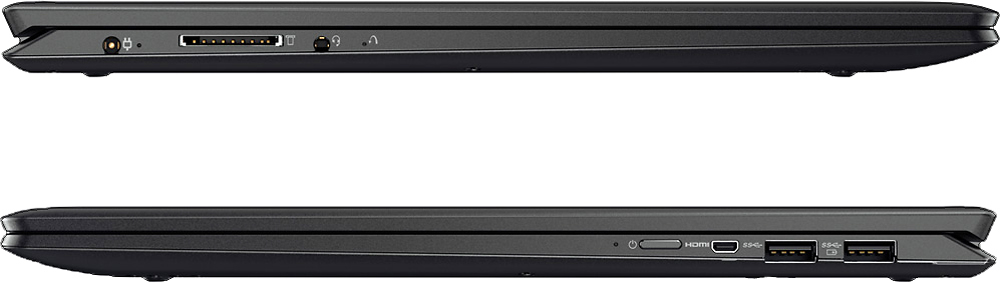
||Posted .This reviewer received promo considerations or sweepstakes entry for writing a review.The screen and performance are good. A couple of issues. Fan is loud and has a whining sound. Sometimes it doesn't want to wake up from sleep mode. The right shift key is in the wrong place for typing. Both USB slots and mini HDMI on one side, next to each other, makes it hard to use them all at once. You'd better be tech savvy; a novice will get frustrated trying to deal with these issues.
I would recommend this to a friendBrand response from Lenovo Product Expert
Posted .With regard to the issues you mention with your device, there may be driver updates for your specific system. Follow the link below to look for new driver updates for your specific system. You can also run diagnostics from the Lenovo site as well. As always, be sure to create a restore point on your system before you make any changes. You can do this by just typing "restore point" in the search window within Cortana and follow the link to create a restore point. Here is the link: http://pcsupport.lenovo.com/us/en/products/laptops-and-netbooks/yoga-series/yoga-710-15ikb/80v5/80v50009us/downloads?linkTrack=Caps%3ABody_SerialNumber. With regard to the right shift key issue you mention, there is a free software APP called KeyTweak that may help you. You can switch the key functions of specific keys on your keyboard with this software, so you could change the right shift key with the key you hit in its place. Just Google search "KeyTweak" and you will find articles about what the software does and you will find the download location for this free APP. If you need help with any of these issues please call Lenovo Tech Support at: 877-453-6686
- Pros mentioned:Screen quality, Speed
Stunning display
||Posted .This reviewer received promo considerations or sweepstakes entry for writing a review.This computer is fast and has a stunning 4K display.
I would recommend this to a friendBrand response from Lenovo Product Expert
Posted .Thank you for choosing the Lenovo Yoga 710-15. We are pleased to hear that the features and performance of the Yoga 710-15 meets your computing needs so well.
- Pros mentioned:Screen qualityCons mentioned:Keyboard quality
Looks good, feels good, runs... not so much
||Posted .This reviewer received promo considerations or sweepstakes entry for writing a review.The 4K screen is amazing. The battery life is okay. The Dolby Audio Speakers are worthwhile. But, if you plan on using the Windows Store apps (especially MICROSOFT EDGE), this laptop will disappoint you a bit in terms of performance. Edge runs super slow and crashes/freezes quite a few times. Don't get me wrong, it can run games like Titanfall and Crysis 3 on MEDIUM settings pretty well, but I think when it comes to graphics intensive applications the GPU is lacking because it has no 4K support. If you change the Nvidia settings to run apps like Microsoft Edge on the NVidia GPU, well, get ready for a horrible experience, because the app will lag even when you SCROLL pages. The i7 processor combined with the SSD makes it a great laptop for lightweight day-to-day tasks, but the GPU on this laptop isn't really meant for a 4K screen so you're better off getting a cheaper version without one. Also, I've been running into some weird issues lately with the keyboard messing up input automatically. For example, as I was typing apps opened up or text on screen being got selected for no apparent reason. I've had a couple of complete freezes while normally using the laptop too. Not the experience I was hoping for, especially after shelling out so much money into it.
No, I would not recommend this to a friend Wonky configuration, quality problems
Posted .This reviewer received promo considerations or sweepstakes entry for writing a review.The good: This is a great laptop. Very attractive. The keyboard is nice for extended typing, and you get a lot for the money. Very good (and accurate) screen, which is important for me as I work in film. Unfortunately, the ultra low voltage i7's integrated graphics just arent enough to drive the 4k resolution well. Windows shudder when minimizing and maximizing and I've seen the CPU usage spike to 80-90% simply scrolling through a webpage. The CPU's graphics core also was unable to go into an idle state, as simply handling screen composition had it running on all cylinders. It's passmark score had it in the 14th percentile for 2d rendering, and 7th for 3d -- not okay for an i7 build at this price. As a result, the battery life and graphic performance was garbage out of the box -- I had to change the desktop resolution to 2K to get anything decent and speed things up. The BIOS also doesnt have the option to use just the dedicated GPU -- you are at the mercy of nVidia's Optimus, which doesn's always choose the best GPU for the job. Additionally, the fan sometimes has fits where it runs full speed even at a complete idle (system updates and firmware downloads have not fixed this. Power saving mode was used to discourage fan use also). This can easily drop the battery life at light load to only 4 hours, which is bad because I take this from work to school to a film set in one day. I see people complaining about this online, and every update that has been issued by Lenovo doesnt seem to solve anybodies problems (as of this review), including mine. Also, after noticing some creaky screen opening issues, I discovered that the right hinge's upper-left screw is missing right out of the box. It just wasn't there -- or if it was, it came out during normal use in a matter of 4 days. Not cool. Despite the good (and there are good things, for sure), I get the impression that Lenovo isn't paying enough attention to what they're doing for me to feel confident in this product, and I dont feel like I can trust this to hold up, even if I got a replacement. It will be returned in the coming few days. Also, having to drop the resolution for battery life and acceptable performance are simply things that the consumer shouldn't have to worry with.
No, I would not recommend this to a friend