Customer Ratings & Reviews




- Model:
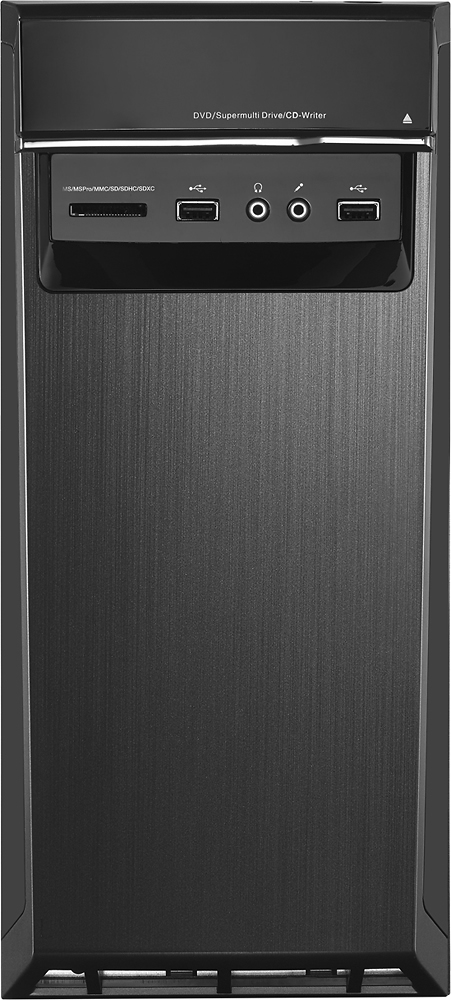
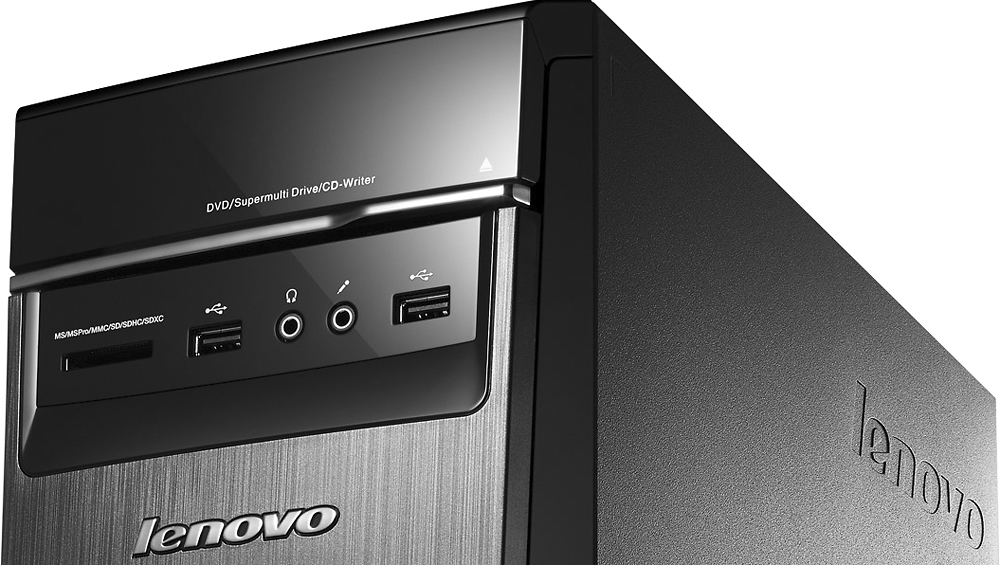
- LENOVO H50 - 90BG003JUS
- SKU:
- 4362103
Rating by feature
- Value
Rating 4.3 out of 5 stars
- Quality
Rating 4.5 out of 5 stars
- Ease of Use
Rating 4.4 out of 5 stars
Customers are saying
Customers commend the Desktop AMD A10-Series for its excellent performance, attractive price, and ease of use. Many appreciate the ample RAM, large hard drive storage, and quiet operation. While some users expressed concerns about the operating system, others found the system to be largely free of pre-installed programs. The power supply received mixed reviews, with some users finding it insufficient for their needs.
This summary was generated by AI based on customer reviews.
- Cons mentioned:Windows 10
poor computor,worst operating system!!
||Posted .This reviewer received promo considerations or sweepstakes entry for writing a review.startin computer it asked to update,locked up in the middle of update and had to start over computer didn't want to load programs windows10 is junk,if Microsoft isn't putting the flaws in on purpose then it dosent say much for their tecs the computer was returned ! best buy was great,good service
No, I would not recommend this to a friend very good for a cheap computer
||Posted .This reviewer received promo considerations or sweepstakes entry for writing a review.works great for work, but the graphics are very low quality for some apps. If you need that upgrade a bit.
I would recommend this to a friendLocks up
||Posted .This reviewer received promo considerations or sweepstakes entry for writing a review.Sometimes the computer locks up for no reason. Otherwise a good computer for what we need
No, I would not recommend this to a friendPerforms when it works
||Posted .This reviewer received promo considerations or sweepstakes entry for writing a review.Been back and forth with geek squad to fix. Seems it comes with a full set of program bugs
No, I would not recommend this to a friendDoesn't cancel out as much noise as I thought.
||Posted .This reviewer received promo considerations or sweepstakes entry for writing a review.Overall great product but I guess I thought it would cancel out more noise.
I would recommend this to a friendHaving alot of trouble with drivers, and printer
||Posted .This reviewer received promo considerations or sweepstakes entry for writing a review.Many drivers needed updated, my printer wasn't easily put on it either
No, I would not recommend this to a friendDecent Computer
||Posted .This reviewer received promo considerations or sweepstakes entry for writing a review.It's not a bad computer, although I am just starting to work with Windows 10
I would recommend this to a friendBrand response from Lenovo Product Expert
Posted .Thank you for choosing the Lenovo H50 desktop. With regard to learning your way around Windows 10, you may want to try YouTube.com (just type that address in your browser address window). There are hundreds for free instructional videos there about Windows 10. Just type Windows 10 Introduction in to the YouTube search window. You can watch free videos there that will show you the basics all the way up to tips and tricks videos and they're all free.

Works great
||Posted .This reviewer received promo considerations or sweepstakes entry for writing a review.Replaced an HP that crashed. This one was a good choice for my family.
I would recommend this to a friendGreat capacity on this
||Posted .This reviewer received promo considerations or sweepstakes entry for writing a review.The first time I bought this brand. I'm not satisfied can be better
No, I would not recommend this to a friendComputer Great. No Warranty
||Posted .This reviewer received promo considerations or sweepstakes entry for writing a review.Liked the CPU. The price was right, but this "open box" item had no mfg. warranty and one could not be purchased from Lenovo. I was not informed about this when I bought it. I returned the CPU a week later. Too bad, I liked it. Had to set up another CPU all over again.
No, I would not recommend this to a friendOk
||Posted .This reviewer received promo considerations or sweepstakes entry for writing a review.Had problems with system unit not connecting to Internet.
I would recommend this to a friendBrand response from Lenovo Product Expert
Posted .With regard to the connectivity issues you mention with your device, there may be driver updates for your specific system. Follow the link below to look for new driver updates for your specific system. You can also run diagnostics from the Lenovo site as well. As always, be sure to create a restore point on your system before you make any changes. You can do this by just typing "restore point" in the search window within Cortana and follow the link to create a restore point. Here is the link:
http://support.lenovo.com/us/en/products/Desktops-and-all-in-ones/Lenovo-H-Series-desktops/Lenovo-H50-55-Desktop/90BG/003JUS?linkTrack=Caps%253ABody_SearchProduct&tabName=downloads&beta=false
great PC for surfing and mindcraft typr graphics
||Posted .This reviewer received promo considerations or sweepstakes entry for writing a review.For the price, provides exceptional performance and value
I would recommend this to a friendPerformance not as what review said.
||Posted .This reviewer received promo considerations or sweepstakes entry for writing a review.Not as fast as expected. Takes a while to boot up.
No, I would not recommend this to a friendBrand response from Lenovo Product Expert
Posted .This system should be a fast system with its AMD A10 processor and 12GB of RAM. Be sure any software you installed is compatible with Windows 10. There is no need to install Microsoft Office software. The software is already part of the operating system, you just need to activate the software with a purchased product key. If you have installed a copy of Microsoft Office, this is conflicting with the existing copy on the system and this will slow your system down. If you have installed a 3rd party anti-virus program, be sure that Windows Defender is turned off and that the trial version of McAfee Anti-Virus software is uninstalled. There can only be one anti-virus program on the system. You may need to restore your system to original factory default settings if any of the programing errors have occurred. You can do that by typing "restore" in the Cortana search window. Just click on the magnifying glass icon at the bottom left of your Windows 10 Desktop. Click on "Reset This PC" Then click on "Get Started" and follow the on screen directions to restore to factory defaults.
Soso
||Posted .This reviewer received promo considerations or sweepstakes entry for writing a review.Slow processing speed. Needs to be faster. Upgrade
No, I would not recommend this to a friendBrand response from Lenovo Product Expert
Posted .This system should be a fast system with its A10 processor with a base speed of 3.5GHz and a boost speed of 3.9GHz and 12GB of RAM. Be sure any software you installed is compatible with Windows 10. There is no need to install Microsoft Office software. The software is already part of the operating system, you just need to activate the software with a purchased product key. If you have installed a copy of Microsoft Office, this is conflicting with the existing copy on the system and this will slow your system down. If you have installed a 3rd party anti-virus program, be sure that Windows Defender is turned off and that the trial version of McAfee Anti-Virus software is uninstalled. There can only be one anti-virus program on the system. You may need to restore your system to original factory default settings if any of the programing errors have occurred. You can do that by typing "restore" in the Cortana search window. Just click on the magnifying glass icon at the bottom left of your Windows 10 Desktop. Click on "Reset This PC" Then click on "Get Started" and follow the on screen directions to restore to factory defaults.
Disappointed and regret purchasing
||Posted .This reviewer received promo considerations or sweepstakes entry for writing a review.I purchased this Lenovo computer back in October and I seriously wish I never would've bought it. I have had numerous issues with the computer freezes up and the only way to shut it down is to do a hard boot. I am so disappointed and regret buying it.
No, I would not recommend this to a friendBrand response from Lenovo Product Expert
Posted .With regard to the freezing issues you mention with your device, there may be driver updates for your specific system. Follow the link below to look for new driver updates for your specific system. You can also run diagnostics from the Lenovo site as well. As always, be sure to create a restore point on your system before you make any changes. You can do this by just typing "restore point" in the search window within Cortana and follow the link to create a restore point. Here is the link:
http://support.lenovo.com/us/en/products/Desktops-and-all-in-ones/Lenovo-H-Series-desktops/Lenovo-H50-55-Desktop/90BG/003JUS?tabName=Downloads&linkTrack=Mast:SubNav:Support:Drivers and Software|Drivers and Software
- Pros mentioned:Performance, Ram, Speed
This is a great computer.
Posted .This reviewer received promo considerations or sweepstakes entry for writing a review.Quiet is the term. Quiet operation is very important to me and this certainly fits the bill. I don't even know it is on when I am sitting right next to it. Anything I have downloaded has gone without any problems whatsoever. More memory than I will need, but that goes with it. The operating speed is very important and it has not let me down at all. Not only would I recommend it to a friend, I may buy one for my wife.
I would recommend this to a friendBrand response from Lenovo Product Expert
Posted .Thank you for choosing the Lenovo H50 Desktop. We are pleased to hear that the H50 is meeting your computing needs so well.
- Cons mentioned:Power supply
Don't bother.
||Posted .This reviewer received promo considerations or sweepstakes entry for writing a review.Over-priced with little to no upgrade options due to propietary parts a low power supply. I'm very disappointed bb even sells this. I'll likely never shop there again.
No, I would not recommend this to a friend Would boot up on its own and is very slow
||Posted .This reviewer received promo considerations or sweepstakes entry for writing a review.worst computer by far this thing was not only slow but it was dangerous I would shut the computer down and 10 minutes later it would boot back up on its own I reset the computer 3 times but still every time I shut the computer down it would boot back up on its own so I returned it to my local Tulsa Hills BestBuy and like always the staff was very rude and disrespectful I guess they want me to keep a defective products
No, I would not recommend this to a friendHORRIBLE
||Posted .This reviewer received promo considerations or sweepstakes entry for writing a review.This computer crashed 4 days after purchase. Unfortunately I could not return to Best Buy until just after 30 days of purchase, therefore, Best Buy would not take it back for return. Lenovo sent a tech to try and repair the issue, however, the issue could not be fixed. After arguing with them, Lenovo finally agreed to a refund, however, they will not refund my MS office that was installed on the computer that crashed. HORRIBLE EXPERIENCE AND WILL NEVER BUY LENOVO AGAIN!
No, I would not recommend this to a frienddisappointed in product
||Posted .This reviewer received promo considerations or sweepstakes entry for writing a review.For a new computer it does not have enough graphic card memory. Would not run a 10 year old game. When I called to talk to the manager, he was no help at all.
No, I would not recommend this to a friendBrand response from Lenovo Product Expert
Posted .Thank you for choosing the Lenovo H50. Be sure the game you are trying to play is compatible with the Windows 10 64-bit operating system on this device.