Customer Ratings & Reviews
 See more images
Customer reviews
Rating 5 out of 5 stars with 5 reviews
would recommend to a friend
- Rated 5 out of 5 stars
good for use
TaghteedA Posted
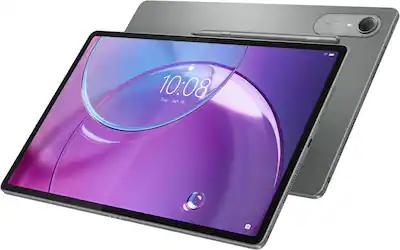
Lenovo Tablet Review Introduction The Lenovo tablet is a popular electronic device that is used for studying, working, and entertainment. Lenovo is a famous technology company that produces computers, laptops, and tablets. Its tablets offer many useful features at reasonable prices. In this review, I will discuss the design, screen, performance, battery life, advantages, and disadvantages of Lenovo tablets. Design and Screen Lenovo tablets have a modern and attractive design. Most models are slim and lightweight, making them easy to carry anywhere. This is especially useful for students who need to take their tablets to school or university. The screen is usually large enough for reading, watching videos, and playing games. Many Lenovo tablets have clear displays with bright colors. However, screen quality depends on the model. Some cheaper models may have lower resolution than more expensive tablets. Performance and Applications Lenovo tablets generally provide good performance for everyday activities. Users can browse the internet, watch YouTube, use social media, and open educational applications. Most Lenovo tablets use the Android operating system, which is simple and easy to understand. Users can download different applications from the Google Play Store, including games, educational programs, and communication applications. However, some affordable models may become slow when running several applications at the same time. Therefore, choosing a suitable model is important. Battery Life Battery life is one of the important features of Lenovo tablets. Many models can work for several hours without needing to be charged. This makes them useful for studying, traveling, and watching movies. However, battery performance depends on how the tablet is used. Playing games and watching videos at high brightness can consume more battery power. Educational Uses Lenovo tablets are very useful for students. They can be used to read electronic books, complete homework, attend online classes, and search for information. Students can also use applications such as Google Classroom, Zoom, and Microsoft Teams to communicate with teachers. Some Lenovo tablets support digital pens, which help students take notes and draw pictures. Entertainment Lenovo tablets are also excellent for entertainment. Users can watch movies, listen to music, play games, and communicate with friends. The large screen makes watching videos more enjoyable than using a small smartphone. However, demanding games may not run smoothly on basic models. Advantages and Disadvantages One of the main advantages of Lenovo tablets is their affordable price. They also offer attractive designs, useful applications, and good battery life. However, some models have limited storage, average cameras, and slower performance. In addition, certain accessories may need to be purchased separately. Conclusion In conclusion, Lenovo tablets are useful devices for students and everyday users. They offer a good combination of design, performance, entertainment, and affordability. Although some models have disadvantages, Lenovo tablets can provide good value for money. In my opinion, a Lenovo tablet is a good choice for anyone who wants an affordable device for studying, watching videos, browsing the internet, and completing everyday tasks.
I would recommend this to a friend - Rated 5 out of 5 stars
Excelent
CARLOC Posted
Excelente deal.I like it; it’s fast, and the screen is the ideal size—both for portable use and for use as an extended display.
I would recommend this to a friend - Rated 5 out of 5 stars
The screen is crystal clear and vibrant
JoyH Posted
I love this tablet. It has a crystal clear and vibrant screen. Playing game and reading are easy and comfortable to see.
I would recommend this to a friend - Rated 5 out of 5 stars
Its a yes!!
STEPHANIEB Posted
Great tablet!! Prefect for quick everyday use. Fast. Easy. Light.
I would recommend this to a friend - Rated 5 out of 5 stars
Very good product
PierrejudorA Posted
Very good product. Big screen, good image quality, pen works perfectly.
I would recommend this to a friendBrand response from Lenovo Product Expert
Posted
Hi PierrejudorA-
Thank you for choosing Lenovo and for taking the time to share your feedback. We’re excited to hear that you like the display quality of the Idea Tab Pro Gen 2.
If you ever have questions or need assistance, we’re always available in the Q&A section of this product page.
Warm regards,
Lenovo