Customer Ratings & Reviews
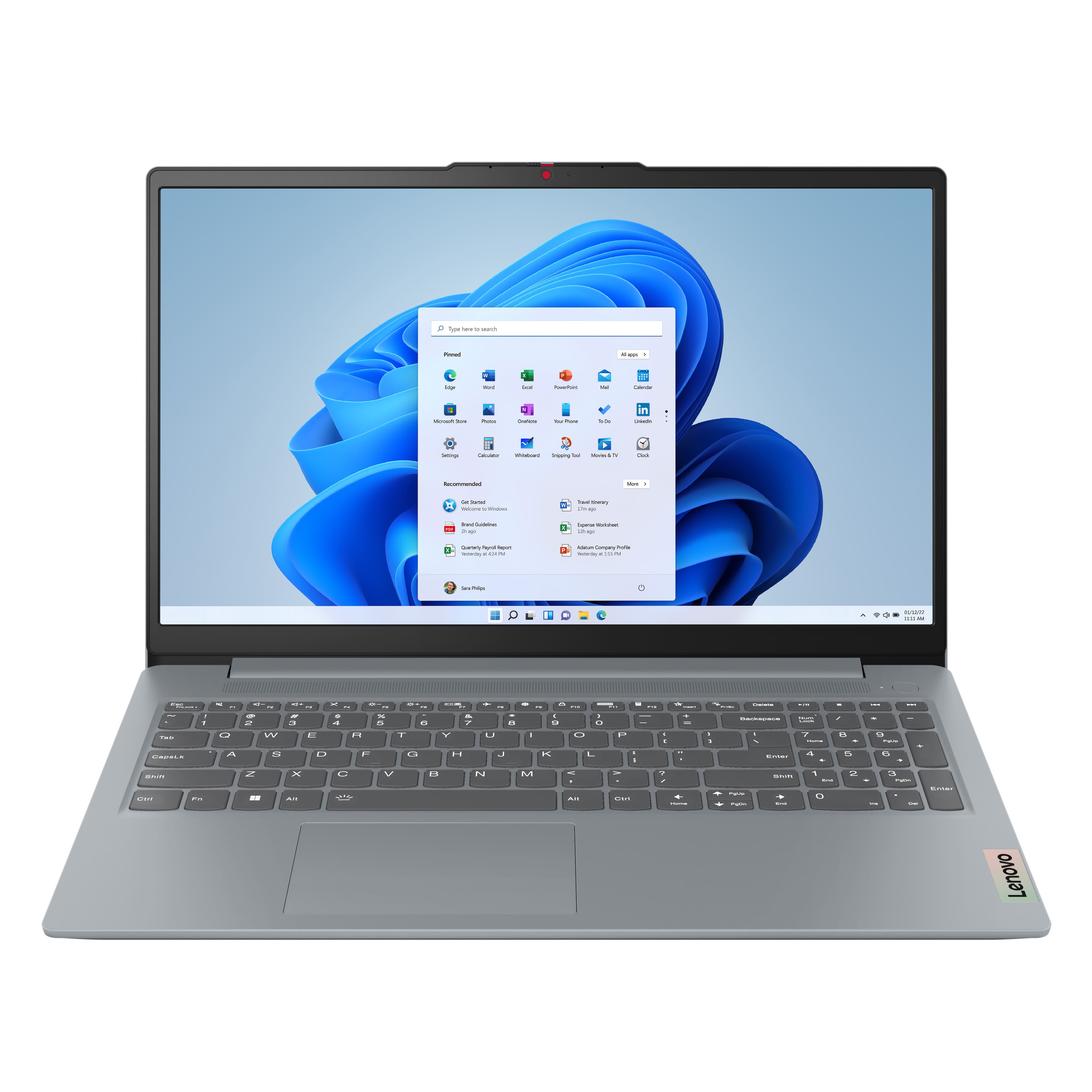


![Sure, here is the corrected and grouped text from the image:
---
**Top Row:**
- Esc
- Fn
- F1
- F2
- F3
- F4
- F5
- F6
- F7
- F8
- F9
- F10
- F11
- F12
**Number Row:**
- 1
- 2
- 3
- 4
- 5
- 6
- 7
- 8
- 9
- 0
- -
- =
- Backspace
**Letter Row:**
- Tab
- Q
- W
- E
- R
- T
- Y
- U
- I
- O
- P
- [
- ]
- \
- Delete
**Letter Row:**
- Caps Lock
- A
- S
- D
- F
- G
- H
- J
- K
- L
- ;
- '
- Enter
**Letter Row:**
- Shift
- Z
- X
- C
- V
- B
- N
- M
- ,
- .
- /
- Shift](https://pisces.bbystatic.com/image2/BestBuy_US/images/products/f79b3ed3-e46f-4e66-923f-76d4538361a2.jpg)


- Model:
- 82XM00LMUS
- SKU:
- 11357527
Rating by feature
- Battery Life
Rating 4.7 out of 5 stars
- Speed
Rating 4.7 out of 5 stars
- Display
Rating 4.7 out of 5 stars
Great PC at great price.
||Posted . Owned for 3 weeks when reviewed.This reviewer received promo considerations or sweepstakes entry for writing a review.Primarily used for work and zoom meetings. Very fast and responsive.
I would recommend this to a friendBrand response from Lenovo Product Expert
Posted .Hi NicholasP,
Thanks for choosing Lenovo and for sharing your feedback with us!
We are pleased to read that this IdeaPad Slim 3 is a great fit for your use.
Please feel free to reach out to us via the Q& A section of this product page should you have any questions or need assistance.
Best,
Lenovo
Lenovo computer
||Posted . Owned for 2 weeks when reviewed.This reviewer received promo considerations or sweepstakes entry for writing a review.Lenovo computer is simply the best. the touch screen is awesome didnt it have to type anything just touch the screen
I would recommend this to a friendBrand response from Lenovo Product Expert
Posted .Hi,
Thanks for choosing Lenovo and for sharing your feedback with us!
We are glad to read that you are satisfied with your purchase.
Please don't hesitate to reach out to us via the Q& A section of this product page or contact Lenovo Support should you have any questions or need assistance.
Regards,
Lenovo
Great purchase
||Posted . Owned for 3 weeks when reviewed.This reviewer received promo considerations or sweepstakes entry for writing a review.Love it so far. Would recommend this laptop. Works well for home office.
I would recommend this to a friendBrand response from Lenovo Product Expert
Posted .Hey KristiS,
Thank you for choosing Lenovo and for sharing your feedback with us!
We are glad to hear that you are loving your IdeaPad Slim 3 so far.
Please feel free to reach out to us should you have any questions.
Best,
Lenovo
Good laptops for student
||Posted .This reviewer received promo considerations or sweepstakes entry for writing a review.The laptop is very nice. It works well and is good for college students.
I would recommend this to a friendBrand response from Lenovo Product Expert
Posted .Hey user134571,
Thank you for choosing Lenovo and for sharing your feedback with us!
We are glad to hear that your IdeaPad Slim 3 works well for your use.
Please feel free to reach out to us should you have any questions.
Best,
Lenovo
Laptop computers
||Posted . Owned for 1 month when reviewed.This reviewer received promo considerations or sweepstakes entry for writing a review.Sales person helped me choose a laptop just suitable for her
I would recommend this to a friendBrand response from Lenovo Product Expert
Posted .Hi Happy-
Thank you for choosing Lenovo and sharing your experience with us. We are happy to hear that the IdeaPad Slim 3 is working well for your needs. We aim to offer great user experience and are overjoyed to see that we met our goal.
Please reach out to us through the Q & A section of this product webpage if you have any questions or need any assistance.
Best wishes,
Lenovo
Laptop
||Posted . Owned for 3 weeks when reviewed.This reviewer received promo considerations or sweepstakes entry for writing a review.Love the laptop. Great customer service. Technician was very helpful.
I would recommend this to a friendBrand response from Lenovo Product Expert
Posted .Hey Lulu,
Thank you for choosing Lenovo and for sharing your feedback with us!
We are glad to hear that you love your IdeaPad Slim 3 and that your service received was great.
Please feel free to reach out to us should you have any questions.
Best,
Lenovo
Lenovo slim 3
||Posted . Owned for 1 month when reviewed.This reviewer received promo considerations or sweepstakes entry for writing a review.Nice super lenovo slim worth it I recommend to that to everyone
I would recommend this to a friendBrand response from Lenovo Product Expert
Posted .Hey KhaleelM,
Thank you for choosing Lenovo and for sharing your feedback with us!
We are glad to hear that the IdeaPad Slim 3 15 is working quite nicely for you.
Please feel free to reach out to us should you have any questions.
Best,
Lenovo
Good Laptop
||Posted . Owned for 3 weeks when reviewed.This reviewer received promo considerations or sweepstakes entry for writing a review.The overall speed of operation is very good with fast downloads. Shame the keyboard is unlit which our prior Ideapad enjoyed.
I would recommend this to a friendBrand response from Lenovo Product Expert
Posted .Hey nwhi,
Thanks for choosing Lenovo and for sharing your feedback with us!
We are glad to read that your experience with this IdeaPad Slim 3 has been good overall.
Please feel free to reach out to us via the Q& A section of this product page should you have any questions or need assistance.
Best,
Lenovo
Worth the Money
||Posted . Owned for 2 weeks when reviewed.This reviewer received promo considerations or sweepstakes entry for writing a review.Very pleased with the laptop. The added 16GB makes response time quick. Great for the price.
I would recommend this to a friendBrand response from Lenovo Product Expert
Posted .Hey NCDream,
Thank you for choosing Lenovo and for sharing your feedback with us!
We are glad to hear that you are very pleased with your IdeaPad Slim 3.
Please feel free to reach out to us should you have any questions.
Best,
Lenovo
Great Value
||Posted . Owned for 1 week when reviewed.This reviewer received promo considerations or sweepstakes entry for writing a review.Great computer for the money, glad I bought it. Does everything we need it to do. Nice Display
I would recommend this to a friendBrand response from Lenovo Product Expert
Posted .Hey,
Thanks for choosing Lenovo!
We are glad to hear that your IdeaPad Slim 3 offers great value to you, and we appreciate you taking the time to share your perspective with us.
Best,
Lenovo
My review
||Posted . Owned for 3 weeks when reviewed.This reviewer received promo considerations or sweepstakes entry for writing a review.Seems to work well for my purposes. Learning the smaller size keyboard
I would recommend this to a friendBrand response from Lenovo Product Expert
Posted .Hey RogerS,
Thank you for choosing Lenovo and for sharing your feedback with us!
We are glad to hear that this IdeaPad Slim 3 works well for your use.
Please feel free to reach out to us should you have any questions.
Best,
Lenovo
Average laptop
||Posted . Owned for 1 month when reviewed.This reviewer received promo considerations or sweepstakes entry for writing a review.My Lenovo laptop is just ok to me. It is much harder to work and does some things that my old laptop didn't do. One example is that it does not keep my screen saver picture on the screen. Had the Geek squad return the picture I wanted but 3 days later it was gone. Also, much harder to connect to my printer.
No, I would not recommend this to a friendBrand response from Lenovo Product Expert
Posted .Hi,
Thanks for choosing Lenovo and for sharing your feedback with us!
We are glad to read that you are satisfied with your purchase.
Please don't hesitate to reach out to us via the Q& A section of this product page or contact Lenovo Support should you have any questions or need assistance.
Regards,
Lenovo
Cheep but effective
||Posted .This reviewer received promo considerations or sweepstakes entry for writing a review.Great overall laptop for day to day activities can even do some light gaming.
I would recommend this to a friendBrand response from Lenovo Product Expert
Posted .Hey Tylerj,
Thank you for choosing Lenovo and for sharing your feedback with us!
We are glad to hear that your IdeaPad Slim 3 is working great for you overall.
Please feel free to reach out to us should you have any questions.
Best,
Lenovo
Another great Lenovo product
||Posted . Owned for 2 weeks when reviewed.This reviewer received promo considerations or sweepstakes entry for writing a review.Great laptop that is fast, works as intended and is overall a great buy. Highly recommend!
I would recommend this to a friendBrand response from Lenovo Product Expert
Posted .Hey joeshoe,
Thank you for choosing Lenovo and for sharing your feedback with us!
We are glad to hear that your IdeaPad Slim 3 meets your expectations.
Please feel free to reach out to us should you have any questions.
Best,
Lenovo
Good laptop
||Posted .This reviewer received promo considerations or sweepstakes entry for writing a review.This laptop was great. It did exactly what I needed it to do. The main disadvantage was that the battery would run out quickly for specific things (depending on what you were doing). It did last up to 3 hours. However, this is a great laptop that I would recommend if you are seeking for an inexpensive laptop for small tasks.
I would recommend this to a friendBrand response from Lenovo Product Expert
Posted .Hi Anaa,
Thanks for choosing Lenovo and for sharing your feedback with us!
We are pleased to read that this IdeaPad Slim 3 has been great for you. To note for viewers, regarding battery life, by default the system will tend to give more speed when needed, which can sacrifice battery life. If you want to squeeze out more battery life, we recommend utilizing the Lenovo Vantage application that is preinstalled to adjust settings related to power and battery performance (to access relevant settings, open Vantage > Device Settings > Power). You can also take advantage of the keyboard shortcut, Fn + Q to toggle thermal modes and easily switch between prioritizing battery life or power, or even the best of both worlds.
Please feel free to reach out to us via the Q& A section of this product page should you have any questions or need assistance.
Best,
Lenovo
Great laptop
||Posted .This reviewer received promo considerations or sweepstakes entry for writing a review.Great computer for the price. Daughter got it as s christmas present and she loves it
I would recommend this to a friendGood computer
||Posted . Owned for 3 weeks when reviewed.This reviewer received promo considerations or sweepstakes entry for writing a review.Im enjoying using my computer, it works well, and runs faster than my last one.
I would recommend this to a friendBrand response from Lenovo Product Expert
Posted .Hey ElricM,
Thanks for choosing Lenovo and for sharing your feedback with us!
We are glad to read that you are enjoying your IdeaPad Slim 3.
Please feel free to reach out to us via the Q& A section of this product page should you have any questions or need assistance.
Best,
Lenovo
Computer review
||Posted .This reviewer received promo considerations or sweepstakes entry for writing a review.The computer arrived quickly from Best Buy and has a sleek design. It’s easy to use!
I would recommend this to a friendBrand response from Lenovo Product Expert
Posted .Hey user12345,
Thank you for choosing Lenovo and for sharing your feedback with us!
We are glad to hear that your IdeaPad Slim 3 is working out well for you.
Please feel free to reach out to us should you have any questions.
Best,
Lenovo
Good Item
||Posted . Owned for 1 month when reviewed.This reviewer received promo considerations or sweepstakes entry for writing a review.I bought it for traveling and receiving emails. It works fine
I would recommend this to a friendBrand response from Lenovo Product Expert
Posted .Hey,
Thank you for choosing Lenovo and for sharing your feedback with us!
We are glad to hear that this IdeaPad Slim 3 works fine for your use.
Please feel free to reach out to us should you have any questions.
Best,
Lenovo
Nice computer
||Posted .This reviewer received promo considerations or sweepstakes entry for writing a review.Great computer. Great Value. It does more than I needed it to do.
I would recommend this to a friendBrand response from Lenovo Product Expert
Posted .Hey there,
Thank you for choosing Lenovo and for sharing your feedback with us!
We are glad to hear that your IdeaPad Slim 3 works great for you and offers great value to you, along with it meeting your needs.
Please feel free to reach out to us should you have any questions.
Best,
Lenovo